LaTeX thesis template
A LaTeX thesis template for a PhD or master's thesis, with the chapters in files of their own.
- Engine: pdfLaTeX
- Bibliography: BibTeX
- License: Public domain, use freely.
Open in LaTeX.to Download all files (zip)
main.tex
% !BIB program = bibtex
\documentclass[11pt,a4paper,oneside]{report}

% Use twoside instead of oneside if your university wants double sided printing.

\usepackage[T1]{fontenc}
\usepackage{lmodern}
\usepackage[margin=2.5cm]{geometry}  % the margins your department asks for
\usepackage{setspace}
\usepackage{graphicx}                % for \includegraphics once you add images
\usepackage{amsmath}
\usepackage{booktabs}
\usepackage{tikz}
\usepackage{natbib}
\usepackage[hidelinks]{hyperref}     % hyperref goes last

\onehalfspacing                      % 1.5 line spacing, a common requirement

\begin{document}

% ---------------------------------------------------------------- title page
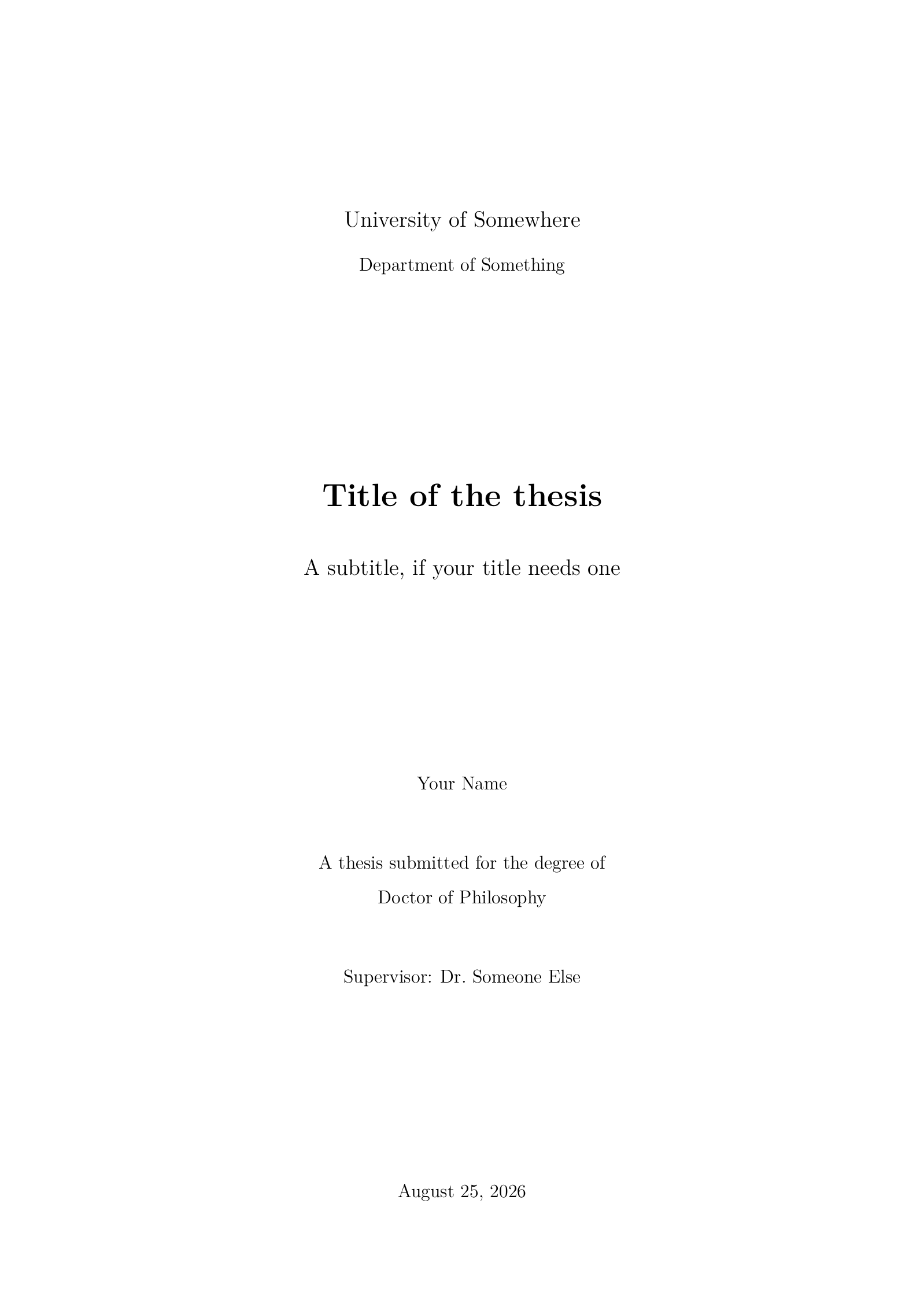
\begin{titlepage}
  \centering
  \vspace*{1.5cm}

  {\Large University of Somewhere\par}
  \vspace{0.4cm}
  {\large Department of Something\par}

  \vfill

  {\huge\bfseries Title of the thesis\par}
  \vspace{0.8cm}
  {\Large A subtitle, if your title needs one\par}

  \vfill

  {\large Your Name\par}
  \vspace{1.2cm}
  {\large A thesis submitted for the degree of\par}
  \vspace{0.2cm}
  {\large Doctor of Philosophy\par}
  \vspace{1.2cm}
  {\large Supervisor: Dr.\ Someone Else\par}

  \vfill

  {\large \today\par}
\end{titlepage}

\pagenumbering{roman}

% ------------------------------------------------------------------ abstract
\begin{abstract}
State the problem, the approach and the result in one paragraph. A reader who
stops here should still know what the thesis claims and why the claim is new.
This thesis studies how small teams keep long documents consistent, measures
the cost of the manual checks they run today, and proposes a method that
removes most of that cost without changing how the teams write.
\end{abstract}

% ---------------------------------------------------------- acknowledgements
\chapter*{Acknowledgements}
\addcontentsline{toc}{chapter}{Acknowledgements}

Thank the people who supervised, funded and supported the work. Keep it short
and specific: a supervisor, a lab, a funding body, the colleagues who read the
drafts, and the family who put up with the last six months.

% -------------------------------------------------------------------- lists
\tableofcontents
\listoffigures
\listoftables

\clearpage
\pagenumbering{arabic}

% ------------------------------------------------------------------ chapters
\input{chapters/introduction}
\input{chapters/background}
\input{chapters/conclusion}

% ---------------------------------------------------------------- appendices
\appendix

\chapter{Interview Questions}
\label{ch:questions}

Material that supports the argument but would interrupt it goes here: survey
instruments, long proofs, extra tables, source listings. Every chapter after
\verb|\appendix| is lettered instead of numbered, so this one is Appendix~A.

\begin{enumerate}
  \item How long have you worked on documents of this size?
  \item Which checks do you run before you send a draft out?
  \item How long does a full check take you?
  \item What do you skip when you are short of time?
\end{enumerate}

% --------------------------------------------------------------- references
\clearpage
\addcontentsline{toc}{chapter}{Bibliography}
\bibliographystyle{plainnat}
\bibliography{references}

\end{document}
chapters/introduction.tex
Download chapters/introduction.tex
\chapter{Introduction}
\label{ch:introduction}

Open with the problem and with the reason it matters outside your own office.
Long technical documents are written by small teams over several years, and the
parts drift apart: a symbol changes meaning between chapters, a figure is
updated in one place and not in another, a number in the summary no longer
matches the table it came from. Teams catch most of this by reading everything
again before every deadline, which is slow and which they stop doing when the
deadline is close.

\section{Motivation}

The manual check is expensive because it does not scale with the document. A
reviewer who knows the material can read about twenty pages an hour, so a two
hundred page draft costs a full working day of a senior person, and it costs
that again after every round of edits. Teams therefore check late, check
partially, or check only the parts that changed, and the errors that survive
are the ones that span chapters.

\section{Aims and objectives}

This thesis asks whether the consistency of a long document can be checked
mechanically, from the source, without asking the authors to write in a
restricted language. Three objectives follow from that question.

\begin{enumerate}
  \item Describe what practitioners check today and what those checks cost,
        using interviews with people who write documents of this size.
  \item Build a method that recovers the relationships between symbols,
        figures and numbers from the source of the document itself.
  \item Evaluate the method against drafts with known errors and report where
        it fails as well as where it works.
\end{enumerate}

\section{Contributions}

The work contributes an account of current practice drawn from interviews, a
method that turns the source of a document into a graph of its internal
references, and an evaluation on drafts with seeded errors. The limits are
stated in Chapter~\ref{ch:conclusion}: the method reads structure, not meaning,
and it cannot tell a deliberate change from an accidental one.

\section{Structure of the thesis}

Chapter~\ref{ch:background} reviews the relevant literature and describes the
workflow and the datasets the later chapters use.
Chapter~\ref{ch:conclusion} summarizes the contributions, states the
limitations and lists the work that follows from them.
Appendix~\ref{ch:questions} holds the interview questions.
chapters/background.tex
Download chapters/background.tex
\chapter{Background}
\label{ch:background}

This chapter places the work in its literature, describes the workflow the
later chapters follow, and introduces the datasets used in the evaluation.

\section{Related work}

Document preparation has been studied since the first typesetting systems were
written for authors rather than printers \citep{knuth1984}. The separation of
content from presentation, which \citet{lamport1994} made routine, is what
makes an automated check possible at all: the source of a document carries its
structure, not only its appearance. Later work on packages and document classes
\citep{mittelbach2004} extended that structure, and recent studies of
collaborative writing \citep{someone2024} report the coordination costs that
motivate this thesis.

Two lines of work are close to ours. The first checks documents against a
style guide and reports violations of rules that are fixed in advance. The
second compares versions of the same document and reports what changed. Neither
recovers the relationships inside a single draft, which is what the method in
this thesis does.

\section{The workflow}

Figure~\ref{fig:workflow} shows the three stages the method works in. The
source of the document is parsed once into a structured form, the structure is
turned into a graph whose nodes are symbols, figures, tables and numbers, and
the graph is then queried for the patterns that indicate an inconsistency.

\begin{figure}[htbp]
  \centering
  \begin{tikzpicture}[x=1cm, y=1cm]
    \draw[thick] (0,0) rectangle (3.6,1.4);
    \node at (1.8,0.7) {Source};
    \draw[thick] (5.2,0) rectangle (8.8,1.4);
    \node at (7.0,0.7) {Graph};
    \draw[thick] (10.4,0) rectangle (14.0,1.4);
    \node at (12.2,0.7) {Report};
    \draw[thick,->] (3.6,0.7) -- (5.2,0.7);
    \draw[thick,->] (8.8,0.7) -- (10.4,0.7);
    \node[anchor=south] at (4.4,0.85) {\small parse};
    \node[anchor=south] at (9.6,0.85) {\small query};
  \end{tikzpicture}
  \caption{The three stages of the workflow: the source is parsed, the
    structure becomes a graph, and the graph is queried for inconsistencies.}
  \label{fig:workflow}
\end{figure}

Each stage is deliberately independent. The parser can be replaced for a
different input format without touching the queries, and a new query is a new
pattern over the same graph rather than a new pass over the source.

A run of the method is scored by the share of the seeded errors it recovers,

\begin{equation}
  r = \frac{n_{\mathrm{found}}}{n_{\mathrm{seeded}}} ,
  \label{eq:recovery}
\end{equation}

and the recovery rate of Equation~\ref{eq:recovery} is reported separately for
each of the three collections described below.

\section{Datasets}

Three collections of documents are used, summarized in
Table~\ref{tab:datasets}. The pilot study fixed the interview questions and the
seeding procedure. The main corpus is the body of the evaluation. The held-out
set was not read until the method was frozen, so it reports the performance a
new user should expect.

\begin{table}[htbp]
  \centering
  \caption{The three collections of documents used in the evaluation.}
  \label{tab:datasets}
  \begin{tabular}{lrrr}
    \toprule
    Collection   & Documents & Pages & Size (MB) \\
    \midrule
    Pilot study  &       120 &   2\,400 &   4 \\
    Main corpus  &     8\,400 & 210\,000 & 310 \\
    Held-out set &     2\,100 &  52\,000 &  78 \\
    \midrule
    Total        &    10\,620 & 264\,400 & 392 \\
    \bottomrule
  \end{tabular}
\end{table}

The three collections were drawn from the same sources and split by author, so
no author appears in more than one of them.
chapters/conclusion.tex
Download chapters/conclusion.tex
\chapter{Conclusion}
\label{ch:conclusion}

\section{Summary of contributions}

This thesis set out to check the internal consistency of a long document
mechanically, without restricting how its authors write. It reported what
practitioners check today and what those checks cost, described a method that
recovers the relationships inside a document from its source, and evaluated
that method on a held-out set of drafts with seeded errors.

\section{Limitations}

The method reads structure and not meaning. It reports that a symbol is used
with two definitions, not which of the two is correct, and a reader still has
to decide. It also assumes that the source is available and reasonably regular,
which rules out documents assembled from generated fragments. The evaluation
uses seeded errors, and a seeded error is easier to find than an error a tired
author made at midnight.

\section{Future work}

Three directions follow. The first is to run the method on a live project over
a full writing cycle rather than on finished drafts, which would show whether
the reports are read when they arrive. The second is to rank reports by the
cost of the error rather than by confidence, since a wrong number in a summary
matters more than an inconsistent symbol in an appendix. The third is to make
the queries editable by the people who write the documents, so that a team can
add the checks its own field cares about.
references.bib
@book{knuth1984,
  author    = {Donald E. Knuth},
  title     = {The {\TeX}book},
  publisher = {Addison-Wesley},
  address   = {Reading, MA},
  year      = {1984}
}

@book{lamport1994,
  author    = {Leslie Lamport},
  title     = {{\LaTeX}: A Document Preparation System},
  edition   = {2},
  publisher = {Addison-Wesley},
  address   = {Reading, MA},
  year      = {1994}
}

@book{mittelbach2004,
  author    = {Frank Mittelbach and Michel Goossens},
  title     = {The {\LaTeX} Companion},
  edition   = {2},
  publisher = {Addison-Wesley},
  address   = {Boston, MA},
  year      = {2004}
}

@article{someone2024,
  author  = {Someone Else and Another Author},
  title   = {A Paper You Cite in the Background Chapter},
  journal = {Journal of Somewhere},
  volume  = {12},
  number  = {3},
  pages   = {45--67},
  year    = {2024}
}
How to use this template
Everything runs in your browser: nothing to install, no login, no compile timeout.
- Click Open in LaTeX.to. The template opens as a project in the Projects pane, with main.tex in the editor and its finished PDF in the preview.
- Click Preview, or press Ctrl+Enter (Cmd+Enter on a Mac), to compile. The preview shows the new PDF; you do not need to save first.
- If the compile fails, the Console pane opens with the LaTeX log. The first error in it says what went wrong and on which line.
- To add an image, a .bib file or another .tex file, open the project's menu (the three dots next to its name in the Projects pane) and choose Upload file or New file.
- The arrow next to Preview has Download PDF. Ctrl+S saves your edits, and the project stays in your browser on this device.
How to add a chapter
A chapter is one file in chapters/ and one line in main.tex.
- In the Projects pane, open the menu of the
chaptersfolder, choose New file and name itmethod.tex. - Start the file with
\chapter{Method}and\label{ch:method}, then write the text. - In
main.tex, add\input{chapters/method}between the other\inputlines, in reading order and above\appendix. - Refer to it from anywhere with
Chapter~\ref{ch:method}.
How to add a reference
References come from references.bib, and BibTeX runs by itself when you compile.
- Click
references.bibin the Projects pane and add an entry; copy an existing one and change the key, authors, title, journal and year. - Cite it with
\citep{key}for "(Author, 2024)" in brackets or\citet{key}for "Author (2024)" in the sentence. - The bibliography at the end is sorted by author and updates on the next compile.
How to set up double sided printing
A bound copy is usually printed on both sides, which changes the margins and where chapters start.
- In the
\documentclassline, replaceonesidewithtwoside. - Add
openrightnext to it so every chapter starts on a right hand page. - Add
bindingoffset=1cminside the brackets of thegeometryline so the inner margin clears the binding.
How to change the line spacing
The text is set at 1.5 line spacing, a common requirement that not every department shares.
- Replace
\onehalfspacingwith\doublespacingfor double spacing. - Delete the line for single spacing; the
setspacepackage can stay loaded.
More templates: ACM paper, Beamer presentation, Elsevier article, IEEE paper, Research paper, Poster, Research proposal and all templates.