latex-mimosis thesis template
The latex-mimosis thesis template is Bastian Rieck's minimal, modern LaTeX class for a bachelor's, master's or doctoral thesis at any university.
- Engine: LuaLaTeX
- Bibliography: biblatex (Biber)
- Source: Pseudomanifold/latex-mimosis 1.2k 54e4308 26 Sep 2026
- License: MIT
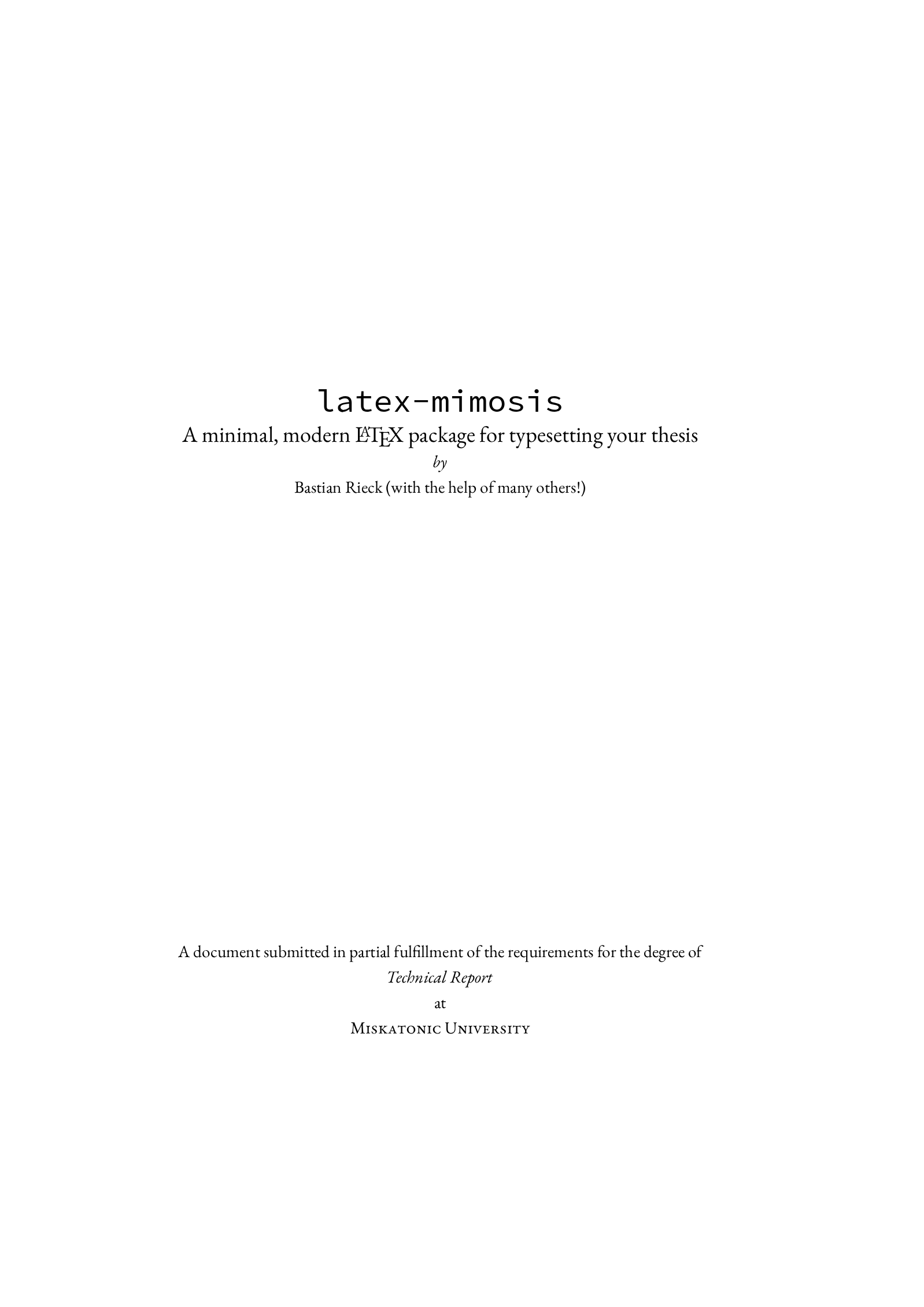
Open in LaTeX.to Download all files (zip)
Thesis.tex
\documentclass{mimosis}

\usepackage{metalogo}

%%%%%%%%%%%%%%%%%%%%%%%%%%%%%%%%%%%%%%%%%%%%%%%%%%%%%%%%%%%%%%%%%%%%%%%%
% Some of my favourite personal adjustments
%%%%%%%%%%%%%%%%%%%%%%%%%%%%%%%%%%%%%%%%%%%%%%%%%%%%%%%%%%%%%%%%%%%%%%%%
%
% These are the adjustments that I consider necessary for typesetting
% a nice thesis. However, they are *not* included in the template, as
% I do not want to force you to use them.

% This ensures that I am able to typeset bold font in table while still aligning the numbers
% correctly.
\usepackage{etoolbox}

%%%%%%%%%%%%%%%%%%%%%%%%%%%%%%%%%%%%%%%%%%%%%%%%%%%%%%%%%%%%%%%%%%%%%%%%
% Hyperlinks & bookmarks
%%%%%%%%%%%%%%%%%%%%%%%%%%%%%%%%%%%%%%%%%%%%%%%%%%%%%%%%%%%%%%%%%%%%%%%%

\usepackage[%
  colorlinks = true,
  citecolor  = RoyalBlue,
  linkcolor  = RoyalBlue,
  urlcolor   = RoyalBlue,
  unicode,
  ]{hyperref}

\usepackage{bookmark}

%%%%%%%%%%%%%%%%%%%%%%%%%%%%%%%%%%%%%%%%%%%%%%%%%%%%%%%%%%%%%%%%%%%%%%%%
% Bibliography
%%%%%%%%%%%%%%%%%%%%%%%%%%%%%%%%%%%%%%%%%%%%%%%%%%%%%%%%%%%%%%%%%%%%%%%%
%
% I like the bibliography to be extremely plain, showing only a numeric
% identifier and citing everything in simple brackets. The first names,
% if present, will be initialized. DOIs and URLs will be preserved.

\usepackage[%
  autocite     = plain,
  backend      = biber,
  doi          = true,
  url          = true,
  giveninits   = true,
  hyperref     = true,
  maxbibnames  = 99,
  maxcitenames = 99,
  sortcites    = true,
  style        = numeric,
  ]{biblatex}

\input{bibliography-mimosis}
\addbibresource{Thesis.bib}

%%%%%%%%%%%%%%%%%%%%%%%%%%%%%%%%%%%%%%%%%%%%%%%%%%%%%%%%%%%%%%%%%%%%%%%%
% Fonts
%%%%%%%%%%%%%%%%%%%%%%%%%%%%%%%%%%%%%%%%%%%%%%%%%%%%%%%%%%%%%%%%%%%%%%%%

\ifxetexorluatex
  \usepackage{unicode-math}
  \setmainfont{EB Garamond}
  \setmathfont{Garamond Math}

  % Load some missing symbols from another font.
  \setmathfont{STIX Two Math}[%
    range = {
      \sharp,
      \natural,
      \flat,
      \clubsuit,
      \spadesuit,
      \checkmark
    }
  ]
  \setmonofont[Scale=MatchLowercase]{Source Code Pro}
\else
  \usepackage[lf]{ebgaramond}
  \usepackage[oldstyle,scale=0.7]{sourcecodepro}
  \singlespacing
\fi

\newacronym[description={Principal component analysis}]{PCA}{PCA}{principal component analysis}
\newacronym                                            {SNF}{SNF}{Smith normal form}
\newacronym[description={Topological data analysis}]   {TDA}{TDA}{topological data analysis}

\newglossaryentry{LaTeX}{%
  name        = {\LaTeX},
  description = {A document preparation system},
  sort        = {LaTeX},
}

\newglossaryentry{Real numbers}{%
  name        = {$\real$},
  description = {The set of real numbers},
  sort        = {Real numbers},
}

\makeindex
\makeglossaries

%%%%%%%%%%%%%%%%%%%%%%%%%%%%%%%%%%%%%%%%%%%%%%%%%%%%%%%%%%%%%%%%%%%%%%%%
% Ordinals
%%%%%%%%%%%%%%%%%%%%%%%%%%%%%%%%%%%%%%%%%%%%%%%%%%%%%%%%%%%%%%%%%%%%%%%%

\makeatletter
\@ifundefined{st}{%
  \newcommand{\st}{\textsuperscript{\textup{st}}\xspace}
}{}
\@ifundefined{rd}{%
  \newcommand{\rd}{\textsuperscript{\textup{rd}}\xspace}
}{}
\@ifundefined{nd}{%
  \newcommand{\nd}{\textsuperscript{\textup{nd}}\xspace}
}{}
\makeatother

\renewcommand{\th}{\textsuperscript{\textup{th}}\xspace}

%%%%%%%%%%%%%%%%%%%%%%%%%%%%%%%%%%%%%%%%%%%%%%%%%%%%%%%%%%%%%%%%%%%%%%%%
% Incipit
%%%%%%%%%%%%%%%%%%%%%%%%%%%%%%%%%%%%%%%%%%%%%%%%%%%%%%%%%%%%%%%%%%%%%%%%

\title{\texttt{latex-mimosis}}
\subtitle{A minimal, modern \LaTeX{} package for typesetting your thesis}
\author{Bastian Rieck}

\begin{document}

\frontmatter
  \include{Sources/Title}
  \include{Sources/Abstract}

  \tableofcontents

\mainmatter

  \part[A good part]{%
    A good part\\
    %
    \vspace{1cm}
    %
    \begin{minipage}[l]{\textwidth}
    %
    \textnormal{%
      \normalsize
      %
      \begin{singlespace*}
        \onehalfspacing
        %
        You can also use parts in order to partition your great work
        into larger `chunks'. This involves some manual adjustments in
        terms of the layout, though.
      \end{singlespace*}
    }
    \end{minipage}
  }

  \include{Sources/Introduction}

% This ensures that the subsequent sections are being included as root
% items in the bookmark structure of your PDF reader.
\bookmarksetup{startatroot}
\backmatter

  \begingroup
    \let\clearpage\relax
    \glsaddall
    \printglossary[type=\acronymtype]
    \newpage
    \printglossary
  \endgroup

  \printindex
  \printbibliography

\end{document}
mimosis.cls
\NeedsTeXFormat{LaTeX2e}
\ProvidesClass{mimosis}[2017/08/01 Minimal modern thesis class]

\PassOptionsToPackage{
  DIV  = 10,    % TODO: Make configurable
  BCOR = 10mm,  % TODO: Make configurable
}{typearea}

\LoadClass[a4paper,
           twoside,
           11pt,
           cleardoublepage=empty,
           numbers=noenddot,
           titlepage,
           toc=bibliography,
           toc=index,]{scrbook}

\RequirePackage{iftex}
\newif\ifxetexorluatex\xetexorluatexfalse
\ifxetex
  \xetexorluatextrue
\fi
\ifluatex
  \xetexorluatextrue
\fi

\ifxetexorluatex
  \RequirePackage{fontspec}
\else
  \RequirePackage[T1]{fontenc}
  \RequirePackage[utf8]{inputenc}
\fi

% Makes it possible to switch between different languages in the text
% while keeping hyphenation rules correct. Should you add another one
% in the list, please ensure that `english` is the last one. The last
% language is used to control standard hyphenation.
\usepackage[ngerman,french,english]{babel}

\RequirePackage[autostyle=true]{csquotes} % Context-sensitive quotation marks
\RequirePackage{makeidx}  % For creating indices
\RequirePackage{xspace}   % For automatically "eating" spaces

%%%%%%%%%%%%%%%%%%%%%%%%%%%%%%%%%%%%%%%%%%%%%%%%%%%%%%%%%%%%%%%%%%%%%%%%
% Multi-line comments
%%%%%%%%%%%%%%%%%%%%%%%%%%%%%%%%%%%%%%%%%%%%%%%%%%%%%%%%%%%%%%%%%%%%%%%%

\newcommand{\comment}[1]{}

%%%%%%%%%%%%%%%%%%%%%%%%%%%%%%%%%%%%%%%%%%%%%%%%%%%%%%%%%%%%%%%%%%%%%%%%
% Fonts & colours
%%%%%%%%%%%%%%%%%%%%%%%%%%%%%%%%%%%%%%%%%%%%%%%%%%%%%%%%%%%%%%%%%%%%%%%%

\RequirePackage[dvipsnames]{xcolor}

%%%%%%%%%%%%%%%%%%%%%%%%%%%%%%%%%%%%%%%%%%%%%%%%%%%%%%%%%%%%%%%%%%%%%%%%
% Graphics
%%%%%%%%%%%%%%%%%%%%%%%%%%%%%%%%%%%%%%%%%%%%%%%%%%%%%%%%%%%%%%%%%%%%%%%%

\RequirePackage{graphicx}
\graphicspath{%
  {Figures/}
  {./}
}

% Suppress warnings about page groups in PDFs. This is not justified
% in most of the cases. I am pretty sure I am including my images in
% the right manner.
\begingroup\expandafter\expandafter\expandafter\endgroup
\expandafter\ifx\csname pdfsuppresswarningpagegroup\endcsname\relax
\else
  \pdfsuppresswarningpagegroup=1\relax
\fi

\RequirePackage{subcaption}

% Make sub-references using \subref being typeset with parentheses.
% Otherwise, only the counter will be printed.
\captionsetup{subrefformat=parens}

%%%%%%%%%%%%%%%%%%%%%%%%%%%%%%%%%%%%%%%%%%%%%%%%%%%%%%%%%%%%%%%%%%%%%%%%
% Glossaries
%%%%%%%%%%%%%%%%%%%%%%%%%%%%%%%%%%%%%%%%%%%%%%%%%%%%%%%%%%%%%%%%%%%%%%%%

\RequirePackage[%
  acronym,
  nogroupskip,
  nopostdot,
  nonumberlist,
  toc,
  ]{glossaries}

% New style that prevents line-breaks between the full description and
% the acronym. Furthermore, it ensures that the acronym is always
% printed in an upright font.
\newacronymstyle{long-short-mimosis}
{%
  \GlsUseAcrEntryDispStyle{long-short}%
}%
{%
  \GlsUseAcrStyleDefs{long-short}%
  \renewcommand*{\genacrfullformat}[2]{%
    \glsentrylong{##1}##2~\textup{(\firstacronymfont{\glsentryshort{##1}})}%
  }%
  \renewcommand*{\Genacrfullformat}[2]{%
    \Glsentrylong{##1}##2~\textup{(\firstacronymfont{\glsentryshort{##1}})}%
  }%
  \renewcommand*{\genplacrfullformat}[2]{%
    \glsentrylongpl{##1}##2~\textup{(\firstacronymfont{\glsentryshortpl{##1}})}%
  }%
  \renewcommand*{\Genplacrfullformat}[2]{%
    \Glsentrylongpl{##1}##2~\textup{(\firstacronymfont{\Glsentryshortpl{##1}})}%
  }%
}

% A new glossary style that based on the long style of the glossaries
% package. It ensures that descriptions and entries are aligned.
\newglossarystyle{long-mimosis}{%
  \setglossarystyle{long}

  \renewcommand{\glossentry}[2]{%
    \glsentryitem{##1}\glstarget{##1}{\glossentryname{##1}} &
    \glossentrydesc{##1}\glspostdescription\space ##2\tabularnewline
  }%
}

% Constrain the description width to enforce breaks.
\setlength{\glsdescwidth}{10cm}

\setacronymstyle{long-short-mimosis}
\setglossarystyle{long-mimosis}

%%%%%%%%%%%%%%%%%%%%%%%%%%%%%%%%%%%%%%%%%%%%%%%%%%%%%%%%%%%%%%%%%%%%%%%%
% Paragraph lists & compact enumerations
%%%%%%%%%%%%%%%%%%%%%%%%%%%%%%%%%%%%%%%%%%%%%%%%%%%%%%%%%%%%%%%%%%%%%%%%

\RequirePackage[%
    olditem,  % Do not modify itemize environments by default
    oldenum   % Do not modify enumerate environments by default
  ]{paralist}

%%%%%%%%%%%%%%%%%%%%%%%%%%%%%%%%%%%%%%%%%%%%%%%%%%%%%%%%%%%%%%%%%%%%%%%%
% Spacing
%%%%%%%%%%%%%%%%%%%%%%%%%%%%%%%%%%%%%%%%%%%%%%%%%%%%%%%%%%%%%%%%%%%%%%%%

\RequirePackage{setspace}
\onehalfspacing

%%%%%%%%%%%%%%%%%%%%%%%%%%%%%%%%%%%%%%%%%%%%%%%%%%%%%%%%%%%%%%%%%%%%%%%%
% Tables
%%%%%%%%%%%%%%%%%%%%%%%%%%%%%%%%%%%%%%%%%%%%%%%%%%%%%%%%%%%%%%%%%%%%%%%%

\RequirePackage{booktabs}
\RequirePackage{multirow}

%%%%%%%%%%%%%%%%%%%%%%%%%%%%%%%%%%%%%%%%%%%%%%%%%%%%%%%%%%%%%%%%%%%%%%%%
% Proper typesetting of units
%%%%%%%%%%%%%%%%%%%%%%%%%%%%%%%%%%%%%%%%%%%%%%%%%%%%%%%%%%%%%%%%%%%%%%%%

\RequirePackage{siunitx}

%%%%%%%%%%%%%%%%%%%%%%%%%%%%%%%%%%%%%%%%%%%%%%%%%%%%%%%%%%%%%%%%%%%%%%%%
% Mathematics
%%%%%%%%%%%%%%%%%%%%%%%%%%%%%%%%%%%%%%%%%%%%%%%%%%%%%%%%%%%%%%%%%%%%%%%%

\RequirePackage{amsmath}
\RequirePackage{amsthm}
\RequirePackage{dsfont}

% Fix the spacing of \left and \right. Use these with the proper bracket
% in order to ensure that they scale automatically.
\let\originalleft\left
\let\originalright\right
\renewcommand{\left}{\mathopen{}\mathclose\bgroup\originalleft}
\renewcommand{\right}{\aftergroup\egroup\originalright}

\DeclareMathOperator*{\argmin}          {arg\,min}
\DeclareMathOperator {\dist}            {dist}
\DeclareMathOperator {\im}              {im}

\newcommand{\domain}{\ensuremath{\mathds{D}}}
\newcommand{\real}  {\ensuremath{\mathds{R}}}

% Proper differential operators
\newcommand{\diff}[1]{\ensuremath{\operatorname{d}\!{#1}}}

%%%%%%%%%%%%%%%%%%%%%%%%%%%%%%%%%%%%%%%%%%%%%%%%%%%%%%%%%%%%%%%%%%%%%%%%
% Penalties
%%%%%%%%%%%%%%%%%%%%%%%%%%%%%%%%%%%%%%%%%%%%%%%%%%%%%%%%%%%%%%%%%%%%%%%%

\clubpenalty         = 10000
\widowpenalty        = 10000
\displaywidowpenalty = 10000

%%%%%%%%%%%%%%%%%%%%%%%%%%%%%%%%%%%%%%%%%%%%%%%%%%%%%%%%%%%%%%%%%%%%%%%%
% Headers
%%%%%%%%%%%%%%%%%%%%%%%%%%%%%%%%%%%%%%%%%%%%%%%%%%%%%%%%%%%%%%%%%%%%%%%%

\RequirePackage{scrlayer-scrpage}
\pagestyle{scrheadings}

%%%%%%%%%%%%%%%%%%%%%%%%%%%%%%%%%%%%%%%%%%%%%%%%%%%%%%%%%%%%%%%%%%%%%%%%
% Typefaces for parts, chapters, and sections
%%%%%%%%%%%%%%%%%%%%%%%%%%%%%%%%%%%%%%%%%%%%%%%%%%%%%%%%%%%%%%%%%%%%%%%%

\renewcommand{\partformat}{\huge\partname~\thepart\autodot}
\renewcommand{\raggedpart}{\flushleft}

\setkomafont{part}{\normalfont\huge\scshape}

\setkomafont{sectioning}{\normalfont\scshape}
\setkomafont{descriptionlabel}{\normalfont\bfseries}

\setkomafont{caption}{\small}
\setkomafont{captionlabel}{\usekomafont{caption}}

% Large number for chapter
\renewcommand*{\chapterformat}{%
  \fontsize{50}{55}\selectfont\thechapter\autodot\enskip
}
Sources/Title.tex
\begin{titlepage}
  \vspace*{5cm}
  \makeatletter
  \begin{center}
    \begin{Huge}
      \@title
    \end{Huge}\\[0.1cm]
    %
    \ifdefempty{\@subtitle}{}{%
      \begin{Large}
        \@subtitle
      \end{Large}\\
    }
    %
    \emph{by}\\
    \@author\space(with the help of many others!)
    %
    \vfill
    A document submitted in partial fulfillment
    of the requirements for the degree of\\
    \emph{Technical Report}\\
    at\\
    \textsc{Miskatonic University}
  \end{center}
  \makeatother
\end{titlepage}

\newpage
\null
\thispagestyle{empty}
\newpage
Sources/Abstract.tex
\begin{center}
  \textsc{Abstract}
\end{center}
%
\noindent
%
Scientific documents often use \LaTeX{} for typesetting. While numerous
packages and templates exist, it makes sense to create a new one. Just
because.
Sources/Introduction.tex
Download Sources/Introduction.tex
%%%%%%%%%%%%%%%%%%%%%%%%%%%%%%%%%%%%%%%%%%%%%%%%%%%%%%%%%%%%%%%%%%%%%%%%
\chapter{Introduction}
%%%%%%%%%%%%%%%%%%%%%%%%%%%%%%%%%%%%%%%%%%%%%%%%%%%%%%%%%%%%%%%%%%%%%%%%

\begin{center}
  \begin{minipage}{0.5\textwidth}
    \begin{small}
      In which the reasons for creating this package are laid bare for the
      whole world to see and we encounter some usage guidelines.
    \end{small}
  \end{minipage}
  \vspace{0.5cm}
\end{center}

\noindent This package contains a minimal, modern template for writing your
thesis. While originally meant to be used for a Ph.\,D.\ thesis, you can
equally well use it for your honour thesis, bachelor thesis, and so
on---some adjustments may be necessary, though.

%%%%%%%%%%%%%%%%%%%%%%%%%%%%%%%%%%%%%%%%%%%%%%%%%%%%%%%%%%%%%%%%%%%%%%%%
\section{Why?}
%%%%%%%%%%%%%%%%%%%%%%%%%%%%%%%%%%%%%%%%%%%%%%%%%%%%%%%%%%%%%%%%%%%%%%%%

I was not satisfied with the available templates for \LaTeX{} and wanted
to heed the style advice given by people such as Robert
Bringhurst~\cite{Bringhurst12} or Edward R.\
Tufte~\cite{Tufte90,Tufte01}. While there \emph{are} some packages out
there that attempt to emulate these styles, I found them to be either
too bloated, too playful, or too constraining. This template attempts to
produce a beautiful look without having to resort to any sort of hacks.
I hope you like it.

%%%%%%%%%%%%%%%%%%%%%%%%%%%%%%%%%%%%%%%%%%%%%%%%%%%%%%%%%%%%%%%%%%%%%%%%
\section{How?}
%%%%%%%%%%%%%%%%%%%%%%%%%%%%%%%%%%%%%%%%%%%%%%%%%%%%%%%%%%%%%%%%%%%%%%%%

The package tries to be easy to use. If you are satisfied with the
default settings, just add
%
\begin{verbatim}
\documentclass{mimosis}
\end{verbatim}
%
at the beginning of your document. This is sufficient to use the class.
It is possible to build your document using either \LaTeX|, \XeLaTeX, or
\LuaLaTeX. I personally prefer one of the latter two because they make
it easier to select proper fonts.

%%%%%%%%%%%%%%%%%%%%%%%%%%%%%%%%%%%%%%%%%%%%%%%%%%%%%%%%%%%%%%%%%%%%%%%%
\section{Making this template \emph{yours}}
%%%%%%%%%%%%%%%%%%%%%%%%%%%%%%%%%%%%%%%%%%%%%%%%%%%%%%%%%%%%%%%%%%%%%%%%

Prior to using this template, the first thing you want to do is probably
a little bit of customisation. You can achieve quick changes in look and
feel by picking your own fonts. With the \verb|fontspec| package loaded
and  \XeLaTeX or \LuaLaTeX as your compiler, this is pretty simple:
%
\begin{verbatim}
\setmainfont{Your main font}
\setsansfont{Your sans-serif font}
\setmonofont{Your monospaced font}
\end{verbatim}
%
Make sure to select nice combinations of that are pleasing to
\emph{your} eyes---this is your document and it should reflect your own
style. Make sure to specify font names as they are provided by your
system. For instance, you might want to use the following combination:
%
\begin{verbatim}
\setmainfont{Libre Baskerville}
\setsansfont[Scale=MatchLowercase]{IBM Plex Sans}
\setmonofont[Scale=MatchLowercase]{IBM Plex Mono}
\end{verbatim}
%
\ifxetexorluatex
If these fonts exist on your system, your normal text will look
{\fontspec{Libre Baskerville}{a little bit different from the other font used
in this example PDF}}, while your sans-serif font {\fontspec[Scale=MatchLowercase]{IBM Plex Sans}will
pair nicely with your} {\fontspec[Scale=MatchLowercase]{IBM Plex Mono}{monospaced font}}.
%
You can also remove the \verb|Scale| directive, but I find that most
fonts pair better if they are adjusted in size a little bit. Experiment
with it until you finds a combination that you enjoy.
\fi

\XeLaTeX and \LuaLaTeX also offer you a way to change the font that is
used for mathematical equations. If installed, the
\href{https://ctan.org/pkg/garamond-math}{\texttt{garamond-math}}
package permits you to choose from different stylistic sets that
slightly change how certain mathematical symbols look. For instance, the
following command changes `Fraktur' symbols:
%
\begin{verbatim}
\setmathfont{Garamond-Math.otf}[StylisticSet={6}]
\end{verbatim}

%%%%%%%%%%%%%%%%%%%%%%%%%%%%%%%%%%%%%%%%%%%%%%%%%%%%%%%%%%%%%%%%%%%%%%%%
\section{Features}
%%%%%%%%%%%%%%%%%%%%%%%%%%%%%%%%%%%%%%%%%%%%%%%%%%%%%%%%%%%%%%%%%%%%%%%%

%%%%%%%%%%%%%%%%%%%%%%%%%%%%%%%%%%%%%%%%%%%%%%%%%%%%%%%%%%%%%%%%%%%%%%%%
\begin{table}
  \centering
  \begin{tabular}{ll}
    \toprule
    \textbf{Package}      & \textbf{Purpose}\\
    \midrule
      \texttt{amsmath}          & Basic mathematical typography\\
      \texttt{amsthm}           & Basic mathematical environments for proofs etc.\\
      \texttt{babel}            & Language settings\\
      \texttt{booktabs}         & Typographically light rules for tables\\
      \texttt{bookmarks}        & Bookmarks in the resulting PDF\\
      \texttt{csquotes}         & Language-specific quotation marks\\
      \texttt{dsfont}           & Double-stroke font for mathematical concepts\\
      \texttt{graphicx}         & Graphics\\
      \texttt{hyperref}         & Hyperlinks\\
      \texttt{multirow}         & Permits table content to span multiple rows or columns\\
      \texttt{paralist}         & Paragraph~(`in-line') lists and compact enumerations\\
      \texttt{scrlayer-scrpage} & Page headings\\
      \texttt{setspace}         & Line spacing\\
      \texttt{siunitx}          & Proper typesetting of units\\
      \texttt{subcaption} & Proper sub-captions for figures\\
    \bottomrule
  \end{tabular}
  \caption{%
    A list of the most relevant packages required~(and automatically imported) by this template.
  }
  \label{tab:Packages}
\end{table}
%%%%%%%%%%%%%%%%%%%%%%%%%%%%%%%%%%%%%%%%%%%%%%%%%%%%%%%%%%%%%%%%%%%%%%%%

The template automatically imports numerous convenience packages that
aid in your typesetting process. \autoref{tab:Packages} lists the
most important ones. Let's briefly discuss some examples below. Please
refer to the source code for more demonstrations.

%%%%%%%%%%%%%%%%%%%%%%%%%%%%%%%%%%%%%%%%%%%%%%%%%%%%%%%%%%%%%%%%%%%%%%%%
\subsection{Typesetting mathematics}
%%%%%%%%%%%%%%%%%%%%%%%%%%%%%%%%%%%%%%%%%%%%%%%%%%%%%%%%%%%%%%%%%%%%%%%%

This template uses \verb|amsmath| and \verb|amssymb|, which are the
de-facto standard for typesetting mathematics. Use numbered equations
using the \verb|equation| environment.
%
If you want to show multiple equations and align them, use the
\verb|align| environment:
%
\begin{align}
    V &:= \{ 1, 2, \dots \}\\
    E &:= \big\{ \left(u,v\right) \mid \dist\left(p_u, p_v\right) \leq \epsilon \big\}
\end{align}
%
Define new mathematical operators using \verb|\DeclareMathOperator|.
Some operators are already pre-defined by the template, such as the
distance between two objects. Please see the template for some examples.
%
Moreover, this template contains a correct differential operator. Use \verb|\diff| to typeset the differential of integrals:
%
\begin{equation}
  f(u) := \int_{v \in \domain}\dist(u,v)\diff{v}
\end{equation}
%
You can see that, as a courtesy towards most mathematicians, this
template gives you the possibility to refer to the real numbers~$\real$
and the domain~$\domain$ of some function. Take a look at the source for
more examples. By the way, the template comes with spacing fixes for the
automated placement of brackets.

%%%%%%%%%%%%%%%%%%%%%%%%%%%%%%%%%%%%%%%%%%%%%%%%%%%%%%%%%%%%%%%%%%%%%%%%
\subsection{Typesetting text}
%%%%%%%%%%%%%%%%%%%%%%%%%%%%%%%%%%%%%%%%%%%%%%%%%%%%%%%%%%%%%%%%%%%%%%%%

Along with the standard environments, this template offers
\verb|paralist| for lists within paragraphs.
%
Here's a quick example: The American constitution speaks, among others, of
%
\begin{inparaenum}[(i)]
  \item life
  \item liberty
  \item the pursuit of happiness.
\end{inparaenum}
%
These should be added in equal measure to your own conduct. To typeset
units correctly, use the \verb|siunitx| package. For example, you might
want to restrict your daily intake of liberty to \SI{750}{\milli\gram}.

Likewise, as a small pet peeve of mine, I offer specific operators for
\emph{ordinals}. Use \verb|\th| to typeset things like July~4\th
correctly. Or, if you are referring to the 2\nd edition of a book,
please use \verb|\nd|. Likewise, if you came in 3\rd in a marathon, use
\verb|\rd|. This is my 1\st rule.

If you want to write a text in German and use German hyphenation rules, set the language of your text to german using \verb|\selectlanguage{ngerman}|, or add
\begin{verbatim}
\PassOptionsToPackage{spanish}{babel}
\end{verbatim}
before the \verb|\documentclass| command to load a specific language. The languages \verb|ngerman|, \verb|french|, and \verb|english| are loaded by default, with \verb|english| being selected.

Quotation marks can be typeset using the \verb|\enquote{...}| command from the \verb|csquotes| package, which is preloaded by \verb|latex-mimosis|.
Depending on the currently selected language, quotes will look like \enquote{this},
\selectlanguage{ngerman}\enquote{this}\selectlanguage{english},
or
\selectlanguage{french}\enquote{this}\selectlanguage{english}.
One must never use "ASCII" quotation marks or even 'apostrophe' symbols.

%%%%%%%%%%%%%%%%%%%%%%%%%%%%%%%%%%%%%%%%%%%%%%%%%%%%%%%%%%%%%%%%%%%%%%%%
\section{Changing things}
%%%%%%%%%%%%%%%%%%%%%%%%%%%%%%%%%%%%%%%%%%%%%%%%%%%%%%%%%%%%%%%%%%%%%%%%

Since this class heavily relies on the \verb|scrbook| class, you can use
\emph{their} styling commands in order to change the look of things. For
example, if you want to change the text in sections to \textbf{bold} you
can just use
%
\begin{verbatim}
  \setkomafont{sectioning}{\normalfont\bfseries}
\end{verbatim}
%
at the end of the document preamble---you don't have to modify the class
file for this. Please consult the source code for more information.
Sources/Title_Dissertation_ETH_Zurich.tex
Download Sources/Title_Dissertation_ETH_Zurich.tex
\begin{titlepage}
  \begin{center}
    \begin{large}
      \textsc{Diss.\ ETH No.\ XXXXXXX}
    \end{large}\\[1.2cm]
    %
    \begin{Huge}
      \makeatletter%
      \@title
      \makeatother%
    \end{Huge}\\[1.2cm]
    %
    \begin{large}
      \emph{A thesis submitted to attain the degree of}\\
      \textsc{Doctor of Sciences of ETH Zürich}\\
      (Dr.\,sc.\ ETH Zürich)
    \end{large}\\[1.2cm]
    %
    \begin{large}
        \emph{presented by}\\
        \textbf{Hermann Minkowski}\\
        \emph{born on} 22.06.1864\\[1.5em]
        \emph{citizen of}\\
        Germany
    \end{large}\\[1.2cm]
    %
    \begin{large}
        \emph{accepted on the recommendation of}\\
        Prof.\,Dr.~Ferdinand von Lindemann
    \end{large}\\[1.5em]
    {\large 1885}
  \end{center}
\end{titlepage}

\newpage
\null
\thispagestyle{empty}
\newpage
Sources/Title_Dissertation_Heidelberg.tex
Download Sources/Title_Dissertation_Heidelberg.tex
\selectlanguage{ngerman}

\begin{titlepage}
	\begin{center}
		\textsc{\huge Inaugural-Dissertation}
                \vskip 1cm
                \begin{large}
                  zur Erlangung der Doktorwürde der\\[0.50cm]
                  \begin{Large}
                    \textsc{Gesamtfakultät für Mathematik, Ingenieur- und Naturwissenschaften}\\[0.50cm]
                  \end{Large}
                  der\\[0.50cm]
                  \begin{Large}
                    \textsc{Ruprecht-Karls-Universität\\Heidelberg}\par
                  \end{Large}
                \end{large}
		%
		\vfill
		%
		\begin{large}
                  vorgelegt von\\
                  Diplom-Mathematiker\\[0.5cm]
                  \begin{LARGE}
                    \textbf{Albrecht Dold}
                  \end{LARGE}\\[0.5cm]
                  aus Nu{\ss}bach
		\end{large}
    %
    \vskip 1cm
    %
    \begin{small}
      Tag der mündlichen Prüfung: 01.01.1954
    \end{small}
	\end{center}
\end{titlepage}

\selectlanguage{english}

\begin{titlepage}
  %
  \phantom{}
  \vfill
  %
  \begin{center}
    \begin{singlespace*}
      \begin{Huge}
          Persistent Homology in\\
          Multivariate Data Visualization\par
      \end{Huge}
      %
      \vskip 0.25cm
      \emph{by}
      \vskip 0.25cm
      %
      \textsc{Bastian Alexander Rieck}\par
    \end{singlespace*}
  \end{center}
  %
  \vfill
  %
  \begin{singlespace*}
    Supervisors:            Prof.\,Dr.\,Heike Leitte\\
    \phantom{Supervisors:}  Prof.\,Dr.\,Michael Gertz
  \end{singlespace*}
\end{titlepage}

\newpage
\null
\thispagestyle{empty}
\newpage
bibliography-mimosis.tex
Download bibliography-mimosis.tex
%%%%%%%%%%%%%%%%%%%%%%%%%%%%%%%%%%%%%%%%%%%%%%%%%%%%%%%%%%%%%%%%%%%%%%%%
% Some adjustments to make the bibliography more clean
%%%%%%%%%%%%%%%%%%%%%%%%%%%%%%%%%%%%%%%%%%%%%%%%%%%%%%%%%%%%%%%%%%%%%%%%
%
% The subsequent commands do the following:
%  - Removing the month field from the bibliography
%  - Fixing the Oxford commma
%  - Suppress the "in" for journal articles
%  - Remove the parentheses of the year in an article
%  - Delimit volume and issue of an article by a colon ":" instead of
%    a dot ""
%  - Use commas to separate the location of publishers from their name
%  - Remove the abbreviation for technical reports
%  - Display the label of bibliographic entries without brackets in the
%    bibliography
%  - Ensure that DOIs are followed by a non-breakable space
%  - Use hair spaces between initials of authors
%  - Make the font size of citations smaller
%  - Fixing ordinal numbers (1st, 2nd, 3rd, and so) on by using
%    superscripts

% Remove the month field from the bibliography. It does not serve a good
% purpose, I guess. And often, it cannot be used because the journals
% have some crazy issue policies.
\AtEveryBibitem{\clearfield{month}}
\AtEveryCitekey{\clearfield{month}}

% Fixing the Oxford comma. Not sure whether this is the proper solution.
% More information is available under [1] and [2].
%
% [1] http://tex.stackexchange.com/questions/97712/biblatex-apa-style-is-missing-a-comma-in-the-references-why
% [2] http://tex.stackexchange.com/questions/44048/use-et-al-in-biblatex-custom-style
%
\AtBeginBibliography{%
  \renewcommand*{\finalnamedelim}{%
    \ifthenelse{\value{listcount} > 2}{%
      \addcomma
      \addspace
      \bibstring{and}%
    }{%
      \addspace
      \bibstring{and}%
    }
  }
}

% Suppress "in" for journal articles. This is unnecessary in my opinion
% because the journal title is typeset in italics anyway.
\renewbibmacro{in:}{%
  \ifentrytype{article}
  {%
  }%
  % else
  {%
    \printtext{\bibstring{in}\intitlepunct}%
  }%
}

% Remove the parentheses for the year in an article. This removes a lot
% of undesired parentheses in the bibliography, thereby improving the
% readability. Moreover, it makes the look of the bibliography more
% consistent.
\renewbibmacro*{issue+date}{%
  \setunit{\addcomma\space}
    \iffieldundef{issue}
      {\usebibmacro{date}}
      {\printfield{issue}%
       \setunit*{\addspace}%
       \usebibmacro{date}}%
  \newunit}

% Delimit the volume and the number of an article by a colon instead of
% by a dot, which I consider to be more readable.
\renewbibmacro*{volume+number+eid}{%
  \printfield{volume}%
  \setunit*{\addcolon}%
  \printfield{number}%
  \setunit{\addcomma\space}%
  \printfield{eid}%
}

% Do not use a colon for the publisher location. Instead, connect
% publisher, location, and date via commas.
\renewbibmacro*{publisher+location+date}{%
  \printlist{publisher}%
  \setunit*{\addcomma\space}%
  \printlist{location}%
  \setunit*{\addcomma\space}%
  \usebibmacro{date}%
  \newunit%
}

% Ditto for other entry types.
\renewbibmacro*{organization+location+date}{%
  \printlist{location}%
  \setunit*{\addcomma\space}%
  \printlist{organization}%
  \setunit*{\addcomma\space}%
  \usebibmacro{date}%
  \newunit%
}

% Display the label of a bibliographic entry in bare style, without any
% brackets. I like this more than the default.
%
% Note that this is *really* the proper and official way of doing this.
\DeclareFieldFormat{labelnumberwidth}{#1\adddot}

% Ensure that DOIs are followed by a non-breakable space.
\DeclareFieldFormat{doi}{%
  \mkbibacro{DOI}\addcolon\addnbspace
    \ifhyperref
      {\href{http://dx.doi.org/#1}{\nolinkurl{#1}}}
      %
      {\nolinkurl{#1}}
}

% Use proper hair spaces between initials as suggested by Bringhurst and
% others.
\renewcommand*\bibinitdelim {\addnbthinspace}
\renewcommand*\bibnamedelima{\addnbthinspace}
\renewcommand*\bibnamedelimb{\addnbthinspace}
\renewcommand*\bibnamedelimi{\addnbthinspace}

% Make the font size of citations smaller. Depending on your selected
% font, you might not need this.
\usepackage{relsize}
\renewcommand*{\citesetup}{%
  \biburlsetup
  \relsize{-.5}%
}

\DeclareLanguageMapping{english}{english-mimosis}

% Make hyperlinks extend to the author name if `\textcite` is being used
% instead of another cite command.

\DeclareFieldFormat{citehyperref}{%
  % Need this to avoid nested links
  \DeclareFieldAlias{bibhyperref}{noformat}%
  \bibhyperref{#1}%
}

\DeclareFieldFormat{textcitehyperref}{%
  % Need this to avoid nested links
  \DeclareFieldAlias{bibhyperref}{noformat}%
  \bibhyperref{%
    #1%
    \ifbool{cbx:parens}
      {\bibcloseparen\global\boolfalse{cbx:parens}}
      {}%
    }%
}

\savebibmacro{cite}
\savebibmacro{textcite}

\renewbibmacro*{cite}{%
  \printtext[citehyperref]{%
    \restorebibmacro{cite}%
    \usebibmacro{cite}}%
}

\renewbibmacro*{textcite}{%
  \ifboolexpr{
    ( not test {\iffieldundef{prenote}} and
      test {\ifnumequal{\value{citecount}}{1}} )
    or
    ( not test {\iffieldundef{postnote}} and
      test {\ifnumequal{\value{citecount}}{\value{citetotal}}} )
  }%
  {\DeclareFieldAlias{textcitehyperref}{noformat}}
  {}%
  \printtext[textcitehyperref]{%
    \restorebibmacro{textcite}%
    \usebibmacro{textcite}}%
}
english-mimosis.lbx
\ProvidesFile{english-mimosis.lbx}
\InheritBibliographyExtras{english}

% Do not abbreviate "technical report".
\DeclareBibliographyStrings{%
  inherit      = {english},
  techreport   = {{technical report}{technical report}},
}

% Use superscripts whenever appropriate and possible
\DeclareBibliographyExtras{%
  \protected\def\mkbibordinal#1{%
    \begingroup%
    \@tempcnta0#1\relax\number\@tempcnta%
    \@whilenum\@tempcnta>100\do{\advance\@tempcnta-100\relax}%
    \ifnum\@tempcnta>20%
      \@whilenum\@tempcnta>9\do{\advance\@tempcnta-10\relax}%
    \fi%
    \mkbibsuperscript{\ifcase\@tempcnta th\or st\or nd\or rd\else th\fi}%
    \endgroup}%
  \protected\def\mkbibmascord{\mkbibordinal}%
  \protected\def\mkbibfemord{\mkbibordinal}%
  \protected\def\mkbibneutord{\mkbibordinal}%
}

\endinput
Thesis.bib
% Encoding: UTF-8

@Book{Bringhurst12,
  title     = {The Elements of Typographic Style},
  publisher = {Hartley \& Marks Publishers},
  year      = {2012},
  author    = {Robert Bringhurst},
  address   = {Vancouver, British Columbia, Canada},
  edition   = {4},
}

@Book{Tufte01,
  title     = {The visual display of quantitative information},
  publisher = {Graphics Press},
  year      = {2001},
  author    = {Edward R. Tufte},
  address   = {Chesh\-ire, CT, USA},
  edition   = {2},
}

@Book{Tufte90,
  title     = {Envisioning information},
  publisher = {Graphics Press},
  year      = {1990},
  author    = {Tufte, Edward R.},
  address   = {Chesh\-ire, CT, USA},
}

@Comment{jabref-meta: databaseType:bibtex;}
latexmkrc
@default_files = ('Thesis.tex');

add_cus_dep( 'acn', 'acr', 0, 'makeglossaries' );
add_cus_dep( 'glo', 'gls', 0, 'makeglossaries' );

sub makeglossaries {
    my ($name, $path) = fileparse( $$Psource );
    return system "makeglossaries -d '$path' '$name'";
}

$lualatex = 'lualatex  %O  --shell-escape %S';
$pdf_mode = 4;
$clean_ext = "%R.acn %R.acr %R.alg %R.aux %R.auxlock %R.bak %R.bbl %R.blg %R.dvi %R.fls %R.glg %R.glo %R.gls %R.idx %R.ist %R.ilg %R.ind %R.log %R.out %R.pdf %R.ps %R.sav %R.swp %R.toc %R.run.xml %R-blx.bib %R_latexmk %R~ %R.pgf-plot.%R Figures/External/";
README.md
# latex-mimosis: A minimal & modern template for your thesis

This repository contains a minimal & modern LaTeX template for
dissertations and other university documents.

For the impatient or curious: [this is what the template looks like](https://pseudomanifold.github.io/latex-mimosis/Thesis.pdf).
You may also want to take a look at [my Ph.D. dissertation](http://bastian.rieck.me/research/Dissertation_Rieck_2017.pdf), which uses a predecessor of this template.

# Users

Before going over the details of this template, why not look at how it
looks in practice? The following documents have been typeset with this
template (or a slightly modified variant of it):

- S. Almasian, [Learning Joint Vector Representations of Words and Named Entities](https://github.com/satya77/Thesis_Entity_Embeddings/blob/master/MasterThesis_SatyaAlmasian.pdf), M.Sc. thesis, Heidelberg University, 2018
- E. Angriman, [Scalable Algorithms for the Analysis of Massive Networks](https://edoc.hu-berlin.de/handle/18452/25013), Ph.D. thesis, Humboldt University of Berlin, 2022
- C. Bock, [Motifs and Manifolds: Statistical and Topological Machine Learning for Characterising and Classifying Biomedical Time Series](https://www.research-collection.ethz.ch/handle/20.500.11850/524042), Ph.D. thesis, ETH Zurich, 2021
- A. Coín, [Bayesian RKHS-based methods in functional regression](https://github.com/antcc/tfm/releases/download/v1.1/masters-thesis.pdf), M.Sc. thesis, Autonomous University of Madrid, 2022
- K. Hanser, [Visualization of Coherence in Meteorological Data](https://github.com/hanserK/master_thesis/blob/master/Thesis_Karsten_Hanser.pdf), M.Sc. thesis, Heidelberg University, 2018
- M. Moor, [Machine Learning on Clinical Time Series: Classification and Representation
  Learning](https://www.research-collection.ethz.ch/handle/20.500.11850/532377), Ph.D. thesis, ETH Zurich, 2022
- B. Rieck, [Persistent Homology in Multivariate Data Visualization](http://archiv.ub.uni-heidelberg.de/volltextserver/22914/1/Dissertation.pdf), Ph.D. thesis, Heidelberg University, 2017
- T. Bunn, [Enhancing Python Programming Education Through Creative Computing Environments](https://raw.githubusercontent.com/tabreturn/phd-latex/main/compiled-thesis.pdf), Ph.D. thesis, Torrens University Australia, 2025
- J. D. Worth, [Polytriphenylamine Conjugated Microporous Polymers and Polymer of Intrinsic Microporosity Composites as Platforms for Hydrogen Storage](https://hdl.handle.net/1983/9fa6cc66-e420-41d0-be4a-9577b27d5a49), Ph.D. thesis, University of Bristol, 2026

Please open a pull request if you want your document to be listed here,
and consider acknowledging this repository.

# Advantages

This template aims to be…
- clean: no LaTeX trickery
- minimal: no unnecessary adjustments and decorations
- modern: typographically pleasing

It is specifically suited for the European education system because it
uses A4 paper size by default—this can be easily adjusted to fit
your personal needs, though (see below).

The class is based on [`KOMA-script`](komascript.de), so it should be
flexible enough to suit virtually any purpose.

# How to use

If you are using Overleaf, download [`latex-mimosis`](https://www.overleaf.com/latex/templates/latex-mimosis/syptyjpjrzzj)
in the gallery. If you want to use the template locally, follow these
steps:

- Clone this repository
- Copy the file `mimosis.cls` into your document directory
- Add `\documentclass{mimosis}` to your document preamble
- Optionally copy the file `Thesis.tex` and the files in `Sources` as
  a starting point
- Use `latexmk` to build the document
- Write a nice thesis in LaTeX

While you can customise everything to your heart's desire, you should
probably start with changing the fonts. I strongly recommend to use
`xelatex` or `lualatex` to build the document, as this will make font
selection almost trivial. Essentially, you only require these three
commands (I took the liberty to specify some example fonts):

```latex
\setmainfont{Baskerville}
\setsansfont{IBM Plex Sans}
\setmonofont{IBM Plex Mono}
```

Put these commands in your main file such as `Thesis.tex` and be sure to
remove this code block here:

```latex
\ifxetexorluatex
  % ...
\else
  % ...
\fi
```

Note that the document will work fine nevertheless, but some people
dislike the default fonts or do not have them installed.

**Overleaf users**: If you are using Overleaf to build your thesis, you
are restricted by their choice of fonts. Please read [this document](https://www.overleaf.com/learn/latex/Questions/Which_OTF_or_TTF_fonts_are_supported_via_fontspec%3F)
for more information about which fonts are available.

# How to customise

The template is based on the excellent [`KOMA-script`](https://ctan.org/pkg/koma-script)
class. You can thus change the appearance of many things quite easily.
For example, if you want the thesis to use the `letter` paper format,
just add

    \KOMAoptions{paper=letter}

in the preamble of the document and recompile.

# Example

The repository comes with an example file called `Thesis.tex`. Please
take a look at this file in order for more detailed instructions about
how to use the class.

It is recommended to use `latexmk` to build your LaTeX documents. Your
distribution might already have this command. If so, you can use

    latexmk

in the main directory of this repository in order to build the example
file.

## Required packages for the class

The template uses various LaTeX packages that you should install using
your favourite LaTeX distribution. Some distributions already do this
automatically when you compile the document for the first time. Others
require manual updates. Please refer to the documentation of your LaTeX
distribution for more details.

Here is a list of packages that you need (I am using the package
name as specified on CTAN):

- [`amsmath`](https://ctan.org/pkg/amsmath)
- [`amsthm`](https://ctan.org/pkg/amsthm)
- [`booktabs`](https://ctan.org/pkg/booktabs)
- [`csquotes`](https://ctan.org/pkg/csquotes)
- [`dsfont`](https://ctan.org/pkg/dsfont)
- [`glossaries`](https://ctan.org/pkg/glossaries)
- [`graphicx`](https://ctan.org/pkg/graphicx)
- [`fontspec`](https://ctan.org/pkg/fontspec) (only for LuaTeX and XeTeX users)
- [`ifluatex`](https://ctan.org/pkg/ifluatex)
- [`ifpdf`](https://ctan.org/pkg/ifpdf)
- [`ifxetex`](https://ctan.org/pkg/ifxetex)
- [`inputenc`](https://ctan.org/pkg/inputenc) (only for pdfTeX users)
- [`koma-script`](https://ctan.org/pkg/koma-script)
- [`makeidx`](https://ctan.org/pkg/makeidx)
- [`paralist`](https://ctan.org/pkg/paralist)
- [`setspace`](https://ctan.org/pkg/setspace)
- [`siunitx`](https://ctan.org/pkg/siunitx)
- [`subcaption`](https://ctan.org/pkg/subcaption)
- [`xcolor`](https://ctan.org/pkg/xcolor)
- [`xspace`](https://ctan.org/pkg/xspace)

## Required packages for the example document

Typesetting the example document requires an additional set of packages.
Feel free to remove them, though—they are only used for showcasing
how a real document might look like.

- [`biblatex`](https://ctan.org/pkg/biblatex)
- [`bookmark`](https://ctan.org/pkg/bookmark)
- [`etoolbox`](https://ctan.org/pkg/etoolbox)
- [`hyperref`](https://ctan.org/pkg/hyperref)
- [`metalogo`](https://ctan.org/pkg/metalogo)

For pdfTeX users:

- [`ebgaramond`](https://ctan.org/pkg/ebgaramond)
- [`sourcecodepro`](https://ctan.org/pkg/sourcecodepro)

For LuaTeX or XeTeX users:

- The EB Garamond font
- The Source Code Pro font

If you installed the packages above, everything should work
automatically.

# License

The template uses the MIT license. Please see the file
[`LICENSE.md`](LICENSE.md) in the main directory of the repository for
more details.

# Known issues

The superscript citation style is not compatible with all citation
styles. For example, to use the citation with `chem-angew`, please
use an adjusted `\supercite` command such as this one:

```latex
\DeclareCiteCommand{\supercite}[\mkbibsuperscript]
{\bibopenbracket%
	\usebibmacro{cite:init}%
	\let\multicitedelim=\supercitedelim
	\usebibmacro{prenote}}
{\usebibmacro{citeindex}%
	\usebibmacro{cite:comp}}
{}
{\usebibmacro{cite:dump}%
	\usebibmacro{postnote}%
	\bibclosebracket%
}
```

Thanks to Carlo Botha for this contribution!

# Extensions

## Table of contents per chapter

If you want a small table of contents for each chapter, update
`mimosis.cls` as follows:

```latex
\usepackage[automark,headsepline,plainheadsepline]{scrlayer-scrpage}
\pagestyle{scrheadings}
\automark[section]{chapter}

\lehead*{\headmark}
\cehead{}
\rehead{\headmark}

\lohead{\headmark}
\cohead{}
\rohead*{\headmark}

\newpairofpagestyles[scrheadings]{chapter}{
	\KOMAoptions{headsepline=false,plainheadsepline=false}%
	\ihead*{}%
	\ohead*{}%
}

\newpairofpagestyles[scrheadings]{part}{
	\KOMAoptions{headsepline=false,plainheadsepline=false}%
	\ihead*{}%
	\ohead*{}%
}

\renewcommand*\chapterpagestyle{chapter}

\renewcommand*\partpagestyle{part}
```

This extension was contributed by [Nikos Antoniadis](https://github.com/nikosantoniadis) in [issue 16](https://github.com/Pseudomanifold/latex-mimosis/issues/16).
If you want to add this as proper extension or configurable parameter,
please let me know!

# Frequently asked questions (FAQ)

1. Does the template support bold fonts?\
   \
   Yes. First of all, you can change the default font (my personal
   suggestion is to use the `fontspec` package and `xelatex` or `lualatex`;
   then, changing your font is as easy as using `\setmainfont`). Second,
   note that in older TeX distributions, the font ‘EB
   Garamond’, shipped in the `ebgaramond` package, does *not* ship
   with a bold variant. Consider updating your TeX distribution or manually
   replacing the font. This is *not* an issue with this
   package—please see [issue #10](/../../issues/10) for more
   information.

2. How do I use `siunitx`?\
   \
   The options of this package were recently updated. The setup has now
   been removed to simplify the package. For the new version of the
   package, the following options are suggested by [Holger Dell](https://github.com/holgerdell):
   ```latex
   \sisetup{%
     mode                = match,
     propagate-math-font = true,
     reset-math-version  = false,
     reset-text-family   = false,
     reset-text-series   = false,
     reset-text-shape    = false,
     text-family-to-math = true,
     text-series-to-math = true,
   }
   ```
   If this does not work, you can also fall back to the older settings:
   ```latex
   \sisetup{%
     detect-all    = true,
     detect-family = true,
     detect-mode   = true,
     detect-shape  = true,
     detect-weight = true,
   }
   ```

3. I have a font with special support for ordinal numbers. How can I use
   them?\
   \
   The easiest way is to override the definitions and specify the
   required font features:
   ```latex
   \renewcommand{\st}{{\addfontfeatures{VerticalPosition=Ordinal}\textup{st}}\xspace}
   \renewcommand{\rd}{{\addfontfeatures{VerticalPosition=Ordinal}\textup{rd}}\xspace}
   \renewcommand{\nd}{{\addfontfeatures{VerticalPosition=Ordinal}\textup{nd}}\xspace}
   \renewcommand{\th}{{\addfontfeatures{VerticalPosition=Ordinal}\textup{th}}\xspace}
   ```
   Notice that this will not work for most fonts. If you are unsure,
   just leave the default values in place.

4. I want to use standard TeX fonts, but they look weird. (See [issue #29](https://github.com/Pseudomanifold/latex-mimosis/issues/29) for more details)\
   \
   This could be related to the encoding if you are using `pdflatex`.
   Either consider using a better font, such as `lmodern` (to be found
   in the package with the same name), or use a different encoding:
   ```latex
   \usepackage[OT1]{fontenc}
   ```
   This might cause problems when copying text from the template,
   though. The better solution is to use `lmodern`.

5. How can I ensure that the font for equations matches the main font?\
   \
   This depends a lot on your font selection. If you are using
   `xelatex`, consider using the `mathspec` package. Else, check that
   a package is available that provides maths support. For EB Garamond,
   the `unicode-math` package can be used, for instance. (See [issue
   #33](https://github.com/Pseudomanifold/latex-mimosis/issues/33) for
   a brief discussion)

6. How can I remove the indent in the second line (and all following ones) of Table/Figure captions? \
   \
   In `mimosis.cls` change `\captionsetup{subrefformat=parens}` to:
   ```tex
   \captionsetup{subrefformat=parens,format=plain}
   ```
   For details see [here](https://latex-tutorial.com/caption-customization-latex/).

7. How can I update the font size of citations? \
   \
   Check out `bibliography-mimosis.tex` and update or remove
   the `\renewcommand*{\citesetup}` block to your preference.

8. I do not like some of the mathematical symbols. How can I change them? \
   \
   You should be using `fontspec` and see whether your selected font
   supports `StylisticSet`. See [`garamond-math`](https://ctan.org/pkg/garamond-math)
   for an example.

# Contributing

If you require additional features, find some bugs, or just have some
generic inquiries, please just open an issue in this repository.

# Testimonials

> I like it!

— My mum

> Garish and overproduced.

— Some rando on social media

> Nice and clean!

— [`utopcell` on Hacker News](https://news.ycombinator.com/item?id=16414851)

> A dream to work with! A beautiful template that just works.

— [Leslie O'Bray](https://leslieobray.com) (who was totally not
coerced into writing something nice about this template)

# Contributors

Here is a list of contributors:

- [Nikos Antoniadis (nikosantoniadis)](https://github.com/nikosantoniadis): mini-TOC extension
- [bottom-bracket](https://github.com/bottom-bracket): `automake` and `standalone` compatibility improvements
- [Giuseppe (giuscri)](https://github.com/giuscri): improved cleanup operations
- [Jannis Born (jannisborn)](https://github.com/jannisborn): extended hyperlinks for `\textcite` commands
- Carlo Botha: fixed `\supercite` for `chem-angew` citation style
- [Miloslav Číž (drummyfish)](https://github.com/drummyfish): grammar/style corrections for `README` file
- [Michaël Defferrard (mdeff)](https://github.com/mdeff): matching fonts for mathematics and text
- [Holger Dell (holgerdell)](https://github.com/holgerdell): numerous simplifications of the main template; compatibility updates; automated publishing workflow
- [Florian Graf (f-graf)](https://github.com/f-graf): numerous font style and font size improvements
- [Bastian Rieck (Pseudomanifold)](https://github.com/Pseudomanifold): original creator and maintainer
- [Diego A. Rodriquez (diarodriguezva)](https://github.com/diarodriguezv): support with `ebgaramond` updates
- [TonyY](https://github.com/toooonyy): `latexmkrc` updates and fixes; `hyperref` fixes
LICENSE.md
Copyright (c) 2018 Bastian Rieck

Permission is hereby granted, free of charge, to any person obtaining a copy
of this software and associated documentation files (the "Software"), to deal
in the Software without restriction, including without limitation the rights
to use, copy, modify, merge, publish, distribute, sublicense, and/or sell
copies of the Software, and to permit persons to whom the Software is
furnished to do so, subject to the following conditions:

The above copyright notice and this permission notice shall be included in all
copies or substantial portions of the Software.

THE SOFTWARE IS PROVIDED "AS IS", WITHOUT WARRANTY OF ANY KIND, EXPRESS OR
IMPLIED, INCLUDING BUT NOT LIMITED TO THE WARRANTIES OF MERCHANTABILITY,
FITNESS FOR A PARTICULAR PURPOSE AND NONINFRINGEMENT. IN NO EVENT SHALL THE
AUTHORS OR COPYRIGHT HOLDERS BE LIABLE FOR ANY CLAIM, DAMAGES OR OTHER
LIABILITY, WHETHER IN AN ACTION OF CONTRACT, TORT OR OTHERWISE, ARISING FROM,
OUT OF OR IN CONNECTION WITH THE SOFTWARE OR THE USE OR OTHER DEALINGS IN THE
SOFTWARE.
How to use this template
Everything runs in your browser: nothing to install, no login, no compile timeout.
- Click Open in LaTeX.to. The template opens as a project in the Projects pane, with Thesis.tex in the editor and its finished PDF in the preview.
- Click Preview, or press Ctrl+Enter (Cmd+Enter on a Mac), to compile. The preview shows the new PDF; you do not need to save first.
- If the compile fails, the Console pane opens with the LaTeX log. The first error in it says what went wrong and on which line.
- To add an image, a .bib file or another .tex file, open the project's menu (the three dots next to its name in the Projects pane) and choose Upload file or New file.
- The arrow next to Preview has Download PDF. Ctrl+S saves your edits, and the project stays in your browser on this device.
How to change the fonts
Most questions about this template are about fonts, and the author's first advice is to pick your own.
- The
\ifxetexorluatexblock inThesis.texholds the fonts the compile here uses: EB Garamond for the text, Garamond Math for the formulas and Source Code Pro for code. - Replace the font in the
\setmainfont{EB Garamond}line with one TeX Live ships, such asLibertinus Serif, and the one in\setmathfont{Garamond Math}with its math companion, such asLibertinus Math. - If the digits in the table of contents look different from those in the headings, use the author's fix:
\setmainfont[Numbers={Proportional}]{EB Garamond}. - The
\elsebranch below it loads theebgaramondandsourcecodepropackages instead, and is what you get when you pick pdfLaTeX in the engine dropdown.
How to write the thesis in German
The class loads babel with German, French and English, so a German thesis needs no new package.
- Put
\selectlanguage{ngerman}on the line after\frontmatterinThesis.tex; the table of contents heading becomes Inhaltsverzeichnis and the hyphenation follows. - Translate the heading in
Sources/Abstract.texyourself, since it is plain text in the\textsc{Abstract}line. - For a German title page, change the
\include{Sources/Title}line to\include{Sources/Title_Dissertation_Heidelberg}and fill in the names and the date there. - To make German the main language of the whole document, the bibliography included, put
\PassOptionsToPackage{main=ngerman}{babel}on the line before\documentclass{mimosis}instead.
How to change the paper size and the margins
The class sets A4 paper with KOMA-Script's typearea, and the README and the discussions ask how to change both.
- For US letter, add
\KOMAoptions{paper=letter}to the preamble ofThesis.tex, before\begin{document}. - The text block is typearea's
DIV = 10with aBCOR = 10mmbinding correction, set at the top ofmimosis.cls; a higher DIV gives a wider text block, and\KOMAoptions{DIV=12,BCOR=15mm}in the preamble changes both without editing the class. - For an exact margin, add
usegeometryto the options of the\documentclass{mimosis}line and load geometry with it, as in\usepackage[bottom=2cm]{geometry}.
How to add the lists of figures and tables
The example prints only a table of contents, and how to add the two lists is a question in the repository's issues.
- Add
\listoffiguresand\listoftableson the lines after\tableofcontentsinThesis.tex. - To list them in the table of contents as well, add
\KOMAoptions{listof=totoc}to the preamble. - The example has one table and no figure, so the list of figures stays empty until you add a
figureenvironment with a\caption.
More templates: ThuThesis, SJTUThesis, ElegantNote, novathesis, Dissertate and all templates.