SJTUThesis LaTeX template
The SJTUThesis LaTeX template is SJTUG's example document for bachelor's, master's and doctoral theses at Shanghai Jiao Tong University.
- Engine: XeLaTeX
- Bibliography: biblatex (Biber)
- Source: sjtug/SJTUThesis 3.9k 507a8c8 26 Sep 2026
- License: Apache 2.0. sjtu-thesis-preset-jwc.def: LPPL 1.3c.
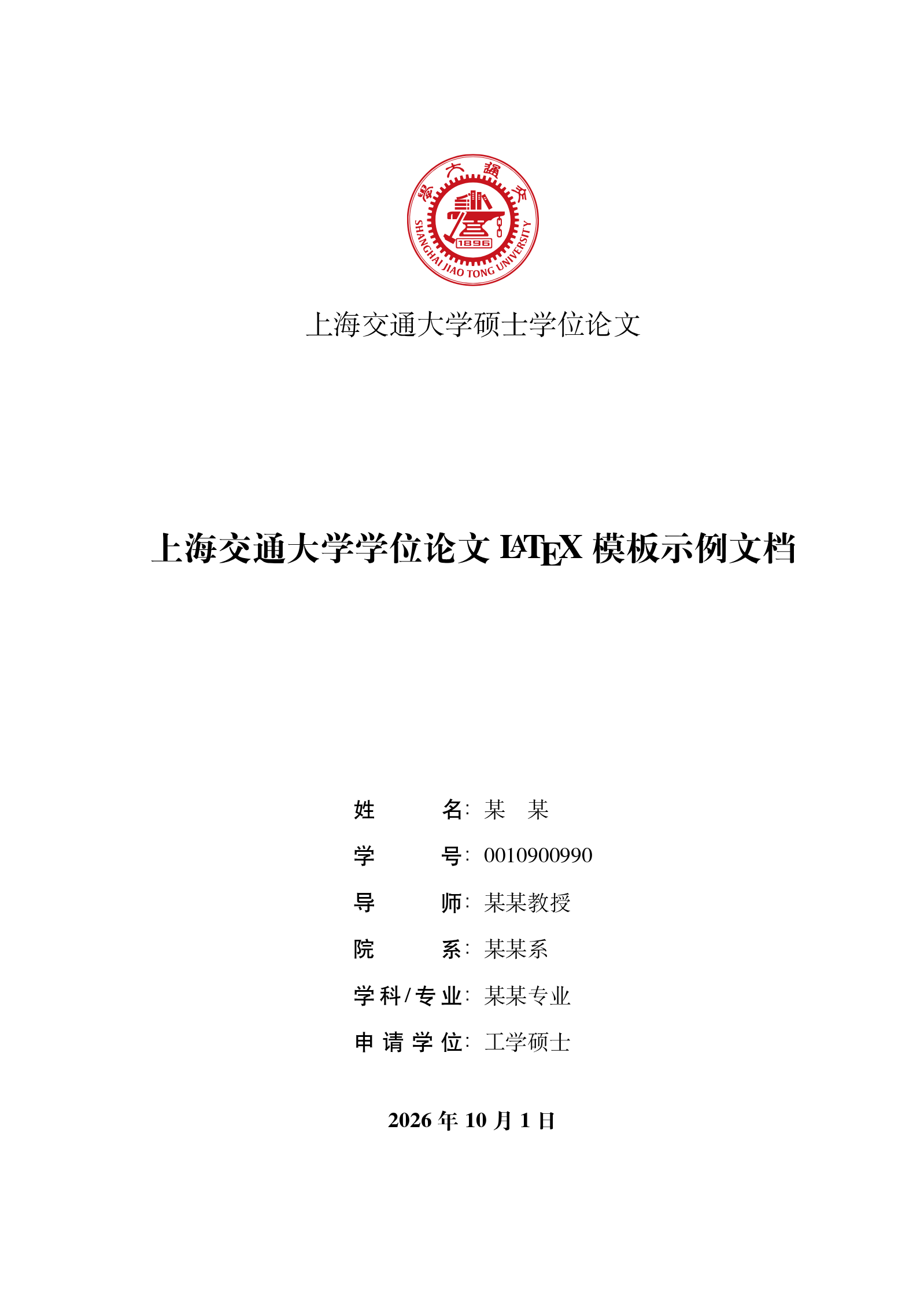
Open in LaTeX.to Download all files (zip)
main.tex
% !TeX encoding = UTF-8
% !TeX TXS-program:compile = txs:///latexmk/{-pdf} -xelatex
% !TeX TXS-program:recompile-bibliography = txs:///latexmk/{} -v

% 载入 SJTUThesis 模版
\documentclass[type=master]{sjtuthesis}
% 选项
%   type=[doctor|master|bachelor],     % 可选(默认:master),论文类型
%   zihao=[-4|5],                      % 可选(默认:-4),正文字号大小
%   lang=[zh|en|de|ja],                % 可选(默认:zh),论文的主要语言
%   review,                            % 可选(默认:关闭),盲审模式
%   [twoside|oneside],                 % 可选(默认:twoside),双页或单页边距模式
%   [openright|openany],               % 可选(默认:openright),奇数页或任意页开始新章
%   math-style=[ISO|TeX],              % 可选 (默认:ISO),数学符号样式
%   preset=[base|jwc],                 % 可选(默认:base),预设配置,学士学位论文考虑使用 jwc 预设

% 论文基本配置,加载宏包等全局配置
\input{setup}

\begin{document}

%TC:ignore

% 标题页
\maketitle

% 原创性声明及使用授权书
\copyrightpage
% 插入外置原创性声明及使用授权书
% 此时必须在导言区使用 \usepackage{pdfpages}
% \copyrightpage[file=scans/sample-copyright-a.pdf]

% 前置部分
\frontmatter

% 摘要
\input{contents/abstract}

% 目录
\tableofcontents
% 插图索引
\listoffigures
% 表格索引
\listoftables
% 算法索引
\listofalgorithms

% 符号对照表
\input{contents/nomenclature}

%TC:endignore

% 主体部分
\mainmatter

% 正文内容
\input{contents/intro}
\input{contents/math_and_citations}
\input{contents/floats}
\input{contents/summary}

%TC:ignore

% 参考文献
\printbibliography[heading=bibintoc]

% 附录
\appendix

% 附录中图表不加入索引
\captionsetup{list=no}

% 附录内容
\input{contents/app_maxwell_equations}
\input{contents/app_flow_chart}

% 结尾部分
\backmatter

% 用于盲审的论文需隐去致谢、发表论文、科研成果、简历

% 致谢
\input{contents/acknowledgements}

% 发表论文及科研成果
% 盲审论文中,发表论文及科研成果等仅以第几作者注明即可,不要出现作者或他人姓名
\input{contents/achievements}

% 简历
\input{contents/resume}

% 学士学位论文要求在最后有一个大摘要,单独编页码
% 如果撰写学士学位论文,请取消下一行的注释
% \input{contents/digest}

%TC:endignore

\end{document}
setup.tex
% !TEX root = ./main.tex

\sjtusetup{
  %
  %******************************
  % 注意:
  %   1. 配置里面不要出现空行
  %   2. 不需要的配置信息可以删除
  %******************************
  %
  % 信息录入
  %
  info = {%
    %
    % 标题
    %
    zh / title           = {上海交通大学学位论文 \LaTeX{} 模板示例文档},
    en / title           = {A Sample Document for \LaTeX-based SJTU Thesis Template},
    %
    % 标题页标题
    %   可使用“\\”命令手动控制换行
    %
    % zh / display-title   = {上海交通大学学位论文\\ \LaTeX{} 模板示例文档},
    % en / display-title   = {A Sample Document \\ for \LaTeX-based SJTU Thesis Template},
    %
    % 关键词
    %
    zh / keywords        = {上海交大, 饮水思源, 爱国荣校},
    en / keywords        = {SJTU, master thesis, XeTeX/LaTeX template},
    %
    % 姓名
    %
    zh / author          = {某\quad{}某},
    en / author          = {Mo Mo},
    %
    % 学号
    %
    id              = {0010900990},
    %
    % 指导教师
    %
    zh / supervisor      = {某某教授},
    en / supervisor      = {Prof.\ Mou Mou},
    %
    % 副指导教师
    %
    % zh / assoc-supervisor  = {某某教授},
    % en / assoc-supervisor  = {Prof.\ Uom Uom},
    %
    % 联合导师
    % zh / co-supervisor     = {某某工程师},
    % en / co-supervisor     = {Engr.\ Oum Oum},
    %
    % 所属院系
    %
    zh / department      = {某某系},
    en / department      = {Depart of XXX},
    %
    % 专业
    %
    zh / major           = {某某专业},
    en / major           = {A Very Important Major},
    %
    % 学位
    %   除交叉学科门类外,各一级学科按所属学科门类申请学位
    %   专业学位类别按专业名称申请学位
    %   本科生不需要填写
    %
    zh / degree          = {工学硕士},
    en / degree          = {Master of Engineering},
    %
    % 答辩日期
    %   使用 ISO 格式 (yyyy-mm-dd);默认为当前时间
    %
    % date                 = {2023-05-18},
    %
    % 标题页显示日期
    %   覆盖对应标题页的日期显示,原样输出
    %
    % zh / display-date    = {2023 年 5 月},
    %
    % 资助基金
    %
    % zh / fund  = {
    %                {国家 973 项目 (No.\ 2025CB000000)},
    %                {国家自然科学基金 (No.\ 81120250000)},
    %              },
    % en / fund  = {
    %                {National Basic Research Program of China (Grant No.\ 2025CB000000)},
    %                {National Natural Science Foundation of China (Grant No.\ 81120250000)},
    %              },
  },
  %
  % 风格设置
  %
  style = {%
    %
    % 关键词首行悬挂
    %
    % keywords-format = hang,
  },
  %
  % 名称设置
  %
  name = {
    % bib             = {References},
    % ack             = {谢\hspace{\ccwd}辞},
    % achv            = {攻读学位期间完成的论文},
  },
}

% 使用 BibLaTeX 处理参考文献
%   biblatex-gb7714-2015 常用选项
%     gbnamefmt=lowercase     姓名大小写由输入信息确定
%     gbpub=false             禁用出版信息缺失处理
\usepackage[backend=biber,style=gb7714-2015]{biblatex}
% 文献表字体
\renewcommand{\bibfont}{\zihao{5}\setbaselineskip{16bp}}
% 文献表条目间的间距
\setlength{\bibitemsep}{3bp plus 1pt}
% 导入参考文献数据库
\addbibresource{refs.bib}

% 脚注格式
\usepackage[perpage,bottom,hang]{footmisc}

% 定义图片文件目录与扩展名
\graphicspath{{figures/}}
\DeclareGraphicsExtensions{.pdf,.eps,.png,.jpg,.jpeg}

% 颜色宏包
\usepackage{xcolor}

% 确定浮动对象的位置,可以使用 [H],强制将浮动对象放到这里(可能效果很差)
% \usepackage{float}

% 固定宽度的表格
% \usepackage{tabularx}

% 使用三线表:toprule,midrule,bottomrule。
\usepackage{booktabs}

% 表格中支持跨行
\usepackage{multirow}

% 表格中数字按小数点对齐
\usepackage{dcolumn}
\newcolumntype{d}[1]{D{.}{.}{#1}}

% 使用长表格
\usepackage{longtable}

% 附带脚注的表格
\usepackage{threeparttable}

% 附带脚注的长表格
\usepackage{threeparttablex}

% 算法环境宏包
\usepackage[ruled,vlined,linesnumbered]{algorithm2e}
% \usepackage{algorithm, algorithmicx, algpseudocode}

% 代码环境宏包
\usepackage{listings}
\lstdefinestyle{lstStyleCode}{%
  aboveskip         = \medskipamount,
  belowskip         = \medskipamount,
  basicstyle        = \ttfamily\zihao{-5}\setbaselineskip{12bp},
  commentstyle      = \slshape\color{black!60},
  stringstyle       = \color{green!40!black!100},
  keywordstyle      = \bfseries\color{blue!50!black},
  extendedchars     = false,
  upquote           = true,
  tabsize           = 2,
  showstringspaces  = false,
  xleftmargin       = 1em,
  xrightmargin      = 1em,
  breaklines        = false,
  framexleftmargin  = 1em,
  framexrightmargin = 1em,
  backgroundcolor   = \color{gray!10},
  columns           = flexible,
  keepspaces        = true,
  % texcl             = true,  % 代码中的注释部分将会被视为 LaTeX 正文模式内容
  % mathescape        = true,  % 代码中$..$的部分将会被视为 LaTeX 数学模式内容
}
\lstnewenvironment{codeblock}[1][]{%
  \lstset{style=lstStyleCode,#1}}{}

% 直立体数学符号
\providecommand{\dd}{\mathop{}\!\mathrm{d}}
\providecommand{\ee}{\mathrm{e}}
\providecommand{\ii}{\mathrm{i}}
\providecommand{\jj}{\mathrm{j}}

% 国际单位制宏包
\usepackage{siunitx}

% 定理环境宏包
\usepackage{amsthm}
% \usepackage{ntheorem}

% 绘图宏包
\usepackage{tikz}
\usetikzlibrary{arrows.meta, shapes.geometric}

% 数据图表宏包
\usepackage{pgfplots}
\pgfplotsset{compat=newest}

% 一些文档中用到的 logo
\usepackage{hologo}
\providecommand{\XeTeX}{\hologo{XeTeX}}
\providecommand{\BibLaTeX}{\textsc{Bib}\LaTeX}

% 借用 ltxdoc 里面的几个命令方便写文档
\DeclareRobustCommand\cs[1]{\texttt{\char`\\#1}}
\providecommand\pkg[1]{{\sffamily#1}}

% hyperref 宏包在最后调用
\usepackage{hyperref}

% E-mail
\providecommand{\email}[1]{\href{mailto:#1}{\urlstyle{tt}\nolinkurl{#1}}}
contents/abstract.tex
Download contents/abstract.tex
% !TEX root = ../main.tex

\begin{abstract}[zh]
  中文摘要应该将学位论文的内容要点简短明了地表达出来,应该包含论文中的基本信息,
  体现科研工作的核心思想。摘要内容应涉及本项科研工作的目的和意义、研究方法、研究
  成果、结论及意义。注意突出学位论文中具有创新性的成果和新见解的部分。摘要中不宜
  使用公式、化学结构式、图表和非公知公用的符号和术语,不标注引用文献编号。硕士学
  位论文中文摘要字数为 500 字左右,博士学位论文中文摘要字数为 800 字左右。英文摘
  要内容应与中文摘要内容一致。

  摘要页的下方注明本文的关键词(4 \textasciitilde{} 6 个)。
\end{abstract}

\begin{abstract}[en]
  Shanghai Jiao Tong University (SJTU) is a key university in China. SJTU was
  founded in 1896. It is one of the oldest universities in China. The University
  has nurtured large numbers of outstanding figures include JIANG Zemin, DING
  Guangen, QIAN Xuesen, Wu Wenjun, WANG An, etc.

  SJTU has beautiful campuses, Bao Zhaolong Library, Various laboratories. It
  has been actively involved in international academic exchange programs. It is
  the center of CERNet in east China region, through computer networks, SJTU has
  faster and closer connection with the world.
\end{abstract}
contents/achievements.tex
Download contents/achievements.tex
% !TEX root = ../main.tex

\begin{achievements}

\subsection*{学术论文}

\begin{bibliolist}{00}
  \item Chen H, Chan C~T. Acoustic cloaking in three dimensions using acoustic metamaterials[J]. Applied Physics Letters, 2007, 91:183518.
  \item Chen H, Wu B~I, Zhang B, et al. Electromagnetic Wave Interactions with a Metamaterial Cloak[J]. Physical Review Letters, 2007, 99(6):63903.
\end{bibliolist}

\begin{bibliolist*}{00}
  \item 第一作者. 中文核心期刊论文, 2007.
  \item 第一作者. EI 国际会议论文, 2006.
\end{bibliolist*}

\subsection*{专利}

\begin{bibliolist}{00}
  \item 第一发明人, “永动机”, 专利申请号202510149890.0.
\end{bibliolist}

\begin{bibliolist*}{00}
  \item 第一发明人, “永动机”, 专利申请号XXXXXXXXXXXX.X.
\end{bibliolist*}

\end{achievements}
contents/acknowledgements.tex
Download contents/acknowledgements.tex
% !TEX root = ../main.tex

\begin{acknowledgements}
  感谢那位最先制作出博士学位论文 \LaTeX{} 模板的物理系同学!

  感谢 William Wang 同学对模板移植做出的贡献!

  感谢 \href{https://github.com/weijianwen}{@weijianwen} 学长开创性的工作!

  感谢 \href{https://github.com/sjtug}{@sjtug} 对 0.10 及之后版本的开发和维护工作!

  感谢所有为模板贡献过代码的\href{https://github.com/sjtug/SJTUThesis/graphs/contributors}{同学们}, 以及所有测试和使用模板的各位同学!

  感谢 \LaTeX 和 \href{https://github.com/sjtug/SJTUThesis}{SJTUThesis},帮我节省了不少时间。
\end{acknowledgements}
contents/app_flow_chart.tex
Download contents/app_flow_chart.tex
% !TEX root = ../main.tex

\chapter{绘制流程图}

图~\ref{fig:flow_chart} 是一张流程图示意。使用 \pkg{tikz} 环境,搭配四种预定义节
点(\verb|startstop|、\verb|process|、\verb|decision| 和 \verb|io|),可以容易地
绘制出流程图。

\begin{figure}[!htp]
  \centering
  \input{figures/flow_chart.tex}
  \bicaption{绘制流程图效果}{Flow chart}
  \label{fig:flow_chart}
\end{figure}
contents/app_maxwell_equations.tex
Download contents/app_maxwell_equations.tex
% !TEX root = ../main.tex

\chapter{Maxwell Equations}

选择二维情况,有如下的偏振矢量:
\begin{subequations}
  \begin{align}
    {\bf E} &= E_z(r, \theta) \hat{\bf z}, \\
    {\bf H} &= H_r(r, \theta) \hat{\bf r} + H_\theta(r, \theta) \hat{\bm\theta}.
  \end{align}
\end{subequations}
对上式求旋度:
\begin{subequations}
  \begin{align}
    \nabla \times {\bf E} &= \frac{1}{r} \frac{\partial E_z}{\partial\theta}
      \hat{\bf r} - \frac{\partial E_z}{\partial r} \hat{\bm\theta}, \\
    \nabla \times {\bf H} &= \left[\frac{1}{r} \frac{\partial}{\partial r}
      (r H_\theta) - \frac{1}{r} \frac{\partial H_r}{\partial\theta} \right]
      \hat{\bf z}.
  \end{align}
\end{subequations}
因为在柱坐标系下,$\overline{\overline\mu}$ 是对角的,所以 Maxwell 方程组中电场
$\bf E$ 的旋度:
\begin{subequations}
  \begin{align}
    & \nabla \times {\bf E} = \ii \omega {\bf B}, \\
    & \frac{1}{r} \frac{\partial E_z}{\partial\theta} \hat{\bf r} -
      \frac{\partial E_z}{\partial r}\hat{\bm\theta} = \ii \omega \mu_r H_r
      \hat{\bf r} + \ii \omega \mu_\theta H_\theta \hat{\bm\theta}.
  \end{align}
\end{subequations}
所以 $\bf H$ 的各个分量可以写为:
\begin{subequations}
  \begin{align}
    H_r &= \frac{1}{\ii \omega \mu_r} \frac{1}{r}
      \frac{\partial E_z}{\partial\theta}, \\
    H_\theta &= -\frac{1}{\ii \omega \mu_\theta}
      \frac{\partial E_z}{\partial r}.
  \end{align}
\end{subequations}
同样地,在柱坐标系下,$\overline{\overline\epsilon}$ 是对角的,所以 Maxwell 方程
组中磁场 $\bf H$ 的旋度:
\begin{subequations}
  \begin{align}
    & \nabla \times {\bf H} = -\ii \omega {\bf D}, \\
    & \left[\frac{1}{r} \frac{\partial}{\partial r}(r H_\theta) - \frac{1}{r}
      \frac{\partial H_r}{\partial\theta} \right] \hat{\bf z} = -\ii \omega
      {\overline{\overline\epsilon}} {\bf E} = -\ii \omega \epsilon_z E_z
      \hat{\bf z}, \\
    & \frac{1}{r} \frac{\partial}{\partial r}(r H_\theta) - \frac{1}{r}
      \frac{\partial H_r}{\partial\theta} = -\ii \omega \epsilon_z E_z.
  \end{align}
\end{subequations}
由此我们可以得到关于 $E_z$ 的波函数方程:
\begin{equation}
  \frac{1}{\mu_\theta \epsilon_z} \frac{1}{r} \frac{\partial}{\partial r}
  \left(r \frac{\partial E_z}{\partial r} \right) + \frac{1}{\mu_r \epsilon_z}
  \frac{1}{r^2} \frac{\partial^2E_z}{\partial\theta^2} +\omega^2 E_z = 0.
\end{equation}
contents/digest.tex
% !TEX root = ../main.tex

\begin{digest}
  An imperial edict issued in 1896 by Emperor Guangxu, established Nanyang
  Public School in Shanghai. The normal school, school of foreign studies,
  middle school and a high school were established. Sheng Xuanhuai, the person
  responsible for proposing the idea to the emperor, became the first president
  and is regarded as the founder of the university.

  During the 1930s, the university gained a reputation of nurturing top
  engineers. After the foundation of People's Republic, some faculties were
  transferred to other universities. A significant amount of its faculty were
  sent in 1956, by the national government, to Xi'an to help build up Xi'an Jiao
  Tong University in western China. Afterwards, the school was officially
  renamed Shanghai Jiao Tong University.

  Since the reform and opening up policy in China, SJTU has taken the lead in
  management reform of institutions for higher education, regaining its vigor
  and vitality with an unprecedented momentum of growth. SJTU includes five
  beautiful campuses, Xuhui, Minhang, Luwan Qibao, and Fahua, taking up an area
  of about \qty{3225833}{\square\metre}. A number of disciplines have been
  advancing towards the top echelon internationally, and a batch of burgeoning
  branches of learning have taken an important position domestically.

  Today SJTU has 31 schools (departments), 63 undergraduate programs, 250
  masters-degree programs, 203 Ph.D. programs, 28 post-doctorate programs, and
  11 state key laboratories and national engineering research centers.

  SJTU boasts a large number of famous scientists and professors, including 35
  academics of the Academy of Sciences and Academy of Engineering, 95 accredited
  professors and chair professors of the ``Cheung Kong Scholars Program'' and
  more than \num{2000} professors and associate professors.

  Its total enrollment of students amounts to \num{35929}, of which \num{1564}
  are international students. There are \num{16802} undergraduates, and
  \num{17563} masters and Ph.D. candidates. After more than a century of
  operation, Jiao Tong University has inherited the old tradition of ``high
  starting points, solid foundation, strict requirements and extensive
  practice.'' Students from SJTU have won top prizes in various competitions,
  including ACM International Collegiate Programming Contest, International
  Mathematical Contest in Modeling and Electronics Design Contests. Famous
  alumni include Jiang Zemin, Lu Dingyi, Ding Guangen, Wang Daohan, Qian Xuesen,
  Wu Wenjun, Zou Taofen, Mao Yisheng, Cai Er, Huang Yanpei, Shao Lizi, Wang An
  and many more. More than 200 of the academics of the Chinese Academy of
  Sciences and Chinese Academy of Engineering are alumni of Jiao Tong
  University.
\end{digest}
contents/floats.tex
% !TeX root = ../main.tex

\chapter{浮动体}

\section{插图}

插图功能是利用 \TeX{} 的特定编译程序提供的机制实现的,不同的编译程序支持不同的图
形方式。有的同学可能听说“\LaTeX{} 只支持 EPS”,事实上这种说法是不准确的。\XeTeX{}
可以很方便地插入 EPS、PDF、PNG、JPEG 格式的图片。

一般图形都是处在浮动环境中。之所以称为浮动是指最终排版效果图形的位置不一定与源文
件中的位置对应,这也是刚使用 \LaTeX{} 同学可能遇到的问题。如果要强制固定浮动图形
的位置,请使用 \pkg{float} 宏包,它提供了 \texttt{[H]} 参数。

\subsection{单个图形}

图要有图题,研究生图题采用中英文对照,并置于图的编号之后,图的编号和图题应置于图
下方的居中位置。引用图应在图题右上角标出文献来源。文中必须有关于本插图的提示,如
“见图~\ref{fig:energy-distrib}”、“如图~\ref{fig:energy-distrib} 所示”等。该页空
白不够排写该图整体时,则可将其后文字部分提前排写,将图移到次页。

\begin{figure}[!htp]
  \centering
  \begin{tikzpicture}
    \begin{axis}[
      width=12cm,
      height=9cm,
      xmin=0, xmax=7,
      xlabel={$r$ (\unit{\milli\metre})},
      ymin=-1000, ymax=11000,
      ylabel={Energy (\unit[per-mode=symbol]{\watt\per\cubic\metre})},
      scaled ticks=false,
      tick label style={
        /pgf/number format/1000 sep=,
        font={\zihao{-5}},
      },
      minor tick num=1,
      tick pos=left,
      tick align=outside,
      tick style={thin,black},
    ]
      \addplot [only marks,mark=square*]
        table [x={radial}, y={energy}, col sep=comma]
        {./assets/energy-distrib.csv};
      \node at (2,6000)
        {$q_{v}=\dfrac{\sigma\omega^{2}|\mathbf{A}|^{2}}{2}$};
    \end{axis}
  \end{tikzpicture}
  \bicaption{内热源沿径向的分布}{Energy distribution along radial}
  \label{fig:energy-distrib}
\end{figure}

\subsection{多个图形}

简单插入多个图形的例子如图~\ref{fig:SRR} 所示。这两个水平并列放置的子图共用一个
图形计数器,没有各自的子图题。

\begin{figure}[!htp]
  \centering
  \includegraphics[height=2.5cm]{example-image-a.pdf}%
  \hfil\hfil%
  \includegraphics[height=2.5cm]{example-image-b.pdf}
  \bicaption{中文题图}{English caption}
  \label{fig:SRR}
\end{figure}

如果多个图形相互独立,并不共用一个图形计数器,那么用 \texttt{minipage} 或者
\texttt{parbox} 就可以,如图~\ref{fig:parallel1} 与图~\ref{fig:parallel2}。

\begin{figure}[!htp]
  \centering
  \begin{minipage}{0.5\textwidth}
    \centering
    \includegraphics[height=2.5cm]{example-image-a.pdf}
    \caption{并排第一个图}
    \label{fig:parallel1}
  \end{minipage}%
  \begin{minipage}{0.5\textwidth}
    \centering
    \includegraphics[height=2.5cm]{example-image-b.pdf}
    \caption{并排第二个图}
    \label{fig:parallel2}
  \end{minipage}
\end{figure}

如果要为共用一个计数器的多个子图添加子图题,建议使用较新的 \pkg{subcaption} 宏
包,不建议使用 \pkg{subfigure} 或 \pkg{subfig} 等宏包。

推荐使用 \pkg{subcaption} 宏包的 \cs{subcaptionbox} 并排子图,子图题置于子图之
下,子图号用 a)、b) 等表示。也可以使用 \pkg{subcaption} 宏包的 \cs{subcaption}
(放在 minipage中,用法同 \cs{caption})。

\pkg{subcaption} 宏包也提供了 \pkg{subfigure} 和 \pkg{subtable} 环境,如
图~\ref{fig:subfigure}。

\begin{figure}[!htp]
  \centering
  \begin{subfigure}{0.45\textwidth}
    \centering
    \includegraphics[height=2.5cm]{example-image-a.pdf}
    \caption{子图甲}
  \end{subfigure}%
  \hfil\hfil%
  \begin{subfigure}{0.45\textwidth}
    \centering
    \includegraphics[height=2cm]{example-image-b.pdf}
    \caption{子图乙。注意这个图略矮些,subfigure 中同一行的子图在顶端对齐。}
  \end{subfigure}
  \caption{包含子图题的范例(使用 subfigure)}
  \label{fig:subfigure}
\end{figure}

搭配 \pkg{bicaption} 宏包时,可以启用 \cs{subcaptionbox} 和 \cs{subcaption} 的双
语变种 \cs{bisubcaptionbox} 和 \cs{bisubcaption},如图~\ref{fig:bisubcaptionbox}
所示。

\begin{figure}[!hbtp]
  \centering
  \bisubcaptionbox{$R_3 = 1.5\text{mm}$ 时轴承的压力分布云图}%
                  {Pressure contour of bearing when $R_3 = 1.5\text{mm}$}%
                  [0.4\textwidth]{\includegraphics[height=2.5cm]{example-image-a.pdf}}%
  \hfil\hfil%
  \bisubcaptionbox{$R_3 = 2.5\text{mm}$ 时轴承的压力分布云图}%
                  {Pressure contour of bearing when $R_3 = 2.5\text{mm}$}%
                  [0.4\textwidth]{\includegraphics[height=2.5cm]{example-image-b.pdf}}
  \bicaption{包含子图题的范例(使用 subcaptionbox)}
            {Example with subcaptionbox}
  \label{fig:bisubcaptionbox}
\end{figure}


\section{表格}

\subsection{基本表格}

编排表格应简单明了,表达一致,明晰易懂,表文呼应、内容一致。表题置于表上,研究生
学位论文可以用中、英文两种文字居中排写,中文在上,也可以只用中文。

表格的编排建议采用国际通行的三线表\footnote{三线表,以其形式简洁、功能分明、阅读
方便而在科技论文中被推荐使用。三线表通常只有 3 条线,即顶线、底线和栏目线,没有
竖线。}。三线表可以使用 \pkg{booktabs} 提供的 \cs{toprule}、\cs{midrule} 和
\cs{bottomrule}。它们与 \pkg{longtable} 能很好的配合使用。

\begin{table}[!hpt]
  \caption[一个颇为标准的三线表]{一个颇为标准的三线表\footnotemark}
  \label{tab:firstone}
  \centering
  \begin{tabular}{@{}llr@{}} \toprule
    \multicolumn{2}{c}{Item} \\ \cmidrule(r){1-2}
    Animal & Description & Price (\$)\\ \midrule
    Gnat  & per gram  & 13.65 \\
          & each      & 0.01 \\
    Gnu   & stuffed   & 92.50 \\
    Emu   & stuffed   & 33.33 \\
    Armadillo & frozen & 8.99 \\ \bottomrule
  \end{tabular}
\end{table}
\footnotetext{这个例子来自
  \href{https://mirrors.sjtug.sjtu.edu.cn/ctan/macros/latex/contrib/booktabs/booktabs.pdf}%
  {《Publication quality tables in LaTeX》}(\pkg{booktabs} 宏包的文档)。这也是
  一个在表格中使用脚注的例子,请留意与 \pkg{threeparttable} 实现的效果有何不
  同。}

\subsection{复杂表格}

我们经常会在表格下方标注数据来源,或者对表格里面的条目进行解释。可以用
\pkg{threeparttable} 实现带有脚注的表格,如表~\ref{tab:footnote}。

\begin{table}[!htpb]
  \bicaption{一个带有脚注的表格的例子}{A Table with footnotes}
  \label{tab:footnote}
  \centering
  \begin{threeparttable}[b]
     \begin{tabular}{ccd{4}cccc}
      \toprule
      \multirow{2}*{total} & \multicolumn{2}{c}{20\tnote{a}} & \multicolumn{2}{c}{40} & \multicolumn{2}{c}{60} \\
      \cmidrule(lr){2-3}\cmidrule(lr){4-5}\cmidrule(lr){6-7}
      & www & \multicolumn{1}{c}{k} & www & k & www & k \\ % 使用说明符 d 的列会自动进入数学模式,使用 \multicolumn 对文字表头做特殊处理
      \midrule
      & $\underset{(2.12)}{4.22}$ & 120.0140\tnote{b} & 333.15 & 0.0411 & 444.99 & 0.1387 \\
      & 168.6123 & 10.86 & 255.37 & 0.0353 & 376.14 & 0.1058 \\
      & 6.761    & 0.007 & 235.37 & 0.0267 & 348.66 & 0.1010 \\
      \bottomrule
    \end{tabular}
    \begin{tablenotes}
    \item [a] the first note.
    \item [b] the second note.
    \end{tablenotes}
  \end{threeparttable}
\end{table}

如某个表需要转页接排,可以用 \pkg{longtable} 实现。接排时表题省略,表头应重复书
写,并在右上方写“续表 xx”,如表~\ref{tab:performance}。

\begin{ThreePartTable}
  \begin{TableNotes}
    \item[a] 一个脚注
    \item[b] 另一个脚注
  \end{TableNotes}
  \begin{longtable}[c]{c*{6}{r}}
    \bicaption{实验数据}{Experimental data}
    \label{tab:performance} \\
    \toprule
    测试程序 & \multicolumn{1}{c}{正常运行} & \multicolumn{1}{c}{同步}
      & \multicolumn{1}{c}{检查点} & \multicolumn{1}{c}{卷回恢复}
      & \multicolumn{1}{c}{进程迁移} & \multicolumn{1}{c}{检查点} \\
    & \multicolumn{1}{c}{时间 (s)} & \multicolumn{1}{c}{时间 (s)}
      & \multicolumn{1}{c}{时间 (s)} & \multicolumn{1}{c}{时间 (s)}
      & \multicolumn{1}{c}{时间 (s)} &  文件(KB)\\
    \midrule
    \endfirsthead
    \multicolumn{7}{l}{\textbf{续表~\thetable}} \\
    % 英语论文:\multicolumn{7}{r}{\textbf{Table~\thetable~(continued)}} \\
    \toprule
    测试程序 & \multicolumn{1}{c}{正常运行} & \multicolumn{1}{c}{同步}
      & \multicolumn{1}{c}{检查点} & \multicolumn{1}{c}{卷回恢复}
      & \multicolumn{1}{c}{进程迁移} & \multicolumn{1}{c}{检查点} \\
    & \multicolumn{1}{c}{时间 (s)} & \multicolumn{1}{c}{时间 (s)}
      & \multicolumn{1}{c}{时间 (s)} & \multicolumn{1}{c}{时间 (s)}
      & \multicolumn{1}{c}{时间 (s)}&  文件(KB)\\
    \midrule
    \endhead
    \hline
    \multicolumn{7}{r}{续下页}
    \endfoot
    \insertTableNotes
    \endlastfoot
    CG.A.2 & 23.05 & 0.002 & 0.116 & 0.035 & 0.589 & 32491 \\
    CG.A.4 & 15.06 & 0.003 & 0.067 & 0.021 & 0.351 & 18211 \\
    CG.A.8 & 13.38 & 0.004 & 0.072 & 0.023 & 0.210 & 9890 \\
    CG.B.2 & 867.45 & 0.002 & 0.864 & 0.232 & 3.256 & 228562 \\
    CG.B.4 & 501.61 & 0.003 & 0.438 & 0.136 & 2.075 & 123862 \\
    CG.B.8 & 384.65 & 0.004 & 0.457 & 0.108 & 1.235 & 63777 \\
    MG.A.2 & 112.27 & 0.002 & 0.846 & 0.237 & 3.930 & 236473 \\
    MG.A.4 & 59.84 & 0.003 & 0.442 & 0.128 & 2.070 & 123875 \\
    MG.A.8 & 31.38 & 0.003 & 0.476 & 0.114 & 1.041 & 60627 \\
    MG.B.2 & 526.28 & 0.002 & 0.821 & 0.238 & 4.176 & 236635 \\
    MG.B.4 & 280.11 & 0.003 & 0.432 & 0.130 & 1.706 & 123793 \\
    MG.B.8 & 148.29 & 0.003 & 0.442 & 0.116 & 0.893 & 60600 \\
    LU.A.2 & 2116.54 & 0.002 & 0.110 & 0.030 & 0.532 & 28754 \\
    LU.A.4 & 1102.50 & 0.002 & 0.069 & 0.017 & 0.255 & 14915 \\
    LU.A.8 & 574.47 & 0.003 & 0.067 & 0.016 & 0.192 & 8655 \\
    LU.B.2 & 9712.87 & 0.002 & 0.357 & 0.104 & 1.734 & 101975 \\
    LU.B.4 & 4757.80 & 0.003 & 0.190 & 0.056 & 0.808 & 53522 \\
    LU.B.8 & 2444.05 & 0.004 & 0.222 & 0.057 & 0.548 & 30134 \\
    EP.A.2 & 123.81 & 0.002 & 0.010 & 0.003 & 0.074 & 1834 \\
    EP.A.4 & 61.92 & 0.003 & 0.011 & 0.004 & 0.073 & 1743 \\
    EP.A.8 & 31.06 & 0.004 & 0.017 & 0.005 & 0.073 & 1661 \\
    EP.B.2 & 495.49 & 0.001 & 0.009 & 0.003 & 0.196 & 2011 \\
    EP.B.4 & 247.69 & 0.002 & 0.012 & 0.004 & 0.122 & 1663 \\
    EP.B.8 & 126.74 & 0.003 & 0.017 & 0.005 & 0.083 & 1656 \\
    SP.A.2 & 123.81 & 0.002 & 0.010 & 0.003 & 0.074 & 1854 \\
    SP.A.4 & 51.92 & 0.003 & 0.011 & 0.004 & 0.073 & 1543 \\
    SP.A.8 & 31.06 & 0.004 & 0.017 & 0.005 & 0.073 & 1671 \\
    SP.B.2 & 495.49 & 0.001 & 0.009 & 0.003 & 0.196 & 2411 \\
    SP.B.4 \tnote{a} & 247.69 & 0.002 & 0.014 & 0.006 & 0.152 & 2653 \\
    SP.B.8 \tnote{b} & 126.74 & 0.003 & 0.017 & 0.005 & 0.082 & 1755 \\
    \bottomrule
  \end{longtable}
\end{ThreePartTable}

\section{算法环境}

算法环境可以使用 \pkg{algorithms} 宏包或者较新的 \pkg{algorithm2e} 实现。
算法~\ref{algo:algorithm} 是一个使用 \pkg{algorithm2e} 的例子。关于排版算法环境
的具体方法,请阅读相关宏包的官方文档。

\begin{algorithm}[htb]
  \caption{算法示例}
  \label{algo:algorithm}
  \SetAlgoLined
  \KwData{this text}
  \KwResult{how to write algorithm with \LaTeXe }

  initialization\;
  \While{not at end of this document}{
    read current\;
    \eIf{understand}{
      go to next section\;
      current section becomes this one\;
    }{
      go back to the beginning of current section\;
    }
  }
\end{algorithm}

\section{代码环境}

我们可以在论文中插入算法,但是不建议插入大段的代码。如果确实需要插入代码,建议使
用 \pkg{listings} 宏包。

\begin{codeblock}[language=C]
#include <stdio.h>
#include <unistd.h>
#include <sys/types.h>
#include <sys/wait.h>

int main() {
  pid_t pid;

  switch ((pid = fork())) {
  case -1:
    printf("fork failed\n");
    break;
  case 0:
    /* child calls exec */
    execl("/bin/ls", "ls", "-l", (char*)0);
    printf("execl failed\n");
    break;
  default:
    /* parent uses wait to suspend execution until child finishes */
    wait((int*)0);
    printf("is completed\n");
    break;
  }

  return 0;
}
\end{codeblock}
contents/intro.tex
% !TEX root = ../main.tex

\chapter{简介}

这是 SJTUThesis 的示例文档,基本上覆盖了模板中所有格式的设置。建议大家在使用模
板之前,除了阅读《SJTUThesis 使用文档》,这个示例文档也最好能看一看。

\section{二级标题}

\subsection{三级标题}

\subsubsection{四级标题}

Lorem ipsum dolor sit amet, consectetur adipiscing elit, sed do eiusmod tempor
incididunt ut labore et dolore magna aliqua. Ut enim ad minim veniam, quis
nostrud exercitation ullamco laboris nisi ut aliquip ex ea commodo consequat.
Duis aute irure dolor in reprehenderit in voluptate velit esse cillum dolore eu
fugiat nulla pariatur. Excepteur sint occaecat cupidatat non proident, sunt in
culpa qui officia deserunt mollit anim id est laborum.

\section{脚注}

Lorem ipsum dolor sit amet, consectetur adipiscing elit, sed do eiusmod tempor
incididunt ut labore et dolore magna aliqua. \footnote{Ut enim ad minim veniam,
quis nostrud exercitation ullamco laboris nisi ut aliquip ex ea commodo
consequat. Duis aute irure dolor in reprehenderit in voluptate velit esse cillum
dolore eu fugiat nulla pariatur.}

\section{字体}


上海交通大学是我国历史最悠久的高等学府之一,是教育部直属、教育部与上海市共建的全
国重点大学,是国家“七五”、“八五”重点建设和“211 工程”、“985 工程”的首批建
设高校。经过 115 年的不懈努力,上海交通大学已经成为一所“综合性、研究型、国际化”
的国内一流、国际知名大学,并正在向世界一流大学稳步迈进。

{\songti 十九世纪末,甲午战败,民族危难。中国近代著名实业家、教育家盛宣怀和一批
  有识之士秉持“自强首在储才,储才必先兴学”的信念,于 1896 年在上海创办了交通大
  学的前身——南洋公学。建校伊始,学校即坚持“求实学,务实业”的宗旨,以培养“第
  一等人才”为教育目标,精勤进取,笃行不倦,在二十世纪二三十年代已成为国内著名的
  高等学府,被誉为“东方MIT”。抗战时期,广大师生历尽艰难,移转租界,内迁重庆,
  坚持办学,不少学生投笔从戎,浴血沙场。解放前夕,广大师生积极投身民主革命,学校
  被誉为“民主堡垒”。

  新中国成立初期,为配合国家经济建设的需要,学校调整出相当一部分优势专业、师资设
  备,支持国内兄弟院校的发展。五十年代中期,学校又响应国家建设大西北的号召,根据
  国务院决定,部分迁往西安,分为交通大学上海部分和西安部分。1959 年 3 月两部分同
  时被列为全国重点大学,7 月经国务院批准分别独立建制,交通大学上海部分启用“上海
  交通大学”校名。历经西迁、两地办学、独立办学等变迁,为构建新中国的高等教育体
  系,促进社会主义建设做出了重要贡献。六七十年代,学校先后归属国防科工委和六机部
  领导,积极投身国防人才培养和国防科研,为“两弹一星”和国防现代化做出了巨大贡
  献。}

{\heiti 改革开放以来,学校以“敢为天下先”的精神,大胆推进改革:率先组成教授代
  表团访问美国,率先实行校内管理体制改革,率先接受海外友人巨资捐赠等,有力地推动
  了学校的教学科研改革。1984 年,邓小平同志亲切接见了学校领导和师生代表,对学校
  的各项改革给予了充分肯定。在国家和上海市的大力支持下,学校以“上水平、创一流”
  为目标,以学科建设为龙头,先后恢复和兴建了理科、管理学科、生命学科、法学和人文
  学科等。1999 年,上海农学院并入;2005 年,与上海第二医科大学强强合并。至此,学
  校完成了综合性大学的学科布局。近年来,通过国家“985 工程”和“211 工程”的建
  设,学校高层次人才日渐汇聚,科研实力快速提升,实现了向研究型大学的转变。与此同
  时,学校通过与美国密西根大学等世界一流大学的合作办学,实施国际化战略取得重要突
  破。1985 年开始闵行校区建设,历经 20 多年,已基本建设成设施完善,环境优美的现
  代化大学校园,并已完成了办学重心向闵行校区的转移。学校现有徐汇、闵行、法华、七
  宝和重庆南路(卢湾)5 个校区,总占地面积 4840 亩。通过一系列的改革和建设,学校
  的各项办学指标大幅度上升,实现了跨越式发展,整体实力显著增强,为建设世界一流大
  学奠定了坚实的基础。}

{\ifcsname fangsong\endcsname\fangsong\else[无 \cs{fangsong} 字体。]\fi 交通大学
  始终把人才培养作为办学的根本任务。一百多年来,学校为国家和社会培养了 20 余万各
  类优秀人才,包括一批杰出的政治家、科学家、社会活动家、实业家、工程技术专家和医
  学专家,如江泽民、陆定一、丁关根、汪道涵、钱学森、吴文俊、徐光宪、张光斗、黄炎
  培、邵力子、李叔同、蔡锷、邹韬奋、陈敏章、王振义、陈竺等。在中国科学院、中国工
  程院院士中,有 200 余位交大校友;在国家 23 位“两弹一星”功臣中,有 6 位交大校
  友;在 18 位国家最高科学技术奖获得者中,有 3 位来自交大。交大创造了中国近现代
  发展史上的诸多“第一”:中国最早的内燃机、最早的电机、最早的中文打字机等;新中国
  第一艘万吨轮、第一艘核潜艇、第一艘气垫船、第一艘水翼艇、自主设计的第一代战斗
  机、第一枚运载火箭、第一颗人造卫星、第一例心脏二尖瓣分离术、第一例成功移植同种
  原位肝手术、第一例成功抢救大面积烧伤病人手术等,都凝聚着交大师生和校友的心血智
  慧。改革开放以来,一批年轻的校友已在世界各地、各行各业崭露头角。}

{\ifcsname kaishu\endcsname\kaishu\else[无 \cs{kaishu} 字体。]\fi 截至 2011 年
  12 月 31 日,学校共有 24 个学院 / 直属系(另有继续教育学院、技术学院和国际教育
  学院),19 个直属单位,12 家附属医院,全日制本科生 16802 人、研究生 24495 人
  (其中博士研究生 5059 人);有专任教师 2979 名,其中教授 835 名;中国科学院院
  士 15 名,中国工程院院士 20 名,中组部“千人计划”49 名,“长江学者”95 名,国家杰
  出青年基金获得者 80 名,国家重点基础研究发展计划(973 计划)首席科学家 24 名,
  国家重大科学研究计划首席科学家 9 名,国家基金委创新研究群体 6 个,教育部创新团
  队 17 个。

  学校现有本科专业 68 个,涵盖经济学、法学、文学、理学、工学、农学、医学、管理学
  和艺术等九个学科门类;拥有国家级教学及人才培养基地 7 个,国家级校外实践教育基
  地 5 个,国家级实验教学示范中心 5 个,上海市实验教学示范中心 4 个;有国家级教
  学团队 8 个,上海市教学团队 15 个;有国家级教学名师 7 人,上海市教学名师 35
  人;有国家级精品课程 46 门,上海市精品课程 117 门;有国家级双语示范课程 7 门;
  2001、2005 和 2009 年,作为第一完成单位,共获得国家级教学成果 37 项、上海市教
  学成果 157 项。}
contents/math_and_citations.tex
Download contents/math_and_citations.tex
% !TEX root = ../main.tex

\chapter{数学与引用文献的标注}

\section{数学}

\subsection{数字和单位}

宏包 \pkg{siunitx} 提供了更好的数字和单位支持:
\begin{itemize}
  \item \num{12345.67890}
  \item \complexnum{1+-2i}
  \item \num{.3e45}
  \item \numproduct{1.654 x 2.34 x 3.430}
  \item \unit{kg.m.s^{-1}}
  \item \unit{\micro\meter} $\unit{\micro\meter}$
  \item \unit{\ohm} $\unit{\ohm}$
  \item \numlist{10;20}
  \item \numlist{10;20;30}
  \item \qtylist{0.13;0.67;0.80}{\milli\metre}
  \item \numrange{10}{20}
  \item \qtyrange{10}{20}{\degreeCelsius}
\end{itemize}

\subsection{数学符号和公式}

按照国标 GB/T 3102.11—1993《物理科学和技术中使用的数学符号》,
微分符号 $\dd$ 应使用直立体。除此之外,数学常数也应使用直立体:
\begin{itemize}
  \item 微分符号 $\dd$:\cs{dd}
  \item 圆周率 $\uppi$:\cs{uppi}
  \item 自然对数的底 $\ee$:\cs{ee}
  \item 虚数单位 $\ii$, $\jj$:\cs{ii} \cs{jj}
\end{itemize}

公式应另起一行居中排版。公式后应注明编号,按章顺序编排,编号右端对齐。
\begin{gather}
  \ee^{\ii\uppi} + 1 = 0, \\
  \frac{\dd^2 u}{\dd t^2} = \int f(x) \dd x.
\end{gather}

公式末尾是需要添加标点符号的,至于用逗号还是句号,取决于公式下面一句是接着公式说的,还是另起一句。
\begin{equation}
  \frac{2h}{\uppi}\int_{0}^{\infty}\frac{\sin\left( \omega\delta \right)}{\omega}
  \cos\left( \omega x \right) \dd\omega =
  \begin{cases}
    h, & \left| x \right| < \delta, \\
    \frac{h}{2}, & x = \pm \delta, \\
    0, & \left| x \right| > \delta.
  \end{cases}
\end{equation}
公式较长时最好在等号“$=$”处转行。
\begin{align}
    & I (X_3; X_4) - I (X_3; X_4 \mid X_1) - I (X_3; X_4 \mid X_2) \nonumber \\
  = & [I (X_3; X_4) - I (X_3; X_4 \mid X_1)] - I (X_3; X_4 \mid \tilde{X}_2) \\
  = & I (X_1; X_3; X_4) - I (X_3; X_4 \mid \tilde{X}_2).
\end{align}

如果在等号处转行难以实现,也可在 $+$、$-$、$\times$、$\div$ 运算符号处转行,转行
时运算符号仅书写于转行式前,不重复书写。
\begin{multline}
  \frac{1}{2} \Delta (f_{ij} f^{ij}) =
    2 \left(\sum_{i<j} \chi_{ij}(\sigma_{i} - \sigma_{j})^{2}
    + f^{ij} \nabla_{j} \nabla_{i} (\Delta f) \right. \\
  \left. + \nabla_{k} f_{ij} \nabla^{k} f^{ij} +
    f^{ij} f^{k} \left[2\nabla_{i}R_{jk}
    - \nabla_{k} R_{ij} \right] \vphantom{\sum_{i<j}} \right).
\end{multline}

\subsection{定理环境}

示例文件中使用 \pkg{amsthm} 宏包配置了定理、引理和证明等环境。用户也可以使用
\pkg{ntheorem} 宏包。

这里举一个“定理”和“证明”的例子。
\begin{theorem}[留数定理]
\label{thm:res}
  假设 $U$ 是复平面上的一个单连通开子集,$a_1, \ldots, a_n$ 是复平面上有限个点,
  $f$ 是定义在 $U \setminus \{a_1, \ldots, a_n\}$ 上的全纯函数,如果 $\gamma$
  是一条把 $a_1, \ldots, a_n$ 包围起来的可求长曲线,但不经过任何一个 $a_k$,并且
  其起点与终点重合,那么:
  \begin{equation}
    \label{eq:res}
    \oint\limits_\gamma f(z)\, \dd z = 2\uppi \ii \sum_{k=1}^n \operatorname{I}(\gamma, a_k) \operatorname{Res}(f, a_k).
  \end{equation}

  如果 $\gamma$ 是若尔当曲线,那么 $\operatorname{I}(\gamma, a_k) = 1$,因此:
  \begin{equation}
    \label{eq:resthm}
    \oint\limits_\gamma f(z)\, \dd z = 2\uppi \ii \sum_{k=1}^n \operatorname{Res}(f, a_k).
  \end{equation}

  在这里,$\operatorname{Res}(f, a_k)$ 表示 $f$ 在点 $a_k$ 的留数,
  $\operatorname{I}(\gamma, a_k)$ 表示 $\gamma$ 关于点 $a_k$ 的卷绕数。卷绕数是
  一个整数,它描述了曲线 $\gamma$ 绕过点 $a_k$ 的次数。如果 $\gamma$ 依逆时针方
  向绕着 $a_k$ 移动,卷绕数就是一个正数,如果 $\gamma$ 根本不绕过 $a_k$,卷绕数
  就是零。

  定理~\ref{thm:res} 的证明。

  \begin{proof}
    首先,由……

    其次,……

    所以……
  \end{proof}
\end{theorem}

\section{引用文献的标注}

按照教务处的要求,参考文献外观应符合国标 GB/T 7714 的要求。模版使用 \BibLaTeX{}
配合 \pkg{biblatex-gb7714-2015} 样式包%
\footnote{\url{https://www.ctan.org/pkg/biblatex-gb7714-2015}}%
控制参考文献的输出样式,后端采用 \pkg{biber} 管理文献。

请注意 \pkg{biblatex-gb7714-2015} 宏包 2016 年 9 月才加入 CTAN,如果你使用的
\TeX{} 系统版本较旧,可能没有包含 \pkg{biblatex-gb7714-2015} 宏包,需要手动安装。
\BibLaTeX{} 与 \pkg{biblatex-gb7714-2015} 目前在活跃地更新,为避免一些兼容性问
题,推荐使用较新的版本。

正文中引用参考文献时,使用 \verb|\cite{key1,key2,key3...}| 可以产生“上标引用的参
考文献”,如 \cite{Yu2001,Cheng1999,LSC1957}。使用
\verb|\parencite{key1,key2,key3...}| 则可以产生水平引用的参考文献,例如
\parencite{Li1999,Jiang1989,Hopkinson1999}。请看下面的例子,将会穿插使用水平的和
上标的参考文献:普通图书\parencite{Yu2001,Jiang1998},论文集、会议录
\cite{CSTAM1990},科技报告\parencite{WHO1970},学位论文\cite{Zhang1998},专利文
献\parencite{Jiang1989,HBLZ2001},专著中析出的文献\cite{Cheng1999,GBT2659},期刊
中析出的文献\parencite{Li1999,Li2000},报纸中析出的文献\cite{Ding2000}, 电子文献
\parencite{Jiang1999,Christine1998,Xiao2001}。

可以使用 \verb|\nocite{key1,key2,key3...}| 将参考文献条目加入到文献表中但不在正
文中引用。使用 \verb|\nocite{*}| 可以将参考文献数据库中的所有条目加入到文献表
中。
\nocite{Yang1999,Schinstock2000,Wen1990,GBT16159}
contents/nomenclature.tex
Download contents/nomenclature.tex
% !TEX root = ../main.tex

\begin{nomenclature}
\label{chap:symb}

\begin{longtable}{rl}
  $\epsilon$  & 介电常数  \\
  $\mu$       & 磁导率    \\
  $\epsilon$  & 介电常数  \\
  $\mu$       & 磁导率    \\
  $\epsilon$  & 介电常数  \\
  $\mu$       & 磁导率    \\
  $\epsilon$  & 介电常数  \\
  $\mu$       & 磁导率    \\
  $\epsilon$  & 介电常数  \\
  $\mu$       & 磁导率    \\
  $\epsilon$  & 介电常数  \\
  $\mu$       & 磁导率    \\
  $\epsilon$  & 介电常数  \\
  $\mu$       & 磁导率    \\
  $\epsilon$  & 介电常数  \\
  $\mu$       & 磁导率    \\
  $\epsilon$  & 介电常数  \\
  $\mu$       & 磁导率    \\
  $\epsilon$  & 介电常数  \\
  $\mu$       & 磁导率    \\
  $\epsilon$  & 介电常数  \\
  $\mu$       & 磁导率    \\
  $\epsilon$  & 介电常数  \\
  $\mu$       & 磁导率    \\
  $\epsilon$  & 介电常数  \\
  $\mu$       & 磁导率    \\
  $\epsilon$  & 介电常数  \\
  $\mu$       & 磁导率    \\
  $\epsilon$  & 介电常数  \\
  $\mu$       & 磁导率    \\
  $\epsilon$  & 介电常数  \\
  $\mu$       & 磁导率    \\
  $\epsilon$  & 介电常数  \\
  $\mu$       & 磁导率    \\
  $\epsilon$  & 介电常数  \\
  $\mu$       & 磁导率    \\
  $\epsilon$  & 介电常数  \\
  $\mu$       & 磁导率    \\
  $\epsilon$  & 介电常数  \\
  $\mu$       & 磁导率    \\
  $\epsilon$  & 介电常数  \\
  $\mu$       & 磁导率    \\
  $\epsilon$  & 介电常数  \\
  $\mu$       & 磁导率    \\
  $\epsilon$  & 介电常数  \\
  $\mu$       & 磁导率    \\
  $\epsilon$  & 介电常数  \\
  $\mu$       & 磁导率    \\
  $\epsilon$  & 介电常数  \\
  $\mu$       & 磁导率    \\
  $\epsilon$  & 介电常数  \\
  $\mu$       & 磁导率    \\
  $\epsilon$  & 介电常数  \\
  $\mu$       & 磁导率    \\
\end{longtable}

\end{nomenclature}
contents/resume.tex
% !TEX root = ../main.tex

\begin{resume}
  \subsection*{基本情况}
    某某,yyyy 年 mm 月生于 xxxx。

  \subsection*{教育背景}
  \begin{itemize}
    \item yyyy 年 mm 月至今,上海交通大学,博士研究生,xx 专业
    \item yyyy 年 mm 月至 yyyy 年 mm 月,上海交通大学,硕士研究生,xx 专业
    \item yyyy 年 mm 月至 yyyy 年 mm 月,上海交通大学,本科,xx 专业
  \end{itemize}

  \subsection*{研究兴趣}
    \LaTeX{} 排版

  \subsection*{联系方式}
  \begin{itemize}
    \item 地址: 上海市闵行区东川路 800 号,200240
    \item E-mail: \email{[email protected]}
  \end{itemize}
\end{resume}
contents/summary.tex
% !TEX root = ../main.tex

\chapter{全文总结}

这里是全文总结内容。

2015 年 2 月 28 日,中央在北京召开全国精神文明建设工作表彰暨学雷锋志愿服务大会,
公布全国文明城市(区)、文明村镇、文明单位名单。上海交通大学荣获全国文明单位称
号。

全国文明单位这一荣誉是对交大人始终高度重视文明文化工作的肯定,是对交大长期以来文
明创建工作成绩的褒奖。在学校党委、文明委的领导下,交大坚持将文明创建工作纳入学校
建设世界一流大学的工作中,全体师生医护员工群策群力、积极开拓,落实国家和上海市有
关文明创建的各项要求,以改革创新、科学发展为主线,以质量提升为目标,聚焦文明创建
工作出现的重点和难点,优化文明创建工作机制,传播学校良好形象,提升社会美誉度,显
著增强学校软实力。2007 至 2012 年间,上海交大连续三届荣获“上海市文明单位”称
号,成为创建全国文明单位的新起点。

上海交大自启动争创全国文明单位工作以来,凝魂聚气、改革创新,积极培育和践行社会主
义核心价值观。坚持统筹兼顾、多措并举,将争创全国文明单位与学校各项中心工作紧密结
合,着力构建学校文明创建新格局,不断提升师生医护员工文明素养,以“冲击世界一流大
学汇聚强大精神动力”为指导思想,以“聚焦改革、多元推进、以评促建、丰富内涵、彰显
特色”为工作原则,并由全体校领导群策领衔“党的建设深化、思想教育深入、办学成绩显
著、大学文化丰富、校园环境优化、社会责任担当”六大板块共 28 项重点突破工作,全面
展现近年来交大文明创建工作的全貌和成就。

进入新阶段,学校将继续开拓文明创建工作新格局,不断深化工作理念和工作实践,创新工
作载体、丰富活动内涵、凸显创建成效,积极服务于学校各项中心工作和改革发展的大局
面,在上级党委、文明委的关心下,在学校党委的直接领导下,与时俱进、开拓创新,为深
化内涵建设、加快建成世界一流大学、推动国家进步和社会发展而努力奋斗!

上海交通大学医学院附属仁济医院也获得全国文明单位称号。
figures/flow_chart.tex
Download figures/flow_chart.tex
% 定义流程图节点
\tikzstyle{startstop} = [
  rectangle,
  rounded corners,
  minimum width=4em,
  text centered,
  inner sep=1.5ex,
  draw
]
\tikzstyle{io} = [
  trapezium,
  trapezium left angle=75,
  trapezium right angle=105,
  minimum width=4em,
  text centered,
  inner sep=1.5ex,
  draw
]
\tikzstyle{process} = [
  rectangle,
  minimum width=4em,
  text centered,
  inner sep=1.5ex,
  draw
]
\tikzstyle{decision} = [
  diamond,
  minimum width=4em,
  aspect=2,
  text centered,
  draw
]
\tikzstyle{arrow} = [-{LaTeX}]

\begin{tikzpicture}[node distance=1.5cm, every node/.style={font=\footnotesize}]
  % 设置节点
  \node[startstop] (pic) {待测图片};
  \node[io, below of=pic] (bg) {读取背景};
  \node[process, below of=bg] (pair) {匹配特征点对};
  \node[decision, below of=pair, yshift=-2ex] (threshold) {多于阈值};
  \node[decision, right of=threshold, xshift=3cm] (clear) {清晰?};
  \node[process, right of=pair, xshift=3cm] (capture) {重采};
  \node[process, below of=threshold, yshift=-2ex] (matrix_p) {透视变换矩阵};
  \node[process, right of=matrix_p, xshift=3cm] (matrix_a) {仿射变换矩阵};
  \node[process, below of=matrix_p] (reg) {图像修正};
  \node[startstop, below of=reg] (return) {配准结果};

  % 连接节点
  \draw[arrow] (pic) -- (bg);
  \draw[arrow] (bg) -- (pair);
  \draw[arrow] (pair) -- (threshold);

  \draw[arrow] (threshold) -- node[above] {否} (clear);

  \draw[arrow] (clear) -- node[right] {否} (capture);
  \draw[arrow] (capture) |- (pic);
  \draw[arrow] (clear) -- node[right] {是} (matrix_a);
  \draw[arrow] (matrix_a) |- (reg);

  \draw[arrow] (threshold) -- node[left] {是} (matrix_p);
  \draw[arrow] (matrix_p) -- (reg);
  \draw[arrow] (reg) -- (return);
\end{tikzpicture}
assets/energy-distrib.csv
Download assets/energy-distrib.csv
radial,energy
0.181,6.6900E-03
0.532,1.2004E-01
0.865,6.2542E-01
1.18,2.0861E+00
1.48,5.5475E+00
1.76,1.2735E+01
2.02,2.6185E+01
2.27,4.9240E+01
2.51,8.5867E+01
2.73,1.4031E+02
2.94,2.1660E+02
3.14,3.1815E+02
3.33,4.4733E+02
3.51,6.0533E+02
3.68,7.9218E+02
3.83,1.0069E+03
3.98,1.2706E+03
4.13,1.5886E+03
4.26,1.9344E+03
4.39,2.3028E+03
4.51,2.6876E+03
4.62,3.0824E+03
4.73,3.4803E+03
4.83,3.8730E+03
4.92,4.2502E+03
5.01,4.6567E+03
5.10,5.1085E+03
5.18,5.5620E+03
5.25,6.0060E+03
5.33,6.4320E+03
5.39,6.8350E+03
5.46,7.2112E+03
5.52,7.5566E+03
5.58,7.9015E+03
5.63,8.2540E+03
5.68,8.5858E+03
5.73,8.8873E+03
5.77,9.1404E+03
5.82,9.3077E+03
5.86,9.3189E+03
5.90,9.0676E+03
5.93,8.5082E+03
5.97,7.5684E+03
6.00,6.6227E+03
6.03,5.7336E+03
6.06,4.9303E+03
6.09,4.2094E+03
6.11,3.5665E+03
6.14,2.9973E+03
6.16,2.4969E+03
6.18,2.0604E+03
6.20,1.6826E+03
6.22,1.3579E+03
6.24,1.0813E+03
6.26,8.4809E+02
6.27,6.5369E+02
6.29,4.9369E+02
6.30,3.6385E+02
6.32,2.6020E+02
6.33,1.7908E+02
6.34,1.1713E+02
6.35,7.1338E+01
6.37,3.9001E+01
6.38,1.7739E+01
6.39,5.4680E+00
6.40,3.8068E-01
refs.bib
@book{Yu2001,
  author    = {余敏},
  title     = {出版集团研究},
  publisher = {中国书籍出版社},
  address   = {北京},
  year      = {2001},
  pages     = {179--193}
}

@inbook{Cheng1999,
  author    = {程根伟},
  title     = {1998年长江洪水的成因与减灾对策},
  booktitle = {长江流域洪涝灾害与科技对策},
  editor    = {许厚泽 and 赵其国},
  publisher = {科学出版社},
  address   = {北京},
  year      = {1999},
  pages     = {32--36}
}

@periodical{LSC1957,
  author    = {中国图书馆学会},
  title     = {图书馆学通讯},
  publisher = {北京图书馆},
  address   = {北京},
  year      = {1957/1990},
  number    = {1-4}
}

@article{Li1999,
  author  = {李晓东 and 张庆红 and 叶瑾琳},
  title   = {气候学研究的若干理论问题},
  journal = {北京大学学报: 自然科学版},
  year    = {1999},
  volume  = {35},
  number  = {1},
  pages   = {101--106}
}

@patent{Jiang1989,
  author = {姜锡洲},
  title  = {一种温热外敷药制备方案},
  number = {中国, 88105607.3},
  date   = {1989-07-26}
}

@online{Hopkinson1999,
  author  = {Hopkinson, A.},
  title   = {{UNIMARC} and metadata: Dublin core},
  url     = {http://www.ifla.org/IV/ifla64/138-161e.htm},
  urldate = {1999-12-08}
}

@book{Jiang1998,
  author    = {蒋有绪 and 郭泉水 and 马娟 and others},
  title     = {中国森林群落分类及其群落学特征},
  publisher = {科学出版社},
  address   = {北京},
  year      = {1998},
  pages     = {11--12}
}

@proceedings{CSTAM1990,
  editor    = {中国力学学会},
  title     = {第 3 届全国实验流体力学学术会议论文集},
  publisher = {天津大学出版社},
  address   = {天津},
  year      = {1990},
  pages     = {20--24}
}

@report{WHO1970,
  author      = {{World Health Organization}},
  title       = {Factors regulating the immune response: report of {WHO} Scientific Group},
  institution = {WHO},
  location    = {Geneva},
  year        = {1970}
}

@phdthesis{Zhang1998,
  author      = {张志祥},
  title       = {间断动力系统的随机扰动及其在守恒律方程中的应用},
  institution = {北京大学数学学院},
  address     = {北京},
  year        = {1998},
  pages       = {50--55}
}

@patent{HBLZ2001,
  author  = {河北绿洲生态环境科技有限公司},
  title   = {一种荒漠化地区生态植被综合培育种植方法},
  date    = {2001-10-24},
  number  = {中国, 01129210.5},
  url     = {http://211.152.9.47/sipoasp/zlijs/hyjs-yx-new.asp?recid=01129210.5&leixin},
  urldate = {2002-05-28}
}

@standard{GBT2659,
  author     = {国家标准局信息分类编码研究所},
  title      = {GB/T 2659-1986 世界各国和地区名称代码},
  bookauthor = {全国文献工作标准化技术委员会},
  booktitle  = {文献工作国家标准汇编: 3},
  publisher  = {中国标准出版社},
  address    = {北京},
  year       = {1988},
  pages      = {59--92}
}

@article{Li2000,
  author  = {李炳穆},
  title   = {理想的图书管理员和信息专家的素养与形象},
  journal = {图书情报工作},
  year    = {2000},
  number  = {2},
  pages   = {5--8}
}

@article{Ding2000,
  author  = {丁文祥},
  title   = {数字革命与竞争国际化},
  journal = {中国青年报},
  date    = {2000-11-20},
  number  = {15},
  note    = {news}
}

@article{Jiang1999,
  author  = {江向东},
  title   = {互联网环境下的信息处理与图书管理系统解决方案},
  journal = {情报学报},
  year    = {1999},
  volume  = {18},
  number  = {2},
  pages   = {4},
  url     = {http://www.chinainfo.gov.cn/periodical/qbxb/qbxb99/qbxb990203},
  urldate = {2000-01-18}
}


@article{Christine1998,
  author  = {Christine, Mlot},
  title   = {Plant physiology: plant biology in the Genome Era},
  journal = {Science},
  year    = {1998},
  volume  = {281},
  pages   = {331--332},
  url     = {http://www.sciencemag.org/cgi/collection/anatmorp},
  urldate = {1998-09-23}
}

@online{Xiao2001,
  author  = {萧钰},
  title   = {出版业信息化迈人快车道},
  date    = {2001-12-19},
  url     = {http://www.creader.com/news/20011219/200112190019.html},
  urldate = {2002-04-15}
}

@article{Yang1999,
  author  = {杨瑞林 and 李力军 and 李玉成},
  title   = {新型低合金高强韧性耐磨钢的研究},
  journal = {钢铁},
  year    = {1999},
  volume  = {34},
  number  = {7},
  pages   = {41--45}
}

@article{Schinstock2000,
  author  = {Schinstock, D. E. and Cuttino, J. F.},
  title   = {Real time kinematic solutions of a non-contacting, three dimensional metrology frame},
  journal = {Precision Engineering},
  year    = {2000},
  volume  = {24},
  number  = {1},
  pages   = {70--76}
}

@book{Wen1990,
  author    = {温诗铸},
  title     = {摩擦学原理},
  publisher = {清华大学出版社},
  address   = {北京},
  year      = {1990},
  pages     = {296--300}
}

@standard{GBT16159,
  author    = {国家技术监督局},
  title     = {GB/T 16159-1996 汉语拼音正词法基本规则},
  publisher = {中国标准出版社},
  address   = {北京},
  year      = {1996}
}

@Comment{jabref-meta: databaseType:biblatex;}
texmf/tex/latex/sjtutex/preset/sjtu-thesis-preset-jwc.def
Download texmf/tex/latex/sjtutex/preset/sjtu-thesis-preset-jwc.def
%%
%% Copyright (C) SJTUG
%%   2018--2026 Weijian Wu   <[email protected]>
%%   2022--2026 Zilong Li    <[email protected]>
%%   2024--2026 Boshi Yuan   <[email protected]>
%%
%% This work may be distributed and/or modified under the
%% conditions of the LaTeX Project Public License, either version 1.3c
%% of this license or (at your option) any later version.
%% The latest version of this license is in
%%   https://www.latex-project.org/lppl.txt
%% and version 1.3c or later is part of all distributions of LaTeX
%% version 2008 or later.
%%
\ProvidesExplFile{sjtu-thesis-preset-jwc.def}
  {2026-03-02}{v20251010}
  {Thesis document preset for Shanghai Jiao Tong University (JWC)}
\file_input:n { sjtu-thesis-preset-base.def }
\__sjtu_conditional_const:nn { main_lang_zh }
  { \str_if_eq_p:Vn \g__sjtu_lang_tl { zh } }
\SetInfoEntry { zh }
  {
    department = { 学院     } ,
    major      = { 专业名称 } ,
    degree     = { \hfill \llap { 申请学位层次 } }
  }
\keys_set:nn { sjtu / info }
  { zh / subject = { 上海交通大学学位论文 } }
\tl_set:Nn \SJTU@CT@W@width { 4 em }
\EditInstance { sjtu / element } { title a / info }
  { format= \zihao { 4 } \setbaselineskip { 30 bp } \heiti \bfseries }
\keys_set:nn { sjtu / private / copyright }
  { variant = b }
\bool_lazy_any:nT
  {
    { \__sjtu_if_main_lang_zh_p: }
    { \__sjtu_if_main_lang_ja_p: }
  }
  {
    \ctex_set:nn { chapter }
      {
        name   = { 第 , 章 } ,
        number = \chinese { chapter }
      }
  }
\RenewDocumentEnvironment { abstract } { O{ } }
  {
    \__sjtu_select_language:n {#1}
    \tl_set:Ne \l__sjtu_heading_title_tl
      {
        \exp_not:N \protect \exp_not:N \MakeUppercase
          { \exp_not:v { c__sjtu_name_abstract_ \l__sjtu_lang_tl _tl } }
      }
    \ctex_set:nn { chapter } { format+ = \sffamily }
    \__sjtu_make_heading:n { intoc, #1 }
  } { }
\titlecontents { chapter }
  [ 0 pt ]
  { \addvspace { 6 bp } \zihao { 4 } \setbaselineskip { 24 bp } \bfseries }
  { \contentspush { \thecontentslabel \enskip } } { }
  { \SJTU@leaders \thecontentspage }
  [ \addvspace { 6 bp } ]
\titlecontents { section }
  [ 1 em ] { \zihao { -4 } \setbaselineskip { 20 bp } }
  { \contentspush { \thecontentslabel \enskip } } { }
  { \SJTU@leaders \thecontentspage }
\titlecontents { subsection }
  [ 2 em ] { \zihao { 5 } \setbaselineskip { 16 bp } }
  { \contentspush { \thecontentslabel \enskip } } { }
  { \SJTU@leaders \thecontentspage }
\keys_set:nn { sjtu / style }
  { num-sep = { - } }
\__sjtu_if_main_lang_zh:T
  {
    \def \SJTU@fullwidth@paren #1 { ( #1 ) }
    \AddToHook { cmd / appendix / before }
      {
        \ctex_set:nn { chapter }
          { tocline = #2 \CTEXifname{\SJTU@fullwidth@paren\CTEXthechapter}{} }
        \ctex_patch_cmd:Nnn \@makechapterhead
          { {\CTEXifname{\CTEX@chaptername\CTEX@chapter@aftername}{}} } { }
        \ctex_patch_cmd:Nnn \@makechapterhead
          { \CTEX@chapter@aftertitle }
          {
            {\CTEXifname{\SJTU@fullwidth@paren\CTEX@chaptername}{}}
            \CTEX@chapter@aftertitle
          }
        \def \chaptermark #1
          { \markboth{#1\CTEXifname{\SJTU@fullwidth@paren\CTEXthechapter}{}}{} }
      }
    \AddToHook { cmd / appendix / after }
      {
        \ctex_set:nn { chapter }
          { number = \arabic { chapter } }
        \def \thechapter { A \arabic { chapter } }
      }
  }
\endinput
%%
%% End of file `sjtu-thesis-preset-jwc.def'.
scans/sample-copyright-a.pdf
scans/sample-copyright-b.pdf
README.md
# SJTUThesis 示例模板
[](https://github.com/sjtug/SJTUThesis/actions)
[](https://github.com/sjtug/SJTUTeX)
[](https://github.com/sjtug/SJTUThesis/discussions)
## 欢迎使用上海交通大学论文模板
本示例模板是应用上海交通大学学位论文 LaTeX 文档类 SJTUThesis 的一个完整实现。演示了排版中常用的例子,包括公式、表格、算法、参考文献等。
用户可以参考或者直接基于此示例文档撰写论文。
SJTUThesis 支持 XeTeX 与 LuaTeX 引擎,字符编码仅支持 UTF-8。
## 安装 TeX 发行版
由于 SJTUThesis 依赖的文档类集 SJTUTeX 已经被 [CTAN](https://www.ctan.org/pkg/sjtutex) 收录,你需要首先按照 [安装指南](https://github.com/sjtug/SJTUThesis/wiki/TeX-%E5%8F%91%E8%A1%8C%E7%89%88%E5%8F%8A%E5%85%B6%E5%AE%89%E8%A3%85) 安装**最新版本的 TeX 发行版**,并经常[对宏包进行更新](https://github.com/sjtug/SJTUThesis/wiki/TeX-%E5%8F%91%E8%A1%8C%E7%89%88%E5%8F%8A%E5%85%B6%E5%AE%89%E8%A3%85#%E5%AE%89%E8%A3%85%E6%88%96%E6%9B%B4%E6%96%B0%E5%AE%8F%E5%8C%85)以使用最新版本的 SJTUTeX。
## 获取模板
### 下载模版
你可以直接 `clone` 或者下载 [master.zip](https://github.com/sjtug/SJTUThesis/archive/refs/heads/master.zip)。
```bash
git clone https://github.com/sjtug/SJTUThesis.git
# ...or with SJTUG mirror
git clone https://mirror.sjtu.edu.cn/git/SJTUThesis.git/
```
模版更新频繁,且只维护最新版。如有问题,可以先尝试升级模版,而后根据“反馈问题”一栏进行反馈。
### 在线 LaTeX 编辑器
[](https://www.texpage.com/template/542af6f9-f66f-4068-8732-f20fe7bd08ef)
[](https://www.overleaf.com/latex/templates/sjtuthesis-latex-thesis-template-for-shanghai-jiao-tong-university/mkdwbyjbtfgg)
点击上方图标即可直接使用。
如果你需要在其他支持最新 TeX 发行版的在线 LaTeX 编辑器上使用(比如 [SJTU LaTeX 文档助手](https://latex.sjtu.edu.cn)),你可以下载 [最新版压缩包](https://github.com/sjtug/SJTUThesis/archive/refs/heads/master.zip),然后上传至相应平台。请注意,一般在线编辑器新建项目默认使用 pdfLaTeX 编译器,你需要设置使用 XeLaTeX 编译器;并使用最新的 TeX 发行版本。
## 模板使用
如果你不熟悉 LaTeX 的编译流程,请参考以下说明编译文档。
### 使用编辑器
#### VS Code
安装 “LaTeX Workshop” 扩展,选择预设配方 `Recipe: latexmk (xelatex)` 编译即可;也可以在设置中将 `latex-workshop.latex.recipe.default` 改为 `latexmk (xelatex)` 将其设置为默认选项。
#### TeXstudio
模板内置 TeXstudio 魔术注释,可开箱即用。
### 使用脚本
#### Linux 与 macOS
推荐使用模版提供的 `Makefile` 进行编译,具体来说我们提供了如下几条可用的命令:
```bash
make all # 编译生成 main.pdf
make clean # 删除编译所产生的中间文件
make cleanall # 删除 main.pdf 和所有中间文件
make wordcount # 论文字数统计
```
#### Windows
对于 Windows 用户,我们也提供了编译脚本 `Compile.bat`。可以双击直接编译,也可以在命令提示符窗口中使用脚本提供的额外功能:
```bash
.\Compile.bat thesis # 编译生成 main.pdf
.\Compile.bat clean # 删除编译所产生的中间文件
.\Compile.bat cleanall # 删除 main.pdf 和所有中间文件
.\Compile.bat wordcount # 论文字数统计
```
更多关于模板的实现细节以及使用信息,请查看使用文档 [`sjtutex.pdf`](https://mirrors.ctan.org/macros/latex/contrib/sjtutex/sjtutex.pdf)。
## 反馈与贡献
本模版是由诸多感兴趣的同学一起维护的开源项目,我们非常欢迎问题反馈和新的贡献者!
### 反馈问题
如果在使用上有任何问题,建议先查阅项目的 [Wiki 文档](https://github.com/sjtug/SJTUThesis/wiki),并使用左上角的搜索功能进行搜索。
如果以上方法不能解决你的问题,建议通过以下方式进行反馈(按推荐顺序排序):
* 如遇不会使用、编译错误等问题,请至 [在 GitHub 项目讨论区提问](https://github.com/sjtug/SJTUThesis/discussions) (推荐)
* 如遇模版 BUG,或有新的需求,请至 [在 GitHub 项目中提 issue](https://github.com/sjtug/SJTUThesis/issues)
* 你也可以加入 SJTUG 的 QQ 群和 Telegram 群即时讨论。
* QQ 群群号 715273806。
* Telegram 群。首先,关注 [SJTUG 镜像站的通知频道](https://t.me/sjtug_mirrors_news)。而后,加入频道关联的群组。
### 成为贡献者
这个仓库是面向用户的**示例模版**,如果你有很好的排版示例,可以提交到此仓库与大家分享。如果你想要为 SJTUThesis 文档类贡献代码,可移步 [SJTUTeX](https://github.com/sjtug/SJTUTeX)。
在贡献之前,你可以从[这些问题](https://github.com/sjtug/SJTUThesis/issues?q=is%3Aissue+is%3Aopen+label%3Agood-first-issue)开始熟悉贡献代码的流程。除了提交 Pull Request 之外,还有以下方式可以进行贡献:
* 帮助我们解答同学们的[问题](https://github.com/sjtug/SJTUThesis/discussions),这些问题你也可能遇到过并且知道如何解决;
* 与我们一起维护项目的 [Wiki 文档](https://github.com/sjtug/SJTUThesis/wiki),Wiki 任何人都可以直接编辑;
* 向周围同学安利 SJTUThesis,让更多的同学使用我们维护的模板;
* 在我们的讨论组中分享你的使用体验,以及吐槽。如果你也想成为项目的长期维护者,也可以通过讨论组告诉我们。:-)
## 致谢
* 感谢 [CTeX-kit](https://github.com/CTeX-org/ctex-kit) 提供了 LaTeX 的中文支持;
* 感谢那位最先制作出博士学位论文 LaTeX 模板的物理系同学;
* 感谢 William Wang 同学对模板移植做出的贡献;
* 感谢 [@weijianwen](https://github.com/weijianwen) 学长开创性的工作;
* 感谢 [@sjtug](https://github.com/sjtug) 对 0.10 及之后版本的开发和维护工作;
* 感谢所有为模板贡献过代码的[同学们](https://github.com/sjtug/SJTUThesis/graphs/contributors),以及所有测试和使用模板的各位同学。
## 软件许可证
上海交通大学校徽校名图片(`sjtu-vi-logo-*.pdf` 等)的版权归上海交通大学所有。
`sjtutex` 文档类集(`sjtuthesis.cls` 等)使用 [The LaTeX Project Public License 1.3c](https://www.latex-project.org/lppl.txt) 授权。
其他部分使用 [Apache License 2.0](LICENSE) 授权。
LICENSE
                                 Apache License
                           Version 2.0, January 2004
                        http://www.apache.org/licenses/

   TERMS AND CONDITIONS FOR USE, REPRODUCTION, AND DISTRIBUTION

   1. Definitions.

      "License" shall mean the terms and conditions for use, reproduction,
      and distribution as defined by Sections 1 through 9 of this document.

      "Licensor" shall mean the copyright owner or entity authorized by
      the copyright owner that is granting the License.

      "Legal Entity" shall mean the union of the acting entity and all
      other entities that control, are controlled by, or are under common
      control with that entity. For the purposes of this definition,
      "control" means (i) the power, direct or indirect, to cause the
      direction or management of such entity, whether by contract or
      otherwise, or (ii) ownership of fifty percent (50%) or more of the
      outstanding shares, or (iii) beneficial ownership of such entity.

      "You" (or "Your") shall mean an individual or Legal Entity
      exercising permissions granted by this License.

      "Source" form shall mean the preferred form for making modifications,
      including but not limited to software source code, documentation
      source, and configuration files.

      "Object" form shall mean any form resulting from mechanical
      transformation or translation of a Source form, including but
      not limited to compiled object code, generated documentation,
      and conversions to other media types.

      "Work" shall mean the work of authorship, whether in Source or
      Object form, made available under the License, as indicated by a
      copyright notice that is included in or attached to the work
      (an example is provided in the Appendix below).

      "Derivative Works" shall mean any work, whether in Source or Object
      form, that is based on (or derived from) the Work and for which the
      editorial revisions, annotations, elaborations, or other modifications
      represent, as a whole, an original work of authorship. For the purposes
      of this License, Derivative Works shall not include works that remain
      separable from, or merely link (or bind by name) to the interfaces of,
      the Work and Derivative Works thereof.

      "Contribution" shall mean any work of authorship, including
      the original version of the Work and any modifications or additions
      to that Work or Derivative Works thereof, that is intentionally
      submitted to Licensor for inclusion in the Work by the copyright owner
      or by an individual or Legal Entity authorized to submit on behalf of
      the copyright owner. For the purposes of this definition, "submitted"
      means any form of electronic, verbal, or written communication sent
      to the Licensor or its representatives, including but not limited to
      communication on electronic mailing lists, source code control systems,
      and issue tracking systems that are managed by, or on behalf of, the
      Licensor for the purpose of discussing and improving the Work, but
      excluding communication that is conspicuously marked or otherwise
      designated in writing by the copyright owner as "Not a Contribution."

      "Contributor" shall mean Licensor and any individual or Legal Entity
      on behalf of whom a Contribution has been received by Licensor and
      subsequently incorporated within the Work.

   2. Grant of Copyright License. Subject to the terms and conditions of
      this License, each Contributor hereby grants to You a perpetual,
      worldwide, non-exclusive, no-charge, royalty-free, irrevocable
      copyright license to reproduce, prepare Derivative Works of,
      publicly display, publicly perform, sublicense, and distribute the
      Work and such Derivative Works in Source or Object form.

   3. Grant of Patent License. Subject to the terms and conditions of
      this License, each Contributor hereby grants to You a perpetual,
      worldwide, non-exclusive, no-charge, royalty-free, irrevocable
      (except as stated in this section) patent license to make, have made,
      use, offer to sell, sell, import, and otherwise transfer the Work,
      where such license applies only to those patent claims licensable
      by such Contributor that are necessarily infringed by their
      Contribution(s) alone or by combination of their Contribution(s)
      with the Work to which such Contribution(s) was submitted. If You
      institute patent litigation against any entity (including a
      cross-claim or counterclaim in a lawsuit) alleging that the Work
      or a Contribution incorporated within the Work constitutes direct
      or contributory patent infringement, then any patent licenses
      granted to You under this License for that Work shall terminate
      as of the date such litigation is filed.

   4. Redistribution. You may reproduce and distribute copies of the
      Work or Derivative Works thereof in any medium, with or without
      modifications, and in Source or Object form, provided that You
      meet the following conditions:

      (a) You must give any other recipients of the Work or
          Derivative Works a copy of this License; and

      (b) You must cause any modified files to carry prominent notices
          stating that You changed the files; and

      (c) You must retain, in the Source form of any Derivative Works
          that You distribute, all copyright, patent, trademark, and
          attribution notices from the Source form of the Work,
          excluding those notices that do not pertain to any part of
          the Derivative Works; and

      (d) If the Work includes a "NOTICE" text file as part of its
          distribution, then any Derivative Works that You distribute must
          include a readable copy of the attribution notices contained
          within such NOTICE file, excluding those notices that do not
          pertain to any part of the Derivative Works, in at least one
          of the following places: within a NOTICE text file distributed
          as part of the Derivative Works; within the Source form or
          documentation, if provided along with the Derivative Works; or,
          within a display generated by the Derivative Works, if and
          wherever such third-party notices normally appear. The contents
          of the NOTICE file are for informational purposes only and
          do not modify the License. You may add Your own attribution
          notices within Derivative Works that You distribute, alongside
          or as an addendum to the NOTICE text from the Work, provided
          that such additional attribution notices cannot be construed
          as modifying the License.

      You may add Your own copyright statement to Your modifications and
      may provide additional or different license terms and conditions
      for use, reproduction, or distribution of Your modifications, or
      for any such Derivative Works as a whole, provided Your use,
      reproduction, and distribution of the Work otherwise complies with
      the conditions stated in this License.

   5. Submission of Contributions. Unless You explicitly state otherwise,
      any Contribution intentionally submitted for inclusion in the Work
      by You to the Licensor shall be under the terms and conditions of
      this License, without any additional terms or conditions.
      Notwithstanding the above, nothing herein shall supersede or modify
      the terms of any separate license agreement you may have executed
      with Licensor regarding such Contributions.

   6. Trademarks. This License does not grant permission to use the trade
      names, trademarks, service marks, or product names of the Licensor,
      except as required for reasonable and customary use in describing the
      origin of the Work and reproducing the content of the NOTICE file.

   7. Disclaimer of Warranty. Unless required by applicable law or
      agreed to in writing, Licensor provides the Work (and each
      Contributor provides its Contributions) on an "AS IS" BASIS,
      WITHOUT WARRANTIES OR CONDITIONS OF ANY KIND, either express or
      implied, including, without limitation, any warranties or conditions
      of TITLE, NON-INFRINGEMENT, MERCHANTABILITY, or FITNESS FOR A
      PARTICULAR PURPOSE. You are solely responsible for determining the
      appropriateness of using or redistributing the Work and assume any
      risks associated with Your exercise of permissions under this License.

   8. Limitation of Liability. In no event and under no legal theory,
      whether in tort (including negligence), contract, or otherwise,
      unless required by applicable law (such as deliberate and grossly
      negligent acts) or agreed to in writing, shall any Contributor be
      liable to You for damages, including any direct, indirect, special,
      incidental, or consequential damages of any character arising as a
      result of this License or out of the use or inability to use the
      Work (including but not limited to damages for loss of goodwill,
      work stoppage, computer failure or malfunction, or any and all
      other commercial damages or losses), even if such Contributor
      has been advised of the possibility of such damages.

   9. Accepting Warranty or Additional Liability. While redistributing
      the Work or Derivative Works thereof, You may choose to offer,
      and charge a fee for, acceptance of support, warranty, indemnity,
      or other liability obligations and/or rights consistent with this
      License. However, in accepting such obligations, You may act only
      on Your own behalf and on Your sole responsibility, not on behalf
      of any other Contributor, and only if You agree to indemnify,
      defend, and hold each Contributor harmless for any liability
      incurred by, or claims asserted against, such Contributor by reason
      of your accepting any such warranty or additional liability.

   END OF TERMS AND CONDITIONS

   APPENDIX: How to apply the Apache License to your work.

      To apply the Apache License to your work, attach the following
      boilerplate notice, with the fields enclosed by brackets "[]"
      replaced with your own identifying information. (Don't include
      the brackets!)  The text should be enclosed in the appropriate
      comment syntax for the file format. We also recommend that a
      file or class name and description of purpose be included on the
      same "printed page" as the copyright notice for easier
      identification within third-party archives.

   Copyright [2019] [SJTUG]

   Licensed under the Apache License, Version 2.0 (the "License");
   you may not use this file except in compliance with the License.
   You may obtain a copy of the License at

       http://www.apache.org/licenses/LICENSE-2.0

   Unless required by applicable law or agreed to in writing, software
   distributed under the License is distributed on an "AS IS" BASIS,
   WITHOUT WARRANTIES OR CONDITIONS OF ANY KIND, either express or implied.
   See the License for the specific language governing permissions and
   limitations under the License.
How to use this template
Everything runs in your browser: nothing to install, no login, no compile timeout.
- Click Open in LaTeX.to. The template opens as a project in the Projects pane, with main.tex in the editor and its finished PDF in the preview.
- Click Preview, or press Ctrl+Enter (Cmd+Enter on a Mac), to compile. The preview shows the new PDF; you do not need to save first.
- If the compile fails, the Console pane opens with the LaTeX log. The first error in it says what went wrong and on which line.
- To add an image, a .bib file or another .tex file, open the project's menu (the three dots next to its name in the Projects pane) and choose Upload file or New file.
- The arrow next to Preview has Download PDF. Ctrl+S saves your edits, and the project stays in your browser on this device.
How to add a reference
Most questions about this template are about the bibliography, and the compile here already runs biber for you.
- Add your reference to
refs.bibwith a unique citation key such assmith2026. - Cite it in a chapter with
\cite{smith2026}; an entry you never cite stays out of the list, and\nocite{*}before\printbibliographyinmain.texprints them all. - The list and the citation numbers arrive with the first compile, since biber runs between the passes.
- Western surnames print in capitals because GB/T 7714-2015 wants them so; add
gbnamefmt=lowercaseto the options of the\usepackage[backend=biber,style=gb7714-2015]{biblatex}line insetup.texto keep them as written. [S.l.]and[s.n.]stand for a missing place and publisher;gbpub=falseon the same line drops them.
How to fill in the cover and the statement pages
The example starts as a Chinese master's thesis with sample names on the cover.
- In
main.tex, changetype=mastertotype=doctorortype=bachelorif needed. - In
setup.tex, replace the values ofzh / titleanden / titlewith your Chinese and English titles. - Replace the
zh / author,en / author,id,zh / supervisoranden / supervisorvalues with your own. - Set the
department,majoranddegreevalues in both languages; bachelor's students leavedegreeout. - To print your signed statement pages instead of the blank ones, add
\usepackage{pdfpages}tosetup.tex. - Then give
\copyrightpageinmain.texyour scan, as\copyrightpage[file=scans/your-scan.pdf], the way the commented line below it shows.
How to make the blind review copy
The graduate school's blind review wants no names anywhere in the thesis.
- In
main.tex, addreviewinside the brackets of the\documentclass[type=master]{sjtuthesis}line. - That blanks your name, your supervisor's name, your student number and the funding on the cover, and leaves out the statement pages, the acknowledgements and the resume.
- Your publications and patents then come from the
bibliolist*lists incontents/achievements.tex, so state your author position there and no names, as the sample does. - Remove
reviewagain for the final copy.
How to write a bachelor's thesis
Bachelor's theses follow the Academic Affairs Office's template, which this project carries as the jwc preset.
- In
main.tex, changetype=mastertotype=bachelor, preset=jwc. - The preset is the project's
texmf/tex/latex/sjtutex/preset/sjtu-thesis-preset-jwc.deffile; leave thetexmffolder where it is. - Fill in the
zh / departmentandzh / majorvalues insetup.tex; the preset prints them under the office's cover labels. - Uncomment the
\input{contents/digest}line at the end ofmain.tex, since a bachelor's thesis ends with the long abstract on page numbers of its own. - Write that abstract in
contents/digest.tex.
More templates: ThuThesis, latex-mimosis, ElegantNote, novathesis, Dissertate and all templates.