novathesis LaTeX template
The novathesis LaTeX template is João Lourenço's template for bachelor's, master's and doctoral theses at NOVA, ULisboa, UMinho and other Portuguese schools.
- Engine: LuaLaTeX
- Bibliography: biblatex (Biber)
- Source: joaomlourenco/novathesis 1k dc96fd0 27 Sep 2026
- License: LPPL 1.3c. Jost fonts: SIL OFL 1.1, from joaomlourenco/novathesis-extras. SDG icons: CC0 1.0, from joaomlourenco/SDGs.
Open in LaTeX.to Download all files (zip)
template.tex
%% ----------------------------------------------------------------------------
%%  novathesis — template.tex
%% ----------------------------------------------------------------------------
%%
%% Version 8.4.0 (2026-09-27)
%% Copyright (C) 2004-26 by João M. Lourenço <[email protected]>
%% Departamento de Informática (www.di.fct.unl.pt)
%% Faculdade de Ciências e Tecnologia (www.fct.unl.pt)
%% Universidade NOVA de Lisboa (www.unl.pt)
%%
%% BUGS and SUGGESTIONS: please submit an issue at the project web page
%%      at: https://github.com/joaomlourenco/novathesis/
%%
%% HELP: please DO NOT SEND ME EMAILS about LaTeX or the novathesis template
%%       please ask for help at GitHub Discussions page at
%%          https://github.com/joaomlourenco/novathesis/discussions
%%      or in the subreddit r/novathesis
%%          https://www.reddit.com/r/novathesis/
%%
%% AUTHOR @github:
%%      - https://github.com/joaomlourenco (joaomlourenco)
%%
%% CONTRIBUTORS @github:
%%      - https://github.com/joaomlourenco/novathesis/wiki#help-with-the-project-patches-and-new-features
%%
%% DONATIONS:
%%      If you think this template really helped you while writing your thesis, then
%%          1. Go to the project web page and giv it a star (on the top-right)
%%          2. Make a small donation using the URL below
%%                    https://www.paypal.com/donate/?hosted_button_id=8WA8FRVMB78W8
%%             We will keep a list thanking to all the identified donors that identify
%%             themselves in the “Add special instructions to the seller:” box.
%%
%% CITATION:
%%      If you use this template, please be kind and \cite{novathesis-manual}
%%      somewhere in your document.
%%
%% This work is licensed under the
%% The LaTeX project public license (LPPL), version 1.3c
%% To view a copy of this license, visit
%% https://www.latex-project.org/lppl/lppl-1-3c/
%%
%% ----------------------------------------------------------------------------
%%
%% ██████   ██       ███████   █████    █████   ███████
%% ██   ██  ██       ██       ██   ██  ██       ██
%% ██████   ██       █████    ███████   █████   █████
%% ██       ██       ██       ██   ██       ██  ██
%% ██       ███████  ███████  ██   ██  ██████   ███████
%%
%% █████     █████            ███    ██   █████   ███████
%% ██   ██  ██   ██           ████   ██  ██   ██     ██
%% ██   ██  ██   ██           ██ ██  ██  ██   ██     ██
%% ██   ██  ██   ██           ██  ██ ██  ██   ██     ██
%% █████     █████            ██   ████   █████      ██
%%
%%  █████   ██   ██   █████   ███    ██   █████   ███████
%% ██       ██   ██  ██   ██  ████   ██  ██       ██
%% ██       ███████  ███████  ██ ██  ██  ██  ███  █████
%% ██       ██   ██  ██   ██  ██  ██ ██  ██   ██  ██
%%  █████   ██   ██  ██   ██  ██   ████   █████   ███████
%%
%% ███████  ██   ██  ███    █████          ███████  ███   ██       ███████
%%    ██    ██   ██   ██   ██              ██        ██   ██       ██
%%    ██    ███████   ██    █████          █████     ██   ██       █████
%%    ██    ██   ██   ██        ██         ██        ██   ██       ██
%%    ██    ██   ██  ███   ██████          ██       ███   ███████  ███████


%%%%%%%%%%%%%%%%%%%%%%%%%%%%%%%%%%%%%%%%%%%%%%%%%%%%%%%%%%%%%%%%%%%%%
% PLEASE DO NOT CHANGE THIS FILE
% ALL THE CUSTOMIZATION WAS MOVED TO THE files in the ”Config” FOLDER
%%%%%%%%%%%%%%%%%%%%%%%%%%%%%%%%%%%%%%%%%%%%%%%%%%%%%%%%%%%%%%%%%%%%%


%%------------------------------------------------------------
%%
\documentclass{novathesis}
%%------------------------------------------------------------
\begin{document}
%%------------------------------------------------------------
%% Print front cover and front page
\ntprint{frontcover}
%%------------------------------------------------------------
%% Print front matter
\ntprint{frontmatter}
%%------------------------------------------------------------
%% Print main matter
\ntprint{mainmatter}
%%------------------------------------------------------------
%% Print back matter
\ntprint{backmatter}
%%------------------------------------------------------------
%% Print back cover and spine
\ntprint{backcover}
%%------------------------------------------------------------
\end{document}
novathesis.cls
%!TEX root=template.tex

%% ----------------------------------------------------------------------------
%%  novathesis — novathesis.cls
%% ----------------------------------------------------------------------------
%%
%% Version 8.4.0 (2026-09-27)
%% Copyright (C) 2004-26 by João M. Lourenço <[email protected]>
%% Departamento de Informática (www.di.fct.unl.pt)
%% Faculdade de Ciências e Tecnologia (www.fct.unl.pt)
%% Universidade NOVA de Lisboa (www.unl.pt)
%%
%% BUGS and SUGGESTIONS: please submit an issue at the project web page
%%      at: https://github.com/joaomlourenco/novathesis/
%%
%% HELP: please DO NOT SEND ME EMAILS about LaTeX or the novathesis template
%%       please ask for help at GitHub Discussions page at
%%          https://github.com/joaomlourenco/novathesis/discussions
%%      or in the subreddit r/novathesis
%%          https://www.reddit.com/r/novathesis/
%%
%% AUTHOR @github:
%%      - https://github.com/joaomlourenco (joaomlourenco)
%%
%% CONTRIBUTORS @github:
%%      - https://github.com/joaomlourenco/novathesis/wiki#help-with-the-project-patches-and-new-features
%%
%% DONATIONS:
%%      If you think this template really helped you while writing your thesis, then
%%          1. Go to the project web page and giv it a star (on the top-right)
%%          2. Make a small donation using the URL below
%%                    https://www.paypal.com/donate/?hosted_button_id=8WA8FRVMB78W8
%%             We will keep a list thanking to all the identified donors that identify
%%             themselves in the “Add special instructions to the seller:” box.
%%
%% CITATION:
%%      If you use this template, please be kind and \cite{novathesis-manual}
%%      somewhere in your document.
%%
%% This work is licensed under the
%% The LaTeX project public license (LPPL), version 1.3c
%% To view a copy of this license, visit
%% https://www.latex-project.org/lppl/lppl-1-3c/
%%
%% ----------------------------------------------------------------------------
%%
%% ██████   ██       ███████   █████    █████   ███████
%% ██   ██  ██       ██       ██   ██  ██       ██
%% ██████   ██       █████    ███████   █████   █████
%% ██       ██       ██       ██   ██       ██  ██
%% ██       ███████  ███████  ██   ██  ██████   ███████
%%
%% █████     █████            ███    ██   █████   ███████
%% ██   ██  ██   ██           ████   ██  ██   ██     ██
%% ██   ██  ██   ██           ██ ██  ██  ██   ██     ██
%% ██   ██  ██   ██           ██  ██ ██  ██   ██     ██
%% █████     █████            ██   ████   █████      ██
%%
%%  █████   ██   ██   █████   ███    ██   █████   ███████
%% ██       ██   ██  ██   ██  ████   ██  ██       ██
%% ██       ███████  ███████  ██ ██  ██  ██  ███  █████
%% ██       ██   ██  ██   ██  ██  ██ ██  ██   ██  ██
%%  █████   ██   ██  ██   ██  ██   ████   █████   ███████
%%
%% ███████  ██   ██  ███    █████          ███████  ███   ██       ███████
%%    ██    ██   ██   ██   ██              ██        ██   ██       ██
%%    ██    ███████   ██    █████          █████     ██   ██       █████
%%    ██    ██   ██   ██        ██         ██        ██   ██       ██
%%    ██    ██   ██  ███   ██████          ██       ███   ███████  ███████
%%
%% ----------------------------------------------------------------------------
%%
%% If you feel you need to change this file, you are doing something wrong!
%%
%% Please ask for help at GitHub Discussions page at
%%          https://github.com/joaomlourenco/novathesis/discussions
%%      or in the subreddit r/novathesis
%%          https://www.reddit.com/r/novathesis/


\ProvidesClass{novathesis}[Version 8.4.0 (2026-09-27) novathesis template class file]
\NeedsTeXFormat{LaTeX2e}[2023-06-01]

\def\DIRNTFILES{./novathesisFiles}
\def\DIRSTYFILES{\DIRNTFILES/StyFiles}

\input{\DIRSTYFILES/nt-packages.sty}
\input{\DIRSTYFILES/nt-core.sty}
\input{\DIRSTYFILES/nt-setup.sty}
\input{\DIRSTYFILES/nt-render-persons.sty}
\input{\DIRSTYFILES/nt-render-matter.sty}
latexmkrc
# novathesis — latexmkrc
# Perl configuration file, auto-loaded by latexmk from the project root.

# ── Auxiliary directory ───────────────────────────────────────────────────────
# Honour the AUXDIR env var exported by the Makefile; fall back to ./AUXDIR.
# Note: AUXDIR deletion (make clean) also removes the minted cache inside it.
$aux_dir = $ENV{AUXDIR} // './AUXDIR';

# ── TEXINPUTS: expose novathesis internal packages to kpathsea ───────────────
# Adding StyFiles and Strings as explicit directories means kpathsea finds
# internal .sty/.ldf files by bare name (e.g. \RequirePackage{options-ext}).
# Without this, kpathsea falls back to the \input@path recursive search which
# resolves files with a path prefix, causing "requested X but provides Y"
# warnings because the prefix mismatches the \ProvidesPackage declaration.
$ENV{TEXINPUTS} = './novathesisFiles/StyFiles/:./novathesisFiles/Strings/:'
                . ($ENV{TEXINPUTS} // '');

# ── Dependency tracking ───────────────────────────────────────────────────────
$recorder = 1;

# ── Default engine: LuaLaTeX (recommended for novathesis) ────────────────────
# 1=pdflatex  4=lualatex  5=xelatex
$pdf_mode = 4;

# ── Bibliography: biblatex + biber ───────────────────────────────────────────
$bibtex_use = 2;  # run biber; also delete .bbl on latexmk -C

# ── Glossaries: glossaries-extra + bib2gls (record mode) ────────────────
# bib2gls reads the .aux and writes the .glstex; no makeindex/xindy, and no
# \write registers consumed by the class.
add_cus_dep('aux', 'glstex', 0, 'run_bib2gls');

sub run_bib2gls {
    my ($base, $dir) = fileparse($_[0]);
    $dir =~ s{/\z}{};
    $dir = '.' if $dir eq '';
    my $ret = system('bib2gls', '-q', '--group', '-d', $dir, $base);
    return $ret if $ret;

    # bib2gls runs as an external process, outside latexmk's -recorder
    # tracking, so latexmk has no idea it read e.g. 1-FrontMatter/acronyms.bib
    # -- without this, editing a .bib source doesn't retrigger a rebuild,
    # since the 'aux -> glstex' dependency above only reruns bib2gls when the
    # .aux itself changes. Parsing bib2gls's own .glg log for "Reading ..."
    # lines and registering them via rdb_ensure_file is the fix documented in
    # latexmk's bundled example_rcfiles/bib2gls_latexmkrc.
    my $glg = "$_[0].glg";
    if (open(my $glg_fh, '<', $glg)) {
        rdb_add_generated($glg);
        while (<$glg_fh>) {
            s/\s*$//;
            if (/^Reading\s+(.+)$/) { rdb_ensure_file($rule, $1); }
            if (/^Writing\s+(.+)$/) { rdb_add_generated($1); }
        }
        close $glg_fh;
    }
    else {
        warn "run_bib2gls: cannot read log file '$glg': $!\n";
    }
    return $ret;
}

# Deliberately NOT listing 'glstex' here (only 'glg'): @generated_exts tells
# latexmk "a diff in this file, since the last run, is expected noise from
# regeneration, not a signal that something needs rebuilding" -- exactly
# backwards from what we want for .glstex, whose content changing (because
# bib2gls picked up an edited .bib entry) is precisely the signal that
# lualatex needs to rerun to pick up the new text. Cleanup is unaffected:
# `make clean` blanket-wipes AUXDIR's contents regardless of this list.
push @generated_exts, 'glg';
$clean_ext .= ' %R.ist %R.xdy %R.glstex %R-*.glstex';
0-Config/ 15 files
0-Config/0_memoir.tex
Download 0-Config/0_memoir.tex
%!TEX root = ../template.tex
%%%%%%%%%%%%%%%%%%%%%%%%%%%%%%%%%%%%%%%%%%%%%%%%%%%%%%%%%%%%%%%%%%%%
%% Config/0_memoir.tex
%% NOVA thesis configuration file
%%%%%%%%%%%%%%%%%%%%%%%%%%%%%%%%%%%%%%%%%%%%%%%%%%%%%%%%%%%%%%%%%%%%

\typeout{NT FILE Config/0_memoir.tex}%

%%============================================================
%%  MEMOIR CUSTOMIZATION / OPTIONS
%%    Any option valid for memoir can be listed here.
%%    The memoir manual is available at
%%        http://tug.ctan.org/tex-archive/macros/latex/contrib/memoir/memman.pdf
%%============================================================

\ntmemoirsetup{11pt}   % main text at 11pt
\ntmemoirsetup{a4paper}   % a4paper
% \ntmemoirsetup{b5paper}
% \ntmemoirsetup{draft}           % Two set draft mode
% \ntmemoirsetup{letter}          % Letter paper size
% \ntmemoirsetup{openany}         % Two print single paged
0-Config/1_novathesis.tex
Download 0-Config/1_novathesis.tex
%!TEX root = ../template.tex
%%%%%%%%%%%%%%%%%%%%%%%%%%%%%%%%%%%%%%%%%%%%%%%%%%%%%%%%%%%%%%%%%%%%
%% Config/1_novathesis.tex
%% NOVA thesis configuration file
%%%%%%%%%%%%%%%%%%%%%%%%%%%%%%%%%%%%%%%%%%%%%%%%%%%%%%%%%%%%%%%%%%%%


%%============================================================
%% THE MOST IMPORTANT/POPULAR TEMPLATE CUSTOMIZATION / OPTIONS
%%============================================================

%-------------------------------------------------------------
% The document type
%
%     DEFAULT: doctype <- phd
%.............................................................
%
%         phd —> PhD thesis
%     phdplan —> PhD thesis plan
%     phdprop —> PhD thesis proposal
%         msc —> MSc dissertation
%     mscplan —> MSc dissertation plan
%         bsc —> BSc report
%       plain —> Other report
%-------------------------------------------------------------
% \ntsetup{doctype=msc}


%-------------------------------------------------------------
% The school id
%
%     DEFAULT: school <- nova/fct
%.............................................................
%
%     NOVA-FCT:   nova/fct, nova/fct/blue, nova/fct/brown, nova/fct/cbbi,
%                 nova/fct/di-adc, nova/fct/green, nova/fct/plain, nova/fct/red,
%     NOVA-ITQB:  nova/itqb, nova/itqb/gray, nova/itqb/green,
%     NOVA-FCSH:  nova/fcsh,
%     NOVA-ENSP:  nova/ensp,
%     ULISBOA:    ulisboa/ist, ulisboa/fcul, ulisboa/fmv, ulisboa/fful, ulisboa/iseg,
%     ULHT:       ulht/deisi, ulht/mge,
%     UMINHO:     uminho/eaad, uminho/ese, uminho/eeng, uminho/elach,
%                 uminho/ed, uminho/ec, uminho/i3bs, uminho/emed,
%                 uminho/ie, uminho/ics, uminho/epsi, uminho/eeg,
%     UPORTO:     uporto/fcup,
%     ISCTE-IUL:  iscteiul/eta
%     UPL:        upl/isel, upl/isel/meb,
%     UPS:        ups/ests,
%     OTHER:      other/esep, other/huberlin
%-------------------------------------------------------------
% \ntsetup{school=ulisboa/fcul}
\ntsetup{school = other/novathesis}


%-------------------------------------------------------------
% The status of the document
%
%     DEFAULT: docstatus <- working
%.............................................................
%
%     working —> working version (skips some “frontmatter” stuff)
% provisional —> submission version (no committee)
%       final —> final version (with committee)
%-------------------------------------------------------------
% \ntsetup{docstatus=final}


%-------------------------------------------------------------
% The main language for the document text, following ISO 3166-1 (alfa-2)
%
%     DEFAULT: lang <- en
%.............................................................
%
%         cat -> catalan
%          cz -> czech
%          de -> german
%          dk -> danish
%          en -> english
%          es -> spanish
%          fr -> french
%          gr -> greek
%          it -> italian
%          nl -> dutch
%          pl -> polish
%          pt -> portuguese
%          sk -> slovak
%          uk -> ukrainian
%-------------------------------------------------------------
% \ntsetup{lang=pt}


%-------------------------------------------------------------
% Print Generative AI Disclosure Statement
%
%      DEFAULT: print/aidisclosure <- aidisclose
%.............................................................

%        false —> do not print AI Disclosure
%   aidisclose —> use '7-aidisclose.tex' + 'aidisclose' package
% filename.tex —> use '1-Frontmatter/filename.tex' as the
%                 personalized AI Disclosure statement (see example).
%-------------------------------------------------------------
% \ntsetup{print/aidisclosure=aidisclosure.tex}


%------------------------------------------------------------
% Sustainable Development Goals (SDG)
%
%     DEFAULTS: print/sdgs/list   <- empty
%               print/sdgs/type   <- inverted
%               print/sdgs/size   <- 2cm
%               print/sdgs/hspace <- 5mm
%               print/sdgs/vspace <- 4mm
%.............................................................
%
% Do not uncomment items below.
% Add the numbers to the 'print/sdgs/list' below.
%
%     SDG  1 -> No poverty
%     SDG  2 -> Zero hunger
%     SDG  3 -> Good health and well-being
%     SDG  4 -> Quality education
%     SDG  5 -> Gender equality
%     SDG  6 -> Clean water and sanitation
%     SDG  7 -> Affordable and clean energy
%     SDG  8 -> Decent work and economic growth
%     SDG  9 -> Industry, innovation and infrastructure
%     SDG 10 -> Reduced inequalities
%     SDG 11 -> Sustainable cities and communities
%     SDG 12 -> Responsible consumption and production
%     SDG 13 -> Climate action
%     SDG 14 -> Life below water
%     SDG 15 -> Life on land
%     SDG 16 -> Peace, justice, and strong institutions
%     SDG 17 -> Partnerships for the goals
%------------------------------------------------------------
% \ntsetup{print/sdgs/list={1,2,3,4,5,6,7,8,9,10,11,12,13,14,15,16,17}}
% \ntsetup{print/sdgs/type=inverted | normal | mono}   % default: inverted
% \ntsetup{print/sdgs/size=2cm}
% \ntsetup{print/sdgs/hspace=5mm}
% \ntsetup{print/sdgs/vspace=4mm}


%-------------------------------------------------------------
% The target media for the PDF
%
%     DEFAULT: media <- screen
%.............................................................
%
%    screen —> left and right margins are equal, colored links
%     paper —> left and right margins are, black links
%-------------------------------------------------------------
% \ntsetup{media=paper}


%-------------------------------------------------------------
% Separate bibliography for @online references
%
%     DEFAULT: print/webography <- empty
%.............................................................
%
%     When empty, all the references (including @online) are
%     printed together.
%
%     When non-empty, the given value is used as the title for
%     the online bibliography
%-------------------------------------------------------------
% \ntsetup{print/webography=Webography}


%%============================================================
%% THE LESS IMPORTANT/POPULAR TEMPLATE CUSTOMIZATION / OPTIONS
%%============================================================


%-------------------------------------------------------------
% The order for abstracts for the main language
% The order for abstracts for a specific language
%
%     DEFAULTS: for language 'en': abstractorder <- {en={en,pt}}
%               for language 'L' : abstractorder <- {L={L,en}}
%.............................................................
%
%     See \ntsetup{lang=pt} above for the list of valid languages
%-------------------------------------------------------------
% \ntsetup{abstractorder={en,pt,zhs,zht}} % with Simplified and Traditional Chinese abstracts
% \ntsetup{abstractorder={en,pt,uk,gr}}   % With Ukrainian (cyrillic) abstract


%-------------------------------------------------------------
% Print the work title with each abstract
%
%     DEFAULTS: abstract/title       <- none    (none, before, after)
%               abstract/title/align <- center  (left, center, right)
%.............................................................
%
%-------------------------------------------------------------
% \ntsetup{abstract/title=before}
% \ntsetup{abstract/title/align=left}


%-------------------------------------------------------------
% List of additional languages are used in the document
%
%     DEFAULT: lang/extra <- {it, pl}
%.............................................................
%
%     These are really **extra** languages, besides the main
%     language and those used in the abstracts.
%     See \ntsetup{lang=pt} above for the list of valid languages
%-------------------------------------------------------------
% \ntsetup{lang/extra={de,es}}


%-------------------------------------------------------------
% The color for the hyperlinks (URLs, cross references, citations)
%
%     DEFAULT: color/links <- a customized dark blue color
%.............................................................
%
%     For the list of valid color names, take a look at the "xcolor"
%     package documentation, namely the "svgname" colors
%-------------------------------------------------------------
% \ntsetup{color/links=SteelBlue}


%-------------------------------------------------------------
% The color for the glossary managed hyperlinks (glossary, symbols, etc)
%
%     DEFAULT: color/glossaries/gls <- black
%.............................................................
%
%     For the list of valid color names, take a look at the "xcolor"
%     package documentation, namely the "svgname" colors
%-------------------------------------------------------------
% \ntsetup{color/glossaries/gls=SteelBlue}


%-------------------------------------------------------------
% Reverse index the glossary entries
%
%     DEFAULT: glossaries/list/reverse <- true
%.............................................................
%
%     For each glossary entry, show the page numbers where its was used
%-------------------------------------------------------------
% \ntsetup{glossaries/list/reverse=false}


%-------------------------------------------------------------
% Glossary layout (columns width)
%
%     DEFAULT: glossaries/layout <- lX
%.............................................................
%
%     Specification for the two columns of the layout
%-------------------------------------------------------------
% \ntsetup{glossaries/layout = {>{\raggedright}p{0.2\textwidth}X}}


%-------------------------------------------------------------
% Include the table of contents in the table of contents
%     DEFAULT: tocintoc <- true
%.............................................................
%
%-------------------------------------------------------------
% \ntsetup{tocintoc=false}


%-------------------------------------------------------------
% Shall a second cover page be forced?
%
%     DEFAULT: print/frontpage <- false
%.............................................................
%
%     If the contents for the front page are not explicitly defined,
%     the front page will be a replica of the cover page
%-------------------------------------------------------------
% \ntsetup{print/frontpage=true}


%-------------------------------------------------------------
% Print the evaluation committee
%
%     DEFAULTs: if status=working:      print/committee <- false
%               if status=provisional:  print/committee <- false
%               if status=final:        print/committee <- true
%.............................................................
%
%-------------------------------------------------------------
% \ntsetup{print/committee=true}


%-------------------------------------------------------------
% Print the declaration/statement of integrity
%     DEFAULT: print/statement <- false
%.............................................................
%
%     The statement is printed immediately after the front page
%-------------------------------------------------------------
% \ntsetup{print/statement=true}


%-------------------------------------------------------------
% Prefix "Appendix"/"Annex" to the chapter number in appendix/annex
% headings too
%     DEFAULT: print/appendixname <- false
%.............................................................
%
%     The PDF bookmarks already show "Appendix A"/"Annex I"; this option
%     makes the printed chapter heading show it too (e.g. big letter "A"
%     becomes "Appendix A"). Chapter styles that already print this label
%     as part of their design (bluebox, elegant) are unaffected -- the
%     word is never duplicated.
%-------------------------------------------------------------
% \ntsetup{print/appendixname=true}


%-------------------------------------------------------------
% Print the book spine
%     DEFAULTS: if status=working:      spine/layout <- false
%               if status=provisional:  spine/layout <- false
%               if status=final:        spine/layout <- trim
%.............................................................
%
%-------------------------------------------------------------
% \ntsetup{spine/layout=false}   % suppress the spine even in 'final'
% \ntsetup{spine/layout=trim}    % force the spine in any docstatus


%-------------------------------------------------------------
% Where to print the "other lists" (figures, tables, listings, …)
%
%     DEFAULT: print/otherlists <- frontmatter  (frontmatter, backmatter)
%.............................................................
%
%-------------------------------------------------------------
% \ntsetup{print/otherlists=backmatter}


%-------------------------------------------------------------
% Where to print the glossaries (glossary, acronyms, symbols, …)
% Use 'false' to not print them at all
%
%     DEFAULT: print/glossaries <- frontmatter  (frontmatter, backmatter, false)
%.............................................................
%
%-------------------------------------------------------------
% \ntsetup{print/glossaries=backmatter}
% \ntsetup{print/glossaries=false}


%-------------------------------------------------------------
% Skip individual "list of ..." entries (list of figures, tables,
% algorithms, listings, or any custom one \ntaddlistof registers -- see
% 0-Config/6_list_of.tex) without commenting out their \ntaddlistof line.
%
%     DEFAULT: listof/skip <- empty (print everything that was \ntaddlistof'd)
%.............................................................
%
%     "glossaries" is also a valid entry here: it is just a friendlier
%     spelling of \ntsetup{print/glossaries=false} above, since glossaries
%     aren't registered via \ntaddlistof in the first place.
%-------------------------------------------------------------
% \ntsetup{listof/skip={listoftables,listofalgorithms,glossaries}}


%-------------------------------------------------------------
% Print the copyright message
%     DEFAULT: print/copyright <- true
%.............................................................
%
%-------------------------------------------------------------
% \ntsetup{print/copyright=false}


%-------------------------------------------------------------
% Print the (words) index at the end of the document
%     DEFAULT: print/index <- false
%.............................................................
%
%-------------------------------------------------------------
% \ntsetup{print/index=true}


%-------------------------------------------------------------
% Print a timestamp (when PDF was generated) in the cover
%     DEFAULTS: if status=working:      print/timestamp <- true
%               if status=provisional:  print/timestamp <- false
%               if status=final:        print/timestamp <- false
%.............................................................
%
%-------------------------------------------------------------
% \ntsetup{print/timestamp=false}


%-------------------------------------------------------------
% Use the same (main) font in URLs
%     DEFAULT: whatever 'hyperref' uses as default
%.............................................................
%
%-------------------------------------------------------------
% \ntsetup{style/url=same}


%-------------------------------------------------------------
% Floats (figures and tables) numbering
%
%     DEFAULT: numbering/floats <- chapter
%.............................................................
%
%      chapter —> numbering is <chapter>.<float_number>
%   sequential —> numbering is <float_number>
%-------------------------------------------------------------
% \ntsetup{numbering/floats=sequential}


%-------------------------------------------------------------
% You can use any of the default LaTeX style files:
%     DEFAULT: style/font <- newpx   (this is a 'palatino'-like font)
%.............................................................
%
%     Any font style available in LaTeX can be used here,
%     plus the additional listed below.  Those maked with (*)
%     require LuaLaTeX or XeLaTeX and DO NOT work with pdfLaTeX.
%         arial                 -> (*)
%         bookman               ->
%         calibri               -> (*)
%         erewhon               ->
%         futura                -> (*)
%         kieranhealy           -> (*)
%         libertine             ->
%         newpx                 ->
%         newsgott              -> (*) specially tailored for UMINHO
%         opensans              ->
%         palatino-gyre-pagella ->
%         palatino-linotype     ->
%         palatino              ->
%         scholax               ->
%         verdana               -> (*)
%-------------------------------------------------------------
%
% -- Example 1 --
% \ntsetup{style/font=libertine}
%
% -- Example 2 --
% \ntsetup{style/font=Times New Roman}
% \ntsetup{style/font/attributes={
%   Extension = .ttf,
%   Ligatures=TeX,
%   Mapping=tex-text,
%   UprightFont = *,
%   ItalicFont = * Italic,
%   BoldFont = * Bold,
%   BoldItalicFont = * Bold Italic,
% }}


%--------------------------------.sty----.sty---------------
% The chapter style to be used
%     DEFAULT: style/chapter <- bar
%.............................................................
%
%     Any chapter style available in 'memoir' can be used here,
%     plus the additional listed below.
%         bar-compact -> similar to 'bar' but using less vertical space
%         bar         -> specially tailored for NOVA FCT
%         bluebox     ->
%         compact     -> a very compact (reduce vertical space) chapter style
%         elegant     -> a classical
%         fmv         -> specially tailored for ULISBOA-FMV (similar to 'compact')
%         ist         -> specially tailored for ULISBOA-IST
%         ist2        -> specially tailored for ULISBOA-IST
%         vz34        ->
%         vz43        ->
%-------------------------------------------------------------
% \ntsetup{style/chapter=bar-compact}


%-------------------------------------------------------------
% The language for the cover page (and front page)
%     DEFAULT: lang/cover <- lang/main  (the same as the main language)
%.............................................................
%
%-------------------------------------------------------------
% \ntsetup{lang/cover=en}


%-------------------------------------------------------------
% The language for the copyright message
%     DEFAULT: lang/copyright <- lang/main  (the same as the main language)
%.............................................................
%
%-------------------------------------------------------------
% \ntsetup{lang/copyright=en}


%-------------------------------------------------------------
% Force the “book spine” width
%     DEFAULT: 1cm
%.............................................................
%
%-------------------------------------------------------------
% \ntsetup{spine/width=2cm}


%-------------------------------------------------------------
% Cover development and debug: print rulers in the cover page
%     DEFAULT: debug <- {}
%.............................................................
%
%         cover —> print grid in covers and spine, and boxes
%                  around cover elements
%         spine —> print red boxes around spine elements
%-------------------------------------------------------------
% \ntsetup{debug={cover,spine}}
% \ntsetup{debug/color/grid=cyan}
0-Config/2_biblatex.tex
Download 0-Config/2_biblatex.tex
%!TEX root = ../template.tex
%%%%%%%%%%%%%%%%%%%%%%%%%%%%%%%%%%%%%%%%%%%%%%%%%%%%%%%%%%%%%%%%%%%%
%% Config/2_biblatex.tex
%% NOVA thesis configuration file
%%%%%%%%%%%%%%%%%%%%%%%%%%%%%%%%%%%%%%%%%%%%%%%%%%%%%%%%%%%%%%%%%%%%

\typeout{NT FILE Config/2_biblatex.tex}%

%%============================================================
%%  BIBLIOGRAPHY CUSTOMIZATION / OPTIONS
%%============================================================

%%------------------------------------------------------------
%%  GENERAL BEHAVIORAL OPTIONS
%%------------------------------------------------------------
\ntbibsetup{
  backend      = biber,   % Use 'biber' (recommended) or 'bibtex'
  giveninits   = true,    % Print only initials of given name
  maxbibnames  = 1000,    % Do not use 'et al' in the bibliography (list all authors)
  backref      = true,    % List page(s) where each entry is cited
  backrefstyle = three,   % Compact style for back-references
  urldate      = iso,     % Show access dates in ISO format (YYYY-MM-DD)
  date         = iso,     % Show publication dates in ISO format (YYYY-MM-DD)
  seconds      = true,    % Include seconds in ISO dates if available
}


%%============================================================
%%  BIBLIOGRAPHY STYLE (Uncomment exactly ONE block below)
%%============================================================

%%------------------------------------------------------------
%% 1. NUMBERED ORDER BY LAST NAME OF FIRST AUTHOR (Default)
%%------------------------------------------------------------
% \ntbibsetup{
%   style     = numeric-comp,
%   sortcites = true,
%   sorting   = nyt,
% }


%%------------------------------------------------------------
%% 2. NUMBERED ORDER BY CITATION (Sequential)
%%------------------------------------------------------------
% \ntbibsetup{
%   style     = numeric-comp,
%   sortcites = true,
%   sorting   = none,
% }


%%------------------------------------------------------------
%% 3. ALPHA CITATION ORDER BY LAST NAME OF FIRST AUTHOR
%%------------------------------------------------------------
% \ntbibsetup{
%   style     = alphabetic,
%   sortcites = true,
%   sorting   = nyt,
% }


%%------------------------------------------------------------
%% 4. AUTHOR-YEAR COMPACT SORTED BY NAME AND YEAR
%%------------------------------------------------------------
% \ntbibsetup{
%   style     = authoryear-comp,
%   sortcites = true,
%   sorting   = nyt,
% }


%%------------------------------------------------------------
%% 5. APA-LIKE CITATION (Requires biber)
%% (Follows strict APA 7th edition rules; alternative to style 4)
%%------------------------------------------------------------
% \ntbibsetup{
%   style   = apa,
%   natbib  = true,
% }


%%------------------------------------------------------------
%% 6. IEEE STYLE (Engineering / CS)
%% (Similar to style 1 but with IEEE-specific formatting)
%%------------------------------------------------------------
% \ntbibsetup{
%   style = ieee,
% }


%%------------------------------------------------------------
%% 7. VANCOUVER STYLE (Medicine / Health Sciences)
%% (Similar to style 2 but with Medical standard formatting)
%%------------------------------------------------------------
% \ntbibsetup{
%   style = vancouver,
% }


%%------------------------------------------------------------
%% 8. CHICAGO AUTHOR-DATE STYLE (Social Sciences)
%% (Follows Chicago Manual of Style; alternative to style 4)
%%------------------------------------------------------------
% \ntbibsetup{
%   style = chicago-authordate,
% }
0-Config/3_cover.tex
%!TEX root = ../template.tex
%%%%%%%%%%%%%%%%%%%%%%%%%%%%%%%%%%%%%%%%%%%%%%%%%%%%%%%%%%%%%%%%%%%%
%% Config/3_cover.tex
%% NOVA thesis configuration file
%%%%%%%%%%%%%%%%%%%%%%%%%%%%%%%%%%%%%%%%%%%%%%%%%%%%%%%%%%%%%%%%%%%%

\typeout{NT FILE Config/3_cover.tex}%

%%==================================================================
%%  THESIS/DISSERTATION COVER DATA
%%==================================================================


%-------------------------------------------------------------
% Thesis/Dissertation title
%
%     \nttitle(<type>,<lang>){title}
%.............................................................
%
% <type>:  main -> the main title
%           sub -> the sub-title, comment out (or define as empty "{}") for no sub title
%         cover -> [optional] a customized version of the title for use in the cover
%      abstract -> [optional] a customized version of the title for use in the abstract
%         spine -> [optional] a customized version of the title for use in the book spine
%
% <lang>:       -> cat (catalan), cz (czech), de (german), dk (danish), en (english),
%                  es (spanish), fr (french), gr (greek), it (italian), nl (dutch),
%                  pl (polish), pt (portuguese), sk (slovak), uk (ukrainian)
%
% Add more lines for other languages
% You may use "\\" to force line breaks
%-------------------------------------------------------------
\nttitle(main,en){A Very Long and Impressive\\Thesis Title with a Forced Line Break}%
\nttitle(main,pt){Um Título de Tese Longo\\e com uma Mudança de Linha Forçada}%

\nttitle(sub,en){Some thoughts on the Life, the Universe,\\and Everything Else}%
\nttitle(sub,pt){Algumas considerações sobre a Vida,\\o Universo e Tudo o Mais}%


%-------------------------------------------------------------
% Department name
%
%     \ntdepartment(<lang>){name}
%.............................................................
%
% <lang>: -> cat (catalan), cz (czech), de (german), dk (danish), en (english),
%            es (spanish), fr (french), gr (greek), it (italian), nl (dutch),
%            pl (polish), pt (portuguese), sk (slovak), uk (ukrainian)
%
% For ** NOVA FCT **, please open file “0-Config/9_nova_fct.tex”
%     and uncomment the right name for the Department.
% For other Schools, fill the entries below.
%
% Add more lines for other languages
% You may use "\\" to force line breaks
%-------------------------------------------------------------
\ntdepartment(en){Name of the Department} % <== WITHOUT "Department of"
\ntdepartment(pt){Nome do Departamento}   % <== SEM "Departamento de"


%-------------------------------------------------------------
% Degree name
%
%     \ntdegreename(<lang>){name}
%.............................................................
%
% <lang>: -> cat (catalan), cz (czech), de (german), dk (danish), en (english),
%            es (spanish), fr (french), gr (greek), it (italian), nl (dutch),
%            pl (polish), pt (portuguese), sk (slovak), uk (ukrainian)
%
% For ** NOVA FCT **, please open file “0-Config/9_nova_fct.tex”
%     and uncomment the right name for the PhD/MSc program.
% For other Schools, fill the entries below.
%
% Add more lines for other languages
% You may use "\\" to force line breaks
%-------------------------------------------------------------
\ntdegreename(en){Study Program Name}          % Example: Computer Science
\ntdegreename(pt){Nome do Programa de Estudos} % Exemplo: Engenharia Informática


%-------------------------------------------------------------
% Specialization name
%
%     \ntspecialization(<lang>){name}
%.............................................................
%
% <lang>: -> cat (catalan), cz (czech), de (german), dk (danish), en (english),
%            es (spanish), fr (french), gr (greek), it (italian), nl (dutch),
%            pl (polish), pt (portuguese), sk (slovak), uk (ukrainian)
%
% Add more lines for other languages
% You may use "\\" to force line breaks
%
% If the degree has no specialization, comment the lies below.
%-------------------------------------------------------------
\ntspecialization(en){Specialization Name}         % Example: Distributed Systems
\ntspecialization(pt){Designação da Especialidade} % Exemplo: Sistemas Distribuídos


%-------------------------------------------------------------
% Author name
%
%     \ntauthorname(<gender>){Full Name}{First Last}
%.............................................................
%
% <gender>: m -> male
%           f -> female
%-------------------------------------------------------------
\ntauthorname(m){John Very Longname Doe}{John Doe}


%-------------------------------------------------------------
% Author's date/place of birth -- OTHER/HUBERLIN ONLY
%
%     \SetAuthorBirthDate*()={<ISO date>}
%     \SetAuthorBirthPlace*(<lang>)={<place>}
%.............................................................
%
% Only the Humboldt-Universität zu Berlin cover (school=other/huberlin)
% prints this ("geb. am ... in ..."). Leave both commented out for every
% other school. Notice that the commands exist for any school (see nt-core.sty)
% but only that school's cover renders them, so setting them elsewhere is
% simply ignored.
%
% \SetAuthorBirthDate*()={1998-03-03}   % ISO format; no language key
% \SetAuthorBirthPlace*(de)={Berlin}    % one line per cover language you use
% \SetAuthorBirthPlace*(en)={Berlin}
%-------------------------------------------------------------
% \SetAuthorBirthDate*()={1998-03-03}   % ISO format; no language key
% \SetAuthorBirthPlace*(de)={Berlin}    % one line per cover language you use


%-------------------------------------------------------------
% Author previous highest degree
%
%     \ntauthordegree(<lang>){name}
%.............................................................
%
% <lang>: -> cat (catalan), cz (czech), de (german), dk (danish), en (english),
%            es (spanish), fr (french), gr (greek), it (italian), nl (dutch),
%            pl (polish), pt (portuguese), sk (slovak), uk (ukrainian)
%
% Add more lines for other languages
% You may use "\\" to force line breaks
%-------------------------------------------------------------
\ntauthordegree(en){Master/BSc in Name of Previous Degree}
\ntauthordegree(pt){Mestrado/Licenciatura em Nome do Grau Anterior}


%-------------------------------------------------------------------
% Relevant dates
%     \ntdate(<type>){<date>}
%
% <type>: submission -> the submission date
%               exam -> the exam date
%
% <date>: YYYY-MM-DD -> this is the preferred format
%         YYYY-MM    -> the day can be omitted
%         YYYY       -> both the day and the month can be omitted
%-------------------------------------------------------------------
% \ntdate(submission){year-month-day}
% \ntdate(exam){year-month-day}


%-------------------------------------------------------------
% Advisers' names
%
%     \ntaddperson{adviser}(<role>,<gender>){Full Name}
%       [title=..., position=..., institution=...]
%.............................................................
%
%   <role>: a  -> adviser
%           c  -> co-adviser
%           co -> co-adviser (same as 'c')
%           t  -> tutor
%
% <gender>: m -> male
%           f -> female
%
% title, position, and institution are all optional -- omit any (or all)
% of them, or the whole bracket, if not needed.
%
% Legacy syntax (still accepted, but deprecated -- only the first two
% commas are significant, so a comma-containing institution stays whole):
%     \ntaddperson{adviser}(<role>,<gender>){Full Name, Position, and School}
%
% You may use "\\" to force line breaks
%-------------------------------------------------------------
% other/huberlin's cover format ("<akad. Grade/Vorname/Name>") expects an
% academic-degree title prefixed to the name; every other school's demo
% preview stays exactly as it was (no title). The [...] bracket is read
% unexpanded by \ntaddperson (it's passed straight into \keys_set:nn), so
% a macro placeholder for "title=...," would never expand there -- the
% two branches below spell out the full bracket content literally instead.
\ifoptionequal{/novathesis/schoolgiven}{other/huberlin}{%
  % Advisers(s)
  \ntaddperson{adviser}(a,f){Mary Doe Adviser Name}
    [title=Prof.\ Dr., position=Full Professor, institution=NOVA University Lisbon]
  % Co-advisers(s)
  \ntaddperson{adviser}(c,m){John Doe Co-Adviser Name}
    [title=Prof.\ Dr., position=Associate Professor, institution=NOVA University Lisbon]
  \ntaddperson{adviser}(c,f){John Doe other Co-Adviser Name}
    [title=Prof.\ Dr., position=Full Professor, institution=NOVA University Lisbon]
}{%
  % Advisers(s)
  \ntaddperson{adviser}(a,f){Mary Doe Adviser Name}
    [position=Full Professor, institution=NOVA University Lisbon]
  % Co-advisers(s)
  \ntaddperson{adviser}(c,m){John Doe Co-Adviser Name}
    [position=Associate Professor, institution=NOVA University Lisbon]
  \ntaddperson{adviser}(c,f){John Doe other Co-Adviser Name}
    [position=Full Professor, institution=NOVA University Lisbon]
}%


%-------------------------------------------------------------
% Committee members' names
%
%     \ntaddperson{committee}(<role>,<gender>){Full Name}
%       [title=..., position=..., institution=...]
%.............................................................
%
%   <role>: c  -> committee chair (presidente do júri)
%           r  -> rapporteur (arguente)
%           a  -> adviser (orientador)
%           co -> co-adviser (coorientador)
%           m  -> other committee members (restantes membros)
%           g  -> guest (membro convidado)
%
% <gender>: m -> male
%           f -> female
%
% title, position, and institution are all optional -- omit any (or all)
% of them, or the whole bracket, if not needed.
%
% Legacy syntax (still accepted, but deprecated -- only the first two
% commas are significant, so a comma-containing institution stays whole):
%     \ntaddperson{committee}(<role>,<gender>){Full Name, Position, and School}
%
% You may use "\\" to force line breaks
%-------------------------------------------------------------
\ntaddperson{committee}(c,m){Committee chairperson's Name}
  [position=Full Professor, institution=NOVA School of Science and technology]
\ntaddperson{committee}(r,m){Rapporteur's Name}
  [position=Associate Professor, institution=University of Somewhere]
% \ntaddperson{committee}(r,m){Another Rapporteur's Name}[position=Assistant Professor, institution=Another University]
% \ntaddperson{committee}(a,m){Adviser's Name (if present in the jury)}[position=Associate Professor, institution=NOVA School of Science and technology]
% \ntaddperson{committee}(ca,m){Co-Adviser's Name (if present in the jury)}[position=Associate Professor, institution=Some University]
\ntaddperson{committee}(m,f){Another Committee Member}
  [position=Full Professor, institution=Another University]
\ntaddperson{committee}(m,f){Yet Another Member of the Committee}
  [position=Assistant Professor, institution=Another University]
% \ntaddperson{committee}(g,m){Guest Member of the Committee, Position, University}


%-------------------------------------------------------------
% Sponsors
%
%     \ntsponsors(<order>,<type>,<lang>){name}
%.............................................................
%
% <order>:      -> 1, 2, 3, ...
%
% <type>:  text -> Some text (possibly inside a '\parbox' command)
%          logo -> A proper '\includegraphics' command
%
% <lang>:       -> cat (catalan), cz (czech), de (german), dk (danish), en (english),
%                  es (spanish), fr (french), gr (greek), it (italian), nl (dutch),
%                  pl (polish), pt (portuguese), sk (slovak), uk (ukrainian)
%
% Add more lines for other languages
%-------------------------------------------------------------
% \ntsponsors(1,logo,en){\includegraphics[height=1.5cm]{republica_portuguesa_CTES}}
% \ntsponsors(2,logo,en){\includegraphics[height=1.5cm]{FCT_MEC_logo_positive}}
% \ntsponsors(1,text,en){Funding Agency}
%
% \ntsponsors(1,logo,pt){\includegraphics[height=1.5cm]{republica_portuguesa_CTES}}
% \ntsponsors(2,logo,pt){\includegraphics[height=1.5cm]{FCT_MEC_logo_positive}}
% \ntsponsors(1,text,pt){Entidade Financiadora}
0-Config/4_files.tex
%!TEX root = ../template.tex
%%%%%%%%%%%%%%%%%%%%%%%%%%%%%%%%%%%%%%%%%%%%%%%%%%%%%%%%%%%%%%%%%%%%
%% Config/4_files.tex
%% NOVA thesis configuration file
%%%%%%%%%%%%%%%%%%%%%%%%%%%%%%%%%%%%%%%%%%%%%%%%%%%%%%%%%%%%%%%%%%%%

\typeout{NT FILE Config/4_files.tex}%

%=============================================================================
% THE FILES
%=============================================================================

%-------------------------------------------------------------
%% Except for the bibliography, all the other FILE NAMES below
%%     inside braces must correspond to a file with extension
%%     ".tex" and located in the "Chapters" folder
%-------------------------------------------------------------

%-------------------------------------------------------------
% BibTeX bibliography files and customization.
%.............................................................
%
% May be used multiple times with a single file name each time
%-------------------------------------------------------------
\ntaddfile{bib}{bibliography.bib}
%\ntaddfile{bib}{anotherbibfile.bib}


%-------------------------------------------------------------
% File with the dedication text.
%.............................................................
%
% Ignored if 'status=working'
%-------------------------------------------------------------
\ntaddfile{dedication}{dedication}


%-------------------------------------------------------------
% File with the acknowledgments text.
%.............................................................
%
% Ignored if 'status=working'
%-------------------------------------------------------------
\ntaddfile{acknowledgements}{acknowledgements}


%-------------------------------------------------------------
% File with the statement text.
%.............................................................
%
% Ignored if 'status=working'
%-------------------------------------------------------------
% \ntaddfile{statement}[en]{univ-school/statement-en}
% \ntaddfile{statement}[pt]{univ-school/statement-pt}


%-------------------------------------------------------------
% File with the quote text.
%.............................................................
%
% Ignored if 'status=working'
%-------------------------------------------------------------
\ntaddfile{quote}{quote}


%-------------------------------------------------------------
% Abstracts
%
%     \ntaddfile{abstract}[<lang>]{<filename>}
%.............................................................
%
% <lang>: -> cat (catalan), cz (czech), de (german), dk (danish), en (english),
%            es (spanish), fr (french), gr (greek), it (italian), nl (dutch),
%            pl (polish), pt (portuguese), sk (slovak), uk (ukrainian)
%            zhs (chinese simplified), zht (chinese traditional)
%
% <filename>: -> must be '1-Frontmatter/filename.tex'
%
% Specifically for ULISBOA-FMV, the extended abstract
%       \ntaddfile{abstract}[pt-ext]{abstract-pt-ext}
%-------------------------------------------------------------
\ntaddfile{abstract}[pt]{abstract-pt}  % Abstract in Portuguese
\ntaddfile{abstract}[en]{abstract-en}  % Abstract in English
% \ntaddfile{abstract}[de]{abstract-de}  % Abstract in German
% \ntaddfile{abstract}[es]{abstract-es}  % Abstract in Spanish
% \ntaddfile{abstract}[fr]{abstract-fr}  % Abstract in French
% \ntaddfile{abstract}[it]{abstract-it}  % Abstract in Italian
% \ntaddfile{abstract}[gr]{abstract-gr}  % Abstract in Greek
% \ntaddfile{abstract}[uk]{abstract-uk}  % Abstract in Ukrainian
% \ntaddfile{abstract}[zhs]{abstract-zhs}  % Abstract in Chinese (Simplified)
% \ntaddfile{abstract}[zht]{abstract-zht}  % Abstract in Chinese (Traditional)
% % \ntaddfile{abstract}[pt-ext]{abstract-pt-ext}  % Extended abstract in Portuguese (e.g., for ulisboa/fmv)


%-------------------------------------------------------------
% Glossaries (glossary, acronyms, symbols, etc)
%
%     \ntaddfile{glossaries}[<type>]{<filename>}
%.............................................................
%
% <filename>: -> must be '1-FrontMatter/<filename>.bib'
%              (give the name WITHOUT the .bib extension)
%
% <type>:  glossary -> Glossary (longer dictionary like entries)
%           acronym -> Acronyms and their meaning
%           symbols -> Symbols and their meaning
%
% NOTE (changed in 8.0): entries live in .bib files, read by bib2gls, not in
% .tex files read by makeglossaries.  Coming from 7.10.x or earlier?  Run
%     make glsbib
% to convert your entry files, then re-add any 'sort' keys -- the converter
% drops them.  See the "Migrating from 7.10.x" appendix of the manual.
%
% Want an ENTIRELY SEPARATE list (its own heading, own group headings,
% printed on its own) instead of folding entries into glossary/acronym/
% symbols? Register the file under any of those three existing keys (only
% "glossary", "acronym" and "symbols" are ever scanned for files -- a key
% novathesis doesn't recognize is silently never loaded), but give its
% entries a DIFFERENT 'type={...}' field inside the .bib file itself: that
% field, not the key here, decides which glossary an entry ends up in. The
% type still needs declaring once with \newglossary (see chemical.bib and
% 0-Config/5_packages.tex) before bib2gls can file entries under it --
% without that this errors "Glossary type `<type>' has not been defined".
%-------------------------------------------------------------
\ntaddfile{glossaries}[glossary]{glossary}
\ntaddfile{glossaries}[acronym]{acronyms}
\ntaddfile{glossaries}[symbols]{symbols}
% \ntaddfile{glossaries}[symbols]{chemical} % see 0-Config/5_packages.tex


%-------------------------------------------------------------
% Main text - document chapters
%
%     \ntaddfile{chapter}[<optional-doctype-list>]{<filename>}
%.............................................................
%
% <filename>: -> must be '2-MainMatter/filename.tex'
%
% <optional-doctype-list>:  -> A comma-separated list of doctypes.
%                              The valid doctypes are listed in file
%                              '1_novathesis.tex', option 'doctype'.
%
% If present, the chapter will only be included in the given doc types.
% If omitted, the chapter will always be included.
%-------------------------------------------------------------
\ntaddfile{chapter}{chapter-introduction}
\ntaddfile{chapter}{chapter-manual}
\ntaddfile{chapter}{chapter-aidisclose}
\ntaddfile{chapter}{chapter-latex}
% \ntaddfile{chapter}{chapter-dummy}
% The following chapter would only be included
% in MSc and MSc-plan documents
%     \ntaddfile{chapter}[mscplan,msc]{chapter-last}


%-------------------------------------------------------------
% Appendices
%
%     \ntaddfile{appendix}[<optional-doctype-list>]{<filename>}
%.............................................................
%
% <filename>: -> must be '2-MainMatter/filename.tex'
%
% <optional-doctype-list>:  -> A comma-separated list of doctypes.
%                              The valid doctypes are listed in file
%                              '1_novathesis.tex', option 'doctype'.
%
% If present, the appendix will only be included in the given doc types.
% If omitted, the appendix will always be included.
%-------------------------------------------------------------
\ntaddfile{appendix}{app-internals}
\ntaddfile{appendix}{app-covers}
\ntaddfile{appendix}{app-build}
\ntaddfile{appendix}{app-migration}
\ntaddfile{appendix}{app-aidisclose}


%-------------------------------------------------------------
% Annexes
%
%     \ntaddfile{annex}[<optional-doctype-list>]{<filename>}
%.............................................................
%
% <filename>: -> must be '2-MainMatter/filename.tex'
%
% <optional-doctype-list>:  -> A comma-separated list of doctypes.
%                              The valid doctypes are listed in file
%                              '1_novathesis.tex', option 'doctype'.
%
% If present, the annex will only be included in the given doc types.
% If omitted, the annex will always be included.
%-------------------------------------------------------------
\ntaddfile{annex}{annex1}

% \ntaddfile{annex}{app-chapter-styles-showcase}

% \ntaddfile{annex}{annex2}
% \ntaddfile{annex}{annex2}


%-------------------------------------------------------------
% Covers
%
%     \ntaddfile{cover}[<cover-id>]{<filename>}
%.............................................................
%
% <filename>:   -> must be '1-Frontmatter/filename.tex'
%
% <cover-id>: 1 -> The main cover
%             2 -> The front page
%             N -> The back cover
%         spine -> The back cover
%
% The given file will be used to render the cover <cover-id>
% Note: if you want to skip printing the frontpage, do not
%       redefine the frontpage! Instead use the command
%       \ntsetup{print/frontpage=false}
%-------------------------------------------------------------
% \ntaddfile{cover}[1]{cover-page}
0-Config/5_packages.tex
Download 0-Config/5_packages.tex
%!TEX root = ../template.tex
%%%%%%%%%%%%%%%%%%%%%%%%%%%%%%%%%%%%%%%%%%%%%%%%%%%%%%%%%%%%%%%%%%%%
%% Config/7_package.tex
%% NOVA thesis configuration file
%%%%%%%%%%%%%%%%%%%%%%%%%%%%%%%%%%%%%%%%%%%%%%%%%%%%%%%%%%%%%%%%%%%%

\typeout{NT FILE Config/5_packages.tex}%

% Change laTeX title string
%
% \ntlangsetup{pt/contents=O MEU ÍNDICE}
% \ntlangsetup{en/contents=MY LITTLE TOC}
% \ntlangsetup{en/glssymbolsgroup=MY SYMBOLS}
%
% For a list of possible customization strings see: https://github.com/joaomlourenco/novathesis/wiki/FAQ#2-how-to-rename-standard-captions-list-of-figures-contents-the-bibliography-title-

% longtable — used in the user's manual for the SDG reference table
\usepackage{longtable}

%%============================================================
%%  FOR DEMO PURPOSES ONLY --- YOU SHOULD REMOVE THESE PACKAGES
%%============================================================
\usepackage{float}        % FOR DEMO PURPOSES ONLY --- PLEASE REMOVE
\restylefloat{figure}     % FOR DEMO PURPOSES ONLY --- PLEASE REMOVE
\usepackage{wrapfig}      % FOR DEMO PURPOSES ONLY --- PLEASE REMOVE
\usepackage{metalogo}     % FOR DEMO PURPOSES ONLY --- PLEASE REMOVE
\usepackage{xurl}         % FOR DEMO PURPOSES ONLY --- PLEASE REMOVE
\usepackage{amsfonts}      % FOR DEMO PURPOSES ONLY --- PLEASE REMOVE
\usepackage{lipsum}       % FOR DEMO PURPOSES ONLY --- PLEASE REMOVE
% Pre-load 'soul' so that app-chapter-styles-showcase.tex can \input the
% elegant/ist/ist2 ChapStyle files (each does \RequirePackage{soul}) from
% the document body -- packages can only be loaded before \begin{document}.
\usepackage{soul}         % FOR DEMO PURPOSES ONLY --- PLEASE REMOVE
% Define a professional, muted palette
\newcommand{\Overleaf}{\href{https://www.overleaf.com?r=f5160636&rm=d&rs=b}{Overleaf}}
\definecolor{headgray}{gray}{0.9}
\definecolor{rowgray}{gray}{0.95}
% ShadedTabular: a tabular with a shaded header row and zebra-striped body.
% Uses colortbl (already loaded by novathesis) — no extra packages needed.
% The header row receives headgray; body rows alternate rowgray / white.
\newenvironment{ShadedTabular}[2][rowgray]{%
  \renewcommand{\arraystretch}{1.3}%
  % Redefine \thead to avoid \multicolumn wrapping, which confuses colortbl's
  % row-colour box and leaves white vertical stripes between header cells.
  % The column spec already provides alignment; we only need the bold font.
  \renewcommand{\thead}[2][]{\textbf{##2}}%
  \rowcolors{2}{#1}{white}%    % body rows: zebra stripes starting at row 2
  \tabular{#2}%
  \rowcolor{headgray}%              % first (header) row background
}{%
  \endtabular
}

\newenvironment{ShadedTabularX}[2]{%
  \renewcommand{\arraystretch}{1.3}%
  % Redefine \thead to avoid \multicolumn wrapping, which confuses colortbl's
  % row-colour box and leaves white vertical stripes between header cells.
  % The column spec already provides alignment; we only need the bold font.
  \renewcommand{\thead}[2][]{\textbf{##2}}%
  \rowcolors{2}{rowgray}{white}%    % body rows: zebra stripes starting at row 2
  \tabularx{#1}{#2}%
  \rowcolor{headgray}%              % first (header) row background
}{%
  \endtabularx
}


\usepackage[most]{tcolorbox}

\newenvironment{highlightbox}[1][]
{%
  \begin{tcolorbox}[colback=green!8,#1]
}
{%
  \end{tcolorbox}
}


\newenvironment{warningbox}[1][]
{%
  \begin{tcolorbox}[colback=red!8,#1]
}
{%
  \end{tcolorbox}
}


\IfFileExists{byo-twemojiss.sty}{
  \usepackage{byo-twemojis}     % to typeset emojis
  \newcommand{\emojiSmile}{\raisebox{-3pt}{\scalebox{1.3}{\byoTwemoji{head; eyes normal opened; mouth laughing}}}}
}{
  \newcommand{\emojiSmile}{\texttt{:D}}
  \newlength{\twemojiDefaultHeight}
}

\definecolor{Schlgray}{gray}{0.95}


%%============================================================
%%  ADD YOUR PACKAGES AND OTHER CUSTOMIZATIONS HERE
%%============================================================

% Optional "chemical" glossary example (paired with 1-FrontMatter/chemical.bib
% and the commented \ntaddfile{glossaries}[symbols]{chemical} line in
% 0-Config/4_files.tex). A NEW type beyond the 3 built-in ones
% (glossary/acronym/symbols) must be declared once, before it is used, or
% bib2gls fails with "Glossary type `chemical' has not been defined". Use
% plain \newglossary, not \newignoredglossary: the latter is excluded from
% \forallglossaries (and hence from novathesis' automatic printing loop),
% which is the wrong choice for a list meant to be printed like any other.
% The file extensions are never actually opened under bib2gls's "record"
% mode, so their names don't matter -- keep them short and unique.
% \newglossary[chg]{chemical}{chs}{cho}{Chemical Symbols}

% \usepackage[orphans/prevent, widows/prevent]{widows-and-orphans} % add warnings about widows and orphans to “template.log”
% \usepackage{refcheck}     % list used and unused labels

\usepackage[shortlabels, inline]{enumitem} % To enable customizable inline enumerates.  See the documentation.
\input{paralist-compat}

\usepackage[textsize=footnotesize]{todonotes}  % To register TODO notes in the text

\usepackage{makecell}      % Multiline table cells and control vertical and horizontal alignment
\renewcommand{\theadfont}{\bfseries}

\usepackage{tcolorbox}    % pretty print color boxes
\tcbuselibrary{breakable} % allow tcolorboxes to span page breaks

% \usepackage{indentfirst}       % Indent first list after a (sub)section title

\usepackage[ruled,vlined]{algorithm2e}
% \RestyleAlgo{ruled}

\usepackage{minted}    % Fontification of source code listings

%%%%%%%%%%%%%%%%%%%%%%%%%%%%%%%%%%%%%%%%%%
%% 6. Customization for LaTeX pretty print with minted
\definecolor{bgcolorlst}{HTML}{F5F5EE}

\newminted{latex}{
  bgcolor=bgcolorlst,
  fontsize=\small,
  breaklines,
  tabsize=2,
  autogobble,
  % frame=single,
  % framesep=3mm,
  % rulecolor=black!20,
}

\newmintinline{latex}{}

\newenvironment{ltx}
  {\VerbatimEnvironment
   \begin{minted}[
    % bgcolor=bgcolorlst,
    % fontsize=\small,
    % breaklines,
    % tabsize=2,
    % autogobble,
    % frame=single,
    % framesep=3mm,
    % rulecolor=black!20,
   ]{latex}}
  {\end{minted}}

%%%%%%%%%%%%%%%%%%%%%%%%%%%%%%%%%%%%%%%%%%
%% 7. Customization for Bash/shell pretty print with minted
\newminted{bash}{
  bgcolor=bgcolorlst,
  fontsize=\small,
  breaklines,
  tabsize=2,
  autogobble,
}
\newmintinline{bash}{}

%%%%%%%%%%%%%%%%%%%%%%%%%%%%%%%%%%%%%%%%%%
%% 8. Customization for Python pretty print with minted
\newminted{python}{
  bgcolor=bgcolorlst,
  fontsize=\small,
  breaklines,
  tabsize=2,
  autogobble,
}
\newmintinline{python}{}

\iftutex
  \usepackage{newunicodechar}
  \newunicodechar{→}{\ensuremath{\rightarrow}}
\else
  \DeclareUnicodeCharacter{2192}{\ensuremath{\rightarrow}}
\fi

% \usepackage{listingsutf8}    % Fontification of source code listings
%                              % In alternative, use the package “minted”
%                              % (highly recommended)

% \lstset{
%     captionpos=t,
%     basicstyle={\ttfamily\footnotesize},
%     numbers=left,
%     numberstyle={\ttfamily\tiny},
%     tabsize=2,
%     language=Java,
%     float,
%     frame=single,
%     columns=fullflexible,
%     breaklines=true,
%     postbreak=\mbox{\textcolor{red}{$\hookrightarrow$}\space},
%     inputencoding=utf8,
%     extendedchars=true,
% }
0-Config/6_list_of.tex
Download 0-Config/6_list_of.tex
%!TEX root = ../template.tex
%%%%%%%%%%%%%%%%%%%%%%%%%%%%%%%%%%%%%%%%%%%%%%%%%%%%%%%%%%%%%%%%%%%%
%% Config/6_list_of.tex
%% NOVA thesis configuration file
%%%%%%%%%%%%%%%%%%%%%%%%%%%%%%%%%%%%%%%%%%%%%%%%%%%%%%%%%%%%%%%%%%%%

\typeout{NT FILE Config/6_list_of.tex}%

%=============================================================================
% WHICH LISTS/INDEXES TO PRINT?
%         syntax: \ntaddlistof{list-name}
%   You may add more lists if you want to, but please notice that the
%   initial "\" is always omitted in the "list-name"
%
%   To turn one of the lists below OFF, you don't need to comment out its
%   \ntaddlistof line here -- \ntsetup{listof/skip={...}} in
%   0-Config/1_novathesis.tex does it without touching this file, e.g.:
%       \ntsetup{listof/skip={listoftables,listofalgorithms}}
%   "glossaries" is also a valid name there, even though it has no
%   \ntaddlistof line of its own (see that option's doc block).
%=============================================================================
\makeatletter

% To move some listof to the end of the document, use:
%     \ntaddlistof[backmatter]{the_list_of}

% --- 0. BASIC SETUP ---
\ntaddlistof{listoffigures}      % The List of Figures. Comment to omit.
\ntaddlistof{listoftables}       % The List of Tables. Comment to omit.


% --- 1. ALGORITHMS SETUP ---
\newcount\has@algo@list
\has@algo@list=0 % Default to false

% Check for any algorithm package
\@ifpackageloaded{coloredtheorem}{\has@algo@list=1}{}
\@ifpackageloaded{algorithm2e}{\has@algo@list=1}{}
\@ifpackageloaded{algorithms}{\has@algo@list=1}{}
\@ifpackageloaded{algorithm}{\has@algo@list=1}{}

% Execute only once if any of the above are active
\ifnum\has@algo@list=1
    % Since you noted cthlistofalgorithms is part of the set,
    % we use the standard list name for the set.
    \ntaddlistof{listofalgorithms}
\fi


% --- 2. LISTINGS SETUP ---
% Both "listings" and "minted" packages are supported, even simultaneously.
% novathesis automatically unifies their counters and list at startup.
% This line is safe even when no listing package is loaded — it is a no-op in that case.
\ntaddlistof{listoflistings}     % The List of Listings. Comment to omit.

\makeatother
0-Config/7-aidisclose.tex
Download 0-Config/7-aidisclose.tex
%% aidisclose.tex --- Generative AI disclosure checklist and statements
%%
%% Copyright (C) 2025 by João M. Lourenço
%%
%% This file may be distributed and/or modified under the conditions of
%% the LaTeX Project Public License, either version 1.3c of this license
%% or (at your option) any later version. The latest version of this
%% license is in:
%%
%%    http://www.latex-project.org/lppl.txt
%%
%% and version 1.3c or later is part of all distributions of LaTeX
%% version 2006/05/20 or later.
%%

%—————————————————————————————————————————————————————————————————
% AI Disclosure Customization
%.................................................................
%
% The contents of this file can be automatically generated
% in the companion site: https://aidisclose.org
% Just fill the form, select "Generate Only Snippet"
% and copy&paste here
%—————————————————————————————————————————————————————————————————

% 1 — Conceptualization
% \AIDactivate{c:idea}        % Idea generation
\AIDactivate{c:obj}         % Defining the research objective
% \AIDactivate{c:rq}          % Formulating research questions and hypotheses
\AIDactivate{c:feas}        % Feasibility assessment and risk evaluation
% \AIDactivate{c:pre}         % Hypothesis viability assessment
% \AIDactivate{c:sim}         % Simulated debate and argument testing

% 2 — Literature Review
% \AIDactivate{l:srch}        % Search and Discovery
% \AIDactivate{l:sum}         % Literature summarization and synthesis
\AIDactivate{l:map}         % Concept Mapping and Systematization
% \AIDactivate{l:pat}         % Market/patent landscape analysis
% \AIDactivate{l:gaps}        % Gap Identification and Novelty Evaluation
% \AIDactivate{l:trans}       % Cross-lingual literature comprehension

% 3 — Methodology
% \AIDactivate{m:des}         % Experimental Design Optimization
% \AIDactivate{m:proto}       % Development of experimental or research protocols
\AIDactivate{m:meth}        % Methodological Instrument Selection

% 4 — Software Development and Automation
% \AIDactivate{s:gen}         % Code Generation
% \AIDactivate{s:opt}         % Refactoring and Optimization
\AIDactivate{s:debug}       % Debugging and Repair
\AIDactivate{s:auto}        % Process automation
% \AIDactivate{s:algs}        % Algorithm design
% \AIDactivate{s:doc}         % Code documentation and comment generation

% 5 — Data Management
% \AIDactivate{d:coll}        % Data collection
% \AIDactivate{d:val}         % Validation
% \AIDactivate{d:cln}         % Data cleaning
\AIDactivate{d:cur}         % Data curation and organization
% \AIDactivate{d:anl}         % Data analysis
\AIDactivate{d:viz}         % Quantitative Plotting and Charting
% \AIDactivate{d:rep}         % Reproducibility and rerun checks
% \AIDactivate{d:lbl}         % Data labeling and annotation assistance
% \AIDactivate{d:syn}         % Synthetic data generation
% \AIDactivate{d:anon}        % De-identification and anonymization support
\AIDactivate{d:trans}       % Audio-to-text transcription and diarization

% 6 — Visuals and Multimedia
% \AIDactivate{v:gen}         % Synthetic Asset Generation
\AIDactivate{v:edit}        % Image Enhancement and Editing
% \AIDactivate{v:chart}       % Diagrammatic and Schematic Design

% 7 — Writing and Editing
% \AIDactivate{w:draft}       % Drafting Text
% \AIDactivate{w:poly}        % Polishing and Editing
% \AIDactivate{w:sum}         % Abstract and Executive Summary Generation
% \AIDactivate{w:con}         % Formulation of conclusions
% \AIDactivate{w:tone}        % Tone Adjustment
% \AIDactivate{w:tra}         % Translation
% \AIDactivate{w:ref}         % Citation formatting and bibliography management
\AIDactivate{w:prs}         % Press releases and outreach materials
% \AIDactivate{w:title}       % Title Generation

% 8 — Ethics Review
\AIDactivate{e:bias}        % Bias analysis and discrimination assessment
% \AIDactivate{e:risk}        % Ethical risk analysis
% \AIDactivate{e:comp}        % Monitoring compliance with ethical standards
% \AIDactivate{e:conf}        % Data confidentiality monitoring

% 9 — Quality Assurance
\AIDactivate{sup:qa}        % Simulated Peer Review
% \AIDactivate{sup:trd}       % Consistency checking against field trends
% \AIDactivate{sup:lim}       % Identification of limitations
\AIDactivate{sup:rec}       % Publication strategy and journal selection
% \AIDactivate{sup:pub}       % Publication support


% --- GAI tools used ---
% \AIDtoolsUsed{}
% \AIDtoolsUsed{ChatGPT-5.2}
\AIDtoolsUsed{ChatGPT-5.2, Gemini 3 Pro, Claude 4.5 Opus, Perplexity 12.12.25}

% --- Optional extra note/comment ---
\begin{AIDcomment}
The AI was used primarily for refining the code in Section 3, but the algorithm logic was derived manually.
\end{AIDcomment}

\begin{AIDcomment}
This is a second additional comment!
\end{AIDcomment}

\begin{AIDcomment*}
This is a third additional comment! It is starred and, thus, does not get a number. Also, this comment is longer and, hopefully, will span to the next line!
\end{AIDcomment*}

\begin{AIDcomment}
This is the third non-starred additional comment!
\end{AIDcomment}

% --- Optional customization of title ---
% \AIDdiscloseTitle{Disclosure of Generative Artificial Intelligence}[subsection]

% Example: Custom checkmark symbol
% \AIDcheckmarkSymbol{X}
% \AIDcheckmarkSymbol{\texttimes}
% \AIDcheckmarkSymbol{%
%   \rule{0pt}{1.6ex}%
%   \hspace{0.4ex}%
%   \raisebox{0.1ex}{\large \texttimes}%
%   \hspace{0.4ex}%
% }

%—————————————————————————————————————————————————————————————————
% End-of AI Disclosure Customization
%—————————————————————————————————————————————————————————————————
0-Config/9_nova_fct.tex
Download 0-Config/9_nova_fct.tex
%%%%%%%%%%%%%%%%%%%%%%%%%%%%%%%%%%%%%%%%%%%%%%%%%%%%%%%%%%%%%%%%%%%%%%%%%%
%
% ███    ██   █████   ██   ██   █████            ███████   █████   ███████
% ████   ██  ██   ██  ██   ██  ██   ██           ██       ██          ██
% ██ ██  ██  ██   ██  ██   ██  ███████           █████    ██          ██
% ██  ██ ██  ██   ██   ██ ██   ██   ██           ██       ██          ██
% ██   ████   █████     ███    ██   ██           ██        █████      ██
%
% UNIVERSITY / SCHOOL SPECIFIC STUFF
%%%%%%%%%%%%%%%%%%%%%%%%%%%%%%%%%%%%%%%%%%%%%%%%%%%%%%%%%%%%%%%%%%%%%%%%%%

%============================================================
% NOVA / FCT - BIBLIOGRAPHY
%     There are no standard citation/bibliography rules for FCT.
%     Please edit file “2_biblatex.tex” and select one of your
%     preference. Please notice that for formats “Author-Year”
%     the preferred cite commands are \textcite{…} which yields
%    “Author (year)” and \parencite{…} which yields “(Author, year)”
%============================================================


%%============================================================
% The following is only relevant for the ADC Report
% of Computer Science students. Otherwise it is ignored.
%%------------------------------------------------------------
\ntsetup{nova/fct/company/logo=google-logo}
\ntsetup{nova/fct/company/name=Google}
%%============================================================


%=============================================================================================
% █████    ███████  ██████    █████   ██████   ███████  ███   ███  ███████  ███    ██  ███████
% ██   ██  ██       ██   ██  ██   ██  ██   ██     ██    ████ ████  ██       ████   ██     ██
% ██   ██  █████    ██████   ███████  ██████      ██    ██ ███ ██  █████    ██ ██  ██     ██
% ██   ██  ██       ██       ██   ██  ██  ██      ██    ██     ██  ██       ██  ██ ██     ██
% █████    ███████  ██       ██   ██  ██   ██     ██    ██     ██  ███████  ██   ████     ██
%
% Please uncomment your Department's name.
% (updated: 2024-09-08)
%---------------------------------------------------------------------------------------------

% \ntdepartment(pt){Ciência dos Materiais}
% \ntdepartment(en){Materials Science}

% \ntdepartment(pt){Ciências Sociais Aplicadas}
% \ntdepartment(en){Applied Social Sciences}

% \ntdepartment(pt){Ciências da Terra}
% \ntdepartment(en){Earth Sciences}

% \ntdepartment(pt){Ciências da Vida}
% \ntdepartment(en){Life Sciences}

% \ntdepartment(pt){Ciências\\e Engenharia do Ambiente}
% \ntdepartment(en){Environmental\\Sciences and Engineering}

% \ntdepartment(pt){Ciências\\e Tecnologia da Biomassa}
% \ntdepartment(en){Sciences\\and Technology of Biomass}

% \ntdepartment(pt){Conservação e Restauro}
% \ntdepartment(en){Conservation and Restoration}

% \ntdepartment(pt){Engenharia Civil}
% \ntdepartment(en){Civil Engineering}

% \ntdepartment(pt){Engenharia\\Eletrotécnica e de Computadores}
% \ntdepartment(en){Electrical\\and Computer Engineering}

% \ntdepartment(pt){Engenharia\\Mecânica e Industrial}
% \ntdepartment(en){Mechanical\\and Industrial Engineering}

% \ntdepartment(pt){Física}
% \ntdepartment(en){Physics}

% \ntdepartment(pt){Informática}
% \ntdepartment(en){Computer Science}

% \ntdepartment(pt){Matemática}
% \ntdepartment(en){Mathematics}

% \ntdepartment(pt){Química}
% \ntdepartment(en){Chemistry}


%=============================================================================================
% ███   ███   █████    █████            █████    ███████   █████   ██████   ███████  ███████
% ████ ████  ██       ██                ██   ██  ██       ██       ██   ██  ██       ██
% ██ ███ ██   █████   ██                ██   ██  █████    ██  ███  ██████   █████    █████
% ██     ██       ██  ██                ██   ██  ██       ██   ██  ██  ██   ██       ██
% ██     ██  ██████    █████            █████    ███████   █████   ██   ██  ███████  ███████
%
% Please uncomment the name of your MSc degree.
% (updated: 2024-09-08)
%---------------------------------------------------------------------------------------------

%\ntdegreename(pt){Análise e Engenharia de Big Data}
%\ntdegreename(en){Analysis and Engineering of Big Data}

%\ntdegreename(pt){Arte e Ciência do Vidro e da Cerâmica}
%\ntdegreename(en){Glass and Ceramic Art and Science}

%\ntdegreename(pt){Bioenergia e Tecnologias Sustentáveis}
%\ntdegreename(en){Bioenergy and Sustainable Technologies}

%\ntdegreename(pt){Biologia Computacional e Bioinformática}
%\ntdegreename(en){Computational Biology and Bioinformatics}

%\ntdegreename(pt){Biomateriais e NanoMedicina}
%\ntdegreename(en){Biomaterials and NanoMedicine}

%\ntdegreename(pt){Bioquímica}
%\ntdegreename(en){Biochemistry}

%\ntdegreename(pt){Bioquímica para a Saúde}
%\ntdegreename(en){Biochemistry for Health}

%\ntdegreename(pt){Biotecnologia}
%\ntdegreename(en){Biotechnology}

%\ntdegreename(pt){Ciências Gastronómicas}
%\ntdegreename(en){Gastronomic Sciences}

%\ntdegreename(pt){Conservação e Restauro}
%\ntdegreename(en){Conservation and Restoration}

%\ntdegreename(pt){Curadoria e Humanidades Digitais}
%\ntdegreename(en){Curation and Digital Humanities}

%\ntdegreename(pt){Educação}
%\ntdegreename(en){Education}

%\ntdegreename(pt){Engenharia Aeroespacial}
%\ntdegreename(en){Aerospace Engineering}

%\ntdegreename(pt){Engenharia Biomédica}
%\ntdegreename(en){Biomedical Engineering}

%\ntdegreename(pt){Engenharia Civil}
%\ntdegreename(en){Civil Engineering}

%\ntdegreename(pt){Engenharia Eletrotécnica e de Computadores}
%\ntdegreename(en){Electrical and Computer Engineering}

%\ntdegreename(pt){Engenharia Física}
%\ntdegreename(en){Physics Engineering}

%\ntdegreename(pt){Engenharia Geológica}
%\ntdegreename(en){Geological Engineering}

% \ntdegreename(pt){Engenharia Informática}
% \ntdegreename(en){Computer Science and Engineering}

%\ntdegreename(pt){Engenharia Mecânica}
%\ntdegreename(en){Mechanical Engineering}

%\ntdegreename(pt){Chemical and Biological Engineering}
%\ntdegreename(en){Engenharia Química e Biológica}

%\ntdegreename(pt){Engenharia de Energias Renováveis}
%\ntdegreename(en){Renewable Energy Engineering}

%\ntdegreename(pt){Engenharia de Fabrico Digital Avançado}
%\ntdegreename(en){Digital Advanced Manufactoring Engineering}

%\ntdegreename(pt){Engenharia de Materiais}
%\ntdegreename(en){Materials Engineering}

%\ntdegreename(pt){Engenharia de Micro e Nanotecnologias}
%\ntdegreename(en){Micro and Nanotechnology Engineering}

%\ntdegreename(pt){Engenharia de Nanossistemas e Sistemas Embutidos}
%\ntdegreename(en){European Master on Embedded Intelligence Nanosystems Engineering}

%\ntdegreename(pt){Engenharia de Robótica e Sistemas Inteligentes de Manufatura}
%\ntdegreename(en){Robotics Engineering and Intelligent Manufacturing Systems}

%\ntdegreename(pt){Engenharia do Ambiente}
%\ntdegreename(en){Environmental Engineering}

%\ntdegreename(pt){Engenharia e Gestão Industrial}
%\ntdegreename(en){Industrial Engineering and Management}

%\ntdegreename(pt){Ensino de Matemática}
%\ntdegreename(en){Mathematics Education}

%\ntdegreename(pt){Estatística Aplicada à Saúde}
%\ntdegreename(en){Statistics Applied to Health}

%\ntdegreename(pt){Fitotecnologia Nutricional para a Saúde Humana}
%\ntdegreename(en){Nutritional Phytotechnology for Human Health}

%\ntdegreename(pt){Genética Molecular e Biomedicina}
%\ntdegreename(en){Molecular Genetics and Biomedicine}

%\ntdegreename(pt){Logística Marítima}
%\ntdegreename(en){Maritime Logistics}

%\ntdegreename(pt){Matemática Atuarial}
%\ntdegreename(en){Actuarial Mathematics}

%\ntdegreename(pt){Matemática e Aplicações}
%\ntdegreename(en){Mathematics and Applications}

%\ntdegreename(pt){Materiais Avançados e Reciclagem Inovadora}
%\ntdegreename(en){Advanced Materials Innovative Recycling}

%\ntdegreename(pt){Microbiologia Médica}
%\ntdegreename(en){Medical Microbiology}

%\ntdegreename(pt){Paleontologia}
%\ntdegreename(en){Paleontology}

%\ntdegreename(pt){Património Industrial e Científico}
%\ntdegreename(en){Industrial and Scientific Heritage}

%\ntdegreename(pt){Química Bioorgânica}
%\ntdegreename(en){Bioorganic Chemistry}

%\ntdegreename(pt){Reabilitação de Edifícios}
%\ntdegreename(en){Building Rehabilitation}

%\ntdegreename(pt){Recursos Vivos Marinhos: Ciência, Tecnologia e Sociedade}
%\ntdegreename(en){Marine Living Resources: Science, Technology and Society}

%\ntdegreename(pt){Sociedade Digital}
%\ntdegreename(en){Digital Society}

%\ntdegreename(pt){Tecnologia e Segurança Alimentar}
%\ntdegreename(en){Food Technology and Safety}

%\ntdegreename(pt){Tecnologias de Produção e Transformação Agro-Industrial}
%\ntdegreename(en){Agro-industrial Production and Transformation Technologies}

%\ntdegreename(pt){Tecnologias em Agricultura de Precisão}
%\ntdegreename(en){Precision Agriculture Technologies}

%\ntdegreename(pt){Urbanismo Sustentável e Ordenamento do Território}
%\ntdegreename(en){Sustainable Urbanism and Spatial Planning}


%=============================================================================================
% ██████   ██   ██  █████             █████    ███████   █████   ██████   ███████  ███████
% ██   ██  ██   ██  ██   ██           ██   ██  ██       ██       ██   ██  ██       ██
% ██████   ███████  ██   ██           ██   ██  █████    ██  ███  ██████   █████    █████
% ██       ██   ██  ██   ██           ██   ██  ██       ██   ██  ██  ██   ██       ██
% ██       ██   ██  █████             █████    ███████   █████   ██   ██  ███████  ███████
%
% Please uncomment the name of your PhD degree.
% (updated: 2024-09-08)
%---------------------------------------------------------------------------------------------

%\ntdegreename(pt){Alterações Climáticas e Políticas de Desenvolvimento Sustentável}
%\ntdegreename(en){Climate Change and Sustainable Development Policies}

%\ntdegreename(pt){Ambiente e Sustentabilidade}
%\ntdegreename(en){Environment and Sustainability}

%\ntdegreename(pt){Biociências Moleculares}
%\ntdegreename(en){Molecular Biosciences}

%\ntdegreename(pt){Bioenergia}
%\ntdegreename(en){Bioenergy}

%\ntdegreename(pt){Biofísica e Bioquímica das Radiações}
%\ntdegreename(en){Radiation Biology and Biophysics}

%\ntdegreename(pt){Biologia}
%\ntdegreename(en){Biology}

%\ntdegreename(pt){Bioquímica}
%\ntdegreename(en){Biochemistry}

%\ntdegreename(pt){Biotecnologia}
%\ntdegreename(en){Biotechnology}

%\ntdegreename(pt){Ciência e Engenharia de Materiais}
%\ntdegreename(en){Science and Materials Engineering}

%\ntdegreename(pt){Ciências dos Alimentos}
%\ntdegreename(en){Food Sciences}

%\ntdegreename(pt){Conservação e Restauro do Património}
%\ntdegreename(en){Conservation and Restoration of Cultural Heritage}

%\ntdegreename(pt){Educação}
%\ntdegreename(en){Education}

%\ntdegreename(pt){Engenharia Biomédica }
%\ntdegreename(en){Biomedical Engineering}

%\ntdegreename(pt){Engenharia Civil}
%\ntdegreename(en){Civil Engineering}

%\ntdegreename(pt){Engenharia da Refinação, Petroquímica e Química}
%\ntdegreename(en){Refining, Petrochemical and Chemical Engineering}

%\ntdegreename(pt){Engenharia Eletrotécnica e de Computadores}
%\ntdegreename(en){Electrical and Computer Engineering}

%\ntdegreename(pt){Engenharia Física}
%\ntdegreename(en){Physics Engineering}

%\ntdegreename(pt){Engenharia Geológica}
%\ntdegreename(en){Geological Engineering}

%\ntdegreename(pt){Engenharia Industrial}
%\ntdegreename(en){Industrial Engineering}

%\ntdegreename(pt){Engenharia Mecânica}
%\ntdegreename(en){Mechanical Engineering}

%\ntdegreename(pt){Engenharia Química e Biológica}
%\ntdegreename(en){Chemical and Biological Engineering}

%\ntdegreename(pt){Física Atómica e Molecular}
%\ntdegreename(en){Atomic and Molecular Physics}

%\ntdegreename(pt){Geologia}
%\ntdegreename(en){Geology}

%\ntdegreename(pt){História, Filosofia e Património da Ciência e da Tecnologia}
%\ntdegreename(en){History, Philosophy and Heritage of Science and Technology}

%\ntdegreename(pt){Informática}
%\ntdegreename(en){Computer Science}

%\ntdegreename(pt){Matemática}
%\ntdegreename(en){Mathematics }

%\ntdegreename(pt){Materiais e Processamentos Avançados}
%\ntdegreename(en){Advanced Materials and Processing}

%\ntdegreename(pt){Media Digitais}
%\ntdegreename(en){Digital Media}

%\ntdegreename(pt){Nanotecnologias e Nanociências}
%\ntdegreename(en){Nanotechnologies and Nanosciences}

%\ntdegreename(pt){Química }
%\ntdegreename(en){Chemistry}

%\ntdegreename(pt){Química Sustentável}
%\ntdegreename(en){Sustainable Chemistry}

%\ntdegreename(pt){Tecnologias Agroindustriais}
%\ntdegreename(en){Agroindustrial Technologies}
0-Config/9_ulisboa_ff.tex
Download 0-Config/9_ulisboa_ff.tex
%%%%%%%%%%%%%%%%%%%%%%%%%%%%%%%%%%%%%%%%%%%%%%%%%%%%%%%%%%%%%%%%%%%%%%%%%%%%%%%%%%%%%%%%%%%%%%
%
% ██   ██  ██       ██    █████   █████     █████    █████         ███████  ███████  ██   ██  ██
% ██   ██  ██       ██   ██       ██   ██  ██   ██  ██   ██        ██       ██       ██   ██  ██
% ██   ██  ██       ██    █████   █████    ██   ██  ███████        █████    █████    ██   ██  ██
% ██   ██  ██       ██        ██  ██   ██  ██   ██  ██   ██        ██       ██       ██   ██  ██
%  █████   ███████  ██   ██████   █████     █████   ██   ██        ██       ██        █████   ███████
%
% UNIVERSITY / SCHOOL SPECIFIC STUFF
%%%%%%%%%%%%%%%%%%%%%%%%%%%%%%%%%%%%%%%%%%%%%%%%%%%%%%%%%%%%%%%%%%%%%%%%%%%%%%%%%%%%%%%%%%%%%%

% \ntsetup{modality=report}       % Modality of the final work, printed on
%                                 % the cover/title page
%                                 %   dissertation = Dissertação
%                                 %        report = Relatório de Estágio
%                                 %       project = Trabalho de Projeto
%
% \ntsetup{lang/cover=pt}         % The cover/title page defaults to
%                                 % English. Add this line to
%                                 % 0-Config/1_novathesis.tex (NOT here --
%                                 % it is too late by the time this file is
%                                 % loaded) for a Portuguese cover
%                                 % regardless of the main document language.
0-Config/9_ulisboa_fmv.tex
Download 0-Config/9_ulisboa_fmv.tex
%%%%%%%%%%%%%%%%%%%%%%%%%%%%%%%%%%%%%%%%%%%%%%%%%%%%%%%%%%%%%%%%%%%%%%%%%%%%%%%%%%%%%%%%%%%%%%
%
% ██   ██  ██       ██    █████   █████     █████    █████         ███████  ███   ███  ██   ██
% ██   ██  ██       ██   ██       ██   ██  ██   ██  ██   ██        ██       ████ ████  ██   ██
% ██   ██  ██       ██    █████   █████    ██   ██  ███████        █████    ██ ███ ██  ██   ██
% ██   ██  ██       ██        ██  ██   ██  ██   ██  ██   ██        ██       ██     ██   ██ ██
%  █████   ███████  ██   ██████   █████     █████   ██   ██        ██       ██     ██    ███
%
% UNIVERSITY / SCHOOL SPECIFIC STUFF
%%%%%%%%%%%%%%%%%%%%%%%%%%%%%%%%%%%%%%%%%%%%%%%%%%%%%%%%%%%%%%%%%%%%%%%%%%%%%%%%%%%%%%%%%%%%%%

% The standard citation commands in ULISBOA-FMV are
%     \textcite which yields “Author (year)”; and
%     \parencite which yields “(Author, year)”
%
% \ntsetup{scientificarea=SA}     % Scientific area
%                                 %      C = Clinica
%                                 %     MF = Produção Animal e Segurança Alimentar
%                                 %   PASA = Morfologia e Função
%                                 %     SA = Sanidade Animal
%
% \ntsetup{embargo/period=6}      % Embargo period
%                                 %      I = Immediate
%                                 %      6 = Available after 6 months
%                                 %     12 = Available after 12 months
%
% \ntsetup[embargo/justification]{Motivo do embargo temporário.}
%                                 % Embargo justification (only relevant if embargo period
%                                 % is above is 6 or 12)
%
% \ntsetup{reproduction=P}        % Copyright
%                                 %      I = Integral
%                                 %      P = partial
%                                 %      N = None
0-Config/9_ulisboa_iseg.tex
Download 0-Config/9_ulisboa_iseg.tex
%%%%%%%%%%%%%%%%%%%%%%%%%%%%%%%%%%%%%%%%%%%%%%%%%%%%%%%%%%%%%%%%%%%%%%%%%%%%%%%%%%%%%%%%%%%%%%%%%
%
% ██   ██  ██       ██    █████   █████     █████    █████         ██   █████   ███████   █████
% ██   ██  ██       ██   ██       ██   ██  ██   ██  ██   ██        ██  ██       ██       ██
% ██   ██  ██       ██    █████   █████    ██   ██  ███████        ██   █████   █████    ██  ███
% ██   ██  ██       ██        ██  ██   ██  ██   ██  ██   ██        ██       ██  ██       ██   ██
%  █████   ███████  ██   ██████   █████     █████   ██   ██        ██  ██████   ███████   █████
%
% UNIVERSITY / SCHOOL SPECIFIC STUFF
%%%%%%%%%%%%%%%%%%%%%%%%%%%%%%%%%%%%%%%%%%%%%%%%%%%%%%%%%%%%%%%%%%%%%%%%%%%%%%%%%%%%%%%%%%%%%%%%%

%------------------------------------------------------------
% UNIVERSITY / SCHOOL SPECIFIC STUFF
% ULISBOA - ISEG
%------------------------------------------------------------

% Funding Institutions (one \ntsponsors(<order>,text,<lang>) call per
% institution per language; order must start at 1 and be dense)
% \ntsponsors(1,text,pt){Fundação para a Ciência e Tecnologia, projeto \#1234 1234 1234}
% \ntsponsors(1,text,en){Fundação para a Ciência e Tecnologia, projeto \#1234 1234 1234}
% \ntsponsors(2,text,pt){União Europeia, projeto \#9876 ABCD}
% \ntsponsors(2,text,en){União Europeia, projeto \#9876 ABCD}
0-Config/9_ulisboa_ist.tex
Download 0-Config/9_ulisboa_ist.tex
%%%%%%%%%%%%%%%%%%%%%%%%%%%%%%%%%%%%%%%%%%%%%%%%%%%%%%%%%%%%%%%%%%%%%%%%%%%%%%%%%%%%%%%%%%%%%%%%%
%
% ██   ██  ██       ██    █████   █████     █████    █████         ██   █████  ████████
% ██   ██  ██       ██   ██       ██   ██  ██   ██  ██   ██        ██  ██         ██
% ██   ██  ██       ██    █████   █████    ██   ██  ███████        ██   █████     ██
% ██   ██  ██       ██        ██  ██   ██  ██   ██  ██   ██        ██       ██    ██
%  █████   ███████  ██   ██████   █████     █████   ██   ██        ██  ██████     ██
%
% UNIVERSITY / SCHOOL SPECIFIC STUFF
%%%%%%%%%%%%%%%%%%%%%%%%%%%%%%%%%%%%%%%%%%%%%%%%%%%%%%%%%%%%%%%%%%%%%%%%%%%%%%%%%%%%%%%%%%%%%%%%%

% The final classification
\ntsetup{ulisboa/ist/classification=Aprovado com …}     % Fill in with the appropriate grade

% Funding Institutions (one \ntsponsors(<order>,text,<lang>) call per
% institution per language; order must start at 1 and be dense)
% \ntsponsors(1,text,pt){Fundação para a Ciência e Tecnologia, projeto \#1234 1234 1234}
% \ntsponsors(1,text,en){Fundação para a Ciência e Tecnologia, projeto \#1234 1234 1234}
% \ntsponsors(2,text,pt){União Europeia, projeto \#9876 ABCD}
% \ntsponsors(2,text,en){União Europeia, projeto \#9876 ABCD}
0-Config/9_uminho.tex
Download 0-Config/9_uminho.tex
%%%%%%%%%%%%%%%%%%%%%%%%%%%%%%%%%%%%%%%%%%%%%%%%%%%%%%%%%%%%%
%
%   ██   ██  ███   ███  ██  ███    ██  ██   ██   █████
%   ██   ██  ████ ████  ██  ████   ██  ██   ██  ██   ██
%   ██   ██  ██ ███ ██  ██  ██ ██  ██  ███████  ██   ██
%   ██   ██  ██     ██  ██  ██  ██ ██  ██   ██  ██   ██
%    █████   ██     ██  ██  ██   ████  ██   ██   █████
%
% UNIVERSITY / SCHOOL SPECIFIC STUFF
%%%%%%%%%%%%%%%%%%%%%%%%%%%%%%%%%%%%%%%%%%%%%%%%%%%%%%%%%%%%%


%-------------------------------------------------------------
% Copyright license modifier
%
%     \ntsetup{uminho/copyrightmodifier=<modifier>}
%.............................................................
%
% <modifier>: by-nc-sa | by-sa | by | by-nc | by-nd | by-nc-nd
%
% DEFAULT: by-nc-sa
%-------------------------------------------------------------
% \ntsetup{uminho/copyrightmodifier=by-nc-sa}


%-------------------------------------------------------------
% Skip blank pages on the reverse side of covers
%
%     \ntsetup{uminho/skipblankcovers=<true|false>}
%.............................................................
%
% Set to 'true' to skip blank pages on the reverse side of covers.
%
% DEFAULT: false for main document types, and
%          true for other document types
%-------------------------------------------------------------
% \ntsetup{uminho/skipblankcovers=true}


%-------------------------------------------------------------
% Signature line in the statement of integrity
%
%     \ntsetup{uminho/signatureline=<true|false>}
%.............................................................
%
% Set to 'false' to hide the signature block in the statement
% of integrity.
%
% DEFAULT: true
%-------------------------------------------------------------
% \ntsetup{uminho/signatureline=false}


%-------------------------------------------------------------
% Place in the signature block
%
%     \ntsetup{uminho/signatureplace=<place>}
%.............................................................
%
% Set a place (e.g., Braga) to print it together with the
% submission date. Leave empty or comment out to use the
% default place/date signature fields.
%-------------------------------------------------------------
% \ntsetup{uminho/signatureplace=Braga}
0-Config/9_uporto_fcup.tex
Download 0-Config/9_uporto_fcup.tex
%%%%%%%%%%%%%%%%%%%%%%%%%%%%%%%%%%%%%%%%%%%%%%%%%%%%%%%%%%%%%%%%%%%%
%% Config/9_ulisboa_ist.ldf
%% NOVA thesis configuration file
%%
%% Customization for UPORTO-FCUP
%%%%%%%%%%%%%%%%%%%%%%%%%%%%%%%%%%%%%%%%%%%%%%%%%%%%%%%%%%%%%%%%%%%%%%
%------------------------------------------------------------
% UNIVERSITY / SCHOOL SPECIFIC STUFF
% UPORTO - FCUP
%------------------------------------------------------------

% The final classification
\ntsetup{uporto/fcup/classification=Aprovado com …}     % Fill in with the appropriate grade

% Funding Institutions (one \ntsponsors(<order>,text,<lang>) call per
% institution per language; order must start at 1 and be dense)
% \ntsponsors(1,text,pt){Fundação para a Ciência e Tecnologia, projeto \#1234 1234 1234}
% \ntsponsors(1,text,en){Fundação para a Ciência e Tecnologia, projeto \#1234 1234 1234}
% \ntsponsors(2,text,pt){União Europeia, projeto \#9876 ABCD}
% \ntsponsors(2,text,en){União Europeia, projeto \#9876 ABCD}
1-FrontMatter/ 29 files
1-FrontMatter/abstract-de.tex
Download 1-FrontMatter/abstract-de.tex
%!TEX root = ../template.tex
%%%%%%%%%%%%%%%%%%%%%%%%%%%%%%%%%%%%%%%%%%%%%%%%%%%%%%%%%%%%%%%%%%%%
%% abstract-de.tex
%% NOVA thesis document file
%%
%% Abstract in English
%%%%%%%%%%%%%%%%%%%%%%%%%%%%%%%%%%%%%%%%%%%%%%%%%%%%%%%%%%%%%%%%%%%%

\typeout{NT FILE abstract-de.tex}%

\textbf{Dies ist eine „Google Translate“-Übersetzung der englischen Version! Fixes und Korrekturen sind willkommen!}

Unabhängig von der Sprache, in der die Dissertation verfasst ist, gibt es in der Regel mindestens zwei Abstracts: einen Abstract in der gleichen Sprache wie der Haupttext und einen Abstract in einer anderen Sprache.

Die Reihenfolge der Abstracts variiert je nach Schule. Wenn Ihre Schule spezielle Vorschriften bezüglich der Reihenfolge der Abstracts hat, wird die Vorlage \gls{novathesis} (\LaTeX) diese respektieren. Andernfalls ist die Standardregel in der \gls{novathesis}-Vorlage, zuerst die Zusammenfassung in \emph{der gleichen Sprache wie der Haupttext} zu haben, und dann die Zusammenfassung in \emph{der anderen Sprache}. Wenn die Dissertation beispielsweise auf Portugiesisch verfasst ist, ist die Reihenfolge der Zusammenfassungen zuerst Portugiesisch und dann Englisch, gefolgt vom Haupttext auf Portugiesisch. Wenn die Dissertation in englischer Sprache verfasst ist, ist die Reihenfolge der Abstracts zuerst englisch und dann portugiesisch, gefolgt vom Haupttext in englischer Sprache.
%
Diese Reihenfolge kann jedoch angepasst werden, indem der Datei \verb+5_packages.tex+ eines der folgenden Elemente hinzugefügt wird.

\begin{verbatim}
    \ntsetup{abstractorder={<LANG_1>,...,<LANG_N>}}
    \ntsetup{abstractorder={<MAIN_LANG>={<LANG_1>,...,<LANG_N>}}}
\end{verbatim}

Verwenden Sie zum Beispiel für ein auf Deutsch verfasstes Hauptdokument mit Zusammenfassungen auf Deutsch, Englisch und Italienisch (in dieser Reihenfolge):
\begin{verbatim}
    \ntsetup{abstractorder={de={de,en,it}}}
\end{verbatim}

Inhaltlich sollten die Abstracts eine Seite nicht überschreiten und können folgende Fragen beantworten (unbedingt an die Gepflogenheiten Ihres Fachgebietes anpassen):

\begin{itemize}
  \item Was ist das Problem?
  \item Warum ist es interessant?
  \item Was ist die Lösung?
  \item Was folgt aus der Lösung?
\end{itemize}

% Palavras-chave do resumo em Alemão
\begin{keywords}
Schlüsselwort 1, Schlüsselwort 2, Schlüsselwort 3
\end{keywords}
1-FrontMatter/abstract-en.tex
Download 1-FrontMatter/abstract-en.tex
%!TEX root = ../template.tex
%%%%%%%%%%%%%%%%%%%%%%%%%%%%%%%%%%%%%%%%%%%%%%%%%%%%%%%%%%%%%%%%%%%%
%% abstract-en.tex
%% NOVA thesis document file
%%
%% Abstract in English
%%%%%%%%%%%%%%%%%%%%%%%%%%%%%%%%%%%%%%%%%%%%%%%%%%%%%%%%%%%%%%%%%%%%

\typeout{NT FILE abstract-en.tex}%

Regardless of the language in which the dissertation is written, usually there are at least two abstracts: one abstract in the same language as the main text, and another abstract in some other language.

The abstracts' order varies with the school.  If your school has specific regulations concerning the abstracts' order, the \gls{novathesis} (\LaTeX) template will respect them.  Otherwise, the default rule in the \gls{novathesis} template is to have in first place the abstract in \emph{the same language as main text}, and then the abstract in \emph{the other language}. For example, if the dissertation is written in Portuguese, the abstracts' order will be first Portuguese and then English, followed by the main text in Portuguese. If the dissertation is written in English, the abstracts' order will be first English and then Portuguese, followed by the main text in English.
%
However, this order can be customized by adding one of the following to the file \verb+5_packages.tex+.

\begin{verbatim}
    \ntsetup{abstractorder={<LANG_1>,...,<LANG_N>}}
    \ntsetup{abstractorder={<MAIN_LANG>={<LANG_1>,...,<LANG_N>}}}
\end{verbatim}

For example, for a main document written in German with abstracts written in German, English and Italian (by this order) use:
\begin{verbatim}
    \ntsetup{abstractorder={de={de,en,it}}}
\end{verbatim}

Concerning its contents, the abstracts should not exceed one page and may answer the following questions (it is essential to adapt to the usual practices of your scientific area):

\begin{enumerate}
  \item What is the problem?
  \item Why is this problem interesting/challenging?
  \item What is the proposed approach/solution/contribution?
  \item What results (implications/consequences) from the solution?
\end{enumerate}

% Abstract keywords
\keywords{
  One keyword \and
  Another keyword \and
  Yet another keyword \and
  One keyword more \and
  The last keyword
}
1-FrontMatter/abstract-es.tex
Download 1-FrontMatter/abstract-es.tex
%!TEX root = ../template.tex
%%%%%%%%%%%%%%%%%%%%%%%%%%%%%%%%%%%%%%%%%%%%%%%%%%%%%%%%%%%%%%%%%%%%
%% abstract-es.tex
%% NOVA thesis document file
%%
%% Abstract in Spanish
%%%%%%%%%%%%%%%%%%%%%%%%%%%%%%%%%%%%%%%%%%%%%%%%%%%%%%%%%%%%%%%%%%%%

\typeout{NT FILE abstract-es.tex}%

\textbf{¡Esta es una traducción de “Google Translate” de la versión en inglés! ¡Reparaciones y correcciones son bienvenidas!}

Independientemente del idioma en el que esté escrita la tesis, normalmente hay al menos dos resúmenes: uno en el mismo idioma que el texto principal y otro en algún otro idioma.

El orden de los resúmenes varía según la escuela. Si su escuela tiene regulaciones específicas sobre el orden de los resúmenes, la plantilla \gls{novathesis} (\LaTeX) las respetará. De lo contrario, la regla predeterminada en la plantilla \gls{novathesis} es tener en primer lugar el resumen en \emph{el mismo idioma que el texto principal}, y luego el resumen en \emph{el otro idioma}. Por ejemplo, si la disertación está escrita en portugués, el orden de los resúmenes será primero en portugués y luego en inglés, seguido del texto principal en portugués. Si la disertación está escrita en inglés, el orden de los resúmenes será primero inglés y luego portugués, seguido del texto principal en inglés.
%
Sin embargo, este orden se puede personalizar agregando uno de los siguientes al archivo \verb+5_packages.tex+.
%

\begin{verbatim}
    \ntsetup{abstractorder={<LANG_1>,...,<LANG_N>}}
    \ntsetup{abstractorder={<MAIN_LANG>={<LANG_1>,...,<LANG_N>}}}
\end{verbatim}

Por ejemplo, para un documento principal escrito en alemán con resúmenes escritos en alemán, inglés e italiano (por este orden), utilice:
\begin{verbatim}
    \ntsetup{abstractorder={de={de,en,it}}}
\end{verbatim}

En cuanto a su contenido, los resúmenes no deben exceder una página y podrán responder a las siguientes preguntas (es imprescindible adaptarse a las prácticas habituales de su área científica):

\begin{itemize}
  \item ¿Cuál es el problema?
  \item ¿Por qué este problema es interesante/desafiante?
  \item ¿Cuál es el enfoque/solución/contribución propuesta?
  \item ¿Qué resulta (implicaciones/consecuencias) de la solución?
\end{itemize}

% Palavras-chave do resumo em Espanhol
\keywords{
  Una palabra clave \and
  Otra palabra clave \and
  Otra palabra clave más \and
  Una palabra clave más \and
  La última palabra clave
}
1-FrontMatter/abstract-fr.tex
Download 1-FrontMatter/abstract-fr.tex
%!TEX root = ../template.tex
%%%%%%%%%%%%%%%%%%%%%%%%%%%%%%%%%%%%%%%%%%%%%%%%%%%%%%%%%%%%%%%%%%%%
%% abstract-fr.tex
%% NOVA thesis document file
%%
%% Abstract in French
%%%%%%%%%%%%%%%%%%%%%%%%%%%%%%%%%%%%%%%%%%%%%%%%%%%%%%%%%%%%%%%%%%%%

\typeout{NT FILE abstract-fr.tex}%

\textbf{Ceci est une traduction “Google Translate” de la version anglaise ! Les correctifs et les corrections sont les bienvenus !}

Quelle que soit la langue dans laquelle la thèse est rédigée, il y a généralement au moins deux résumés : un résumé dans la même langue que le texte principal et un autre résumé dans une autre langue.

L'ordre des résumés varie selon l'école. Si votre école a des règles spécifiques concernant l'ordre des résumés, le modèle \gls{novathesis} (\LaTeX) les respectera. Sinon, la règle par défaut dans le modèle \gls{novathesis} est d'avoir en premier lieu le résumé en \emph{la même langue que le texte principal}, puis le résumé en \emph{l'autre langue}. Par exemple, si la thèse est rédigée en portugais, l'ordre des résumés sera d'abord le portugais puis l'anglais, suivi du texte principal en portugais. Si la thèse est rédigée en anglais, l'ordre des résumés sera d'abord en anglais puis en portugais, suivi du texte principal en anglais.
%
Cependant, cet ordre peut être personnalisé en ajoutant l'un des éléments suivants au fichier \verb+5_packages.tex+.

\begin{verbatim}
    \ntsetup{abstractorder={<LANG_1>,...,<LANG_N>}}
    \ntsetup{abstractorder={<MAIN_LANG>={<LANG_1>,...,<LANG_N>}}}
\end{verbatim}

Par exemple, pour un document principal rédigé en allemand avec des résumés rédigés en allemand, anglais et italien (dans cet ordre), utilisez:
\begin{verbatim}
    \ntsetup{abstractorder={de={de,en,it}}}
\end{verbatim}

Concernant son contenu, les résumés ne doivent pas dépasser une page et peuvent répondre aux questions suivantes (il est indispensable de s'adapter aux pratiques habituelles de votre domaine scientifique):

\begin{itemize}
% What's the problem?
  \item Quel est le problème?
% Why is it interesting?
  \item Pourquoi est-il intéressant?
% What's the solution?
  \item Quelle est la solution?
% What follows from the solution?
  \item Quels sont les résultats (conséquences) de la solution?
\end{itemize}

% Palavras-chave do resumo em Francês
\begin{keywords}
Mots-clé 1, Mots-clé 2, Mots-clé 3
\end{keywords}
% to add an extra black line
1-FrontMatter/abstract-gr.tex
Download 1-FrontMatter/abstract-gr.tex
%!TEX root = ../template.tex
%%%%%%%%%%%%%%%%%%%%%%%%%%%%%%%%%%%%%%%%%%%%%%%%%%%%%%%%%%%%%%%%%%%%
%% abstract-gr.tex
%% NOVA thesis document file
%%
%% Abstract in Greek
%%%%%%%%%%%%%%%%%%%%%%%%%%%%%%%%%%%%%%%%%%%%%%%%%%%%%%%%%%%%%%%%%%%%

\typeout{NT FILE abstract-gr.tex}%

\textbf{Αυτή είναι μια μετάφραση τύπου "Google Translate" της αγγλικής έκδοσης! Διορθώσεις και βελτιώσεις είναι ευπρόσδεκτες!}

Ανεξάρτητα από τη γλώσσα στην οποία είναι γραμμένη η διατριβή, συνήθως υπάρχουν τουλάχιστον δύο περιλήψεις: μία περίληψη στην ίδια γλώσσα με το κυρίως κείμενο και μία ακόμη περίληψη σε κάποια άλλη γλώσσα.

Η σειρά των περιλήψεων διαφέρει ανάλογα με το πανεπιστήμιο.  Αν το πανεπιστήμιό σας έχει συγκεκριμένους κανονισμούς σχετικά με τη σειρά των περιλήψεων, το πρότυπο \gls{novathesis} (\LaTeX) θα τους τηρήσει.  Διαφορετικά, ο προεπιλεγμένος κανόνας στο πρότυπο \gls{novathesis} είναι να εμφανίζεται πρώτα η περίληψη στη \emph{γλώσσα του κυρίως κειμένου} και στη συνέχεια η περίληψη στην \emph{άλλη γλώσσα}.

Για παράδειγμα, αν η διατριβή είναι γραμμένη στα πορτογαλικά, η σειρά των περιλήψεων θα είναι πρώτα πορτογαλικά και έπειτα αγγλικά, ακολουθούμενα από το κυρίως κείμενο στα πορτογαλικά.  Αν η διατριβή είναι γραμμένη στα αγγλικά, η σειρά θα είναι πρώτα αγγλικά και μετά πορτογαλικά, ακολουθούμενα από το κυρίως κείμενο στα αγγλικά.

Ωστόσο, η σειρά αυτή μπορεί να προσαρμοστεί προσθέτοντας μία από τις ακόλουθες γραμμές στο αρχείο \verb+5_packages.tex+:

\begin{verbatim}
\ntsetup{abstractorder={<LANG_1>,...,<LANG_N>}}
\ntsetup{abstractorder={<MAIN_LANG>={<LANG_1>,...,<LANG_N>}}}
\end{verbatim}

Για παράδειγμα, για ένα κύριο έγγραφο γραμμένο στα γερμανικά με περιλήψεις στα γερμανικά, αγγλικά και ιταλικά (με αυτή τη σειρά), χρησιμοποιήστε:
\begin{verbatim}
\ntsetup{abstractorder={de={de,en,it}}}
\end{verbatim}

Όσον αφορά το περιεχόμενο, οι περιλήψεις δεν θα πρέπει να υπερβαίνουν τη μία σελίδα και μπορούν να απαντούν στις ακόλουθες ερωτήσεις (είναι ουσιώδες να προσαρμόζονται στις συνήθεις πρακτικές του επιστημονικού σας πεδίου):

\begin{enumerate}
\item Ποιο είναι το πρόβλημα;
\item Γιατί το πρόβλημα αυτό είναι ενδιαφέρον ή/και δύσκολο;
\item Ποια είναι η προτεινόμενη προσέγγιση / λύση / συνεισφορά;
\item Ποια αποτελέσματα (επιπτώσεις / συνέπειες) προκύπτουν από τη λύση;
\end{enumerate}

% Λέξεις-κλειδιά της περίληψης
\keywords{
Μία λέξη-κλειδί \and
Μία άλλη λέξη-κλειδί \and
Ακόμη μία λέξη-κλειδί \and
Μία επιπλέον λέξη-κλειδί \and
Η τελευταία λέξη-κλειδί
}
1-FrontMatter/abstract-it.tex
Download 1-FrontMatter/abstract-it.tex
%!TEX root = ../template.tex
%%%%%%%%%%%%%%%%%%%%%%%%%%%%%%%%%%%%%%%%%%%%%%%%%%%%%%%%%%%%%%%%%%%%
%% abstract-it.tex
%% NOVA thesis document file
%%
%% Abstract in Italian
%%%%%%%%%%%%%%%%%%%%%%%%%%%%%%%%%%%%%%%%%%%%%%%%%%%%%%%%%%%%%%%%%%%%

\typeout{NT FILE abstract-it.tex}%


\textbf{Questa è una traduzione "Google Translate" della versione inglese! Riparazioni e correzioni sono benvenute!}

Indipendentemente dalla lingua in cui è scritta la tesi, di solito ci sono almeno due abstract: un abstract nella stessa lingua del testo principale e un altro abstract in un'altra lingua.

L'ordine degli abstract varia a seconda della scuola. Se la tua scuola ha norme specifiche riguardanti l'ordine degli abstract, il template \gls{novathesis} (\LaTeX) le rispetterà. Altrimenti, la regola predefinita nel template \gls{novathesis} è di avere in primo luogo l'abstract nella \emph{la stessa lingua del testo principale}, e poi l'abstract nell'\emph{l'altra lingua}. Ad esempio, se la tesi è scritta in portoghese, l'ordine degli abstract sarà prima in portoghese e poi in inglese, seguito dal testo principale in portoghese. Se la tesi è scritta in inglese, l'ordine degli abstract sarà prima in inglese e poi in portoghese, seguito dal testo principale in inglese.
%
Tuttavia, questo ordine può essere personalizzato aggiungendo uno dei seguenti al file \verb+5_packages.tex+.

\begin{verbatim}
    \ntsetup{abstractorder={<LANG_1>,...,<LANG_N>}}
    \ntsetup{abstractorder={<MAIN_LANG>={<LANG_1>,...,<LANG_N>}}}
\end{verbatim}

Ad esempio, per un documento principale scritto in tedesco con abstract scritti in tedesco, inglese e italiano (in questo ordine) utilizzare:
\begin{verbatim}
    \ntsetup{abstractorder={de={de,en,it}}}
\end{verbatim}

Per quanto riguarda i contenuti, gli abstract non dovranno superare una pagina e potranno rispondere alle seguenti domande (è fondamentale adeguarsi alle prassi abituali della propria area scientifica):

\begin{itemize}
  \item Qual è il problema?
  \item Perché questo problema è interessante/stimolante?
  \item Qual è l'approccio/soluzione/contributo proposto?
  \item Quali risultati (implicazioni/conseguenze) derivano dalla soluzione?
\end{itemize}

% Palavras-chave do resumo em Italiano
\keywords{
  Una parola chiave \and
  Un'altra parola chiave \and
  Ancora un'altra parola chiave \and
  Una parola chiave in più \and
  L'ultima parola chiave
}
1-FrontMatter/abstract-pt.tex
Download 1-FrontMatter/abstract-pt.tex
%!TEX root = ../template.tex
%%%%%%%%%%%%%%%%%%%%%%%%%%%%%%%%%%%%%%%%%%%%%%%%%%%%%%%%%%%%%%%%%%%%
%% abstract-pt.tex
%% NOVA thesis document file
%%
%% Abstract in Portuguese
%%%%%%%%%%%%%%%%%%%%%%%%%%%%%%%%%%%%%%%%%%%%%%%%%%%%%%%%%%%%%%%%%%%%

\typeout{NT FILE abstract-pt.tex}%

Independentemente da língua em que a dissertação está escrita, geralmente esta contém pelo menos dois resumos: um resumo na mesma língua do texto principal e outro resumo numa outra língua.

A ordem dos resumos varia de acordo com a escola. Se a sua escola tiver regulamentos específicos sobre a ordem dos resumos, o template (\LaTeX) \gls{novathesis} irá respeitá-los. Caso contrário, a regra padrão no template \gls{novathesis} é ter em primeiro lugar o resumo \emph{no mesmo idioma do texto principal} e depois o resumo \emph{no outro idioma}. Por exemplo, se a dissertação for escrita em português, a ordem dos resumos será primeiro o português e depois o inglês, seguido do texto principal em português. Se a dissertação for escrita em inglês, a ordem dos resumos será primeiro em inglês e depois em português, seguida do texto principal em inglês.
%
No entanto, esse pedido pode ser personalizado adicionando um dos seguintes ao arquivo \verb+5_packages.tex+.

\begin{verbatim}
    \abstractorder(<MAIN_LANG>):={<LANG_1>,...,<LANG_N>}
\end{verbatim}

Por exemplo, para um documento escrito em Alemão com resumos em Alemão, Inglês e Italiano (por esta ordem), pode usar-se:
\begin{verbatim}
    \ntsetup{abstractorder={de={de,en,it}}}
\end{verbatim}

Relativamente ao seu conteúdo, os resumos não devem ultrapassar uma página e frequentemente tentam responder às seguintes questões (é imprescindível a adaptação às práticas habituais da sua área científica):

\begin{enumerate}
  \item Qual é o problema?
  \item Porque é que é um problema interessante/desafiante?
  \item Qual é a proposta de abordagem/solução?
  \item Quais são as consequências/resultados da solução proposta?
\end{enumerate}

% E agora vamos fazer um teste com uma quebra de linha no hífen a ver se a \LaTeX\ duplica o hífen na linha seguinte se usarmos \verb+"-+… em vez de \verb+-+.
%
% zzzz zzz zzzz zzz zzzz zzz zzzz zzz zzzz zzz zzzz zzz zzzz zzz zzzz zzz zzzz comentar"-lhe zzz zzzz zzz zzzz
%
% Sim!  Funciona! :)

% Palavras-chave do resumo em Português
% \begin{keywords}
% Palavra-chave 1, Palavra-chave 2, Palavra-chave 3, Palavra-chave 4
% \end{keywords}
\keywords{
  Primeira palavra-chave \and
  Outra palavra-chave \and
  Mais uma palavra-chave \and
  A última palavra-chave
}
% to add an extra black line
1-FrontMatter/abstract-uk.tex
Download 1-FrontMatter/abstract-uk.tex
%!TEX root = ../template.tex
%%%%%%%%%%%%%%%%%%%%%%%%%%%%%%%%%%%%%%%%%%%%%%%%%%%%%%%%%%%%%%%%%%%%
%% abstract-uk.tex
%% NOVA thesis document file
%%
%% Abstract in Ukrainian
%%%%%%%%%%%%%%%%%%%%%%%%%%%%%%%%%%%%%%%%%%%%%%%%%%%%%%%%%%%%%%%%%%%%

\begin{otherlanguage}{english}
  Translated with www.DeepL.com/Translator (free version). Proofread by Yolanda.
\end{otherlanguage}

Незалежно від того, якою мовою написана дисертація, зазвичай є щонайменше дві анотації: одна анотація тією ж мовою, що й основний текст, а інша - іншою мовою.

Порядок подання анотацій залежить від навчального закладу. Якщо у вашому навчальному закладі існують особливі правила щодо порядку розташування анотацій, шаблон \gls{novathesis} (\LaTeX) буде їх дотримуватися. В іншому випадку, як усталено, у шаблоні \gls{novathesis} на першому місці розміщується анотація \emph{тією самою, що й основний текст}, а потім анотація \emph{іншою} мовою. Наприклад, якщо дисертація написана португальською мовою, то порядок анотацій буде таким: спочатку португальська, потім англійська, а потім основний текст португальською. Якщо дисертація написана англійською мовою, то порядок анотацій буде наступним: спочатку англійська, потім португальська, а потім основний текст англійською мовою.
%
Однак цей порядок можна змінити, додавши до файлу \verb+5_packages.tex+ один з наступних рядків:

\begin{verbatim}
    \ntsetup{abstractorder={<LANG_1>,...,<LANG_N>}}
    \ntsetup{abstractorder={<MAIN_LANG>={<LANG_1>,...,<LANG_N>}}}
\end{verbatim}

Наприклад, для основного документа, написаного німецькою мовою, з анотаціями, написаними німецькою, англійською та італійською мовами, використовуйте (у такому порядку):

\begin{verbatim}
    \ntsetup{abstractorder={de={de,en,it}}}
\end{verbatim}

Щодо змісту, то анотації не повинні перевищувати однієї сторінки та можуть відповідати на наступні питання (важливо також дотримуватися звичайних практик вашої наукової галузі):

\begin{enumerate}
  \item У чому полягає проблема?
  \item Чому ця проблема є цікавою/складною?
  \item Який запропонований підхід/рішення/внесок?
  \item Які результати (наслідки/висновки) отримано завдяки цьому рішенню?
\end{enumerate}

% Ключові слова анотації
\keywords{
  Одне ключове слово \and
  Інше ключове слово \and
  Ще одне ключове слово \and
  Ще одне ключове слово \and
  Останнє ключове слово
}
1-FrontMatter/abstract-zhs.tex
Download 1-FrontMatter/abstract-zhs.tex
%!TEX root = ../template.tex
%%%%%%%%%%%%%%%%%%%%%%%%%%%%%%%%%%%%%%%%%%%%%%%%%%%%%%%%%%%%%%%%%%%%
%% abstract-zhs.tex
%% NOVA thesis document file
%%
%% 摘要(中文·简体)
%% Abstract in Simplified Chinese
%%%%%%%%%%%%%%%%%%%%%%%%%%%%%%%%%%%%%%%%%%%%%%%%%%%%%%%%%%%%%%%%%%%%

\typeout{NT FILE abstract-zhs.tex}%

% Select a CJK font that is likely available in TeX Live (works on Linux/Windows too),
% with optional fallbacks to common system fonts.
\IfFontExistsTF{Noto Serif CJK SC}{\newfontfamily\ntzhfont{Noto Serif CJK SC}}{%
  \IfFontExistsTF{Noto Sans CJK SC}{\newfontfamily\ntzhfont{Noto Sans CJK SC}}{%
    \IfFontExistsTF{Source Han Serif SC}{\newfontfamily\ntzhfont{Source Han Serif SC}}{%
      \IfFontExistsTF{Source Han Sans SC}{\newfontfamily\ntzhfont{Source Han Sans SC}}{%
        \IfFontExistsTF{FandolSong-Regular}{\newfontfamily\ntzhfont{FandolSong-Regular}}{%
          \IfFontExistsTF{FandolSong}{\newfontfamily\ntzhfont{FandolSong}}{%
            \IfFontExistsTF{PingFang SC}{\newfontfamily\ntzhfont{PingFang SC}}{%
              \IfFontExistsTF{Heiti SC}{\newfontfamily\ntzhfont{Heiti SC}}{\newfontfamily\ntzhfont{Latin Modern Roman}}%
            }%
          }%
        }%
      }%
    }%
  }%
}
{\ntzhfont

无论论文用何种语言撰写,通常至少需要两篇摘要:一篇使用正文语言,另一篇使用其他语言。

摘要的展示顺序可能因学院/学校要求而不同。\gls{novathesis}(\LaTeX)模板会尽量遵循各学校的默认规则;如有需要,也可以通过配置项自定义摘要的打印顺序。

建议摘要不超过一页,并尽量回答以下问题(请按你的研究领域惯例调整):

\begin{enumerate}
  \item 研究问题是什么?
  \item 为什么这个问题重要/具有挑战性?
  \item 采用了什么方法/提出了什么贡献?
  \item 得到了哪些结果(或影响/启示)?
\end{enumerate}

% 摘要关键词
\keywords{
  关键词一 \and
  关键词二 \and
  关键词三 \and
  关键词四 \and
  关键词五
}

}
1-FrontMatter/abstract-zht.tex
Download 1-FrontMatter/abstract-zht.tex
%!TEX root = ../template.tex
%%%%%%%%%%%%%%%%%%%%%%%%%%%%%%%%%%%%%%%%%%%%%%%%%%%%%%%%%%%%%%%%%%%%
%% abstract-zht.tex
%% NOVA thesis document file
%%
%% 摘要(中文·繁體)
%% Abstract in Traditional Chinese
%%%%%%%%%%%%%%%%%%%%%%%%%%%%%%%%%%%%%%%%%%%%%%%%%%%%%%%%%%%%%%%%%%%%

\typeout{NT FILE abstract-zht.tex}%

% Select a CJK font that is likely available in TeX Live (works on Linux/Windows too),
% with optional fallbacks to common system fonts.
\IfFontExistsTF{Noto Serif CJK SC}{\newfontfamily\ntzhfont{Noto Serif CJK SC}}{%
  \IfFontExistsTF{Noto Sans CJK SC}{\newfontfamily\ntzhfont{Noto Sans CJK SC}}{%
    \IfFontExistsTF{Source Han Serif SC}{\newfontfamily\ntzhfont{Source Han Serif SC}}{%
      \IfFontExistsTF{Source Han Sans SC}{\newfontfamily\ntzhfont{Source Han Sans SC}}{%
        \IfFontExistsTF{FandolSong-Regular}{\newfontfamily\ntzhfont{FandolSong-Regular}}{%
          \IfFontExistsTF{FandolSong}{\newfontfamily\ntzhfont{FandolSong}}{%
            \IfFontExistsTF{PingFang SC}{\newfontfamily\ntzhfont{PingFang SC}}{%
              \IfFontExistsTF{Heiti SC}{\newfontfamily\ntzhfont{Heiti SC}}{\newfontfamily\ntzhfont{Latin Modern Roman}}%
            }%
          }%
        }%
      }%
    }%
  }%
}
{\ntzhfont

無論論文用何種語言撰寫,通常至少需要兩篇摘要:一篇使用正文語言,另一篇使用其他語言。

摘要的顯示順序可能因學院/學校規定而不同。\gls{novathesis}(\LaTeX)樣板會盡量遵循各學校的預設規則;如有需要,也可以透過設定自訂摘要的列印順序。

建議摘要不超過一頁,並盡量回答以下問題(請依你的研究領域慣例調整):

\begin{enumerate}
  \item 研究問題是什麼?
  \item 為什麼這個問題重要/具有挑戰性?
  \item 採用了什麼方法/提出了什麼貢獻?
  \item 得到了哪些結果(或影響/啟示)?
\end{enumerate}

% 摘要關鍵詞
\keywords{
  關鍵詞一 \and
  關鍵詞二 \and
  關鍵詞三 \and
  關鍵詞四 \and
  關鍵詞五
}

}
1-FrontMatter/acknowledgements.tex
Download 1-FrontMatter/acknowledgements.tex
%!TEX root = ../template.tex
%%%%%%%%%%%%%%%%%%%%%%%%%%%%%%%%%%%%%%%%%%%%%%%%%%%%%%%%%%%%%%%%%%%%
%% acknowledgements.tex
%% NOVA thesis document file
%%
%% Text with acknowledgements
%%%%%%%%%%%%%%%%%%%%%%%%%%%%%%%%%%%%%%%%%%%%%%%%%%%%%%%%%%%%%%%%%%%%

\typeout{NT FILE acknowledgements.tex}%

\begin{ntacknowledgements}

Acknowledgments are personal text and should be a free expression of the author.

However, without any intention of conditioning the form or content of this text, I would like to add that it usually starts with academic thanks (instructors, etc.); then institutional thanks (Research Center, Department, Faculty, University, FCT / MEC scholarships, etc.) and, finally, the personal ones (friends, family, etc.).

But I insist that there are no fixed rules for this text, and it must, above all, express what the author feels.

\end{ntacknowledgements}
1-FrontMatter/acronyms.bib
Download 1-FrontMatter/acronyms.bib
% Encoding: UTF-8
@acronym{abbrev,
  short = {abbrev},
  long = {abbreviation of a longer text}
}

@acronym{aaa,
  short = {aaa},
  long = {acronym aaa}
}

@acronym{aab,
  short = {aab},
  long = {acronym aab}
}

@acronym{aba,
  short = {aba},
  long = {acronym aba}
}

@acronym{bbb,
  short = {bbb},
  long = {acronym bbb}
}

@acronym{xpt,
  short = {xpto},
  long = {and extension of a xpto xpto xpto xpto xpto xpto xpto xpto xpto xpto xpto xpto xpto xpto xpto xpto xpto xpto xpto}
}

@acronym{novathesis,
  short = {\novathesis},
  sort = {novathesis},
  long = {The \novathesis\ \LaTeX template}
}

@acronym{novathesisclass,
  short = {novathesis.cls},
  long = {\novathesis\ class}
}

@acronym{NOVA,
  short = {NOVA},
  long = {NOVA University Lisbon}
}

@acronym{FCT,
  short = {FCT},
  long = {NOVA School of Science and Technology}
}

@acronym{DI,
  short = {DI},
  long = {Department of Computer Science}
}

@acronym{AI,
  short = {AI},
  long = {Artificial Intelligence}
}

@acronym{API,
  short = {API},
  long = {Application Programming Interface}
}

@acronym{bsc,
  short = {BSc},
  long = {Bachelor of Science}
}

@acronym{CI,
  short = {CI},
  long = {Continuous Integration}
}

@acronym{DOI,
  short = {DOI},
  long = {Digital Object Identifier}
}

@acronym{msc,
  short = {MSc},
  long = {Master of Science}
}

@acronym{JRE,
  short = {JRE},
  long = {Java Runtime Environment}
}

@acronym{PDF,
  short = {PDF},
  long = {Portable Document Format}
}

@acronym{PDFA,
  short = {PDF/A},
  long = {Portable Document Format/Archive}
}

@acronym{phd,
  short = {PhD},
  long = {Doctor of Philosophy}
}

@acronym{SDG,
  short = {SDG},
  long = {Sustainable Development Goal}
}

@acronym{STEM,
  short = {STEM},
  long = {Science, Technology, Engineering, and Mathematics}
}

@acronym{URL,
  short = {URL},
  long = {Uniform Resource Locator}
}

@acronym{WYSIWYG,
  short = {WYSIWYG},
  long = {What You See Is What You Get}
}
1-FrontMatter/aidisclosure.tex
Download 1-FrontMatter/aidisclosure.tex
\chapter{Disclosure of Delegation to Generative Artificial Intelligence}

I declare that Generative Artificial Intelligence (GenAI) tools were not used for research, drafting, or writing in the preparation of this work.  All content is solely the result of human authorship.
1-FrontMatter/chemical.bib
Download 1-FrontMatter/chemical.bib
% Encoding: UTF-8
%
% Optional "chemical" glossary, disabled by default.  Enable it with
%     \ntaddfile{glossaries}[symbols]{chemical}
% in 0-Config/4_files.tex.
%
% @symbol with an explicit 'sort' key, for the same reason as symbols.bib:
% the name is math markup ($K^+$), so sorting on it would be meaningless.
%
@symbol{chem:potassio,
  name = {$K^+$},
  sort = {K},
  description = {Ião positivo de Potássio},
  type = {chemical}
}

@symbol{chem:sodio,
  name = {$Na^+$},
  sort = {Na},
  description = {Ião positivo de Sódio},
  type = {chemical}
}
1-FrontMatter/dedication.tex
Download 1-FrontMatter/dedication.tex
%!TEX root = ../template.tex
%%%%%%%%%%%%%%%%%%%%%%%%%%%%%%%%%%%%%%%%%%%%%%%%%%%%%%%%%%%%%%%%%%%%
%% dedication.tex
%% NOVA thesis document file
%%
%% Simple dedication text (optional)
%%%%%%%%%%%%%%%%%%%%%%%%%%%%%%%%%%%%%%%%%%%%%%%%%%%%%%%%%%%%%%%%%%%%

\typeout{NT FILE dedication.tex}%

\begin{ntdedication}

Dedicatory lorem ipsum.

\end{ntdedication}
1-FrontMatter/glossary.bib
Download 1-FrontMatter/glossary.bib
% Encoding: UTF-8
@entry{computer,
  name = {computer},
  sort = {computer},
  description = {An electronic device which is capable of receiving information (data) in a particular form and of performing a sequence of operations in accordance with a predetermined but variable set of procedural instructions (program) to produce a result in the form of information or signals. This is a test that adds a citation~\cite{Artho04} to the glossary!}
}

@entry{latex,
  name = {\LaTeX},
  sort = {latex},
  description = {A document preparation system based on \TeX, widely used for the communication and publication of scientific documents in many fields, including mathematics, physics, and computer science.}
}

@entry{framework,
  name = {framework},
  description = {A basic structure underlying a system, concept, or text, providing a foundation for development.}
}

@entry{bibliography,
  name = {bibliography},
  description = {A systematic list of the books of a specific author or publisher, or on a specific subject, cited in the document.}
}
nova-fcsh/ 4 files
1-FrontMatter/nova-fcsh/nova-fcsh-frontpage-en.tex
Download 1-FrontMatter/nova-fcsh/nova-fcsh-frontpage-en.tex
%!TEX root = ../template.tex
%%%%%%%%%%%%%%%%%%%%%%%%%%%%%%%%%%%%%%%%%%%%%%%%%%%%%%%%%%%%%%%%%%%%
%% nova-fcsh-frontpage-en.tex
%% NOVA thesis document file
%%
%% Frontpage file (NOVA-FCSH)
%%%%%%%%%%%%%%%%%%%%%%%%%%%%%%%%%%%%%%%%%%%%%%%%%%%%%%%%%%%%%%%%%%%%
\makeatletter

\clearforchapter

% =====================================================================
% The istitutional statement
% =====================================================================
Thesis/Dissertation submitted in fulfillment of the requirements for the degree of
\GetDegreeName(\@LSHORT)%
\IfMemVoidF{Specialization}{\@LSHORT}
  {, Specialization in \GetSpecialization(\@LSHORT)}%
, carried out under the scientific supervision of \GetPersonsAsList{adviser}{a}.

\vfill

Financial support provided by the Fundação para a Ciência e a Tecnologia
within the scope of the <PROGRAM-NAME> program and through the PhD Fellowship <REF>.

\bigskip

\begin{center}
  \hfill
\includegraphics[height=1.5cm]{\DIRIMAGES/FCT_logo_positive}
  \hfill
\includegraphics[height=1.5cm]{\DIRIMAGES/republica_portuguesa_CTES}
  \hfill
\end{center}

\vfill

\makeatother
1-FrontMatter/nova-fcsh/nova-fcsh-frontpage-pt.tex
Download 1-FrontMatter/nova-fcsh/nova-fcsh-frontpage-pt.tex
%!TEX root = ../template.tex
%%%%%%%%%%%%%%%%%%%%%%%%%%%%%%%%%%%%%%%%%%%%%%%%%%%%%%%%%%%%%%%%%%%%
%% nova-fcsh-frontpage-pt.tex
%% NOVA thesis document file
%%
%% Frontpage file (NOVA-FCSH)
%%%%%%%%%%%%%%%%%%%%%%%%%%%%%%%%%%%%%%%%%%%%%%%%%%%%%%%%%%%%%%%%%%%%
\makeatletter

\clearforchapter

% =====================================================================
% The istitutional statement
% =====================================================================
Tese/Dissertação apresentada para cumprimento dos requisitos necessários à obtenção do
grau de
\GetDegreeName(\@LSHORT)
\IfMemVoidF{Specialization}{\@LSHORT}
  {, na Área de Especialização em \GetSpecialization(\@LSHORT)}
, realizado sob a orientação científica de \GetPersonsAsList{adviser}{a}.

\vfill

Apoio financeiro da Fundação para a Ciência e Tecnologia no âmbito do programa
<NOME-DO-PROGRAMA> e através da Bolsa de Doutoramento <REF>.

\bigskip

\begin{center}
  \hfill
\includegraphics[height=1.5cm]{\DIRIMAGES/FCT_logo_positive}
  \hfill
\includegraphics[height=1.5cm]{\DIRIMAGES/republica_portuguesa_CTES}
  \hfill
\end{center}

\vfill

\makeatother
1-FrontMatter/nova-fcsh/nova-fcsh-statement-en.tex
Download 1-FrontMatter/nova-fcsh/nova-fcsh-statement-en.tex
%!TEX root = ../template.tex
%%%%%%%%%%%%%%%%%%%%%%%%%%%%%%%%%%%%%%%%%%%%%%%%%%%%%%%%%%%%%%%%%%%%
%% nova-fcsh-statement-en.tex
%% NOVA thesis document file
%%
%% Statement of integrity file (NOVA-FCSH)
%%%%%%%%%%%%%%%%%%%%%%%%%%%%%%%%%%%%%%%%%%%%%%%%%%%%%%%%%%%%%%%%%%%%
\makeatletter

\chapter{\GetBkmString(statement,\@LANG@MAIN)}
% \bookmarksetupnext{rellevel=0}%

\vfill

I hereby declare that this thesis is the result of my own personal and independent research.
Its content is original and all sources consulted have been duly acknowledged in the text, footnotes, and bibliography.

\TheCandidateSignature {Lisbon} {\GetDocDate(submission)}


\vfill


I / we hereby declare that this thesis is in a suitable condition to be evaluated by the examination committee to be appointed.

\TheAdvisersSignatures {a} {Lisbon} {\GetDocDate(submission)}
\TheAdvisersSignatures {c} {Lisbon} {\GetDocDate(submission)}

\vfill\null

\makeatother
1-FrontMatter/nova-fcsh/nova-fcsh-statement-pt.tex
Download 1-FrontMatter/nova-fcsh/nova-fcsh-statement-pt.tex
%!TEX root = ../template.tex
%%%%%%%%%%%%%%%%%%%%%%%%%%%%%%%%%%%%%%%%%%%%%%%%%%%%%%%%%%%%%%%%%%%%
%% nova-fcsh-statement-pt.tex
%% NOVA thesis document file
%%
%% Statement of integrity file (NOVA-FCSH)
%%%%%%%%%%%%%%%%%%%%%%%%%%%%%%%%%%%%%%%%%%%%%%%%%%%%%%%%%%%%%%%%%%%%
\makeatletter

\chapter{\GetBkmString(statement,\@LANG@MAIN)}
% \bookmarksetupnext{rellevel=0}%

\vfill

Declaro que esta tese é o resultado da minha investigação pessoal e independente.
O seu conteúdo é original e todas as fontes consultadas estão devidamente mencionadas no
texto, nas notas e na bibliografia.

\TheCandidateSignature {Lisboa} {\GetDocDate(submission)}


\vfill


Declaro / Declaramos que esta tese se encontra em condições de ser apreciado pelo júri a designar.

\TheAdvisersSignatures {a} {Lisboa} {\GetDocDate(submission)}
\TheAdvisersSignatures {c} {Lisboa} {\GetDocDate(submission)}

\vfill\null

\makeatother
1-FrontMatter/quote.tex
Download 1-FrontMatter/quote.tex
%!TEX root = ../template.tex
%%%%%%%%%%%%%%%%%%%%%%%%%%%%%%%%%%%%%%%%%%%%%%%%%%%%%%%%%%%%%%%%%%%%
%% quote.tex
%% NOVA thesis document file
%%
%% Simple quote text (optional)
%%%%%%%%%%%%%%%%%%%%%%%%%%%%%%%%%%%%%%%%%%%%%%%%%%%%%%%%%%%%%%%%%%%%

\typeout{NT FILE quote.tex}%


% Syntax - all arguments are optional and can be omitted from the last to the first
% \begin{ntquote}
        % [max width of citation box]
        % [author name]
        % [where/source]
        % [profession]
        % [lang]
% YOUR TEXT HERE
% \end{ntquote}

\begin{ntquote}[8cm][Galileo][Somewhere in a book or speach][Astronomer, physicist and engineer][en]
  You cannot teach a man anything; you can only help him discover it in himself.%
\end{ntquote}
1-FrontMatter/symbols.bib
Download 1-FrontMatter/symbols.bib
% Encoding: UTF-8
%
% Symbols, for the "Symbols" list in the front matter.
%
% Use @symbol (not @entry): bib2gls then knows these are symbols rather than
% words.  Always give an explicit 'sort' key -- without one, bib2gls would
% sort on 'name', which here is math markup (\ensuremath{\mu}), producing an
% order that means nothing to a reader.  Sorting on the symbol's spoken name
% ("mu", "omega", ...) is what makes the list alphabetical in the way people
% expect.
%
@symbol{mu,
  name = {\ensuremath{\mu}},
  sort = {mu},
  description = {Mu},
  type = {symbols}
}

@symbol{pi,
  name = {\ensuremath{\pi}},
  sort = {pi},
  description = {the numerical value of pi},
  type = {symbols}
}

@symbol{r,
  name = {\ensuremath{r}},
  sort = {r},
  description = {the radius of a circle},
  type = {symbols}
}

@symbol{omega,
  name = {\ensuremath{\omega}},
  sort = {omega},
  description = {the angular frequency},
  type = {symbols}
}

@symbol{alpha,
  name = {\ensuremath{\alpha}},
  sort = {alpha},
  description = {the significance level},
  type = {symbols}
}

@symbol{sum,
  name = {\ensuremath{\sum}},
  sort = {sum},
  description = {the sum of a sequence},
  type = {symbols}
}

@symbol{hbar,
  name = {\ensuremath{\hbar}},
  sort = {hbar},
  description = {the reduced Planck constant},
  type = {symbols}
}

@symbol{reals,
  name = {\ensuremath{\mathbb{R}}},
  sort = {reals},
  description = {the set of real numbers},
  type = {symbols}
}
ulisboa-ff/ 2 files
1-FrontMatter/ulisboa-ff/ulisboa-ff-statement-en.tex
Download 1-FrontMatter/ulisboa-ff/ulisboa-ff-statement-en.tex
%%%%%%%%%%%%%%%%%%%%%%%%%%%%%%%%%%%%%%%%%%%%%%%%%%%%%%%%%%%%%%%%%%%%
%% ulisboa/fful/statement-en.tex
%% NOVA thesis document file
%%
%% Statement (English Version)
%%%%%%%%%%%%%%%%%%%%%%%%%%%%%%%%%%%%%%%%%%%%%%%%%%%%%%%%%%%%%%%%%%%%

\typeout{NT FILE ulisboa/fful/statement-en.tex}%

\thispagestyle{empty}

%-----------------------------------------------------------------
% UNIVERSITY OF LISBON'S CODE OF CONDUCT AND GOOD PRACTICES
%-----------------------------------------------------------------
\begin{center}
  \textbf{University of Lisbon's Code of Conduct and Good Practices:}
\end{center}

\bigskip

\noindent
I hereby declare that I have developed and written this work in strict
accordance with the University of Lisbon's Code of Conduct and Good
Practices. In particular, I declare that I have not engaged in any of the
varieties of academic fraud which I hereby declare I am aware of, and I
have followed the required referencing of phrases, extracts, images and
other forms of intellectual work, fully assuming the responsibilities of
authorship.

\vfill

\noindent
\GetSchool(en), University of Lisbon,
\PrintDateISO{\GetDocDate(exam)}.\par
\bigskip
\begin{tabularx}{\linewidth}{@{}lX@{}}
Signature: & \rule{\linewidth}{0.75pt}
\end{tabularx}
1-FrontMatter/ulisboa-ff/ulisboa-ff-statement-pt.tex
Download 1-FrontMatter/ulisboa-ff/ulisboa-ff-statement-pt.tex
%%%%%%%%%%%%%%%%%%%%%%%%%%%%%%%%%%%%%%%%%%%%%%%%%%%%%%%%%%%%%%%%%%%%
%% ulisboa/fful/statement-pt.tex
%% NOVA thesis document file
%%
%% Statement
%%%%%%%%%%%%%%%%%%%%%%%%%%%%%%%%%%%%%%%%%%%%%%%%%%%%%%%%%%%%%%%%%%%%

\typeout{NT FILE ulisboa/fful/statement-pt.tex}%

\thispagestyle{empty}

%-----------------------------------------------------------------
% CÓDIGO DE CONDUTA E DE BOAS PRÁTICAS DA UNIVERSIDADE DE LISBOA
%-----------------------------------------------------------------
\begin{center}
  \textbf{Código de Conduta e de Boas Práticas da Universidade de Lisboa:}
\end{center}

\bigskip

\noindent
Declaro ter desenvolvido e elaborado o presente trabalho em consonância com
o Código de Conduta e de Boas Práticas da Universidade de Lisboa. Mais
concretamente, afirmo não ter incorrido em qualquer das variedades de
fraude académica, que aqui declaro conhecer, e que atendi à exigida
referenciação de frases, extratos, imagens e outras formas de trabalho
intelectual, assumindo na íntegra as responsabilidades da autoria.

\vfill

\noindent
\GetSchool(pt) da Universidade de Lisboa,
\PrintDateISO{\GetDocDate(exam)}.\par
\bigskip
\begin{tabularx}{\linewidth}{@{}lX@{}}
Assinatura: & \rule{\linewidth}{0.75pt}
\end{tabularx}
ulisboa-fmv/ 2 files
1-FrontMatter/ulisboa-fmv/ulisboa-fmv-statement-en.tex
Download 1-FrontMatter/ulisboa-fmv/ulisboa-fmv-statement-en.tex
%%%%%%%%%%%%%%%%%%%%%%%%%%%%%%%%%%%%%%%%%%%%%%%%%%%%%%%%%%%%%%%%%%%%
%% ulisboa/fmv/statement-en.tex
%% NOVA thesis document file
%%
%% Statement (English Version)
%%%%%%%%%%%%%%%%%%%%%%%%%%%%%%%%%%%%%%%%%%%%%%%%%%%%%%%%%%%%%%%%%%%%

\typeout{NT FILE ulisboa/fmv/statement-en.tex}%

\makeatletter

\thispagestyle{empty}

\long\def\checkbox#1#2{%
  \ifoptionanyof{/novathesis/ulisboa/fmv/#1}{#2}%
    {\memoryxbox}{\memoryemptybox}%
}

\def\memoryemptybox{{%
  \setlength{\fboxsep}{0pt}%
  \LARGE%
  \setbox0=\hbox{$\times$}%
  \fbox{\rule{\wd0}{0pt}\rule{0pt}{\ht0}}%
}}
\def\memoryxbox{{%
  \setlength{\fboxsep}{0pt}%
  \LARGE%
  \fbox{$\times$}%
}}
\newif\ifmemorycross
\def\datacrossiftrue#1(#2){%
  \memorycrossfalse
  \@for\@memory@it:=#2\do{%
    \ifdatadefined{#1}(#2)
      {\memorycrosstrue}
      {}%
  }%
  \bgroup
    \ifmemorycross\memoryxbox\else\memoryemptybox\fi%
  \egroup
}

%-----------------------------------------------------------------
% STATEMENT OF INTEGRITY
%-----------------------------------------------------------------
\bgroup
\setlength{\parskip}{1ex plus 1pt minus 1pt}
\setlength{\parindent}{0cm}
\sffamily\footnotesize
\begin{center}
      DECLARATION REGARDING THE CONDITIONS FOR REPRODUCTION OF THE THESIS OR DISSERTATION
\end{center}

Author: \GetDocAuthor(name)\par
Title: {\MakeUppercase{\GetDocTitle(\@LANG@MAIN,main)}}\par
Year of completion: \GetDocDate(exam)

Course designation: \GetDegreeName(\@LANG@COVER)\par
Scientific area most closely related to:\par
\indent\begin{tabular}{l@{\qquad}l}
  \checkbox{scientificarea}{C} Clinical &
  \checkbox{scientificarea}{PASA} Animal Production and Food Safety \\
  \checkbox{scientificarea}{MF} Morphology and Function &
  \checkbox{scientificarea}{SA} Animal Health \\
\end{tabular}

I declare on my word of honor that the thesis or dissertation now submitted corresponds to the one approved by the jury appointed by the Faculty of Veterinary Medicine of ULISBOA.

I declare that I grant to the Faculty of Veterinary Medicine and its agents a non-exclusive license to archive and make accessible, namely through its institutional repository, under the conditions indicated below, my thesis or dissertation, in whole or in part, in digital format.

I declare that I authorize the Faculty of Veterinary Medicine to archive more than one copy of the thesis or dissertation and to, without changing its content, convert the submitted document to any file format, medium, or support for the purposes of preservation and access.

I retain all copyright related to the thesis or dissertation, and the right to use it in future works (such as articles or books).

I agree that my thesis or dissertation be placed in the repository of the Faculty of Veterinary Medicine with the following status:
\begin{enumerate}
  \item \checkbox{embargo/period}{I} Immediate availability of the entire work for worldwide access;
  \item \checkbox{embargo/period}{6,12} Availability of the entire work for exclusive access by the Faculty of Veterinary Medicine during a period of \checkbox{embargo/period}{6} 6 months,
\checkbox{embargo/period}{12} 12 months, after which I authorize worldwide access%
\ifoptionanyof{/novathesis/ulisboa/fmv/embargo/period}{6,12}{%
  \,$^*$.\par
  $^*$\,{\footnotesize Indicate the reason for embargo.}\par
  {\setlength{\fboxsep}{2pt}%
   \framebox[\linewidth][l]{\option{/novathesis/ulisboa/fmv/embargo/justification}}}%
}{%
  .%
}
\end{enumerate}

{\footnotesize In the copies of the Master's dissertations or Doctoral theses submitted for examination at the University, of which one copy must be sent for deposit at the Library of the Faculty of Veterinary Medicine of the University of Lisbon, one of the following statements must be included:}
\begin{enumerate}
  \item [\checkbox{reproduction}{I}]
        FULL REPRODUCTION OF THIS THESIS/DISSERTATION IS AUTHORIZED SOLELY FOR RESEARCH PURPOSES,
        UPON WRITTEN DECLARATION BY THE INTERESTED PARTY, WHO UNDERTAKES TO DO SO.
  \item [\checkbox{reproduction}{P}]
        PARTIAL REPRODUCTION OF THIS THESIS/DISSERTATION IS AUTHORIZED SOLELY FOR RESEARCH PURPOSES,
        UPON WRITTEN DECLARATION BY THE INTERESTED PARTY, WHO UNDERTAKES TO DO SO.
  \item [\checkbox{reproduction}{N}]
        IN ACCORDANCE WITH CURRENT LEGISLATION, REPRODUCTION OF ANY PART OF THIS
        THESIS/DISSERTATION IS NOT PERMITTED.
\end{enumerate}

Faculty of Veterinary Medicine of the University of Lisbon,
\PrintDateISO{\GetDocDate(exam)}.\par
\bigskip
\begin{tabularx}{\linewidth}{@{}lX@{}}
Signature: & \rule{\linewidth}{0.75pt}
\end{tabularx}
\egroup
1-FrontMatter/ulisboa-fmv/ulisboa-fmv-statement-pt.tex
Download 1-FrontMatter/ulisboa-fmv/ulisboa-fmv-statement-pt.tex
%%%%%%%%%%%%%%%%%%%%%%%%%%%%%%%%%%%%%%%%%%%%%%%%%%%%%%%%%%%%%%%%%%%%
%% ulisboa/fmv/statement-pt.tex
%% NOVA thesis document file
%%
%% Statement
%%%%%%%%%%%%%%%%%%%%%%%%%%%%%%%%%%%%%%%%%%%%%%%%%%%%%%%%%%%%%%%%%%%%

\typeout{NT FILE ulisboa/fmv/statement-pt.tex}%

\makeatletter

\thispagestyle{empty}

\long\def\checkbox#1#2{%
  \ifoptionanyof{/novathesis/ulisboa/fmv/#1}{#2}%
    {\memoryxbox}{\memoryemptybox}%
}

\def\memoryemptybox{{%
  \setlength{\fboxsep}{0pt}%
  \LARGE%
  \setbox0=\hbox{$\times$}%
  \fbox{\rule{\wd0}{0pt}\rule{0pt}{\ht0}}%
}}
\def\memoryxbox{{%
  \setlength{\fboxsep}{0pt}%
  \LARGE%
  \fbox{$\times$}%
}}
\newif\ifmemorycross
\def\datacrossiftrue#1(#2){%
  \memorycrossfalse
  \@for\@memory@it:=#2\do{%
    \ifdatadefined{#1}(#2)
      {\memorycrosstrue}
      {}%
  }%
  \bgroup
    \ifmemorycross\memoryxbox\else\memoryemptybox\fi%
  \egroup
}

% \null\vfill

%-----------------------------------------------------------------
% STATEMENT OF INTEGRITY
%-----------------------------------------------------------------
\bgroup
\setlength{\parskip}{1ex plus 1pt minus 1pt}
\setlength{\parindent}{0cm}
\sffamily\footnotesize
\begin{center}
  DECLARAÇÃO RELATIVA ÀS CONDIÇÕES DE REPRODUÇÃO DA TESE OU DISSERTAÇÃO
\end{center}

Autor: \GetDocAuthor(name)\par
Título: {\MakeUppercase{\GetDocTitle(\@LANG@MAIN,main)}}\par
Ano de conclusão: \GetDocDate(exam)

Designação do curso: \GetDegreeName(\@LANG@COVER)\par
Area cientifica em que melhor se enquadra:\par
\indent\begin{tabular}{l@{\qquad}l}
  \checkbox{scientificarea}{C} Clinica &
  \checkbox{scientificarea}{PASA} Produção Animal e Segurança Alimentar \\
  \checkbox{scientificarea}{MF} Morfologia e Função &
  \checkbox{scientificarea}{SA} Sanidade Animal \\
\end{tabular}

Declaro sobre compromisso de hora que a tese ou dissertação agora entregue corresponde à que foi aprovada pelo juri constituido pela Faculdade de Medicina Veterinária da ULISBOA.

Declaro que concedo à Faculdade de Medicina Veterinária e as seus agents uma licença não-exclusiva para arquivar e tornar acessível, nomeadamente através do seu repositório institucional, nas condições abaixo indicadas, a minha tese ou dissertação, no todo ou em parte, em suporte digital.

Declaro que autorizo a Faculdade de Medicina Veterinária a arquivar mais de uma cópia da tese ou dissertação e a, sem alterar o seu conteúdo, converter o documento entregue, para qualquer formato de ficheiro, meio ou suporte, para efeitos de preservação e acesso.

Retenho todos os direitos de autor relativos à tese ou dissertação, e o direito de a usar em trabalhos futuros (como artigos ou livros).

Concordo que a minha tese ou dissertação seja colocada no repositório da Faculdade de Medicina Veterinária com seguinte estatuto:
\begin{enumerate}
  \item \checkbox{embargo/period}{I} Disponibilização imediata do conjunto do trabalho para acesso mundial;
  \item \checkbox{embargo/period}{6,12} Disponibilização do conjunto do trabalho para acesso exclusivo a Faculdade de Medicina Veterinária durante o periodo de \checkbox{embargo/period}{6} 6 meses,
\checkbox{embargo/period}{12} 12 meses, sendo que após o tempo assinalado autorizo o acesso mundial%
\ifoptionanyof{/novathesis/ulisboa/fmv/embargo/period}{6,12}{%
  \,$^*$.\par
  $^*$\,{\footnotesize Indique o motivo embargo.}\par
  {\setlength{\fboxsep}{2pt}%
   \framebox[\linewidth][l]{\option{/novathesis/ulisboa/fmv/embargo/justification}}}%
}{%
  .%
}
\end{enumerate}

{\footnotesize Nos exemplares das dissertações de mestrado ou teses de doutoramento entregues para a prestação de provas na a
Universidade e dos quais é obrigatoriamente enviado um exemplar para depósito a Biblioteca da Faculdade de Medicina
Veterinária da Universidade de Lisboa deve constar uma das seguintes declarações:}
\begin{enumerate}
  \item [\checkbox{reproduction}{I}]
        É AUTORIZADA A REPRODUÇÃO INTEGRAL DESTA TESE/DISSERTAÇÃO APENAS PARA EFEITOS DE INVESTIGAÇÃO,
        MEDIANTE DECLARAÇÃO ESCRITA DO INTERESSADO, QUE A TAL SE COMPROMETE.
  \item [\checkbox{reproduction}{P}]
        É AUTORIZADA A REPRODUÇÃO PARCIAL DESTA TESE/DISSERTAÇÃO APENAS PARA EFEITOS DE INVESTIGAÇÃO,
        MEDIANTE DECLARAÇÃO ESCRITA DO INTERESSADO, QUE A TAL SE COMPROMETE.
  \item [\checkbox{reproduction}{N}]
        DE ACORDO COM A LEGISLAÇÃO EM VIGOR, NÃO E PERMITIDA A REPRODUÇÃO DE QUALQUER PARTE DESTA
        TESE/DISSERTAÇÃO.
\end{enumerate}

Faculdade de Medicina Veterinária da Universidade de Lisboa,
\PrintDateISO{\GetDocDate(exam)}.\par
\vspace*{2ex}
\begin{tabularx}{\linewidth}{@{}lX@{}}
Assinatura: & \rule{\linewidth}{0.75pt}
\end{tabularx}
% \ntprintacknowledgementsblock
\egroup
% \vfill\null
uminho/ 1 file
1-FrontMatter/uminho/uminho-statement.tex
Download 1-FrontMatter/uminho/uminho-statement.tex
%%%%%%%%%%%%%%%%%%%%%%%%%%%%%%%%%%%%%%%%%%%%%%%%%%%%%%%%%%%%%%%%%%%%
%% uminho/statement.tex
%% NOVA thesis document file
%%
%% Statement
%%%%%%%%%%%%%%%%%%%%%%%%%%%%%%%%%%%%%%%%%%%%%%%%%%%%%%%%%%%%%%%%%%%%

\typeout{NT FILE uminho/statement.tex}%

\makeatletter

%-----------------------------------------------------------------
% STATEMENTS OF INTEGRITY AND OF AI USAGE
%-----------------------------------------------------------------

\NewMemStore{StatementOfIntegrityTextStr}
\NewMemStore{StatementOfAIUsage}

\SetStatementOfIntegrityTextStr(pt)={%
  \begin{center}%
    \textbf{DECLARAÇÃO DE INTEGRIDADE}%
  \end{center}%
  \indent Declaro ter atuado com integridade na elaboração do presente trabalho académico e confirmo que não recorri à prática de plágio nem a qualquer forma de utilização indevida ou falsificação de informações ou resultados em nenhuma das etapas conducente à sua elaboração.\\[1ex]
  \indent Mais declaro que conheço e que respeitei o Código de Conduta Ética da \GetUniversity(\@LANG@MAIN).
}

\SetStatementOfIntegrityTextStr(en)={%
  \begin{center}%
    \textbf{STATEMENT OF INTEGRITY}%
  \end{center}%
  \indent I hereby declare having conducted this academic work with integrity. I confirm that I have not used plagiarism or any form of undue use of information or falsification of results along the process leading to its elaboration.\\[1ex]
  \indent I further declare that I have fully acknowledged the Code of Ethical Conduct of the \GetUniversity(\@LANG@MAIN).
}


\SetStatementOfAIUsage(en)={%
  \begin{center}%
    \textbf{DECLARATION ON THE USE OF ARTIFICIAL INTELLIGENCE (AI) TOOLS}%
  \end{center}%
    \indent I hereby declare having acted this academic work with integrity and confirm that I have not resorted to any form of undue use of AI tools, nor to the falsification or omission of information, sources, data, results or processes in any of the stages leading to its elaboration.\\[1ex]
    \indent I further declare that any use of AI tools was done in a transparent and responsible manner, being duly noted in the work, and that I critically verified the accuracy of the content produced with their support, assuming full responsibility for what I submit.\\[1ex]
    \indent I further declare that I have fully acknowledged the Code of Ethics and Conduct of the \GetUniversity(\@LANG@MAIN), as well as the applicable standards of academic integrity and data protection.
}

\SetStatementOfAIUsage(pt)={%
  \begin{center}%
    \textbf{DECLARAÇÃO DE USO DE FERRAMENTAS DE INTELIGÊNCIA ARTIFICIAL (IA)}%
  \end{center}%
    \indent Declaro ter atuado com integridade na elaboração do presente trabalho académico e confirmo que não recorri a qualquer forma de utilização indevida de ferramentas de Inteligência Artificial (IA), nem à falsificação ou omissão de informações, fontes, dados, resultados ou processos em nenhuma das etapas conducentes à sua elaboração.\\[1ex]
    \indent Declaro ainda que qualquer utilização de ferramentas de IA foi feita de forma transparente e responsável, encontrando-se devidamente assinalada/descrita no trabalho, e que procedi à verificação crítica da exatidão do conteúdo produzido com o seu apoio, assumindo integralmente a responsabilidade pelo que submeto.\\[1ex]
    \indent Mais declaro que conheço e que respeitei o Código de Ética e Conduta da \GetUniversity(\@LANG@MAIN), bem como as normas aplicáveis de integridade académica e de proteção de dados.
}


\NewMemStore{SignatureLine}

\SetSignatureLine(pt)={%
  \ifoptionvoid{/novathesis/uminho/signatureplace}{%
    \begin{tabular}{c@{~}c}%
      \rule{12em}{0.5pt},         & \rule{16em}{0.5pt}         \\[-1ex]%
      (\GetPlaceStr(\@LANG@MAIN)) & (\GetDateStr(\@LANG@MAIN)) %
    \end{tabular}%
  }{%
    \begin{tabular}{c}%
      \option{/novathesis/uminho/signatureplace},~\PrintDateISO{\GetDocDate(submission,year)-\GetDocDate(submission,month)-\GetDocDate(submission,day)} \\[-1ex]%
      \rule{0pt}{\baselineskip}%
    \end{tabular}%
  }%
  \\[2cm]%
  \begin{center}%
    \rule{25em}{0.5pt}\\[-1ex]%
    (\GetDocAuthor(name))%
  \end{center}%
}

\SetSignatureLine(en)={\GetSignatureLine(pt)}


\thispagestyle{plain}%

\null%
\vfill%
\GetStatementOfIntegrityTextStr(\@LANG@MAIN)%
\vfill%
\GetStatementOfAIUsage(\@LANG@MAIN)%
\vfill%
\ontoggle{/novathesis/uminho/signatureline}{%
  ~\\
  \GetSignatureLine*(\@LANG@MAIN)%
}%
\vfill%
upl-isel/ 2 files
1-FrontMatter/upl-isel/upl-isel-statement-en.tex
Download 1-FrontMatter/upl-isel/upl-isel-statement-en.tex
%!TEX root = ../template.tex
%%%%%%%%%%%%%%%%%%%%%%%%%%%%%%%%%%%%%%%%%%%%%%%%%%%%%%%%%%%%%%%%%%%%
%% upl-isel-statement-en.tex
%% NOVA thesis document file
%%
%% Statement of integrity file (ISEL)
%%%%%%%%%%%%%%%%%%%%%%%%%%%%%%%%%%%%%%%%%%%%%%%%%%%%%%%%%%%%%%%%%%%%

\typeout{NT FILE upl-isel-statement-en.tex}%

\chapter{Statement of integrity}

I declare that this dissertation / project work / internship report is the result of my personal and independent research. Its content is original, and all sources listed in the bibliographic references were consulted and are duly mentioned in the text. I further declare that all scientific and technical references relevant to the development of the work are duly cited and included in the bibliographic references.

\bigskip

\begin{center}
  \TheCandidateSignature {Lisbon} {\GetDocDate(submission)}
\end{center}
1-FrontMatter/upl-isel/upl-isel-statement-pt.tex
Download 1-FrontMatter/upl-isel/upl-isel-statement-pt.tex
%!TEX root = ../template.tex
%%%%%%%%%%%%%%%%%%%%%%%%%%%%%%%%%%%%%%%%%%%%%%%%%%%%%%%%%%%%%%%%%%%%
%% upl-isel-statement-pt.tex
%% NOVA thesis document file
%%
%% Statement of integrity file (ISEL)
%%%%%%%%%%%%%%%%%%%%%%%%%%%%%%%%%%%%%%%%%%%%%%%%%%%%%%%%%%%%%%%%%%%%

\typeout{NT FILE upl-isel-statement-pt.tex}%

\chapter{Declaração de integridade}
Declaro que esta(e) dissertação / trabalho de projeto / relatório de estágio é o resultado da minha investigação pessoal e independente. O seu conteúdo é original e todas as fontes listadas nas referências bibliográficas foram consultadas e estão devidamente mencionadas no texto. Mais declaro que todas as referências científicas e técnicas relevantes para o desenvolvimento do trabalho estão devidamente citadas e constam das referências bibliográficas.

\bigskip

\begin{center}
  \TheCandidateSignature {Lisboa} {\GetDocDate(submission)}
\end{center}
2-MainMatter/ 5 files
2-MainMatter/chapter-aidisclose.tex
Download 2-MainMatter/chapter-aidisclose.tex
\chapter{Artificial Intelligence Disclosure Statement}
\label{chap:aidisclose}

As Generative Artificial Intelligence (\gls{AI}) becomes increasingly integrated into academic research, transparency regarding its use is essential. The \novathesis{} template provides built-in support for rendering a formal \emph{Artificial Intelligence Disclosure Statement}.

\section{Why Disclose \glsfmtshort{AI} Use?}

Academic integrity requires that authors are transparent about the tools and methods used to produce their work. Disclosing \gls{AI} use:
\begin{itemize}
  \item \textbf{Promotes Transparency:} It allows readers and examiners to understand which parts of the research process were assisted by \gls{AI}.
  \item \textbf{Ensures Accountability:} Regardless of \gls{AI} assistance, the \textbf{author remains solely responsible} for the accuracy, originality, and ethical integrity of the thesis. \gls{AI}-generated “hallucinations” or errors are the author's responsibility to correct.
  \item \textbf{Complies with Regulations:} Many universities and publishers now require a formal declaration of \gls{AI} use. \emph{Please check your school's specific regulations regarding Generative \gls{AI}.}
\end{itemize}


\section{Configuration}

The rendering of the statement is controlled by the \latexinline{\ntsetup{print/aidisclosure=OPTION}} option in the file \verb!0-Config/1_novathesis.tex!.

Possible values for \latexinline{OPTION} are:

\medskip
\noindent
\begin{tabularx}{\textwidth}{>{\bfseries\ttfamily}lX}
  \toprule
    false & Omit the AI Disclosure Statement entirely.\\
    aidisclose & (Default) Render the \emph{standard} checklist using the \href{https://github.com/joaomlourenco/aidisclose}{\texttt{aidisclose} package}.\\
    filename.tex & Render a custom file (e.g., \texttt{aidisclosure.tex}) from the \texttt{1-FrontMatter/} folder.\\
  \bottomrule
\end{tabularx}


\section{The Standard aidisclose Checklist}

The \novathesis{} template uses the \href{https://ctan.org/pkg/aidisclose}{\texttt{aidisclose} package}~\cite{Lourenco:2025:aidisclose} (also on \href{https://github.com/joaomlourenco/aidisclose}{GitHub}), which follows the \emph{GAIDeT (Generative \gls{AI} Delegation Taxonomy)}~\cite{Suchikova:2025:GAIDeT}. This provides a structured checklist of tasks (e.g., brainstorming, proofreading, code generation) where \gls{AI} might have been employed.

\subsection{Using the Companion Website (Recommended)}

The most efficient way to generate your disclosure is to use the companion web site at \url{aidisclose.org} (see \Autoref{fig:aidisclose-org}).

\begin{enumerate}
  \item Visit \href{https://aidisclose.org}{aidisclose.org}.
  \item Fill in your name and the \gls{AI} tools used (e.g., ChatGPT, Claude, Gemini).
  \item Select the appropriate checkboxes in the \emph{Taxonomy of Delegated Tasks}.
  \item Click the green button to generate the \LaTeX\ snippet.
  \item Copy the snippet and replace the contents of \verb!0-Config/7-aidisclose.tex! in your project.
\end{enumerate}

\begin{figure}[htbp]
  \centering
    \includegraphics[height=0.6\textheight]{aidisclose-org}
  \caption{The \href{https://aidisclose.org}{\texttt{aidisclose.org} web site}}
  \label{fig:aidisclose-org}
\end{figure}

\subsection{Manual Configuration}

Alternatively, you can manually edit \verb!0-Config/7-aidisclose.tex! by activating specific tags:
\begin{latexcode}
\AIDactivate{w:poly}  % For Polishing and Editing
\AIDactivate{s:gen}   % For Code Generation
\end{latexcode}


\section{What if No \glsfmtshort{AI} was Used?}

If you did \textbf{not} use any Generative \gls{AI} tools, you have two choices:
\begin{enumerate}
  \item \textbf{Deactivate it:} Set \latexinline{\ntsetup{print/aidisclosure=false}} in \verb!0-Config/1_novathesis.tex!.
  \item \textbf{Negative Declaration:} Some schools prefer an explicit statement that no \gls{AI} was used. In this case, create a custom file in \verb!1-FrontMatter/aidisclosure.tex! with your declaration and set \latexinline{\ntsetup{print/aidisclosure=aidisclosure.tex}}.
\end{enumerate}


\section{Placement in the Document}

By default, the \gls{AI} Disclosure Statement is printed in the \textbf{Front Matter}, typically appearing after the Integrity Statement and before the Abstracts. It is automatically included in the PDF when \texttt{docstatus} is set to \texttt{provisional} or \texttt{final}.


\section{Detailed Taxonomy Descriptions}
\label{sec:taxonomy_ref}

For a detailed breakdown of what is included in each category (Objective, Scope, and Keys), please refer to \autoref{app:taxonomy}.
2-MainMatter/chapter-dummy.tex
Download 2-MainMatter/chapter-dummy.tex
%!TEX root = ../template.tex
%%%%%%%%%%%%%%%%%%%%%%%%%%%%%%%%%%%%%%%%%%%%%%%%%%%%%%%%%%%%%%%%%%%%
%% chapter5.tex
%% NOVA thesis document file
%%
%% Chapter with lots of dummy text
%%%%%%%%%%%%%%%%%%%%%%%%%%%%%%%%%%%%%%%%%%%%%%%%%%%%%%%%%%%%%%%%%%%%

\typeout{NT FILE chapter5.tex}%

\chapter{Lorem Ipsum}
\label{cha:lorem_ipsum}

\lipsum[1-100]
\lipsum[1-100]
\lipsum[1-100]
% \lipsum[1-100]
% \lipsum[1-700]
% \lipsum[1-700]
% \lipsum[1-700]
% \lipsum[1-700]
% \lipsum[1-700]
% \lipsum[1-700]
% \lipsum[1-700]
% \lipsum[1-700]
2-MainMatter/chapter-introduction.tex
Download 2-MainMatter/chapter-introduction.tex
%!TEX root = ../template.tex
%%%%%%%%%%%%%%%%%%%%%%%%%%%%%%%%%%%%%%%%%%%%%%%%%%%%%%%%%%%%%%%%%%%
%% chapter1.tex
%% NOVA thesis document file
%%
%% Chapter with introduction
%%%%%%%%%%%%%%%%%%%%%%%%%%%%%%%%%%%%%%%%%%%%%%%%%%%%%%%%%%%%%%%%%%%

\typeout{NT FILE chapter1.tex}%

\chapter{Introduction}
\label{cha:introduction}

\glsaddall[types={main,symbols}]

\prependtographicspath{{\DIRFIGURES/Covers/}}

% epigraph configuration
\epigraphfontsize{\small\itshape}
\setlength\epigraphwidth{12.5cm}
\setlength\epigraphrule{0pt}

\includegraphics[height=2cm]{\DIRIMAGES/novathesis-insignia-outline}\hfill
\includegraphics[height=2cm]{\DIRIMAGES/novathesis-text}

\noindent This is the \gls{novathesis} \hologo{LaTeX} template \ntindex[template!version]{Version} \novathesisversion\ from \novathesisdate.

\epigraph{
  This work is licensed under the \href{https://www.latex-project.org/lppl/lppl-1-3c/}{\hologo{LaTeX} Project Public License v1.3c}.
  To view a copy of this \ntindex[template!license]{license}, visit the \href{https://www.latex-project.org/lppl/}{LaTeX project public license}.
}

% \section{Welcome to the \novathesis\ Template}
% \label{sec:if_you_use_this_template}

This first Chapter introduces the \gls{novathesis} template and how it is organized. In Chapter~\ref{cha:users_manual} you can find some specific instructions on how to use this template.  Chapter~\ref{cha:a_short_latex_tutorial_with_examples} shows some examples and give some hints on how to write your text. Please read these next Chapters carefully.

\section{The \emph{\texorpdfstring{\textbf{nova}thesis}{novathesis}} Template}
\label{sec:a_bit_of_history}

\ntindex[template!history]{}

The \gls{novathesis} template was born at the \gls{DI} of  \gls{FCT} of \gls{NOVA}, Portugal.  But the user base grew… initially grew to other Departments of NOVA FCT, then to other Schools of NOVA, and later to other Schools of other Universities.  Currently more than~25 Schools are natively supported by the \gls{novathesis} template.  The full list of supported Schools can be found at the
\href{https://github.com/joaomlourenco/novathesis}{Project's \ntindex[github]{GitHub} page}.


\subsection{Your Time is Precious}
\label{sub:time_is_money}

Did you learn how to drive by sitting by the wheel and throwing your car into the road?  Most probably you did take your time \emph{learning the rules} and \emph{practicing} first! Likewise, it is not wise to throw yourself at the task of writing a thesis/dissertation in \hologo{LaTeX} without seriously considering the following \ntindex{recommendation}!

\begin{highlightbox}
  If you are going to spend zillions of hours writing your thesis/dissertation using the \gls{novathesis} \hologo{LaTeX} template (or some other \hologo{LaTeX} template), be wise and spend a couple of hours learning how to use it properly by reading this manual.  And then, be even wiser, and spend a few more hours \href{https://github.com/joaomlourenco/novathesis/wiki\#learning-latex}{learning some \LaTeX}.  I am sure that the time you are investing now will pay itself countless times before you submit your thesis/dissertation.\\\parbox{\linewidth}{\raggedleft---~\emph{João Lourenço}}
\end{highlightbox}

\subsection{Recognition}
\label{sub:recognition}

\ntindex[recognition]{}

The \gls{novathesis} template was born in~1996, and what you see now accumulates to many many hundreds (thousands?!) of working hours, unpaid and stolen from family and friends.  This work is available to the community under the \href{LaTeX project public license}{\hologo{LaTeX} Project Public License v1.3c}, which means you are entitled to use it for free and change it at your will.  However, if you decide to use this template to write your thesis/dissertation, \textbf{be fair to the developers} and:
\begin{enumerate}
  \item \ntindex[novathesis!citation]{} Cite the \gls{novathesis} manual~\cite{novathesis-manual} in a place of your choice (e.g., in the \emph{Acknowledgments}) of your thesis/dissertation with “\verb!\cite{novathesis-manual}!” .  If you cite it this way, the correct entry will be added automatically to your bibliography (no need to worry with the necessary BibTeX entry, as it will be added automatically);
  \item Go to the
\href{https://github.com/joaomlourenco/novathesis}{\ntindex[github!project web page]{project web page} in \ntindex[github]{GitHub}} and give the project a \ntindex[github!stars]{star} (marked with a red ellipse at the top-right in Figure~\ref{fig:github}); and
  \item Make a \ntindex[donations]{donation} by visiting the \gls{novathesis} project page and clicking in the button marked with a green ellipse at the top-center in Figure~\ref{fig:github}).  Alternatively, just click \href{https://www.paypal.com/donate/?hosted_button_id=8WA8FRVMB78W8}{\fcolorbox{DarkGreen}{gray!15}{\textbf{~HERE~}}} and your browser will be directed to the right page.
\end{enumerate}

\begin{figure}[htbp]
    \centering
    \includegraphics[width=0.5\linewidth]{github1}
    \caption{The \gls{novathesis} project web page in GitHub.}
    \label{fig:github}
\end{figure}


\section{Getting Started}
\label{sec:getting_started}

The \gls{novathesis} template provides an \emph{easy to use} environment for writing your thesis. Detailed instructions on how to set up the template using \Overleaf\ or a local \hologo{LaTeX} installation are provided in the \emph{User's Manual} (see \autoref{sec:getting_started_manual}). This is particularly useful for students in \gls{STEM} fields who need to produce high-quality \gls{PDF} documents.


\section{Your Thesis Roadmap}
\label{sec:roadmap}

Writing a thesis is a journey. Here is the recommended workflow for using this template:

\begin{enumerate}
  \item \textbf{Configuration:} Start by editing the files in \ntindex[configuration!0-config/]{\latexinline{0-Config/}}. Select your school, set your document type (\ntindex[document types!phd]{PhD}, \ntindex[document types!msc]{MSc}, etc.), and fill in your metadata (title, author, supervisors) in \ntindex[configuration!0-config/3\_cover.tex]{\texttt{3\_cover.tex}}.
  \item \textbf{\ntindex[front matter]{Front Matter}:} Write your acknowledgments, dedication, and abstracts in the \ntindex[front matter!1-frontmatter/]{\texttt{1-FrontMatter/}} folder.
  \item \textbf{\ntindex[main matter]{Main Content}:} Create separate \texttt{.tex} files for each chapter in \ntindex[main matter!2-mainmatter/]{\texttt{2-MainMatter/}}. Register them in \ntindex[configuration!0-config/4\_files.tex]{\texttt{0-Config/4\_files.tex}} to include them in the build.
  \item \textbf{\ntindex[bibliography]{Bibliography}:} Keep your references in \texttt{4-Bibliography/bibliography.bib}. The template uses \ntindex[bibliography!biblatex]{\latexinline{biblatex}} to handle formatting automatically.
  \item \textbf{Build \& Iterate:} Use \ntindex[building!make]{\latexinline{make}} or your editor's build command frequently to check the results.
\end{enumerate}


\section{Getting Help}
\label{sec:getting_help}

\ntindex[help]{}

No! You don't have to use this template to write your thesis.  You don't even have to use \LaTeX.  However, writing a thesis is serious stuff, and which tool you shall use to write it is not a decision to make lighthearted.

\hologo{LaTeX} is hard enough by itself.  This template aims at making your life easier, but not easy. If you choose to use this template to write your thesis, you are very welcome.  However, don't expect me to provide you help with \LaTeX.  Look for help with your friends (you have some friends, don't you?), or search the web, or try even to read some book(s) on \LaTeX. In the end you will certainly find the experience rewarding.

When you come to the point of “\emph{How do I do this with the \novathesis\ template?}”, remember…

\begin{enumerate}
  \item To check the \href{https://github.com/joaomlourenco/novathesis/wiki}{\gls{novathesis} wiki} and have some hope!  \emojiSmile
  \item \href{https://www.google.com}{Google} is your best friend.
  \item Search the \href{https://github.com/joaomlourenco/novathesis/discussions}{GitHub Discussions page} for a question related to yours.  \emph{If and only if} you don't find one, then post your own question in English please!
  \item Search the \href{https://www.facebook.com/groups/novathesis}{NOVAtheis Facebook group} for a question related to yours.  \emph{If and only if} you don't find one, then post your own question in either Portuguese or English, at your preference.
\end{enumerate}

When you post your own question, remember to \textbf{always} state the \gls{novathesis} version number you are using and referring to.

\begin{warningbox}
	\centering
Please do not attempt to contact me directly (email, Messenger, etc)…\\I WILL NOT REPLY!
\end{warningbox}


\subsection{Suggestions, Bugs and Feature Requests} % (fold)
\label{sub:suggestions_bugs_and_feature_requests}

\begin{description}
  \item[Help:] If you just need some help, see above \Autoref{sec:getting_help}.
  \item[Suggestion:] \ntindex[suggestions]{Suggestions} Do you have a suggestion/recommendation? Please add it to the wiki and help other users!
  \item[Bug:] \ntindex[bugs]{Bugs} Did you find a bug? Please open an issue. Thanks!
  \item[New Feature:] \ntindex[feature requests]{Feature Requests} Would you like to request a new feature (or support of a new School)? Please open an issue. Thanks!

\end{description}


% subsection suggestions_bugs_and_feature_requests (end)


\section{Donors}
\label{sec:donations}

\ntindex[donations]{}

The \href{https://github.com/joaomlourenco/novathesis/wiki#donators}{list of \emph{Donors}} is available in the \gls{novathesis} Project page.


\section{Disclaimer}
\label{sec:disclaimer}

\ntindex[disclaimer]{}

Although the \gls{novathesis} template is endorsed by some Schools (e.g., \href{https://www.fct.unl.pt/estudante/informacao-academica/teses-e-dissertacoes}{linked from NOVA FCT web site}), the \gls{novathesis} template \textbf{this not an official template} for any School.

The \gls{novathesis} template exists to make your life easier and we do our best to make it compliant to the supported ($+25$) Schools' regulations but, in the end of the line, you and only you are accountable for both the look and the contents of the document you submit as your thesis/dissertation.
2-MainMatter/chapter-latex.tex
Download 2-MainMatter/chapter-latex.tex
%!TEX root = ../template.tex

%% ----------------------------------------------------------------------------
%%  novathesis — 2-MainMatter/chapter-latex.tex
%% ----------------------------------------------------------------------------
%%
%% Version 8.4.0 (2026-09-27)
%% Copyright (C) 2004-26 by João M. Lourenço <[email protected]>
%%
%% Chapter: A Short LaTeX Tutorial with Examples
%%
%% ----------------------------------------------------------------------------

\typeout{NT FILE 2-MainMatter/chapter-latex.tex}%

\makeatletter
\newcommand{\ntifpkgloaded}{\@ifpackageloaded}
\makeatother


%%=======================================================================
\chapter{A Short \hologo{LaTeX} Tutorial with Examples}
\label{cha:a_short_latex_tutorial_with_examples}
%%=======================================================================

This chapter is a practical guide to writing your thesis with \hologo{LaTeX} and the \novathesis{} template.
It covers the most common tasks: structuring your document, formatting text, inserting figures and tables, typesetting equations, managing citations, and producing the final PDF.

Use these examples as a starting point.
The \href{https://www.overleaf.com/learn}{Overleaf documentation} and \href{https://tex.stackexchange.com}{TeX~Stack~Exchange} are excellent resources for additional help.

\begin{warningbox}[title={Do not edit “\texttt{template.tex}” or “\texttt{novathesis.cls}”}]
  All your customizations go into the files inside \ntindex[configuration!0-config/]{\latexinline{0-Config/}}.
  Your chapter content lives in \texttt{2-MainMatter/} and is listed in \texttt{0-Config/4\_files.tex}.
  The root file \texttt{template.tex} and the class file \texttt{novathesis.cls} are \textbf{never} edited directly.
\end{warningbox}


%%=======================================================================
\section{Document Structure}
\label{sec:document_structure}
%%=======================================================================

The \novathesis{} template follows a strict separation of concerns, with configuration separated from content. A detailed overview of the folder hierarchy and the purpose of each file is provided in \autoref{sec:project_structure}.


%%-----------------------------------------------------------------------
\subsection{Adding a New Chapter}
\label{sub:adding_chapter}
%%-----------------------------------------------------------------------

Create a new \texttt{chapter-mywork.tex} file in \texttt{2-MainMatter/}, then register the new file in configuration file \texttt{0-Config/4\_files.tex}:

\begin{latexcode}
\ntaddfile{chapter}{chapter-mywork}
\end{latexcode}

Inside the file, start with a \latexinline{\chapter} command and give it a label:

\begin{latexcode}
\chapter{My Work}
\label{cha:my_work}

\section{Overview}
\label{sec:overview}
\end{latexcode}

The sectioning hierarchy is:
\latexinline{\chapter} \(\to\) \latexinline{\section} \(\to\) \latexinline{\subsection} \(\to\) \latexinline{\subsubsection} \(\to\) \latexinline{\paragraph} \(\to\) \latexinline{\subparagraph}.
Avoid going deeper than \latexinline{\subsection} unless absolutely necessary.


%%-----------------------------------------------------------------------
\subsection{Cross-references}
\label{sub:cross_references}
%%-----------------------------------------------------------------------

Place a \latexinline{\label} immediately after the element you want to reference — a chapter, section, figure, table, or equation — and then use \latexinline{\autoref} to cite it:

\begin{latexcode}
See \autoref{cha:my_work} for details.
The results are in \autoref{fig:results} and \autoref{tab:results}.
\end{latexcode}

\latexinline{\autoref} automatically prepends the correct word (\emph{Chapter}, \emph{Figure}, \emph{Table}, \ldots) in the current language.
Use \latexinline{\ref} if you only want the number.

\begin{highlightbox}[title={Tip: non-breaking space before \textbackslash ref}]
  Always write \latexinline{Figure~\ref{fig:x}} with a non-breaking space (\latexinline{~}) so the word and number never split across lines.
\end{highlightbox}

%%-----------------------------------------------------------------------
\subsubsection{Teaching \texttt{\textbackslash autoref} about a new object type}
\label{ssub:autoref_new_type}
%%-----------------------------------------------------------------------

\latexinline{\autoref} looks up the label prefix to determine the word to prepend.
When you define a new numbered environment — say, a \texttt{listing} or \texttt{algorithm} — you register its name by defining the macro \latexinline{\<counter>autorefname}:

\begin{latexcode}
% In 0-Config/5_packages.tex, after \usepackage{algorithm2e}:
\newcommand{\algorithmautorefname}{Algorithm}

% For a custom theorem environment with counter “theorem”:
\newcommand{\theoremautorefname}{Theorem}
\end{latexcode}

If your document is multilingual you can conditionally define the name based on the active language:

\begin{latexcode}
\addto\extrasenglish{\renewcommand{\algorithmautorefname}{Algorithm}}
\addto\extrasportuges{\renewcommand{\algorithmautorefname}{Algoritmo}}
\end{latexcode}


%%=======================================================================
\section{The \texttt{cleveref} Package}
\label{sec:cleveref}
%%=======================================================================

The \texttt{cleveref} package is a more powerful alternative to \latexinline{\autoref}.
Load it \emph{last} in your preamble (in \texttt{0-Config/5\_packages.tex}) with:

\begin{latexcode}
\AtEndPreamble{
  \usepackage{cleveref}
}
\end{latexcode}

\begin{warningbox}[title={\texttt{cleveref} must be loaded last}]
  \texttt{cleveref} must be loaded \emph{after} \texttt{hyperref} and after any package that defines new float or theorem environments.
  In the \novathesis{} template, add it as above and at the end of \texttt{0-Config/5\_packages.tex}.
\end{warningbox}


%%-----------------------------------------------------------------------
\subsection{Basic Usage}
\label{sub:cref_basic}
%%-----------------------------------------------------------------------

\begin{table}[htbp]
  \caption{Core \texttt{cleveref} commands.}
  \label{tab:cref_commands}
  \centering
  \begin{ShadedTabular}{lp{0.6\linewidth}}
    \toprule
    \thead[l]{Command} & \thead[l]{Result} \\
    \midrule
    \latexinline{\cref{key}}         & Lowercase: \emph{figure~1}, \emph{chapter~2}, \ldots \\
    \latexinline{\Cref{key}}         & Capitalised: \emph{Figure~1}, \emph{Chapter~2}, \ldots \\
    \latexinline{\cref{k1,k2,k3}}    & Multiple refs in one call: \emph{figures~1, 2 and~3} \\
    \latexinline{\crefrange{a}{b}}   & Range: \emph{figures~1 to~3} \\
    \latexinline{\labelcref{key}}    & Number only (no type word) \\
    \bottomrule
  \end{ShadedTabular}
\end{table}

Use \latexinline{\Cref} at the start of a sentence and \latexinline{\cref} elsewhere:
\begin{latexcode}
\Cref{cha:my_work} presents the proposed approach.
The results are summarised in \cref{tab:results,fig:results}.
\end{latexcode}

A key advantage over \latexinline{\autoref} is that \latexinline{\cref} can handle a
comma-separated list of labels and automatically formats them — even across different
object types — as a single, grammatically correct phrase.


%%-----------------------------------------------------------------------
\subsection{Teaching \texttt{cleveref} about a New Object Type}
\label{sub:cref_new_type}
%%-----------------------------------------------------------------------

For every new numbered environment you create, register its singular and plural names
with \latexinline{\crefname} (lowercase) and \latexinline{\Crefname} (capitalised):

\begin{latexcode}
% In 0-Config/5_packages.tex, after defining the environment:
\crefname{algorithm}{algorithm}{algorithms}   % \cref{}
\Crefname{algorithm}{Algorithm}{Algorithms}  % \Cref{}

% Custom theorem environment:
\crefname{theorem}{theorem}{theorems}
\Crefname{theorem}{Theorem}{Theorems}
\end{latexcode}

The third argument is the \emph{plural} form used when multiple labels are listed in
a single \latexinline{\cref{k1,k2}} call.

For multilingual documents, wrap the definitions in language hooks:
\begin{latexcode}
\addto\extrasenglish{%
  \crefname{algorithm}{algorithm}{algorithms}
  \Crefname{algorithm}{Algorithm}{Algorithms}
}
\addto\extrasportuges{%
  \crefname{algorithm}{algoritmo}{algoritmos}
  \Crefname{algorithm}{Algoritmo}{Algoritmos}
}
\end{latexcode}


%%=======================================================================
\section{Text Formatting}
\label{sec:text_formatting}
%%=======================================================================

%%-----------------------------------------------------------------------
\subsection{Basic Emphasis}
\label{sub:basic_emphasis}
%%-----------------------------------------------------------------------

\begin{table}[htbp]
  \caption{Common text formatting commands.}
  \label{tab:text_formatting}
  \centering
  \begin{ShadedTabular}{lll}
    \toprule
    \thead[l]{Command} & \thead[l]{Output} & \thead[l]{Use for} \\
    \midrule
    \latexinline{\emph{text}}      & \emph{text}      & semantic emphasis (adapts to context) \\
    \latexinline{\textbf{text}}    & \textbf{text}    & bold \\
    \latexinline{\textit{text}}    & \textit{text}    & italic \\
    \latexinline{\texttt{text}}    & \texttt{text}    & monospace / code \\
    \latexinline{\textsc{text}}    & \textsc{text}    & small capitals \\
    \latexinline{\underline{text}} & \underline{text} & underline (use sparingly) \\
    \bottomrule
  \end{ShadedTabular}
\end{table}

To emphasize some words, prefer \latexinline{\emph} over \latexinline{\textit}. Inside an italic context \latexinline{\emph} automatically switches to upright, while \latexinline{\textit} does not.


%%-----------------------------------------------------------------------
\subsection{Lists}
\label{sub:lists}
%%-----------------------------------------------------------------------

\paragraph{Unordered list (\texttt{itemize}):}
\begin{latexcode}
\begin{itemize}
  \item First item
  \item Second item
  \item[$\star$] Custom bullet
\end{itemize}
\end{latexcode}
\begin{itemize}
  \item First item
  \item Second item
  \item[$\star$] Custom bullet
\end{itemize}

\paragraph{Ordered list (\texttt{enumerate}):}
\begin{latexcode}
\begin{enumerate}[a)]
  \item Alpha-labelled item
  \item Another item
\end{enumerate}
\end{latexcode}
\begin{enumerate}[a)]
  \item Alpha-labelled item
  \item Another item
\end{enumerate}

\paragraph{Description list (\texttt{description}):}
\begin{latexcode}
\begin{description}
  \item[PDF] Portable Document Format
  \item[URL] Uniform Resource Locator
\end{description}
\end{latexcode}
\begin{description}
  \item[PDF] Portable Document Format
  \item[URL] Uniform Resource Locator
\end{description}


%%-----------------------------------------------------------------------
\subsection{Footnotes}
\label{sub:footnotes}
%%-----------------------------------------------------------------------

Footnotes\footnote{This is a simple footnote.} are created with \latexinline{\footnote{text}} placed immediately after the word they annotate — no space before the command.
They are numbered automatically and appear at the bottom of the page.


%%=======================================================================
\section{Equations}
\label{sec:equations}
%%=======================================================================

\hologo{LaTeX} excels at mathematical typesetting.
Inline formulas are delimited by \latexinline{\(...\)}, for example the discriminant is \()\Delta = b^2 - 4ac\).

Display-style (unnumbered) equations use \latexinline{\[...\]}:
\[ x = \frac{-b \pm \sqrt{b^2-4ac}}{2a} \]

Numbered equations use the \texttt{equation} environment and are referenced with \latexinline{\autoref}:
\begin{latexcode}
\begin{equation}
  E = mc^2
  \label{eq:einstein}
\end{equation}
As shown in \autoref{eq:einstein}, energy and mass are equivalent.
\end{latexcode}
\begin{equation}
  E = mc^2
  \label{eq:einstein}
\end{equation}
As shown in \autoref{eq:einstein}, energy and mass are equivalent.

For multi-line aligned equations, use the \texttt{align} environment:
\begin{latexcode}
\begin{align}
  f(x) &= x^2 + 2x + 1 \label{eq:fx}\\
       &= (x+1)^2      \label{eq:fx_factored}
\end{align}
\end{latexcode}
\begin{align}
  f(x) &= x^2 + 2x + 1 \label{eq:fx}\\
       &= (x+1)^2      \label{eq:fx_factored}
\end{align}


%%=======================================================================
\section{Tables}
\label{sec:tables}
%%=======================================================================

Professional tables follow these rules:
\begin{enumerate}
  \item Never use vertical lines.
  \item Place the caption \emph{above} the table.
  \item Use \latexinline{\toprule}, \latexinline{\midrule}, and \latexinline{\bottomrule} from \texttt{booktabs}.
  \item Use \texttt{xltabular} for tables that may span multiple pages.
\end{enumerate}

\autoref{tab:simple_table} shows a minimal example.

\begin{latexcode}
\begin{table}[htbp]
  \caption{A simple table.}
  \label{tab:simple_table}
  \centering
  \begin{tabular}{lcc}
    \toprule
    Method   & Precision & Recall \\
    \midrule
    Baseline & 0.72      & 0.68   \\
    Proposed & 0.89      & 0.91   \\
    \bottomrule
  \end{tabular}
\end{table}
\end{latexcode}

\begin{table}[htbp]
  \caption{A simple table.}
  \label{tab:simple_table}
  \centering
  \begin{tabular}{lcc}
    \toprule
    Method   & Precision & Recall \\
    \midrule
    Baseline & 0.72      & 0.68   \\
    Proposed & 0.89      & 0.91   \\
    \bottomrule
  \end{tabular}
\end{table}

The \texttt{ShadedTabular} environment (defined in \texttt{0-Config/5\_packages.tex}) provides automatic zebra striping using \texttt{colortbl}, which is already loaded by \novathesis.
For long tables, use \texttt{xltabular} as illustrated in \autoref{tab:hla:results}.

\bgroup
\rowcolors{1}{}{GhostWhite}
\begin{xltabular}{\textwidth}{Xccccc}
  \caption{A multi-page table using \texttt{xltabular} with row colors.}
  \label{tab:hla:results}\\
  % \toprule
  \rowcolor{Gainsboro}%
  \thead[l]{Test}                 & \thead[l]{Anomalies}
                                          & \thead[l]{Warnings}
                                                  & \thead[l]{Correct}
                                                          & \thead[l]{Categories}
                                                                                  & \thead[l]{Missed} \\
  % \midrule
Connection~\cite{Beckman08}       & 2     & 2     & 1     & \emph{C}              & 1 \\
Coordinates'03~\cite{Artho03}     & 1     & 4     & 1     & \emph{2B, 1C}         & 0 \\
Local Variable~\cite{Artho03}     & 1     & 2     & 1     & \emph{A}              & 0 \\
NASA~\cite{Artho03}               & 1     & 1     & 1     & ---                   & 0 \\
Coordinates'04~\cite{Artho04}     & 1     & 4     & 1     & \emph{3C}             & 0 \\
Buffer~\cite{Artho04}             & 0     & 7     & 0     & \emph{2A, 1B, 2C, 2D} & 0 \\
Double-Check~\cite{Artho04}       & 0     & 2     & 0     & \emph{1A, 1B}         & 0 \\
StringBuffer~\cite{Flanagan04}    & 1     & 0     & 0     & ---                   & 1 \\
Account~\cite{Praun03}            & 1     & 1     & 1     & ---                   & 0 \\
Jigsaw~\cite{Praun03}             & 1     & 2     & 1     & \emph{C}              & 0 \\
Over-reporting~\cite{Praun03}     & 0     & 2     & 0     & \emph{1A, 1C}         & 0 \\
Under-reporting~\cite{Praun03}    & 1     & 1     & 1     & ---                   & 0 \\
Allocate Vector~\cite{IBM-Rep}    & 1     & 2     & 1     & \emph{C}              & 0 \\
Knight Moves~\cite{Beckman08}     & 1     & 3     & 1     & \emph{2B}             & 0 \\
  % \midrule
  \rowcolor{Gainsboro}%
Total                            & 12      & 33        & 10        & 5A, 6B, 10C, 2D       & 2 \\
  % \bottomrule
\end{xltabular}
\egroup


%%=======================================================================
\section{Figures}
\label{sec:figures}
%%=======================================================================

Store image files in \texttt{5-Figures/}.
Always prefer \emph{vector} formats (\gls{PDF}) over \emph{bitmap} formats (PNG, JPG):
vector images scale without quality loss, while bitmap images become pixelated when enlarged. Compare \autoref{fig:snowman-bitmap} and \autoref{fig:snowman-vectorial} by \emph{zooming in} on both.


\begin{figure}[htbp]
  \centering
  \includegraphics[height=1in]{snowman-bitmap}
  \includegraphics[height=3in]{snowman-bitmap}
  \caption{Bitmap image (PNG/JPG): quality degrades at larger sizes.}
  \label{fig:snowman-bitmap}
\end{figure}

\begin{figure}[htbp]
  \centering
  \includegraphics[height=1in]{snowman-vectorial}
  \includegraphics[height=3in]{snowman-vectorial}
  \caption{Vector image (PDF): scales perfectly at any size.}
  \label{fig:snowman-vectorial}
\end{figure}

A minimal figure:
\begin{latexcode}
\begin{figure}[htbp]
  \centering
  \includegraphics[width=0.8\linewidth]{my-diagram}
  \caption{A clear, descriptive caption.}
  \label{fig:my_diagram}
\end{figure}
\end{latexcode}

The placement specifier \latexinline{[htbp]} means: try \textbf{h}ere, then \textbf{t}op, then \textbf{b}ottom, then a float \textbf{p}age.
Avoid \latexinline{[H]} (from the \texttt{float} package) — it defeats \hologo{LaTeX}'s float algorithm and causes large white gaps.


%%-----------------------------------------------------------------------
\subsection{Sub-figures}
\label{sub:subfigures}
%%-----------------------------------------------------------------------

Use memoir's \latexinline{\subbottom} to combine multiple images in one float (\autoref{fig:subfig_example}).

\begin{latexcode}
\begin{figure}[htbp]
  \centering
  \subbottom[Wool ball\label{fig:sub_wool}]{%
    \includegraphics[height=1in]{knitting-vectorial}}%
  \qquad
  \subbottom[Snowstorm\label{fig:sub_snow}]{%
    \includegraphics[height=1in]{snowstorm-vectorial}}%
  \caption{Two sub-figures in one float.}
  \label{fig:subfig_example}
\end{figure}
\end{latexcode}

\begin{figure}[htbp]
  \centering
  \subbottom[Wool ball\label{fig:sub_wool}]{%
    \includegraphics[height=1in]{knitting-vectorial}}%
  \qquad
  \subbottom[Snowstorm\label{fig:sub_snow}]{%
    \includegraphics[height=1in]{snowstorm-vectorial}}%
  \caption{Two sub-figures in one float.}
  \label{fig:subfig_example}
\end{figure}

Reference the whole figure as \autoref{fig:subfig_example} or the sub-figures separately: \autoref{fig:sub_wool} and \autoref{fig:sub_snow}.


%%=======================================================================
\section{Bibliography and Citations}
\label{sec:bibliography_and_citations}
%%=======================================================================

The template uses \ntindex[bibliography!biblatex]{\latexinline{biblatex}} with the \ntindex[bibliography!biber]{\latexinline{Biber}} backend.
Add your references to the \texttt{.bib} file(s) configured in \texttt{0-Config/2\_biblatex.tex}.


%%-----------------------------------------------------------------------
\subsection{Citation Commands}
\label{sub:citations}
%%-----------------------------------------------------------------------

\begin{table}[htbp]
  \caption{Common \texttt{biblatex} citation commands.}
  \label{tab:cite_commands}
  \centering
  \begin{ShadedTabular}{lp{0.55\linewidth}}
    \toprule
    Command & Result \\
    \midrule
    \latexinline{\cite{key}}          & Standard citation: [1] or (Author, Year) \\
    \latexinline{\cite{k1,k2,k3}}     & Multiple citations in one bracket \\
    \latexinline{\textcite{key}}      & Inline: Author (Year) \\
    \latexinline{\parencite{key}}     & Parenthetical: (Author, Year) \\
    \latexinline{\footcite{key}}      & Citation in a footnote \\
    \latexinline{\citeauthor{key}}    & Author name only \\
    \latexinline{\citeyear{key}}      & Year only \\
    \bottomrule
  \end{ShadedTabular}
\end{table}

Always attach the citation to the preceding word with a non-breaking space:
\begin{latexcode}
...the shunting-yard algorithm~\cite{wiki:shuntingyard} was first...
...as shown by several authors~\cite{Artho03,Artho04,Beckman08}.
\end{latexcode}

Only references actually cited in the text appear in the bibliography list.


%%-----------------------------------------------------------------------
\subsection{Compilation with Biber}
\label{sub:biber}
%%-----------------------------------------------------------------------

After changing citations or the \texttt{.bib} file, a full build requires four passes:
\begin{bashcode}
lualatex template
biber   template
lualatex template
lualatex template
\end{bashcode}

The provided \ntindex[building!make]{\latexinline{make}} targets handle all of this automatically:
\begin{bashcode}
make lua    # full build: LuaLaTeX + biber
make clean  # remove auxiliary files
\end{bashcode}


%%=======================================================================
\section{Acronyms and Glossaries}
\label{sec:acronyms_and_glossaries}
%%=======================================================================

The \novathesis{} template uses the \texttt{glossaries-extra} package with the
\ntindex[packages!bib2gls]{\texttt{bib2gls}} backend to manage acronyms and
technical terms.  Definitions are kept in \texttt{.bib} files:
\texttt{1-FrontMatter/acronyms.bib}, \texttt{glossary.bib} and
\texttt{symbols.bib}.

\begin{warningbox}[title={Changed in 8.0: glossary entries are now
                          \texttt{.bib} files}]
  Entries used to be written as \hologo{LaTeX} commands
  (\latexinline{\newacronym}, \latexinline{\newglossaryentry}) in
  \texttt{.tex} files.  They are now \texttt{.bib} entries read by
  \texttt{bib2gls}.  Upgrading a document from 7.10.x or earlier?  Run
  \verb!make glsbib! and see Appendix~\ref{app:migration}.
\end{warningbox}

\paragraph{Defining an Acronym:}
\begin{latexcode}
@acronym{gcd,
  short = {GCD},
  long  = {Greatest Common Divisor}
}
\end{latexcode}

\paragraph{Using it in text:}
\begin{latexcode}
The \gls{gcd} is...  % First use: Greatest Common Divisor (GCD)
The \gls{gcd} is...  % Subsequent use: GCD
The \glspl{gcd} are... % Plural: GCDs
\end{latexcode}

Using \latexinline{\gls} ensures that acronyms are expanded on their first use and that a consistent “List of Acronyms” is generated automatically in the front matter. For instance, we can talk about \gls{AI} and how it relates to \gls{STEM} fields. Documents are often shared as \gls{PDF} files, which may include a \gls{URL} or a \gls{DOI} for reference.

The glossary is used for technical terms like \gls{latex} or the \gls{framework} used in your research. You should also properly manage your \gls{bibliography}.

\paragraph{Defining a glossary term or a symbol:}
\begin{latexcode}
@entry{framework,
  name        = {framework},
  description = {A basic structure underlying a system}
}

@symbol{omega,
  name        = {\ensuremath{\omega}},
  sort        = {omega},     % ALWAYS sort symbols explicitly
  description = {the angular frequency},
  type        = {symbols}
}
\end{latexcode}

The \texttt{sort} key deserves a word.  \texttt{bib2gls} sorts on the
\texttt{name} unless you say otherwise, which is fine for ordinary words but
meaningless for a symbol, whose name is math markup: sorting on
\latexinline{\ensuremath{\omega}} puts entries in an order no reader can
predict.  Give every symbol --- and every entry whose name is a command ---
an explicit \texttt{sort} key.

\paragraph{Using Symbols:}
Symbols are called using the \latexinline{\gls} command. For example, the angular frequency is \gls{omega}, the significance level is \gls{alpha}, and the reduced Planck constant is \gls{hbar}. We often work with the set of real numbers \gls{reals} and calculate the \gls{sum} of a sequence.


%%=======================================================================
\section{Indexing}
\label{sec:indexing}
%%=======================================================================

\novathesis{} provides the \latexinline{\ntindex} command to simultaneously typeset and index a word:

\begin{latexcode}
This is a \ntindex{recommendation} for all users.
See the \ntindex[template!]{Version} number.
\end{latexcode}

The first example prints "recommendation" and adds it to the index.
The second example prints "Version" and adds it to the index under the parent entry "Template".

To print the index at the end of the document, ensure the following is set in \texttt{0-Config/\allowbreak 1\_novathesis.tex}:
\begin{latexcode}
\ntsetup{print/index=true}
\end{latexcode}
For more details on index customization and debugging, see \autoref{sub:indexing_manual}.


%%=======================================================================
\section{Source Code Listings}
\label{sec:code_listings}
%%=======================================================================

The template loads the \texttt{minted} package.
Three environments are pre-configured in \texttt{0-Config/5\_packages.tex}:

\begin{table}[htbp]
  \caption{Pre-configured \texttt{minted} environments.}
  \label{tab:minted_envs}
  \centering
  \begin{ShadedTabular}{lll}
    \toprule
    Environment / Command & Language & Use \\
    \midrule
    \texttt{latexcode}            & \LaTeX{} & block listing \\
    \latexinline{\latexinline{}}  & \LaTeX{} & inline snippet \\
    \texttt{bashcode}             & Bash     & block listing \\
    \latexinline{\bashinline{}}   & Bash     & inline snippet \\
    \texttt{pythoncode}           & Python   & block listing \\
    \latexinline{\pythoninline{}} & Python   & inline snippet \\
    \bottomrule
  \end{ShadedTabular}
\end{table}

\paragraph{Block listing:}
\begin{latexcode}
\begin{pythoncode}
def fibonacci(n):
    if n <= 1:
        return n
    return fibonacci(n-1) + fibonacci(n-2)
\end{pythoncode}
\end{latexcode}
\begin{pythoncode}
def fibonacci(n):
    if n <= 1:
        return n
    return fibonacci(n-1) + fibonacci(n-2)
\end{pythoncode}

\paragraph{Inline code:}
\begin{latexcode}
The function \pythoninline{fibonacci(n)} returns the $n$-th term.
\end{latexcode}
The function \pythoninline{fibonacci(n)} returns the $n$-th term.

\paragraph{Captioned listings (appear in the List of Listings):}

Wrap any \texttt{minted} environment inside a \texttt{listing} float and add
\latexinline{\caption} and \latexinline{\label} to register it in the list of listings.
\begin{latexcode}
\begin{listing}[htbp]
  \caption{Hello, World! in Python.}
  \label{lst:hello-python}
  \begin{pythoncode}
    print("Hello, World!")
  \end{pythoncode}
\end{listing}
\end{latexcode}

\begin{listing}[htbp]
  \caption{\emph{Hello, World!} in Python.}
  \label{lst:hello-python}
  \begin{pythoncode}
    print("Hello, World!")
  \end{pythoncode}
\end{listing}

\begin{listing}[htbp]
  \caption{\emph{Hello, World!} in C.}
  \label{lst:hello-c}
  \begin{minted}[bgcolor=bgcolorlst, fontsize=\small, breaklines, tabsize=2, autogobble]{c}
    #include <stdio.h>

    int main(void) {
        printf("Hello, World!\n");
        return 0;
    }
  \end{minted}
\end{listing}

\begin{listing}[htbp]
  \caption{\emph{Hello, World!} in \LaTeX{}.}
  \label{lst:hello-latex}
  \begin{latexcode}
    \documentclass{article}
    \begin{document}
      Hello, World!
    \end{document}
  \end{latexcode}
\end{listing}

\begin{warningbox}[title={Requirement: \texttt{-\/-shell-escape}}]
  \texttt{minted} calls the Pygments library at compile time and requires the \texttt{-{}-shell-escape} flag.
  This flag is already included in the provided \texttt{Makefile}.
  Because this flag lets the build run external programs, only compile content you trust —
  see the security note in Section~\ref{sec:getting_started_manual}.
\end{warningbox}


%%=======================================================================
\section{To-do Notes}
\label{sec:todonotes}
%%=======================================================================

During writing, annotate your draft with \latexinline{\todo} notes:
\begin{latexcode}
Some text that needs more work.\todo{Add reference here}
\todo[inline]{This entire section needs revision.}
\end{latexcode}

Noice that \latexinline{\ntsetup{docstatus=final}} will suppresses them automatically all \latexinline{\todo} calls.


%%=======================================================================
\section{Generating the Final \glsfmtshort{PDF}}
\label{sec:generating_pdfs}
%%=======================================================================

The \novathesis{} template supports several \hologo{LaTeX} engines. For detailed instructions on how to build your document, use the \texttt{Makefile}, or generate archival-quality \gls{PDF}/A output, please refer to \autoref{sec:building}.


%%-----------------------------------------------------------------------
\subsection{Algorithms}
\label{sub:algorithms}
%%-----------------------------------------------------------------------

To typeset algorithms, add to \texttt{0-Config/5\_packages.tex}:
\begin{latexcode}
\usepackage{algorithm2e}
\RestyleAlgo{ruled}
\end{latexcode}

And optionally list algorithms in the front matter via \texttt{0-Config/4\_files.tex}:
\begin{latexcode}
\ntaddlistof{listofalgorithms}
\end{latexcode}

\begin{algorithm}[htbp]
  \KwData{this text}
  \KwResult{how to write algorithm with \protect\LaTeX2e }
  initialization\;
  \While{not at end of this document}{
    read current\;
    \eIf{understand}{
      go to next section\;
      current section becomes this one\;
    }{
      go back to the beginning of current section\;
    }
  }
  \caption{Example algorithm using \texttt{algorithm2e}.}
  \label{alg:example}
\end{algorithm}

Reference it as \autoref{alg:example}.

% \printbibliography[heading=subbibliography, segment=\therefsegment, title={\bibname\ for chapter~\thechapter}]
2-MainMatter/chapter-manual.tex
Download 2-MainMatter/chapter-manual.tex
%!TEX root = ../template.tex

%% ----------------------------------------------------------------------------
%%  novathesis — 2-MainMatter/chapter-manual.tex
%% ----------------------------------------------------------------------------
%%
%% Version 8.4.0 (2026-09-27)
%% Copyright (C) 2004-26 by João M. Lourenço <[email protected]>
%%
%% User's manual chapter: complete guide to configuring and using the
%% novathesis template.
%%
%% ----------------------------------------------------------------------------

\typeout{NT FILE 2-MainMatter/chapter-manual.tex}%

\chapter{\texorpdfstring{\textbf{nova}thesis}{novathesis} Template \emph{User's Manual}}
\label{cha:users_manual}

\glsresetall


%%=======================================================================
\section{Introduction}
\label{sec:intro_manual}
%%=======================================================================

This chapter is a complete guide to the \novathesis{} template.  It covers
Everything from the first-time setup to the fine-tuning of covers, fonts,
citation styles, and the document workflow.  All user customization flows
through the files inside the \ntindex[configuration!0-config/]{\latexinline{0-Config/}} folder — the rest of the
project tree is never edited directly.

For a reference to the \ntindex[building!]{build system} (\latexinline{make}
and the command-line overrides), see Chapter~\ref{app:build}.  For a guide to
the cover page system, see Chapter~\ref{app:covers}.


%%=======================================================================
\section{Getting Started}
\label{sec:getting_started_manual}
%%=======================================================================

%%-----------------------------------------------------------------------
\subsection{Local \hologo{LaTeX} Installation}
\label{sub:local_install}
%%-----------------------------------------------------------------------

\novathesis{} requires a \emph{full} \hologo{LaTeX} installation.  The two
major distributions are:

\begin{description}
  \item[\hologo{TeXLive}] The reference distribution maintained by \hologo{LaTeX} developers.
    The full scheme occupies around 5\,GB but includes every package you will
    ever need.  Strongly recommended unless disk space is very tight.
    Download from \url{https://www.tug.org/texlive/}.

  \item[\hologo{MiKTeX}] Installs a minimal base and downloads missing packages on the
    fly.  A good choice when disk space is limited.  Packages installed on
    the fly may occasionally fail, so keep the installation up to date.
    Download from \url{https://miktex.org/}.
\end{description}

After installation, update all packages via the \emph{\hologo{TeXLive} Manager} or
the \emph{\hologo{MiKTeX} Console} before compiling the template for the first time.

\paragraph{Recommended engine.}  \ntindex[fonts!]{LuaLaTeX} is the recommended engine for most
schools because it handles Unicode fonts natively.  \ntindex[fonts!]{XeLaTeX} is a close
alternative.  \hologo{pdfLaTeX} works but cannot load OpenType/TrueType fonts.

\paragraph{School-specific fonts.}  Some Schools or font-styles require fonts not available in \hologo{LaTeX}.  In normal conditions, they will be downloaded automatically.  However, if they are not, you may download the necessary fonts from \url{https://github.com/joaomlourenco/novathesis-extras/tree/main/Fonts}, unzip (if necessary), and copy the \verb!*.ttf! files to \verb!novathesisFiles/FontStyles/Fonts/!.

\begin{warningbox}[title={Security: compiling runs external programs (\texttt{-\/-shell-escape})}]
  \label{box:shell-escape-security}
  \novathesis{} compiles with \texttt{-{}-shell-escape} \emph{enabled},
  because several features run external programs during the build:
  \texttt{minted} calls Pygments to highlight source code, selecting a
  bundled proprietary font (Calibri, Arial, \ldots) downloads it over the
  network, and printing the SDG icons (Section~\ref{sub:sdgs}) downloads them
  the same way.  (Glossaries no longer need shell-escape: since 8.0 they are built
  by \texttt{bib2gls}, which \texttt{latexmk} runs directly.)  With shell-escape, \textbf{compiling a document can run commands
  on your computer with your own user privileges} — there is no sandbox.

  Building the \emph{official} template with \emph{your own} content is safe.
  But you should only compile \texttt{.tex} files, school configurations, and
  font styles that you \emph{trust} — treat a thesis project received from
  someone else the same way you would review any script before running it.
\end{warningbox}


%%-----------------------------------------------------------------------
\subsection{Downloading the Template}
\label{sub:download}
%%-----------------------------------------------------------------------

Clone the GitHub repository (recommended — you get all update history):
\begin{bashcode}
git clone --depth=1 https://github.com/joaomlourenco/novathesis.git
\end{bashcode}

Or download the latest ZIP directly:
\begin{bashcode}
# Click “Code > Download ZIP” on https://github.com/joaomlourenco/novathesis
\end{bashcode}

The top-level folder is your working directory.  Rename it to anything
you like.  Open \verb!template.tex! in your editor and compile it — you
should get a \gls{PDF} immediately with the default settings (\gls{FCT}
\gls{phd} in English).

%%-----------------------------------------------------------------------
\subsection{Overleaf}
\label{sub:overleaf}
%%-----------------------------------------------------------------------

\Overleaf{} users can import the template directly from the GitHub link.
Once imported:

\begin{enumerate}
  \item Set the \emph{Compiler} to \textbf{\hologo{LuaLaTeX}} (Menu → Compiler).
  \item Set the \emph{Main document} to \verb!template.tex!.
  \item Set the \emph{Bibliography tool} to \textbf{\ntindex[bibliography!]{Biber}}
    (Menu → Bibliography).
  \item Press \emph{Recompile}.
\end{enumerate}

On \Overleaf{} you cannot run \ntindex[building!make]{\latexinline{make}};
all customization must be done by editing the \ntindex[configuration!0-config/]{\latexinline{0-Config/}} files
directly (see Section~\ref{sec:project_structure}).


%%=======================================================================
\section{Project Structure}
\label{sec:project_structure}
%%=======================================================================

Table~\ref{tab:project_structure} summarises the folders and top-level
files in the project.  Items marked \textbf{(edit)} are intended for user
customization; items marked \textbf{(do not edit)} are part of the template
engine.


\begin{table}[htb]
  \caption{Project structure and access guidelines.}
  \label{tab:project_structure}
  \centering\small
  \begin{ShadedTabular}{lll}
    \toprule
    \thead{Path} & \thead{Purpose} & \thead{Access} \\
    % \midrule
    \verb!template.tex!         & Main document entry point           & do not edit \\
    \verb!novathesis.cls!       & Document class                      & do not edit \\
    \verb!0-Config/!            & All user configuration              & \textbf{edit} \\
    \verb!1-FrontMatter/!       & Abstracts, glossaries, front pages  & \textbf{edit} \\
    \verb!2-MainMatter/!        & Thesis chapters                     & \textbf{edit} \\
    \verb!3-BackMatter/!        & Appendices and annexes              & \textbf{edit} \\
    \verb!4-Bibliography/!      & \texttt{.bib} database files        & \textbf{edit} \\
    \verb!5-Figures/!           & Images                              & \textbf{edit} \\
    \verb!novathesisFiles/!     & Template internals (styles, schools, strings) & do not edit \\
    \verb!Scripts/!             & Utility scripts                     & do not edit \\
    \verb!.Build/!              & Maintainer build tools (\texttt{nt-variant.sh}) & do not edit \\
    \bottomrule
  \end{ShadedTabular}
\end{table}

%%-----------------------------------------------------------------------
\subsection{The \texttt{0-Config/} Files}
\label{sub:config_files}
%%-----------------------------------------------------------------------

All customization lives in \verb!0-Config/!.
Table~\ref{tab:config_files} describes each file's purpose.

\begin{table}[htb]
  \caption{Configuration files in \texttt{0-Config/}.}
  \label{tab:config_files}
  \centering\small
  \begin{ShadedTabular}{ll}
    \toprule
    \textbf{File} & \textbf{Purpose} \\
    % \midrule
    \verb!1_novathesis.tex! & Document options (\texttt{\textbackslash ntsetup\{...\}}) \\
    \verb!2_biblatex.tex!   & Bibliography/biblatex configuration \\
    \verb!3_cover.tex!      & Cover metadata (title, author, advisers, committee) \\
    \verb!4_files.tex!      & List of content files to include \\
    \verb!5_packages.tex!   & User-added packages and custom macros \\
    \verb!9_*.tex!          & School-specific overrides (department, degree names) \\
    \bottomrule
  \end{ShadedTabular}
\end{table}

The \emph{active} setting for any option is the \emph{uncommented} line;
commented-out lines show available values as documentation:
\begin{latexcode}
% \ntsetup{doctype=msc}    % commented = not active
\ntsetup{school=nova/fct}  % uncommented = active
\end{latexcode}


%%=======================================================================
\section{Configuring the Document (\texttt{1\_novathesis.tex})}
\label{sec:config_novathesis}
%%=======================================================================

%%-----------------------------------------------------------------------
\subsection{Essential Options}
\label{sub:essential_options}
%%-----------------------------------------------------------------------

\begin{description}
  \item[\texttt{doctype}] The type of document being written.
    Default: \texttt{phd}.
\begin{latexcode}
\ntsetup{doctype=phd}      % PhD thesis
\ntsetup{doctype=phdplan}  % PhD thesis plan
\ntsetup{doctype=phdprop}  % PhD thesis proposal
\ntsetup{doctype=msc}      % MSc dissertation
\ntsetup{doctype=mscplan}  % MSc dissertation plan
\ntsetup{doctype=bsc}      % BSc report
\ntsetup{doctype=plain}    % Other report
\end{latexcode}

    The \texttt{*plan} and \texttt{*prop} document types produce a
    \emph{simplified} front matter: only the abstracts and the AI disclosure
    statement are included.  Pages such as the dedication, acknowledgements,
    quote, and evaluation committee are suppressed regardless of the
    \texttt{docstatus} setting.

  \item[\texttt{school}] The school identifier.  This selects the
    institutionally-compliant cover layout.  Default: \texttt{nova/fct}.
\begin{latexcode}
\ntsetup{school=nova/fct}      % NOVA FCT (default)
\ntsetup{school=nova/fcsh}     % NOVA FCSH
\ntsetup{school=nova/itqb/green}
\ntsetup{school=ulisboa/ist}
\ntsetup{school=uminho/eeng}
% ... see 1_novathesis.tex for the full list
\end{latexcode}

  \item[\texttt{docstatus}] The workflow stage.  Controls which front-matter
    pages are included.  Default: \latexinline{working}.  See
    Section~\ref{sec:status_workflow} for the full implications of each value.

\begin{latexcode}
\ntsetup{docstatus=working}      % drafting (default)
\ntsetup{docstatus=provisional}  % submitted; no committee yet
\ntsetup{docstatus=final}        % post-examination; committee, book spine, PDF/A-2b
\end{latexcode}

  \item[\texttt{pdfa}] \gls{PDFA} archival output toggle.  Default: \texttt{true}.
    In normal usage, \gls{PDFA}-2b output is produced automatically in
    \texttt{docstatus=final}; set this option to \texttt{false} to opt out.
    See Section~\ref{sub:pdfa} for details.
\begin{latexcode}
\ntsetup{pdfa=true}   % default behavior
\ntsetup{pdfa=false}  % disable PDF/A output
\end{latexcode}

  \item[\texttt{lang}] Main language of the document body (two- or
    three-letter language code).  Default: \texttt{en}.
\begin{latexcode}
\ntsetup{lang=en}   % English (default)
\ntsetup{lang=pt}   % Portuguese
\ntsetup{lang=de}   % German
% cat, cz, dk, es, fr, gr, it, nl, pl, sk, uk also available
\end{latexcode}

  \item[\texttt{media}] Target output medium.  Default: \texttt{screen}.
\begin{latexcode}
\ntsetup{media=screen}  % equal margins, colored links (default)
\ntsetup{media=paper}   % binding margins, black links
\end{latexcode}
\end{description}

%%-----------------------------------------------------------------------
\subsection{Appearance Options}
\label{sub:appearance_options}
%%-----------------------------------------------------------------------

\begin{description}
  \item[\texttt{style/font}] Body font family.  Default: \texttt{newpx}
    (Palatino-like).  Options marked with~(*) require \hologo{LuaLaTeX} or \hologo{XeLaTeX}.
\begin{latexcode}
\ntsetup{style/font=newpx}        % Palatino-like (default)
\ntsetup{style/font=libertine}    % Linux Libertine
\ntsetup{style/font=opensans}     %
\ntsetup{style/font=arial}        % (*) Arial
\ntsetup{style/font=calibri}      % (*) Calibri
\ntsetup{style/font=newsgott}     % (*) NewsGotT (UMINHO)
% Any standard LaTeX font package name is also accepted.
\end{latexcode}

    For system fonts (\hologo{LuaLaTeX}/\hologo{XeLaTeX} only), provide the font name and
    attributes explicitly:
\begin{latexcode}
\ntsetup{style/font=Times New Roman}
\ntsetup{style/font/attributes={
  Extension       = .ttf,
  Ligatures       = TeX,
  UprightFont     = *,
  ItalicFont      = * Italic,
  BoldFont        = * Bold,
  BoldItalicFont  = * Bold Italic,
}}
\end{latexcode}

  \item[\texttt{style/chapter}] Chapter heading style.  Default: \texttt{bar}.
\begin{latexcode}
\ntsetup{style/chapter=bar}          % (default)
\ntsetup{style/chapter=bar-compact}  % less vertical space
\ntsetup{style/chapter=elegant}      % classical
\ntsetup{style/chapter=bluebox}
\ntsetup{style/chapter=compact}      % minimal vertical space
\ntsetup{style/chapter=ist}          % ULISBOA-IST
\ntsetup{style/chapter=fmv}          % ULISBOA-FMV
\end{latexcode}

  \item[\texttt{color/links}] Color of hyperlinks in \texttt{screen} media.
    Default: a dark blue.  Any color name from the
    \texttt{xcolor} package works.
\begin{latexcode}
\ntsetup{color/links=SteelBlue}
\ntsetup{color/links=black}   % effectively disables colored links
\end{latexcode}

  \item[\texttt{style/url}] URL font style.
\begin{latexcode}
\ntsetup{style/url=same}  % use main body font for URLs
\end{latexcode}

  \item[\texttt{numbering/floats}] Float (figure/table) numbering scheme.
    Default: \texttt{chapter} (\emph{chapter.number}).
\begin{latexcode}
\ntsetup{numbering/floats=chapter}     % 1.1, 1.2, 2.1 … (default)
\ntsetup{numbering/floats=sequential}  % 1, 2, 3 …
\end{latexcode}
\end{description}

%%-----------------------------------------------------------------------
\subsection{Print Control Options}
\label{sub:print_options}
%%-----------------------------------------------------------------------

These options control which supplementary pages are included in the
generated PDF.  Many have defaults that vary with \texttt{school} and \texttt{docstatus}:

\begin{description}
  \item[\texttt{print/frontpage}] Print a front page (second cover).
    Default: \texttt{false}.
\begin{latexcode}
\ntsetup{print/frontpage=true}
\end{latexcode}

  \item[\texttt{print/committee}] Print the evaluation committee.
    Default: \texttt{false} for \texttt{working}/\texttt{provisional};
    \texttt{true} for \texttt{final}.
\begin{latexcode}
\ntsetup{print/committee=true}   % force on
\ntsetup{print/committee=false}  % force off
\end{latexcode}

  \item[\texttt{print/statement}] Print the declaration/integrity statement.
    Default: \texttt{false}.
\begin{latexcode}
\ntsetup{print/statement=true}
\end{latexcode}

  \item[\texttt{print/copyright}] Print the copyright notice.
    Default: \texttt{true}.
\begin{latexcode}
\ntsetup{print/copyright=false}
\end{latexcode}

  \item[\texttt{print/appendixname}] Prefix ``Appendix''/``Annex'' to the
    chapter number in appendix/annex headings too (the PDF bookmarks
    already show it -- see \S\ref{sub:appendices}).
    Default: \texttt{false}.
\begin{latexcode}
\ntsetup{print/appendixname=true}
\end{latexcode}

  \item[\texttt{spine/layout}] Print the book spine.
    Default: \texttt{false} for \texttt{working} and \texttt{provisional};
    \texttt{trim} (printed) for \texttt{final}.
\begin{latexcode}
\ntsetup{spine/layout=false}  % suppress spine even in final
\ntsetup{spine/layout=trim}   % force spine even in provisional
\end{latexcode}

  \item[\texttt{print/index}] Print a word index at the end.
    Default: \texttt{false}.
\begin{latexcode}
\ntsetup{print/index=true}
\end{latexcode}

  \item[\texttt{print/timestamp}] Print a generation timestamp on the cover.
    Default: \texttt{true} for \texttt{working}; \texttt{false} otherwise.
\begin{latexcode}
\ntsetup{print/timestamp=false}
\end{latexcode}

  \item[\texttt{print/webography}] Title for a separate bibliography section
    that collects only \texttt{@online} entries.  When empty (default), all
    references are printed together.
\begin{latexcode}
\ntsetup{print/webography=Webography}
\end{latexcode}

  \item[\texttt{cite/template}] Add the reference to the \novathesis{} template
    to your document's bibliography.  Default: \texttt{true}.

    \novathesis{} is developed and maintained for free, and citations are the
    only currency in which that work is repaid.  If you would rather not
    include the reference, simply turn the option off --- no hard feelings.
\begin{latexcode}
\ntsetup{cite/template=false}
\end{latexcode}

  \item[\texttt{print/aidisclosure}] Print an AI use disclosure statement.
    Default: \texttt{aidisclose} (uses \verb!1-FrontMatter/7-aidisclose.tex!
    with the \texttt{aidisclose} package).
\begin{latexcode}
\ntsetup{print/aidisclosure=false}            % suppress
\ntsetup{print/aidisclosure=aidisclose}       % default package
\ntsetup{print/aidisclosure=aidisclosure.tex} % custom file
\end{latexcode}

  \item[\texttt{print/otherlists}] Where the ``other lists'' (list of
    figures, tables, listings, \ldots) are printed.
    Default: \texttt{frontmatter}.
\begin{latexcode}
\ntsetup{print/otherlists=frontmatter}  % after the ToC (default)
\ntsetup{print/otherlists=backmatter}   % before the appendices
\end{latexcode}

  \item[\texttt{print/glossaries}] Where the glossaries (glossary, acronyms,
    symbols, chemical symbols) are printed, or \texttt{false} to suppress
    them.  Default: \texttt{frontmatter}.
\begin{latexcode}
\ntsetup{print/glossaries=frontmatter}  % default
\ntsetup{print/glossaries=backmatter}
\ntsetup{print/glossaries=false}        % do not print
\end{latexcode}

  \item[\texttt{listof/skip}] Skip individual ``list of \ldots'' entries
    (\texttt{listoffigures}, \texttt{listoftables}, \texttt{listofalgorithms},
    \texttt{listoflistings}, or any custom name \verb!\ntaddlistof! registers
    in \verb!0-Config/6_list_of.tex!) without commenting out their
    \verb!\ntaddlistof! line. \texttt{glossaries} is also accepted here --
    it is just a friendlier spelling of \texttt{print/glossaries=false},
    since glossaries aren't registered via \verb!\ntaddlistof! at all.
    Default: empty (nothing skipped).
\begin{latexcode}
\ntsetup{listof/skip={listoftables,listofalgorithms,glossaries}}
\end{latexcode}

  \item[\texttt{abstract/title}] Print the work title with each abstract,
    before or after the abstract text.  Default: \texttt{none}.
    The alignment of the title block is set with
    \texttt{abstract/title/align} (\texttt{left}, \texttt{center}, or
    \texttt{right}; default: \texttt{center}).
\begin{latexcode}
\ntsetup{abstract/title=none}    % default
\ntsetup{abstract/title=before}  % title above the abstract
\ntsetup{abstract/title=after}   % title below the abstract
\ntsetup{abstract/title/align=left}
\end{latexcode}
\end{description}

%%-----------------------------------------------------------------------
\subsection{Language Options}
\label{sub:language_options}
%%-----------------------------------------------------------------------

\begin{description}
  \item[\texttt{abstractorder}]\ntindex[configuration!abstractorder]{} Ordered list of languages for the abstract
    sequence.  Default: \texttt{\{lang, en\}} when \texttt{lang}$\neq$\texttt{en};
    otherwise \texttt{\{en, pt\}}.
\begin{latexcode}
\ntsetup{abstractorder={en,pt}}
\ntsetup{abstractorder={en,pt,uk,gr}}   % add Ukrainian & Greek
\end{latexcode}

  \item[\texttt{lang/cover}]\ntindex[configuration!lang/cover]{} Language for the cover and front page.
    Default: same as \texttt{lang}.
\begin{latexcode}
\ntsetup{lang/cover=pt}   % Portuguese cover even if body is English
\end{latexcode}

  \item[\texttt{lang/copyright}]\ntindex[configuration!lang/copyright]{} Language for the copyright message.
    Default: same as \texttt{lang}.

  \item[\texttt{lang/extra}]\ntindex[configuration!lang/extra]{} Additional languages loaded in the document
    (besides the main language and abstract languages).
\begin{latexcode}
\ntsetup{lang/extra={de,es}}
\end{latexcode}
\end{description}

%%-----------------------------------------------------------------------
\subsection{Sustainable Development Goals (SDGs)}
\label{sub:sdgs}
%%-----------------------------------------------------------------------

\novathesis\ can print the United Nation's \ntindex[configuration!print/sdgs]{SDG} icons at the bottom of the abstract page(s).  All three options
below should be set together:
\begin{latexcode}
\ntsetup{print/sdgs/list={3,7,13}}    % SDG numbers to print
\ntsetup{print/sdgs/type=inverted}    % inverted | normal | mono
\ntsetup{print/sdgs/size=2cm}         % icon size
\ntsetup{print/sdgs/hspace=5mm}       % horizontal gap between icons
\ntsetup{print/sdgs/vspace=4mm}       % vertical gap below icons
\end{latexcode}

The \texttt{type} option selects the icon variant: \texttt{inverted} (colour on white background), \texttt{normal} (colour on coloured background), or \texttt{mono} (monochrome on white background).  Table~\ref{tab:sdgs}\footnote{Table~\ref{tab:sdgs} is intentionally in a page with differente dimensions (corresponding to a rotated page) to illustrate the funcitonality of the \texttt{stocksize} package.} lists all 17 SDGs with their icon in the three variants, title, and goal description.

\paragraph{Automatic download of the SDG icons.}  The \ntindex[configuration!print/sdgs!automatic download]{SDG} icons are \emph{not} shipped with the template.  Just like the school-specific fonts (Section~\ref{sub:local_install}), they are downloaded automatically when needed from \url{https://github.com/joaomlourenco/SDGs} into \verb!novathesisFiles/Images/sdg-<lang>/!, and reused from there in later compilations, so the download happens only once.  Only what is really necessary is fetched, namely the icons listed in \texttt{print/sdgs/list}, in the variant chosen with \texttt{print/sdgs/type}, and in the language of each abstract.

At the time of writing the icons exist upstream in English, Portuguese, Spanish, French and German.  For an abstract written in any other language, the English icons are used instead, so the English set is always downloaded as a fallback.  No list of languages is hardwired in the template: the upstream folder is simply the language code in upper case (\texttt{pt}~$\rightarrow$~\texttt{PT}, \ldots), so icons for a new language added upstream are used automatically, with no change to \novathesis{}, as long as the new folder is named after the corresponding language code.

As for the fonts, this needs \texttt{-{}-shell-escape} (see the warning box in page~\pageref{box:shell-escape-security}) and a network connection.  A language with no icons upstream simply produces one warning per compilation and falls back to English.  If the download fails, you may get the files by hand from the address above and copy them into that folder.

% This table shows all 17 icons directly (not through \ntprintsdgs), so make
% sure they are locally cached regardless of the user's own print/sdgs/list.
% The option override is local to this group; the user's own setting (if any)
% is restored automatically at \endgroup.
\begingroup
  \optionsalso{/novathesis/print/sdgs/list={1,2,3,4,5,6,7,8,9,10,11,12,13,14,15,16,17}}
  \ntchecksdgs{en}{n}
  \ntchecksdgs{en}{i}
  \ntchecksdgs{en}{m}
\endgroup

\newstocksize{layoutsize={297mm,210mm},keepmargins}
% Uniform row height: \sdgstrut is an empty, zero-width box of exactly
% \sdgrowheight, so every row is that tall, slightly taller than the icon.
% It must be \vcenter'ed (not a plain \rule): graphbox's "align=c" centres the
% icon on the *math axis*, and m{} columns centre their text the same way, so
% a baseline-symmetric strut would sit lower than the icon and push it against
% the top of the row.  \vcenter puts the strut on the same axis as both.
% (A row whose text needs more lines than fit in \sdgrowheight will still grow.)
\newlength{\sdgiconheight}\setlength{\sdgiconheight}{1.15cm}
\newlength{\sdgrowheight}\setlength{\sdgrowheight}{1.35cm}
\newcommand{\sdgstrut}{$\vcenter to\sdgrowheight{}$}
\begin{center}
\small\rowcolors{2}{rowgray}{white}%
\renewcommand{\arraystretch}{1.4}%
\newcommand{\inclsdg}[2]{\sdgstrut\includegraphics[height=\sdgiconheight,align=c]{\DIRIMAGES/sdg-en/#1-#2}}
% NOTE: this must be 'xltabular', not 'tabularx'.  The template loads
% glossary-xltabular -> xltabular, and xltabular explicitly restores the plain
% (single-page, no-\caption) tabularx, providing the longtable-backed version
% under the name 'xltabular' instead.  Only xltabular supports \caption,
% \label, \endfirsthead and \endhead, and breaks across pages, which this
% 17-row table needs.  \tabularxcolumn=m centres the X column vertically.
\renewcommand{\tabularxcolumn}[1]{m{#1}}
\begin{xltabular}{\textwidth}{@{}ccc>{\raggedright\arraybackslash}m{0.26\textwidth}X@{}}
  \rowcolor{white}
  \caption{The 17 UN Sustainable Development Goals (SDGs), in the \texttt{normal}, \texttt{inverted} and \texttt{mono} icon variants.}
  \label{tab:sdgs}\\
  \rowcolor{headgray}
  \textbf{Normal} & \textbf{Inverted} & \textbf{Mono} & \textbf{Title} & \textbf{Goal} \\\endfirsthead
  \rowcolor{headgray}%
  \textbf{Normal} & \textbf{Inverted} & \textbf{Mono} & \textbf{Title} & \textbf{Goal} \\\endhead
  %
  \inclsdg{1}{n}  & \inclsdg{1}{i}  & \inclsdg{1}{m}  & \textbf{1 — No Poverty}                             & End poverty in all its forms everywhere. \\
  \inclsdg{2}{n}  & \inclsdg{2}{i}  & \inclsdg{2}{m}  & \textbf{2 — Zero Hunger}                            & End hunger, achieve food security, improve nutrition, and promote sustainable agriculture. \\
  \inclsdg{3}{n}  & \inclsdg{3}{i}  & \inclsdg{3}{m}  & \textbf{3 — Good Health and Well-being}              & Ensure healthy lives and promote well-being for all at all ages. \\
  \inclsdg{4}{n}  & \inclsdg{4}{i}  & \inclsdg{4}{m}  & \textbf{4 — Quality Education}                      & Ensure inclusive and equitable quality education and promote lifelong learning opportunities. \\
  \inclsdg{5}{n}  & \inclsdg{5}{i}  & \inclsdg{5}{m}  & \textbf{5 — Gender Equality}                        & Achieve gender equality and empower all women and girls. \\
  \inclsdg{6}{n}  & \inclsdg{6}{i}  & \inclsdg{6}{m}  & \textbf{6 — Clean Water and Sanitation}              & Ensure availability and sustainable management of water and sanitation for all. \\
  \inclsdg{7}{n}  & \inclsdg{7}{i}  & \inclsdg{7}{m}  & \textbf{7 — Affordable and Clean Energy}             & Ensure access to affordable, reliable, sustainable, and modern energy for all. \\
  \inclsdg{8}{n}  & \inclsdg{8}{i}  & \inclsdg{8}{m}  & \textbf{8 — Decent Work and Economic Growth}         & Promote sustained, inclusive, and sustainable economic growth, full employment, and decent work. \\\pagebreak
  \inclsdg{9}{n}  & \inclsdg{9}{i}  & \inclsdg{9}{m}  & \textbf{9 — Industry, Innovation and Infrastructure} & Build resilient infrastructure, promote inclusive and sustainable industrialization, and foster innovation. \\
  \inclsdg{10}{n} & \inclsdg{10}{i} & \inclsdg{10}{m} & \textbf{10 — Reduced Inequalities}                  & Reduce inequality within and among countries. \\
  \inclsdg{11}{n} & \inclsdg{11}{i} & \inclsdg{11}{m} & \textbf{11 — Sustainable Cities and Communities}     & Make cities and human settlements inclusive, safe, resilient, and sustainable. \\
  \inclsdg{12}{n} & \inclsdg{12}{i} & \inclsdg{12}{m} & \textbf{12 — Responsible Consumption and Production} & Ensure sustainable consumption and production patterns. \\
  \inclsdg{13}{n} & \inclsdg{13}{i} & \inclsdg{13}{m} & \textbf{13 — Climate Action}                        & Take urgent action to combat climate change and its impacts. \\
  \inclsdg{14}{n} & \inclsdg{14}{i} & \inclsdg{14}{m} & \textbf{14 — Life Below Water}                      & Conserve and sustainably use the oceans, seas, and marine resources. \\
  \inclsdg{15}{n} & \inclsdg{15}{i} & \inclsdg{15}{m} & \textbf{15 — Life on Land}                          & Protect, restore, and promote sustainable use of terrestrial ecosystems and halt biodiversity loss. \\
  \inclsdg{16}{n} & \inclsdg{16}{i} & \inclsdg{16}{m} & \textbf{16 — Peace, Justice and Strong Institutions} & Promote peaceful and inclusive societies, provide access to justice, and build accountable institutions. \\
  \inclsdg{17}{n} & \inclsdg{17}{i} & \inclsdg{17}{m} & \textbf{17 — Partnerships for the Goals}            & Strengthen the means of implementation and revitalize the global partnership for sustainable development. \\
\end{xltabular}
\end{center}
\restorestocksize

%%-----------------------------------------------------------------------
\subsection{Indexing}
\label{sub:indexing_manual}
%%-----------------------------------------------------------------------

\novathesis{} provides built-in support for generating a word index at the
end of the document.

\paragraph{Enabling the index.} To generate and print the index, enable the
\texttt{print/index} toggle in \verb!0-Config/1_novathesis.tex!:
\begin{latexcode}
\ntsetup{print/index=true}
\end{latexcode}
When active, the template automatically initializes the indexing engine and
adds an “Index” (or “Índice Remissivo”) section to the back matter.

\paragraph{Indexing words with \texttt{\textbackslash ntindex}.} While the standard
\hologo{LaTeX} \latexinline{\index{word}} command only adds an entry to the index file
(printing nothing in the text), the \novathesis{} \latexinline{\ntindex} command is
more convenient:
\begin{latexcode}
This is a \ntindex{recommendation} for users.
\end{latexcode}
The above code prints “recommendation” in the document \textbf{and} adds it
to the index.

\paragraph{Custom keys and sub-entries.} You can use an optional argument
to specify a different index key or create sub-entries:
\begin{latexcode}
\ntindex[template!]{Version} % Prints “Version”, indexes under Template > Version
\ntindex[project web page]{GitHub} % Prints “GitHub”, indexes under Project web page
\end{latexcode}

\paragraph{Debugging the index.} If you want to see exactly which words have
been indexed while proofreading, enable the index debug mode:
\begin{latexcode}
\ntsetup{debug={index}}
\end{latexcode}
This will highlight every word indexed with \latexinline{\ntindex} with a small
label in the margin.

%%-----------------------------------------------------------------------
\subsection{Glossary and Miscellaneous Options}
\label{sub:misc_options}
%%-----------------------------------------------------------------------

\begin{latexcode}
% Hyperlink color for glossary entries (default: black)
\ntsetup{color/glossaries/gls=SteelBlue}

% Show back-references in glossary entries (default: true)
\ntsetup{glossaries/list/reverse=false}

% Glossary column widths
\ntsetup{glossaries/layout={>{\raggedright}p{0.2\textwidth}X}}

% Show letter-group headings before each alphabetic group (default: none)
\ntsetup{glossaries/groupheadings={acronym,symbols}}

% Rename a glossary's printed/TOC title (default: unchanged)
\ntsetup{glossaries/titles={symbols=List of Symbols}}

% Include the Table of Contents as an entry in itself (default: true)
\ntsetup{tocintoc=false}

% Book spine width (default: 1cm)
\ntsetup{spine/width=2cm}

% Debug helpers (print grid and bounding boxes on cover/spine)
\ntsetup{debug={cover,spine}}
\end{latexcode}

\paragraph{Letter-group headings.} Glossary, acronym, and symbols lists are
always alphabetically grouped by first letter, but by default no heading is
printed before each group. To show a bold heading (\enquote{A},
\enquote{B}, \dots) before each letter group, opt in per glossary type with
\texttt{glossaries/groupheadings}:
\begin{latexcode}
% Show group headings only for the acronyms and symbols lists
\ntsetup{glossaries/groupheadings={acronym,symbols}}
\end{latexcode}
Valid type names are \texttt{glossary}, \texttt{acronym}, \texttt{symbols},
or any custom type registered with
\latexinline{\ntaddfile{glossaries}[<type>]{...}}. More than one type needs
the extra pair of braces shown above, to protect the comma from
\latexinline{\ntsetup}'s own top-level comma splitting; a single type does
not, e.g.\ \latexinline{\ntsetup{glossaries/groupheadings=acronym}}.

\paragraph{Renaming a glossary's title.} To rename the printed (and
table-of-contents) title of a glossary type -- for example \enquote{Symbols}
to \enquote{List of Symbols} -- use \texttt{glossaries/titles} with a
comma-separated list of \texttt{type=Title} pairs:
\begin{latexcode}
\ntsetup{glossaries/titles={symbols=List of Symbols,
                            acronym=List of Abbreviations}}
\end{latexcode}
As with \texttt{glossaries/groupheadings}, wrap multiple pairs in one extra
pair of braces (a single pair does not need it). Neither the type name nor
the title text may contain a literal comma or equals sign -- the parser is a
simple split, not a full tokenizer.

\paragraph{The un-typed \enquote{main} glossary.} Internally,
\texttt{bib2gls} calls the un-typed glossary you feed via
\latexinline{\ntaddfile{glossaries}[glossary]{...}} \texttt{main}, not
\texttt{glossary}. Both options above accept \texttt{glossary} as an alias
for it, so you never need to write \texttt{main} yourself.


%%=======================================================================
\section{Cover Metadata (\texttt{3\_cover.tex})}
\label{sec:cover_metadata}
%%=======================================================================

%%-----------------------------------------------------------------------
\subsection{Title and Subtitle}
\label{sub:title}
%%-----------------------------------------------------------------------

\verb!\nttitle! accepts an optional \emph{type} and a \emph{language}:
\begin{latexcode}
\nttitle(main,en){Full Thesis Title}
\nttitle(main,pt){Título Completo da Tese}
\nttitle(sub,en){Optional Subtitle}
\nttitle(sub,pt){Subtítulo Opcional}
% Variants for specific contexts (if needed):
\nttitle(cover,en){Shorter Title for the Cover}
\nttitle(abstract,en){Title Version for the Abstract}
\nttitle(spine,en){Very Short Title}
\end{latexcode}

Use \verb!\\! to force line breaks anywhere in a title.

%%-----------------------------------------------------------------------
\subsection{Department, Degree, and Specialization}
\label{sub:dept_degree}
%%-----------------------------------------------------------------------

\begin{latexcode}
\ntdepartment*(en){Name of the Department}
\ntdepartment*(pt){Nome do Departamento}

\ntdegreename*(en){Computer Science}
\ntdegreename*(pt){Engenharia Informática}

\ntspecialization*(en){Distributed Systems}    % omit if not applicable
\ntspecialization*(pt){Sistemas Distribuídos}
\end{latexcode}

\textbf{NOVA FCT users:} open \verb!0-Config/9_nova_fct.tex! instead and
uncomment the correct department/degree entries.

%%-----------------------------------------------------------------------
\subsection{Author}
\label{sub:author}
%%-----------------------------------------------------------------------

\begin{latexcode}
\ntauthorname(m){John Very Longname Doe}{John Doe}
% (m) = male, (f) = female
% First argument: full name for the cover
% Second argument: short name for other uses
\end{latexcode}

For the author's previous degree (printed on some covers):
\begin{latexcode}
\ntauthordegree(en){Master of Science in Computer Science}
\ntauthordegree(pt){Mestrado em Engenharia Informática}
\end{latexcode}

For the author's date/place of birth (\texttt{school=other/huberlin} only --
its cover prints \emph{``geb. am \ldots{} in \ldots{}''}; every other
school's cover simply ignores these):
\begin{latexcode}
\SetAuthorBirthDate*()={1998-03-03}   % ISO format; no language key
\SetAuthorBirthPlace*(de)={Berlin}    % one line per cover language you use
\SetAuthorBirthPlace*(en)={Berlin}
\end{latexcode}

%%-----------------------------------------------------------------------
\subsection{Advisers}
\label{sub:advisers}
%%-----------------------------------------------------------------------

\begin{latexcode}
% Principal adviser
\ntaddperson{adviser}(a,f){Mary Adviser}
      [position=Full Professor, institution=NOVA University Lisbon]
% Co-advisers
\ntaddperson{adviser}(c,m){John Co-Adviser}
      [position=Associate Professor, institution=IST]
\end{latexcode}

Valid role codes: \texttt{a}~(adviser), \texttt{c}/\texttt{co}~(co-adviser),
\texttt{t}~(tutor).  Gender codes: \texttt{m}~(male), \texttt{f}~(female).
The \texttt{title}, \texttt{position}, and \texttt{institution} fields are
all optional; a legacy \texttt{\{name, position, institution\}} comma
string is still accepted too, but is deprecated (see
Appendix~\ref{app:internals}).

%%-----------------------------------------------------------------------
\subsection{Evaluation Committee}
\label{sub:committee}
%%-----------------------------------------------------------------------

Committee members are only printed when \texttt{docstatus=final}
(or when forced with \verb!\ntsetup{print/committee=true}!):
\begin{latexcode}
\ntaddperson{committee}(c,m){Chair Name}
      [position=Full Professor, institution=NOVA University Lisbon]
\ntaddperson{committee}(r,m){Rapporteur}
      [position=Associate Professor, institution=University of Porto]
\ntaddperson{committee}(m,f){Member Name}
      [position=Assistant Professor, institution=University X]
\ntaddperson{committee}(g,f){Guest Member}
      [position=Position, institution=Institution]
\end{latexcode}

Valid roles: \texttt{c}~(chair), \texttt{r}~(rapporteur/arguente),
\texttt{a}~(adviser, if in committee), \texttt{co}~(co-adviser, if in
committee), \texttt{m}~(member), \texttt{g}~(guest).

%%-----------------------------------------------------------------------
\subsection{Dates and Sponsors}
\label{sub:dates_sponsors}
%%-----------------------------------------------------------------------

\begin{latexcode}
\ntdate(submission){2025-09-30}   % YYYY-MM-DD preferred
\ntdate(exam){2026-01-15}

% Sponsors (logos or text, per language)
\ntsponsors(1,logo,en){\includegraphics[height=1.5cm]{republica_portuguesa_CTES}}
\ntsponsors(2,logo,en){\includegraphics[height=1.5cm]{FCT_MEC_logo_positive}}
\end{latexcode}


%%=======================================================================
\section{Book Spine}
\label{sec:spine}
%%=======================================================================

The \emph{book spine} is the narrow strip printed on the bound edge of
the thesis, showing the year, title, author name, and school logo from
top to bottom.  It is generated automatically in \texttt{final} mode and
typeset as a separate page (rotated 90°) appended after the back cover.

%%-----------------------------------------------------------------------
\subsection{Enabling and Sizing}
\label{sub:spine_basic}
%%-----------------------------------------------------------------------

\begin{description}
  \item[\texttt{spine/layout}] Controls when the spine is printed.
    Default: \texttt{false} for \texttt{working} and \texttt{provisional};
    \texttt{trim} for \texttt{final}.
\begin{latexcode}
\ntsetup{spine/layout=false}  % suppress spine even in final
\ntsetup{spine/layout=trim}   % force spine even in provisional/working
\end{latexcode}

  \item[\texttt{spine/width}] Thickness of the spine strip (= book spine
    width).  Default: \texttt{1cm}.  Set this to match the actual
    thickness of the printed and bound book.
\begin{latexcode}
\ntsetup{spine/width=2cm}
\end{latexcode}
\end{description}

%%-----------------------------------------------------------------------
\subsection{Spine Title}
\label{sub:spine_title}
%%-----------------------------------------------------------------------

When the full thesis title is too long for the spine, supply a shorter
variant with \latexinline{\nttitle}:
\begin{latexcode}
\nttitle(spine,en){A Very Short Title}
\nttitle(spine,pt){Um Título Muito Curto}
\end{latexcode}
If no \texttt{spine} variant is defined, the \texttt{cover} variant is
used; if that is also absent, the \texttt{main} title is used.

%%-----------------------------------------------------------------------
\subsection{Customising the Spine with \texttt{\textbackslash SpineSetup}}
\label{sub:spine_setup}
%%-----------------------------------------------------------------------

\latexinline{\SpineSetup} is the main command for customising the spine
appearance.  It is typically called in the school \texttt{.clo} file, but
users may call it in \verb!0-Config/3_cover.tex! or
\verb!0-Config/5_packages.tex! to override or extend the school defaults.

\begin{latexcode}
\SpineSetup[<preamble code>]{<key=value list>}
\end{latexcode}

The optional \emph{preamble code} is executed first (useful for
conditionals based on \latexinline{\ifmscdoc} / \latexinline{\ifphddoc}),
followed by setting the key–value pairs listed in the mandatory argument.
Multiple calls accumulate; later calls override earlier ones for the same
key.

%%- - - - - - - - - - - - - - - - - - - - - - - - - - - - - - - - - - -
\subsubsection*{Global Appearance Keys}

\begin{description}
  \item[\texttt{bg/image}] File name of a full-spine background image
    (without extension).
  \item[\texttt{bg/image/angle}] Rotation angle of the background image.
    Allowed values: \texttt{0}, \texttt{90}, \texttt{-90}/\texttt{270},
    \texttt{180}.  Default: \texttt{0}.
  \item[\texttt{bg/color}] Background colour of the whole spine strip.
    Use \texttt{none} for transparent.  Default: \texttt{none}.
  \item[\texttt{bg/opacity}] Opacity of the background image (\texttt{0}–\texttt{1}).
    Default: \texttt{1}.
  \item[\texttt{fg/color}] Default text colour for all boxes.
    Default: \texttt{black}.
  \item[\texttt{frame/color}] Colour of the outer frame drawn around the
    spine strip.  Use \texttt{none} to suppress.  Default: \texttt{none}.
  \item[\texttt{frame/width}] Width of the outer frame.  Default: \texttt{0pt}.
  \item[\texttt{boxsep}] Gap inserted between adjacent content boxes.
    Default: \texttt{5mm}.
  \item[\texttt{margin/top}, \texttt{margin/bottom}] Margins between the
    spine edge and the top/bottom of the content area.
    Defaults: \texttt{1mm}.
  \item[\texttt{margin/left}, \texttt{margin/right}] Margins at the left
    and right (= top and bottom when the spine is rotated) of the content
    area.  Defaults: \texttt{5mm} / \texttt{0mm}.
\end{description}

%%- - - - - - - - - - - - - - - - - - - - - - - - - - - - - - - - - - -
\subsubsection*{Box Content and Order}

The spine is divided into a sequence of named \emph{boxes}.  Four
built-in boxes are available:

\begin{center}\small
\begin{ShadedTabular}{lll}
  \toprule
  \thead{Box name} & \thead{Content} & \thead{Default length} \\
  \midrule
  \texttt{date}   & Submission year                  & 1.5 cm \\
  \texttt{title}  & Thesis title (spine variant)     & 16.6 cm \\
  \texttt{author} & Author name (short form)         & 5.0 cm \\
  \texttt{logo}   & School logo image                & 4.1 cm \\
  \bottomrule
\end{ShadedTabular}
\end{center}

\begin{description}
  \item[\texttt{order}] Comma-separated list specifying which boxes to
    print and in what order (left-to-right along the rotated spine, i.e.\
    top-to-bottom when reading the bound book).
    Default: \texttt{date,title,author,logo}.
\begin{latexcode}
\SpineSetup{order={date,title,author,logo}}
\end{latexcode}

  \item[\texttt{author}] Text placed in the \texttt{author} box.
    Default: \latexinline{\GetDocAuthor(name,short)}.
  \item[\texttt{title}] Text placed in the \texttt{title} box.
    Default: \latexinline{\GetDocTitle(\@LANG@COVER,spine)}.
  \item[\texttt{date}] Text placed in the \texttt{date} box.
    Default: \latexinline{\GetDocDate(submission,year)}.
\end{description}

%%- - - - - - - - - - - - - - - - - - - - - - - - - - - - - - - - - - -
\subsubsection*{Per-Box Keys}

Each built-in box (\texttt{date}, \texttt{title}, \texttt{author},
\texttt{logo}) accepts the following keys, prefixed with
\texttt{box/<name>/}:

\begin{description}
  \item[\texttt{box/<name>/len}] Length (height when the spine is laid
    horizontally) of the box.
\begin{latexcode}
\SpineSetup{box/logo/len=4.5cm}
\end{latexcode}

  \item[\texttt{box/<name>/extrasep}] Additional gap added \emph{after}
    this box.  Default: \texttt{0mm}.
  \item[\texttt{box/<name>/fontstyle}] Font-switching command applied to
    the box content.  Default: \latexinline{\sffamily}.
  \item[\texttt{box/<name>/bg/color}] Background colour of the box.
    Default: \texttt{cyan} (override per school as needed).
  \item[\texttt{box/<name>/bg/opacity}] Opacity of the box background.
    Default: \texttt{1}.
  \item[\texttt{box/<name>/bg/image}] Background image file for the box.
\begin{latexcode}
\SpineSetup{box/logo/bg/image={my-school-logo}}
\end{latexcode}

  \item[\texttt{box/<name>/bg/image/scale}] Scale factor (\texttt{0}–\texttt{1})
    applied to the maximum box dimensions before fitting the image.
    The default \texttt{1} fills the whole box; smaller values add
    proportional padding around the image.
\begin{latexcode}
\SpineSetup{box/logo/bg/image/scale=0.75}  % logo at 75% of box size
\end{latexcode}

  \item[\texttt{box/<name>/bg/image/angle}] Rotation angle for the
    per-box background image.  Default: \texttt{0}.
    Doctype-specific overrides are also available:
    \texttt{box/<name>/bg/image/angle/msc} and
    \texttt{box/<name>/bg/image/angle/phd}.
  \item[\texttt{box/<name>/fg/color}] Foreground (text) colour of the
    box.  Default: \texttt{black}.
\begin{latexcode}
\SpineSetup{box/title/fg/color=white}
\end{latexcode}

  \item[\texttt{box/<name>/frame/color}] Frame colour drawn around the
    box.  Use \texttt{none} to suppress.  Default: \texttt{none}.
  \item[\texttt{box/<name>/frame/width}] Width of the box frame.
    Default: \texttt{0pt}.
  \item[\texttt{box/<name>/halign}] Horizontal alignment of box content:
    \texttt{left}, \texttt{center}, \texttt{right}.
    Default: \texttt{center}.
  \item[\texttt{box/<name>/valign}] Vertical alignment of box content:
    \texttt{top}, \texttt{center}, \texttt{bottom}.
    Default: \texttt{center}.
\end{description}

%%-----------------------------------------------------------------------
\subsection{Example}
\label{sub:spine_example}
%%-----------------------------------------------------------------------

The following example (similar to the \texttt{nova/fct} school) sets a
full-spine background image, makes all text white, and places the school
logo as a box background image — choosing different images for MSc and PhD:

\begin{latexcode}
\SpineSetup[%
  \def\spnimg{my-spine-blue}%         % default image
  \ifphddoc{\def\spnimg{my-spine-green}}{} % PhD override
]{
  bg/image                    = {\spnimg},
  bg/image/angle              = {-90},
  box/logo/bg/image           = {my-school-logo},
  box/date/fg/color           = {white},
  box/title/fg/color          = {white},
  box/author/fg/color         = {white},
}
\end{latexcode}

A minimal setup that only changes the logo box background:
\begin{latexcode}
\SpineSetup{
  box/logo/bg/image = {my-school-logo},
}
\end{latexcode}


%%=======================================================================
\section{Bibliography (\texttt{2\_biblatex.tex})}
\label{sec:bibliography}
%%=======================================================================

\novathesis{} uses \ntindex[bibliography!biblatex]{\latexinline{biblatex}} with the \ntindex[bibliography!biber]{\latexinline{Biber}} backend.

%%-----------------------------------------------------------------------
\subsection{General Behavioral Options}
\label{sub:bib_general}
%%-----------------------------------------------------------------------

\begin{latexcode}
\ntbibsetup{
  backend      = biber,        % recommended; 'bibtex' also works
  giveninits   = true,         % print initials only
  maxbibnames  = 1000,         % list all authors (no 'et al')
  backref      = true,         % show page numbers for each citation
  backrefstyle = three,        % compact back-reference style
  urldate      = iso,          % ISO dates for URL access
  date         = iso,          % ISO dates for publications
}
\end{latexcode}

%%-----------------------------------------------------------------------
\subsection{Choosing a Citation Style}
\label{sub:bib_style}
%%-----------------------------------------------------------------------

Uncomment exactly one style block in \verb!0-Config/2_biblatex.tex!:

\begin{description}
  \item[Numeric (sorted by first author)] The default.  Citations like [1]:
\begin{latexcode}
\ntbibsetup{style=numeric-comp, sortcites=true, sorting=nyt}
\end{latexcode}

  \item[Numeric (citation order)] Sequential citations [1], [2], \ldots:
\begin{latexcode}
\ntbibsetup{style=numeric-comp, sortcites=true, sorting=none}
\end{latexcode}

  \item[Alpha] Citations like [Lou24]:
\begin{latexcode}
\ntbibsetup{style=alphabetic, sortcites=true, sorting=nyt}
\end{latexcode}

  \item[Author-year] Citations like (Lourenço, 2024):
\begin{latexcode}
\ntbibsetup{style=authoryear-comp, sortcites=true, sorting=nyt}
\end{latexcode}

  \item[Discipline-specific] IEEE, APA, Vancouver, Chicago are also
    available — see the style blocks in \verb!2_biblatex.tex!.
\end{description}

%%-----------------------------------------------------------------------
\subsection{Webography (Separate Online Bibliography)}
\label{sub:webography}
%%-----------------------------------------------------------------------

To collect all \verb!@online! entries in a separate section, set a title:
\begin{latexcode}
\ntsetup{print/webography=Webography}
\end{latexcode}
When this option is active, \verb!@online! references are excluded from the
main bibliography list and printed in their own section at the same location.


%%=======================================================================
\section{Adding Content (\texttt{4\_files.tex})}
\label{sec:adding_content}
%%=======================================================================

All content files are registered in \verb!0-Config/4_files.tex! using
\verb!\ntaddfile!.

%%-----------------------------------------------------------------------
\subsection{Bibliography Files}
\label{sub:bib_files}
%%-----------------------------------------------------------------------

\begin{latexcode}
\ntaddfile{bib}{bibliography.bib}
\ntaddfile{bib}{extra.bib}   % multiple .bib files are allowed
\end{latexcode}

Place \verb!.bib! files in \verb!4-Bibliography/!.

%%-----------------------------------------------------------------------
\subsection{Front Matter}
\label{sub:front_matter}
%%-----------------------------------------------------------------------

\begin{latexcode}
\ntaddfile{dedication}{dedication}          % 1-FrontMatter/dedication.tex
\ntaddfile{acknowledgements}{acknowledgements}
\ntaddfile{quote}{quote}
% Dedication, quote, and acknowledgements are skipped in 'working' mode.

% Integrity statement (school-specific files available in novathesisFiles)
\ntaddfile{statement}[en]{univ-school/statement-en}
\end{latexcode}

%%-----------------------------------------------------------------------
\subsection{Abstracts}
\label{sub:abstracts}
%%-----------------------------------------------------------------------

\begin{latexcode}
\ntaddfile{abstract}[pt]{abstract-pt}   % 1-FrontMatter/abstract-pt.tex
\ntaddfile{abstract}[en]{abstract-en}
% Other supported language codes: de, es, fr, gr, it, nl, uk, zhs, zht
\end{latexcode}

The order in which abstracts appear is controlled by
\verb!\ntsetup{abstractorder=...}! (Section~\ref{sub:language_options}).

%%-----------------------------------------------------------------------
\subsection{Glossaries, Acronyms, and Symbols}
\label{sub:glossaries}
%%-----------------------------------------------------------------------

\begin{latexcode}
\ntaddfile{glossaries}[glossary]{glossary}   % 1-FrontMatter/glossary.tex
\ntaddfile{glossaries}[acronym]{acronyms}
\ntaddfile{glossaries}[symbols]{symbols}
\end{latexcode}

Each file uses standard \texttt{glossaries} package commands such as
\verb!\newglossaryentry!, \verb!\newacronym!, etc.
To include them in your text, use the \latexinline{\gls{label}} command.

%%-----------------------------------------------------------------------
\subsection{Main Chapters}
\label{sub:chapters}
%%-----------------------------------------------------------------------

\begin{latexcode}
\ntaddfile{chapter}{chapter-introduction}   % 2-MainMatter/chapter-introduction.tex
\ntaddfile{chapter}{chapter-methods}
\ntaddfile{chapter}{chapter-results}
\ntaddfile{chapter}{chapter-conclusion}
\end{latexcode}

Chapters are included in the order they appear in \verb!4_files.tex!.
To restrict a chapter to specific document types, pass an optional list:
\begin{latexcode}
\ntaddfile{chapter}[mscplan,msc]{chapter-proposal}  % only in \gls{msc} docs
\end{latexcode}

%%-----------------------------------------------------------------------
\subsection{Appendices and Annexes}
\label{sub:appendices}
%%-----------------------------------------------------------------------

\begin{latexcode}
\ntaddfile{appendix}{appendix-a}   % 2-MainMatter/appendix-a.tex
\ntaddfile{annex}{annex-b}         % 2-MainMatter/annex-b.tex
\end{latexcode}

The same optional doctype filter applies to appendices and annexes.

By default, the appendix/annex chapter heading shows only the number
(e.g.\ a big ``A''), while the PDF bookmark already reads ``Appendix A''.
Set \texttt{print/appendixname=true} to also prefix ``Appendix''/``Annex''
to the printed heading -- see the \texttt{print/appendixname} option.

%%-----------------------------------------------------------------------
\subsection{Custom Covers}
\label{sub:custom_covers}
%%-----------------------------------------------------------------------

To override an automatically-generated cover with a custom file:
\begin{latexcode}
\ntaddfile{cover}[1]{cover-page}   % 1-FrontMatter/cover-page.tex
% cover ids: 1 (main cover), 2 (front page), N (back cover), spine
\end{latexcode}


%%-----------------------------------------------------------------------
\subsection{Bundled Institutional Images}
\label{sub:bundled_images}
%%-----------------------------------------------------------------------

\novathesis\ bundles a set of institutional logo images in
\verb!novathesisFiles/Images/!.  These files are \emph{not} in the default
graphics search path, so reference them with the \latexinline{\DIRIMAGES}
macro (or copy them to \verb!5-Figures/! to use just the file name):

\begin{latexcode}
\includegraphics[height=1.5cm]{\DIRIMAGES/FCT_logo_positive}
\end{latexcode}

Table~\ref{tab:bundled_images} shows the available images.

\begin{table}[htb]
  \caption{Institutional logo images bundled in \texttt{novathesisFiles/Images/}.}
  \label{tab:bundled_images}
  \centering\small
  \begin{ShadedTabularX}{\textwidth}{llX}
    \toprule
    \thead{Preview}
            & \thead{File name}
                    & \thead{Description} \\
    \includegraphics[height=0.9cm,align=c]{\DIRIMAGES/FCT_logo_positive}
            & \texttt{FCT\_logo\_positive}
                    & FCT logo (colour) \\
    \includegraphics[height=0.9cm,align=c]{\DIRIMAGES/FCT_logo_negative}
            & \texttt{FCT\_logo\_negative}
                    & FCT logo (negative / white) \\
    \includegraphics[height=0.9cm,align=c]{\DIRIMAGES/republica_portuguesa}
            & \texttt{republica\_portuguesa}
                    & República Portuguesa emblem \\
    \includegraphics[height=0.9cm,align=c]{\DIRIMAGES/republica_portuguesa_CTES}
            & \texttt{republica\_portuguesa\_CTES}
                    & República Portuguesa — CTES variant \\
    \includegraphics[height=0.9cm,align=c]{\DIRIMAGES/Logo_Governo_Portugal}
            & \texttt{Logo\_Governo\_Portugal}
                    & Governo de Portugal logo \\
    \includegraphics[height=0.9cm,align=c]{\DIRIMAGES/Logo_UE_FSE}
            & \texttt{Logo\_UE\_FSE}
                    & EU / Fundo Social Europeu logo \\
    \bottomrule
  \end{ShadedTabularX}
\end{table}


%%=======================================================================
\section{Custom Packages and Commands (\texttt{5\_packages.tex})}
\label{sec:custom_packages}
%%=======================================================================

Add any extra \verb!\usepackage! commands and custom macros in
\verb!0-Config/5_packages.tex!.  This file is loaded after the template
core so any redefinitions here take precedence.

This file also contains the pre-defined \texttt{minted} code environments
used throughout the demo chapters:

\begin{description}
  \item[\texttt{latexcode}] Syntax-highlighted LaTeX listing with a
    light beige background.
  \item[\texttt{bashcode}] Shell/Bash listing with the same style.
  \item[\texttt{pythoncode}] Python listing with the same style.
  \item[\latexinline|\latexinline{...}| ] Inline highlighted code fragments.
\end{description}

Use these environments in your chapters for consistent formatting:
\begin{latexcode}
  \ntsetup{school=nova/fct}
\end{latexcode}

\begin{bashcode}
  make lua
\end{bashcode}

To add a language-string rename (e.g.\ change the TOC heading):
\begin{latexcode}
\ntlangsetup{en/contents=Table of Contents}
\ntlangsetup{pt/contents=Índice}
\end{latexcode}


%%=======================================================================
\section{Document Status Workflow}
\label{sec:status_workflow}
%%=======================================================================

The \texttt{docstatus} option controls which pages are included and
how the cover is rendered.  Table~\ref{tab:docstatus} summarises
the differences.

\begin{table}[htb]
  \caption{Effect of \texttt{docstatus} on the generated document.}
  \label{tab:docstatus}
  \centering\small
  \begin{ShadedTabular}{lccc}
    \toprule
    \textbf{Feature} & \texttt{working} & \texttt{provisional} & \texttt{final} \\
    % \midrule
    Timestamp on cover      & yes & no  & no  \\
    Dedication / quote      & no  & yes & yes \\
    Acknowledgements        & no  & yes & yes \\
    Integrity statement     & no  & yes & yes \\
    Evaluation committee    & no  & no  & yes \\
    Book spine              & no  & no  & yes \\
    \gls{PDFA}-2b output    & no  & no  & yes \\
    \bottomrule
  \end{ShadedTabular}
\end{table}
\noindent See Section~\ref{sub:pdfa} for details on the \gls{PDFA} archival output.

A typical workflow:
\begin{enumerate}
  \item Write with \texttt{docstatus=working} (fast, no distractions).
  \item Switch to \gls{msc} when submitting to the examination
    jury — a clean \gls{PDF} without the committee members.

  \item Switch to \texttt{final} after the examination — includes the
    committee, the book spine, and produces a \gls{PDFA}-2b archival document
    (see Section~\ref{sub:pdfa}).
\end{enumerate}


%%=======================================================================
\section{Building the Document}
\label{sec:building}
%%=======================================================================

%%-----------------------------------------------------------------------
\subsection{Using \texttt{make}}
\label{sub:make}
%%-----------------------------------------------------------------------

The \texttt{Makefile} at the project root wraps \texttt{latexmk} and provides a set of commands to manage the entire document lifecycle. You can run \bashinline{make help} at any time to see the full list of available targets.

\paragraph{Basic Compilation.} These targets handle the multi-pass build (including bibliography) using specific engines:
\begin{bashcode}
make        # build with LuaLaTeX (recommended default)
make lua    # build using LuaLaTeX
make xe     # build using XeLaTeX
make pdf    # build using pdfLaTeX
\end{bashcode}

\paragraph{Viewing and Debugging.}
\begin{bashcode}
make view   # build (if needed) and open the PDF in the default viewer
make watch  # rebuild automatically every time a file is saved
make log    # show the LaTeX log file
\end{bashcode}

\paragraph{Cleaning Files.}
\begin{bashcode}
make clean      # remove auxiliary files (keep the PDF)
make distclean  # same as clean, but also remove the PDF and SyncTeX files
\end{bashcode}

\paragraph{Variables.} The behavior is adjusted with variables appended to the command:
\begin{bashcode}
make V=1                        # verbose (raw LaTeX output)
make BATCH=1                    # batch mode, never stops at errors
make TL=2024                    # use the TeX Live 2024 release
make NT="doctype=msc,lang=pt"   # override \ntsetup options (see below)
make FILE=mythesis              # explicit root file
make SIZE=10                    # cap the final PDF at ~10MB (see below)
\end{bashcode}

\paragraph{Capping the File Size.}
\label{sub:make_size}
Some submission systems (repositories, conference portals, \dots) enforce a
maximum \gls{PDF} size. \verb!SIZE=x! (megabytes) shrinks the build to fit:
after the normal \LaTeX{} run, \novathesis{} binary-searches, via
Ghostscript, the lowest raster-image resolution that keeps the \gls{PDF}
under \texttt{x}~MB, and re-embeds every image at that resolution. Vector
graphics, fonts and text are untouched — only raster images (photos,
screenshots, rasterised plots) are resampled, so a document with little or
no raster content may never reach a very small target; when that happens
the build still succeeds, with a warning, producing the smallest \gls{PDF}
it could reach.

\begin{bashcode}
make SIZE=10           # build, then shrink to about 10MB
make lua SIZE=5 NT="lang=pt"
\end{bashcode}

\noindent Requires Ghostscript (\texttt{gs}) on \texttt{PATH}. The
pre-shrink build is kept as \verb!<FILE>.pdf.orig! next to the shrunk
\verb!<FILE>.pdf!, so re-running \texttt{make} without \verb!SIZE! restores
full quality. Because downsampling rewrites every image stream,
re-validate \gls{PDFA} compliance (Section~\ref{sub:pdfa}) if you combine
\verb!SIZE! with \verb!docstatus=final!.

\paragraph{Overrides.} The \verb!NT! variable accepts any comma-separated
list of \latexinline{\ntsetup} options; they take precedence over the values
in \verb!0-Config/1_novathesis.tex!, without editing any file.  This is the
easiest way to build for another school, language, or document type.  See
Chapter~\ref{app:build} for the full reference.

%%-----------------------------------------------------------------------
\subsection{Using \texttt{latexmk} Directly}
\label{sub:latexmk}
%%-----------------------------------------------------------------------

\begin{bashcode}
latexmk -pdflua -shell-escape -file-line-error template
\end{bashcode}

The \verb!latexmkrc! file at the project root is loaded automatically and
already configures the auxiliary directory, Biber, and the glossaries.

Remember to select \textbf{biber} (not bibtex) as the bibliography
processor — either in your editor preferences or via
\verb!latexmk!'s default settings.

%%-----------------------------------------------------------------------
\subsection{Building for Another School}
\label{sub:build_variants}
%%-----------------------------------------------------------------------

The \verb!NT! overrides build for a specific school without modifying the
\verb!0-Config/! files.  This is also what the CI pipeline and the
maintainers use to generate sample PDFs.  For full documentation see
Chapter~\ref{app:build}.

Quick example:
\begin{bashcode}
make NT="school=nova/fct,doctype=phd,lang=en,docstatus=final"
\end{bashcode}

%%-----------------------------------------------------------------------
\subsection{Overleaf}
\label{sub:build_overleaf}
%%-----------------------------------------------------------------------

On \Overleaf{} the build is triggered by pressing \emph{Recompile}.
Ensure the settings described in Section~\ref{sub:overleaf} are applied
(\hologo{LuaLaTeX} compiler, Biber bibliography, \verb!template.tex! as main file).
\Overleaf{} compiles on their servers so \texttt{make} is not available —
all configuration is done by editing the \verb!0-Config/! files.
%%-----------------------------------------------------------------------
\subsection{\texorpdfstring{\gls{PDFA}}{PDF/A} Archival Output}
\label{sub:pdfa}
%%-----------------------------------------------------------------------

\ntindex[pdf/a!]{Archival compliance}
When \verb!\ntsetup{docstatus=final}! is set, \novathesis{} automatically
produces a \textbf{\gls{PDFA}-2b} conformant document — the archival-quality
format required by most institutional repositories and digital libraries.
No configuration beyond setting \texttt{docstatus=final} is needed.

\medskip
\noindent\textbf{How it works (single-pass).}
\novathesis{} loads the \texttt{pdfx} package during the normal \LaTeX{}
preamble, just before \texttt{hyperref}.  This single-pass approach requires
no extra compilation run beyond the usual cross-reference and bibliography
passes performed by every \LaTeX{} document.

The XMP metadata packet (title, author, language) is written from the
cover-page data defined in \verb!0-Config/3_cover.tex! and embedded into
the PDF automatically.

\medskip
\noindent\textbf{\gls{PDFA} standard choice.}
\novathesis{} targets \textbf{\gls{PDFA}-2b} (not~1b).  \gls{PDFA}-1b prohibits
transparency, which is incompatible with the TikZ cover-page graphics used
by virtually all supported schools.  \gls{PDFA}-2b lifts this restriction while
remaining accepted by all major institutional repositories.

\medskip
\noindent\textbf{XMP metadata.}
The thesis title, author name, and language are taken directly from the
cover-page data in \verb!0-Config/3_cover.tex! and passed to \texttt{pdfx},
which embeds them in the required XMP packet.  No additional configuration
is needed.

\medskip
\noindent\textbf{Images and colour spaces.}
The most common cause of \gls{PDFA} validation failures is an embedded image
with a device-dependent colour space (plain RGB or CMYK) and no ICC
profile.  \gls{PDFA}-2b requires every included image to carry an embedded
ICC profile or use a calibrated colour space.  Practical guidance by
format:

\begin{description}
  \item[JPEG / JPG] Most cameras and photo-editors embed an sRGB ICC
    profile automatically.  Screenshots and diagrams exported from
    presentation or diagramming software often do not.  Check the
    source file and add a profile before including it (\emph{e.g.}\ via
    GIMP's \emph{Image → Mode → Assign Colour Profile}, or with
    ImageMagick: \verb!magick -profile sRGB.icc input.jpg output.jpg!).

  \item[PNG] Inkscape embeds an sRGB profile when exporting via
    \emph{File → Export PNG Image}.  Images from other sources should be
    checked; if the profile is missing, add it with the same tools as
    for JPEG above.

  \item[TIFF] \LaTeX{} engines cannot include TIFF directly.  Convert
    to PDF or PNG with an embedded ICC profile using an image-editing
    tool (GIMP, ImageMagick, or Photoshop) before including the result.

  \item[PDF (figures)] An included PDF figure must itself use
    device-independent colour spaces throughout.  Figures produced by
    Matplotlib, Inkscape, and TikZ are almost always clean.  Scanned
    or converted PDFs may not be — if VeraPDF reports colour-space
    errors linked to a specific figure, pre-process it with Ghostscript
    before re-including:
\begin{bashcode}
gs -dBATCH -dNOPAUSE -sDEVICE=pdfwrite \
   -sColorConversionStrategy=sRGB \
   -o figure-fixed.pdf figure-original.pdf
\end{bashcode}
\end{description}

\noindent The safest choice is \textbf{vector PDF} (TikZ, Inkscape,
Matplotlib): it contains no raster data and is intrinsically
colour-space clean.

\medskip
\noindent\textbf{Opting out.}
To disable \gls{PDFA} output even in \texttt{final} mode, uncomment the escape
hatch in \verb!0-Config/1_novathesis.tex!:

\begin{latexcode}
\ntsetup{pdfa=false}
\end{latexcode}

\noindent\textbf{Verifying compliance.}
After the final build, validate with:
\begin{itemize}
  \item \textbf{VeraPDF} (open source, \url{https://verapdf.org}) —
        the reference \gls{PDFA} validator.
  \item \textbf{Adobe Acrobat Pro} — \emph{Tools → Print Production →
        Preflight → \gls{PDFA} compliance}.
  \item \textbf{\gls{PDFA} Live!} (online service) — quick check without local
        installation.
\end{itemize}
3-BackMatter/ 8 files
3-BackMatter/annex1.tex
Download 3-BackMatter/annex1.tex
%!TEX root = ../template.tex
%%%%%%%%%%%%%%%%%%%%%%%%%%%%%%%%%%%%%%%%%%%%%%%%%%%%%%%%%%%%%%%%%%%%
%% annex1.tex
%% NOVA thesis document file
%%
%% Chapter with example of appendix with a short dummy text
%%%%%%%%%%%%%%%%%%%%%%%%%%%%%%%%%%%%%%%%%%%%%%%%%%%%%%%%%%%%%%%%%%%%

\typeout{NT FILE annex1.tex}%


\chapter{Lorem Ipsum Annex}
\label{ann:lorem_ipsum1}

\lipsum[1]

\section{A section A}

\lipsum[2]

\section{A section B}

\lipsum[3]

\subsection{A section B.1}

\lipsum[4]

\subsection{A section B.2}

\lipsum[5]
3-BackMatter/annex2.tex
Download 3-BackMatter/annex2.tex
%!TEX root = ../template.tex
%%%%%%%%%%%%%%%%%%%%%%%%%%%%%%%%%%%%%%%%%%%%%%%%%%%%%%%%%%%%%%%%%%%%
%% annex2.tex
%% NOVA thesis document file
%%
%% Chapter with example of appendix with a short dummy text
%%%%%%%%%%%%%%%%%%%%%%%%%%%%%%%%%%%%%%%%%%%%%%%%%%%%%%%%%%%%%%%%%%%%

\typeout{NT FILE annex2.tex}%

\chapter{Annex 2 Lorem Ipsum}
\label{ann:lorem_ipsum2}

\lipsum[1-100]
\lipsum[1-100]
\lipsum[1-100]
\lipsum[1-100]
3-BackMatter/app-aidisclose.tex
Download 3-BackMatter/app-aidisclose.tex
%!TEX root = ../template.tex

\chapter{Detailed \glsfmtshort{AI} Taxonomy Descriptions}
\label{app:taxonomy}

This appendix provides a detailed breakdown of the \\AIDpackageName\ taxonomy.
For each category, we define the \textbf{Objective} (the high-level goal of using \gls{AI} in this phase) and the \textbf{Scope} (what is generally included or excluded).

\begingroup
\setparaheadstyle{\normalfont\normalsize\bfseries\color{blue!80!black}}
\setlist[description]{font=\normalfont\bfseries\color{green!50!black}}

\subsection*{1. Conceptualization}
\paragraph{Objective:} To use \gls{AI} as a thought partner for brainstorming, refining the research direction, and establishing the theoretical foundation before empirical work begins.
\paragraph{Scope:} Includes ideation, hypothesis formation, and feasibility checks. Excludes the actual execution of experiments or data collection.
\paragraph{Keys:}
\begin{description}
    \item[Idea generation:] Using \gls{AI} to brainstorm new research topics, interdisciplinary connections, or novel angles on existing problems.
    \item[Objective refinement:] Refining vague goals into concrete, actionable research objectives.
    \item[Research questions:] Drafting and iterating on specific research questions (RQs) to ensure they are clear and answerable.
    \item[Feasibility check:] Assessing whether the proposed study is viable regarding resources, time, and data availability.
    \item[Preliminary research:] Conducting quick background checks or “pre-studies” to see if the idea has already been solved.
    \item[Simulation/Scenarios:] Using \gls{AI} to conceptualize theoretical models, simulate persona responses, or design hypothetical scenarios.
\end{description}

\subsection*{2. Literature Review}
\paragraph{Objective:} To accelerate the discovery, synthesis, and organization of existing knowledge.
\paragraph{Scope:} Includes searching, summarizing, and translating papers.
Excludes the final critical argumentation (which remains the author's responsibility).
\paragraph{Keys:}
\begin{description}
    \item[Search \& Discovery:] Using \gls{AI} tools (e.g., semantic search) to find relevant papers that keyword searches might miss.
    \item[Summarization:] Generating summaries or abstracts of long papers to quickly assess relevance.
    \item[Mapping:] Visualizing connections, citation networks, or thematic clusters in the literature.
    \item[Pattern recognition:] Identifying trends or recurring themes across a large corpus of text.
    \item[Gap identification:] Using \gls{AI} to suggest areas where current research is lacking or contradictory.
    \item[Translation:] Translating foreign-language literature to make it accessible for the review.
\end{description}

\subsection*{3. Methodology}
\paragraph{Objective:} To assist in the structural design of the research study.
\paragraph{Scope:} Includes experimental design and instrument creation.
Excludes the physical conduct of experiments.
\paragraph{Keys:}
\begin{description}
    \item[Experimental design:] Designing the logic, control groups, and variables of the study.
    \item[Prototyping:] Creating early drafts of survey instruments, interview guides, or experimental apparatus designs.
    \item[Method selection:] Suggesting appropriate statistical methods or qualitative frameworks for the data.
\end{description}

\subsection*{4. Software Development and Automation}
\paragraph{Objective:} To facilitate the creation, optimization, and maintenance of code used in the research.
\paragraph{Scope:} Includes coding, debugging, and documentation.
\paragraph{Keys:}
\begin{description}
    \item[Code generation:] Generating boilerplate code, scripts, or functions from natural language descriptions.
    \item[Optimization:] Refactoring code for better performance or readability.
    \item[Debugging:] Identifying syntax errors or logical bugs in scripts.
    \item[Automation:] Writing scripts to automate file management, backups, or batch processing.
    \item[Algorithm design:] Assisting in the logic and mathematical formulation of algorithms.
    \item[Documentation:] Generating docstrings, comments, and README files for research software.
\end{description}

\subsection*{5. Data Management}
\paragraph{Objective:} To handle the data lifecycle from collection to reporting.
\paragraph{Scope:} Includes cleaning, analysis, and synthetic generation.
Excludes the fabrication of results (which is ethical misconduct, distinct from declared synthetic data).
\paragraph{Keys:}
\begin{description}
    \item[Collection:] Writing scrapers or using \gls{AI} agents to gather public data.
    \item[Validation:] Checking data for consistency, outliers, or errors.
    \item[Cleaning:] Automating the formatting, parsing, and repair of messy datasets.
    \item[Curation:] Organizing and categorizing large datasets.
    \item[Analysis:] Suggesting or performing statistical tests and interpreting raw outputs.
    \item[Visualization:] Generating code for plots, graphs, and data dashboards.
    \item[Reporting:] Summarizing data findings in textual or tabular format.
    \item[Labeling:] Using LLMs to annotate or classify text/image datasets (zero-shot/few-shot labeling).
    \item[Synthesis:] Generating synthetic datasets to preserve privacy or augment small samples.
    \item[Anonymization:] Detecting and removing Personally Identifiable Information (PII).
    \item[Translation:] Translating textual data (e.g., survey responses) into the analysis language.
\end{description}

\subsection*{6. Visuals and Multimedia}
\paragraph{Objective:} To create or enhance non-data visual elements.
\paragraph{Scope:} Includes illustrative diagrams and image editing.
Excludes scientific data plots (covered in Data Management).
\paragraph{Keys:}
\begin{description}
    \item[Generation:] Creating conceptual images, illustrations, or diagrams from scratch.
    \item[Editing:] Enhancing, cropping, or modifying existing images (e.g., removing background).
    \item[Charts/Infographics:] Creating flowcharts, process diagrams, or high-level infographics.
\end{description}

\subsection*{7. Writing and Editing}
\paragraph{Objective:} To assist in the textual articulation of the research.
\paragraph{Scope:} Includes drafting, polishing, and translation.
Note: Authors remain accountable for accuracy.
\paragraph{Keys:}
\begin{description}
    \item[Drafting:] Generating initial text for sections based on bullet points or notes.
    \item[Polishing:] Correcting grammar, spelling, and punctuation.
    \item[Summarizing:] Creating the abstract or plain-language summary.
    \item[Conclusions:] Synthesizing the discussion into a final concluding statement.
    \item[Tone adjustment:] Rewriting text to be more formal, concise, or accessible.
    \item[Translation:] Translating the manuscript from the author's native language to the publication language.
    \item[References:] Formatting citations and bibliography styles.
    \item[Presentation:] Drafting slide decks or conference poster text.
    \item[Title generation:] Brainstorming catchy and accurate titles for the work.
\end{description}

\subsection*{8. Ethics Review}
\paragraph{Objective:} To act as a check on the ethical integrity of the work.
\paragraph{Scope:} Includes bias detection and risk assessment.
\paragraph{Keys:}
\begin{description}
    \item[Bias detection:] Scanning text or study designs for potential cultural or gender bias.
    \item[Risk assessment:] Identifying potential dual-use concerns or societal risks.
    \item[Compliance:] Checking against specific ethical guidelines or checklists.
    \item[Confidentiality:] Ensuring no private data is inadvertently leaked in the text.
\end{description}

\subsection*{9. Quality Assurance (Supervisor Role)}
\paragraph{Objective:} To use \gls{AI} as a critical reviewer or “devil's advocate.”
\paragraph{Scope:} Includes simulated peer review and limitation checking.
\paragraph{Keys:}
\begin{description}
    \item[Simulated Peer Review:] Using \gls{AI} as a reviewer to identify unclear sections or potential critiques.
    \item[Field Trends \& Consistency:] Checking the manuscript against current research trends and ensuring internal consistency.
    \item[Limitations:] Identifying weaknesses or limitations in the study that the authors missed.
    \item[Publication strategy:] Suggesting suitable journals or conferences and helping with the submission strategy.
    \item[Publication support:] Assisting in drafting cover letters, responses to reviewers, or other publication-related materials.
\end{description}

\endgroup
3-BackMatter/app-build.tex
Download 3-BackMatter/app-build.tex
%!TEX root = ../template.tex

%% ----------------------------------------------------------------------------
%%  novathesis — 3-BackMatter/app-build.tex
%% ----------------------------------------------------------------------------
%%
%% Version 8.4.0 (2026-09-27)
%% Copyright (C) 2004-26 by João M. Lourenço <[email protected]>
%%
%% Tutorial appendix: the novathesis build system (Makefile + latexmk +
%% command-line overrides). Intended audience: everyday users building their
%% own document, plus developers and CI users who need to build for specific
%% schools, document types, and languages without editing configuration files.
%%
%% ----------------------------------------------------------------------------

\typeout{NT FILE 3-BackMatter/app-build.tex}%

\chapter{The \ntindex[building!]{Build System}}
\label{app:build}

\novathesis{} documents are built with \ntindex[building!latexmk]{\latexinline{latexmk}}.
All the \hologo{LaTeX}-specific knowledge (default engine, \texttt{biber},
glossaries, auxiliary directory, clean-up lists) lives in the
\verb!latexmkrc! file at the project root, which \texttt{latexmk} loads
automatically.  The \ntindex[building!Makefile]{\latexinline{Makefile}} is a
thin, convenient wrapper around it.

For everyday writing you only need \texttt{make}.  If you cannot (or do not
want to) use \texttt{make}, calling \texttt{latexmk} directly gives the same
result (see Section~\ref{sec:build_nomake}).


%%=======================================================================
\section{Everyday Building}
\label{sec:build_everyday}
%%=======================================================================

\begin{bashcode}
make            # build with LuaLaTeX (recommended default)
make view       # build, then open the PDF
make watch      # rebuild automatically every time a file is saved
make clean      # remove build artifacts (keeps the PDF)
\end{bashcode}

The main targets are:

\begin{center}
\renewcommand{\arraystretch}{1.25}
\begin{ShadedTabular}{lp{8.5cm}}
  \toprule
  \textbf{Target} & \textbf{Effect} \\
  \verb!make! (or \verb!make lua!) & Build with \hologo{LuaLaTeX} \\
  \verb!make pdf!       & Build with \hologo{pdfLaTeX} \\
  \verb!make xe!        & Build with \hologo{XeLaTeX} \\
  \verb!make view!      & Build, then open the \gls{PDF} \\
  \verb!make watch!     & Rebuild on every change (\texttt{latexmk -pvc}) \\
  \verb!make log!       & Show the build log \\
  \verb!make clean!     & Remove build artifacts (keeps the \gls{PDF}) \\
  \verb!make distclean! & \texttt{clean} + remove \gls{PDF} and SyncTeX files \\
  \verb!make help!      & Show the built-in help \\
  \verb!make glsbib!    & Convert 7.10.x glossary \texttt{.tex} entry files to
                          \texttt{.bib} (one-off; see
                          Appendix~\ref{app:migration}) \\
  \bottomrule
\end{ShadedTabular}
\end{center}

All auxiliary files go into the \verb!AUXDIR/! directory; on success, the
\gls{PDF} (and its SyncTeX file) are copied to the project root.

The behavior may be adjusted with variables appended to the command:

\begin{center}
\renewcommand{\arraystretch}{1.25}
\begin{ShadedTabular}{lp{8.0cm}}
  \toprule
  \textbf{Variable} & \textbf{Effect} \\
  \verb!FILE=name!    & Root \texttt{.tex} file (default: auto-detect the
                        single file containing \latexinline{\documentclass}) \\
  \verb!NT="k=v,..."! & \latexinline{\ntsetup} overrides
                        (see Section~\ref{sec:build_overrides}) \\
  \verb!V=1!          & Verbose: show the raw \hologo{LaTeX} output \\
  \verb!BATCH=1!      & Batch mode, never stops at errors (good for \gls{CI}) \\
  \verb!FASTWRITES=0! & Load \texttt{morewrites} (skipped by default) for a
                        register-heavy \hologo{pdfLaTeX}/\hologo{XeLaTeX}
                        document (see Section~\ref{sec:build_fastwrites}) \\
  \verb!TL=2024!      & Use \verb!/usr/local/texlive/2024! for this run \\
  \verb!VIEWER=...!   & \gls{PDF} viewer used by \verb!make view! \\
  \verb!FLAGS=...!    & Extra \texttt{latexmk} flags, passed through \\
  \bottomrule
\end{ShadedTabular}
\end{center}

\begin{bashcode}
make V=1                  # see everything LaTeX prints
make pdf BATCH=1          # pdfLaTeX, never stop at errors
make view VIEWER="open -a Skim"
\end{bashcode}


%%=======================================================================
\section{Command-Line Overrides}
\label{sec:build_overrides}
%%=======================================================================

Any \ntindex[configuration!ntsetup]{\latexinline{\ntsetup}} option can be
given at the command line, \emph{without editing}
\ntindex[configuration!0-config/1\_novathesis.tex]{\latexinline{0-Config/1_novathesis.tex}}.
Command-line values take precedence over the values in the configuration
files.

\begin{bashcode}
# Build for a different school/doctype/language, nothing is edited
make NT="doctype=msc,school=uminho/ec,lang=pt"

# Any \ntsetup key works
make NT="docstatus=final,print/index=true"
\end{bashcode}

This is the recommended way to test other schools, to build final versions
in \gls{CI}, or to keep several variants of the same document without
touching the configuration.

Internally, the \verb!NT! variable defines the macro
\latexinline{\ntoverride} before the class loads.  The overrides are applied
right after \verb!0-Config/1_novathesis.tex! is read, and the
\texttt{school} option is then re-applied so that school-derived settings
(e.g.\ the degree acronym, which depends on \texttt{doctype}) stay
consistent, whatever the order of the keys.


%%=======================================================================
\section{Faster \hologo{pdfLaTeX} and \hologo{XeLaTeX} Builds}
\label{sec:build_fastwrites}
%%=======================================================================

\hologo{pdfTeX} and \hologo{XeTeX} can only write to 16 files at a time
(\hologo{LuaTeX} allows 65536).  \novathesis{} alone claims 9 of those 16
slots.  The \ntindex[packages!morewrites]{\texttt{morewrites}} package removes
the limit, but at a steep price: it makes a \hologo{pdfLaTeX} pass roughly
nine times slower.  Since 8.0 a typical document fits within the 16 slots, so
\textbf{\texttt{morewrites} is not loaded by default}.

Beyond the 9 slots the class uses, each of the following costs one more, and
only when you actually use it: \latexinline{\listofalgorithms} and
\latexinline{\listoflistings} (when the list is printed), plus whatever your
own packages need (\texttt{minted}, for instance).  Glossaries, acronyms and
symbols cost nothing at all since 8.0 --- \texttt{bib2gls} passes everything
through the \texttt{.aux} file.  Even this manual, which exercises every one
of those features, now fits.

Only a register-heavy document overshoots, and the build then stops with
\texttt{No room for a new \textbackslash write}.  In that case, re-enable
\texttt{morewrites}:

\begin{bashcode}
make pdf FASTWRITES=0
\end{bashcode}

The switch is a no-op under \hologo{LuaLaTeX}, which never needs
\texttt{morewrites}.  Without \texttt{make}, define the macro before
\latexinline{\documentclass}:

\begin{bashcode}
pdflatex -shell-escape -jobname=template \
    '\def\ntmorewrites{}\input{template}'
\end{bashcode}


%%=======================================================================
\section{Building Without \texttt{make}}
\label{sec:build_nomake}
%%=======================================================================

Since \verb!latexmkrc! carries the configuration, a plain \texttt{latexmk}
call is enough:

\begin{bashcode}
latexmk -pdflua -shell-escape -file-line-error template
\end{bashcode}

The overrides of Section~\ref{sec:build_overrides} are also available:

\begin{bashcode}
# With latexmk
latexmk -pdflua -shell-escape -usepretex \
    -pretex='\def\ntoverride{doctype=msc,lang=pt}' template

# With a plain engine
lualatex -shell-escape -jobname=template \
    '\def\ntoverride{doctype=msc,lang=pt}\input{template}'
\end{bashcode}


%%=======================================================================
\section{Maintainer Tools}
\label{sec:build_maintainer}
%%=======================================================================

The remaining machinery is only relevant for \novathesis{} development and
regression testing.  It lives in \verb!Makefile.dev! (loaded automatically
by the \verb!Makefile! when present; not shipped in releases) and in the
helper script \verb!.Build/nt-variant.sh!.

%%-----------------------------------------------------------------------
\subsection{Building One School Variant}
\label{sec:build_school}
%%-----------------------------------------------------------------------

\begin{bashcode}
make school SCHOOL=nova/fct                     # defaults from schools.conf
make school SCHOOL=uminho/ec TYPE=msc LNG=pt ENGINE=lua
\end{bashcode}

The variant is built with the override mechanism of
Section~\ref{sec:build_overrides}, so the working copy is never modified.
Each variant uses its own auxiliary directory under \verb!AUXDIR/variants/!.
The resulting \gls{PDF} is named
\texttt{univ-school-doctype-lang-engine.pdf} (e.g.\
\verb!nova-fct-phd-en-lua.pdf!).  Defaults come from
\verb!.Build/schools.conf!: the highest degree available for the school, and
\texttt{lua} whenever the school supports it.  If the build fails, the log
file is copied next to where the \gls{PDF} would go, with the same base name.
\texttt{LNG} (not \texttt{LANG}) sets the language: \texttt{LANG} is the
shell's own locale variable, so using it here would leak into the build
and, for anything other than an installed locale, break \hologo{LuaLaTeX}.

\verb!NT='<keys>'! appends extra \latexinline{\ntsetup} keys to the
doctype/school/lang/docstatus this target already computes, e.g.\ to print
every SDG on this variant's cover:
\begin{bashcode}
make school SCHOOL=nova/fct \
    NT='print/sdgs/list={1,2,3,4,5,6,7,8,9,10,11,12,13,14,15,16,17}'
\end{bashcode}
Quote it: it typically contains commas and braces.  This is the same
variable name as the main \verb!Makefile!'s \verb!NT=!
(Section~\ref{sec:build_overrides}), but not the same behaviour: there,
\verb!NT=! \emph{replaces} \latexinline{\ntoverride} outright; here it only
\emph{appends} to the override this target builds for you.

%%-----------------------------------------------------------------------
\subsection{Building the Full Matrix}
\label{sec:build_matrix}
%%-----------------------------------------------------------------------

\begin{bashcode}
make matrix                  # all variants
make matrix JOBS=4           # up to 4 units in parallel
make matrix FILTER=nova/fct  # restrict by prefix (university/school/sub-program)
make matrix FILTER=uminho,upl  # comma-separated prefixes
make matrix WARM=0           # one fresh aux dir per variant (no warm reuse)
make matrix NT='print/sdgs/list={1,2,3,4,5,6,7,8,9,10,11,12,13,14,15,16,17}'
                              # extra \ntsetup keys, appended to every variant
\end{bashcode}
\verb!NT!, quoted, works exactly as in \verb!make school! above: it appends
extra \latexinline{\ntsetup} keys to \emph{every} variant in the matrix,
rather than replacing \latexinline{\ntoverride} like the main
\verb!Makefile!'s \verb!NT=! does.

\verb!make matrix! builds every school/doctype/language/engine combination
listed in \verb!.Build/schools.conf!.  The \verb!FILTER! variable restricts
the matrix by prefix: a university (\texttt{nova}), a school
(\texttt{nova/fct}, which includes sub-programs such as
\texttt{nova/fct/cbbi}), or a comma-separated list of prefixes.  All
\glsfmtshortpl{PDF} of one invocation go into
\verb!AUXDIR/matrix/YYYY-MM-DD@hh-mm-ss! (a folder named with the invocation
timestamp), together with the log/build output of any failed variants.

The file \verb!schools.conf! is organized in \emph{groups}, each starting
with a header such as:

\begin{verbatim}
[order: school, doctype, lang; processor: pdf,lua]
nova/fct    [phd, msc]  [en, pt]
...
\end{verbatim}

Each group\,$\times$\,engine is a \emph{unit}: a sequential chain of that
group's variants and the quantum the scheduler dispatches.  The semantics are:

\begin{itemize}
  \item \textbf{Units build sequentially}, in the order set by the
        \texttt{order:} tuple (the last dimension varies fastest), so
        consecutive variants are as similar as possible.  A group with
        \texttt{processor: pdf,lua} yields two units (one per engine).

  \item \textbf{Warm reuse} (\texttt{WARM=1}, the default).  The variants of a
        unit share \emph{one} auxiliary directory, so each reuses the previous
        one's \texttt{.aux}/\texttt{.bbl}/\texttt{.glstex} and converges in
        fewer passes (\texttt{biber} and \texttt{bib2gls} are skipped when
        their inputs are unchanged).  This is safe because the per-variant
        \latexinline{\ntoverride} is injected through a \emph{tracked} file
        that \texttt{latexmk} watches (not the untracked \verb!-pretex!), so
        changing school forces the correct rebuild and no variant can silently
        reuse the previous one's \gls{PDF}.  \verb!make matrix WARM=0! restores
        a fresh (cold) aux directory per variant.

  \item \textbf{Cost-based scheduling.}  Units are dispatched
        \emph{longest-first}, using each variant's measured build time cached
        in \verb!.Build/.matrix-costs.tsv! (refreshed after every run).  This
        front-loads the heavy targets so the cores stay busy right to the end,
        with no need to hand-order \texttt{schools.conf}.  An empty cache or an
        unseen variant falls back to group order (\verb!NT_COST_DEFAULT! sets
        the assumed time for unknowns); delete the file to reset.

  \item \textbf{\texttt{JOBS} parallelizes units, never a unit's inside.}
        With \verb!JOBS>1! whole units run concurrently, each under its own
        \emph{jobname} (its aux-directory name), so per-jobname caches that
        tools write into the working directory --- \texttt{minted}'s
        \verb!_minted-<jobname>! and the like --- cannot collide between
        concurrent units.  Concurrent \texttt{biber} processes fail
        sporadically, so a \texttt{flock} wrapper (\verb!.Build/shims/biber!)
        is enabled automatically when \verb!JOBS>1! (or forced with
        \verb!BIBER_LOCK=1!).

  \item \textbf{\texttt{FASTWRITES=1} by default}, so \hologo{pdfLaTeX}
        variants skip \texttt{morewrites} and run in about half the time.  The
        matrix then does not exercise the \texttt{morewrites} path, so run
        \verb!make matrix FASTWRITES=0! from time to time to keep it covered.

  \item \textbf{Each variant's glossaries are verified}, not just its exit
        status: \verb!.Build/check-glossaries.py! asserts that no entry was
        dropped and that the lists are in sort-key order.  A build that
        succeeds with a mangled glossary is reported as a failure.
\end{itemize}

%%-----------------------------------------------------------------------
\subsection{Other Maintainer Targets}
\label{sec:build_dev_misc}
%%-----------------------------------------------------------------------

\begin{center}
\renewcommand{\arraystretch}{1.25}
\begin{ShadedTabular}{lp{8.0cm}}
  \toprule
  \textbf{Target} & \textbf{Effect} \\
  \verb!make zip!     & Release archive \texttt{novathesis-<version>@<date>.zip}
                        (excludes \verb!Makefile.dev! and \verb!.Build/!) \\
  \verb!make bump-patch! & Bump the patch number (e.g.\ 8.0.0 becomes 8.0.1) \\
  \verb!make bump-minor! & Bump the minor number (e.g.\ 8.0.0 becomes 8.1.0) \\
  \verb!make bump-major! & Bump the major number (e.g.\ 8.0.0 becomes 9.0.0) \\
  \verb!make needlua! & Regenerate the list of schools that require
                        \hologo{LuaLaTeX} \\
  \verb!make gclean!  & \texttt{git clean -fx} (keeps \verb!Scripts! and
                        \verb!Fonts!) \\
  \verb!make help-dev! & Show the maintainer help \\
  \bottomrule
\end{ShadedTabular}
\end{center}
3-BackMatter/app-covers.tex
Download 3-BackMatter/app-covers.tex
%!TEX root = ../template.tex

%% ----------------------------------------------------------------------------
%%  novathesis — 3-BackMatter/app-covers.tex
%% ----------------------------------------------------------------------------
%%
%% Version 8.4.0 (2026-09-27)
%% Copyright (C) 2004-26 by João M. Lourenço <[email protected]>
%%
%% Reference chapter: the novathesis cover page system.
%% Intended audience: developers adding new school support or refactoring
%% existing cover definitions.
%%
%% ----------------------------------------------------------------------------

\typeout{NT FILE 2-MainMatter/chapter-covers.tex}%

\chapter{The \texorpdfstring{\textbf{nova}thesis}{novathesis} Cover Page System}
\label{app:covers}

This chapter documents the cover page engine used by the \texttt{novathesis}
class.  It is written for developers who need to add cover support for a new
institution, or who want to understand or refactor an existing cover
definition.  End users who only want to configure metadata (title, author,
committee) should work exclusively with \ntindex[configuration!0-config/3\_cover.tex]{}\latexinline{0-Config/3_cover.tex}.

The cover engine is implemented in:
\begin{itemize}
  \item \latexinline{novathesisFiles/StyFiles/nt-covers.sty} — a modern
        \hologo{LaTeX3}/expl3 implementation that provides a high-level
        declarative \gls{API} for cover design.
\end{itemize}
The remainder of this chapter describes that \gls{API}.


%%=======================================================================
\section{Architecture Overview}
\label{sec:covers_arch}
%%=======================================================================

Every cover page is rendered through three independent layers applied in
order:

\begin{enumerate}
  \item \textbf{\ntindex[covers!]{Background colour}.}  A solid \latexinline{\pagecolor{}} fills the
        entire page.  Set with:
        \begin{latexcode}
\thesiscover(id,bgcolor):={colorname}
        \end{latexcode}
  \item \textbf{\ntindex[covers!]{Background image}.}  A full-bleed graphic is stretched to
        \latexinline{\paperwidth} $\times$ \latexinline{\paperheight}.  Set with
        \latexinline{\thesiscover(id,image):={filename}}.
  \item \textbf{Content layer.}  A \latexinline{tikzpicture} overlay anchors a
        large \latexinline{minipage} at the top-left of the text area (offset by the
        cover margins).  Inside this minipage, elements registered with
        \ntindex[covers!ntaddtocover]{}\latexinline{\ntaddtocover} are typeset top-to-bottom.  TikZ elements
        registered with \latexinline{tikz=true} or \latexinline{\ntAddToCoverTikz} are
        collected and rendered in a \emph{second} overlay \latexinline{tikzpicture}
        drawn after the minipage, so they escape the minipage's coordinate
        space.
\end{enumerate}

The cover text area is defined by four cover-specific margins (see
Section~\ref{sec:covers_margins}).  All \latexinline{\ntaddtocover} elements are
stacked \emph{vertically} inside this area, in the order they were
registered.


%%=======================================================================
\section{Cover Identifiers}
\label{sec:cover_ids}
%%=======================================================================

Each cover page has a two-part identifier \texttt{major\,-\,minor}:

\begin{center}
\begin{ShadedTabular}{cll}
  \toprule
  \textbf{ID} & \textbf{Description} & \textbf{When printed} \\
  % \midrule
  \texttt{1-1} & Front cover — recto (right/odd page)   & Always \\
  \texttt{1-2} & Front cover — verso (back of cover)    & When content is registered \\
  \texttt{2-1} & Front page — recto                     & When \texttt{print/frontpage=true} \\
  \texttt{2-2} & Front page — verso                     & When content is registered \\
  \texttt{N-1} & Back cover — recto (reverse of back)   & When content is registered \\
  \texttt{N-2} & Back cover — verso (outside back cover) & Always \\
  \bottomrule
\end{ShadedTabular}
\end{center}

The \emph{major} number (1, 2, N) identifies the cover pair; the \emph{minor}
number (1, 2) selects the recto or verso page within the pair.  A
comma-separated list of IDs (e.g.\ \latexinline{1-1,2-1}) can be passed to any
command that accepts cover IDs.


%%=======================================================================
\section{Setting Up the Cover Canvas}
\label{sec:covers_canvas}
%%=======================================================================

%%-----------------------------------------------------------------------
\subsection{Cover-Specific Margins}
\label{sec:covers_margins}
%%-----------------------------------------------------------------------

Margins for the text area (the minipage placed on the content layer) are
separate from the normal page margins.  They are set with the
\latexinline{\margin(cover,...):={...}} family:

\begin{latexcode}
\SetMargin*(cover,top)={8.6cm}    % default top margin for all cover pages
\SetMargin*(cover,bottom)={1.5cm}
\SetMargin*(cover,left)={3.55cm}
\SetMargin*(cover,right)={2.0cm}
\SetMargin*(cover,2-1,top)={6.6cm} % override top margin for cover 2-1 only
\end{latexcode}

The cover-ID-specific variant takes precedence when printing that particular
page.  Only the text area is affected; background images always fill the
entire paper.


%%-----------------------------------------------------------------------
\subsection{Background Colour and Image}
\label{sec:covers_bg}
%%-----------------------------------------------------------------------

These properties are stored in the \texttt{thesiscover} data family and
retrieved through a prioritised lookup that checks the current document type
and degree class before falling back to the generic key:

\begin{latexcode}
% Set a solid background colour for cover 1-1
\SetThesisCover*(1-1,bgcolor)={fctdarkblue}

% Per-doctype variant (overrides the generic key when doctype=phd)
\SetThesisCover*(phd,1-1,bgcolor)={fctdarkgreen}

% Set a background image (file must be findable by \hologo{LaTeX}/graphicx)
\SetThesisCover*(phd,1-1,image)={nova-fct-cover-green-front}

% Set the default text colour for the entire cover page
\SetThesisCover*(1-1,textcolor)={white}
\end{latexcode}

Supported keys:
\begin{itemize}
  \item \latexinline{bgcolor} — name of a colour defined with \latexinline{\definecolor}.
  \item \latexinline{image} — file name (no extension; passed to
        \latexinline{\includegraphics}).  The image is automatically scaled to
        \latexinline{\paperwidth} $\times$ \latexinline{\paperheight}.
  \item \latexinline{textcolor} — sets \latexinline{\color{...}} for the entire content
        layer of that cover page.
\end{itemize}

The lookup cascade used internally is:
\begin{latexcode}
\@DOCTYPE, \@DEGREEACR, cover-id, key
\@DOCCLASS, \@DEGREEACR, cover-id, key
\@DEGREEACR, cover-id, key
\@DEGREEACR, key
\@DOCTYPE, cover-id, key
\@DOCCLASS, cover-id, key
cover-id, key
key
\end{latexcode}

The first matching entry wins, so you can easily have a generic fallback with
targeted per-doctype overrides.


%%=======================================================================
\section{The \texttt{\textbackslash ntaddtocover} Command}
\label{sec:ntaddtocover}
%%=======================================================================

\latexinline{\ntaddtocover} is the primary interface for populating a cover page.
It registers a \emph{content block} — either a vertical box or a TikZ code
snippet — for one or more cover pages.

\medskip
\noindent\textbf{Syntax:}
\begin{latexcode}
\ntaddtocover[<attributes>]{<cover-id-list>}{<code>}
\end{latexcode}

\begin{description}
  \item[\texttt{[attributes]}] Optional comma-separated key=value list.
        See Section~\ref{sec:ntaddtocover_attrs}.
  \item[\texttt{\{cover-id-list\}}] Comma-separated list of cover IDs (e.g.\
        \latexinline{1-1,2-1}) to which this element is appended.
  \item[\texttt{\{code\}}] The content to typeset.  Evaluated inside a
        \latexinline{minipage} (unless \latexinline{tikz=true}; see
        Section~\ref{sec:ntaddtocover_tikz}).
\end{description}

Elements are rendered in the order they are registered.  The first call
produces the topmost block.

\medskip
\noindent\textbf{Minimal example — adding a title block:}
\begin{latexcode}
\ntaddtocover[halign=l, height=3cm, valign=c]{1-1}{%
  \fontsize{20}{21}\selectfont
  \textbf{\GetDocTitle(\@LANG@COVER,main)}%
}
\end{latexcode}


%%-----------------------------------------------------------------------
\subsection{Attribute Reference}
\label{sec:ntaddtocover_attrs}
%%-----------------------------------------------------------------------

All attributes are optional.  Defaults are shown in parentheses.

\medskip
\noindent\textbf{Element-level parameters (\latexinline{\ntaddtocover[options]{covers}{content}}):}

\begin{center}
\small
\begin{ShadedTabular}[white]{@{}llll@{}}
\hline
\textbf{Attribute} & \textbf{Values} & \textbf{Default} & \textbf{Description} \\
\hline
\texttt{status} & \makecell[lt]{\texttt{working},\\\quad\texttt{provisional},\\\quad\texttt{final}} & (all) & Filter by doc status \\
\texttt{degree} & \texttt{phd}, \texttt{msc}, \texttt{bsc}, \ldots & (all) & Filter by degree type \\
\hline
\texttt{width}  & \textit{dim} & text width & Box width \\
\texttt{height} & \textit{dim} & natural & Fixed box height \\
\makecell[lt]{\texttt{height/phd},\\\quad\texttt{height/msc}} & \textit{dim} & — & Per-doctype height override \\
\texttt{minheight} & \textit{dim} & \texttt{0pt} & Minimum box height \\
\texttt{hspace} & \textit{dim} & \texttt{0pt} & Horizontal offset from left margin \\
\hline
\texttt{halign} & \texttt{l}, \texttt{c}, \texttt{r}, \texttt{j} & \texttt{c} & Horizontal content alignment \\
\texttt{valign} & \texttt{t}, \texttt{c}, \texttt{b} & \texttt{c} & Vertical content alignment (needs \texttt{height}) \\
\hline
\texttt{color}  & \textit{colorname} & (page default) & Foreground text colour \\
\texttt{bgcolor} & \textit{colorname} & transparent & Box background colour \\
\hline
\texttt{vspace} & \textit{dim} & \texttt{0pt} & Fixed vertical gap \emph{before} the element \\
\texttt{vfill}  & \textit{integer} & — & Elastic gap before element (\textit{n}×\texttt{fill}) \\
\hline
\texttt{tikz}   & \texttt{true}, \texttt{false} & \texttt{false} & Treat content as raw TikZ overlay code \\
\texttt{newpar} & \texttt{true}, \texttt{false} & \texttt{true} & Emit \latexinline{\par} after element \\
\hline
\end{ShadedTabular}
\end{center}

\medskip
\noindent\textbf{Filter attributes} (the element is silently skipped when
the filter does not match the current document):

\begin{description}
  \item[\texttt{status=\{...\}}] Comma-separated list of document statuses
        for which this element should appear.  Valid values: \texttt{working},
        \texttt{provisional}, \texttt{final}.  Empty (default) means
        \emph{always}.
  \item[\texttt{degree=\{...\}}] Comma-separated list of document types
        for which this element should appear.  Valid values: \texttt{phd},
        \texttt{msc}, \texttt{bsc}, \texttt{plain}, \texttt{phdplan},
        \texttt{phdprop}, \texttt{mscplan}.  Empty (default) means
        \emph{always}.
\end{description}

\medskip
\noindent\textbf{Box geometry attributes:}

\begin{description}
  \item[\texttt{width=\{<dim>\}}] Width of the box (default: full text area
        width minus \texttt{hspace}).  Any valid \TeX\ dimension.
  \item[\texttt{height=\{<dim>\}}] Fixed height of the box.  When omitted, the
        box height matches its natural content height.  Using a fixed height
        together with \texttt{valign} lets you vertically place content inside
        a reserved area.
  \item[\texttt{height/phd=\{<dim>\}}] Same as \texttt{height}, but only
        applied when the document type is \gls{phd}.  Overrides \texttt{height} for
        \gls{phd} documents.
  \item[\texttt{height/msc=\{<dim>\}}] Same, but for \gls{msc} documents.
  \item[\texttt{minheight=\{<dim>\}}] Minimum height of the box, even when the
        content is shorter (default: \texttt{0pt}).
  \item[\texttt{hspace=\{<dim>\}}] Horizontal offset from the left margin
        (default: \texttt{0pt}).  Useful for indenting elements that must not
        start at the margin.
\end{description}

\medskip
\noindent\textbf{Alignment attributes:}

\begin{description}
  \item[\texttt{halign=c|l|r|j}] Horizontal alignment of content inside the
        box (default: \texttt{c}).  Values: \texttt{c} = \latexinline{\centering},
        \texttt{l} = \latexinline{\raggedright}, \texttt{r} = \latexinline{\raggedleft},
        \texttt{j} = justified (no alignment command).
  \item[\texttt{valign=c|t|b}] Vertical alignment of content inside a
        fixed-height box (default: \texttt{c}).  Ignored when no \texttt{height}
        is given.
\end{description}

\medskip
\noindent\textbf{Colour attributes:}

\begin{description}
  \item[\texttt{color=\{<colorname>\}}] Foreground text colour inside the box.
        Overrides \texttt{textcolor} from \latexinline{\thesiscover}.
  \item[\texttt{bgcolor=\{<colorname>\}}] Background colour of the box
        (applied via \latexinline{\colorbox}).  Default: transparent.
\end{description}

\medskip
\noindent\textbf{Vertical spacing attributes:}

Two attributes control the vertical gap \emph{before} the element.  Use
\texttt{vspace} for an absolute dimension, or \texttt{vfill} for elastic
(stretchable) spacing:

\begin{description}
  \item[\texttt{vspace=\{<dim>\}}] Insert a fixed \latexinline{\vspace*{<dim>}} above
        the element.
  \item[\texttt{vfill=\{<n>\}}] Insert an elastic \latexinline{\vskip 0pt plus <n>fill}
        before the element.  This creates a stretchable gap — a single
        \texttt{vfill=1} between two groups of elements pushes one group to
        the top and the other to the bottom.  Two elements each with
        \texttt{vfill=1} distribute remaining space evenly.
  \item[\texttt{vspace/phd}, \texttt{vspace/msc}] Per-doctype override of
        \texttt{vspace}.  Takes precedence over the generic \texttt{vspace}
        when the document type matches.
  \item[\texttt{vspace/1-1}, \texttt{vspace/2-1}] Per-cover-ID override.
        Takes precedence when the element is being rendered on that specific
        cover.
  \item[\texttt{vspace/phd/1-1}, \texttt{vspace/msc/1-1}, etc.] Combined
        per-doctype per-cover override.  Highest precedence.
\end{description}

\medskip
\noindent\textbf{Layout control attributes:}

\begin{description}
  \item[\texttt{newpar=true|false}] Emit a \latexinline{\par} after the element
        (default: \texttt{true}).  Set \texttt{newpar=false} to place the
        next element on the same line.
  \item[\texttt{tikz=true|false}] Treat the content block as raw TikZ code to
        be injected into the overlay TikZ picture rather than typeset inside
        the minipage (default: \texttt{false}).  See
        Section~\ref{sec:ntaddtocover_tikz}.
\end{description}


%%-----------------------------------------------------------------------
\subsection{Stacking Elements Vertically}
\label{sec:covers_vstack}
%%-----------------------------------------------------------------------

The most common cover layout is a vertical stack of boxes, similar to a
\latexinline{minipage} column.  Each \latexinline{\ntaddtocover} call appends one box to the
column.  The following design rules apply:

\begin{enumerate}
  \item The element appears immediately after the previous one (zero gap by
        default).
  \item Use \texttt{vspace=\{<dim>\}} for a fixed gap and
        \texttt{vfill=\{<n>\}} (integer) for a stretchable gap.
  \item A single \texttt{vfill=1} between two groups of elements pushes one
        group to the top and the other to the bottom.  Use equal integer
        weights (e.g.\ two elements with \texttt{vfill=1}) for equal
        distribution.
  \item Use \texttt{height} to reserve vertical space even when content may
        vary in size (e.g.\ optional subtitle lines).  Combine with
        \texttt{valign=c} to centre the content vertically inside the reserved
        area.
\end{enumerate}

Example — logo, title, elastic gap, date:
\begin{latexcode}
% Logo at the top of the text area
\ntaddtocover[halign=l]{1-1,2-1}{%
  \includegraphics[height=1.5cm]{my-school-logo}%
}

% Title — reserved box of fixed height so subtitle does not shift the author
\ntaddtocover[vspace=5mm, halign=l, height=4cm, valign=c]{1-1,2-1}{%
  \fontsize{18}{20}\selectfont
  \textbf{\GetDocTitle(\@LANG@COVER,main)}%
}

% Author
\ntaddtocover[halign=l]{1-1,2-1}{%
  \fontsize{14}{14}\selectfont
  \GetDocAuthor(name)%
}

% Elastic gap pushes the date to the bottom of the text area
\ntaddtocover[vfill=1, halign=l]{1-1,2-1}{%
  \fontsize{11}{11}\selectfont
  \PrintDateISO{\GetDocDate(submission,year)-\GetDocDate(submission,month)}%
}
\end{latexcode}

\medskip

\noindent\textbf{Conditional content per document type:}

Use the \texttt{degree} filter or the internal \latexinline{\ifphddoc}/\latexinline{\ifmscdoc}
helpers when the cover layout differs between \gls{phd} and \gls{msc} documents:

\begin{latexcode}
\ntaddtocover[halign=l, height=3cm, valign=c]{1-1}{%
  \ifphddoc{%
    \fontsize{20}{21}\selectfont
    \textbf{\GetDocTitle(\@LANG@COVER,main)}%
  }{%
    \fontsize{17}{17}\selectfont
    \textbf{\GetDocAuthor(name)}%
  }%
}
\end{latexcode}

Alternatively, register two separate elements with complementary
\texttt{degree} filters and identical heights so they occupy the same space:

\begin{latexcode}
\ntaddtocover[degree=phd, height=3cm, valign=c]{1-1}{%
  \fontsize{20}{21}\selectfont \textbf{\GetDocTitle(\@LANG@COVER,main)}%
}
\ntaddtocover[degree=msc, height=3cm, valign=c]{1-1}{%
  \fontsize{17}{17}\selectfont \textbf{\GetDocAuthor(name)}%
}
\end{latexcode}


%%-----------------------------------------------------------------------
\subsection{Embedding TikZ Code via \texttt{tikz=true}}
\label{sec:ntaddtocover_tikz}
%%-----------------------------------------------------------------------

Setting \texttt{tikz=true} in the attribute list causes the content block to
be collected as \emph{overlay TikZ code} rather than box content.  The block
is executed as a \latexinline{tikzpicture[remember picture, overlay]}
covering the whole page, drawn after the text-layer minipage has been placed.

This means the coordinate origin is the \latexinline{current page} node, not the
text area, so you can position elements anywhere on the page with absolute
coordinates.  The \latexinline{calc} TikZ library (\latexinline{\usetikzlibrary{calc}}) is
loaded by default and can be used freely.

\begin{latexcode}
% Place the university logo at the top-left corner (absolute coordinates)
\ntaddtocover[tikz]{1-1}{%
  \node[anchor=center]
    at ($(current page.north west) + (20mm,-20mm)$)
    {\includegraphics[width=21mm]{\GetUniversity(logo,neg)}};%
  % Vertical rule separator
  \draw[thick]
    ($(current page.north west) + (3.5cm,-1cm)$) -- ++(0,-2cm);%
}
\end{latexcode}

All \texttt{tikz=true} blocks registered for the same cover are concatenated
into a single \latexinline{tikzpicture}, in registration order.

\medskip
\noindent\textbf{When to use \texttt{tikz=true} vs.\ plain box elements:}
\begin{itemize}
  \item Use plain box elements for text content whose position depends on the
        height of other elements (titles, author names, committee lists).
        The vertical-stacking model handles reflow automatically.
  \item Use \texttt{tikz=true} for graphics or decorations that need to be
        anchored at a fixed absolute position (logos at a corner, background
        watermarks, ruled lines).
\end{itemize}


%%=======================================================================
\section{The \texttt{\textbackslash ntAddToCoverTikz} Command}
\label{sec:ntaddtocovertikz}
%%=======================================================================

\latexinline{\ntAddToCoverTikz} is a convenience command for registering individual
TikZ nodes or drawing commands.  It mirrors the syntax of TikZ's own node
and draw commands, inserting them into the same overlay picture as
\latexinline{\ntaddtocover[tikz]}.

\medskip
\noindent\textbf{Syntax:}
\begin{latexcode}
\ntAddToCoverTikz<cmd>[opts](position)[rest]{cover-id-list}{code}
\end{latexcode}

\begin{description}
  \item[\texttt{<cmd>}] Optional: a TikZ command other than \latexinline{\node}
        (use angle brackets, e.g.\ \latexinline{<\draw>}).  When omitted, the
        command defaults to \latexinline{\node}.
  \item[\texttt{[opts]}] Optional TikZ options for the node or command (square
        brackets, default empty).
  \item[\texttt{(position)}] Required: position of the node or command, in
        the TikZ coordinate system relative to \latexinline{current page} (parentheses).
  \item[\texttt{[rest]}] Optional: additional TikZ node syntax placed between
        the position and the final \latexinline{{code}} argument (square brackets,
        default empty).
  \item[\texttt{\{cover-id-list\}}] Comma-separated list of cover IDs.
  \item[\texttt{\{code\}}] Node content (when using the default \latexinline{\node}
        command) or the draw-path code (when using a custom command).
\end{description}

\medskip
\noindent\textbf{How the arguments map to TikZ output:}

When no command is specified, the generated TikZ is:
\begin{latexcode}
\node[opts] at (position) rest {code};
\end{latexcode}

When a command \latexinline{<\draw>} is specified:
\begin{latexcode}
\draw[opts] (position) rest;
\end{latexcode}
(note: \texttt{code} is ignored in command mode)

\medskip
\noindent\textbf{Examples:}
\begin{latexcode}
% Default \node — place a logo
\ntAddToCoverTikz
  [anchor=north east]
  (current page.north east)
  {1-1,2-1}
  {\includegraphics[width=4cm]{my-logo}}

% Custom command: \draw
\ntAddToCoverTikz<\draw>
  [thick, white]
  ($(current page.north west) + (1cm,-4cm)$)
  [-- ++(\paperwidth-2cm, 0)]
  {1-1,2-1}
  {}
\end{latexcode}

\medskip
\noindent\textbf{Note on \texttt{yscale=-1}.}  The overlay picture for
\latexinline{\ntAddToCoverTikz} uses \latexinline{yscale=-1}, so the $y$-axis points
\emph{downward}.  Coordinates like \latexinline{(current page.north west) + (x,-y)}
move right and \emph{down} from the top-left corner.  The plain
\latexinline{\ntaddtocover[tikz]} blocks use a \emph{standard} overlay without
\texttt{yscale}, so their coordinate conventions differ.


%%=======================================================================
\section{Cover Hooks}
\label{sec:covers_hooks}
%%=======================================================================

Hooks let you execute code at specific points in the cover rendering pipeline
without modifying the \latexinline{\ntaddtocover} element list.  They are registered
with \latexinline{\NTAddToHook}:

\begin{latexcode}
\NTAddToHook{cover/1-1/pre}{\color{white}}
\NTAddToHook{cover/text/pre}{\sffamily}
\NTAddToHook{cover/post}{\pagecolor{white}} % reset after each cover
\end{latexcode}

Available hook points (in execution order for a single cover page):

\begin{center}
\begin{ShadedTabular}{ll}
  \toprule
  \textbf{Hook name}              & \textbf{When executed} \\
  % \midrule
  \texttt{cover/pre}              & Before any cover page \\
  \texttt{cover/<id>/pre}         & Before cover \texttt{<id>} \\
  \texttt{cover/<id>/text/pre}    & Before text-layer elements \\
  \texttt{cover/<id>/text/post}   & After text-layer elements \\
  \texttt{cover/<id>/bgcolor/pre} & Before background colour is applied \\
  \texttt{cover/<id>/bgcolor/post}& After background colour is applied \\
  \texttt{cover/<id>/image/pre}   & Before background image is rendered \\
  \texttt{cover/<id>/image/post}  & After background image is rendered \\
  \texttt{cover/<id>/grid/pre}    & Before debug grid (only in debug mode) \\
  \texttt{cover/<id>/grid/post}   & After debug grid \\
  \texttt{cover/<id>/post}        & After cover \texttt{<id>} \\
  \texttt{cover/post}             & After any cover page \\
  \bottomrule
\end{ShadedTabular}
\end{center}

\medskip
\noindent\textbf{Typical use cases:}
\begin{itemize}
  \item Switch to a sans-serif font or set a global colour for the whole cover
        page inside the \texttt{cover/<id>/pre} hook.
  \item Reset font or colour in \texttt{cover/post} to avoid bleeding into the
        rest of the document.
  \item Load cover-specific fonts (e.g.\ via \latexinline{\setmainfont} for
        \hologo{LuaLaTeX}/\hologo{XeLaTeX}) in \texttt{cover/pre}.
\end{itemize}


%%=======================================================================
\section{Debugging a Cover Layout}
\label{sec:covers_debug}
%%=======================================================================

Enable debug mode in \ntindex[configuration!ntsetup]{}\latexinline{\ntsetup} in \latexinline{0-Config/1_novathesis.tex}:

\begin{latexcode}
\ntsetup{debug={cover,spine}}
\end{latexcode}

With \texttt{cover} in the debug set, the engine automatically calls
\latexinline{\debuggrid} over every cover page and draws thin frames around each
text box placed by \latexinline{\ntaddtocover}.

You can also call \latexinline{\debuggrid} manually inside a cover element:
\begin{latexcode}
\ntaddtocover{1-1}{\debuggrid[cyan]}
\end{latexcode}

The grid draws:
\begin{itemize}
  \item 1\,mm ticks (lightest),
  \item 5\,mm ticks,
  \item 1\,cm ticks,
  \item 5\,cm ticks (darkest).
\end{itemize}

All lines respect the cover margins, so the grid origin is the top-left
corner of the text area.

\medskip
A fast iteration workflow:
\begin{bashcode}
# Rebuild automatically on every save, for the school being tuned
make watch NT="school=nova/fct"
\end{bashcode}

The \verb!NT! override selects the school without editing any configuration
file, and \verb!make watch! rebuilds on every save, giving fast feedback
when tuning positions and margins.


%%=======================================================================
\section{Cover Rendering: Execution Order Summary}
\label{sec:covers_order}
%%=======================================================================

The following sequence describes what happens when
\latexinline{\ntprintcoversingle{1}{1}} (cover \texttt{1-1}) is called:

\begin{enumerate}
  \item A fresh group is opened; \texttt{cover/pre} and
        \texttt{cover/1-1/pre} hooks are run.
  \item A \gls{PDF} bookmark is inserted.
  \item \texttt{thispagestyle{empty}} suppresses headers and footers.
  \item Background colour lookup: the engine searches the
        \texttt{thesiscover} data store for a matching \texttt{bgcolor} key
        and calls \latexinline{\pagecolor}.
  \item Background image lookup: if an \texttt{image} key is found, a
        full-page \latexinline{tikzpicture} overlay renders it.
  \item \texttt{cover/1-1/text/pre} hook.
  \item Cover margins are read; a \latexinline{tikzpicture} overlay anchors a
        \latexinline{minipage} at the page's top-left, offset by those margins.
  \item Inside the minipage, each element registered with
        \latexinline{\ntaddtocover[…]{1-1}} is processed in order.
        For each element the engine: resolves \texttt{vspace}, typeset the
        content into a box, applies \texttt{bgcolor} wrapping, and emits the
        box.
  \item \texttt{tikz=true} elements accumulated during step~8 are emitted in
        a second overlay \latexinline{tikzpicture}.
  \item \texttt{cover/1-1/text/post}, \texttt{cover/1-1/post}, and
        \texttt{cover/post} hooks are run.
  \item The group is closed.
\end{enumerate}


%%=======================================================================
\section{Step-by-Step: Adding Cover Support for a New School}
\label{sec:covers_new_school}
%%=======================================================================

This section walks through adding a complete cover definition.  Substitute
\texttt{myuniv} and \texttt{myfac} with the institution identifiers.

\medskip
\noindent\textbf{1.  Create the directory tree:}
\begin{bashcode}
novathesisFiles/Schools/myuniv/myfac/
novathesisFiles/Schools/myuniv/myfac/Images/
\end{bashcode}

\medskip
\noindent\textbf{2.  Create the defaults file}
\latexinline{myuniv-myfac-defaults.clo}:

\begin{latexcode}
%!TEX root=../../../template.tex
%% myuniv/myfac/myuniv-myfac-defaults.clo

\typeout{NT FILE schools/myuniv/myfac/myuniv-myfac-defaults.clo}%


%%=======================================================
%% COLOURS
%%=======================================================

\definecolor{myfacblue}{RGB}{0, 64, 128}
\definecolor{myfacgold}{RGB}{190, 155, 80}


%%=======================================================
%% INSTITUTION STRINGS  (one line per supported language)
%%=======================================================

\SetUniversity*(en)={My University}
\SetUniversity*(pt)={Minha Universidade}
\SetSchool*(en)={My Faculty}
\SetSchool*(pt)={Minha Faculdade}

\SetSchool*(logo,en)={myuniv-myfac-logo-en}
\SetSchool*(logo,pt)={myuniv-myfac-logo-pt}
\IfMemVoidTF{School}{logo,\@LANG@COVER}
  {\SetSchool*(logo)={\GetSchool(logo,en)}}
  {\SetSchool*(logo)={\GetSchool(logo,\@LANG@COVER)}}


%%=======================================================
%% COMMITTEE ORDER
%%=======================================================

\SetCommitteeOrder*()={c,r,a,ca,m}%


%%=======================================================
%% LAYOUT
%%=======================================================

\SetMargin*(cover,top)={4.0cm}
\SetMargin*(cover,bottom)={2.0cm}
\SetMargin*(cover,left)={2.5cm}
\SetMargin*(cover,right)={2.5cm}


%%=======================================================
%% COVER BACKGROUNDS
%%=======================================================

\SetThesisCover*(1-1,bgcolor)={myfacblue}
\SetThesisCover*(1-1,textcolor)={white}
\SetThesisCover*(2-1,bgcolor)={white}
\SetThesisCover*(N-2,bgcolor)={myfacblue}


%%=======================================================
%% COVER ELEMENTS — cover 1-1 (front cover)
%%=======================================================

% Logo — absolutely positioned in the top-right area
\ntaddtocover[tikz]{1-1}{%
  \node[anchor=north east]
    at ($(current page.north east) + (-1cm,-1cm)$)
    {\includegraphics[height=2cm]{\GetSchool(logo)}};%
}

% Title
\ntaddtocover[halign=l, height=4cm, valign=c]{1-1}{%
  \fontsize{20}{22}\selectfont\bfseries
  \GetDocTitle(\@LANG@COVER,main)%
}

% Author
\ntaddtocover[halign=l]{1-1}{%
  \fontsize{14}{14}\selectfont
  \GetDocAuthor(name)%
}

% Degree name + date pushed to the bottom
\ntaddtocover[vfill=1, halign=l]{1-1}{%
  \fontsize{11}{11}\selectfont
  \GetDegreeName(\@LANG@COVER)\\
  \PrintDateISO{\GetDocDate(submission,year)-%
                \GetDocDate(submission,month)}%
}


%%=======================================================
%% COVER ELEMENTS — cover 2-1 (front page)
%%=======================================================

% Reproduce key elements on the front page
\ntaddtocover[halign=l]{2-1}{%
  \includegraphics[height=1.5cm]{\GetSchool(logo)}\\[4mm]%
  \fontsize{16}{18}\selectfont\bfseries
  \GetDocTitle(\@LANG@COVER,main)%
}

% Advisers
\ntaddtocover[vfill=2, halign=l]{2-1}{%
  \MemSet{adviserstringfont}{}{\bfseries}%
  \fontsize{11}{11}\selectfont
  \ntprintpersons{0.9}{2}{adviser}{\GetAdviserOrder()}%
}

% Committee (final status only)
\ntaddtocover[vfill=1, halign=l, status={final}]{2-1}{%
  \MemSet{committeetitlestringfont}{}{\bfseries}%
  \fontsize{10}{10}\selectfont
  \ntprintpersons{0.9}{2}{committee}{\GetCommitteeOrder()}%
}

% Date at the bottom
\ntaddtocover[vfill=1, halign=l]{2-1}{%
  \fontsize{11}{11}\selectfont
  \GetDegreeName(\@LANG@COVER)\\
  \PrintDateISO{\GetDocDate(submission,year)-%
                \GetDocDate(submission,month)}%
}
\end{latexcode}

\medskip
\noindent\textbf{3.  Add logos} to
\latexinline{novathesisFiles/Schools/myuniv/myfac/Images/}.
Supported formats: \texttt{.pdf} (preferred for vector logos), \texttt{.png},
\texttt{.jpg}.

\medskip
\noindent\textbf{4.  Test the new school} (no configuration file is edited):
\begin{bashcode}
make NT="school=myuniv/myfac"
\end{bashcode}

\medskip
\noindent\textbf{5.  Test all document types:}
\begin{bashcode}
make NT="school=myuniv/myfac,doctype=phd,docstatus=final"
make NT="school=myuniv/myfac,doctype=msc,docstatus=final"
\end{bashcode}

\medskip
\noindent\textbf{6.  Enable debug mode} during development to verify spacing:
\begin{latexcode}
\ntsetup{debug={cover}}
\end{latexcode}


%%=======================================================================
\section{Real-World Examples}
\label{sec:covers_examples}
%%=======================================================================

%%-----------------------------------------------------------------------
\subsection{NOVA/FCT: Mixed \hologo{LaTeX} and TikZ}
\label{sec:covers_nova_fct}
%%-----------------------------------------------------------------------

The \gls{FCT} cover (\latexinline{novathesisFiles/Schools/nova/fct/nova-fct-defaults.clo})
demonstrates a typical mixed strategy:

\begin{itemize}
  \item All logos and graphical decorations (university logo, school logo,
        separator rule, department name) are placed with
        \latexinline{\ntaddtocover[tikz]{...}}, giving pixel-precise positioning
        independent of the text flow.
  \item All text content (title, author, degree, date) uses plain
        \latexinline{\ntaddtocover} elements stacked in the cover's text area, which
        starts at \texttt{margin(cover,top)=8.6cm} — well below the
        absolutely-positioned logo band.
  \item The front page (cover \texttt{2-1}) reuses the same elements but with
        a lighter margin (\texttt{6.6cm} top) and adds advisers and committee.
  \item \gls{phd} and \gls{msc} documents swap the order of title and author name using
        \latexinline{\ifphddoc} conditionals inside shared elements.
\end{itemize}

Key cover-margin setting:
\begin{latexcode}
\SetMargin*(cover,top)={8.6cm}   % leaves room for the TikZ logo band
\SetMargin*(cover,2-1,top)={6.6cm} % front page has a smaller logo band
\end{latexcode}

Background setup (colour varies by document class):
\begin{latexcode}
\def\@novafctcovercolor{red}          % default (BSc/other)
\ifdocclass{msc}{\def\@novafctcovercolor{blue}}{}
\ifdocclass{phd}{\def\@novafctcovercolor{green}}{}
\SetThesisCover*(\@DOCTYPE,1-1,image)=
    {nova-fct-cover-\@novafctcovercolor-front}
\end{latexcode}


%%-----------------------------------------------------------------------
\subsection{ULISBOA/IST: Pure \hologo{LaTeX} Box Stacking}
\label{sec:covers_ist}
%%-----------------------------------------------------------------------

The IST cover
(\latexinline{novathesisFiles/Schools/ulisboa/ist/ulisboa-ist-defaults.clo})
uses no TikZ for content elements at all.  Every element — logo, school
name, a decorative image, title, author, advisers, committee, date — is
placed as a plain box element with explicit \texttt{height} and
\texttt{vspace} values.  This approach is simpler to reason about and
produces a layout that tolerates variable-length content gracefully.

The layout sequence for cover \texttt{1-1}:
\begin{latexcode}
\ntaddtocover[halign=l, hspace=-2.25mm]{1-1,2-1}{logo image}
\ntaddtocover[vspace=5mm, hspace=23mm]{1-1,2-1}{school name text}
\ntaddtocover[vspace=1.62cm, height=5cm]{1-1,2-1}{decorative image}
\ntaddtocover[vspace=1.2cm,  height=1.35cm, valign=c]{1-1,2-1}{title}
\ntaddtocover[vspace=1.0cm,  height=1.05cm]{1-1,2-1}{author name}
\ntaddtocover[vspace=1.7cm,  height=3.0cm, valign=t]{1-1}{advisers}
\ntaddtocover[vfill=1,      height=1.6cm, valign=t]{1-1}{degree text}
\ntaddtocover[vfill=1, height=1.25cm, valign=t,
              status={working,provisional}]{1-1}{draft message}
\ntaddtocover[vfill=1, height=1.25cm, valign=t,
              status={final}]{1-1}{approved message}
\ntaddtocover[vfill=1, height=8.5mm, valign=b]{1-1,2-1}{date}
\end{latexcode}

Each \texttt{height} reservation ensures that regardless of whether the
optional subtitle, specialization line, or committee is present, the
elements below remain at a predictable vertical position.


%%=======================================================================
\section{Quick Reference}
\label{sec:covers_quickref}
%%=======================================================================

\begin{center}
\renewcommand{\arraystretch}{1.3}
\begin{ShadedTabular}{ll}
  \toprule
  \textbf{Command / Setting} & \textbf{Purpose} \\
  % \midrule
  \latexinline{\margin(cover,top):={...}}          & Cover text-area top margin \\
  \latexinline{\margin(cover,<id>,top):={...}}     & Per-cover override \\
  \latexinline{\thesiscover(<id>,bgcolor):={...}}  & Page background colour \\
  \latexinline{\thesiscover(<id>,image):={...}}    & Full-page background image \\
  \latexinline{\thesiscover(<id>,textcolor):={...}}& Default text colour \\
  \latexinline{\ntaddtocover[attrs]{ids}{code}}    & Register a text box element \\
  \latexinline{\ntaddtocover[tikz]{ids}{code}}     & Register TikZ overlay code \\
  \latexinline{\ntAddToCoverTikz<cmd>[opts](…){ids}{code}} & Register a TikZ node/command \\
  \latexinline{\NTAddToHook{cover/<id>/pre}{...}}  & Inject code before a cover \\
  \latexinline{\debuggrid[color]}                  & Render a measurement grid \\
  \latexinline{\ntsetup{debug={cover}}}            & Enable cover debug mode \\
  \latexinline{make NT="school=<univ/school>"}     & Build for a given school \\
  \bottomrule
\end{ShadedTabular}
\end{center}
3-BackMatter/app-internals.tex
Download 3-BackMatter/app-internals.tex
%!TEX root = ../template.tex

%% ----------------------------------------------------------------------------
%%  novathesis — 3-BackMatter/app-internals.tex
%% ----------------------------------------------------------------------------
%%
%% Version 8.4.0 (2026-09-27)
%% Copyright (C) 2004-26 by João M. Lourenço <[email protected]>
%%
%% Reference appendix: the most important novathesis macros, their
%% signatures, semantics, and usage examples.  Derived from the CWL
%% IntelliSense completion file (novathesis.cwl).
%%
%% ----------------------------------------------------------------------------

\typeout{NT FILE 3-BackMatter/app-internals.tex}%

%%--------------------------------------------------------------------
%% Local visual style for macro documentation headers
%%--------------------------------------------------------------------
\newtcolorbox{macrodoc}[2][]{%
  breakable,%
  colback=blue!4!white,%
  colframe=blue!20!white,%
  colbacktitle=blue!20!white,%
  coltitle=black,%
  fonttitle=\ttfamily\bfseries\large,%
  title={#2},%
  left=8pt, right=8pt, top=5pt, bottom=7pt,%
  boxrule=0.7pt,%
  arc=3pt,%
  #1%
}

%% Helper: typeset a meta-variable placeholder ⟨name⟩
\newcommand{\mv}[1]{%
  \textnormal{\textit{$\langle$#1$\rangle$}}}

%% Helper: one signature line inside a macrodoc body
\newcommand{\sig}[1]{%
  \par\smallskip
  \texttt{#1}\par}

%%====================================================================
\chapter{\texorpdfstring{\textbf{nova}thesis}{novathesis} Macro Reference}
\label{app:internals}
%%====================================================================

This appendix documents the most important macros provided by the
\novathesis{} template, grouped by purpose.  All signatures follow the
notation used in the IntelliSense completion file \texttt{novathesis.cwl}:

\begin{itemize}
  \item \texttt{\{\mv{arg}\}} — mandatory argument
  \item \texttt{[\mv{arg}]} — optional argument
  \item \texttt{(\mv{arg})} — \novathesis\ parenthesised argument
       (part of the command name, not a standard \LaTeX{} delimiter)
  \item \texttt{*} — starred variant with modified behaviour
\end{itemize}

%%====================================================================
\section{Template Bootstrap}
\label{sec:int_bootstrap}
%%====================================================================

%%--------------------------------------------------------------------
\begin{macrodoc}{\textbackslash documentclass\{novathesis\}}
\sig{\textbackslash documentclass[\mv{options}]\{novathesis\}}

The only document class provided by \novathesis.
Pass engine-level or user options as a comma-separated list in
the optional argument; all template-specific options are better
placed in \texttt{\textbackslash ntsetup} (see below).
\end{macrodoc}

\bigskip

%%--------------------------------------------------------------------
\begin{macrodoc}{\textbackslash ntsetup}
\sig{\textbackslash ntsetup\{\mv{key=value,...}\}}
\sig{\textbackslash ntsetup[\mv{scope}]\{\mv{key=value,...}\}}

The \emph{master configuration command}.  Every template option is
set here; it may be called multiple times and the last assignment
wins.  Place all calls in \texttt{0-Config/1\_novathesis.tex}.

The most commonly used keys are listed below.

\medskip
\begin{ShadedTabularX}{\linewidth}{llX}
  \textbf{Key} & \textbf{Typical values} & \textbf{Effect} \\
  \texttt{school} & \texttt{nova/fct}, \texttt{ulisboa/ist}, \ldots
                  & Selects the institutional cover \& strings \\
  \texttt{doctype} & \texttt{phd}, \texttt{msc}, \texttt{bsc}, \texttt{plain}
                   & Document type \\
  \texttt{lang} & \texttt{en}, \texttt{pt}, \texttt{de}, \ldots
                & Main document language \\
  \texttt{media} & \texttt{screen}, \texttt{paper}
                 & Optimises layout for on-screen or print \\
  \texttt{docstatus} & \texttt{working}, \texttt{provisional}, \texttt{final}
                     & Controls watermarks and certain front-matter sections \\
\end{ShadedTabularX}

\smallskip
\begin{latexcode}
\ntsetup{school=nova/fct, doctype=phd, lang=en, media=screen}
\ntsetup{docstatus=working}
\end{latexcode}
\end{macrodoc}

%%====================================================================
\section{Document Identity}
\label{sec:int_identity}
%%====================================================================

%%--------------------------------------------------------------------
\begin{macrodoc}{\textbackslash nttitle}
\sig{\textbackslash nttitle(\mv{type},\mv{lang})\{\mv{title}\}}

Sets one of the document's titles.  Different \emph{type} variants
are used in different locations (cover page, spine, abstract header,
etc.) and can be provided in multiple languages.

\medskip
\begin{ShadedTabular}{ll}
  \textbf{type} & \textbf{Where used} \\
  \texttt{main}     & Cover page, headers, \gls{PDF} metadata \\
  \texttt{sub}      & Subtitle \\
  \texttt{cover}    & Overrides the cover title only \\
  \texttt{abstract} & Abstract page header \\
  \texttt{spine}    & Spine label (usually a short form) \\
\end{ShadedTabular}

\medskip
\textbf{lang} is any supported language code:
\texttt{en}, \texttt{pt}, \texttt{de}, \texttt{es}, \texttt{fr},
\texttt{it}, \texttt{nl}, \texttt{pl}, \texttt{cz}, \texttt{dk},
\texttt{sk}, \texttt{cat}, \texttt{gr}, \texttt{uk},
\texttt{zhs}, \texttt{zht}.

\begin{latexcode}
\nttitle(main,en){Thesis Title in English}
\nttitle(main,pt){Título da Tese em Português}
\nttitle(spine,en){Short Title}
\end{latexcode}
\end{macrodoc}

\bigskip

%%--------------------------------------------------------------------
\begin{macrodoc}{\textbackslash ntauthorname\quad\textbackslash ntauthordegree}
\sig{\textbackslash ntauthorname(\mv{gender})\{\mv{full name}\}\{\mv{short name}\}}
\sig{\textbackslash ntauthordegree(\mv{lang})\{\mv{degree}\}}

\textbf{\texttt{\textbackslash ntauthorname}} registers the author's
full and short names.  The \emph{gender} argument (\texttt{m} or \texttt{f})
controls grammatical agreement in Portuguese strings.

\textbf{\texttt{\textbackslash ntauthordegree}} sets the author's
pre-existing academic degree for display on the cover.
\begin{latexcode}
\ntauthorname(m){João Maria Lourenço}{João Lourenço}
\ntauthordegree(en){Bachelor in Computer Science}
\ntauthordegree(pt){Licenciado em Engenharia Informática}
\end{latexcode}
\end{macrodoc}

\bigskip

%%--------------------------------------------------------------------
\begin{macrodoc}{\textbackslash ntdate}
\sig{\textbackslash ntdate(\mv{type})\{\mv{YYYY-MM-DD}\}}
\sig{\textbackslash SetDateISO(\mv{type})\{\mv{YYYY-MM-DD}\}}
\sig{\textbackslash PrintDateISO\{\mv{YYYY-MM-DD}\}}
\sig{\textbackslash todayiso}

\textbf{\texttt{\textbackslash ntdate}} registers a document date.
\emph{type} is either \texttt{submission} (date sent to the jury) or
\texttt{exam} (public defence date).

\textbf{\texttt{\textbackslash SetDateISO}} / \textbf{\texttt{\textbackslash PrintDateISO}}
are lower-level helpers for ISO 8601 date handling elsewhere in the document.
\textbf{\texttt{\textbackslash todayiso}} expands to today's date in ISO format.

The date string may be \texttt{YYYY-MM-DD}, \texttt{YYYY-MM}, or just \texttt{YYYY}.
\begin{latexcode}
\ntdate(submission){2025-09-30}
\ntdate(exam){2025-11-14}
\end{latexcode}
\end{macrodoc}

%%====================================================================
\section{Institutional Metadata}
\label{sec:int_institution}
%%====================================================================

%%--------------------------------------------------------------------
\begin{macrodoc}{\textbackslash ntdepartment\quad\textbackslash ntdegreename\quad\textbackslash ntspecialization}
\sig{\textbackslash ntdepartment(\mv{lang})\{\mv{name}\}}
\sig{\textbackslash ntdepartment*(\mv{lang})\{\mv{name}\}}
\sig{\textbackslash ntdegreename(\mv{lang})\{\mv{name}\}}
\sig{\textbackslash ntdegreename*(\mv{lang})\{\mv{name}\}}
\sig{\textbackslash ntspecialization(\mv{lang})\{\mv{name}\}}
\sig{\textbackslash ntspecialization*(\mv{lang})\{\mv{name}\}}

Override the school-default department name, degree name, or
specialisation string.  Provide values for every language used in
the document (at minimum the document language and Portuguese for
national universities).  The starred form sets an abbreviated variant
used on the spine and narrow covers.

\begin{latexcode}
\ntdepartment(en){Department of Computer Science}
\ntdepartment(pt){Departamento de Informática}
\ntdegreename(en){Doctor of Philosophy in Computer Science}
\ntdegreename(pt){Doutor em Engenharia Informática}
\end{latexcode}
\end{macrodoc}

\bigskip

%%--------------------------------------------------------------------
\begin{macrodoc}{\textbackslash ntsponsors}
\sig{\textbackslash ntsponsors(\mv{order},\mv{type},\mv{lang})\{\mv{content}\}}

Registers a funding sponsor for display on the cover.
\emph{order} is a positive integer that controls display order.
\emph{type} is either \texttt{text} (a string) or \texttt{logo}
(an \texttt{\textbackslash includegraphics} call or similar).

\begin{latexcode}
\ntsponsors(1,logo,en){\includegraphics[height=1cm]{fct-logo}}
\ntsponsors(2,text,en){Supported by FCT grant XXXXXX/XX/XXXXX}
\end{latexcode}
\end{macrodoc}

%%====================================================================
\section{People — Advisers and Committee}
\label{sec:int_people}
%%====================================================================

%%--------------------------------------------------------------------
\begin{macrodoc}{\textbackslash ntaddperson}
\sig{\textbackslash ntaddperson\{\mv{class}\}(\mv{role},\mv{gender})\{\mv{name}\}[\mv{title=...,\ position=...,\ institution=...}]}

Registers a person (adviser or jury member).  Only \mv{name} is
required; \texttt{title}, \texttt{position}, and \texttt{institution}
are independent optional fields, given as \texttt{key=value} pairs in
the trailing bracket.  All fields are typeset verbatim on the cover and
in the jury table.

\medskip
\begin{ShadedTabular}{lll}
  \textbf{class} & \textbf{role} & \textbf{Meaning} \\
  \texttt{adviser}   & \texttt{a}  & Principal adviser \\
                     & \texttt{c} / \texttt{co} & Co-adviser \\
                     & \texttt{t}  & Tutor \\
  \texttt{committee} & \texttt{c}  & Chair \\
                     & \texttt{r}  & Rapporteur \\
                     & \texttt{a}  & Adviser \\
                     & \texttt{co} & Co-adviser \\
                     & \texttt{m}  & Member \\
                     & \texttt{g}  & Guest \\
\end{ShadedTabular}

\medskip
The \emph{gender} argument (\texttt{m} / \texttt{f}) governs
grammatical agreement in Portuguese texts.

\begin{latexcode}
\ntaddperson{adviser}(a,m){João Maria Lourenço}%
  [position=Full Professor,
   institution=NOVA School of Science and Technology, UNL]
\ntaddperson{committee}(c,m){Maria Fernanda Távora}%
  [title=Prof.,
   position=Full Professor,
   institution=Instituto Superior Técnico, ULisboa]
\end{latexcode}

\begin{highlightbox}[title={Upgrading from an older document}]
Earlier \novathesis{} versions took a single
\texttt{\{name, position, institution\}} comma string instead of the
bracket above -- that form still works (only the first two commas are
significant; a comma-containing institution like
``\emph{NOVA School of Science and Technology, UNL}'' is kept whole),
but now emits a deprecation warning (once per \texttt{\textbackslash
ntaddperson} call) suggesting the
\texttt{title}/\texttt{position}/\texttt{institution} form instead.
There is no rush to convert existing documents.
\end{highlightbox}
\end{macrodoc}

\bigskip

%%--------------------------------------------------------------------
\begin{macrodoc}{\textbackslash ntprintpersons}
\sig{\textbackslash ntprintpersons\{\mv{class}\}\{\mv{roles}\}}
\sig{\textbackslash GetPersonsAsList\{\mv{class}\}\{\mv{roles}\}[\mv{separator}]}

\textbf{\texttt{\textbackslash ntprintpersons}} typesets a formatted
table of persons filtered by class and role(s).  Use it inside cover
or front-matter files to display the jury or adviser list.

\textbf{\texttt{\textbackslash GetPersonsAsList}} returns the same
persons as a flat list with an optional custom separator.

\begin{latexcode}
\ntprintpersons{adviser}{a,co}
\ntprintpersons{committee}{c,r,m}
\end{latexcode}
\end{macrodoc}

\bigskip

%%--------------------------------------------------------------------
\begin{macrodoc}{\textbackslash ntforeachperson}
\sig{\textbackslash ntforeachperson\{\mv{class}\}\{\mv{role}\}\{\mv{macro}\}}
\sig{\textbackslash ntpersoncount\{\mv{class}\}\{\mv{role}\}}
\sig{\textbackslash ntpersongender\{\mv{class}\}\{\mv{role}\}\{\mv{result-macro}\}}

Lower-level accessors for custom cover pages or school \texttt{.clo}
files that need person data directly, without going through
\texttt{\textbackslash ntprintpersons}.

\textbf{\texttt{\textbackslash ntforeachperson}} calls
\mv{macro}\texttt{\{title\}\{name\}\{position\}\{institution\}\{gender\}}
once for every person registered under \mv{class}/\mv{role}, in the
order they were added with \texttt{\textbackslash ntaddperson}.  Any
field a given person did not set comes through as an empty group.

\textbf{\texttt{\textbackslash ntpersoncount}} expands to the number of
people registered (\texttt{0} if none) -- useful for choosing between a
singular and plural label.

\textbf{\texttt{\textbackslash ntpersongender}} sets \mv{result-macro}
to \texttt{m} if at least one registered person is male, otherwise
\texttt{f} -- the same "any male makes the group masculine" rule
\novathesis{} uses for Portuguese grammatical agreement on group
labels like ``Supervisor(s)''.

\begin{latexcode}
\newcommand{\printshortname}#1#2#3#4#5{#2\\}
\ntforeachperson{committee}{m}{\printshortname}
\end{latexcode}
\end{macrodoc}

%%====================================================================
\section{File Registration — \texttt{\textbackslash ntaddfile}}
\label{sec:int_addfile}
%%====================================================================

%%--------------------------------------------------------------------
\begin{macrodoc}{\textbackslash ntaddfile}
\sig{\textbackslash ntaddfile\{\mv{class}\}\{\mv{filename}\}}
\sig{\textbackslash ntaddfile\{\mv{class}\}[\mv{key}]\{\mv{filename}\}}

The single command used to register \emph{every} user-provided file
with the template.  Files are rendered later by the corresponding
\texttt{\textbackslash ntprint*} call in \texttt{template.tex}.
The \emph{filename} must be given without extension; the
\texttt{.tex} suffix is appended automatically.

Multiple calls accumulate; files are printed in registration order.

\medskip
\begin{ShadedTabular}{lp{4.5cm}p{5.5cm}}
  \textbf{class} & \textbf{key} & \textbf{Notes} \\
  \texttt{bib}     & —
    & BibTeX/Biber \texttt{.bib} database \\
  \texttt{abstract} & language code (\texttt{en}, \texttt{pt}, \ldots)
    & One per language; key selects the language \\
  \texttt{glossaries} & \texttt{glossary} \textbar{} \texttt{acronym} \textbar{} \texttt{symbols}
    & Glossary-type files loaded by \texttt{glossaries-extra} \\
  \texttt{chapter} & optional doctype list
    & Main-matter chapters; key restricts to listed doctypes \\
  \texttt{appendix} & optional doctype list
    & Back-matter appendices \\
  \texttt{annex}   & optional doctype list
    & Back-matter annexes \\
  \texttt{cover}   & \texttt{1} \textbar{} \texttt{2} \textbar{} $N$ \textbar{} \texttt{spine}
    & Overrides the built-in cover layout for slot $N$ \\
  \texttt{dedication}       & — & \\
  \texttt{acknowledgements} & — & \\
  \texttt{quote}            & — & \\
  \texttt{statement}        & language code
    & Signed statement; key selects the language \\
\end{ShadedTabular}

\begin{latexcode}
\ntaddfile{bib}{bibliography}
\ntaddfile{abstract}[en]{abstract-en}
\ntaddfile{abstract}[pt]{abstract-pt}
\ntaddfile{glossaries}[acronym]{acronyms}
\ntaddfile{chapter}{chapter-introduction}
\ntaddfile{chapter}[phd,msc]{chapter-advanced}% only in PhD and MSc
\ntaddfile{appendix}{app-build}
\ntaddfile{annex}{annex-data}
\end{latexcode}
\end{macrodoc}

%%====================================================================
\section{Content Rendering}
\label{sec:int_rendering}
%%====================================================================

%%--------------------------------------------------------------------
\begin{macrodoc}{\textbackslash ntprint\quad\textbackslash ntprintlist\quad\textbackslash ntprintindex}
\sig{\textbackslash ntprint\{\mv{key}\}}
\sig{\textbackslash ntprintlist\{\mv{key}\}}
\sig{\textbackslash ntprintindex}

High-level rendering commands used exclusively in \texttt{template.tex}.
\textbf{\texttt{\textbackslash ntprint}} outputs a single named
section; \textbf{\texttt{\textbackslash ntprintlist}} outputs all
items registered under the given key (e.g., all chapters).
\textbf{\texttt{\textbackslash ntprintindex}} prints the word index
if \texttt{\textbackslash ntsetup\{print/index=true\}} is set.

These abstract away the complex logic of conditionally printing
front-matter elements, list-of-figures, etc.\ depending on the
current \texttt{docstatus} and \texttt{doctype}.

Common \texttt{key} values include:
\texttt{frontcover}, \texttt{frontmatter}, \texttt{mainmatter},
\texttt{backmatter}, \texttt{backcover}.
\end{macrodoc}

\bigskip

%%--------------------------------------------------------------------
\begin{macrodoc}{\textbackslash ntaddlistof}
\sig{\textbackslash ntaddlistof\{\mv{listof}\}}
\sig{\textbackslash ntaddlistof[\mv{matter}]\{\mv{listof}\}}

Registers a "List of~…" to be printed by
\texttt{\textbackslash ntprint\{frontmatter\}} or
\texttt{\textbackslash ntprint\{backmatter\}}.
The optional \mv{matter} argument is either
\texttt{frontmatter} (default) or \texttt{backmatter},
and controls where the list is typeset.
\mv{listof} is the internal identifier of the list
(e.g.\ \texttt{figures}, \texttt{tables}, \texttt{listings}).

\begin{latexcode}
% Print list of figures in front matter (default)
\ntaddlistof{figures}
% Print list of listings in back matter
\ntaddlistof[backmatter]{listings}
\end{latexcode}
\end{macrodoc}

%%====================================================================
\section{Cover Customisation}
\label{sec:int_covers}
%%====================================================================

%%--------------------------------------------------------------------
\begin{macrodoc}{\textbackslash ntaddtocover}
\sig{\textbackslash ntaddtocover\{\mv{cover-ids}\}\{\mv{content}\}}
\sig{\textbackslash ntaddtocover[\mv{scope}]\{\mv{cover-ids}\}\{\mv{content}\}}

Appends \emph{content} to one or more cover slots identified by
\emph{cover-ids} (a comma-separated list of slot identifiers such as
\texttt{1}, \texttt{2}, \texttt{spine}, \texttt{N}).
Use the optional \emph{scope} to restrict the addition to a
particular school or document type context.

\begin{latexcode}
\ntaddtocover{1,2}{\textbf{CONFIDENTIAL} — not for distribution}
\end{latexcode}
\end{macrodoc}

\bigskip

%%--------------------------------------------------------------------
\begin{macrodoc}{\textbackslash ntAddToCoverTikz}
\sig{\textbackslash ntAddToCoverTikz(\mv{layer})\{\mv{cover-ids}\}\{\mv{tikz-code}\}}
\sig{\textbackslash ntAddToCoverTikz<\mv{label}>[\mv{tikz-options}](\mv{layer})[\mv{more-opts}]\{\mv{cover-ids}\}\{\mv{tikz-code}\}}

Injects raw Ti\textit{k}Z drawing code onto the cover canvas at the
specified \emph{layer} (e.g.\ \texttt{bg}, \texttt{fg},
\texttt{text}).  Coordinates use the full cover dimensions.
Use this for advanced cover layouts in school \texttt{.clo} files.

\begin{latexcode}
\ntAddToCoverTikz(bg){1}{%
  \fill[blue!20] (0,0) rectangle (\paperwidth,3cm);
}
\end{latexcode}
\end{macrodoc}

%%====================================================================
\section{Document Conditionals}
\label{sec:int_conditionals}
%%====================================================================

%%--------------------------------------------------------------------
\begin{macrodoc}{\textbackslash ifphddoc, \textbackslash ifmscdoc, \ldots}
\sig{\textbackslash ifdocclass\{\mv{class}\}\{\mv{true}\}\{\mv{false}\}}
\sig{\textbackslash ifphddoc\{\mv{true}\}\{\mv{false}\}}
\sig{\textbackslash ifmscdoc\{\mv{true}\}\{\mv{false}\}}
\sig{\textbackslash ifbscdoc\{\mv{true}\}\{\mv{false}\}}
\sig{\textbackslash ifplaindoc\{\mv{true}\}\{\mv{false}\}}
\sig{\textbackslash ifdocstatus\{\mv{status}\}\{\mv{true}\}\{\mv{false}\}}
\sig{\textbackslash ifdocfinal\{\mv{true}\}\{\mv{false}\}}
\sig{\textbackslash ifdocprovisional\{\mv{true}\}\{\mv{false}\}}
\sig{\textbackslash ifdocworking\{\mv{true}\}\{\mv{false}\}}
\sig{\textbackslash ifcoverdefined\{\mv{cover-id}\}\{\mv{true}\}\{\mv{false}\}}
\sig{\textbackslash ifxeorlua\{\mv{xe/lua code}\}\{\mv{pdflatex code}\}}

A family of Boolean predicates for conditional content.  All follow
the same two-argument form: \emph{true code} and \emph{false code}.
The \emph{false} argument may be omitted (empty by default).

\begin{latexcode}
% Acknowledgements only in the final version
\ifdocfinal{%
  \ntaddfile{acknowledgements}{acknowledgements}%
}

% PhD-specific chapter
\ifphddoc{%
  \ntaddfile{chapter}[phd]{chapter-related-work}%
}

% Engine-dependent font choice
\ifxeorlua{%
  \setmainfont{TeX Gyre Pagella}%
}{%
  \usepackage{newpxtext}%
}
\end{latexcode}
\end{macrodoc}

%%====================================================================
\section{Hook System}
\label{sec:int_hooks}
%%====================================================================

%%--------------------------------------------------------------------
\begin{macrodoc}{\textbackslash NTAddToHook\quad\textbackslash NTDeclareHook\quad\textbackslash NTRunHook}
\sig{\textbackslash NTDeclareHook\{\mv{hook-name}\}}
\sig{\textbackslash NTAddToHook\{\mv{hook-name}\}\{\mv{code}\}}
\sig{\textbackslash NTRunHook\{\mv{hook-name}\}}

\novathesis{} exposes a lightweight hook system used primarily in
school \texttt{.clo} files to inject code at well-defined points
(cover rendering, font loading, language setup, etc.) without
modifying the class source.

Hooks are declared once with \textbf{\texttt{\textbackslash NTDeclareHook}},
populated with \textbf{\texttt{\textbackslash NTAddToHook}} (can be
called multiple times — code accumulates), and executed at the right
moment with \textbf{\texttt{\textbackslash NTRunHook}}.

\begin{latexcode}
% In a school .clo file:
\NTAddToHook{cover/before}{\MySchoolSetupCode}
\NTAddToHook{fonts/load}{\setmainfont{TeX Gyre Pagella}}
\end{latexcode}
\end{macrodoc}

%%====================================================================
\section{Miscellaneous Utilities}
\label{sec:int_misc}
%%====================================================================

%%--------------------------------------------------------------------
\begin{macrodoc}{\textbackslash shiftbookmarks}
\sig{\textbackslash shiftbookmarks\{\mv{content}\}}
\sig{\textbackslash shiftbookmarks[\mv{levels}]\{\mv{content}\}}

Shifts all \gls{PDF} bookmark levels inside \emph{content} by the given
number of \emph{levels} (default: 1).  Used at the start of back
matter to nest appendix and annex bookmarks one level below the
``Back Matter'' root bookmark.

\begin{latexcode}
\shiftbookmarks[1]{\ntprintbibsingle \ntprintappendices \ntprintannexes}
\end{latexcode}
\end{macrodoc}

\bigskip

%%--------------------------------------------------------------------
\begin{macrodoc}{\textbackslash ntselectlang}
\sig{\textbackslash ntselectlang\{\mv{lang-code}\}}

Switches the active Babel / Polyglossia language mid-document and
updates all \novathesis{} localised strings accordingly.  Used
internally when rendering multi-language abstracts; available for
advanced users who need language changes inside chapters.

\begin{latexcode}
\ntselectlang{pt}
\noindent\textbf{Resumo} — \lipsum[1]
\ntselectlang{en}
\end{latexcode}
\end{macrodoc}

\bigskip

%%--------------------------------------------------------------------
\begin{macrodoc}{\textbackslash debuggrid}
\sig{\textbackslash debuggrid}
\sig{\textbackslash debuggrid[\mv{color}]}

Overlays a grid on the current page to aid layout debugging.
Default colour is \texttt{red!30}.  Wrap in a local group or
remove before final submission.

\begin{latexcode}
\debuggrid[blue!20]   % draw a blue grid on the current page
\end{latexcode}
\end{macrodoc}

\bigskip

%%--------------------------------------------------------------------
\begin{macrodoc}{\textbackslash ntindex}
\sig{\textbackslash ntindex\{\mv{word}\}}
\sig{\textbackslash ntindex[\mv{key}]\{\mv{word}\}}

Typesets \mv{word} in the document and adds it to the index.
If \mv{key} is provided, it is used as the index entry while \mv{word}
remains the visible text. If \mv{key} ends with \texttt{!}, it is
treated as a parent entry and \mv{word} is added as a sub-entry.

\begin{latexcode}
This is a \ntindex{recommendation}.
See the \ntindex[template!]{Version} number.
\end{latexcode}
\end{macrodoc}

\bigskip

%%--------------------------------------------------------------------
\begin{macrodoc}{\textbackslash novathesis}
\sig{\textbackslash novathesis}

Typesets the template name \novathesis{} in the canonical stylised
form.  Use it whenever referring to the template inside your
document.

\begin{latexcode}
This document was prepared using the \novathesis{} template.
\end{latexcode}
\end{macrodoc}

%%====================================================================
\section{Summary Table}
\label{sec:int_summary}
%%====================================================================

The table below lists all documented macros with a short description
and the configuration file where they are typically used.

%% Column colours for the xltabular summary table
%% \bgroup…\egroup confines \rowcolors so the alternating-row state does not
%% leak into following content (e.g. shading the next appendix's title letter).
\bgroup
\rowcolors{2}{rowgray}{white}%
\begin{xltabular}{\linewidth}{@{}
    >{\ttfamily}l
    >{\raggedright\arraybackslash}X
    >{\ttfamily\small}l
  @{}}
  %% --- first-page header ---
  \rowcolor{headgray}
  \normalfont\bfseries Macro &
  \normalfont\bfseries Purpose &
  \normalfont\bfseries Typical location \\[\jot]
  \endfirsthead
  %% --- continuation header ---
  \rowcolor{headgray}
  \normalfont\bfseries Macro &
  \normalfont\bfseries Purpose &
  \normalfont\bfseries Typical location \\[\jot]
  \endhead
  %% --- continuation footer ---
  \rowcolor{white}\multicolumn{3}{r}{\footnotesize\itshape (continued on next page)} \\
  \endfoot
  %% --- last-page footer ---
  \endlastfoot
  %% --- data rows ---
  \makecell[l]{\textbackslash documentclass\\\hspace*{1cm}\{novathesis\}} & Load the template class & template.tex \\
  \textbackslash ntsetup & Master document configuration & \ntindex[configuration!0-config/1\_novathesis.tex]{}0-Config/1\_novathesis.tex \\
  \textbackslash nttitle & Set title (type + language) & \ntindex[configuration!0-config/3\_cover.tex]{}0-Config/3\_cover.tex \\
  \textbackslash ntauthorname & Author full and short name & \ntindex[configuration!0-config/3\_cover.tex]{}0-Config/3\_cover.tex \\
  \textbackslash ntauthordegree & Author's pre-existing degree & \ntindex[configuration!0-config/3\_cover.tex]{}0-Config/3\_cover.tex \\
  \textbackslash ntdate & Submission / exam date & \ntindex[configuration!0-config/3\_cover.tex]{}0-Config/3\_cover.tex \\
  \textbackslash ntdepartment & Override department name & \ntindex[configuration!0-config/3\_cover.tex]{}0-Config/3\_cover.tex \\
  \textbackslash ntdegreename & Override degree name & \ntindex[configuration!0-config/3\_cover.tex]{}0-Config/3\_cover.tex \\
  \textbackslash ntspecialization & Override specialisation name & \ntindex[configuration!0-config/3\_cover.tex]{}0-Config/3\_cover.tex \\
  \textbackslash ntsponsors & Funding sponsor (text or logo) & \ntindex[configuration!0-config/3\_cover.tex]{}0-Config/3\_cover.tex \\
  \textbackslash ntaddperson & Register adviser or jury member & \ntindex[configuration!0-config/3\_cover.tex]{}0-Config/3\_cover.tex \\
  \textbackslash ntprintpersons & Typeset adviser/jury table & Cover .tex files \\
  \textbackslash ntaddfile & Register any user file with the template & \ntindex[configuration!0-config/4\_files.tex]{}0-Config/4\_files.tex \\
  \textbackslash ntprint & Print one named document section & \normalfont\emph{ Internal} \\
  \textbackslash ntprintlist & Print all files in a registered list & Internal \\
  \textbackslash ntprintindex & Print the word index & \ntindex[configuration!print/index]{}print/index \\
  \textbackslash ntaddlistof & Register a ``List of\,\ldots''; optional arg \texttt{frontmatter} (default) or \texttt{backmatter} sets where it prints & \ntindex[configuration!0-config/6\_list\_of.tex]{}0-Config/6\_list\_of.tex \\
  \textbackslash ntaddtocover & Append content to cover slot(s) & School .clo files \\
  \textbackslash ntAddToCoverTikz & Inject Ti\textit{k}Z code onto cover canvas & School .clo files \\
  \textbackslash ntindex & Typeset and index a word & Chapters \\
  \textbackslash ifphddoc\,/\,\textbackslash ifmscdoc & Conditional on document type & \ntindex[configuration!0-config/4\_files.tex]{}\makecell[l]{0-Config/4\_files.tex,\\chapters} \\
  \textbackslash ifdocfinal & Conditional on document status & \ntindex[configuration!0-config/4\_files.tex]{}\makecell[l]{0-Config/4\_files.tex,\\chapters} \\
  \textbackslash ifxeorlua & Conditional on \hologo{LaTeX} engine & \ntindex[configuration!0-config/5\_packages.tex]{}0-Config/5\_packages.tex \\

  \textbackslash NTDeclareHook & Declare an extension hook & School .clo files \\
  \textbackslash NTAddToHook & Add code to an extension hook & School .clo files \\
  \textbackslash NTRunHook & Execute an extension hook & Class internals \\
  \textbackslash shiftbookmarks & Shift \gls{PDF} bookmark levels & nt-render-matter.sty \\
  \textbackslash ntselectlang & Switch active language mid-document & Abstract files, chapters \\
  \textbackslash debuggrid & Overlay layout debug grid & During development \\
  \textbackslash novathesis & Template name in canonical style & Anywhere in text \\
\end{xltabular}
\egroup
3-BackMatter/app-migration.tex
Download 3-BackMatter/app-migration.tex
%!TEX root = ../template.tex

%% ----------------------------------------------------------------------------
%%  novathesis — 3-BackMatter/app-migration.tex
%% ----------------------------------------------------------------------------
%%
%% Version 8.4.0 (2026-09-27)
%% Copyright (C) 2004-26 by João M. Lourenço <[email protected]>
%%
%% Migration guide: upgrading a document written for novathesis 7.10.x or
%% earlier to 8.0, whose glossaries are driven by bib2gls.
%%
%% ----------------------------------------------------------------------------

\typeout{NT FILE 3-BackMatter/app-migration.tex}%

\chapter{Migrating from \ntindex[migration]{7.10.x}}
\label{app:migration}

\novathesis~8.0 changed how glossaries, acronyms and symbols are stored.  If
you are starting a new document, you can skip this appendix entirely --- the
template already ships in the new format.  If you are upgrading a document
you have been writing against 7.10.x or earlier, this is the only change that
requires your attention.

%%=======================================================================
\section{What Changed, and Why}
%%=======================================================================

Glossary entries used to be written as \hologo{LaTeX} commands in
\texttt{.tex} files, and processed by \texttt{makeglossaries}.  They are now
\texttt{.bib} entries, processed by \ntindex[packages!bib2gls]{\texttt{bib2gls}}.

The reason is a hard limit in \hologo{pdfTeX} and \hologo{XeTeX}: a document
can only write to 16 files at once, and the old glossary machinery claimed
four of those slots.  The template had to load the \texttt{morewrites}
package to work around it, which made every \hologo{pdfLaTeX} pass roughly
nine times slower.  With \texttt{bib2gls} the glossaries need \emph{no} write
slots at all, so most documents no longer need \texttt{morewrites}:
a full \hologo{pdfLaTeX} build of this manual went from 109 to 36 seconds.
See Section~\ref{sec:build_fastwrites}.

\begin{warningbox}[title={New requirement: Java}]
  \texttt{bib2gls} is a Java program.  It ships with \TeX~Live, but it needs a
  \gls{JRE} on your machine.  Overleaf provides one.  For a local
  installation, install any current \gls{JRE} if \verb!bib2gls --version!
  does not work.
\end{warningbox}

%%=======================================================================
\section{The Migration, Step by Step}
\label{sec:migration_steps}
%%=======================================================================

\paragraph{1. Convert your entry files.}
\begin{bashcode}
make glsbib
\end{bashcode}

This converts every glossary \texttt{.tex} file in \verb!1-FrontMatter/! into
a \texttt{.bib} file of the same name, leaving the originals untouched.  It
skips any file already converted, so it is safe to run twice.

\paragraph{2. Re-add your \texttt{sort} keys.}  This is the step people miss,
so \verb!make glsbib! counts them for you and prints a warning like:

\begin{verbatim}
  convert  1-FrontMatter/symbols.tex  ->  1-FrontMatter/symbols.bib
     WARNING: 1-FrontMatter/symbols.tex had 8 sort key(s). convertgls2bib
              DROPS them; re-add them in 1-FrontMatter/symbols.bib or those
              entries will mis-sort.
\end{verbatim}

The converter silently discards every \texttt{sort} key.  Nothing breaks ---
the document still builds, at the same page count --- but the affected
entries come out in the wrong order.  It bites exactly the entries that
needed a sort key in the first place: symbols, and any entry whose name is a
command.  Open each converted file and restore them:

\begin{latexcode}
@symbol{mu,
  name        = {\ensuremath{\mu}},
  sort        = {mu},        % <- restore this
  description = {Mu},
  type        = {symbols}
}
\end{latexcode}

\paragraph{3. Convert symbols to \texttt{@symbol}.}  The converter turns
everything into \texttt{@entry}.  Entries that are symbols should use
\texttt{@symbol} instead, so \texttt{bib2gls} treats them as symbols rather
than words.

\paragraph{4. Remove \latexinline{\glsaddall}.}  If your document calls
\latexinline{\glsaddall}, delete the call.  It has no equivalent in
\texttt{bib2gls}, which decides inclusion per glossary: the template already
lists every entry of the glossary and symbols lists, and only the acronyms
you actually use.

\paragraph{5. Delete the old \texttt{.tex} entry files} once the output looks
right.  They are no longer read.  If one is still registered in
\verb!0-Config/4_files.tex!, the build stops with an error telling you so ---
that error is the safety net for this whole procedure, not a bug.

\paragraph{6. Rebuild and check the lists.}  Compare the glossary, acronym
and symbol lists against your previous \gls{PDF}: same entries, same order.

%%=======================================================================
\section{If Something Looks Wrong}
%%=======================================================================

\begin{center}
\renewcommand{\arraystretch}{1.25}
\begin{ShadedTabular}{p{5.2cm}p{8.0cm}}
  \toprule
  \textbf{Symptom} & \textbf{Cause} \\
  \emph{``Glossary source \dots{} is in the old (7.10.x) format''} &
    A \texttt{.tex} entry file is still registered.  Run \verb!make glsbib!. \\
  Entries in a strange order &
    Missing \texttt{sort} keys (step~2). \\
  An entry is missing from a list &
    For acronyms this is normal --- only the ones you cite are listed.  For
    the glossary and symbols lists it is not; check the entry really is in
    the \texttt{.bib} file. \\
  \emph{``Undefined control sequence \textbackslash bibglsnew\dots{}''} &
    \texttt{bib2gls} did not run.  Check \verb!bib2gls --version!, i.e.\
    check Java. \\
  \bottomrule
\end{ShadedTabular}
\end{center}

Nothing outside the glossaries changed: your chapters, bibliography, cover
configuration and \latexinline{\ntsetup} options all work as before.
3-BackMatter/app-styles-showcase.tex
Download 3-BackMatter/app-styles-showcase.tex
%!TEX root = ../template.tex

%% ----------------------------------------------------------------------------
%%  novathesis — 3-BackMatter/app-styles-showcase.tex
%% ----------------------------------------------------------------------------
%%
%% DEMO ONLY. Cycles through every available chapter style, one short
%% \chapter{} each, so they can be visually compared side by side. Not part
%% of the default build -- see the commented-out \ntaddfile line in
%% 0-Config/4_files.tex; enable it locally to eyeball chapter-style changes.
%%
%% Two clearly separate groups, in this order:
%%   1. NOVATHESIS-CUSTOM styles -- novathesisFiles/ChapStyles/*.sty, selected
%%      in a real thesis with \ntsetup{style/chapter=<name>}. \ntshowcase-
%%      chapterstyle below \input's each file directly, exactly what
%%      nt-render-matter.sty does for that key, just repeated once per style
%%      instead of once for the whole document.
%%   2. STANDARD MEMOIR styles -- built into memoir.cls itself, selected in a
%%      real thesis with a plain \chapterstyle{<name>} call (novathesis's own
%%      style/chapter key only knows its own ChapStyle files, not these).
%%      \ntshowcasememoirstyle below just calls \chapterstyle{<name>}
%%      directly -- no \input, no file-loading quirks to work around.
%%
%% Both groups wrap each demo chapter in its own \begingroup/\endgroup.
%% \chapterstyle's \renewcommand's, a plain \setlength (compact/fmv), a
%% \let (the \RequirePackage-gobbling below) -- all ordinarily-scoped TeX
%% assignments -- are undone automatically at \endgroup, reverting
%% EVERYTHING a style touched, not just the handful of macros
%% \@chs@def@ult happens to cover (\makechapterstyle's own internal reset,
%% run before every named style's clauses). This matters because at least
%% one bundled style reaches outside that set: memoir's own 'culver'
%% (group 2) additionally \renewcommand's \clearforchapter (the macro
%% \chapter calls to decide whether to start a new page) to {} for its own
%% "no new page" layout, switches \thechapter to Roman numerals, and
%% aliases the "chapter" pagestyle to show a running head -- none of which
%% \@chs@def@ult resets, and none of which is scoped to culver's own
%% chapter by itself, so without the enclosing group here it would leak
%% into every chapter for the rest of the document. \addcontentsline's TOC
%% write is deferred to shipout, past any single \endgroup, but empirically
%% reads back correctly regardless (verified against culver's Roman
%% numeral, which the fixed-width TOC number column just wraps to its own
%% line for either way -- a separate, pre-existing memoir/novathesis
%% column-width quirk, not caused by the grouping here).
%%
%% CAVEAT: isel, fmv and compact (group 1) additionally tweak section-heading
%% fonts/numbering depth as a side effect (\setsecheadstyle, \setsecnumdepth,
%% ...). Those are scoped to this file's own groups the same as everything
%% else here, so -- unlike in earlier versions of this file -- they do NOT
%% leak into later real content either.
%% ----------------------------------------------------------------------------

\typeout{NT FILE 3-BackMatter/app-styles-showcase.tex}%

\makeatletter
\newcommand{\ntshowcasechapterstyle}[1]{%
  \begingroup
    % '@' must be a letter for both this file's own tokens below AND for
    % \input's fresh tokenization of the ChapStyle file's own content.
    \makeatletter
    \let\RequirePackage\@gobble
    \input{\DIRCHAPSTYLES/#1.sty}%
    \chapter{Example Title in Chapter style: \texttt{#1}}
    \label{cha:style-showcase-#1}
    This chapter demonstrates the \texttt{#1} chapter style, selected with:

    \texttt{\textbackslash ntsetup\{style/chapter=#1\}}

    \lipsum[1]
  \endgroup
}
\makeatother

%%%%%%%%%%%%%%%%%%%%%%%%%%%%%%%%%%%%%%%%%%%%%%%%%%%%%%%%%%%%%%%%%%%%%%%%
%% 1. NOVATHESIS-CUSTOM CHAPTER STYLES
%%    \ntsetup{style/chapter=<name>}
%%%%%%%%%%%%%%%%%%%%%%%%%%%%%%%%%%%%%%%%%%%%%%%%%%%%%%%%%%%%%%%%%%%%%%%%
\ntshowcasechapterstyle{bar}
\ntshowcasechapterstyle{bar-compact}
\ntshowcasechapterstyle{bluebox}
\ntshowcasechapterstyle{compact}
% 'elegant' is skipped here: it has a pre-existing bug independent of this
% showcase -- \so{\@chapapp} (soul's letter-spacing wrapped around the
% chapter/appendix/annex name) corrupts babel's \bbl@ensure@english state
% and crashes the *next* \chapter call, reproducible even as the document's
% only configured style/chapter (i.e. not a showcase artifact). See the
% separately-flagged bug report.
% \ntshowcasechapterstyle{elegant}
\ntshowcasechapterstyle{fmv}
\ntshowcasechapterstyle{isel}
\ntshowcasechapterstyle{ist}
\ntshowcasechapterstyle{ist2}
\ntshowcasechapterstyle{vz34}
\ntshowcasechapterstyle{vz43}


%%%%%%%%%%%%%%%%%%%%%%%%%%%%%%%%%%%%%%%%%%%%%%%%%%%%%%%%%%%%%%%%%%%%%%%%
%% 2. STANDARD MEMOIR CHAPTER STYLES
%%    \chapterstyle{<name>}  (novathesis does not wrap these -- there is no
%%    style/chapter value for them; call \chapterstyle{<name>} yourself,
%%    e.g. right after \documentclass or in your own \ntaddfile'd chapter)
%%%%%%%%%%%%%%%%%%%%%%%%%%%%%%%%%%%%%%%%%%%%%%%%%%%%%%%%%%%%%%%%%%%%%%%%
\makeatletter
\newcommand{\ntshowcasememoirstyle}[1]{%
  \begingroup
    \chapterstyle{#1}
    \chapter{Example Title in Memoir style: \texttt{#1}}
    \label{cha:style-showcase-memoir-#1}
    This chapter demonstrates memoir's built-in \texttt{#1} chapter style,
    selected with:

    \texttt{\textbackslash chapterstyle\{#1\}}

    \lipsum[1]
  \endgroup
}
\makeatother

% Every \makechapterstyle{<name>}{...} memoir.cls itself defines, in the
% order they appear there. 'default' is memoir's own bare-bones fallback
% (no visual flourish -- it exists as the base every other style, including
% novathesis's own, resets to before applying its own overrides); 'section'
% and 'ell' are the two memoir styles novathesis's own 'compact'/'fmv' and
% 'bar'/'bar-compact' above are themselves built on -- shown here unpatched,
% for comparison against those.
\ntshowcasememoirstyle{default}
\ntshowcasememoirstyle{section}
\ntshowcasememoirstyle{article}
\ntshowcasememoirstyle{reparticle}
\ntshowcasememoirstyle{hangnum}
\ntshowcasememoirstyle{companion}
\ntshowcasememoirstyle{demo}
\ntshowcasememoirstyle{bianchi}
\ntshowcasememoirstyle{bringhurst}
\ntshowcasememoirstyle{brotherton}
\ntshowcasememoirstyle{chappell}
\ntshowcasememoirstyle{culver}
\ntshowcasememoirstyle{dash}
\ntshowcasememoirstyle{demo2}
\ntshowcasememoirstyle{demo3}
\ntshowcasememoirstyle{ell}
\ntshowcasememoirstyle{ger}
\ntshowcasememoirstyle{lyhne}
\ntshowcasememoirstyle{madsen}
\ntshowcasememoirstyle{pedersen}
\ntshowcasememoirstyle{southall}
\ntshowcasememoirstyle{thatcher}
\ntshowcasememoirstyle{veelo}
\ntshowcasememoirstyle{verville}
\ntshowcasememoirstyle{crosshead}
\ntshowcasememoirstyle{dowding}
\ntshowcasememoirstyle{komalike}
\ntshowcasememoirstyle{ntglike}
\ntshowcasememoirstyle{tandh}
\ntshowcasememoirstyle{wilsondob}


% No "restore the real style" step needed anymore: every demo chapter above
% is wrapped in its own \begingroup/\endgroup, so nothing it does ever
% escapes to the ambient (real, \ntsetup{style/chapter=...}-configured)
% state active outside this file in the first place.
4-Bibliography/ 1 file
4-Bibliography/bibliography.bib
Download 4-Bibliography/bibliography.bib
% Encoding: UTF-8


@InProceedings{ Artho04,
	author       = "Cyrille Artho and Klaus Havelund and Armin Biere",
	title        = "Using Block-Local Atomicity to Detect Stale-Value Concurrency Errors",
	booktitle    = "ATVA",
	year         = "2004",
	pages        = "150--164",
	crossref     = "DBLP:conf/atva/2004",
	doi          = "10.1007/978-3-540-30473-1_11",
}

@online{ Parkins2017,
	author       = "Parkins, David",
	booktitle    = "Economist (United Kingdom)",
	issn         = "00130613",
	number       = "9035",
	title        = "{Regulating the internet giants: The world's most valuable resource is no longer oil, but data}",
	url          = "https://www.economist.com/leaders/2017/05/06/the-worlds-most-valuable-resource-is-no-longer-oil-but-data?fbclid=IwAR1EaO3g6OJoDuhrHBNyqQJAqR2NyhvcZ07uexTWa3Hujq0azNMVHKhQido",
	urldate      = "2020-01-21",
	volume       = "413",
	year         = "2017",
}

@InProceedings{ Artho03,
	author       = "C. Artho and K. Havelund and A. Biere",
	title        = "High-Level Data Races",
	booktitle    = "The First International Workshop on Verification and Validation of Enterprise Information Systems (VVEIS'03)",
	year         = "2003",
	url          = "citeseer.ist.psu.edu/artho03highlevel.html",
}

@Article{ Beckman08,
        title        = "Verifying Correct Usage of Atomic Blocks and Typestate",
        author       = "Nels E. Beckman and Kevin Bierhoff and Jonathan Aldrich",
        publisher    = "ACM",
        address      = "New York, NY, USA",
        journal      = "SIGPLAN Not.",
        pages        = "227--244",
        volume       = "43",
        number       = "10",
        year         = "2008",
        issn         = "0362-1340",
        doi          = "10.1145/1449955.1449783",
}

@InProceedings{ Flanagan04,
	author       = "Cormac Flanagan and Stephen N Freund",
	title        = "Atomizer: a dynamic atomicity checker for multithreaded programs",
	booktitle    = "POPL '04: Proceedings of the 31st ACM SIGPLAN-SIGACT symposium on Principles of programming languages",
	year         = "2004",
	isbn         = "1-58113-729-X",
	pages        = "256--267",
	location     = "Venice, Italy",
	doi          = "10.1145/964001.964023",
	publisher    = "ACM",
}

@Misc{ IBM-Rep,
	title        = "{IBM's Concurrency Testing Repository}",
	howpublished = "\url{http://www.haifa.il.ibm.com/projects/verification/contest/index.html}",
	year         = "2007",
        note         = "Link currently inactive/removed"
}

@Article{ Praun03,
	author       = "Christoph {von Praun} and Thomas R. Gross",
	title        = "Static Detection of Atomicity Violations in Object-Oriented Programs",
	journal      = "Journal of Object Technology",
	volume       = "3",
	number       = "6",
	year         = "2004",
	pages        = "103--122",
	doi          = "10.5381/jot.2004.3.6.a5",
}

@InProceedings{ Shavit95,
	author       = "Nir Shavit and Dan Touitou",
	title        = "Software transactional memory",
	booktitle    = "PODC '95: Proceedings of the fourteenth annual ACM symposium on Principles of distributed computing",
	year         = "1995",
	isbn         = "0-89791-710-3",
	pages        = "204--213",
	location     = "Ottowa, Ontario, Canada",
	doi          = "10.1145/224964.224987",
	publisher    = "ACM",
	address      = "New York, NY, USA",
}

@Book{ Silberschatz06,
	author       = "Abraham Silberschatz and Henry F. Korth and S. Sudarshan",
	title        = "Database System Concepts",
	publisher    = "McGraw-Hill",
	year         = "2006",
	edition      = "Fifth",
	isbn         = "007-124476-X",
}

@Book{ Moss85,
	author       = "Moss, J. Eliot B.",
	title        = "Nested transactions: an approach to reliable distributed computing",
	year         = "1985",
	isbn         = "0-262-13200-1",
	publisher    = "MIT Press",
	address      = "Cambridge, MA, USA",
	doi          = "10.7551/mitpress/6724.001",
}

@Proceedings{ DBLP:conf/atva/2004,
	editor       = "Farn Wang",
	title        = "Automated Technology for Verification and Analysis: Second International Conference, ATVA 2004, Taipei, Taiwan, ROC, October 31-November 3, 2004. Proceedings",
	booktitle    = "ATVA",
	publisher    = "Springer",
	series       = "Lecture Notes in Computer Science",
	volume       = "3299",
	year         = "2004",
	isbn         = "3-540-23610-4",
	doi          = "10.1007/b101344",
}

@InProceedings{ecoop12-dias,
	author       = "Dias, Ricardo J. and Distefano, Dino and Seco, J. C. and Lourenço, João M.",
	booktitle    = "Proceedings of the 26th European conference on Object-oriented programming ({ECOOP}'12)",
	title        = "Verification of Snapshot Isolation in Transactional Memory Java Programs",
	year         = "2012",
	month        = jun,
	publisher    = "Springer-Verlag",
	doi          = "10.1007/978-3-642-31057-7-28",
}

@online{wiki:shuntingyard,
    author = "Wikipedia contributors",
    title = "Shunting-yard algorithm --- Wikipedia{,} The Free Encyclopedia",
    year = "2017",
    month = "3",
    url = "https://en.wikipedia.org/w/index.php?title=Shunting-yard_algorithm&oldid=817901155",
    urldate = {2018-03-01},
    keywords  = "Dijkstra,prefix"
}

@online{bison,
    author = {{Free Software Foundation}},
    url = {https://www.gnu.org/software/bison/},
    urldate = {2020-07-26},
    keywords = {parser,generator},
    title = {Gnu Bison},
}

@online{flex,
    author = {Vern Paxson},
    url = {https://github.com/westes/flex},
    urldate = {2020-07-26},
    keywords = {lexical,analyser},
    title = {Fast Lexical Analyser},
}
5-Figures/ 16 files
5-Figures/access_allowed.pdf
5-Figures/access_forbidden.pdf
5-Figures/aidisclose-org.pdf
5-Figures/dont_touch.pdf
5-Figures/file.pdf
%PDF-1.4
%Çì¢
5 0 obj
<</Length 6 0 R>>
stream
0.09375 w
0.302 0.584 0.796 RG
0.302 0.584 0.796 rg
113.07 432.96 m
119.18 442.78 130.40 449.43 142.04 449.41 c
218.38 449.38 294.71 449.41 371.05 449.40 c
388.44 448.93 403.95 433.49 403.97 415.98 c
404.05 322.91 403.96 229.85 404.02 136.78 c
379.65 137.26 355.27 136.91 330.90 136.97 c
312.17 117.06 293.87 96.75 275.24 76.74 c
270.16 71.85 266.14 65.96 260.77 61.34 c
221.87 61.50 182.97 61.32 144.08 61.43 c
135.36 61.37 126.60 64.34 119.93 69.98 c
112.44 76.39 107.90 86.12 108.02 96.00 c
107.98 202.00 108.01 308.00 108.00 414.00 c
107.87 420.64 109.53 427.32 113.07 432.96 c
149.76 394.59 m
149.76 385.40 149.76 376.20 149.76 367.00 c
220.59 367.00 291.41 367.00 362.23 367.00 c
362.24 376.20 362.24 385.40 362.24 394.59 c
291.41 394.61 220.59 394.61 149.76 394.59 c
149.77 336.20 m
149.76 327.07 149.76 317.94 149.77 308.80 c
220.59 308.80 291.41 308.80 362.23 308.80 c
362.24 317.93 362.24 327.07 362.23 336.20 c
291.41 336.20 220.59 336.20 149.77 336.20 c
149.77 277.80 m
149.76 268.67 149.76 259.54 149.76 250.41 c
220.59 250.39 291.41 250.39 362.24 250.41 c
362.23 259.54 362.24 268.67 362.23 277.80 c
291.41 277.80 220.59 277.80 149.77 277.80 c
149.77 219.40 m
149.76 210.27 149.76 201.14 149.76 192.00 c
200.84 192.00 251.92 192.00 303.00 192.00 c
303.00 201.14 303.00 210.27 303.00 219.40 c
251.92 219.40 200.84 219.41 149.77 219.40 c
f
0.278 0.553 0.765 RG
0.278 0.553 0.765 rg
275.24 76.74 m
293.87 96.75 312.17 117.06 330.90 136.97 c
331.05 111.90 330.72 86.81 331.09 61.74 c
331.06 61.09 l
307.64 61.36 284.19 60.87 260.77 61.34 c
266.14 65.96 270.16 71.85 275.24 76.74 c
f
0.208 0.467 0.671 RG
0.208 0.467 0.671 rg
330.90 136.97 m
355.27 136.91 379.65 137.26 404.02 136.78 c
389.90 122.31 375.94 107.68 361.81 93.23 c
351.51 82.79 341.66 71.90 331.09 61.74 c
330.72 86.81 331.05 111.90 330.90 136.97 c
f
endstream
endobj
6 0 obj
1825
endobj
4 0 obj
<</Type/Page/MediaBox [0 0 512 512]
/Parent 3 0 R
/Resources<</ProcSet[/PDF]
/ExtGState 8 0 R
>>
/Contents 5 0 R
>>
endobj
3 0 obj
<< /Type /Pages /Kids [
4 0 R
] /Count 1
>>
endobj
1 0 obj
<</Type /Catalog /Pages 3 0 R
>>
endobj
7 0 obj
<</Type/ExtGState
/OPM 1>>endobj
8 0 obj
<</R7
7 0 R
>>endobj
2 0 obj
<</Producer(VectorMagic.com)
>>endobj
xref
0 9
0000000000 65535 f
0000002104 00000 n
0000002222 00000 n
0000002045 00000 n
0000001914 00000 n
0000000019 00000 n
0000001894 00000 n
0000002152 00000 n
0000002193 00000 n
trailer
<< /Size 10 /Root 1 0 R /Info 2 0 R
>>
startxref
2268
%%EOF
5-Figures/folder.pdf
%PDF-1.4
%Çì¢
5 0 obj
<</Length 6 0 R>>
stream
0.09375 w
0.592 0.867 1 RG
0.592 0.867 1 rg
21.74 426.27 m
25.14 435.22 34.27 441.97 43.95 441.82 c
80.95 441.79 117.95 441.84 154.94 441.81 c
160.63 441.83 165.82 438.65 169.61 434.60 c
176.88 427.01 180.75 416.64 188.94 409.86 c
193.06 406.32 198.59 404.84 203.95 404.96 c
292.32 405.00 380.69 404.95 469.06 404.98 c
481.47 405.47 492.87 394.40 492.99 382.03 c
493.02 375.95 493.03 369.86 492.95 363.78 c
490.53 370.37 486.32 376.64 480.02 380.05 c
475.46 382.56 470.15 383.02 465.04 383.08 c
420.36 382.90 375.68 383.05 331.00 383.00 c
291.00 382.84 251.00 383.41 211.01 382.64 c
170.34 382.66 129.66 382.61 89.00 382.66 c
77.00 382.99 65.01 383.01 53.01 383.08 c
46.50 383.08 39.61 383.39 33.63 380.39 c
26.99 377.09 22.56 370.58 20.06 363.77 c
19.78 378.85 20.41 393.92 20.23 409.00 c
20.43 414.75 19.46 420.79 21.74 426.27 c
0.592 0.867 1.000 RG
0.592 0.867 1.000 rg
42.17 95.11 m
43.18 96.82 45.05 97.28 46.91 97.23 c
179.60 97.14 312.30 97.22 445.00 97.19 c
453.61 97.09 462.22 97.52 470.82 96.90 c
469.82 95.18 467.94 94.73 466.09 94.77 c
341.06 94.85 216.03 94.78 91.00 94.81 c
74.72 95.02 58.43 94.39 42.17 95.11 c
0.592 0.867 1.000 RG
0.592 0.867 1.000 rg
42.18 83.10 m
43.17 84.84 45.05 85.28 46.90 85.23 c
174.93 85.15 302.97 85.21 431.00 85.19 c
444.28 85.00 457.56 85.61 470.82 84.89 c
469.80 83.20 467.96 82.72 466.10 82.78 c
413.74 82.84 361.37 82.79 309.00 82.81 c
227.33 82.49 145.67 82.94 64.00 82.80 c
56.73 82.85 49.44 82.54 42.18 83.10 c
f
0.420 0.800 0.976 RG
0.420 0.800 0.976 rg
33.63 380.39 m
39.61 383.39 46.50 383.08 53.01 383.08 c
65.01 383.01 77.00 382.99 89.00 382.66 c
129.66 382.61 170.34 382.66 211.01 382.64 c
251.00 383.41 291.00 382.84 331.00 383.00 c
375.68 383.05 420.36 382.90 465.04 383.08 c
470.15 383.02 475.46 382.56 480.02 380.05 c
486.32 376.64 490.53 370.37 492.95 363.78 c
493.07 270.16 492.97 176.53 493.00 82.91 c
493.31 76.47 487.52 70.69 481.09 71.00 c
331.36 71.00 181.63 71.00 31.91 71.00 c
25.48 70.69 19.69 76.47 20.00 82.90 c
20.43 163.93 20.12 244.97 20.22 326.00 c
19.87 338.58 19.97 351.18 20.06 363.77 c
22.56 370.58 26.99 377.09 33.63 380.39 c
42.17 95.11 m
58.43 94.39 74.72 95.02 91.00 94.81 c
216.03 94.78 341.06 94.85 466.09 94.77 c
467.94 94.73 469.82 95.18 470.82 96.90 c
462.22 97.52 453.61 97.09 445.00 97.19 c
312.30 97.22 179.60 97.14 46.91 97.23 c
45.05 97.28 43.18 96.82 42.17 95.11 c
42.18 83.10 m
49.44 82.54 56.73 82.85 64.00 82.80 c
145.67 82.94 227.33 82.49 309.00 82.81 c
361.37 82.79 413.74 82.84 466.10 82.78 c
467.96 82.72 469.80 83.20 470.82 84.89 c
457.56 85.61 444.28 85.00 431.00 85.19 c
302.97 85.21 174.93 85.15 46.90 85.23 c
45.05 85.28 43.17 84.84 42.18 83.10 c
f
endstream
endobj
6 0 obj
2658
endobj
4 0 obj
<</Type/Page/MediaBox [0 0 512 512]
/Parent 3 0 R
/Resources<</ProcSet[/PDF]
/ExtGState 8 0 R
>>
/Contents 5 0 R
>>
endobj
3 0 obj
<< /Type /Pages /Kids [
4 0 R
] /Count 1
>>
endobj
1 0 obj
<</Type /Catalog /Pages 3 0 R
>>
endobj
7 0 obj
<</Type/ExtGState
/OPM 1>>endobj
8 0 obj
<</R7
7 0 R
>>endobj
2 0 obj
<</Producer(VectorMagic.com)
>>endobj
xref
0 9
0000000000 65535 f
0000002937 00000 n
0000003055 00000 n
0000002878 00000 n
0000002747 00000 n
0000000019 00000 n
0000002727 00000 n
0000002985 00000 n
0000003026 00000 n
trailer
<< /Size 10 /Root 1 0 R /Info 2 0 R
>>
startxref
3101
%%EOF
5-Figures/github.jpg
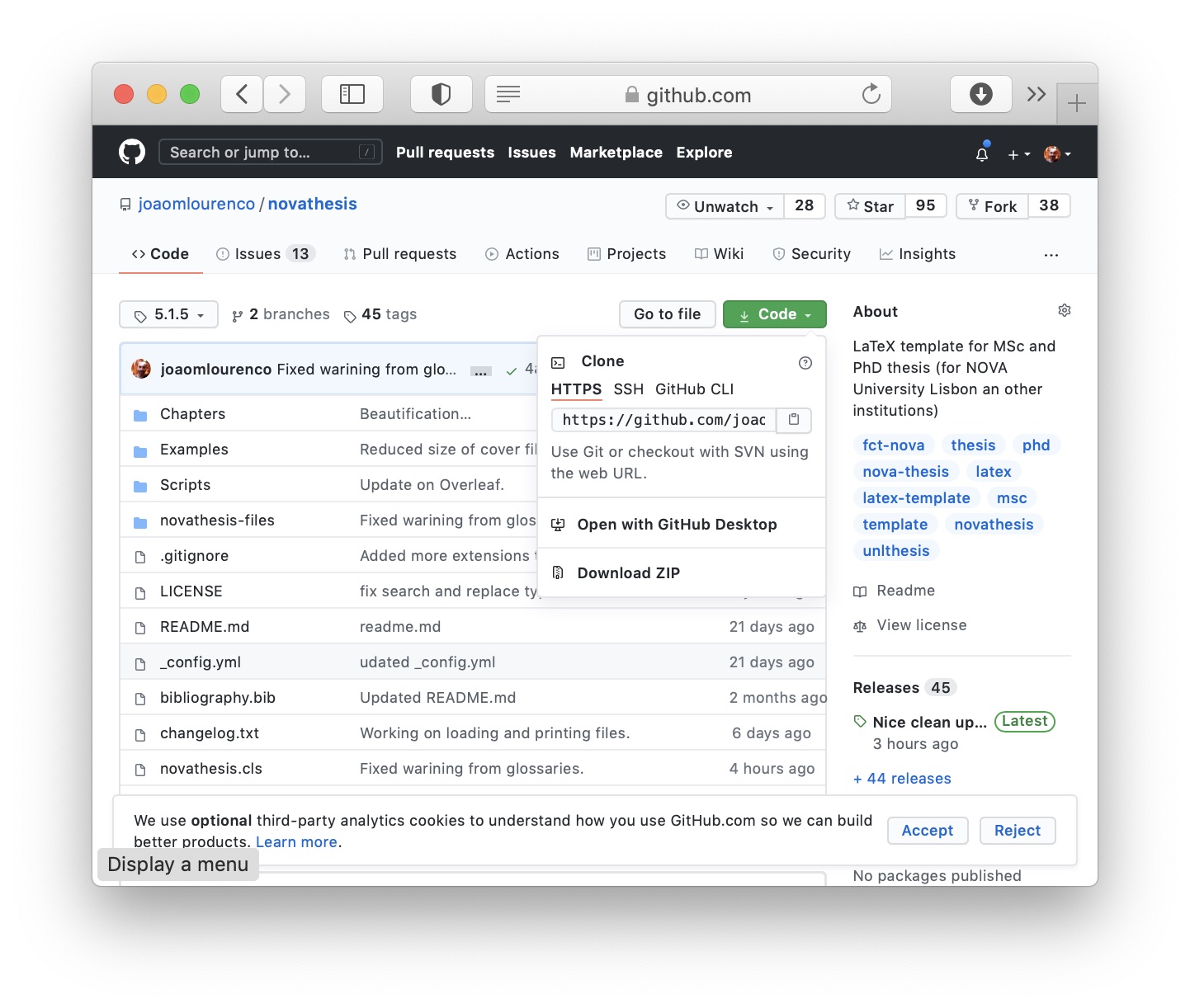
5-Figures/github1.jpg
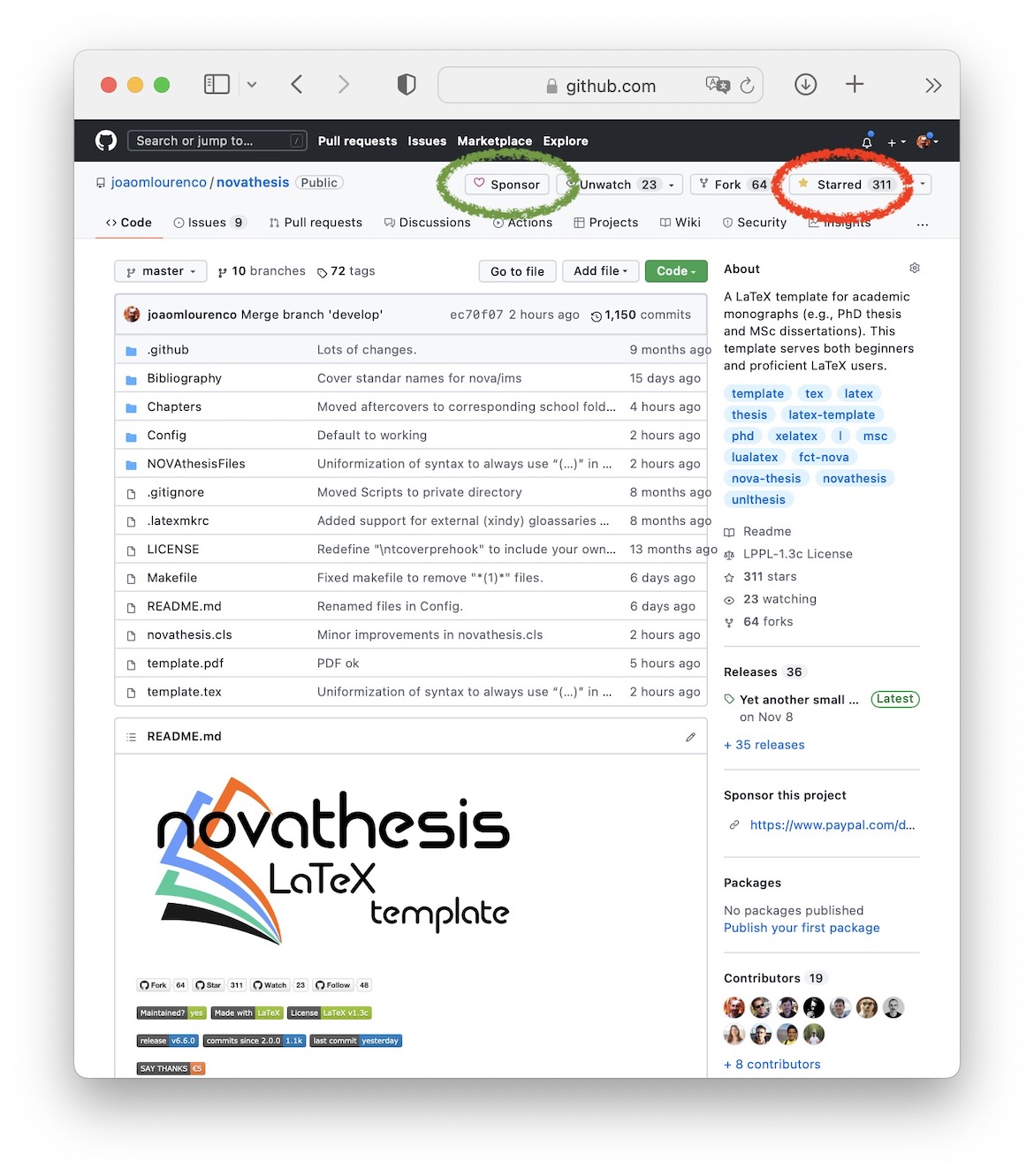
5-Figures/google-logo.pdf
5-Figures/knitting-bitmap.jpg
5-Figures/knitting-vectorial.pdf
5-Figures/overleaf.jpg
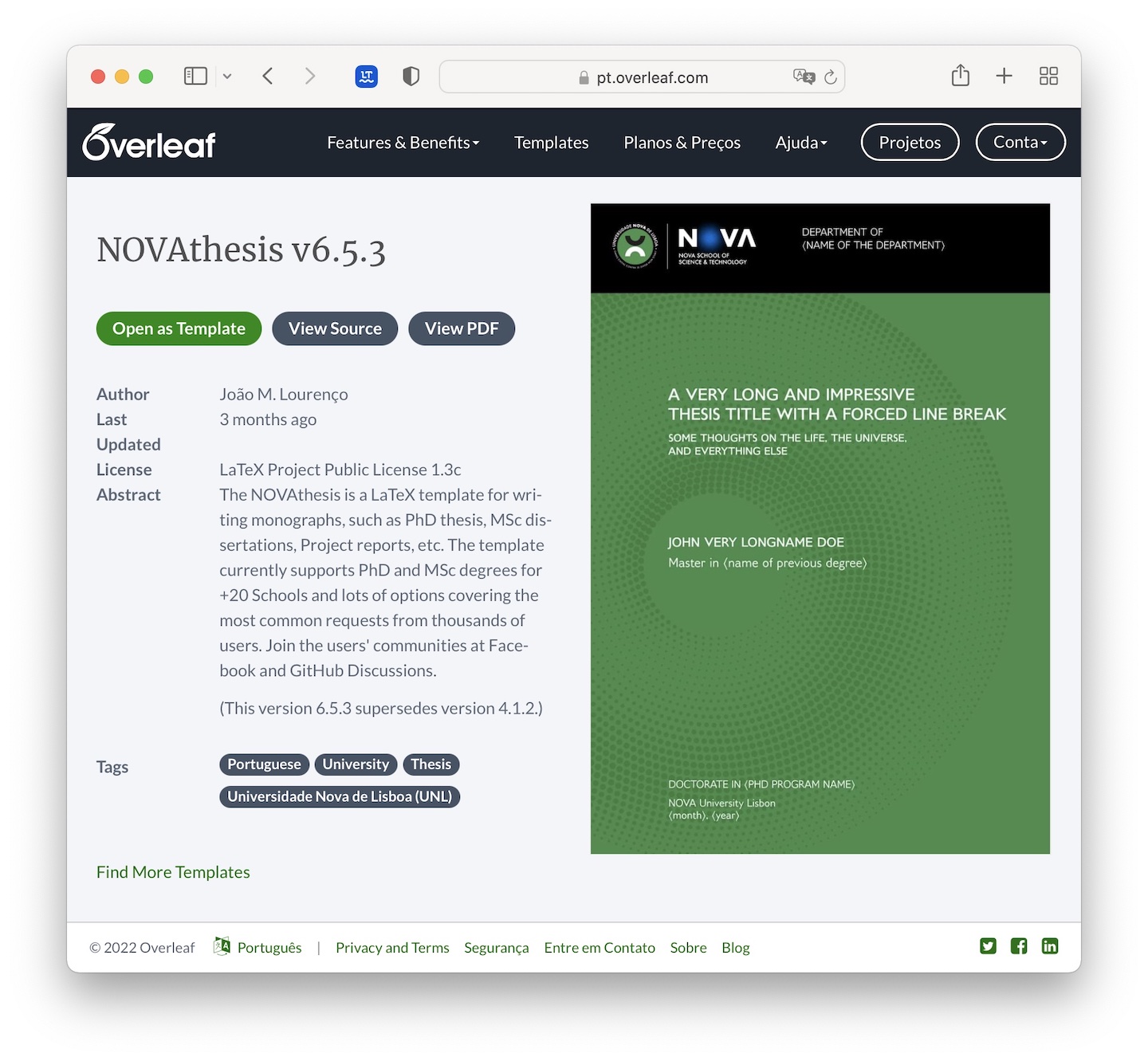
5-Figures/snowman-bitmap.jpg

5-Figures/snowman-vectorial.pdf
5-Figures/snowstorm-bitmap.jpg

5-Figures/snowstorm-vectorial.pdf
novathesisFiles/ 354 files
ChapStyles/ 11 files
novathesisFiles/ChapStyles/bar-compact.sty
novathesisFiles/ChapStyles/bar.sty
novathesisFiles/ChapStyles/bluebox.sty
novathesisFiles/ChapStyles/compact.sty
novathesisFiles/ChapStyles/elegant.sty
novathesisFiles/ChapStyles/fmv.sty
novathesisFiles/ChapStyles/isel.sty
novathesisFiles/ChapStyles/ist.sty
novathesisFiles/ChapStyles/ist2.sty
novathesisFiles/ChapStyles/vz34.sty
novathesisFiles/ChapStyles/vz43.sty
FontStyles/ 25 files
Fonts/ 4 files
novathesisFiles/FontStyles/Fonts/Jost-Bold.ttf
novathesisFiles/FontStyles/Fonts/Jost-BoldItalic.ttf
Download novathesisFiles/FontStyles/Fonts/Jost-BoldItalic.ttf
novathesisFiles/FontStyles/Fonts/Jost-Italic.ttf
novathesisFiles/FontStyles/Fonts/Jost-Regular.ttf
novathesisFiles/FontStyles/arial.sty
novathesisFiles/FontStyles/baskerville.sty
novathesisFiles/FontStyles/bookman.sty
novathesisFiles/FontStyles/calibri.sty
novathesisFiles/FontStyles/cambria.sty
novathesisFiles/FontStyles/computer-modern.sty
novathesisFiles/FontStyles/erewhon.sty
novathesisFiles/FontStyles/futura.sty
novathesisFiles/FontStyles/garamond.sty
novathesisFiles/FontStyles/jost.sty
novathesisFiles/FontStyles/kieranhealy.sty
novathesisFiles/FontStyles/libertine.sty
novathesisFiles/FontStyles/newpx.sty
novathesisFiles/FontStyles/newsgott.sty
novathesisFiles/FontStyles/opensans.sty
novathesisFiles/FontStyles/palatino-gyre-pagella.sty
Download novathesisFiles/FontStyles/palatino-gyre-pagella.sty
novathesisFiles/FontStyles/palatino-linotype.sty
novathesisFiles/FontStyles/palatino.sty
novathesisFiles/FontStyles/scholax.sty
novathesisFiles/FontStyles/times.sty
novathesisFiles/FontStyles/verdana.sty
Images/ 63 files
novathesisFiles/Images/FCT_logo_negative.pdf
novathesisFiles/Images/FCT_logo_positive.pdf
novathesisFiles/Images/Logo_Governo_Portugal.pdf
novathesisFiles/Images/Logo_UE_FSE.pdf
novathesisFiles/Images/novathesis-insignia-outline.pdf
Download novathesisFiles/Images/novathesis-insignia-outline.pdf
novathesisFiles/Images/novathesis-insignia-outline.svg
Download novathesisFiles/Images/novathesis-insignia-outline.svg

novathesisFiles/Images/novathesis-text-on-white.svg
Download novathesisFiles/Images/novathesis-text-on-white.svg

novathesisFiles/Images/novathesis-text.pdf
novathesisFiles/Images/novathesis-text.svg

novathesisFiles/Images/qrcode-donate.png

novathesisFiles/Images/republica_portuguesa.pdf
novathesisFiles/Images/republica_portuguesa_CTES.pdf
Download novathesisFiles/Images/republica_portuguesa_CTES.pdf
sdg-en/ 51 files
novathesisFiles/Images/sdg-en/1-i.pdf
novathesisFiles/Images/sdg-en/1-m.pdf
novathesisFiles/Images/sdg-en/1-n.pdf
novathesisFiles/Images/sdg-en/10-i.pdf
novathesisFiles/Images/sdg-en/10-m.pdf
novathesisFiles/Images/sdg-en/10-n.pdf
novathesisFiles/Images/sdg-en/11-i.pdf
novathesisFiles/Images/sdg-en/11-m.pdf
novathesisFiles/Images/sdg-en/11-n.pdf
novathesisFiles/Images/sdg-en/12-i.pdf
novathesisFiles/Images/sdg-en/12-m.pdf
novathesisFiles/Images/sdg-en/12-n.pdf
novathesisFiles/Images/sdg-en/13-i.pdf
novathesisFiles/Images/sdg-en/13-m.pdf
novathesisFiles/Images/sdg-en/13-n.pdf
novathesisFiles/Images/sdg-en/14-i.pdf
novathesisFiles/Images/sdg-en/14-m.pdf
novathesisFiles/Images/sdg-en/14-n.pdf
novathesisFiles/Images/sdg-en/15-i.pdf
novathesisFiles/Images/sdg-en/15-m.pdf
novathesisFiles/Images/sdg-en/15-n.pdf
novathesisFiles/Images/sdg-en/16-i.pdf
novathesisFiles/Images/sdg-en/16-m.pdf
novathesisFiles/Images/sdg-en/16-n.pdf
novathesisFiles/Images/sdg-en/17-i.pdf
novathesisFiles/Images/sdg-en/17-m.pdf
novathesisFiles/Images/sdg-en/17-n.pdf
novathesisFiles/Images/sdg-en/2-i.pdf
novathesisFiles/Images/sdg-en/2-m.pdf
novathesisFiles/Images/sdg-en/2-n.pdf
novathesisFiles/Images/sdg-en/3-i.pdf
novathesisFiles/Images/sdg-en/3-m.pdf
novathesisFiles/Images/sdg-en/3-n.pdf
novathesisFiles/Images/sdg-en/4-i.pdf
novathesisFiles/Images/sdg-en/4-m.pdf
novathesisFiles/Images/sdg-en/4-n.pdf
novathesisFiles/Images/sdg-en/5-i.pdf
novathesisFiles/Images/sdg-en/5-m.pdf
novathesisFiles/Images/sdg-en/5-n.pdf
novathesisFiles/Images/sdg-en/6-i.pdf
novathesisFiles/Images/sdg-en/6-m.pdf
novathesisFiles/Images/sdg-en/6-n.pdf
novathesisFiles/Images/sdg-en/7-i.pdf
novathesisFiles/Images/sdg-en/7-m.pdf
novathesisFiles/Images/sdg-en/7-n.pdf
novathesisFiles/Images/sdg-en/8-i.pdf
novathesisFiles/Images/sdg-en/8-m.pdf
novathesisFiles/Images/sdg-en/8-n.pdf
novathesisFiles/Images/sdg-en/9-i.pdf
novathesisFiles/Images/sdg-en/9-m.pdf
novathesisFiles/Images/sdg-en/9-n.pdf
Schools/ 205 files
iscteiul/ 6 files
eta/ 5 files
Images/ 4 files
novathesisFiles/Schools/iscteiul/eta/Images/DO_NOT_REMOVE_THIS_FILE.txt
Download novathesisFiles/Schools/iscteiul/eta/Images/DO_NOT_REMOVE_THIS_FILE.txt
novathesisFiles/Schools/iscteiul/eta/Images/iscte-iul-en.pdf
Download novathesisFiles/Schools/iscteiul/eta/Images/iscte-iul-en.pdf
novathesisFiles/Schools/iscteiul/eta/Images/iscte-iul-logo.pdf
Download novathesisFiles/Schools/iscteiul/eta/Images/iscte-iul-logo.pdf
novathesisFiles/Schools/iscteiul/eta/Images/iscte-iul-pt.pdf
Download novathesisFiles/Schools/iscteiul/eta/Images/iscte-iul-pt.pdf
novathesisFiles/Schools/iscteiul/eta/iscteiul-eta-defaults.clo
Download novathesisFiles/Schools/iscteiul/eta/iscteiul-eta-defaults.clo
novathesisFiles/Schools/iscteiul/iscteiul-defaults.clo
Download novathesisFiles/Schools/iscteiul/iscteiul-defaults.clo
nova/ 57 files
Images/ 10 files
novathesisFiles/Schools/nova/Images/DO_NOT_REMOVE_THIS_FILE.txt
Download novathesisFiles/Schools/nova/Images/DO_NOT_REMOVE_THIS_FILE.txt
novathesisFiles/Schools/nova/Images/nova-ihmt-logo-bw.pdf
Download novathesisFiles/Schools/nova/Images/nova-ihmt-logo-bw.pdf
novathesisFiles/Schools/nova/Images/nova-ims-logo-bw.pdf
Download novathesisFiles/Schools/nova/Images/nova-ims-logo-bw.pdf
novathesisFiles/Schools/nova/Images/nova-insignia-bw.pdf
Download novathesisFiles/Schools/nova/Images/nova-insignia-bw.pdf
novathesisFiles/Schools/nova/Images/nova-insignia-negative.pdf
Download novathesisFiles/Schools/nova/Images/nova-insignia-negative.pdf
novathesisFiles/Schools/nova/Images/nova-insignia.pdf
Download novathesisFiles/Schools/nova/Images/nova-insignia.pdf
novathesisFiles/Schools/nova/Images/nova-itqb-logo-bw.pdf
Download novathesisFiles/Schools/nova/Images/nova-itqb-logo-bw.pdf
novathesisFiles/Schools/nova/Images/nova-logo-grey.pdf
Download novathesisFiles/Schools/nova/Images/nova-logo-grey.pdf
novathesisFiles/Schools/nova/Images/nova-logo.pdf
novathesisFiles/Schools/nova/Images/nova-nms-logo-bw.pdf
Download novathesisFiles/Schools/nova/Images/nova-nms-logo-bw.pdf
ensp/ 3 files
Images/ 2 files
novathesisFiles/Schools/nova/ensp/Images/DO_NOT_REMOVE_THIS_FILE.txt
Download novathesisFiles/Schools/nova/ensp/Images/DO_NOT_REMOVE_THIS_FILE.txt
novathesisFiles/Schools/nova/ensp/Images/nova-ensp-logo.pdf
Download novathesisFiles/Schools/nova/ensp/Images/nova-ensp-logo.pdf
novathesisFiles/Schools/nova/ensp/nova-ensp-defaults.clo
Download novathesisFiles/Schools/nova/ensp/nova-ensp-defaults.clo
fcsh/ 6 files
Images/ 5 files
novathesisFiles/Schools/nova/fcsh/Images/DO_NOT_REMOVE_THIS_FILE.txt
Download novathesisFiles/Schools/nova/fcsh/Images/DO_NOT_REMOVE_THIS_FILE.txt
novathesisFiles/Schools/nova/fcsh/Images/nova-fcsh-insignia-color.pdf
Download novathesisFiles/Schools/nova/fcsh/Images/nova-fcsh-insignia-color.pdf
novathesisFiles/Schools/nova/fcsh/Images/nova-fcsh-insignia-mono.pdf
Download novathesisFiles/Schools/nova/fcsh/Images/nova-fcsh-insignia-mono.pdf
novathesisFiles/Schools/nova/fcsh/Images/nova-fcsh-logo-color-horiz.pdf
Download novathesisFiles/Schools/nova/fcsh/Images/nova-fcsh-logo-color-horiz.pdf
novathesisFiles/Schools/nova/fcsh/Images/nova-fcsh-logo-mono-horiz.pdf
Download novathesisFiles/Schools/nova/fcsh/Images/nova-fcsh-logo-mono-horiz.pdf
novathesisFiles/Schools/nova/fcsh/nova-fcsh-defaults.clo
Download novathesisFiles/Schools/nova/fcsh/nova-fcsh-defaults.clo
fct/ 29 files
Images/ 21 files
novathesisFiles/Schools/nova/fct/Images/DO_NOT_REMOVE_THIS_FILE.txt
Download novathesisFiles/Schools/nova/fct/Images/DO_NOT_REMOVE_THIS_FILE.txt
novathesisFiles/Schools/nova/fct/Images/nova-fct-cover-blue-back.pdf
Download novathesisFiles/Schools/nova/fct/Images/nova-fct-cover-blue-back.pdf
novathesisFiles/Schools/nova/fct/Images/nova-fct-cover-blue-front.pdf
Download novathesisFiles/Schools/nova/fct/Images/nova-fct-cover-blue-front.pdf
novathesisFiles/Schools/nova/fct/Images/nova-fct-cover-brown-back.pdf
Download novathesisFiles/Schools/nova/fct/Images/nova-fct-cover-brown-back.pdf
novathesisFiles/Schools/nova/fct/Images/nova-fct-cover-brown-front.pdf
Download novathesisFiles/Schools/nova/fct/Images/nova-fct-cover-brown-front.pdf
novathesisFiles/Schools/nova/fct/Images/nova-fct-cover-cbbi-back.pdf
Download novathesisFiles/Schools/nova/fct/Images/nova-fct-cover-cbbi-back.pdf
novathesisFiles/Schools/nova/fct/Images/nova-fct-cover-cbbi-front.pdf
Download novathesisFiles/Schools/nova/fct/Images/nova-fct-cover-cbbi-front.pdf
novathesisFiles/Schools/nova/fct/Images/nova-fct-cover-green-back.pdf
Download novathesisFiles/Schools/nova/fct/Images/nova-fct-cover-green-back.pdf
novathesisFiles/Schools/nova/fct/Images/nova-fct-cover-green-front.pdf
Download novathesisFiles/Schools/nova/fct/Images/nova-fct-cover-green-front.pdf
novathesisFiles/Schools/nova/fct/Images/nova-fct-cover-red-back.pdf
Download novathesisFiles/Schools/nova/fct/Images/nova-fct-cover-red-back.pdf
novathesisFiles/Schools/nova/fct/Images/nova-fct-cover-red-front.pdf
Download novathesisFiles/Schools/nova/fct/Images/nova-fct-cover-red-front.pdf
novathesisFiles/Schools/nova/fct/Images/nova-fct-logo-bw-en.pdf
Download novathesisFiles/Schools/nova/fct/Images/nova-fct-logo-bw-en.pdf
novathesisFiles/Schools/nova/fct/Images/nova-fct-logo-en.pdf
Download novathesisFiles/Schools/nova/fct/Images/nova-fct-logo-en.pdf
novathesisFiles/Schools/nova/fct/Images/nova-fct-logo-negative-en.pdf
Download novathesisFiles/Schools/nova/fct/Images/nova-fct-logo-negative-en.pdf
novathesisFiles/Schools/nova/fct/Images/nova-fct-logo-negative-pt.pdf
Download novathesisFiles/Schools/nova/fct/Images/nova-fct-logo-negative-pt.pdf
novathesisFiles/Schools/nova/fct/Images/nova-fct-logo-pt.pdf
Download novathesisFiles/Schools/nova/fct/Images/nova-fct-logo-pt.pdf
novathesisFiles/Schools/nova/fct/Images/nova-fct-spine-blue.pdf
Download novathesisFiles/Schools/nova/fct/Images/nova-fct-spine-blue.pdf
novathesisFiles/Schools/nova/fct/Images/nova-fct-spine-brown.pdf
Download novathesisFiles/Schools/nova/fct/Images/nova-fct-spine-brown.pdf
novathesisFiles/Schools/nova/fct/Images/nova-fct-spine-cbbi.pdf
Download novathesisFiles/Schools/nova/fct/Images/nova-fct-spine-cbbi.pdf
novathesisFiles/Schools/nova/fct/Images/nova-fct-spine-green.pdf
Download novathesisFiles/Schools/nova/fct/Images/nova-fct-spine-green.pdf
novathesisFiles/Schools/nova/fct/Images/nova-fct-spine-red.pdf
Download novathesisFiles/Schools/nova/fct/Images/nova-fct-spine-red.pdf
novathesisFiles/Schools/nova/fct/nova-fct-blue-defaults.clo
Download novathesisFiles/Schools/nova/fct/nova-fct-blue-defaults.clo
novathesisFiles/Schools/nova/fct/nova-fct-brown-defaults.clo
Download novathesisFiles/Schools/nova/fct/nova-fct-brown-defaults.clo
novathesisFiles/Schools/nova/fct/nova-fct-cbbi-defaults.clo
Download novathesisFiles/Schools/nova/fct/nova-fct-cbbi-defaults.clo
novathesisFiles/Schools/nova/fct/nova-fct-defaults.clo
Download novathesisFiles/Schools/nova/fct/nova-fct-defaults.clo
novathesisFiles/Schools/nova/fct/nova-fct-di-adc-defaults.clo
Download novathesisFiles/Schools/nova/fct/nova-fct-di-adc-defaults.clo
novathesisFiles/Schools/nova/fct/nova-fct-green-defaults.clo
Download novathesisFiles/Schools/nova/fct/nova-fct-green-defaults.clo
novathesisFiles/Schools/nova/fct/nova-fct-plain-defaults.clo
Download novathesisFiles/Schools/nova/fct/nova-fct-plain-defaults.clo
novathesisFiles/Schools/nova/fct/nova-fct-red-defaults.clo
Download novathesisFiles/Schools/nova/fct/nova-fct-red-defaults.clo
itqb/ 8 files
Images/ 5 files
novathesisFiles/Schools/nova/itqb/Images/DO_NOT_REMOVE_THIS_FILE.txt
Download novathesisFiles/Schools/nova/itqb/Images/DO_NOT_REMOVE_THIS_FILE.txt
novathesisFiles/Schools/nova/itqb/Images/logo-nova-itqb-bw.pdf
Download novathesisFiles/Schools/nova/itqb/Images/logo-nova-itqb-bw.pdf
novathesisFiles/Schools/nova/itqb/Images/nova-itqb-logo-mono.pdf
Download novathesisFiles/Schools/nova/itqb/Images/nova-itqb-logo-mono.pdf
novathesisFiles/Schools/nova/itqb/Images/nova-itqb-logo.pdf
Download novathesisFiles/Schools/nova/itqb/Images/nova-itqb-logo.pdf
novathesisFiles/Schools/nova/itqb/Images/nova-itqb-photo.jpg
Download novathesisFiles/Schools/nova/itqb/Images/nova-itqb-photo.jpg
novathesisFiles/Schools/nova/itqb/nova-itqb-defaults.clo
Download novathesisFiles/Schools/nova/itqb/nova-itqb-defaults.clo
novathesisFiles/Schools/nova/itqb/nova-itqb-gray-defaults.clo
Download novathesisFiles/Schools/nova/itqb/nova-itqb-gray-defaults.clo
novathesisFiles/Schools/nova/itqb/nova-itqb-green-defaults.clo
Download novathesisFiles/Schools/nova/itqb/nova-itqb-green-defaults.clo
novathesisFiles/Schools/nova/nova-defaults.clo
other/ 19 files
esep/ 4 files
Images/ 3 files
novathesisFiles/Schools/other/esep/Images/DO_NOT_REMOVE_THIS_FILE.txt
Download novathesisFiles/Schools/other/esep/Images/DO_NOT_REMOVE_THIS_FILE.txt
novathesisFiles/Schools/other/esep/Images/other-esep-cover.pdf
Download novathesisFiles/Schools/other/esep/Images/other-esep-cover.pdf
novathesisFiles/Schools/other/esep/Images/other-esep-logo_horiz.pdf
Download novathesisFiles/Schools/other/esep/Images/other-esep-logo_horiz.pdf
novathesisFiles/Schools/other/esep/other-esep-defaults.clo
Download novathesisFiles/Schools/other/esep/other-esep-defaults.clo
huberlin/ 5 files
Images/ 4 files
novathesisFiles/Schools/other/huberlin/Images/DO_NOT_REMOVE_THIS_FILE.txt
Download novathesisFiles/Schools/other/huberlin/Images/DO_NOT_REMOVE_THIS_FILE.txt
novathesisFiles/Schools/other/huberlin/Images/Huberlin-logo.pdf
Download novathesisFiles/Schools/other/huberlin/Images/Huberlin-logo.pdf
novathesisFiles/Schools/other/huberlin/Images/Huberlin-logo.svg
Download novathesisFiles/Schools/other/huberlin/Images/Huberlin-logo.svg

novathesisFiles/Schools/other/huberlin/Images/WORD_Deckblatt_Abschlussarbeit_Muster.pdf
Download novathesisFiles/Schools/other/huberlin/Images/WORD_Deckblatt_Abschlussarbeit_Muster.pdf
novathesisFiles/Schools/other/huberlin/other-huberlin-defaults.clo
Download novathesisFiles/Schools/other/huberlin/other-huberlin-defaults.clo
novathesis/ 9 files
Images/ 8 files
novathesisFiles/Schools/other/novathesis/Images/DO_NOT_REMOVE_THIS_FILE.txt
Download novathesisFiles/Schools/other/novathesis/Images/DO_NOT_REMOVE_THIS_FILE.txt
red/ 7 files
novathesisFiles/Schools/other/novathesis/Images/red/cover-1.pdf
Download novathesisFiles/Schools/other/novathesis/Images/red/cover-1.pdf
novathesisFiles/Schools/other/novathesis/Images/red/cover-2.pdf
Download novathesisFiles/Schools/other/novathesis/Images/red/cover-2.pdf
novathesisFiles/Schools/other/novathesis/Images/red/cover-N.pdf
Download novathesisFiles/Schools/other/novathesis/Images/red/cover-N.pdf
novathesisFiles/Schools/other/novathesis/Images/red/insignia-red.pdf
Download novathesisFiles/Schools/other/novathesis/Images/red/insignia-red.pdf
novathesisFiles/Schools/other/novathesis/Images/red/insignia-red1.pdf
Download novathesisFiles/Schools/other/novathesis/Images/red/insignia-red1.pdf
novathesisFiles/Schools/other/novathesis/Images/red/insignia-red1.svg
Download novathesisFiles/Schools/other/novathesis/Images/red/insignia-red1.svg

novathesisFiles/Schools/other/novathesis/Images/red/insignia-red2.pdf
Download novathesisFiles/Schools/other/novathesis/Images/red/insignia-red2.pdf
novathesisFiles/Schools/other/novathesis/other-novathesis-defaults.clo
Download novathesisFiles/Schools/other/novathesis/other-novathesis-defaults.clo
novathesisFiles/Schools/other/other-defaults.clo
ulht/ 11 files
Images/ 5 files
novathesisFiles/Schools/ulht/Images/DO_NOT_REMOVE_THIS_FILE.txt
Download novathesisFiles/Schools/ulht/Images/DO_NOT_REMOVE_THIS_FILE.txt
novathesisFiles/Schools/ulht/Images/cover.pdf
novathesisFiles/Schools/ulht/Images/logo_ulht.pdf
novathesisFiles/Schools/ulht/Images/logo_ulht_horiz.pdf
Download novathesisFiles/Schools/ulht/Images/logo_ulht_horiz.pdf
novathesisFiles/Schools/ulht/Images/ulht-logo.pdf
deisi/ 3 files
Images/ 2 files
novathesisFiles/Schools/ulht/deisi/Images/DO_NOT_REMOVE_THIS_FILE.txt
Download novathesisFiles/Schools/ulht/deisi/Images/DO_NOT_REMOVE_THIS_FILE.txt
novathesisFiles/Schools/ulht/deisi/Images/ulht-deisi-logo.jpg
Download novathesisFiles/Schools/ulht/deisi/Images/ulht-deisi-logo.jpg

novathesisFiles/Schools/ulht/deisi/ulht-deisi-defaults.clo
Download novathesisFiles/Schools/ulht/deisi/ulht-deisi-defaults.clo
mge/ 2 files
Images/ 1 file
novathesisFiles/Schools/ulht/mge/Images/DO_NOT_REMOVE_THIS_FILE.txt
Download novathesisFiles/Schools/ulht/mge/Images/DO_NOT_REMOVE_THIS_FILE.txt
novathesisFiles/Schools/ulht/mge/ulht-mge-defaults.clo
Download novathesisFiles/Schools/ulht/mge/ulht-mge-defaults.clo
novathesisFiles/Schools/ulht/ulht-defaults.clo
ulisboa/ 26 files
Images/ 2 files
novathesisFiles/Schools/ulisboa/Images/DO_NOT_REMOVE_THIS_FILE.txt
Download novathesisFiles/Schools/ulisboa/Images/DO_NOT_REMOVE_THIS_FILE.txt
novathesisFiles/Schools/ulisboa/Images/ulisboa-logo-color.pdf
Download novathesisFiles/Schools/ulisboa/Images/ulisboa-logo-color.pdf
fcul/ 5 files
Images/ 4 files
novathesisFiles/Schools/ulisboa/fcul/Images/DO_NOT_REMOVE_THIS_FILE.txt
Download novathesisFiles/Schools/ulisboa/fcul/Images/DO_NOT_REMOVE_THIS_FILE.txt
novathesisFiles/Schools/ulisboa/fcul/Images/ulisboa-fc-logo-horiz.pdf
Download novathesisFiles/Schools/ulisboa/fcul/Images/ulisboa-fc-logo-horiz.pdf
novathesisFiles/Schools/ulisboa/fcul/Images/ulisboa-fc-logo-vert.pdf
Download novathesisFiles/Schools/ulisboa/fcul/Images/ulisboa-fc-logo-vert.pdf
novathesisFiles/Schools/ulisboa/fcul/Images/ulisboa-fc-logo.pdf
Download novathesisFiles/Schools/ulisboa/fcul/Images/ulisboa-fc-logo.pdf
novathesisFiles/Schools/ulisboa/fcul/ulisboa-fcul-defaults.clo
Download novathesisFiles/Schools/ulisboa/fcul/ulisboa-fcul-defaults.clo
fful/ 6 files
Images/ 5 files
novathesisFiles/Schools/ulisboa/fful/Images/DO_NOT_REMOVE_THIS_FILE.txt
Download novathesisFiles/Schools/ulisboa/fful/Images/DO_NOT_REMOVE_THIS_FILE.txt
novathesisFiles/Schools/ulisboa/fful/Images/ulisboa-ff-logo-black.pdf
Download novathesisFiles/Schools/ulisboa/fful/Images/ulisboa-ff-logo-black.pdf
novathesisFiles/Schools/ulisboa/fful/Images/ulisboa-ff-logo-color.pdf
Download novathesisFiles/Schools/ulisboa/fful/Images/ulisboa-ff-logo-color.pdf
novathesisFiles/Schools/ulisboa/fful/Images/ulisboa-ff-logo-white.pdf
Download novathesisFiles/Schools/ulisboa/fful/Images/ulisboa-ff-logo-white.pdf
novathesisFiles/Schools/ulisboa/fful/Images/ulisboa-vertical-color.pdf
Download novathesisFiles/Schools/ulisboa/fful/Images/ulisboa-vertical-color.pdf
novathesisFiles/Schools/ulisboa/fful/ulisboa-fful-defaults.clo
Download novathesisFiles/Schools/ulisboa/fful/ulisboa-fful-defaults.clo
fmv/ 3 files
Images/ 2 files
novathesisFiles/Schools/ulisboa/fmv/Images/DO_NOT_REMOVE_THIS_FILE.txt
Download novathesisFiles/Schools/ulisboa/fmv/Images/DO_NOT_REMOVE_THIS_FILE.txt
novathesisFiles/Schools/ulisboa/fmv/Images/ulisboa-fmv-insignia-color.pdf
Download novathesisFiles/Schools/ulisboa/fmv/Images/ulisboa-fmv-insignia-color.pdf
novathesisFiles/Schools/ulisboa/fmv/ulisboa-fmv-defaults.clo
Download novathesisFiles/Schools/ulisboa/fmv/ulisboa-fmv-defaults.clo
iseg/ 4 files
Images/ 3 files
novathesisFiles/Schools/ulisboa/iseg/Images/DO_NOT_REMOVE_THIS_FILE.txt
Download novathesisFiles/Schools/ulisboa/iseg/Images/DO_NOT_REMOVE_THIS_FILE.txt
novathesisFiles/Schools/ulisboa/iseg/Images/ulisboa-iseg-logo-horiz.pdf
Download novathesisFiles/Schools/ulisboa/iseg/Images/ulisboa-iseg-logo-horiz.pdf
novathesisFiles/Schools/ulisboa/iseg/Images/ulisboa-iseg-logo.pdf
Download novathesisFiles/Schools/ulisboa/iseg/Images/ulisboa-iseg-logo.pdf
novathesisFiles/Schools/ulisboa/iseg/ulisboa-iseg-defaults.clo
Download novathesisFiles/Schools/ulisboa/iseg/ulisboa-iseg-defaults.clo
ist/ 5 files
Images/ 4 files
novathesisFiles/Schools/ulisboa/ist/Images/DO_NOT_REMOVE_THIS_FILE.txt
Download novathesisFiles/Schools/ulisboa/ist/Images/DO_NOT_REMOVE_THIS_FILE.txt
novathesisFiles/Schools/ulisboa/ist/Images/ist-image.jpg
Download novathesisFiles/Schools/ulisboa/ist/Images/ist-image.jpg

novathesisFiles/Schools/ulisboa/ist/Images/ulisboa-ist-logo-horiz.pdf
Download novathesisFiles/Schools/ulisboa/ist/Images/ulisboa-ist-logo-horiz.pdf
novathesisFiles/Schools/ulisboa/ist/Images/ulisboa-ist-logo.pdf
Download novathesisFiles/Schools/ulisboa/ist/Images/ulisboa-ist-logo.pdf
novathesisFiles/Schools/ulisboa/ist/ulisboa-ist-defaults.clo
Download novathesisFiles/Schools/ulisboa/ist/ulisboa-ist-defaults.clo
novathesisFiles/Schools/ulisboa/ulisboa-defaults.clo
Download novathesisFiles/Schools/ulisboa/ulisboa-defaults.clo
uminho/ 55 files
Images/ 3 files
novathesisFiles/Schools/uminho/Images/DO_NOT_REMOVE_THIS_FILE.txt
Download novathesisFiles/Schools/uminho/Images/DO_NOT_REMOVE_THIS_FILE.txt
novathesisFiles/Schools/uminho/Images/uminho-insignia-color.pdf
Download novathesisFiles/Schools/uminho/Images/uminho-insignia-color.pdf
novathesisFiles/Schools/uminho/Images/uminho-insignia-mono.pdf
Download novathesisFiles/Schools/uminho/Images/uminho-insignia-mono.pdf
novathesisFiles/Schools/uminho/copyright.clo
novathesisFiles/Schools/uminho/cover-final.tex
eaad/ 4 files
Images/ 3 files
novathesisFiles/Schools/uminho/eaad/Images/DO_NOT_REMOVE_THIS_FILE.txt
Download novathesisFiles/Schools/uminho/eaad/Images/DO_NOT_REMOVE_THIS_FILE.txt
novathesisFiles/Schools/uminho/eaad/Images/uminho-ea-insignia-color.pdf
Download novathesisFiles/Schools/uminho/eaad/Images/uminho-ea-insignia-color.pdf
novathesisFiles/Schools/uminho/eaad/Images/uminho-ea-insignia-mono.pdf
Download novathesisFiles/Schools/uminho/eaad/Images/uminho-ea-insignia-mono.pdf
novathesisFiles/Schools/uminho/eaad/uminho-eaad-defaults.clo
Download novathesisFiles/Schools/uminho/eaad/uminho-eaad-defaults.clo
ec/ 4 files
Images/ 3 files
novathesisFiles/Schools/uminho/ec/Images/DO_NOT_REMOVE_THIS_FILE.txt
Download novathesisFiles/Schools/uminho/ec/Images/DO_NOT_REMOVE_THIS_FILE.txt
novathesisFiles/Schools/uminho/ec/Images/uminho-ec-insignia-color.pdf
Download novathesisFiles/Schools/uminho/ec/Images/uminho-ec-insignia-color.pdf
novathesisFiles/Schools/uminho/ec/Images/uminho-ec-insignia-mono.pdf
Download novathesisFiles/Schools/uminho/ec/Images/uminho-ec-insignia-mono.pdf
novathesisFiles/Schools/uminho/ec/uminho-ec-defaults.clo
Download novathesisFiles/Schools/uminho/ec/uminho-ec-defaults.clo
ed/ 4 files
Images/ 3 files
novathesisFiles/Schools/uminho/ed/Images/DO_NOT_REMOVE_THIS_FILE.txt
Download novathesisFiles/Schools/uminho/ed/Images/DO_NOT_REMOVE_THIS_FILE.txt
novathesisFiles/Schools/uminho/ed/Images/uminho-ed-insignia-color.pdf
Download novathesisFiles/Schools/uminho/ed/Images/uminho-ed-insignia-color.pdf
novathesisFiles/Schools/uminho/ed/Images/uminho-ed-insignia-mono.pdf
Download novathesisFiles/Schools/uminho/ed/Images/uminho-ed-insignia-mono.pdf
novathesisFiles/Schools/uminho/ed/uminho-ed-defaults.clo
Download novathesisFiles/Schools/uminho/ed/uminho-ed-defaults.clo
eeg/ 4 files
Images/ 3 files
novathesisFiles/Schools/uminho/eeg/Images/DO_NOT_REMOVE_THIS_FILE.txt
Download novathesisFiles/Schools/uminho/eeg/Images/DO_NOT_REMOVE_THIS_FILE.txt
novathesisFiles/Schools/uminho/eeg/Images/uminho-eeg-insignia-color.pdf
Download novathesisFiles/Schools/uminho/eeg/Images/uminho-eeg-insignia-color.pdf
novathesisFiles/Schools/uminho/eeg/Images/uminho-eeg-insignia-mono.pdf
Download novathesisFiles/Schools/uminho/eeg/Images/uminho-eeg-insignia-mono.pdf
novathesisFiles/Schools/uminho/eeg/uminho-eeg-defaults.clo
Download novathesisFiles/Schools/uminho/eeg/uminho-eeg-defaults.clo
eeng/ 4 files
Images/ 3 files
novathesisFiles/Schools/uminho/eeng/Images/DO_NOT_REMOVE_THIS_FILE.txt
Download novathesisFiles/Schools/uminho/eeng/Images/DO_NOT_REMOVE_THIS_FILE.txt
novathesisFiles/Schools/uminho/eeng/Images/uminho-ee-insignia-color.pdf
Download novathesisFiles/Schools/uminho/eeng/Images/uminho-ee-insignia-color.pdf
novathesisFiles/Schools/uminho/eeng/Images/uminho-ee-insignia-mono.pdf
Download novathesisFiles/Schools/uminho/eeng/Images/uminho-ee-insignia-mono.pdf
novathesisFiles/Schools/uminho/eeng/uminho-eeng-defaults.clo
Download novathesisFiles/Schools/uminho/eeng/uminho-eeng-defaults.clo
elach/ 4 files
Images/ 3 files
novathesisFiles/Schools/uminho/elach/Images/DO_NOT_REMOVE_THIS_FILE.txt
Download novathesisFiles/Schools/uminho/elach/Images/DO_NOT_REMOVE_THIS_FILE.txt
novathesisFiles/Schools/uminho/elach/Images/uminho-elach-insignia-color.pdf
Download novathesisFiles/Schools/uminho/elach/Images/uminho-elach-insignia-color.pdf
novathesisFiles/Schools/uminho/elach/Images/uminho-elach-insignia-mono.pdf
Download novathesisFiles/Schools/uminho/elach/Images/uminho-elach-insignia-mono.pdf
novathesisFiles/Schools/uminho/elach/uminho-elach-defaults.clo
Download novathesisFiles/Schools/uminho/elach/uminho-elach-defaults.clo
emed/ 4 files
Images/ 3 files
novathesisFiles/Schools/uminho/emed/Images/DO_NOT_REMOVE_THIS_FILE.txt
Download novathesisFiles/Schools/uminho/emed/Images/DO_NOT_REMOVE_THIS_FILE.txt
novathesisFiles/Schools/uminho/emed/Images/uminho-em-insignia-color.pdf
Download novathesisFiles/Schools/uminho/emed/Images/uminho-em-insignia-color.pdf
novathesisFiles/Schools/uminho/emed/Images/uminho-em-insignia-mono.pdf
Download novathesisFiles/Schools/uminho/emed/Images/uminho-em-insignia-mono.pdf
novathesisFiles/Schools/uminho/emed/uminho-emed-defaults.clo
Download novathesisFiles/Schools/uminho/emed/uminho-emed-defaults.clo
epsi/ 4 files
Images/ 3 files
novathesisFiles/Schools/uminho/epsi/Images/DO_NOT_REMOVE_THIS_FILE.txt
Download novathesisFiles/Schools/uminho/epsi/Images/DO_NOT_REMOVE_THIS_FILE.txt
novathesisFiles/Schools/uminho/epsi/Images/uminho-ep-insignia-color.pdf
Download novathesisFiles/Schools/uminho/epsi/Images/uminho-ep-insignia-color.pdf
novathesisFiles/Schools/uminho/epsi/Images/uminho-ep-insignia-mono.pdf
Download novathesisFiles/Schools/uminho/epsi/Images/uminho-ep-insignia-mono.pdf
novathesisFiles/Schools/uminho/epsi/uminho-epsi-defaults.clo
Download novathesisFiles/Schools/uminho/epsi/uminho-epsi-defaults.clo
ese/ 4 files
Images/ 3 files
novathesisFiles/Schools/uminho/ese/Images/DO_NOT_REMOVE_THIS_FILE.txt
Download novathesisFiles/Schools/uminho/ese/Images/DO_NOT_REMOVE_THIS_FILE.txt
novathesisFiles/Schools/uminho/ese/Images/uminho-ese-insignia-color.pdf
Download novathesisFiles/Schools/uminho/ese/Images/uminho-ese-insignia-color.pdf
novathesisFiles/Schools/uminho/ese/Images/uminho-ese-insignia-mono.pdf
Download novathesisFiles/Schools/uminho/ese/Images/uminho-ese-insignia-mono.pdf
novathesisFiles/Schools/uminho/ese/uminho-ese-defaults.clo
Download novathesisFiles/Schools/uminho/ese/uminho-ese-defaults.clo
i3bs/ 4 files
Images/ 3 files
novathesisFiles/Schools/uminho/i3bs/Images/DO_NOT_REMOVE_THIS_FILE.txt
Download novathesisFiles/Schools/uminho/i3bs/Images/DO_NOT_REMOVE_THIS_FILE.txt
novathesisFiles/Schools/uminho/i3bs/Images/uminho-iibbb-insignia-color.pdf
Download novathesisFiles/Schools/uminho/i3bs/Images/uminho-iibbb-insignia-color.pdf
novathesisFiles/Schools/uminho/i3bs/Images/uminho-iibbb-insignia-mono.pdf
Download novathesisFiles/Schools/uminho/i3bs/Images/uminho-iibbb-insignia-mono.pdf
novathesisFiles/Schools/uminho/i3bs/uminho-i3bs-defaults.clo
Download novathesisFiles/Schools/uminho/i3bs/uminho-i3bs-defaults.clo
ics/ 4 files
Images/ 3 files
novathesisFiles/Schools/uminho/ics/Images/DO_NOT_REMOVE_THIS_FILE.txt
Download novathesisFiles/Schools/uminho/ics/Images/DO_NOT_REMOVE_THIS_FILE.txt
novathesisFiles/Schools/uminho/ics/Images/uminho-ics-insignia-color.pdf
Download novathesisFiles/Schools/uminho/ics/Images/uminho-ics-insignia-color.pdf
novathesisFiles/Schools/uminho/ics/Images/uminho-ics-insignia-mono.pdf
Download novathesisFiles/Schools/uminho/ics/Images/uminho-ics-insignia-mono.pdf
novathesisFiles/Schools/uminho/ics/uminho-ics-defaults.clo
Download novathesisFiles/Schools/uminho/ics/uminho-ics-defaults.clo
ie/ 4 files
Images/ 3 files
novathesisFiles/Schools/uminho/ie/Images/DO_NOT_REMOVE_THIS_FILE.txt
Download novathesisFiles/Schools/uminho/ie/Images/DO_NOT_REMOVE_THIS_FILE.txt
novathesisFiles/Schools/uminho/ie/Images/uminho-ie-insignia-color.pdf
Download novathesisFiles/Schools/uminho/ie/Images/uminho-ie-insignia-color.pdf
novathesisFiles/Schools/uminho/ie/Images/uminho-ie-insignia-mono.pdf
Download novathesisFiles/Schools/uminho/ie/Images/uminho-ie-insignia-mono.pdf
novathesisFiles/Schools/uminho/ie/uminho-ie-defaults.clo
Download novathesisFiles/Schools/uminho/ie/uminho-ie-defaults.clo
novathesisFiles/Schools/uminho/spine.tex
novathesisFiles/Schools/uminho/uminho-defaults.clo
upl/ 14 files
Images/ 2 files
novathesisFiles/Schools/upl/Images/DO_NOT_REMOVE_THIS_FILE.txt
Download novathesisFiles/Schools/upl/Images/DO_NOT_REMOVE_THIS_FILE.txt
novathesisFiles/Schools/upl/Images/upl-logo.pdf
isel/ 11 files
Images/ 9 files
novathesisFiles/Schools/upl/isel/Images/DO_NOT_REMOVE_THIS_FILE.txt
Download novathesisFiles/Schools/upl/isel/Images/DO_NOT_REMOVE_THIS_FILE.txt
novathesisFiles/Schools/upl/isel/Images/isel-meb-photo.jpg
Download novathesisFiles/Schools/upl/isel/Images/isel-meb-photo.jpg
novathesisFiles/Schools/upl/isel/Images/meb-text.pdf
Download novathesisFiles/Schools/upl/isel/Images/meb-text.pdf
novathesisFiles/Schools/upl/isel/Images/upl-isel-logo-horiz.pdf
Download novathesisFiles/Schools/upl/isel/Images/upl-isel-logo-horiz.pdf
novathesisFiles/Schools/upl/isel/Images/upl-isel-logo-notext.pdf
Download novathesisFiles/Schools/upl/isel/Images/upl-isel-logo-notext.pdf
novathesisFiles/Schools/upl/isel/Images/upl-isel-logo.pdf
Download novathesisFiles/Schools/upl/isel/Images/upl-isel-logo.pdf
novathesisFiles/Schools/upl/isel/Images/upl-isel-meb-logo.pdf
Download novathesisFiles/Schools/upl/isel/Images/upl-isel-meb-logo.pdf
novathesisFiles/Schools/upl/isel/Images/upl-isel-meb-logo2.pdf
Download novathesisFiles/Schools/upl/isel/Images/upl-isel-meb-logo2.pdf
novathesisFiles/Schools/upl/isel/Images/upl-isel-wireframe.pdf
Download novathesisFiles/Schools/upl/isel/Images/upl-isel-wireframe.pdf
novathesisFiles/Schools/upl/isel/upl-isel-defaults.clo
Download novathesisFiles/Schools/upl/isel/upl-isel-defaults.clo
novathesisFiles/Schools/upl/isel/upl-isel-meb-defaults.clo
Download novathesisFiles/Schools/upl/isel/upl-isel-meb-defaults.clo
novathesisFiles/Schools/upl/upl-defaults.clo
uporto/ 10 files
Images/ 5 files
novathesisFiles/Schools/uporto/Images/DO_NOT_REMOVE_THIS_FILE.txt
Download novathesisFiles/Schools/uporto/Images/DO_NOT_REMOVE_THIS_FILE.txt
novathesisFiles/Schools/uporto/Images/inesctec.pdf
novathesisFiles/Schools/uporto/Images/uaveiro.pdf
novathesisFiles/Schools/uporto/Images/uminho.pdf
novathesisFiles/Schools/uporto/Images/uporto-logo-color.pdf
Download novathesisFiles/Schools/uporto/Images/uporto-logo-color.pdf
fcup/ 4 files
Images/ 3 files
novathesisFiles/Schools/uporto/fcup/Images/DO_NOT_REMOVE_THIS_FILE.txt
Download novathesisFiles/Schools/uporto/fcup/Images/DO_NOT_REMOVE_THIS_FILE.txt
novathesisFiles/Schools/uporto/fcup/Images/uporto-fc-logo-horiz.pdf
Download novathesisFiles/Schools/uporto/fcup/Images/uporto-fc-logo-horiz.pdf
novathesisFiles/Schools/uporto/fcup/Images/uporto-fc-logo.pdf
Download novathesisFiles/Schools/uporto/fcup/Images/uporto-fc-logo.pdf
novathesisFiles/Schools/uporto/fcup/uporto-fcup-defaults.clo
Download novathesisFiles/Schools/uporto/fcup/uporto-fcup-defaults.clo
novathesisFiles/Schools/uporto/uporto-defaults.clo
ups/ 7 files
Images/ 2 files
novathesisFiles/Schools/ups/Images/DO_NOT_REMOVE_THIS_FILE.txt
Download novathesisFiles/Schools/ups/Images/DO_NOT_REMOVE_THIS_FILE.txt
novathesisFiles/Schools/ups/Images/ups-logo.pdf
ests/ 4 files
Images/ 3 files
novathesisFiles/Schools/ups/ests/Images/DO_NOT_REMOVE_THIS_FILE.txt
Download novathesisFiles/Schools/ups/ests/Images/DO_NOT_REMOVE_THIS_FILE.txt
novathesisFiles/Schools/ups/ests/Images/ests-photo.jpg
Download novathesisFiles/Schools/ups/ests/Images/ests-photo.jpg
novathesisFiles/Schools/ups/ests/Images/ups-ests-logo-vert.pdf
Download novathesisFiles/Schools/ups/ests/Images/ups-ests-logo-vert.pdf
novathesisFiles/Schools/ups/ests/ups-ests-defaults.clo
Download novathesisFiles/Schools/ups/ests/ups-ests-defaults.clo
novathesisFiles/Schools/ups/ups-defaults.clo
Strings/ 17 files
novathesisFiles/Strings/strings-cat.ldf
novathesisFiles/Strings/strings-cz.ldf
novathesisFiles/Strings/strings-de.ldf
novathesisFiles/Strings/strings-declare.tex
novathesisFiles/Strings/strings-dk.ldf
novathesisFiles/Strings/strings-en.ldf
novathesisFiles/Strings/strings-es.ldf
novathesisFiles/Strings/strings-fr.ldf
novathesisFiles/Strings/strings-gr.ldf
novathesisFiles/Strings/strings-it.ldf
novathesisFiles/Strings/strings-nl.ldf
novathesisFiles/Strings/strings-pl.ldf
novathesisFiles/Strings/strings-pt.ldf
novathesisFiles/Strings/strings-sk.ldf
novathesisFiles/Strings/strings-uk.ldf
novathesisFiles/Strings/strings-zhs.ldf
novathesisFiles/Strings/strings-zht.ldf
StyFiles/ 32 files
novathesisFiles/StyFiles/aidisclose.sty
novathesisFiles/StyFiles/copyright.clo
novathesisFiles/StyFiles/fix-babel.tex
novathesisFiles/StyFiles/fix-bib.bib
novathesisFiles/StyFiles/fix-hyperref.sty
novathesisFiles/StyFiles/glossary-xltabular.sty
langdef/ 14 files
novathesisFiles/StyFiles/langdef/aidisclose-cat.ldf
Download novathesisFiles/StyFiles/langdef/aidisclose-cat.ldf
novathesisFiles/StyFiles/langdef/aidisclose-cz.ldf
novathesisFiles/StyFiles/langdef/aidisclose-de.ldf
novathesisFiles/StyFiles/langdef/aidisclose-dk.ldf
novathesisFiles/StyFiles/langdef/aidisclose-en.ldf
novathesisFiles/StyFiles/langdef/aidisclose-es.ldf
novathesisFiles/StyFiles/langdef/aidisclose-fr.ldf
novathesisFiles/StyFiles/langdef/aidisclose-gr.ldf
novathesisFiles/StyFiles/langdef/aidisclose-it.ldf
novathesisFiles/StyFiles/langdef/aidisclose-nl.ldf
novathesisFiles/StyFiles/langdef/aidisclose-pl.ldf
novathesisFiles/StyFiles/langdef/aidisclose-pt.ldf
novathesisFiles/StyFiles/langdef/aidisclose-sk.ldf
novathesisFiles/StyFiles/langdef/aidisclose-uk.ldf
novathesisFiles/StyFiles/memstore.sty
novathesisFiles/StyFiles/nt-core.sty
novathesisFiles/StyFiles/nt-covers.sty
novathesisFiles/StyFiles/nt-options.sty
novathesisFiles/StyFiles/nt-packages.sty
novathesisFiles/StyFiles/nt-render-matter.sty
novathesisFiles/StyFiles/nt-render-persons.sty
novathesisFiles/StyFiles/nt-setup.sty
novathesisFiles/StyFiles/nt-spine.sty
novathesisFiles/StyFiles/nt-version.sty
novathesisFiles/StyFiles/paralist-compat.tex
novathesisFiles/StyFiles/stocksize.sty
novathesisFiles/ntindexstyle.ist
README.md
<!--
-----------------------------------------------------------------------------
novathesis — README.md
Version 8.4.0 (2026-09-27)
Copyright (C) 2004-26 by João M. Lourenço <[email protected]>
-----------------------------------------------------------------------------
-->
<meta property="og:image" content="https://raw.githubusercontent.com/joaomlourenco/novathesis/main/novathesisFiles/Schools/other/novathesis/Images/red/insignia-red1.svg" />
# novathesis LaTeX Template
---
> ### ⚠️ Upgrading from 7.10.x or earlier? Read this first.
>
> **Version 8.0 changes where glossary entries live.** Acronyms, glossary terms and
> symbols moved from `.tex` files (`\newacronym`, `\newglossaryentry`, processed by
> `makeglossaries`) to `.bib` files processed by **`bib2gls`**.
>
> * Run **`make glsbib`** to convert your entry files, then **re-add any `sort` keys** —
> the converter drops them, which silently reorders symbols and any entry whose name
> is a command. The build still succeeds, so nothing warns you.
> * Delete `\glsaddall` if your document calls it.
> * **`bib2gls` needs a Java runtime.** Overleaf has one; check locally with
> `bib2gls --version`.
>
> A registered `.tex` entry file now stops the build with an explanatory error, so you
> cannot miss the migration. Full procedure: the *Migrating from 7.10.x* appendix of
> the manual (`template.pdf`).
>
> **Why:** glossaries no longer consume any of pdfTeX's 16 write registers, so most
> documents no longer need the `morewrites` package — a full pdfLaTeX build of the
> manual went from **109 s to 36 s**.
<div align="center">
<picture>
<source media="(prefers-color-scheme: dark)" srcset="https://raw.githubusercontent.com/joaomlourenco/novathesis/main/novathesisFiles/Schools/other/novathesis/Images/red/insignia-red1.svg">
<source media="(prefers-color-scheme: light)" srcset="https://raw.githubusercontent.com/joaomlourenco/novathesis/main/novathesisFiles/Images/novathesis-insignia-outline.svg">
<img src="https://raw.githubusercontent.com/joaomlourenco/novathesis/main/novathesisFiles/Images/novathesis-insignia-outline.svg" width="72" alt="novathesis insignia"/>
</picture>
<br/>
<img src="https://raw.githubusercontent.com/joaomlourenco/novathesis/main/novathesisFiles/Images/novathesis-text-on-white.svg" width="360" alt="novathesis"/>
<br><br>
<strong>A LaTeX template for MSc dissertations and PhD theses</strong><br>
Compliant covers, spines and formatting for 20+ Portuguese institutions.
<br><br>
<a href="https://novathesis.org"><strong>novathesis.org</strong></a> ·
<a href="https://novathesis.org/en/schools">Find your school</a> ·
<a href="https://novathesis.org/en/start">Get started</a> ·
<a href="https://novathesis.org/en/showcase">Showcase</a>
</div>
---
This README covers the essentials for working directly in this repository. For everything else —
picking a pre-configured starter for your institution, a guided setup walkthrough, sample covers,
and full documentation — see the website.
[](https://github.com/joaomlourenco/novathesis)
[](https://github.com/joaomlourenco/novathesis)
[](https://github.com/joaomlourenco/novathesis)
[](https://github.com/joaomlourenco/novathesis)
[](https://github.com/joaomlourenco/novathesis/graphs/commit-activity)
[](https://www.latex-project.org/)
[](https://www.latex-project.org/lppl/lppl-1-3c)
[](https://github.com/joaomlourenco/novathesis/releases/)

[](https://github.com/joaomlourenco/novathesis/commit/)
](https://img.shields.io/github/last-commit/joaomlourenco/novathesis?color=blue)
[](https://doi.org/10.5281/zenodo.21938603)
[](https://www.paypal.com/donate/?hosted_button_id=8WA8FRVMB78W8)
---
# Table of Contents
* [1\. Overview](#1-overview)
* [2\. Key Features](#2-key-features)
* [3\. Who Is This For?](#3-who-is-this-for)
* [4\. Installation Options](#4-installation-options)
* [4\.1\. Local LaTeX Installation](#41-local-latex-installation)
* [4\.2\. Cloud Services (Overleaf)](#42-cloud-services-overleaf)
* [5\. Project Structure](#5-project-structure)
* [6\. Getting Help & Contributing](#6-getting-help--contributing)
* [7\. Supported Schools & Showcase](#7-supported-schools--showcase)
* [8\. Disclaimer](#8-disclaimer)
* [9\. Deprecated Word Templates](#9-deprecated-word-templates)
* [10\. Related Packages](#10-related-packages)
* [11\. Please give this repository a ⭐️](#11-please-give-this-repository-a-️%EF%B8%8F)
* [12\. Contributors](#12-contributors-thank-you)
* [13\. Say thank you! (and how to cite)](#13-say-thank-you-and-how-to-cite)
---
# 1. Overview
**nova**thesis is a complete LaTeX template for academic theses and dissertations. It provides:
- Ready‑to‑use cover pages compliant with each institution's rules
- A structured, extensible LaTeX codebase
- Automated bibliography management via **biblatex** + **biber**
- Professional typographic standards
The template is open‑source and actively maintained.
- Browse sample covers in the [showcase](https://novathesis.org/en/showcase.html)
---
# 2. Key Features
### ✔ Beginner‑Friendly
- Minimal setup
- Clear configuration files
- Works with any major LaTeX distribution
### ✔ Expert‑Ready
- Uses the powerful `memoir` class
- Supports extensive customization
- Well‑organized and modular
### ✔ School‑Compliant
- 25+ schools supported
- Automatic generation of covers, spine, and formatting rules
### ✔ Modern Tooling
- `latexmk` support
- `biber` for bibliographies
- `bib2gls` for glossaries, acronyms and symbols — ships with TeX Live, but **needs a Java runtime (JRE)**
on your machine. Overleaf provides one; check a local install with `bib2gls --version`.
- Overleaf‑ready
---
# 3. Who Is This For?
- MSc and PhD students
- Supervisors preparing guidelines or templates
- Institutions wanting a high‑quality standard
- Anyone writing a large LaTeX document that needs structure
---
# 4. Installation Options
## 4.1. Local LaTeX Installation
This is the preferred option, especially for large projects.
### 4.1.1. Install LaTeX
- **Windows:** [TeX Live](www.tug.org) or [MikTeX](miktex.org)
- **macOS:** [MacTeX](www.tug.org/mactex/) or [MikTeX](miktex.org)
- **Linux:** [TeX Live](www.tug.org) or [MikTeX](miktex.org)
### 4.1.2. Download novathesis
Most institutions have a **pre-configured starter repository** — already set up with the
right cover, spine, and formatting rules for that school — kept automatically in sync with
this main repository.
**➡️ [Find your school on novathesis.org](https://novathesis.org/en/schools.html)** for the
full, up-to-date list (ZIP download, `git clone`, and Overleaf import links for each one).
If your institution isn't listed, clone this main repository instead and configure your
institution manually (see [§4.1.5](#415-configure--recompile)).
### 4.1.3. Compile
If you have `make` installed in your computer, simply run
```bash
make
```
otherwise run
```bash
latexmk -pdflua -shell-escape -file-line-error template
```
(the settings in the `latexmkrc` file at the project root are loaded automatically by `latexmk`).
> ⚠️ **Security note — `-shell-escape`.** The template compiles with shell‑escape **enabled**, because some features run external programs during the build: `minted` (source‑code highlighting) calls Pygments, and selecting a bundled proprietary font (e.g. Calibri, Arial) downloads it over the network. (Glossaries no longer require shell‑escape: since 8.0 they are built by `bib2gls`, which `latexmk` runs directly.) Shell‑escape means that **compiling a document can run commands on your computer with your user account's privileges** — there is no sandbox. In practice this is safe when you build the official template and your own content, but you should **only compile `.tex` files, school configurations, and font styles that you trust.** Treat a thesis project you received from someone else the same way you would treat any script before running it.
**Important:** The template uses **`biber`** by default, not `bibtex`. However, `bibtex` can be also be used.
### 4.1.4. Makefile Targets
The `Makefile` is a thin wrapper around `latexmk` and provides several targets to simplify your workflow:
- **Compilation Engines:**
- `make` or `make lua`: Build using `lualatex` (recommended default).
- `make pdf`: Build using `pdflatex`.
- `make xe`: Build using `xelatex`.
- **Viewing & Logs:**
- `make v` or `make view`: Build the PDF and open it in your default viewer.
- `make watch`: Rebuild automatically every time a file is saved (LuaLaTeX).
- `make watch-pdf` / `make watch-xe`: Same, with pdfLaTeX / XeLaTeX.
- `make log`: Show the LaTeX log file.
- **Cleaning:**
- `make clean`: Remove build artifacts (keeps the PDF and `AUXDIR/matrix/`).
- `make distclean`: Also remove the PDF and SyncTeX files.
- **Help:**
- `make help`: Display a help message with all targets and variables.
- `make help-dev`: Maintainer-only targets (`school`, `matrix`, `zip`, version bumps, …) — not shipped in releases, only available from a git checkout.
The behavior can be adjusted with variables, e.g.:
```bash
make V=1 # verbose (raw LaTeX output)
make NT="doctype=msc,lang=pt" # override any \ntsetup option
make view VIEWER="open -a Skim" # choose the PDF viewer
make BATCH=1 # never stop at errors (good for CI)
make TL=2024 # build against a specific TeX Live release
make SIZE=10 # cap the final PDF at ~10 MB
```
`SIZE=x` is for submission systems with a file-size limit: after the build,
Ghostscript binary-searches the highest raster-image resolution that still fits
under *x* megabytes. Text, fonts and vector graphics are untouched, so a
document with few raster images may not reach a very small target — it says so
and keeps the smallest it managed. The pre-shrink build is kept alongside as
`<file>.pdf.orig`. Requires Ghostscript (`gs`) on `PATH`.
The `NT` variable accepts any comma-separated list of `\ntsetup` options and takes precedence over `0-Config/1_novathesis.tex`, without editing any file. This is handy for testing another school, language, or document type. Other variables (`FILE`, `FASTWRITES`, `PAGER`, `FLAGS`) are documented in the header comment of the `Makefile` itself.
### 4.1.5. Configure & Recompile
**Carefully edit** the files inside the `0-Config/` directory to set your document metadata, e.g.:
- Document type;
- School;
- Language(s) used;
- Cover metadata;
- Bibliography settings;
- …
---
## 4.2. Cloud Services (Overleaf)
**nova**thesis is available as an official Overleaf template. Despite the regular updates, the version in Overleaf, although fully operational, may be slightly outdated.
1. Find your school on **[novathesis.org](https://novathesis.org/en/schools.html)** and click 📦 to open its starter repository directly in Overleaf (this uploads the ZIP archive and sets `template.tex` as the root document automatically);
2. Compile;
3. Follow the steps above (*4.1.5. Configure & Recompile*) to customize your document.
**Warning:** You will need a paid Overleaf account. The template will not compile under Overleaf Free Plan, which has a 20‑second compilation limit.
---
# 5. Project Structure
```
template.tex # Document main file (do not change this file)
0-Config/ # Document configuration and customization
├── 0_memoir.tex # low level customization (for advanced users only)
├── 1_novathesis.tex # main document customization file
├── 2_biblatex.tex # bibliography customization
├── 3_cover.tex # cover contents/metadata
├── 4_files.tex # files to include in the document
├── 5_packages.tex # user customization (packages and commands)
├── 6_list_of.tex # ordering for the lists (for advanced users only)
├── 7-aidisclose.tex # AI usage disclosure statement
└── 9_*.tex # School‑specific configs
1-FrontMatter/ # Abstract, Dedicatory, …
2-MainMatter/ # Document main content (main chapters)
3-BackMatter/ # Appendices and Annexes
4-Bibliography/ # Bibliography database (your .bib files)
5-Figures/ # All the figures used in the document
```
Each configuration file has a single, well‑defined purpose to keep the project modular.
---
# 6. Getting Help & Contributing
Full documentation, along with support and contributing guides, now live on
**[novathesis.org](https://novathesis.org)**:
- 📖 **[Docs](https://novathesis.org/en/docs.html)** — configuration options, school-specific notes
- 🆘 **[Support](https://novathesis.org/en/support.html)** — where to ask usage questions vs. report bugs
- 🤝 **[Contributing](https://novathesis.org/en/contributing.html)** — adding a school, fixing a formatting
rule, improving the docs, translating
Quick links that stay on GitHub:
- Usage questions → [GitHub Discussions](https://github.com/joaomlourenco/novathesis/discussions)
- Bug reports & feature requests → [GitHub Issues](https://github.com/joaomlourenco/novathesis/issues)
> **Please don’t contact the author directly.** Support is community‑based.
---
# 7. Supported Schools & Showcase
**[novathesis.org](https://novathesis.org)** hosts the up-to-date, browsable versions of both:
- 🏫 **[Find your school](https://novathesis.org/en/schools.html)** — the full list of 25+
supported institutions, each with a ready-to-use starter repository
- 🖼️ **[Showcase](https://novathesis.org/en/showcase.html)** — sample covers, spines, and
chapters for every supported school
---
# 8. Disclaimer
This is **not** an official template from any school.
Compliance has been ensured to the best extent possible using public documentation.
---
# 9. Deprecated Word Templates
The Word templates (unmaintained) can be found at <https://github.com/joaomlourenco/novathesis_word>
The Word template for NOVA FCT DI-ADC is available at <https://github.com/joaomlourenco/novathesis_word/blob/adc>
--------
# 10. Related Packages
Other LaTeX packages by the same author, usable on their own outside novathesis:
| Package | Description |
| --- | --- |
| [aidisclose](https://github.com/joaomlourenco/aidisclose) | Generative AI disclosure checklist and statements (bundled in novathesis; see [3-BackMatter/app-aidisclose.tex](3-BackMatter/app-aidisclose.tex)) |
| [biblatex-cse](https://github.com/joaomlourenco/biblatex-cse) | biblatex support for the Council of Science Editors (CSE) citation style |
| [biblatex-np405](https://github.com/joaomlourenco/biblatex-np405) | biblatex citation and bibliography style implementing the Portuguese Standard NP 405 |
| [coloredtheorem](https://github.com/joaomlourenco/coloredtheorem) | A colourful boxed theorem environment |
| [stocksize](https://github.com/joaomlourenco/stocksize) | Changes the paper (stock) size independently of the text area (bundled in novathesis as `stocksize.sty`) |
--------
# 11. Please give this repository a ⭐️
<!--
<picture>
<source
media="(prefers-color-scheme: dark)"
srcset="
https://star-history.dera.page/svg?repos=joaomlourenco/novathesis&type=Date&theme=dark
"
/>
<source
media="(prefers-color-scheme: light)"
srcset="
https://star-history.dera.page/svg?repos=joaomlourenco/novathesis&type=Date
"
/>
<img
width="500"
alt="Star History Chart"
src="https://star-history.dera.page/svg?repos=joaomlourenco/novathesis&type=Date"
/>
</picture>
-->
<picture>
<source media="(prefers-color-scheme: dark)" srcset="https://api.star-history.com/chart?repos=joaomlourenco/novathesis%2Cjoaomlourenco/novathesis_word&type=date&theme=dark&legend=top-left&sealed_token=KiAdxo7wrX5R__JpXkk-v3LKV14s5YrCRjGkdMCgJEWBV1KxiPXIY8TUMXMx1_AHz8ivYGooM2Wb7tR4M4-EwNfQvMZWccO6fnAv8gA2wk72JCe5i6ewyA" />
<source media="(prefers-color-scheme: light)" srcset="https://api.star-history.com/chart?repos=joaomlourenco/novathesis%2Cjoaomlourenco/novathesis_word&type=date&legend=top-left&sealed_token=KiAdxo7wrX5R__JpXkk-v3LKV14s5YrCRjGkdMCgJEWBV1KxiPXIY8TUMXMx1_AHz8ivYGooM2Wb7tR4M4-EwNfQvMZWccO6fnAv8gA2wk72JCe5i6ewyA" />
<img width="450" alt="Star History Chart" src="https://api.star-history.com/chart?repos=joaomlourenco/novathesis%2Cjoaomlourenco/novathesis_word&type=date&legend=top-left&sealed_token=KiAdxo7wrX5R__JpXkk-v3LKV14s5YrCRjGkdMCgJEWBV1KxiPXIY8TUMXMx1_AHz8ivYGooM2Wb7tR4M4-EwNfQvMZWccO6fnAv8gA2wk72JCe5i6ewyA" />
</picture>
---
# 12. Contributors (thank you!)
<a href="https://github.com/joaomlourenco/novathesis/graphs/contributors">
<img src="https://contrib.rocks/image?repo=joaomlourenco/novathesis" />
</a>
Made with [contrib.rocks](https://contrib.rocks).
---
# 13. Say thank you! (and how to cite)
<table>
<tr>
<td valign="top">
1. **Star this repository** by clicking the (⭐️) at the top right of the [project's page](https://github.com/joaomlourenco/novathesis).
2. **Make a [small donation](https://paypal.me/novathesis)** (*pay me a beer!*)
3. **Cite novathesis** — see below.
</td>
<td align="center" valign="middle">
<img src="https://github.com/user-attachments/assets/8434a462-3599-4d3c-a2fd-04995db03fe3" width="100"/><br/>
[](https://www.paypal.com/donate/?hosted_button_id=8WA8FRVMB78W8)
</td>
</tr>
</table>
### How to cite
novathesis is archived on Zenodo with a DOI: **[10.5281/zenodo.21938603](https://doi.org/10.5281/zenodo.21938603)**. This is the *concept* DOI, so it is version-independent and always resolves to the latest release.
**If you write your thesis with the template, you need do nothing:** the reference is added to your bibliography automatically. Turn it off with `\ntsetup{cite/template=false}` if you prefer.
To cite it explicitly in the text, use `\cite{novathesis-manual}` — the bibliographic entry is supplied by the template, so there is no BibTeX to copy.
Anywhere else, use:
```bibtex
@Manual{novathesis-manual,
title = {{novathesis}: A {LaTeX} Template for Academic Theses and Dissertations},
author = {João M. Lourenço},
organization = {NOVA University Lisbon},
year = {2026},
doi = {10.5281/zenodo.21938603},
}
```
> J. M. Lourenço. *novathesis: A LaTeX Template for Academic Theses and Dissertations.* NOVA University Lisbon, 2026. doi: 10.5281/zenodo.21938603
GitHub's **“Cite this repository”** button (right-hand sidebar) generates the same reference in BibTeX or APA, from [`CITATION.cff`](CITATION.cff).
LICENSE
The LaTeX Project Public License
=-=-=-=-=-=-=-=-=-=-=-=-=-=-=-=-

LPPL Version 1.3c  2008-05-04

Copyright 1999 2002-2008 LaTeX3 Project
    Everyone is allowed to distribute verbatim copies of this
    license document, but modification of it is not allowed.


PREAMBLE
========

The LaTeX Project Public License (LPPL) is the primary license under
which the LaTeX kernel and the base LaTeX packages are distributed.

You may use this license for any work of which you hold the copyright
and which you wish to distribute.  This license may be particularly
suitable if your work is TeX-related (such as a LaTeX package), but
it is written in such a way that you can use it even if your work is
unrelated to TeX.

The section `WHETHER AND HOW TO DISTRIBUTE WORKS UNDER THIS LICENSE',
below, gives instructions, examples, and recommendations for authors
who are considering distributing their works under this license.

This license gives conditions under which a work may be distributed
and modified, as well as conditions under which modified versions of
that work may be distributed.

We, the LaTeX3 Project, believe that the conditions below give you
the freedom to make and distribute modified versions of your work
that conform with whatever technical specifications you wish while
maintaining the availability, integrity, and reliability of
that work.  If you do not see how to achieve your goal while
meeting these conditions, then read the document `cfgguide.tex'
and `modguide.tex' in the base LaTeX distribution for suggestions.


DEFINITIONS
===========

In this license document the following terms are used:

   `Work'
    Any work being distributed under this License.

   `Derived Work'
    Any work that under any applicable law is derived from the Work.

   `Modification'
    Any procedure that produces a Derived Work under any applicable
    law -- for example, the production of a file containing an
    original file associated with the Work or a significant portion of
    such a file, either verbatim or with modifications and/or
    translated into another language.

   `Modify'
    To apply any procedure that produces a Derived Work under any
    applicable law.

   `Distribution'
    Making copies of the Work available from one person to another, in
    whole or in part.  Distribution includes (but is not limited to)
    making any electronic components of the Work accessible by
    file transfer protocols such as FTP or HTTP or by shared file
    systems such as Sun's Network File System (NFS).

   `Compiled Work'
    A version of the Work that has been processed into a form where it
    is directly usable on a computer system.  This processing may
    include using installation facilities provided by the Work,
    transformations of the Work, copying of components of the Work, or
    other activities.  Note that modification of any installation
    facilities provided by the Work constitutes modification of the Work.

   `Current Maintainer'
    A person or persons nominated as such within the Work.  If there is
    no such explicit nomination then it is the `Copyright Holder' under
    any applicable law.

   `Base Interpreter'
    A program or process that is normally needed for running or
    interpreting a part or the whole of the Work.

    A Base Interpreter may depend on external components but these
    are not considered part of the Base Interpreter provided that each
    external component clearly identifies itself whenever it is used
    interactively.  Unless explicitly specified when applying the
    license to the Work, the only applicable Base Interpreter is a
    `LaTeX-Format' or in the case of files belonging to the
    `LaTeX-format' a program implementing the `TeX language'.


CONDITIONS ON DISTRIBUTION AND MODIFICATION
===========================================

1.  Activities other than distribution and/or modification of the Work
are not covered by this license; they are outside its scope.  In
particular, the act of running the Work is not restricted and no
requirements are made concerning any offers of support for the Work.

2.  You may distribute a complete, unmodified copy of the Work as you
received it.  Distribution of only part of the Work is considered
modification of the Work, and no right to distribute such a Derived
Work may be assumed under the terms of this clause.

3.  You may distribute a Compiled Work that has been generated from a
complete, unmodified copy of the Work as distributed under Clause 2
above, as long as that Compiled Work is distributed in such a way that
the recipients may install the Compiled Work on their system exactly
as it would have been installed if they generated a Compiled Work
directly from the Work.

4.  If you are the Current Maintainer of the Work, you may, without
restriction, modify the Work, thus creating a Derived Work.  You may
also distribute the Derived Work without restriction, including
Compiled Works generated from the Derived Work.  Derived Works
distributed in this manner by the Current Maintainer are considered to
be updated versions of the Work.

5.  If you are not the Current Maintainer of the Work, you may modify
your copy of the Work, thus creating a Derived Work based on the Work,
and compile this Derived Work, thus creating a Compiled Work based on
the Derived Work.

6.  If you are not the Current Maintainer of the Work, you may
distribute a Derived Work provided the following conditions are met
for every component of the Work unless that component clearly states
in the copyright notice that it is exempt from that condition.  Only
the Current Maintainer is allowed to add such statements of exemption
to a component of the Work.

  a. If a component of this Derived Work can be a direct replacement
     for a component of the Work when that component is used with the
     Base Interpreter, then, wherever this component of the Work
     identifies itself to the user when used interactively with that
     Base Interpreter, the replacement component of this Derived Work
     clearly and unambiguously identifies itself as a modified version
     of this component to the user when used interactively with that
     Base Interpreter.

  b. Every component of the Derived Work contains prominent notices
     detailing the nature of the changes to that component, or a
     prominent reference to another file that is distributed as part
     of the Derived Work and that contains a complete and accurate log
     of the changes.

  c. No information in the Derived Work implies that any persons,
     including (but not limited to) the authors of the original version
     of the Work, provide any support, including (but not limited to)
     the reporting and handling of errors, to recipients of the
     Derived Work unless those persons have stated explicitly that
     they do provide such support for the Derived Work.

  d. You distribute at least one of the following with the Derived Work:

       1. A complete, unmodified copy of the Work;
          if your distribution of a modified component is made by
          offering access to copy the modified component from a
          designated place, then offering equivalent access to copy
          the Work from the same or some similar place meets this
          condition, even though third parties are not compelled to
          copy the Work along with the modified component;

       2. Information that is sufficient to obtain a complete,
          unmodified copy of the Work.

7.  If you are not the Current Maintainer of the Work, you may
distribute a Compiled Work generated from a Derived Work, as long as
the Derived Work is distributed to all recipients of the Compiled
Work, and as long as the conditions of Clause 6, above, are met with
regard to the Derived Work.

8.  The conditions above are not intended to prohibit, and hence do not
apply to, the modification, by any method, of any component so that it
becomes identical to an updated version of that component of the Work as
it is distributed by the Current Maintainer under Clause 4, above.

9.  Distribution of the Work or any Derived Work in an alternative
format, where the Work or that Derived Work (in whole or in part) is
then produced by applying some process to that format, does not relax or
nullify any sections of this license as they pertain to the results of
applying that process.

10. a. A Derived Work may be distributed under a different license
       provided that license itself honors the conditions listed in
       Clause 6 above, in regard to the Work, though it does not have
       to honor the rest of the conditions in this license.

    b. If a Derived Work is distributed under a different license, that
       Derived Work must provide sufficient documentation as part of
       itself to allow each recipient of that Derived Work to honor the
       restrictions in Clause 6 above, concerning changes from the Work.

11. This license places no restrictions on works that are unrelated to
the Work, nor does this license place any restrictions on aggregating
such works with the Work by any means.

12.  Nothing in this license is intended to, or may be used to, prevent
complete compliance by all parties with all applicable laws.


NO WARRANTY
===========

There is no warranty for the Work.  Except when otherwise stated in
writing, the Copyright Holder provides the Work `as is', without
warranty of any kind, either expressed or implied, including, but not
limited to, the implied warranties of merchantability and fitness for a
particular purpose.  The entire risk as to the quality and performance
of the Work is with you.  Should the Work prove defective, you assume
the cost of all necessary servicing, repair, or correction.

In no event unless required by applicable law or agreed to in writing
will The Copyright Holder, or any author named in the components of the
Work, or any other party who may distribute and/or modify the Work as
permitted above, be liable to you for damages, including any general,
special, incidental or consequential damages arising out of any use of
the Work or out of inability to use the Work (including, but not limited
to, loss of data, data being rendered inaccurate, or losses sustained by
anyone as a result of any failure of the Work to operate with any other
programs), even if the Copyright Holder or said author or said other
party has been advised of the possibility of such damages.


MAINTENANCE OF THE WORK
=======================

The Work has the status `author-maintained' if the Copyright Holder
explicitly and prominently states near the primary copyright notice in
the Work that the Work can only be maintained by the Copyright Holder
or simply that it is `author-maintained'.

The Work has the status `maintained' if there is a Current Maintainer
who has indicated in the Work that they are willing to receive error
reports for the Work (for example, by supplying a valid e-mail
address). It is not required for the Current Maintainer to acknowledge
or act upon these error reports.

The Work changes from status `maintained' to `unmaintained' if there
is no Current Maintainer, or the person stated to be Current
Maintainer of the work cannot be reached through the indicated means
of communication for a period of six months, and there are no other
significant signs of active maintenance.

You can become the Current Maintainer of the Work by agreement with
any existing Current Maintainer to take over this role.

If the Work is unmaintained, you can become the Current Maintainer of
the Work through the following steps:

 1.  Make a reasonable attempt to trace the Current Maintainer (and
     the Copyright Holder, if the two differ) through the means of
     an Internet or similar search.

 2.  If this search is successful, then enquire whether the Work
     is still maintained.

  a. If it is being maintained, then ask the Current Maintainer
     to update their communication data within one month.

  b. If the search is unsuccessful or no action to resume active
     maintenance is taken by the Current Maintainer, then announce
     within the pertinent community your intention to take over
     maintenance.  (If the Work is a LaTeX work, this could be
     done, for example, by posting to comp.text.tex.)

 3a. If the Current Maintainer is reachable and agrees to pass
     maintenance of the Work to you, then this takes effect
     immediately upon announcement.

  b. If the Current Maintainer is not reachable and the Copyright
     Holder agrees that maintenance of the Work be passed to you,
     then this takes effect immediately upon announcement.

 4.  If you make an `intention announcement' as described in 2b. above
     and after three months your intention is challenged neither by
     the Current Maintainer nor by the Copyright Holder nor by other
     people, then you may arrange for the Work to be changed so as
     to name you as the (new) Current Maintainer.

 5.  If the previously unreachable Current Maintainer becomes
     reachable once more within three months of a change completed
     under the terms of 3b) or 4), then that Current Maintainer must
     become or remain the Current Maintainer upon request provided
     they then update their communication data within one month.

A change in the Current Maintainer does not, of itself, alter the fact
that the Work is distributed under the LPPL license.

If you become the Current Maintainer of the Work, you should
immediately provide, within the Work, a prominent and unambiguous
statement of your status as Current Maintainer.  You should also
announce your new status to the same pertinent community as
in 2b) above.


WHETHER AND HOW TO DISTRIBUTE WORKS UNDER THIS LICENSE
======================================================

This section contains important instructions, examples, and
recommendations for authors who are considering distributing their
works under this license.  These authors are addressed as `you' in
this section.

Choosing This License or Another License
----------------------------------------

If for any part of your work you want or need to use *distribution*
conditions that differ significantly from those in this license, then
do not refer to this license anywhere in your work but, instead,
distribute your work under a different license.  You may use the text
of this license as a model for your own license, but your license
should not refer to the LPPL or otherwise give the impression that
your work is distributed under the LPPL.

The document `modguide.tex' in the base LaTeX distribution explains
the motivation behind the conditions of this license.  It explains,
for example, why distributing LaTeX under the GNU General Public
License (GPL) was considered inappropriate.  Even if your work is
unrelated to LaTeX, the discussion in `modguide.tex' may still be
relevant, and authors intending to distribute their works under any
license are encouraged to read it.

A Recommendation on Modification Without Distribution
-----------------------------------------------------

It is wise never to modify a component of the Work, even for your own
personal use, without also meeting the above conditions for
distributing the modified component.  While you might intend that such
modifications will never be distributed, often this will happen by
accident -- you may forget that you have modified that component; or
it may not occur to you when allowing others to access the modified
version that you are thus distributing it and violating the conditions
of this license in ways that could have legal implications and, worse,
cause problems for the community.  It is therefore usually in your
best interest to keep your copy of the Work identical with the public
one.  Many works provide ways to control the behavior of that work
without altering any of its licensed components.

How to Use This License
-----------------------

To use this license, place in each of the components of your work both
an explicit copyright notice including your name and the year the work
was authored and/or last substantially modified.  Include also a
statement that the distribution and/or modification of that
component is constrained by the conditions in this license.

Here is an example of such a notice and statement:

  %% pig.dtx
  %% Copyright 2005 M. Y. Name
  %
  % This work may be distributed and/or modified under the
  % conditions of the LaTeX Project Public License, either version 1.3
  % of this license or (at your option) any later version.
  % The latest version of this license is in
  %   http://www.latex-project.org/lppl.txt
  % and version 1.3 or later is part of all distributions of LaTeX
  % version 2005/12/01 or later.
  %
  % This work has the LPPL maintenance status `maintained'.
  %
  % The Current Maintainer of this work is M. Y. Name.
  %
  % This work consists of the files pig.dtx and pig.ins
  % and the derived file pig.sty.

Given such a notice and statement in a file, the conditions
given in this license document would apply, with the `Work' referring
to the three files `pig.dtx', `pig.ins', and `pig.sty' (the last being
generated from `pig.dtx' using `pig.ins'), the `Base Interpreter'
referring to any `LaTeX-Format', and both `Copyright Holder' and
`Current Maintainer' referring to the person `M. Y. Name'.

If you do not want the Maintenance section of LPPL to apply to your
Work, change `maintained' above into `author-maintained'.
However, we recommend that you use `maintained', as the Maintenance
section was added in order to ensure that your Work remains useful to
the community even when you can no longer maintain and support it
yourself.

Derived Works That Are Not Replacements
---------------------------------------

Several clauses of the LPPL specify means to provide reliability and
stability for the user community. They therefore concern themselves
with the case that a Derived Work is intended to be used as a
(compatible or incompatible) replacement of the original Work. If
this is not the case (e.g., if a few lines of code are reused for a
completely different task), then clauses 6b and 6d shall not apply.


Important Recommendations
-------------------------

 Defining What Constitutes the Work

   The LPPL requires that distributions of the Work contain all the
   files of the Work.  It is therefore important that you provide a
   way for the licensee to determine which files constitute the Work.
   This could, for example, be achieved by explicitly listing all the
   files of the Work near the copyright notice of each file or by
   using a line such as:

    % This work consists of all files listed in manifest.txt.

   in that place.  In the absence of an unequivocal list it might be
   impossible for the licensee to determine what is considered by you
   to comprise the Work and, in such a case, the licensee would be
   entitled to make reasonable conjectures as to which files comprise
   the Work.
changes.txt
Changes made for LaTeX.to to the novathesis template

Template page: https://latex.to/templates/github/novathesis/
Repository:    https://github.com/joaomlourenco/novathesis
Commit:        dc96fd01211f977668ce39016a5d159616b6787d
Author:        João M. Lourenço
License:       LPPL 1.3c, see LICENSE
With:          Jost fonts from https://github.com/joaomlourenco/novathesis-extras at 0bb13634715e194cdddcc64037339179eede6b1e, SIL OFL 1.1, unchanged
With:          SDG icons from https://github.com/joaomlourenco/SDGs at 9494e4898714ed9088b9db909ea62a84990e9946, CC0 1.0, unchanged

Changes from the original (a/) to this copy (b/):

--- a/novathesisFiles/StyFiles/nt-core.sty
+++ b/novathesisFiles/StyFiles/nt-core.sty
@@ -1,3 +1,4 @@
+% Modified for the LaTeX.to template catalogue, not the original file. The changes are listed in changes.txt.
 %!TEX root=template.tex

 %% ----------------------------------------------------------------------------
@@ -1063,14 +1064,7 @@
   % Check if using XeLaTeX or LuaLaTeX
   \ifxeorlua
   {
-    % Check if shell escape is enabled (compatible with all engines)
-    \sys_if_shell_unrestricted:TF
-    {
-      \nt_check_fonts:nnnnn { #1 } { #2 } { #3 } { #4 } { #5 }
-    }
-    {
-      \msg_error:nn { ntdownload } { shell-escape-required }
-    }
+    \nt_check_fonts:nnnnn { #1 } { #2 } { #3 } { #4 } { #5 }
   }
   {
     \ClassError { novathesis }

Why each change was made, in the order of the diff:

- novathesisFiles/StyFiles/nt-core.sty: the first line is added. The LaTeX
  Project Public License asks a changed file to say that it was changed and to
  point to the list of its changes, which is this file.
- novathesisFiles/StyFiles/nt-core.sty: \ntcheckfonts no longer asks for
  unrestricted shell escape before it looks for the font files. LaTeX.to
  compiles in TeX Live's restricted mode and downloads nothing, so the Jost
  fonts the class would fetch are shipped in novathesisFiles/FontStyles/Fonts,
  where the check finds them. A font file that is missing still stops the
  compile with the class's own message: its download routine asks for shell
  escape itself. On your own computer the class works as the repository ships
  it, and with -shell-escape it downloads what is missing.
How to use this template
Everything runs in your browser: nothing to install, no login, no compile timeout.
- Click Open in LaTeX.to. The template opens as a project in the Projects pane, with template.tex in the editor and its finished PDF in the preview.
- Click Preview, or press Ctrl+Enter (Cmd+Enter on a Mac), to compile. The preview shows the new PDF; you do not need to save first.
- If the compile fails, the Console pane opens with the LaTeX log. The first error in it says what went wrong and on which line.
- To add an image, a .bib file or another .tex file, open the project's menu (the three dots next to its name in the Projects pane) and choose Upload file or New file.
- The arrow next to Preview has Download PDF. Ctrl+S saves your edits, and the project stays in your browser on this device.
How to set your school, degree and language
The copy opens as the template's own manual, in the layout of its demo school.
- In
0-Config/1_novathesis.tex, find the line\ntsetup{school = other/novathesis}and put your school's id in place ofother/novathesis. The ids are listed right above that line, for examplenova/fctorulisboa/ist. - Remove the
%in front of\ntsetup{doctype=msc}and set the value tophd,mscorbsc. - Remove the
%in front of\ntsetup{lang=pt}to write in Portuguese. Without it the document is in English. - For the version you hand in, remove the
%in front of\ntsetup{docstatus=final}.
How to fill in the cover
The cover takes your title, your name and your advisers from one file.
- In
0-Config/3_cover.tex, put your title in the line that starts with\nttitle(main,en), and its Portuguese version in the\nttitle(main,pt)line below it. - Put your name in the
\ntauthorname(m)line, the full name first and the short one second. The letter in parentheses ismorf. - Set
\ntdepartmentand\ntdegreenameto your department and study program, in each language you use. - Replace the names in the
\ntaddperson{adviser}lines with your advisers, and those in the\ntaddperson{committee}lines with your committee.
How to add an acronym or a glossary entry
The lists of acronyms, terms and symbols are built from three files in 1-FrontMatter.
- Add an acronym to
acronyms.bib, written as@acronym{cpu, short = {CPU}, long = {central processing unit}}. - Add a term to
glossary.bibas an@entrywith anameand adescription. - Add a symbol to
symbols.bibby copying one of its entries. Keeptype = {symbols}, which puts it in the list of symbols, and givesorta plain word to order it by. - Use the entry in a chapter with
\gls{cpu}. Only the entries you use are printed. - Compile. The lists and their page numbers are filled in for you, with no extra step.
How to remove a list you do not need
The front matter prints a list of figures, of tables and of listings, and the three glossaries.
- In
0-Config/1_novathesis.tex, remove the%in front of the line that starts with\ntsetup{listof/skip=. - Keep in its braces the lists to leave out:
listoffigures,listoftables,listofalgorithmsorlistoflistings, separated by commas. - Add
glossariesto the same braces to leave out the glossary, the acronyms and the symbols.
More templates: ThuThesis, SJTUThesis, latex-mimosis, ElegantNote, Dissertate and all templates.