LaTeX homework template
A LaTeX homework template for the problem sets and exercise sheets a math or science course hands out.
- Engine: pdfLaTeX
- License: Public domain, use freely.
Open in LaTeX.to Download all files (zip)
Files:
main.tex
\documentclass[11pt]{article}
\usepackage{amsmath}
\usepackage{amssymb}
\usepackage{amsthm}

\theoremstyle{definition}
\newtheorem{problem}{Problem}
\newenvironment{solution}{\begin{proof}[Solution]}{\end{proof}}

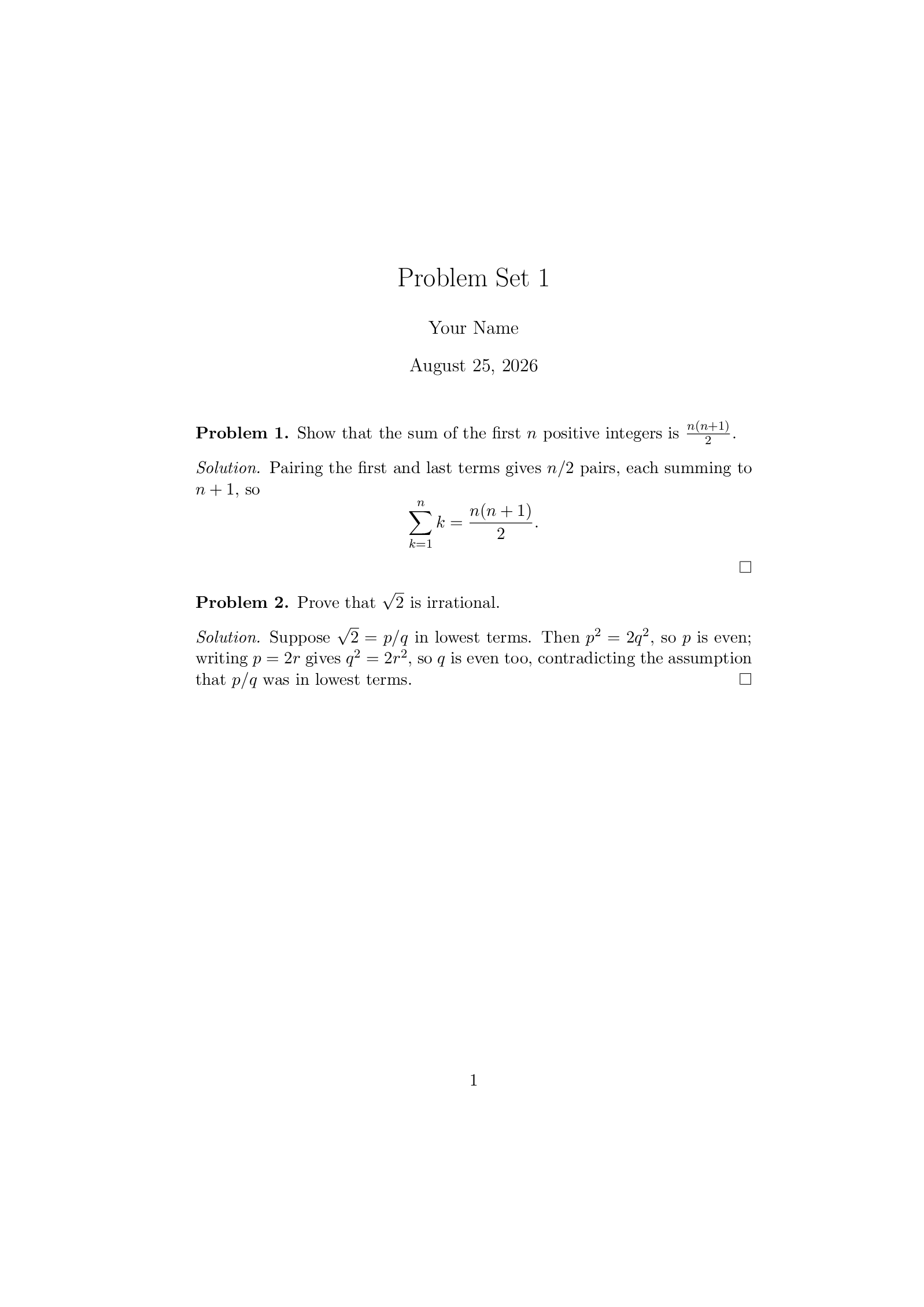
\title{Problem Set 1}
\author{Your Name}
\date{\today}

\begin{document}
\maketitle

\begin{problem}
Show that the sum of the first $n$ positive integers is $\frac{n(n+1)}{2}$.
\end{problem}

\begin{solution}
Pairing the first and last terms gives $n/2$ pairs, each summing to $n+1$, so
\[
  \sum_{k=1}^{n} k = \frac{n(n+1)}{2} .
\]
\end{solution}

\begin{problem}
Prove that $\sqrt{2}$ is irrational.
\end{problem}

\begin{solution}
Suppose $\sqrt{2} = p/q$ in lowest terms. Then $p^2 = 2q^2$, so $p$ is even;
writing $p = 2r$ gives $q^2 = 2r^2$, so $q$ is even too, contradicting the
assumption that $p/q$ was in lowest terms.
\end{solution}

\end{document}
How to use this template
Everything runs in your browser: nothing to install, no login, no compile timeout.
- Click Open in LaTeX.to. The template opens as a project in the Projects pane, with main.tex in the editor and its finished PDF in the preview.
- Click Preview, or press Ctrl+Enter (Cmd+Enter on a Mac), to compile. The preview shows the new PDF; you do not need to save first.
- If the compile fails, the Console pane opens with the LaTeX log. The first error in it says what went wrong and on which line.
- To add an image, a .bib file or another .tex file, open the project's menu (the three dots next to its name in the Projects pane) and choose Upload file or New file.
- The arrow next to Preview has Download PDF. Ctrl+S saves your edits, and the project stays in your browser on this device.
How to add a problem
Problems number themselves in the order they appear in the file.
- Copy a block from
\begin{problem}to\end{solution}and paste it below the last one. - Write the question between
\begin{problem}and\end{problem}and your answer between\begin{solution}and\end{solution}. - Change
\title{Problem Set 1}at the top for each new set.
How to start from a different number
A problem set often picks exercises from a textbook, and the numbers should match it.
- Put
\setcounter{problem}{4}just before the first\begin{problem}to make it Problem 5. - Put another
\setcounter{problem}{...}before any problem that skips ahead; the ones after it follow on.
More templates: Cheat sheet, Lab report, Report and all templates.