Metropolis Beamer theme
The Metropolis Beamer theme by Matthias Vogelgesang is a slide design with almost no visual noise, and this is its demo deck, set in Fira Sans with XeLaTeX.
- Engine: XeLaTeX
- Bibliography: BibTeX
- Source: matze/mtheme 6.9k 2fa6084 10 Sep 2026
- License: CC BY-SA 4.0
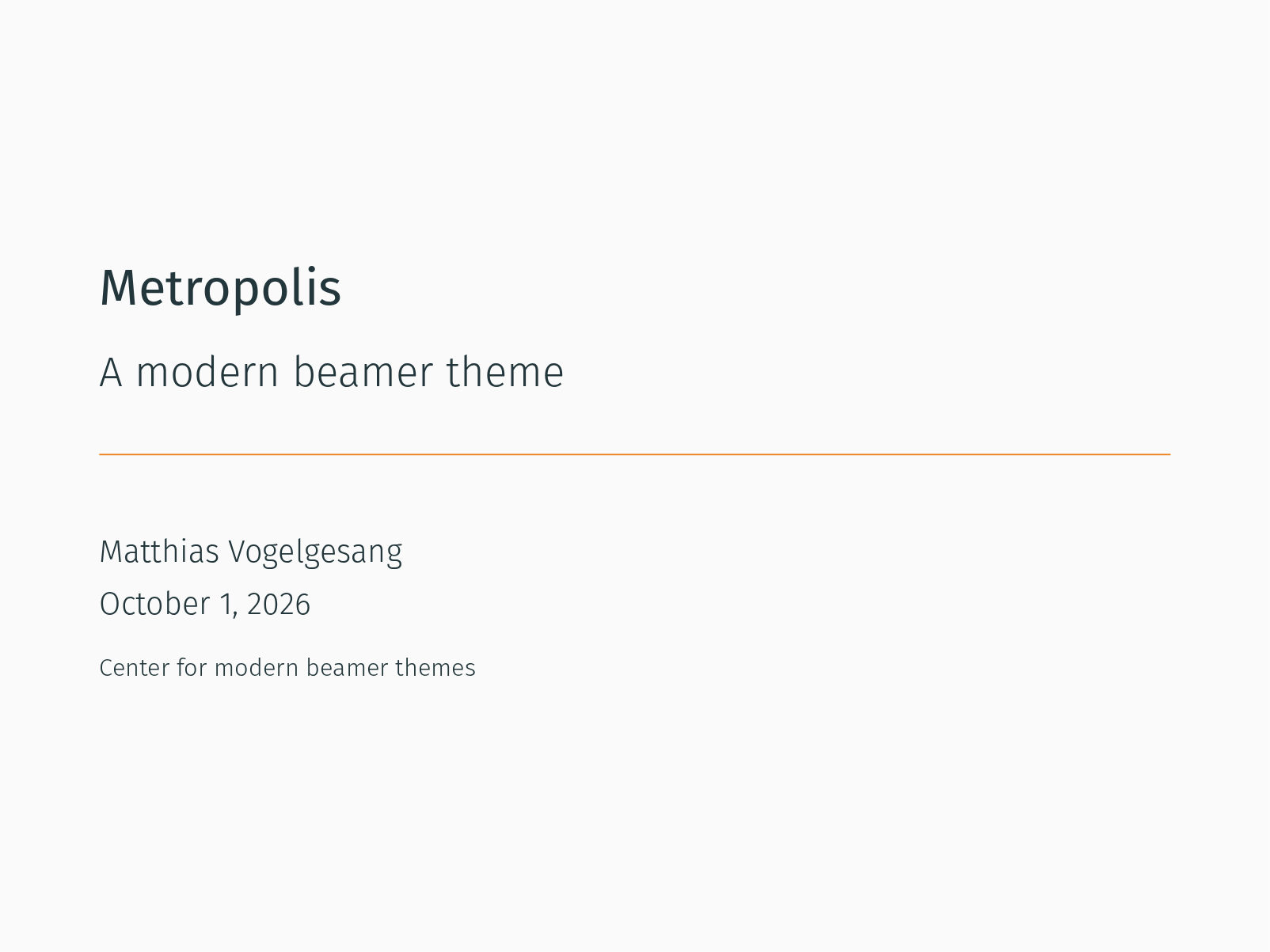
Open in LaTeX.to Download all files (zip)
Files:
demo.tex
% !TeX program = xelatex
\documentclass[10pt]{beamer}

\usetheme{metropolis}
\usepackage{appendixnumberbeamer}

\usepackage{booktabs}
\usepackage[scale=2]{ccicons}

\usepackage{pgfplots}
\usepgfplotslibrary{dateplot}

\usepackage{xspace}
\newcommand{\themename}{\textbf{\textsc{metropolis}}\xspace}

\title{Metropolis}
\subtitle{A modern beamer theme}
\date{\today}
\author{Matthias Vogelgesang}
\institute{Center for modern beamer themes}
% \titlegraphic{\hfill\includegraphics[height=1.5cm]{logo.pdf}}

\begin{document}

\maketitle

\begin{frame}{Table of contents}
  \setbeamertemplate{section in toc}[sections numbered]
  \tableofcontents[hideallsubsections]
\end{frame}

\section{Introduction}

\begin{frame}[fragile]{Metropolis}

  The \themename theme is a Beamer theme with minimal visual noise
  inspired by the \href{https://github.com/hsrmbeamertheme/hsrmbeamertheme}{\textsc{hsrm} Beamer
  Theme} by Benjamin Weiss.

  Enable the theme by loading

  \begin{verbatim}    \documentclass{beamer}
    \usetheme{metropolis}\end{verbatim}

  Note, that you have to have Mozilla's \emph{Fira Sans} font and XeTeX
  installed to enjoy this wonderful typography.
\end{frame}
\begin{frame}[fragile]{Sections}
  Sections group slides of the same topic

  \begin{verbatim}    \section{Elements}\end{verbatim}

  for which \themename provides a nice progress indicator \ldots
\end{frame}

\section{Title formats}

\begin{frame}{Metropolis title formats}
	\themename supports 4 different title formats:
	\begin{itemize}
		\item Regular
		\item \textsc{Small caps}
		\item \textsc{all small caps}
		\item ALL CAPS
	\end{itemize}
	They can either be set at once for every title type or individually.
\end{frame}

{
    \metroset{titleformat frame=smallcaps}
\begin{frame}{Small caps}
	This frame uses the \texttt{smallcaps} title format.

	\begin{alertblock}{Potential Problems}
		Be aware that not every font supports small caps. If for example you typeset your presentation with pdfTeX and the Computer Modern Sans Serif font, every text in small caps will be typeset with the Computer Modern Serif font instead.
	\end{alertblock}
\end{frame}
}

{
\metroset{titleformat frame=allsmallcaps}
\begin{frame}{All small caps}
	This frame uses the \texttt{allsmallcaps} title format.

	\begin{alertblock}{Potential problems}
		As this title format also uses small caps you face the same problems as with the \texttt{smallcaps} title format. Additionally this format can cause some other problems. Please refer to the documentation if you consider using it.

		As a rule of thumb: just use it for plaintext-only titles.
	\end{alertblock}
\end{frame}
}

{
\metroset{titleformat frame=allcaps}
\begin{frame}{All caps}
	This frame uses the \texttt{allcaps} title format.

	\begin{alertblock}{Potential Problems}
		This title format is not as problematic as the \texttt{allsmallcaps} format, but basically suffers from the same deficiencies. So please have a look at the documentation if you want to use it.
	\end{alertblock}
\end{frame}
}

\section{Elements}

\begin{frame}[fragile]{Typography}
      \begin{verbatim}The theme provides sensible defaults to
\emph{emphasize} text, \alert{accent} parts
or show \textbf{bold} results.\end{verbatim}

  \begin{center}becomes\end{center}

  The theme provides sensible defaults to \emph{emphasize} text,
  \alert{accent} parts or show \textbf{bold} results.
\end{frame}

\begin{frame}{Font feature test}
  \begin{itemize}
    \item Regular
    \item \textit{Italic}
    \item \textsc{Small Caps}
    \item \textbf{Bold}
    \item \textbf{\textit{Bold Italic}}
    \item \textbf{\textsc{Bold Small Caps}}
    \item \texttt{Monospace}
    \item \texttt{\textit{Monospace Italic}}
    \item \texttt{\textbf{Monospace Bold}}
    \item \texttt{\textbf{\textit{Monospace Bold Italic}}}
  \end{itemize}
\end{frame}

\begin{frame}{Lists}
  \begin{columns}[T,onlytextwidth]
    \column{0.33\textwidth}
      Items
      \begin{itemize}
        \item Milk \item Eggs \item Potatoes
      \end{itemize}

    \column{0.33\textwidth}
      Enumerations
      \begin{enumerate}
        \item First, \item Second and \item Last.
      \end{enumerate}

    \column{0.33\textwidth}
      Descriptions
      \begin{description}
        \item[PowerPoint] Meeh. \item[Beamer] Yeeeha.
      \end{description}
  \end{columns}
\end{frame}
\begin{frame}{Animation}
  \begin{itemize}[<+- | alert@+>]
    \item \alert<4>{This is\only<4>{ really} important}
    \item Now this
    \item And now this
  \end{itemize}
\end{frame}
\begin{frame}{Figures}
  \begin{figure}
    \newcounter{density}
    \setcounter{density}{20}
    \begin{tikzpicture}
      \def\couleur{alerted text.fg}
      \path[coordinate] (0,0)  coordinate(A)
                  ++( 90:5cm) coordinate(B)
                  ++(0:5cm) coordinate(C)
                  ++(-90:5cm) coordinate(D);
      \draw[fill=\couleur!\thedensity] (A) -- (B) -- (C) --(D) -- cycle;
      \foreach \x in {1,...,40}{%
          \pgfmathsetcounter{density}{\thedensity+20}
          \setcounter{density}{\thedensity}
          \path[coordinate] coordinate(X) at (A){};
          \path[coordinate] (A) -- (B) coordinate[pos=.10](A)
                              -- (C) coordinate[pos=.10](B)
                              -- (D) coordinate[pos=.10](C)
                              -- (X) coordinate[pos=.10](D);
          \draw[fill=\couleur!\thedensity] (A)--(B)--(C)-- (D) -- cycle;
      }
    \end{tikzpicture}
    \caption{Rotated square from
    \href{http://www.texample.net/tikz/examples/rotated-polygons/}{texample.net}.}
  \end{figure}
\end{frame}
\begin{frame}{Tables}
  \begin{table}
    \caption{Largest cities in the world (source: Wikipedia)}
    \begin{tabular}{@{} lr @{}}
      \toprule
      City & Population\\
      \midrule
      Mexico City & 20,116,842\\
      Shanghai & 19,210,000\\
      Peking & 15,796,450\\
      Istanbul & 14,160,467\\
      \bottomrule
    \end{tabular}
  \end{table}
\end{frame}
\begin{frame}{Blocks}
  Three different block environments are pre-defined and may be styled with an
  optional background color.

  \begin{columns}[T,onlytextwidth]
    \column{0.5\textwidth}
      \begin{block}{Default}
        Block content.
      \end{block}

      \begin{alertblock}{Alert}
        Block content.
      \end{alertblock}

      \begin{exampleblock}{Example}
        Block content.
      \end{exampleblock}

    \column{0.5\textwidth}

      \metroset{block=fill}

      \begin{block}{Default}
        Block content.
      \end{block}

      \begin{alertblock}{Alert}
        Block content.
      \end{alertblock}

      \begin{exampleblock}{Example}
        Block content.
      \end{exampleblock}

  \end{columns}
\end{frame}
\begin{frame}{Math}
  \begin{equation*}
    e = \lim_{n\to \infty} \left(1 + \frac{1}{n}\right)^n
  \end{equation*}
\end{frame}
\begin{frame}{Line plots}
  \begin{figure}
    \begin{tikzpicture}
      \begin{axis}[
        mlineplot,
        width=0.9\textwidth,
        height=6cm,
      ]

        \addplot {sin(deg(x))};
        \addplot+[samples=100] {sin(deg(2*x))};

      \end{axis}
    \end{tikzpicture}
  \end{figure}
\end{frame}
\begin{frame}{Bar charts}
  \begin{figure}
    \begin{tikzpicture}
      \begin{axis}[
        mbarplot,
        xlabel={Foo},
        ylabel={Bar},
        width=0.9\textwidth,
        height=6cm,
      ]

      \addplot plot coordinates {(1, 20) (2, 25) (3, 22.4) (4, 12.4)};
      \addplot plot coordinates {(1, 18) (2, 24) (3, 23.5) (4, 13.2)};
      \addplot plot coordinates {(1, 10) (2, 19) (3, 25) (4, 15.2)};

      \legend{lorem, ipsum, dolor}

      \end{axis}
    \end{tikzpicture}
  \end{figure}
\end{frame}
\begin{frame}{Quotes}
  \begin{quote}
    Veni, Vidi, Vici
  \end{quote}
\end{frame}

{%
\setbeamertemplate{frame footer}{My custom footer}
\begin{frame}[fragile]{Frame footer}
    \themename defines a custom beamer template to add a text to the footer. It can be set via
    \begin{verbatim}\setbeamertemplate{frame footer}{My custom footer}\end{verbatim}
\end{frame}
}

\begin{frame}{References}
  Some references to showcase [allowframebreaks] \cite{knuth92,ConcreteMath,Simpson,Er01,greenwade93}
\end{frame}

\section{Conclusion}

\begin{frame}{Summary}

  Get the source of this theme and the demo presentation from

  \begin{center}\url{github.com/matze/mtheme}\end{center}

  The theme \emph{itself} is licensed under a
  \href{http://creativecommons.org/licenses/by-sa/4.0/}{Creative Commons
  Attribution-ShareAlike 4.0 International License}.

  \begin{center}\ccbysa\end{center}

\end{frame}

\begin{frame}[standout]
  Questions?
\end{frame}

\appendix

\begin{frame}[fragile]{Backup slides}
  Sometimes, it is useful to add slides at the end of your presentation to
  refer to during audience questions.

  The best way to do this is to include the \verb|appendixnumberbeamer|
  package in your preamble and call \verb|\appendix| before your backup slides.

  \themename will automatically turn off slide numbering and progress bars for
  slides in the appendix.
\end{frame}

\begin{frame}[allowframebreaks]{References}

  \bibliography{demo}
  \bibliographystyle{abbrv}

\end{frame}

\end{document}
demo.bib
@article{Knuth92,
        author = "D.E. Knuth",
        title = "Two notes on notation",
        journal = "Amer. Math. Monthly",
        volume = "99",
        year = "1992",
        pages = "403--422",
}

@book{ConcreteMath,
        author = "R.L. Graham and D.E. Knuth and O. Patashnik",
        title = "Concrete mathematics",
        publisher = "Addison-Wesley",
        address = "Reading, MA",
        year = "1989"
}

@unpublished{Simpson,
        author = "H. Simpson",
        title = "Proof of the {R}iemann {H}ypothesis",
        note = "preprint (2003), available at
        \texttt{http://www.math.drofnats.edu/riemann.ps}",
        year = "2003"
}

@incollection{Er01,
        author = "P. Erd{\H o}s",
        title = "A selection of problems and results in combinatorics",
        booktitle = "Recent trends in combinatorics (Matrahaza, 1995)",
        publisher = "Cambridge Univ. Press",
        address = "Cambridge",
        pages = "1--6",
        year = "1995"
}
@article{greenwade93,
    author  = "George D. Greenwade",
    title   = "The {C}omprehensive {T}ex {A}rchive {N}etwork ({CTAN})",
    year    = "1993",
    journal = "TUGBoat",
    volume  = "14",
    number  = "3",
    pages   = "342--351"
}
README.md
## Metropolis
**IMPORTANT NOTICES FOR VERSION 1.0**
* The package and theme name changed from *m* to *metropolis*!
* The `title format` values have been restructured. Please refer to the
[manual][].
---
Metropolis is a simple, modern Beamer theme suitable for anyone to use. It tries
to minimize noise and maximize space for content; the only visual flourish it
offers is an (optional) progress bar added to each slide. The core design
principles of the theme were described in a blog post
[here](http://bloerg.net/2014/09/20/a-modern-beamer-theme.html).
Not convinced? Have a look at the [demo slides][].

## Installation
To install a stable version of this theme, please refer to update instructions
of your TeX distribution. Metropolis is on [CTAN][] since December
2014 thus it is part of MikTeX and will be part of TeX Live 2016.
Installing Metropolis from source, like any Beamer theme, involves four easy
steps:
1. **Download the source** with a `git clone` of the [Metropolis repository](https://github.com/matze/mtheme)
or as a [zip archive](https://github.com/matze/mtheme/archive/master.zip) of
the latest development version.
2. **Compile the style files** by running `make sty` inside the downloaded
directory. (Or run LaTeX directly on `source/metropolistheme.ins`.)
3. **Move the resulting `*.sty` files** to the folder containing your
presentation. To use Metropolis with many presentations, run `make install`
or move the `*.sty` files to a folder in your TeX path instead (might require
`sudo` rights).
4. **Use the theme for your presentation** by declaring `\usetheme{metropolis}` in
the preamble of your Beamer document.
5. **For best results** install Mozilla's [Fira Sans](https://github.com/bBoxType/FiraSans).
## Usage
The following code shows a minimal example of a Beamer presentation using
Metropolis.
```latex
\documentclass{beamer}
\usetheme{metropolis} % Use metropolis theme
\title{A minimal example}
\date{\today}
\author{Matthias Vogelgesang}
\institute{Centre for Modern Beamer Themes}
\begin{document}
\maketitle
\section{First Section}
\begin{frame}{First Frame}
Hello, world!
\end{frame}
\end{document}
```
Detailed information on using Metropolis can be found in the [manual][].
For an alternative dark color theme, please have a look at Ross Churchley's
excellent [owl](https://github.com/rchurchley/beamercolortheme-owl) theme.
## License
The theme itself is licensed under a [Creative Commons Attribution-ShareAlike
4.0 International License](http://creativecommons.org/licenses/by-sa/4.0/). This
means that if you change the theme and re-distribute it, you *must* retain the
copyright notice header and license it under the same CC-BY-SA license. This
does not affect the presentation that you create with the theme.
[demo slides]: http://mirrors.ctan.org/macros/latex/contrib/beamer-contrib/themes/metropolis/demo/demo.pdf
[manual]: http://mirrors.ctan.org/macros/latex/contrib/beamer-contrib/themes/metropolis/doc/metropolistheme.pdf
[CTAN]: http://ctan.org/pkg/beamertheme-metropolis
changes.txt
Changes made for LaTeX.to to the Metropolis template

Template page: https://latex.to/templates/github/metropolis/
Repository:    https://github.com/matze/mtheme
Commit:        2fa6084b9d34fec9d2d5470eb9a17d0bf712b6c8
Author:        Matthias Vogelgesang
License:       CC BY-SA 4.0, see README.md

Changes from the original (a/) to this copy (b/):

--- a/demo.tex
+++ b/demo.tex
@@ -1,3 +1,4 @@
+% !TeX program = xelatex
 \documentclass[10pt]{beamer}

 \usetheme{metropolis}

Why each change was made, in the order of the diff:

- demo.tex: the first line is added. It selects XeLaTeX, the engine the
  repository's Makefile builds the demo with. Auto cannot see the font setup
  inside the Metropolis theme that TeX Live installs, and compiles the
  unchanged demo with pdfLaTeX, in Computer Modern Sans where the theme is
  made for Fira Sans.
How to use this template
Everything runs in your browser: nothing to install, no login, no compile timeout.
- Click Open in LaTeX.to. The template opens as a project in the Projects pane, with demo.tex in the editor and its finished PDF in the preview.
- Click Preview, or press Ctrl+Enter (Cmd+Enter on a Mac), to compile. The preview shows the new PDF; you do not need to save first.
- If the compile fails, the Console pane opens with the LaTeX log. The first error in it says what went wrong and on which line.
- To add an image, a .bib file or another .tex file, open the project's menu (the three dots next to its name in the Projects pane) and choose Upload file or New file.
- The arrow next to Preview has Download PDF. Ctrl+S saves your edits, and the project stays in your browser on this device.
How to change the color
The deck is dark teal text on white, and the colors are set right under \usetheme{metropolis}.
- Add
\metroset{background=dark}under\usetheme{metropolis}for light text on dark slides. - Add
\setbeamercolor{alerted text}{fg=teal}for a different accent, which is the color\alertand the progress bar use. - Add
\setbeamercolor{normal text}{fg=black, bg=white}to set the text and slide colors yourself. \metroset{block=fill}, the line inside the Blocks frame, gives blocks a filled background; move it to the preamble to fill every block in the deck.
More templates: arXiv style, ElegantPaper, Cambridge PhD thesis and all templates.