arXiv LaTeX template
The arXiv LaTeX template is George Kour's preprint style, a clean single column layout for a paper you are about to post to arXiv, bioRxiv or techRxiv.
- Engine: pdfLaTeX
- Bibliography: BibTeX
- Source: kourgeorge/arxiv-style 1.6k 9205146 10 Sep 2026
- License: MIT
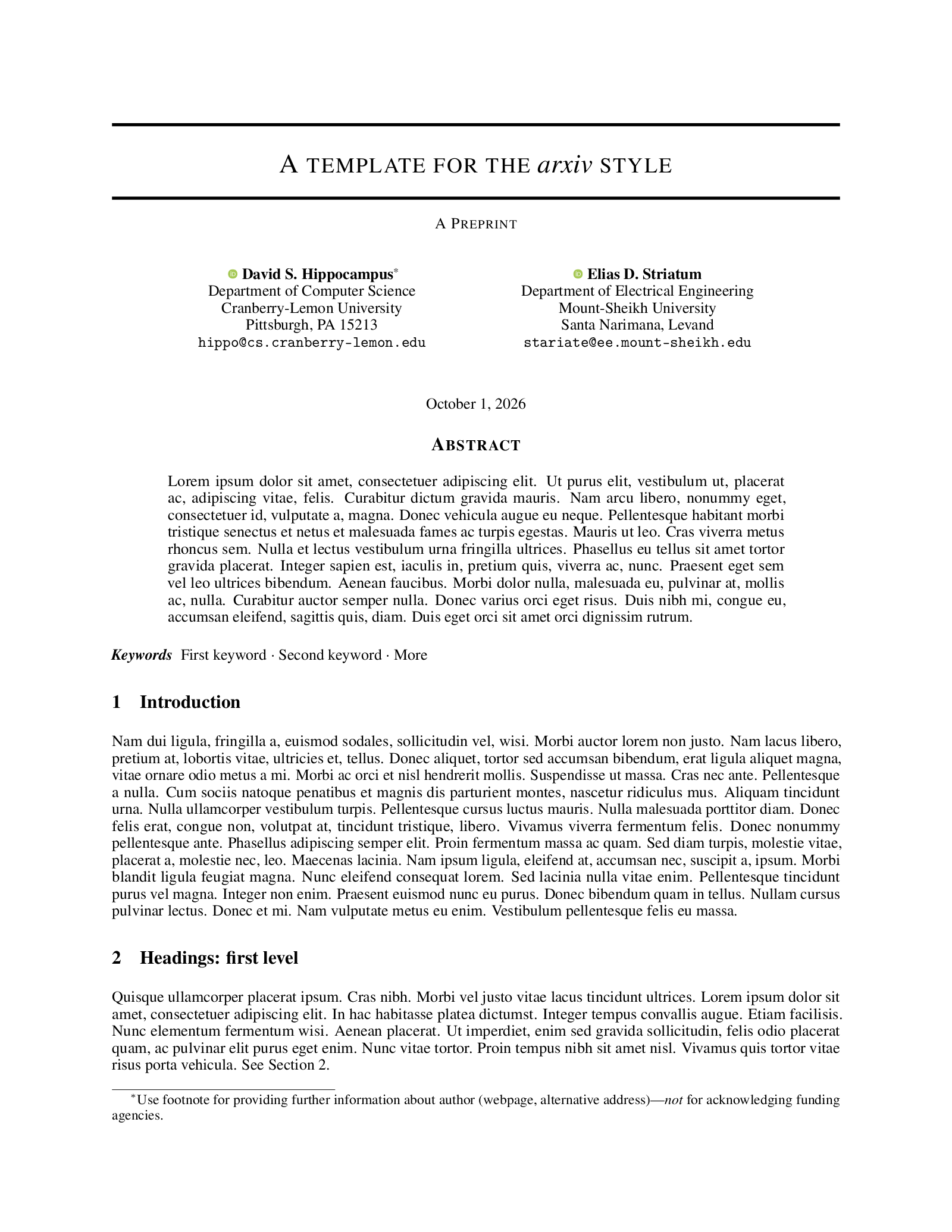
Open in LaTeX.to Download all files (zip)
Files:
template.tex
\documentclass{article}

\usepackage{arxiv}

\usepackage[utf8]{inputenc} % allow utf-8 input
\usepackage[T1]{fontenc}    % use 8-bit T1 fonts
\usepackage{hyperref}       % hyperlinks
\usepackage{url}            % simple URL typesetting
\usepackage{booktabs}       % professional-quality tables
\usepackage{amsfonts}       % blackboard math symbols
\usepackage{nicefrac}       % compact symbols for 1/2, etc.
\usepackage{microtype}      % microtypography
\usepackage{cleveref}       % smart cross-referencing
\usepackage{lipsum}         % Can be removed after putting your text content
\usepackage{graphicx}
\usepackage{natbib}
\usepackage{doi}

\title{A template for the \emph{arxiv} style}

% Here you can change the date presented in the paper title
%\date{September 9, 1985}
% Or remove it
%\date{}

\newif\ifuniqueAffiliation
% Comment to use multiple affiliations variant of author block
\uniqueAffiliationtrue

\ifuniqueAffiliation % Standard variant of author block
\author{ \href{https://orcid.org/0000-0000-0000-0000}{\includegraphics[scale=0.06]{orcid.pdf}\hspace{1mm}David S.~Hippocampus}\thanks{Use footnote for providing further
		information about author (webpage, alternative
		address)---\emph{not} for acknowledging funding agencies.} \\
	Department of Computer Science\\
	Cranberry-Lemon University\\
	Pittsburgh, PA 15213 \\
	\texttt{[email protected]} \\
	%% examples of more authors
	\And
	\href{https://orcid.org/0000-0000-0000-0000}{\includegraphics[scale=0.06]{orcid.pdf}\hspace{1mm}Elias D.~Striatum} \\
	Department of Electrical Engineering\\
	Mount-Sheikh University\\
	Santa Narimana, Levand \\
	\texttt{[email protected]} \\
	%% \AND
	%% Coauthor \\
	%% Affiliation \\
	%% Address \\
	%% \texttt{email} \\
	%% \And
	%% Coauthor \\
	%% Affiliation \\
	%% Address \\
	%% \texttt{email} \\
	%% \And
	%% Coauthor \\
	%% Affiliation \\
	%% Address \\
	%% \texttt{email} \\
}
\else
% Multiple affiliations variant of author block
\usepackage{authblk}
\renewcommand\Authfont{\bfseries}
\setlength{\affilsep}{0em}
% box is needed for correct spacing with authblk
\newbox{\orcid}\sbox{\orcid}{\includegraphics[scale=0.06]{orcid.pdf}}
\author[1]{%
	\href{https://orcid.org/0000-0000-0000-0000}{\usebox{\orcid}\hspace{1mm}David S.~Hippocampus\thanks{\texttt{[email protected]}}}%
}
\author[1,2]{%
	\href{https://orcid.org/0000-0000-0000-0000}{\usebox{\orcid}\hspace{1mm}Elias D.~Striatum\thanks{\texttt{[email protected]}}}%
}
\affil[1]{Department of Computer Science, Cranberry-Lemon University, Pittsburgh, PA 15213}
\affil[2]{Department of Electrical Engineering, Mount-Sheikh University, Santa Narimana, Levand}
\fi

% Uncomment to override  the `A preprint' in the header
%\renewcommand{\headeright}{Technical Report}
%\renewcommand{\undertitle}{Technical Report}
\renewcommand{\shorttitle}{\textit{arXiv} Template}

%%% Add PDF metadata to help others organize their library
%%% Once the PDF is generated, you can check the metadata with
%%% $ pdfinfo template.pdf
\hypersetup{
pdftitle={A template for the arxiv style},
pdfsubject={q-bio.NC, q-bio.QM},
pdfauthor={David S.~Hippocampus, Elias D.~Striatum},
pdfkeywords={First keyword, Second keyword, More},
}

\begin{document}
\maketitle

\begin{abstract}
	\lipsum[1]
\end{abstract}


% keywords can be removed
\keywords{First keyword \and Second keyword \and More}


\section{Introduction}
\lipsum[2]
\lipsum[3]


\section{Headings: first level}
\label{sec:headings}

\lipsum[4] See Section \ref{sec:headings}.

\subsection{Headings: second level}
\lipsum[5]
\begin{equation}
	\xi _{ij}(t)=P(x_{t}=i,x_{t+1}=j|y,v,w;\theta)= {\frac {\alpha _{i}(t)a^{w_t}_{ij}\beta _{j}(t+1)b^{v_{t+1}}_{j}(y_{t+1})}{\sum _{i=1}^{N} \sum _{j=1}^{N} \alpha _{i}(t)a^{w_t}_{ij}\beta _{j}(t+1)b^{v_{t+1}}_{j}(y_{t+1})}}
\end{equation}

\subsubsection{Headings: third level}
\lipsum[6]

\paragraph{Paragraph}
\lipsum[7]


\section{Examples of citations, figures, tables, references}
\label{sec:others}

\subsection{Citations}
Citations use \verb+natbib+. The documentation may be found at
\begin{center}
	\url{http://mirrors.ctan.org/macros/latex/contrib/natbib/natnotes.pdf}
\end{center}

Here is an example usage of the two main commands (\verb+citet+ and \verb+citep+): Some people thought a thing \citep{kour2014real, keshet2016prediction} but other people thought something else \citep{kour2014fast}. Many people have speculated that if we knew exactly why \citet{kour2014fast} thought this\dots

\subsection{Figures}
\lipsum[10]
See Figure \ref{fig:fig1}. Here is how you add footnotes. \footnote{Sample of the first footnote.}
\lipsum[11]

\begin{figure}
	\centering
	\fbox{\rule[-.5cm]{4cm}{4cm} \rule[-.5cm]{4cm}{0cm}}
	\caption{Sample figure caption.}
	\label{fig:fig1}
\end{figure}

\subsection{Tables}
See awesome Table~\ref{tab:table}.

The documentation for \verb+booktabs+ (`Publication quality tables in LaTeX') is available from:
\begin{center}
	\url{https://www.ctan.org/pkg/booktabs}
\end{center}


\begin{table}
	\caption{Sample table title}
	\centering
	\begin{tabular}{lll}
		\toprule
		\multicolumn{2}{c}{Part}                   \\
		\cmidrule(r){1-2}
		Name     & Description     & Size ($\mu$m) \\
		\midrule
		Dendrite & Input terminal  & $\sim$100     \\
		Axon     & Output terminal & $\sim$10      \\
		Soma     & Cell body       & up to $10^6$  \\
		\bottomrule
	\end{tabular}
	\label{tab:table}
\end{table}

\subsection{Lists}
\begin{itemize}
	\item Lorem ipsum dolor sit amet
	\item consectetur adipiscing elit.
	\item Aliquam dignissim blandit est, in dictum tortor gravida eget. In ac rutrum magna.
\end{itemize}


\bibliographystyle{unsrtnat}
\bibliography{references}  %%% Uncomment this line and comment out the ``thebibliography'' section below to use the external .bib file (using bibtex) .


%%% Uncomment this section and comment out the \bibliography{references} line above to use inline references.
% \begin{thebibliography}{1}

% 	\bibitem{kour2014real}
% 	George Kour and Raid Saabne.
% 	\newblock Real-time segmentation of on-line handwritten arabic script.
% 	\newblock In {\em Frontiers in Handwriting Recognition (ICFHR), 2014 14th
% 			International Conference on}, pages 417--422. IEEE, 2014.

% 	\bibitem{kour2014fast}
% 	George Kour and Raid Saabne.
% 	\newblock Fast classification of handwritten on-line arabic characters.
% 	\newblock In {\em Soft Computing and Pattern Recognition (SoCPaR), 2014 6th
% 			International Conference of}, pages 312--318. IEEE, 2014.

% 	\bibitem{keshet2016prediction}
% 	Keshet, Renato, Alina Maor, and George Kour.
% 	\newblock Prediction-Based, Prioritized Market-Share Insight Extraction.
% 	\newblock In {\em Advanced Data Mining and Applications (ADMA), 2016 12th International
%                       Conference of}, pages 81--94,2016.

% \end{thebibliography}


\end{document}
arxiv.sty
\NeedsTeXFormat{LaTeX2e}

\ProcessOptions\relax

% fonts
\renewcommand{\rmdefault}{ptm}
\renewcommand{\sfdefault}{phv}

% set page geometry
\usepackage[verbose=true,letterpaper]{geometry}
\AtBeginDocument{
  \newgeometry{
    textheight=9in,
    textwidth=6.5in,
    top=1in,
    headheight=14pt,
    headsep=25pt,
    footskip=30pt
  }
}

\widowpenalty=10000
\clubpenalty=10000
\flushbottom
\sloppy


\newcommand{\headeright}{A Preprint}
\newcommand{\undertitle}{A Preprint}
\newcommand{\shorttitle}{\@title}

\usepackage{fancyhdr}
\fancyhf{}
\pagestyle{fancy}
\renewcommand{\headrulewidth}{0.4pt}
\fancyheadoffset{0pt}
\rhead{\scshape \footnotesize \headeright}
\chead{\shorttitle}
\cfoot{\thepage}


%Handling Keywords
\def\keywordname{{\bfseries \emph{Keywords}}}%
\def\keywords#1{\par\addvspace\medskipamount{\rightskip=0pt plus1cm
\def\and{\ifhmode\unskip\nobreak\fi\ $\cdot$
}\noindent\keywordname\enspace\ignorespaces#1\par}}

% font sizes with reduced leading
\renewcommand{\normalsize}{%
  \@setfontsize\normalsize\@xpt\@xipt
  \abovedisplayskip      7\p@ \@plus 2\p@ \@minus 5\p@
  \abovedisplayshortskip \z@ \@plus 3\p@
  \belowdisplayskip      \abovedisplayskip
  \belowdisplayshortskip 4\p@ \@plus 3\p@ \@minus 3\p@
}
\normalsize
\renewcommand{\small}{%
  \@setfontsize\small\@ixpt\@xpt
  \abovedisplayskip      6\p@ \@plus 1.5\p@ \@minus 4\p@
  \abovedisplayshortskip \z@  \@plus 2\p@
  \belowdisplayskip      \abovedisplayskip
  \belowdisplayshortskip 3\p@ \@plus 2\p@   \@minus 2\p@
}
\renewcommand{\footnotesize}{\@setfontsize\footnotesize\@ixpt\@xpt}
\renewcommand{\scriptsize}{\@setfontsize\scriptsize\@viipt\@viiipt}
\renewcommand{\tiny}{\@setfontsize\tiny\@vipt\@viipt}
\renewcommand{\large}{\@setfontsize\large\@xiipt{14}}
\renewcommand{\Large}{\@setfontsize\Large\@xivpt{16}}
\renewcommand{\LARGE}{\@setfontsize\LARGE\@xviipt{20}}
\renewcommand{\huge}{\@setfontsize\huge\@xxpt{23}}
\renewcommand{\Huge}{\@setfontsize\Huge\@xxvpt{28}}

% sections with less space
\providecommand{\section}{}
\renewcommand{\section}{%
  \@startsection{section}{1}{\z@}%
                {-2.0ex \@plus -0.5ex \@minus -0.2ex}%
                { 1.5ex \@plus  0.3ex \@minus  0.2ex}%
                {\large\bf\raggedright}%
}
\providecommand{\subsection}{}
\renewcommand{\subsection}{%
  \@startsection{subsection}{2}{\z@}%
                {-1.8ex \@plus -0.5ex \@minus -0.2ex}%
                { 0.8ex \@plus  0.2ex}%
                {\normalsize\bf\raggedright}%
}
\providecommand{\subsubsection}{}
\renewcommand{\subsubsection}{%
  \@startsection{subsubsection}{3}{\z@}%
                {-1.5ex \@plus -0.5ex \@minus -0.2ex}%
                { 0.5ex \@plus  0.2ex}%
                {\normalsize\bf\raggedright}%
}
\providecommand{\paragraph}{}
\renewcommand{\paragraph}{%
  \@startsection{paragraph}{4}{\z@}%
                {1.5ex \@plus 0.5ex \@minus 0.2ex}%
                {-1em}%
                {\normalsize\bf}%
}
\providecommand{\subparagraph}{}
\renewcommand{\subparagraph}{%
  \@startsection{subparagraph}{5}{\z@}%
                {1.5ex \@plus 0.5ex \@minus 0.2ex}%
                {-1em}%
                {\normalsize\bf}%
}
\providecommand{\subsubsubsection}{}
\renewcommand{\subsubsubsection}{%
  \vskip5pt{\noindent\normalsize\rm\raggedright}%
}

% float placement
\renewcommand{\topfraction      }{0.85}
\renewcommand{\bottomfraction   }{0.4}
\renewcommand{\textfraction     }{0.1}
\renewcommand{\floatpagefraction}{0.7}

\newlength{\@abovecaptionskip}\setlength{\@abovecaptionskip}{7\p@}
\newlength{\@belowcaptionskip}\setlength{\@belowcaptionskip}{\z@}

\setlength{\abovecaptionskip}{\@abovecaptionskip}
\setlength{\belowcaptionskip}{\@belowcaptionskip}

% swap above/belowcaptionskip lengths for tables
\renewenvironment{table}
  {\setlength{\abovecaptionskip}{\@belowcaptionskip}%
   \setlength{\belowcaptionskip}{\@abovecaptionskip}%
   \@float{table}}
  {\end@float}

% footnote formatting
\setlength{\footnotesep }{6.65\p@}
\setlength{\skip\footins}{9\p@ \@plus 4\p@ \@minus 2\p@}
\renewcommand{\footnoterule}{\kern-3\p@ \hrule width 12pc \kern 2.6\p@}
\setcounter{footnote}{0}

% paragraph formatting
\setlength{\parindent}{\z@}
\setlength{\parskip  }{5.5\p@}

% list formatting
\setlength{\topsep       }{4\p@ \@plus 1\p@   \@minus 2\p@}
\setlength{\partopsep    }{1\p@ \@plus 0.5\p@ \@minus 0.5\p@}
\setlength{\itemsep      }{2\p@ \@plus 1\p@   \@minus 0.5\p@}
\setlength{\parsep       }{2\p@ \@plus 1\p@   \@minus 0.5\p@}
\setlength{\leftmargin   }{3pc}
\setlength{\leftmargini  }{\leftmargin}
\setlength{\leftmarginii }{2em}
\setlength{\leftmarginiii}{1.5em}
\setlength{\leftmarginiv }{1.0em}
\setlength{\leftmarginv  }{0.5em}
\def\@listi  {\leftmargin\leftmargini}
\def\@listii {\leftmargin\leftmarginii
              \labelwidth\leftmarginii
              \advance\labelwidth-\labelsep
              \topsep  2\p@ \@plus 1\p@    \@minus 0.5\p@
              \parsep  1\p@ \@plus 0.5\p@ \@minus 0.5\p@
              \itemsep \parsep}
\def\@listiii{\leftmargin\leftmarginiii
              \labelwidth\leftmarginiii
              \advance\labelwidth-\labelsep
              \topsep    1\p@ \@plus 0.5\p@ \@minus 0.5\p@
              \parsep    \z@
              \partopsep 0.5\p@ \@plus 0\p@ \@minus 0.5\p@
              \itemsep \topsep}
\def\@listiv {\leftmargin\leftmarginiv
              \labelwidth\leftmarginiv
              \advance\labelwidth-\labelsep}
\def\@listv  {\leftmargin\leftmarginv
              \labelwidth\leftmarginv
              \advance\labelwidth-\labelsep}
\def\@listvi {\leftmargin\leftmarginvi
              \labelwidth\leftmarginvi
              \advance\labelwidth-\labelsep}

% create title
\providecommand{\maketitle}{}
\renewcommand{\maketitle}{%
  \par
  \begingroup
    \renewcommand{\thefootnote}{\fnsymbol{footnote}}
    % for perfect author name centering
    %\renewcommand{\@makefnmark}{\hbox to \z@{$^{\@thefnmark}$\hss}}
    % The footnote-mark was overlapping the footnote-text,
    % added the following to fix this problem               (MK)
    \long\def\@makefntext##1{%
      \parindent 1em\noindent
      \hbox to 1.8em{\hss $\m@th ^{\@thefnmark}$}##1
    }
    \thispagestyle{empty}
    \@maketitle
    \@thanks
    %\@notice
  \endgroup
  \let\maketitle\relax
  \let\thanks\relax
}

% rules for title box at top of first page
\newcommand{\@toptitlebar}{
  \hrule height 2\p@
  \vskip 0.25in
  \vskip -\parskip%
}
\newcommand{\@bottomtitlebar}{
  \vskip 0.29in
  \vskip -\parskip
  \hrule height 2\p@
  \vskip 0.09in%
}

% create title (includes both anonymized and non-anonymized versions)
\providecommand{\@maketitle}{}
\renewcommand{\@maketitle}{%
  \vbox{%
    \hsize\textwidth
    \linewidth\hsize
    \vskip 0.1in
    \@toptitlebar
    \centering
    {\LARGE\sc \@title\par}
    \@bottomtitlebar
    \textsc{\undertitle}\\
    \vskip 0.1in
    \def\And{%
      \end{tabular}\hfil\linebreak[0]\hfil%
      \begin{tabular}[t]{c}\bf\rule{\z@}{24\p@}\ignorespaces%
    }
    \def\AND{%
      \end{tabular}\hfil\linebreak[4]\hfil%
      \begin{tabular}[t]{c}\bf\rule{\z@}{24\p@}\ignorespaces%
    }
    \begin{tabular}[t]{c}\bf\rule{\z@}{24\p@}\@author\end{tabular}%
  \vskip 0.4in \@minus 0.1in \center{\@date}   \vskip 0.2in
  }
}

% add conference notice to bottom of first page
\newcommand{\ftype@noticebox}{8}
\newcommand{\@notice}{%
  % give a bit of extra room back to authors on first page
  \enlargethispage{2\baselineskip}%
  \@float{noticebox}[b]%
    \footnotesize\@noticestring%
  \end@float%
}

% abstract styling
\renewenvironment{abstract}
{
  \centerline
  {\large \bfseries \scshape Abstract}
  \begin{quote}
}
{
  \end{quote}
}

\endinput
references.bib
@inproceedings{kour2014real,
  title={Real-time segmentation of on-line handwritten arabic script},
  author={Kour, George and Saabne, Raid},
  booktitle={Frontiers in Handwriting Recognition (ICFHR), 2014 14th International Conference on},
  pages={417--422},
  year={2014},
  organization={IEEE}
}

@inproceedings{kour2014fast,
  title={Fast classification of handwritten on-line Arabic characters},
  author={Kour, George and Saabne, Raid},
  booktitle={Soft Computing and Pattern Recognition (SoCPaR), 2014 6th International Conference of},
  pages={312--318},
  year={2014},
  organization={IEEE},
  doi={10.1109/SOCPAR.2014.7008025}
}

@inproceedings{keshet2016prediction,
  title={Prediction-Based, Prioritized Market-Share Insight Extraction},
  author={Keshet, Renato and Maor, Alina and Kour, George},
  booktitle={Advanced Data Mining and Applications: 12th International Conference, ADMA 2016, Gold Coast, QLD, Australia, December 12-15, 2016, Proceedings 12},
  pages={81--94},
  year={2016},
  organization={Springer}
}
orcid.pdf
License.txt
MIT License

Copyright (c) 2020 George Kour

Permission is hereby granted, free of charge, to any person obtaining a copy
of this software and associated documentation files (the "Software"), to deal
in the Software without restriction, including without limitation the rights
to use, copy, modify, merge, publish, distribute, sublicense, and/or sell
copies of the Software, and to permit persons to whom the Software is
furnished to do so, subject to the following conditions:

The above copyright notice and this permission notice shall be included in all
copies or substantial portions of the Software.

THE SOFTWARE IS PROVIDED "AS IS", WITHOUT WARRANTY OF ANY KIND, EXPRESS OR
IMPLIED, INCLUDING BUT NOT LIMITED TO THE WARRANTIES OF MERCHANTABILITY,
FITNESS FOR A PARTICULAR PURPOSE AND NONINFRINGEMENT. IN NO EVENT SHALL THE
AUTHORS OR COPYRIGHT HOLDERS BE LIABLE FOR ANY CLAIM, DAMAGES OR OTHER
LIABILITY, WHETHER IN AN ACTION OF CONTRACT, TORT OR OTHERWISE, ARISING FROM,
OUT OF OR IN CONNECTION WITH THE SOFTWARE OR THE USE OR OTHER DEALINGS IN THE
SOFTWARE.
How to use this template
Everything runs in your browser: nothing to install, no login, no compile timeout.
- Click Open in LaTeX.to. The template opens as a project in the Projects pane, with template.tex in the editor and its finished PDF in the preview.
- Click Preview, or press Ctrl+Enter (Cmd+Enter on a Mac), to compile. The preview shows the new PDF; you do not need to save first.
- If the compile fails, the Console pane opens with the LaTeX log. The first error in it says what went wrong and on which line.
- To add an image, a .bib file or another .tex file, open the project's menu (the three dots next to its name in the Projects pane) and choose Upload file or New file.
- The arrow next to Preview has Download PDF. Ctrl+S saves your edits, and the project stays in your browser on this device.
More templates: Metropolis, ElegantPaper, Cambridge PhD thesis and all templates.