LaTeX letter template
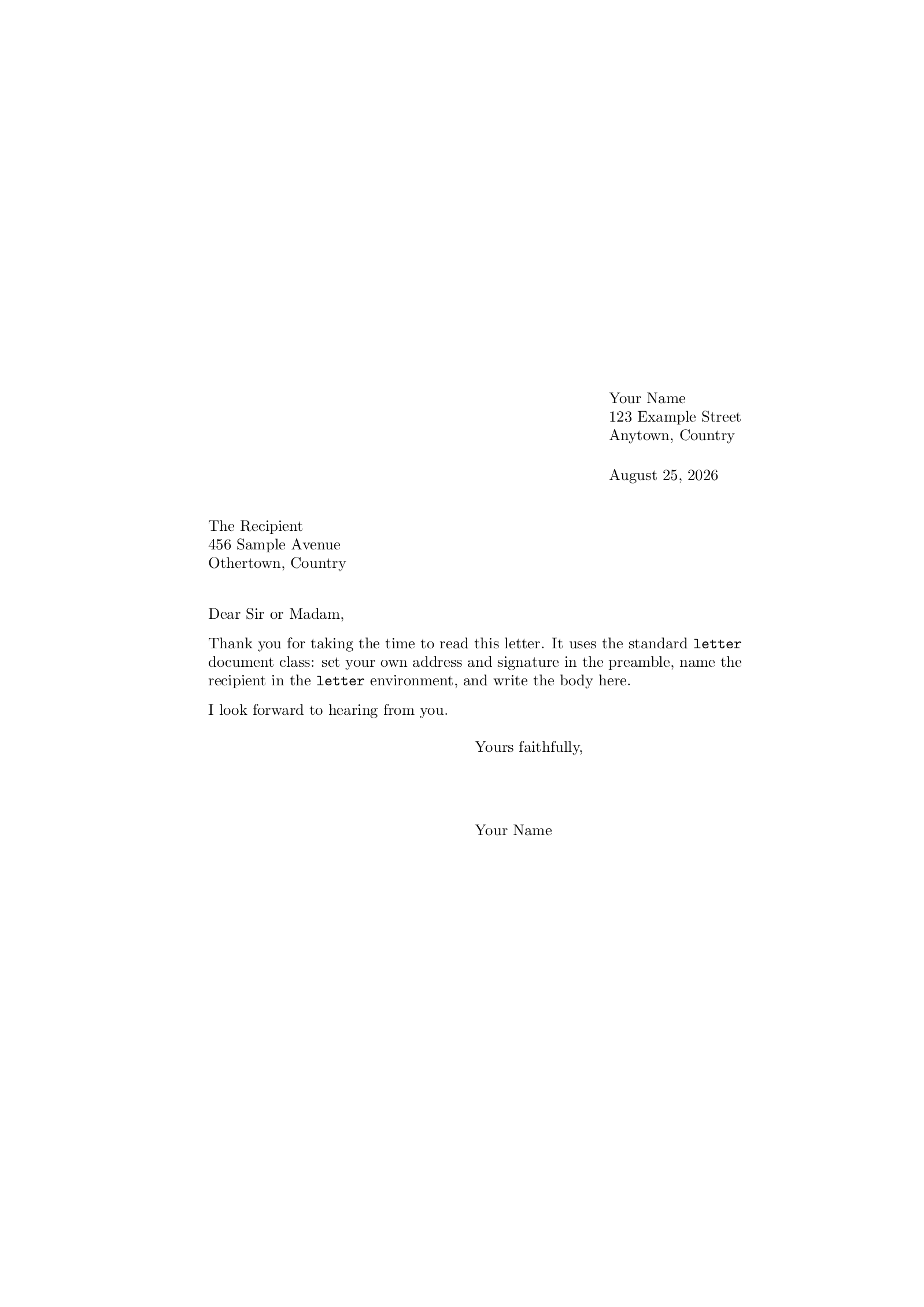
A LaTeX letter template for a formal letter you print and sign, on the standard letter class.
- Engine: pdfLaTeX
- License: Public domain, use freely.
Open in LaTeX.to Download all files (zip)
Files:
main.tex
\documentclass{letter}

\signature{Your Name}
\address{Your Name \\ 123 Example Street \\ Anytown, Country}

\begin{document}

\begin{letter}{The Recipient \\ 456 Sample Avenue \\ Othertown, Country}

\opening{Dear Sir or Madam,}

Thank you for taking the time to read this letter. It uses the standard
\texttt{letter} document class: set your own address and signature in the
preamble, name the recipient in the \texttt{letter} environment, and write
the body here.

I look forward to hearing from you.

\closing{Yours faithfully,}

\end{letter}

\end{document}
How to use this template
Everything runs in your browser: nothing to install, no login, no compile timeout.
- Click Open in LaTeX.to. The template opens as a project in the Projects pane, with main.tex in the editor and its finished PDF in the preview.
- Click Preview, or press Ctrl+Enter (Cmd+Enter on a Mac), to compile. The preview shows the new PDF; you do not need to save first.
- If the compile fails, the Console pane opens with the LaTeX log. The first error in it says what went wrong and on which line.
- To add an image, a .bib file or another .tex file, open the project's menu (the three dots next to its name in the Projects pane) and choose Upload file or New file.
- The arrow next to Preview has Download PDF. Ctrl+S saves your edits, and the project stays in your browser on this device.
How to write several letters in one file
One file can hold a whole batch of letters with the same address and signature.
- Copy the block from
\begin{letter}{...}to\end{letter}and paste it after the first one. - Put the new recipient's address in the braces after
\begin{letter}, with\\between the lines. - Each letter starts on a new page of the PDF.
How to use letterhead paper
Paper that already carries your name and address should not get them printed again.
- Delete the
\address{...}line at the top. - Only the date then prints at the top right, and the closing and the signature move to the left margin.
More templates: Article, Book and all templates.