kaobook LaTeX template
The kaobook LaTeX template is Federico Marotta's KOMA-Script book class with a wide margin for notes, small figures and citations, for authors of textbooks, lecture notes and theses.
- Engine: pdfLaTeX
- Bibliography: biblatex (Biber)
- Source: fmarotta/kaobook 1.1k 22225a1 26 Sep 2026
- License: LPPL 1.3c. main.tex: CC0 1.0, the examples' license in MANIFEST.md.
Open in LaTeX.to Download all files (zip)
main.tex
% Load the kaobook class
\documentclass[
	fontsize=10pt, % Base font size
	twoside=false, % Use different layouts for even and odd pages (in particular, if twoside=true, the margin column will be always on the outside)
	%open=any, % If twoside=true, uncomment this to force new chapters to start on any page, not only on right (odd) pages
	secnumdepth=1, % How deep to number headings. Defaults to 1 (sections)
]{kaobook}

% Choose the language
\usepackage[english]{babel} % Load characters and hyphenation
\usepackage[english=british]{csquotes}	% English quotes

% Load packages for testing
\usepackage{blindtext}
%\usepackage{showframe} % Uncomment to show boxes around the text area, margin, header and footer
%\usepackage{showlabels} % Uncomment to output the content of \label commands to the document where they are used

% Load the bibliography package
\usepackage{kaobiblio}
\addbibresource{minimal.bib} % Bibliography file

% Load mathematical packages for theorems and related environments
\usepackage{kaotheorems}

% Load the package for hyperreferences
\usepackage{kaorefs}

\graphicspath{{images/}{./}} % Paths where images are looked for

\makeindex[columns=3, title=Alphabetical Index, intoc] % Make LaTeX produce the files required to compile the index


\begin{document}

%----------------------------------------------------------------------------------------
%	BOOK INFORMATION
%----------------------------------------------------------------------------------------

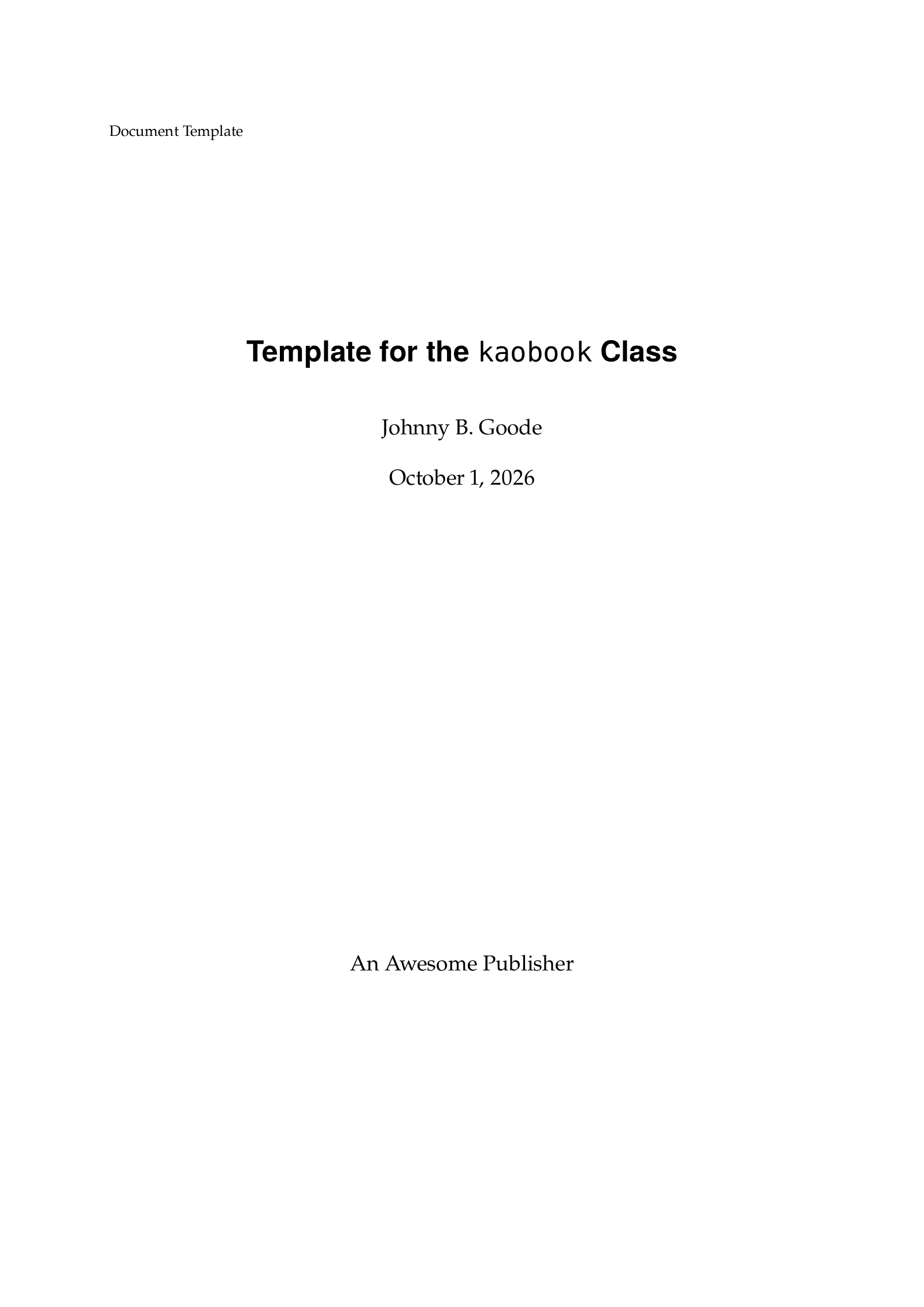
\titlehead{Document Template}
\title[Template for the {\normalfont\texttt{kaobook}} Class]{Template for the {\normalfont\texttt{kaobook}} Class}
\author[JBG]{Johnny B. Goode}
\date{\today}
\publishers{An Awesome Publisher}

%----------------------------------------------------------------------------------------

\frontmatter % Denotes the start of the pre-document content, uses roman numerals

%----------------------------------------------------------------------------------------
%	COPYRIGHT PAGE
%----------------------------------------------------------------------------------------

\makeatletter
\uppertitleback{\@titlehead} % Header

\lowertitleback{
	\textbf{Disclaimer} \\
	You can edit this page to suit your needs. For instance, here we have a no copyright statement, a colophon and some other information. This page is based on the corresponding page of Ken Arroyo Ohori's thesis, with minimal changes.

	\medskip

	\textbf{No copyright} \\
	\cczero\ This book is released into the public domain using the CC0 code. To the extent possible under law, I waive all copyright and related or neighbouring rights to this work.

	To view a copy of the CC0 code, visit: \\\url{http://creativecommons.org/publicdomain/zero/1.0/}

	\medskip

	\textbf{Colophon} \\
	This document was typeset with the help of \href{https://sourceforge.net/projects/koma-script/}{\KOMAScript} and \href{https://www.latex-project.org/}{\LaTeX} using the \href{https://github.com/fmarotta/kaobook/}{kaobook} class.

	\medskip

	\textbf{Publisher} \\
	First printed in May 2019 by \@publishers
}
\makeatother

%----------------------------------------------------------------------------------------
%	DEDICATION
%----------------------------------------------------------------------------------------

\dedication{
	The harmony of the world is made manifest in Form and Number, and the heart and soul and all the poetry of Natural Philosophy are embodied in the concept of mathematical beauty.\\
	\flushright -- D'Arcy Wentworth Thompson
}

%----------------------------------------------------------------------------------------
%	OUTPUT TITLE PAGE AND PREVIOUS
%----------------------------------------------------------------------------------------

% Note that \maketitle outputs the pages before here
\maketitle

%----------------------------------------------------------------------------------------
%	PREFACE
%----------------------------------------------------------------------------------------

\chapter*{Preface}

\blindtext

%----------------------------------------------------------------------------------------
%	TABLE OF CONTENTS & LIST OF FIGURES/TABLES
%----------------------------------------------------------------------------------------

\begingroup % Local scope for the following commands

% Define the style for the TOC, LOF, and LOT
%\setstretch{1} % Uncomment to modify line spacing in the ToC
%\hypersetup{linkcolor=blue} % Uncomment to set the colour of links in the ToC
\setlength{\textheight}{230\vscale} % Manually adjust the height of the ToC pages

% Turn on compatibility mode for the etoc package
\etocstandarddisplaystyle % "toc display" as if etoc was not loaded
\etocstandardlines % "toc lines as if etoc was not loaded

\tableofcontents % Output the table of contents

\listoffigures % Output the list of figures

% Comment both of the following lines to have the LOF and the LOT on different pages
\let\cleardoublepage\bigskip
\let\clearpage\bigskip

\listoftables % Output the list of tables

\endgroup

%----------------------------------------------------------------------------------------
%	MAIN BODY
%----------------------------------------------------------------------------------------

\mainmatter % Denotes the start of the main document content, resets page numbering and uses arabic numbers
\setchapterstyle{kao} % Choose the default chapter heading style

\chapter{First Chapter}

\blindtext

\pagelayout{wide} % No margins
\addpart{Title of the Part}
\pagelayout{margin} % Restore margins

\chapter{Second Chapter}

\blindtext

\appendix % From here onwards, chapters are numbered with letters, as is the appendix convention

\pagelayout{wide} % No margins
\addpart{Appendix}
\pagelayout{margin} % Restore margins

\chapter{Some more blindtext}

\blindtext

%----------------------------------------------------------------------------------------

\backmatter % Denotes the end of the main document content
\setchapterstyle{plain} % Output plain chapters from this point onwards

%----------------------------------------------------------------------------------------
%	BIBLIOGRAPHY
%----------------------------------------------------------------------------------------

% The bibliography needs to be compiled with biber using your LaTeX editor, or on the command line with 'biber main' from the template directory

\defbibnote{bibnote}{Here are the references in citation order.\par\bigskip} % Prepend this text to the bibliography
\printbibliography[heading=bibintoc, title=Bibliography, prenote=bibnote] % Add the bibliography heading to the ToC, set the title of the bibliography and output the bibliography note

%----------------------------------------------------------------------------------------
%	INDEX
%----------------------------------------------------------------------------------------

% The index needs to be compiled on the command line with 'makeindex main' from the template directory

\printindex % Output the index

\end{document}
kaobook.cls
%%%%%%%%%%%%%%%%%%%%%%%%%%%%%%%%%%%%%%%%%
% kaobook
% LaTeX Class
% Version 0.9.8 (2021/08/23)
%
% This template originates from:
% https://www.LaTeXTemplates.com
%
% For the latest template development version and to make contributions:
% https://github.com/fmarotta/kaobook
%
% Authors:
% Federico Marotta ([email protected])
% Based on the doctoral thesis of Ken Arroyo Ohori (https://3d.bk.tudelft.nl/ken/en)
% and on the Tufte-LaTeX class.
% Modified for LaTeX Templates by Vel ([email protected])
%
% License:
% LPPL (see included MANIFEST.md file)
%
%%%%%%%%%%%%%%%%%%%%%%%%%%%%%%%%%%%%%%%%%

%----------------------------------------------------------------------------------------
%	CLASS CONFIGURATION
%----------------------------------------------------------------------------------------

\NeedsTeXFormat{LaTeX2e}
\ProvidesClass{kaobook}[2021/08/23 v0.9.8 kaobook]
\newcommand{\@baseclass}{scrbook} % Base class name

% Set the default options
\PassOptionsToClass{a4paper}{\@baseclass}
\PassOptionsToClass{fontsize=10pt}{\@baseclass}
\PassOptionsToClass{parskip=half}{\@baseclass}
\PassOptionsToClass{headings=optiontoheadandtoc}{\@baseclass}

% Pass through any other options to the base class
\DeclareOption*{\PassOptionsToClass{\CurrentOption}{\@baseclass}}

\ProcessOptions\relax % Process the options

\LoadClass{\@baseclass} % Load the base class

\RequirePackage{kao} % Load the code common to all classes

%----------------------------------------------------------------------------------------
%	FRONT-, MAIN-, BACK- MATTERS BEHAVIOUR
%----------------------------------------------------------------------------------------

% Front matter
\let\oldfrontmatter\frontmatter % Store the old command
\renewcommand{\frontmatter}{%
	\oldfrontmatter% First of all, call the old command
	\pagestyle{plain.scrheadings}% Use a plain style for the header and the footer
	\pagelayout{wide}% Use a wide page layout
	\setchapterstyle{plain} % Choose the default chapter heading style
	% \sloppy % Required to better break long lines
}

%------------------------------------------------

% Main matter
\let\oldmainmatter\mainmatter % Store the old command
\renewcommand{\mainmatter}{%
	\oldmainmatter% Call the old command
	\pagestyle{scrheadings}% Use a fancy style for the header and the footer
	\pagelayout{margin}% Use a 1.5 column layout
	\setchapterstyle{kao} % Choose the default chapter heading style
}

%------------------------------------------------

% Appendix
\let\oldappendix\appendix% Store the old command
\renewcommand{\appendix}{%
	\oldappendix% Call the old command
	\bookmarksetup{startatroot}% Reset the bookmark depth
}

%------------------------------------------------

% Back matter
\let\oldbackmatter\backmatter% Store the old command
\renewcommand{\backmatter}{%
	\oldbackmatter% Call the old command
	\bookmarksetup{startatroot}% Reset the bookmark depth
	\pagestyle{plain.scrheadings}% Use a plain style for the header and the footer
	\pagelayout{wide}% Use a wide page layout
	\setchapterstyle{plain} % Choose the default chapter heading style
}

%----------------------------------------------------------------------------------------
%	CHAPTER HEADING STYLES
%----------------------------------------------------------------------------------------

% Command to easily switch between chapter styles
\DeclareDocumentCommand{\setchapterstyle}{m}{%
	\ifthenelse{\equal{plain}{#1}}{\chapterstyleplain}{}
	\ifthenelse{\equal{bar}{#1}}{\chapterstylebar}{}
	\ifthenelse{\equal{lines}{#1}}{\chapterstylelines}{}
	\ifthenelse{\equal{kao}{#1}}{\chapterstylekao}{}
}

% The default definition in KOMA script
\DeclareDocumentCommand{\chapterstyleplain}{}{%
	\renewcommand{\chapterlinesformat}[3]{%
		\@hangfrom{##2}{##3}}
	\renewcommand*{\chapterformat}{%
		\mbox{\chapappifchapterprefix{\nobreakspace}\thechapter%
		\autodot\IfUsePrefixLine{}{\enskip}}}
	\RedeclareSectionCommand[beforeskip=0cm,afterskip=10\vscale]{chapter}
	\setlength{\mtocshift}{-1\vscale}
}

% Gray bar
\DeclareDocumentCommand{\chapterstylebar}{}{%
	\renewcommand*{\chapterformat}{%
		\mbox{\chapappifchapterprefix{\nobreakspace}\thechapter%
		\autodot\IfUsePrefixLine{}{\enskip}}%
	}
	\renewcommand{\chapterlinesformat}[3]{%
		\begin{tikzpicture}[remember picture, overlay]
			\node[
				anchor=south west,
				xshift=\dimexpr - \hoffset - \oddsidemargin - 1in -1mm,%-30\hscale,
				yshift=4.3mm,
				rectangle,
				fill=gray!20!white,
				fill opacity=0.8,
				inner ysep=5\vscale,
				inner xsep=\dimexpr \hoffset + \oddsidemargin + 1in,%30\hscale,
				text opacity=1,
				text width=\paperwidth-40\hscale,
			]{\@hangfrom{##2}{##3}};
		\end{tikzpicture}
	}
	\RedeclareSectionCommand[beforeskip=-55\vscale,afterskip=6\vscale]{chapter}
	\setlength{\mtocshift}{-1\vscale}
}

% Lines
\renewcommand{\hrulefill}[1][0.4pt]{%
	\leavevmode\leaders\hrule height #1\hfill\kern\z@%
}
\DeclareDocumentCommand{\chapterstylelines}{}{%
	\renewcommand*{\chapterformat}{%
		\chapappifchapterprefix{\nobreakspace}\scalebox{3.5}{\thechapter\autodot}%
	}%
	\renewcommand\chapterlinesformat[3]{%
		%\vspace*{-1cm}%
		\leavevmode%
		\makebox[0pt][l]{%
		\makebox[\textwidth][l]{\hrulefill[1pt]##2}%\hfill%\par%\bigskip
		\makebox[\marginparsep][l]{}%
		\makebox[\marginparwidth][l]{}%
		}\\
		%\vspace{.5cm}
		\makebox[0pt][l]{%
		\makebox[\textwidth][l]{##3}%
		\makebox[\marginparsep][l]{}%
		\makebox[\marginparwidth][l]{}%
		}\\
		\makebox[0pt][l]{%
		\makebox[\textwidth+\marginparsep+\marginparwidth][l]{\hrulefill[1.1pt]}%
		}%
	}%
	\RedeclareSectionCommand[beforeskip=0cm,afterskip=10\vscale]{chapter}
	\setlength{\mtocshift}{-1\vscale}%
}

% The Kao style
\DeclareDocumentCommand{\chapterstylekao}{}{%
    \IfWideLayout{%
        \renewcommand*{\chapterformat}{%
	    	\mbox{\chapappifchapterprefix{\nobreakspace}\scalebox{2.85}{\thechapter\autodot}}%
	    }%
	    \renewcommand\chapterlinesformat[3]{%
	    	\vspace{3.5\vscale}%
	    	\if@twoside%
	    		\Ifthispageodd{%
	    			\smash{\makebox[0pt][l]{%
                        \parbox[b]{\textwidth - 6.2\hscale}{\flushright{##3}}%
                        \makebox[6.2\hscale][c]{\rule[-2\vscale]{1pt}{27.4\vscale+\f@size mm}}%
	    				\parbox[b]{\marginparwidth}{##2}%
	    			}}%
	    		}{
                    \smash{\makebox[\textwidth + 6.2\hscale][r]{%
                        \parbox[b]{47.7\hscale + 6.2\hscale}{\flushright{##2}}%
                        \makebox[6.2\hscale][c]{\rule[-2\vscale]{1pt}{27.4\vscale+\f@size mm}}%
	    				\parbox[b]{\textwidth}{\flushleft{##3}}%
	    			}}%
	    		}
	    	\else%
	    		\smash{\makebox[0pt][l]{%
                    \parbox[b]{\textwidth - 6.2\hscale}{\flushright{##3}}%
                    \makebox[6.2\hscale][c]{\rule[-2\vscale]{1pt}{27.4\vscale+\f@size mm}}%
                    \parbox[b]{\marginparwidth}{##2}%
	    		}}%
	    	\fi%
	    }%
    }{%
        \renewcommand*{\chapterformat}{%
	    	\mbox{\chapappifchapterprefix{\nobreakspace}\scalebox{2.85}{\thechapter\autodot}}%
	    }%
	    \renewcommand\chapterlinesformat[3]{%
	    	\vspace{3.5\vscale}%
	    	\if@twoside%
	    		\Ifthispageodd{%
	    			\smash{\makebox[0pt][l]{%
	    				\parbox[b]{\textwidth}{\flushright{##3}}%
	    				\makebox[\marginparsep][c]{\rule[-2\vscale]{1pt}{27.4\vscale+\f@size mm}}%
	    				\parbox[b]{\marginparwidth}{##2}%
	    			}}%
	    		}{
	    			\smash{\makebox[\textwidth][r]{%
	    				\parbox[b]{\marginparwidth}{\flushright{##2}}%
	    				\makebox[\marginparsep][c]{\rule[-2\vscale]{1pt}{27.4\vscale+\f@size mm}}%
	    				\parbox[b]{\textwidth}{\flushleft{##3}}%
	    			}}%
	    		}
	    	\else%
	    		\smash{\makebox[0pt][l]{%
	    			\parbox[b]{\textwidth}{\flushright{##3}}%
	    			\makebox[\marginparsep][c]{\rule[-2\vscale]{1pt}{27.4\vscale+\f@size mm}}%
	    			\parbox[b]{\marginparwidth}{##2}%
	    		}}%
	    	\fi%
	    }%
    }%
	\RedeclareSectionCommand[beforeskip=0cm,afterskip=10\vscale]{chapter}%
	\setlength{\mtocshift}{-3.5\vscale}%
}

% Takes as input the image path and optionally the "beforeskip"
\DeclareDocumentCommand{\setchapterimage}{O{55\vscale} m}{%
	\setchapterpreamble[o]{%
		\vspace*{-27\vscale}\hspace*{\dimexpr - \hoffset - \oddsidemargin - 1in}%
		\includegraphics[width=\paperwidth,height=#1+27\vscale,keepaspectratio=false]{#2}%
	}%
	\chapterstylebar%
	% beforeskip=-(figure_height-top_margin)
	\RedeclareSectionCommand[beforeskip=-#1, afterskip=6\vscale]{chapter}%
	\setlength{\mtocshift}{0cm}%
}

% By default start with the plain style
\chapterstyleplain

%----------------------------------------------------------------------------------------
%	FONTS AND STYLES
%----------------------------------------------------------------------------------------

% Set KOMA fonts for book-specific elements
\addtokomafont{part}{\normalfont\scshape\bfseries}
\addtokomafont{partentry}{\normalfont\scshape\bfseries}
\addtokomafont{chapter}{\normalfont\bfseries}
\addtokomafont{chapterentry}{\normalfont\bfseries}

% Set KOMA fonts for elements common to all classes
\addtokomafont{section}{\normalfont\bfseries}
\addtokomafont{subsection}{\normalfont\bfseries}
\addtokomafont{subsubsection}{\normalfont\bfseries}
\addtokomafont{paragraph}{\normalfont\bfseries}
\setkomafont{descriptionlabel}{\normalfont\bfseries}

%----------------------------------------------------------------------------------------
%	TOC, LOF & LOT
%----------------------------------------------------------------------------------------

% Set default options regarding the table of contents
\PassOptionsToClass{toc=listof}{\@baseclass}
\PassOptionsToClass{toc=index}{\@baseclass}
\PassOptionsToClass{toc=bibliography}{\@baseclass}

%----------------------------------------------------------------------------------------
%	NUMBERING
%----------------------------------------------------------------------------------------

%\setcounter{secnumdepth}{\kao@secnumdepth} % Set section numbering depth

\counterwithin*{sidenote}{chapter} % Uncomment to reset the sidenote counter at each chapter
%\counterwithout{sidenote}{chapter} % Uncomment to have one sidenote counter for the whole document
kaohandt.cls
%%%%%%%%%%%%%%%%%%%%%%%%%%%%%%%%%%%%%%%%%
% kaobook
% LaTeX Class
% Version 0.9.8 (2021/08/23)
%
% This template originates from:
% https://www.LaTeXTemplates.com
%
% For the latest template development version and to make contributions:
% https://github.com/fmarotta/kaobook
%
% Authors:
% Federico Marotta ([email protected])
% Based on the doctoral thesis of Ken Arroyo Ohori (https://3d.bk.tudelft.nl/ken/en)
% and on the Tufte-LaTeX class.
% Modified for LaTeX Templates by Vel ([email protected])
%
% License:
% LPPL (see included MANIFEST.md file)
%
%%%%%%%%%%%%%%%%%%%%%%%%%%%%%%%%%%%%%%%%%

%----------------------------------------------------------------------------------------
%	CLASS CONFIGURATION
%----------------------------------------------------------------------------------------

\NeedsTeXFormat{LaTeX2e}
\ProvidesClass{kaohandt}[2021/08/23 v0.9.8 kaohandt]
\newcommand{\@baseclass}{scrartcl} % Base class name

% Set the default options
\PassOptionsToClass{a4paper}{\@baseclass}

% Pass through any other options to the base class
\DeclareOption*{\PassOptionsToClass{\CurrentOption}{\@baseclass}}

\ProcessOptions\relax % Process the options

\LoadClass{\@baseclass} % Load the base class

\RequirePackage{kao} % Load the code common to all classes

%----------------------------------------------------------------------------------------
%	TITLE-RELATED SETTINGS
%----------------------------------------------------------------------------------------

% Left-align title, authors and date
\xpatchcmd{\@maketitle}{\begin{center}}{\begin{flushleft}}{}{}
\xpatchcmd{\@maketitle}{\end{center}}{\end{flushleft}}{}{}
\xpatchcmd{\@maketitle}{\begin{tabular}[t]{c}}{\begin{tabular}[t]{@{}l@{}}}{}{}

% Set the font for the title
\addtokomafont{title}{\normalfont\bfseries}

% Customise the abstract
\RequirePackage[style]{abstract}

\setlength{\absleftindent}{0pt}% No indentation in the abstract
\if@abstrt
	\renewcommand{\abstitlestyle}[1]{%
	\vspace{-0.6cm}%
	\begin{center}%
		{\normalfont\bfseries\hspace{-3em} \abstractname\vspace{-.5em}\vspace{\z@}}%
	\end{center}%
	}
\else
	\renewcommand{\abstitlestyle}[1]{\vspace{-.5em}\vspace{\z@}}%
\fi

% Set KOMA fonts
\addtokomafont{section}{\normalfont\bfseries}
\addtokomafont{subsection}{\normalfont\bfseries}
\addtokomafont{subsubsection}{\normalfont\bfseries}
\addtokomafont{paragraph}{\normalfont\bfseries}
\setkomafont{descriptionlabel}{\normalfont\bfseries}

%----------------------------------------------------------------------------------------
%	TOC
%----------------------------------------------------------------------------------------

% Adjust the positions of margintoc and marginnotes
\setlength{\mtocshift}{-0.6cm}
\renewcommand{\marginnotevadjust}{-4pt}

% Do not add lists to the TOC
\PassOptionsToClass{toc=nolistof}{\@baseclass}
\unsettoc{toc}{totoc}

%----------------------------------------------------------------------------------------
%	NUMBERING
%----------------------------------------------------------------------------------------

%\setcounter{secnumdepth}{\kao@secnumdepth} % Set section numbering depth

\counterwithin*{sidenote}{section} % Uncomment to reset the sidenote counter at each section
%\counterwithout{sidenote}{section} % Uncomment to have one sidenote counter for the whole document
kao.sty
\ProvidesPackage{kao}

%----------------------------------------------------------------------------------------
%	DECLARE KAO
%----------------------------------------------------------------------------------------

\DefineFamily{kao}% Define the family name
\DefineFamilyMember{kao}% Add a member to the family
\DefineFamilyKey{kao}{secnumdepth}[1]{\setcounter{secnumdepth}{#1}\FamilyKeyStateProcessed}% Define a key and a default value
\FamilyProcessOptions{kao}% Process the options

%----------------------------------------------------------------------------------------
%	USEFUL PACKAGES AND COMMANDS
%----------------------------------------------------------------------------------------

\RequirePackage{kvoptions} % Handle package options
\RequirePackage{etoolbox} % Easy programming to modify TeX stuff
\RequirePackage{calc} % Make calculations
\RequirePackage[usenames,dvipsnames,table]{xcolor} % Colours
\RequirePackage{iftex} % Check whether XeTeX is being used
\RequirePackage{xifthen} % Easy conditionals
\RequirePackage{options} % Manage class options
\RequirePackage{xparse} % Parse arguments for macros
\RequirePackage{xpatch} % Patch LaTeX code in external packages
\RequirePackage{xstring} % Parse strings
\RequirePackage{afterpage} % Run commands after specific pages
\RequirePackage{imakeidx} % For the index; must be loaded before the 'caption' and 'hyperref' packages
\RequirePackage{varioref} % For the cross-references; must be loaded before the 'hyperref' and 'cleveref' packages
\AtEndPreamble{\RequirePackage{scrhack}} % Make some packages compatible with KOMAScript

% Define \Ifthispageodd (with a capital 'i') to make kaobook compatible with older KOMAScript versions
\@ifpackagelater{scrbase}{2019/12/22}{%
}{%
	\let\Ifthispageodd\ifthispageodd%
}

%----------------------------------------------------------------------------------------
%	KAO-SPECIFIC OPTIONS
%----------------------------------------------------------------------------------------

% Set up the package options
\SetupKeyvalOptions{
	family = kao,
	prefix = kao@
}

% https://tex.stackexchange.com/questions/47576/combining-ifxetex-and-ifluatex-with-the-logical-or-operation
% Introduce a command to find out whether the compiler is XeTeX or LuaTeX
\newif\ifxetexorluatex
\ifxetex
	\xetexorluatextrue
\else
	\ifluatex
		\xetexorluatextrue
	\else
		\xetexorluatexfalse
	\fi
\fi

\ifxetexorluatex
	\newcommand{\kao@defaultfontmethod}{modern}
\else
	\newcommand{\kao@defaultfontmethod}{tex}
\fi

% Set default based on rendering engine
\DeclareStringOption[\kao@defaultfontmethod]{fontmethod}

\ProcessKeyvalOptions{kao}

%----------------------------------------------------------------------------------------
%	TITLE AND AUTHOR MACROS
%----------------------------------------------------------------------------------------

% Provide an optional argument to the \title command in which to store a plain text title, without any formatting
% Usage: \title[Plain Title]{Actual Title}
\newcommand{\@plaintitle}{}
\renewcommand{\title}[2][]{%
	\gdef\@title{#2} % Store the full title in @title
	\ifthenelse{\isempty{#1}}{ % If there is no plain title
		\renewcommand{\@plaintitle}{\@title} % Use full title
	}{ % If there is a plain title
		\renewcommand{\@plaintitle}{#1} % Use provided plain-text title
	}%
	\hypersetup{pdftitle={\@plaintitle}} % Set the PDF metadata title
}

% Provide an optional argument to the \author command in which to store a plain text author, without any formatting
% Usage: \author[Plain Author]{Actual Author}
\newcommand{\@plainauthor}{}
\renewcommand{\author}[2][]{%
	\gdef\@author{#2} % Store the full author in @author
	\ifthenelse{\isempty{#1}}{ % If there is no plain author
		\renewcommand{\@plainauthor}{\@author}% Use full author
	}{ % If there is a plain author
		\renewcommand{\@plainauthor}{#1}% Use provided plain-text author
	}%
	\hypersetup{pdfauthor={\@plainauthor}} % Set the PDF metadata author
}

% Make a bookmark to the title page
\pretocmd{\maketitle}{\pdfbookmark[1]{\@plaintitle}{title}}{}{}%

%----------------------------------------------------------------------------------------
%	PAGE LAYOUT
%----------------------------------------------------------------------------------------

% Define lengths to set the scale of the document. Changing these
% lengths should affect all the other pagesize-dependent elements in the
% layout, such as the geometry of the page, the spacing between
% paragraphs, and so on. (As of now, not all the elements rely on hscale
% and vscale; future work will address this shortcoming.)
\newlength{\hscale}
\newlength{\vscale}

% By default, the scales are set to work for a4paper
\setlength{\hscale}{1mm}
\setlength{\vscale}{1mm}

% Define hscale and vscale for all types of paper
\@ifclasswith{\@baseclass}{a0paper}{\setlength{\hscale}{4mm}\setlength{\vscale}{4mm}}{}
\@ifclasswith{\@baseclass}{a1paper}{\setlength{\hscale}{2.828mm}\setlength{\vscale}{2.828mm}}{}
\@ifclasswith{\@baseclass}{a2paper}{\setlength{\hscale}{2mm}\setlength{\vscale}{2mm}}{}
\@ifclasswith{\@baseclass}{a3paper}{\setlength{\hscale}{1.414mm}\setlength{\vscale}{1.414mm}}{}
\@ifclasswith{\@baseclass}{a4paper}{\setlength{\hscale}{1mm}\setlength{\vscale}{1mm}}{}
\@ifclasswith{\@baseclass}{a5paper}{\setlength{\hscale}{0.704mm}\setlength{\vscale}{0.704mm}}{}
\@ifclasswith{\@baseclass}{a6paper}{\setlength{\hscale}{0.5mm}\setlength{\vscale}{0.5mm}}{}
\@ifclasswith{\@baseclass}{b0paper}{\setlength{\hscale}{4.761mm}\setlength{\vscale}{4.761mm}}{}
\@ifclasswith{\@baseclass}{b1paper}{\setlength{\hscale}{3.367mm}\setlength{\vscale}{3.367mm}}{}
\@ifclasswith{\@baseclass}{b2paper}{\setlength{\hscale}{2.380mm}\setlength{\vscale}{2.380mm}}{}
\@ifclasswith{\@baseclass}{b3paper}{\setlength{\hscale}{1.681mm}\setlength{\vscale}{1.681mm}}{}
\@ifclasswith{\@baseclass}{b4paper}{\setlength{\hscale}{1.190mm}\setlength{\vscale}{1.190mm}}{}
\@ifclasswith{\@baseclass}{b5paper}{\setlength{\hscale}{0.837mm}\setlength{\vscale}{0.837mm}}{}
\@ifclasswith{\@baseclass}{b6paper}{\setlength{\hscale}{0.570mm}\setlength{\vscale}{0.570mm}}{}
\@ifclasswith{\@baseclass}{c0paper}{\setlength{\hscale}{4.367mm}\setlength{\vscale}{4.367mm}}{}
\@ifclasswith{\@baseclass}{c1paper}{\setlength{\hscale}{3.085mm}\setlength{\vscale}{3.085mm}}{}
\@ifclasswith{\@baseclass}{c2paper}{\setlength{\hscale}{2.180mm}\setlength{\vscale}{2.180mm}}{}
\@ifclasswith{\@baseclass}{c3paper}{\setlength{\hscale}{1.542mm}\setlength{\vscale}{1.542mm}}{}
\@ifclasswith{\@baseclass}{c4paper}{\setlength{\hscale}{1.090mm}\setlength{\vscale}{1.090mm}}{}
\@ifclasswith{\@baseclass}{c5paper}{\setlength{\hscale}{0.771mm}\setlength{\vscale}{0.771mm}}{}
\@ifclasswith{\@baseclass}{c6paper}{\setlength{\hscale}{0.542mm}\setlength{\vscale}{0.542mm}}{}
\@ifclasswith{\@baseclass}{b0j}{\setlength{\hscale}{4.904mm}\setlength{\vscale}{4.904mm}}{}
\@ifclasswith{\@baseclass}{b1j}{\setlength{\hscale}{3.467mm}\setlength{\vscale}{3.467mm}}{}
\@ifclasswith{\@baseclass}{b2j}{\setlength{\hscale}{2.452mm}\setlength{\vscale}{2.452mm}}{}
\@ifclasswith{\@baseclass}{b3j}{\setlength{\hscale}{1.733mm}\setlength{\vscale}{1.733mm}}{}
\@ifclasswith{\@baseclass}{b4j}{\setlength{\hscale}{1.226mm}\setlength{\vscale}{1.226mm}}{}
\@ifclasswith{\@baseclass}{b5j}{\setlength{\hscale}{0.867mm}\setlength{\vscale}{0.867mm}}{}
\@ifclasswith{\@baseclass}{b6j}{\setlength{\hscale}{0.613mm}\setlength{\vscale}{0.613mm}}{}
\@ifclasswith{\@baseclass}{ansiapaper}{\setlength{\hscale}{1.028mm}\setlength{\vscale}{0.939mm}}{}
\@ifclasswith{\@baseclass}{ansibpaper}{\setlength{\hscale}{1.328mm}\setlength{\vscale}{1.454mm}}{}
\@ifclasswith{\@baseclass}{ansicpaper}{\setlength{\hscale}{2.057mm}\setlength{\vscale}{1.882mm}}{}
\@ifclasswith{\@baseclass}{ansidpaper}{\setlength{\hscale}{2.662mm}\setlength{\vscale}{2.909mm}}{}
\@ifclasswith{\@baseclass}{ansiepaper}{\setlength{\hscale}{4.114mm}\setlength{\vscale}{3.764mm}}{}
\@ifclasswith{\@baseclass}{letterpaper}{\setlength{\hscale}{1.028mm}\setlength{\vscale}{0.939mm}}{}
\@ifclasswith{\@baseclass}{executivepaper}{\setlength{\hscale}{0.876mm}\setlength{\vscale}{0.898mm}}{}
\@ifclasswith{\@baseclass}{legalpaper}{\setlength{\hscale}{1.028mm}\setlength{\vscale}{1.198mm}}{}
\@ifclasswith{\@baseclass}{smallpocketpaper}{\setlength{\hscale}{0.571mm}\setlength{\vscale}{0.639mm}}{}
\@ifclasswith{\@baseclass}{pocketpaper}{\setlength{\hscale}{0.642mm}\setlength{\vscale}{0.723mm}}{}
\@ifclasswith{\@baseclass}{juvenilepaper}{\setlength{\hscale}{0.738mm}\setlength{\vscale}{0.740mm}}{}
\@ifclasswith{\@baseclass}{smallphotopaper}{\setlength{\hscale}{0.809mm}\setlength{\vscale}{0.572mm}}{}
\@ifclasswith{\@baseclass}{photopaper}{\setlength{\hscale}{1.00mm}\setlength{\vscale}{0.707mm}}{}
\@ifclasswith{\@baseclass}{appendixpaper}{\setlength{\hscale}{1.000mm}\setlength{\vscale}{0.505mm}}{}
\@ifclasswith{\@baseclass}{cookpaper}{\setlength{\hscale}{0.809mm}\setlength{\vscale}{0.740mm}}{}
\@ifclasswith{\@baseclass}{illustratedpaper}{\setlength{\hscale}{0.905mm}\setlength{\vscale}{0.909mm}}{}
\@ifclasswith{\@baseclass}{f24paper}{\setlength{\hscale}{0.762mm}\setlength{\vscale}{0.808mm}}{}
\@ifclasswith{\@baseclass}{a4paperlandscape}{\setlength{\hscale}{1.414mm}\setlength{\vscale}{0.707mm}}{}
\@ifclasswith{\@baseclass}{169paperlandscape}{\setlength{\hscale}{1.414mm}\setlength{\vscale}{0.562mm}}{}

% Set the default page layout
\RequirePackage[
	paperwidth=210\hscale,
	paperheight=297\vscale,
]{geometry}

% Command to choose among the three possible layouts
\DeclareDocumentCommand{\pagelayout}{m}{%
	\ifthenelse{\equal{margin}{#1}}{\marginlayout\marginfloatsetup}{}%
	\ifthenelse{\equal{wide}{#1}}{\widelayout\widefloatsetup}{}%
	\ifthenelse{\equal{fullwidth}{#1}}{\fullwidthlayout\widefloatsetup}{}%
}

\newif\ifwidelayout%
\def\IfWideLayout{%
	\ifwidelayout%
		\expandafter\@firstoftwo%
	\else%
		\expandafter\@secondoftwo%
	\fi%
}

% Layout #1: large margins
\newcommand{\marginlayout}{%
	\newgeometry{
		top=27.4\vscale,
		bottom=27.4\vscale,
		inner=24.8\hscale,
		textwidth=107\hscale,
		marginparsep=6.2\hscale,
		marginparwidth=47.7\hscale,
	}%
	\recalchead%
	\widelayoutfalse%
}

% Layout #2: small, symmetric margins
\newcommand{\widelayout}{%
	\newgeometry{
		top=27.4\vscale,
		bottom=27.4\vscale,
		inner=24.8\hscale,
		outer=24.8\hscale,
		marginparsep=0mm,
		marginparwidth=0mm,
	}%
	\recalchead%
	\widelayouttrue%
}

% Layout #3: no margins and no space above or below the body
\newcommand{\fullwidthpage}{%
	\newgeometry{
		top=0mm,
		bottom=0mm,
		inner=0mm,
		outer=0mm,
		marginparwidth=0mm,
		marginparsep=0mm,
	}%
	\recalchead%
	\widelayouttrue%
}

% Set the default page layout
\AtBeginDocument{\pagelayout{margin}}

%----------------------------------------------------------------------------------------
%	HEADERS AND FOOTERS
%----------------------------------------------------------------------------------------

\RequirePackage{scrlayer-scrpage}		% Customise head and foot regions

% Set the header height to prevent a warning
%\setlength{\headheight}{27.4\vscale}
% Increase the space between header and text
\setlength{\headsep}{11\vscale}

% Define some LaTeX lengths used in the page headers
\newlength{\headtextwidth} % This is the width of the text
\newlength{\headmarginparsep} % This is the width of the whitespace between text and margin
\newlength{\headmarginparwidth} % This is the width of the margin
\newlength{\headtotal} % This is the total width of the header
\newlength{\contentwidth} % An alias for \headtotal
\newcommand{\recalchead}{% Command to recalculate the header-related length when needed
	\setlength{\headtextwidth}{\textwidth}%
	\setlength{\headmarginparsep}{\marginparsep}%
	\setlength{\headmarginparwidth}{\marginparwidth}%
	\setlength{\headtotal}{\headtextwidth+\headmarginparsep+\headmarginparwidth}%
	\setlength{\contentwidth}{\headtotal}%
}

\AtBeginDocument{% Recalculate the header-related lengths
	\recalchead%
}

% Header style with chapter number, chapter title, and page in the header (used throughout the document)
\renewpagestyle{scrheadings}{%
	{\smash{\hspace{-\headmarginparwidth}\hspace{-\headmarginparsep}\makebox[\headtotal][l]{%
		\makebox[7\hscale][r]{\thepage}%
		\makebox[3\hscale]{}\rule[-1mm]{0.5pt}{19\vscale-1mm}\makebox[3\hscale]{}%
		\makebox[\headtextwidth][l]{\leftmark}}}}%
	{\smash{\makebox[0pt][l]{\makebox[\headtotal][r]{%
		\makebox[\headtextwidth][r]{\hfill\rightmark}%
		\makebox[3\hscale]{}\rule[-1mm]{0.5pt}{19\vscale-1mm}\makebox[3\hscale]{}%
		\makebox[7\hscale][l]{\thepage}}}}}%
	{\smash{\makebox[0pt][l]{\makebox[\headtotal][r]{%
		\makebox[\headtextwidth][r]{\hfill\rightmark}%
		\makebox[3\hscale]{}\rule[-1mm]{0.5pt}{19\vscale-1mm}\makebox[3\hscale]{}%
		\makebox[7\hscale][l]{\thepage}}}}}%
}{%
	{}%
	{}%
	{}%
}

% Header style with neither header nor footer (used for special pages)
\renewpagestyle{plain.scrheadings}{%
	{}%
	{}%
	{}%
}{%
	{}%
	{}%
	{}%
}

% Header style with an empty header and the page number in the footer
\newpagestyle{pagenum.scrheadings}{%
	{}%
	{}%
	{}%
}{%
	{\makebox[\textwidth][r]{\thepage}}%
	{\makebox[\textwidth][l]{\thepage}}%
	{\makebox[\textwidth][l]{\thepage}}%
}

% Header style with an empty header and the page number in the footer
\newpagestyle{centeredpagenum.scrheadings}{%
	{}%
	{}%
	{}%
}{%
	{\hspace{-\headmarginparwidth}\hspace{-\headmarginparsep}\makebox[\headtotal][l]{\hfill\thepage\hfill}}
	{\makebox[0pt][l]{\makebox[\headtotal][r]{\hfill\thepage\hfill}}}%
	{\makebox[0pt][l]{\makebox[\headtotal][r]{\hfill\thepage\hfill}}}%
}

% Command to print a blank page
\newcommand\blankpage{%
	\null%
	\thispagestyle{empty}%
	\newpage%
}

% Set the default page style
\pagestyle{plain.scrheadings}

%----------------------------------------------------------------------------------------
%	PARAGRAPH FORMATTING
%----------------------------------------------------------------------------------------

\RequirePackage{ragged2e} % Required to achieve better ragged paragraphs
\RequirePackage{setspace} % Required to easily set the space between lines
\RequirePackage{hyphenat} % Hyphenation for special fonts
\RequirePackage{microtype} % Improves character and word spacing
\RequirePackage{needspace} % Required to prevent page break right after a sectioning command
\RequirePackage{xspace} % Better print trailing whitespace

% TODO: recognize space/indent justified/raggedright class options

% Settings for a normal paragraph
\newcommand{\@body@par}{%
	\justifying% Justify text
	\singlespacing% Set the interline space to a single line
	\frenchspacing% No additional space after periods
	\normalfont% Use the default font
	\normalsize% Use the default size
}

% Settings for paragraphs in the margins
\newcommand{\@margin@par}{%
	\justifying% justify text
	\setlength{\RaggedRightParindent}{0em}% Suppress indentation
	\setlength{\parindent}{0em}% Suppress indentation
	\setlength{\parskip}{0.5pc}% Set the space between paragraphs
	%\singlespacing% Set the space between lines
	\frenchspacing% No additional space after periods
	\normalfont% Use the default font
	\footnotesize% Use a smaller size
}

% By default, use @body@par settings
\@body@par

%----------------------------------------------------------------------------------------
%	WIDE PARAGRAPHS
%----------------------------------------------------------------------------------------

% Environment for a wide paragraph
\NewDocumentEnvironment{widepar}{}{%
	\if@twoside%
	\Ifthispageodd{%
		\begin{addmargin}[0cm]{-\marginparwidth-\marginparsep}%
	}{%
		\begin{addmargin}[-\marginparwidth-\marginparsep]{0cm}%
	}%
	\else%
	\begin{addmargin}[0cm]{-\marginparwidth-\marginparsep}%
	\fi%
}{%
	\end{addmargin}%
}

% Environment for a full width paragraph
\NewDocumentEnvironment{fullwidthpar}{}{%
	\if@twoside%
	\Ifthispageodd{%
		\begin{addmargin}[-1in-\hoffset-\oddsidemargin]{-\paperwidth+1in+\hoffset+\oddsidemargin+\textwidth}%
	}{%
		\begin{addmargin}[-\paperwidth+1in+\hoffset+\oddsidemargin+\textwidth]{-\paperwidth+1in+\hoffset+\oddsidemargin+\marginparsep+\marginparwidth+\textwidth}%
	}%
	\else%
	\begin{addmargin}[-1in-\hoffset-\oddsidemargin]{-\paperwidth+1in+\hoffset+\oddsidemargin+\textwidth}%
	\fi%
}{%
	\end{addmargin}%
}

% Environment for a wide equation
\NewDocumentEnvironment{wideequation}{}{%
	\begin{widepar}%
	\begin{equation}%
}{%
	\end{equation}%
	\end{widepar}%
}

%----------------------------------------------------------------------------------------
%	FOOTNOTES, MARGINNOTES AND SIDENOTES
%----------------------------------------------------------------------------------------

\RequirePackage[section]{placeins} % Prevent floats to cross sections
\extrafloats{100} % Require more floats

\RequirePackage{marginnote} % Provides options for margin notes
%\RequirePackage{marginfix} % Make marginpars float freely; it should not be loaded as it prevents the marginnotes to stay aligned with the main text
\RequirePackage{sidenotes} % Use sidenotes
\RequirePackage{chngcntr} % Reset counters at sections

% TODO: see also page 440 of the KOMA-script guide
\RequirePackage[
	bottom,
	symbol*,
	hang,
	flushmargin,
	% perpage,
	stable,
]{footmisc} % Required to set up the footnotes
\RequirePackage{footnotebackref} % Creates back references from footnotes to text

% Fix the color of the footnote marker when back-referenced
\patchcmd{\footref}{\ref}{\hypersetup{colorlinks=black}\ref}{}{}%
% Workaround to fix back references
\edef\BackrefFootnoteTag{bhfn:\theBackrefHyperFootnoteCounter}%

% FIXME: I am not able to choose the paragraph layout of footnotes, probably the footnotes package conflicts with scrbook.
%\renewcommand{\footnotelayout}{\@margin@par}

%----------------------------------------------------------------------------------------

% Justify and format margin notes
\renewcommand*{\raggedleftmarginnote}{} % Suppress left margin
\renewcommand*{\raggedrightmarginnote}{} % Suppress right margin
\renewcommand*{\marginfont}{\@margin@par} % Format marginnotes according to \@marginpar (see above)
\renewcommand{\marginnotevadjust}{0.8\vscale} % Bring all marginnotes downwards a bit
%\marginposadjustment=1\vscale % Bring downwards also the marginpars
%\marginheightadjustment=10cm % Adjust the height of the margins for each page
%\RequirePackage[marginnote=true]{snotez} % Provides options for sidenotes

% Copied from snotez's \sidenote
\def\kao@if@nblskip#1{%
	\expandafter\ifx\@car#1\@nil*%
		\expandafter\@firstoftwo%
	\else%
		\expandafter\@secondoftwo%
	\fi%
}

% Command to detect whether we are inside a tcolorbox environment
\newif\ifinfloat % First, set this flag whenever we are in a tcolorbox environment...
\AtBeginEnvironment{tcolorbox}{\infloattrue\renewcommand{\marginnotevadjust}{-1.4\vscale}}
\AtBeginEnvironment{minipage}{\infloattrue}

\def\IfInFloatingEnvir{% ...Then, detect the flag
	\ifinfloat%
		\expandafter\@firstoftwo%
	\else%
		\expandafter\@secondoftwo%
	\fi%
}


% Redefine the command to print marginnotes:
% (a) the optional offset argument goes at the first position
% (b) the offset can also be a multiple of baselineskip, like for snotez's \sidenote
% Usage: \marginnote[<offset>]{Text of the note.}
\let\oldmarginnote\marginnote%
\RenewDocumentCommand\marginnote{ o m }{%
	\IfNoValueOrEmptyTF{#1}{%
		\IfInFloatingEnvir{%
			\oldmarginnote{#2}%
		}{%
			\marginpar{\@margin@par#2}%
		}%
	}{%
		\oldmarginnote{#2}[\kao@if@nblskip{#1}{\@cdr#1\@nil\baselineskip}{#1}]%
	}%
}

% Initially set the sidenote counter to zero instead of 1, and update it before printing the sidenote.
\setcounter{sidenote}{0}%
\RenewDocumentCommand\sidenote{ o o +m }{%
	\IfNoValueOrEmptyTF{#1}{%
		\refstepcounter{sidenote}% This command has been moved here
	}{%
	}%
	\sidenotemark[#1]%
	\sidenotetext[#1][#2]{#3}%
	\@sidenotes@multimarker%
}

% Formatting sidenote markers
\RenewDocumentCommand\@sidenotes@thesidenotemark{ m }{% Format the marker
	\leavevmode%
	\ifhmode%
		\edef\@x@sf{\the\spacefactor}%
		\nobreak%
	\fi%
	\hbox{\@textsuperscript{\normalfont#1}}%
	\ifhmode%
		\spacefactor\@x@sf%
	\fi%
	\relax%
}%

% Formatting the sidenote text
\RenewDocumentCommand\sidenotetext{ o o +m }{% number, offset, text
	\IfNoValueOrEmptyTF{#1}{%
		\marginnote[#2]{\thesidenote:\enskip#3}%
	}{%
		\marginnote[#2]{#1:\enskip#3}%
	}%
}

%----------------------------------------------------------------------------------------
%	FIGURES, TABLES, LISTINGS AND CAPTIONS
%----------------------------------------------------------------------------------------

\DeclareStringOption[listings]{listing}

\ProcessKeyvalOptions{kao}

\newif\iflistings
\newif\ifminted
\ifthenelse{\equal{listings}{\kao@listing}}{
	\listingstrue
	\mintedfalse
	\newcommand{\kao@listingfloattype}{lstlisting}
}{\ifthenelse{\equal{minted}{\kao@listing}}{
	\listingsfalse
	\mintedtrue
	\newcommand{\kao@listingfloattype}{listing}
}{
	\PackageError{kao}{%
		Invalid listing choice \kao@listing.%
	}{%
		Should be one of "listings" or "minted"%
	}
}}

\RequirePackage{graphicx} % Include figures
\setkeys{Gin}{width=\linewidth,totalheight=\textheight,keepaspectratio} % Improves figure scaling
\RequirePackage{tikz} % Allows to draw custom shapes
\RequirePackage{tikzpagenodes} % Allows to anchor tikz nodes to page elements
\RequirePackage[hypcap=true]{caption} % Correctly placed anchors for hyperlinks
\RequirePackage{floatrow} % Set up captions of floats
\RequirePackage{booktabs} % Nicer tables
\RequirePackage{multirow} % Cells occupying multiple rows in tables
\RequirePackage{multicol} % Multiple columns in dictionary
\RequirePackage{rotating} % Allows tables and figures to be rotated
\iflistings
	\RequirePackage{listings} % Print code listings
\fi
\ifminted
	\RequirePackage{minted} % (must be loaded after floatrow and before scrhack)
	\AtBeginDocument{\counterwithin{listing}{chapter}}
\fi
% \RequirePackage{atbegshi}
% \RequirePackage{perpage}
\let\c@abspage\relax
% \newcommand{\pp@g@sidenote}{}
%\RequirePackage{dblfloatfix} % Better positioning of wide figures and tables

% Improve the figure placing (see https://www.overleaf.com/learn/latex/Tips)
\def\topfraction{.9}%
\def\textfraction{0.35}%
\def\floatpagefraction{0.8}%

% Set the space between floats and main text
\renewcommand\FBaskip{.4\topskip}%
\renewcommand\FBbskip{\FBaskip}%

% Tighten up space between displays (e.g., equations) and make symmetric (from tufte-latex)
\setlength\abovedisplayskip{6pt plus 2pt minus 4pt}%
\setlength\belowdisplayskip{6pt plus 2pt minus 4pt}%
\abovedisplayskip 10\p@ \@plus2\p@ \@minus5\p@%
\abovedisplayshortskip \z@ \@plus3\p@%
\belowdisplayskip \abovedisplayskip%
\belowdisplayshortskip 6\p@ \@plus3\p@ \@minus3\p@%

\setlength\columnseprule{.4pt} % Set the width of vertical rules in tables

% The marginfix package prevents the margin notes to stay aligned with the main text, so it cannot be used. However, we define the \marginskip command, which is the only command we need from that package.
\newcommand\marginskip[1]{%
	\marginpar{\@margin@par\vspace{#1 - \baselineskip}}% We subtract the \baselineskip that we have in margin pars.
}

\newlength{\kaomarginskipabove} % Specify the space above a marginfigure, margintable or marginlisting
\newlength{\kaomarginskipbelow} % Specify the space below a marginfigure, margintable or marginlisting
\setlength{\kaomarginskipabove}{3mm plus 2pt minus 2pt}
\setlength{\kaomarginskipbelow}{3mm plus 2pt minus 2pt}

% Environment to hold a margin figure (from the sidenotes package)
% We redefine it here because we want to use our own caption formatting.
\RenewDocumentEnvironment{marginfigure}{o}{%
	\FloatBarrier%
	\marginskip{\kaomarginskipabove}%
	\begin{lrbox}{\@sidenotes@marginfigurebox}%
	\begin{minipage}{\marginparwidth}%
		\captionsetup{type=figure}%
}{%
	\end{minipage}%
	\end{lrbox}%
	\marginnote[#1]{\usebox{\@sidenotes@marginfigurebox}}%
	\marginskip{\kaomarginskipbelow}%
}

% Environment to hold a margin table (from the sidenotes package)
\RenewDocumentEnvironment{margintable}{o}{%
	\FloatBarrier%
	\marginskip{\kaomarginskipabove}%
	\begin{lrbox}{\@sidenotes@margintablebox}%
	\begin{minipage}{\marginparwidth}%
		\captionsetup{type=table}%
}{%
	\end{minipage}%
	\end{lrbox}%
	\marginnote[#1]{\usebox{\@sidenotes@margintablebox}}%
	\marginskip{\kaomarginskipbelow}%
}

% Environment to hold a margin listing
\newsavebox{\@sidenotes@marginlistingbox}%
\NewDocumentEnvironment{marginlisting}{o}{% The optional parameter is the vertical offset
	\FloatBarrier%
	\marginskip{\kaomarginskipabove}%
	\begin{lrbox}{\@sidenotes@marginlistingbox}%
	\begin{minipage}{\marginparwidth}%
		\captionsetup{type=\kao@listingfloattype, format=margin}%
}{%
	\end{minipage}%
	\end{lrbox}%
	\marginnote[#1]{\usebox{\@sidenotes@marginlistingbox}}%
	\marginskip{\kaomarginskipbelow}%
}

% Change the position of the captions
\DeclareFloatSeparators{marginparsep}{\hskip\marginparsep}%

% Detect whether there is a caption in the current environment by switching the kaocaption toggle when \caption is called. If there is no caption, reset the floatsetup. Without this fix, the floatrow package will align the environment to the main text if there is a caption, but to the margin if there is no caption.
\newtoggle{kaocaption}
\AtBeginEnvironment{figure}{%
	\let\oldcaption\caption%
	\RenewDocumentCommand{\caption}{s o m}{%
		\IfBooleanTF{#1}{%
			\oldcaption*{#3}%
		}{%
			\IfValueTF{#2}{%
				\oldcaption[#2]{#3}%
			}{%
				\oldcaption{#3}%
			}%
		}%
		\toggletrue{kaocaption}%
	}%
}
\AtEndEnvironment{figure}{%
	\iftoggle{kaocaption}{%
	}{%
		\RawFloats%
		\centering%
	}%
	\togglefalse{kaocaption}%
}
\AtBeginEnvironment{table}{%
	\let\oldcaption\caption%
	\RenewDocumentCommand{\caption}{s o m}{%
		\IfBooleanTF{#1}{%
			\oldcaption*{#3}%
		}{%
			\IfValueTF{#2}{%
				\oldcaption[#2]{#3}%
			}{%
				\oldcaption{#3}%
			}%
		}%
		\toggletrue{kaocaption}%
	}%
}
\AtEndEnvironment{table}{%
	\iftoggle{kaocaption}{%
	}{%
		\RawFloats%
		\centering%
	}%
	\togglefalse{kaocaption}%
}

% Change the formatting of the captions
\addtokomafont{captionlabel}{\bfseries} % Bold font for the figure label
% Declare a new style to format the caption according to \@margin@par (see above)
\DeclareCaptionFormat{margin}{\@margin@par #1#2#3}
% Declare a new caption style for lstlistings
\newsavebox\mycap
\DeclareCaptionFormat{llap}{%
	\begin{lrbox}{\mycap}%
	\begin{minipage}{\marginparwidth}%
	\@margin@par #1#2#3%
	\end{minipage}%
	\end{lrbox}%
	\marginnote[0.2cm]{\usebox\mycap}%
}
% Set the global caption style
\captionsetup{
	format=margin, % Use the style previously declared
        labelsep=colon,
	strut=no,%
	%hypcap=true, % Links point to the top of the figure
	singlelinecheck=false,%
	%width=\marginparwidth,
	indention=0pt, % Suppress indentation
	parindent=0pt, % Suppress space between paragraphs
	aboveskip=6pt, % Increase the space between the figure and the caption
	belowskip=6pt, % Increase the space between the caption and the table
}

% Needed to have continued figures and tables (https://en.wikibooks.org/wiki/LaTeX/Floats,_Figures_and_Captions#Figures_in_multiple_parts)
\DeclareCaptionLabelFormat{cont}{#1~#2\alph{ContinuedFloat}}
\captionsetup[ContinuedFloat]{labelformat=cont}

\DeclareFloatStyle{kaofloat}{
	capposition=beside,%
	capbesideframe=yes,%
	capbesidewidth=\marginparwidth,% Width of the caption equal to the width of the margin
	capbesidesep=marginparsep,%
	floatwidth=\textwidth,% Width of the figure equal to the width of the text
}

% Captions for the 'margin' layout
\NewDocumentCommand{\marginfloatsetup}{}{%
\if@twoside%
	\floatsetup[figure]{% Captions for figures
		style=kaofloat,%
		margins=hangoutside,%
		facing=yes,%
		capbesideposition={bottom,outside},% Put captions in the margin
	}%
	\floatsetup[widefigure]{% Captions for wide figures
		margins=hangoutside,%
		facing=yes,%
		capposition=bottom,% Put captions below the figure
	}%
	\floatsetup[table]{% Captions for tables
		style=kaofloat,%
		margins=hangoutside,%
		facing=yes,%
		capbesideposition={top,outside},% Put captions in the margin
	}%
	\floatsetup[widetable]{% Captions for wide tables
		margins=hangoutside,%
		facing=yes,%
		capposition=above,% Put captions above the table
	}%
	\floatsetup[longtable]{% Captions for longtables
		margins=raggedright,% Overwrite the hangright setting from the `table' environment
		%LTcapwidth=table,% Set the width of the caption equal to the table's
	}%
	\floatsetup[lstlisting]{% Captions for lstlistings
		style=kaofloat,%
		margins=hangoutside,%
		facing=yes,%
		capbesideposition={top,outside},% Put captions in the margin
	}%
	\floatsetup[listing]{% Captions for listings (minted package)
		style=kaofloat,%
		margins=hangoutside,%
		facing=yes,%
		capbesideposition={top,outside},% Put captions in the margin
	}%
	\floatsetup[widelisting]{ % Captions for wide listings (minted package)
		margins=hangoutside,%
		facing=yes,%
		capposition=above% Put captions above the listings
	}%
\else%
	\floatsetup[figure]{% Captions for figures
		style=kaofloat,%
		margins=hangright,%
		facing=yes,%
		capbesideposition={bottom,right},% Put captions in the margins
	}%
	\floatsetup[widefigure]{% Captions for wide figures
		margins=hangright,%
		facing=no,%
		capposition=bottom,% Put captions below the figure
	}%
	\floatsetup[table]{% Captions for tables
		style=kaofloat,%
		margins=hangright,%
		facing=yes,%
		capbesideposition={top,right},% Put captions in the margin
	}%
	\floatsetup[widetable]{% Captions for wide tables
		margins=hangright,%
		facing=no,%
		capposition=above,% Put captions above the table
	}%
	\floatsetup[longtable]{% Captions for longtables
		margins=raggedright,% Overwrite the hangright setting from the `table' environment
		%LTcapwidth=table,% Set the width of the caption equal to the table's
	}%
	\floatsetup[lstlisting]{% Captions for lstlisting
		style=kaofloat,%
		margins=hangright,%
		facing=yes,%
		capbesideposition={top,right},% Put captions in the margin
	}%
	\floatsetup[listing]{% Captions for listing (minted package)
		style=kaofloat,%
		margins=hangright,%
		facing=yes,%
		capbesideposition={top,right},% Put captions in the margin
	}%
	\floatsetup[widelisting]{ % Captions for wide listings (minted package)
		margins=hangright,%
		facing=no,%
		capposition=above% Put captions above the listings
	}%
\fi%
\captionsetup*[lstlisting]{%
	format=llap,%
	singlelinecheck=no,%
	belowskip=-0.6cm,%
}%
}

% Captions for the 'wide' layout
\NewDocumentCommand{\widefloatsetup}{}{%
	\floatsetup[figure]{ % Captions for figures
		capposition=bottom,%
		margins=centering,%
		floatwidth=\textwidth%
	}
	\floatsetup[widefigure]{ % Captions for wide figures
		margins=hangoutside, % Put captions below the figure
		facing=yes,%
		capposition=bottom%
	}
	\floatsetup[table]{ % Captions for tables
		capposition=above,%
		margins=centering,%
		floatwidth=\textwidth%
	}
	\floatsetup[widetable]{ % Captions for wide tables
		margins=hangoutside, % Put captions above the table
		facing=yes,%
		capposition=above%
	}
	\floatsetup[lstlisting]{ % Captions for lstlistings
		capposition=above,%
		margins=centering,%
		floatwidth=\textwidth%
	}
	\floatsetup[listing]{ % Captions for listings (minted package)
		capposition=above,%
		margins=centering,%
		floatwidth=\textwidth%
	}
	\captionsetup*[lstlisting]{% Captions style for lstlistings
		%format=margin,%
		strut=no,%
		singlelinecheck=false,%
		indention=0pt,%
		parindent=0pt,%
		aboveskip=6pt,%
		belowskip=6pt,%
		belowskip=-0.1cm%
	}
}

\iflistings
% Configure the listings
\definecolor{listingkeywords}{rgb}{0.0, 0.5, 0.0}
\definecolor{listingidentifiers}{rgb}{0, 0, 0}
\definecolor{listingcomments}{rgb}{0.25, 0.5, 0.5}
\definecolor{listingstrings}{rgb}{0.73, 0.13, 0.13}
\definecolor{listingnumbers}{rgb}{0.25, 0.25, 0.25}
% Define a fancy style
\lstdefinestyle{kaolst}{
	aboveskip=0.7\topskip,
	belowskip=0.1\topskip,
	basicstyle=\small\ttfamily,
	commentstyle=\color{listingcomments}\itshape,
	keywordstyle=\color{listingkeywords}\bfseries,
	numberstyle=\scriptsize\color{listingnumbers}\ttfamily,
	stringstyle=\color{listingstrings},
	identifierstyle=\color{listingidentifiers},
	backgroundcolor=\color{White},
	breakatwhitespace=false,
	breaklines=true,
	captionpos=t,
	keepspaces=true,
	showspaces=false,
	showstringspaces=false,
	showtabs=false,
	numbers=left,
	numbersep=1em,
	%frame=lines,
	frame=l,
	framerule=.7pt,
	tabsize=4,
	defaultdialect=[LaTeX]Tex,
}
% Define a plain style as well
\lstdefinestyle{kaolstplain}{
	aboveskip=0.6\topskip,
	belowskip=-0.1\topskip,
	basicstyle=\small\ttfamily,
	commentstyle=\color{listingcomments}\itshape,
	keywordstyle=\color{listingkeywords}\bfseries,
	numberstyle=\scriptsize\color{listingnumbers}\ttfamily,
	stringstyle=\color{listingstrings},
	identifierstyle=\color{listingidentifiers},
	backgroundcolor=\color{White},
	breakatwhitespace=false,
	breaklines=true,
	captionpos=b,
	keepspaces=true,
	showspaces=false,
	showstringspaces=false,
	showtabs=false,
	numbers=none,
	frame=none,
	tabsize=4,
	defaultdialect=[LaTeX]Tex,
}
\lstset{style=kaolst}% Use the fancy style
\fi

%----------------------------------------------------------------------------------------
%	TOC, LOF & LOT
%----------------------------------------------------------------------------------------

\RequirePackage{tocbasic} % Required to customise the TOC

% Show an entry for the TOC in the TOC
\setuptoc{toc}{totoc}

% Choose the levels in table of contents
\setcounter{tocdepth}{\subsectiontocdepth}

% Customise the list of listings
\newcommand{\lstlistingtocdepth}{\sectiontocdepth}% Set the depth
\iflistings
	\renewcommand{\lstlistlistingname}{List of Listings}% Change the title
	\newcommand{\listoflistings}{\lstlistoflistings}% Provide the alias \listoflistings
	\newcommand{\listoflstlistings}{\lstlistoflistings}% Provide the alias \listoflstlistings
\fi
\ifminted
	\newcommand{\lstlistoflistings}{\listoflistings}% Provide the alias \lstlistoflistings
	\newcommand{\listoflstlistings}{\listoflistings}% Provide the alias \listoflstlistings
\fi

% Define the style for toc entries
\@ifpackagelater{scrbase}{2019/10/11}{%
	\DeclareTOCStyleEntries[level=1,indent=0em,numwidth=2em,dynnumwidth=yes,pagenumberwidth=2.1em]{tocline}{figure,table,lstlisting,listing}%
	\DeclareTOCStyleEntries[dynnumwidth=yes]{tocline}{subsubsection,subsection,section,chapter,part}%
	\DeclareTOCStyleEntries[pagenumberwidth=2.5em]{tocline}{chapter,part}%
	\DeclareTOCStyleEntries[pagenumberwidth=2.1em]{tocline}{subsubsection,subsection,section}%
}{%
	\DeclareTOCStyleEntries[indent=0em,numwidth=2em,dynnumwidth=yes]{tocline}{figure,table,lstlisting,listing}%
	\DeclareTOCStyleEntries[dynnumwidth=yes]{tocline}{subsubsection,subsection,section,chapter,part}%
}

% Define the names for the headings
% \renewcaptionname{english}{\contentsname}{Detailed Contents}
% \renewcaptionname{english}{\listfigurename}{Figures}
% \renewcaptionname{english}{\listtablename}{Tables}
% \newcaptionname{english}{\listtheoremname}{Theorems}

%----------------------------------------------------------------------------------------
%	MARGIN TOC
%----------------------------------------------------------------------------------------

\RequirePackage{etoc} % Required to insert local tables of contents

\newcounter{margintocdepth} % Set the depth of the margintoc
\setcounter{margintocdepth}{\subsectiontocdepth} % By default to subsections

\newlength{\mtocshift} % Length of the vertical offset used for margin tocs
\setlength{\mtocshift}{1\vscale}% \mtocshift is overridden by \setchapterstyle

% Optional title for margintoc (by hCarlFelix,
% https://github.com/fmarotta/kaobook/issues/101)
% We want to create an additional entries in the toc which is to be used for the margintoc
% We define these as mtocsection and mtocsubsection for section and subsection`
\newcommand{\mtocsection}[1]{
	\etoctoccontentsline{mtocsection}{%
		\ifnum\value{secnumdepth}>0 \protect\numberline{\thesection}%
		\else \protect\nonumberline%
		\fi #1}%
}
\newcommand{\mtocsubsection}[1]{
	\etoctoccontentsline{mtocsubsection}{%
		\ifnum\value{secnumdepth}>1 \protect\numberline{\thesubsection}%
		\else \protect\nonumberline%
		\fi #1}%
}

% Next, we redefine \section and \subsection so that they accept an additional parameter
% \section[alternative-title-for-toc]{title-as-written-in-text}[alternative-title-for-margintoc]

% Adapted from Frank Mittelbach's answer at Stackexchange
% https://tex.stackexchange.com/a/109560/226693
\let\oldsection\section	% save the old command
\let\oldsubsection\subsection	% save the old command

\RenewDocumentCommand\section{s o m o}{%
	\IfBooleanTF{#1}{%
		\oldsection*{#3}
		\IfNoValueF{#2}{% if TOC arg is given create a TOC entry
			\addxcontentsline{toc}{section}[\thesection]{#2}%
		}%
	}{% no star given
		\IfNoValueTF{#2}{%
			\oldsection{#3}%
		}{% no TOC arg
			\oldsection[#2]{#3}%
		}%
		\IfNoValueTF{#4}{% optional label given, if not we do nothing
			% \mtocsection{#3}%
			\IfNoValueTF{#2}{%
				\mtocsection{#3}% when no optional toc title, use main title
			}{% no TOC arg
				\mtocsection{#2}% when toc optional title is given, use it
			}%
		}{%
			\mtocsection{#4}%
		}%
	}%
}

\RenewDocumentCommand\subsection{s o m o}{%
	\IfBooleanTF{#1}{%
		\oldsubsection*{#3}%
		\IfNoValueF{#2}{% if TOC arg is given create a TOC entry
			\addxcontentsline{toc}{subsection}[\thesubsection]{#2}%
		}%
	}{% no star given
		\IfNoValueTF{#2}{%
			\oldsubsection{#3}%
		}{% no TOC arg
			\oldsubsection[#2]{#3}%
		}%
		\IfNoValueTF{#4}{% optional label given, if not we do nothing
			\IfNoValueTF{#2}{%
				\mtocsubsection{#3}% when no optional toc title, use main title
			}{% no TOC arg
				\mtocsubsection{#2}% when toc optional title is given, use it
			}%
		}{%
			\mtocsubsection{#4}%
		}%
	}%
}

\etocsetlevel{mtocsection}{6}% dummy sectioning level
\etocsetlevel{mtocsubsection}{6}% dummy sectioning level

% Command to print a table of contents in the margin
\NewDocumentCommand{\margintoc}{O{\mtocshift}}{ % The first parameter is the vertical offset; by default it is \mtocshift
	\begingroup%
		% Move regular section and subsection to level 6 so that they won't be included and instead set let the mtoc versions take their place.
		% Adapted from https://tex.stackexchange.com/a/133559/226693
		\etocsetlevel{section}{6}
		\etocsetlevel{subsection}{6}
		\etocsetlevel{mtocsection}{1}
		\etocsetlevel{mtocsubsection}{2}

		% Define default widths
		\def\margintocnumwidth{-.8mm}%
		\def\margintocpagenumwidth{8pt}%
		\setlength{\RaggedRightParfillskip}{0pt}

		% Dry run to get the needed widths
		\etocsetstyle{mtocsection}%
			{}%
			{\setbox0\hbox{{\usekomafont{section}\small\etocthenumber\kern.8mm}}%%
			 \setbox1\hbox{{\usekomafont{section}\small\etocthepage}}}%
			{\ifdim\wd0>\margintocnumwidth \edef\margintocnumwidth{\the\wd0} \fi%%
			 \ifdim\wd1>\margintocpagenumwidth \edef\margintocpagenumwidth{\the\wd1} \fi}%
			{}%
		\etocsetstyle{mtocsubsection}%
			{}%
			{\setbox0\hbox{{\usekomafont{section}\small\mdseries\etocthenumber\kern.8mm}}%
			 \setbox1\hbox{{\usekomafont{section}\small\mdseries\etocthepage}}}%
			{\ifdim\wd0>\margintocnumwidth \edef\margintocnumwidth{\the\wd0} \fi%
			 \ifdim\wd1>\margintocpagenumwidth \edef\margintocpagenumwidth{\the\wd1} \fi}%
			{}%
		\etocsetstyle{subsubsection}%
			{}%
			{}%
			{}%
			{}%
		\etocsetstyle{paragraph}%
			{}%
			{}%
			{}%
			{}%
		\etocsettocstyle{}{%
			\global\let\margintocnumwidth\margintocnumwidth%
			\global\let\margintocpagenumwidth\margintocpagenumwidth%
		}%
		\localtableofcontents%

		% Set the style for section entries
		\etocsetstyle{mtocsection}%
		{\parindent 0pt \parskip 2.5pt \parfillskip 0pt \RaggedRight}%
		{\leftskip \margintocnumwidth \rightskip \margintocpagenumwidth}%
		{\makebox[0pt][r]{\makebox[\margintocnumwidth][l]{\etocnumber}}\etocname\nobreak\leaders\hbox{\hbox to 1.5ex {\hss.\hss}}\hfill\rlap{\makebox[\margintocpagenumwidth][r]{\etocpage}}\par}%
		{}%
		% Set the style for subsection entries
		\etocsetstyle{mtocsubsection}%
		{\parindent 0pt \parskip 0pt \parfillskip 0pt \RaggedRight}%
		{\leftskip \margintocnumwidth \rightskip \margintocpagenumwidth}%
		{\makebox[0pt][r]{\makebox[\margintocnumwidth][l]{\mdseries\etocnumber}}{\mdseries\etocname\nobreak\leaders\hbox{\hbox to 1.5ex {\hss.\hss}}\hfill\rlap{\makebox[\margintocpagenumwidth][r]{\mdseries\etocpage}}}\par}%
		{\parskip 2.5pt}%
		% Set the global style of the toc
		\etocsettocstyle{\usekomafont{section}\small}{}%
		\etocsetnexttocdepth{\themargintocdepth}%
		% Print the table of contents in the margin
		\marginnote[#1]{\localtableofcontents}%
		\FloatBarrier%
	\endgroup%
}

%----------------------------------------------------------------------------------------
%	ENCODING AND FONTS
%----------------------------------------------------------------------------------------

\newcommand{\kao@fontmethodModern}{%
	\RequirePackage{amssymb} % Must be loaded before unicode-math
	\RequirePackage[force]{filehook} % Fixes an error
	\RequirePackage{unicode-math} % Math fonts in xetexorluatex
	\setromanfont[ % Libertinus Serif font
		Scale=1.04
	]{Libertinus Serif}
	\setsansfont[ % Libertinus Sans font
		Scale=1
	]{Libertinus Sans}
	\setmonofont[ % Libertinus Mono font
		Scale=.89
	]{Liberation Mono}
	\setmathfont{Libertinus Math} % Libertinus Math font
	\ifluatex
	\else
		\RequirePackage{morewrites} % Fix some errors related to floats (not necessary with LuaLaTeX
	\fi%
}
\newcommand{\kao@fontmethodTex}{%
	\RequirePackage[utf8]{inputenc} % utf8 encoding in the input (.tex) file
	\RequirePackage[T1]{fontenc} % utf8 encoding in the output (.pdf) file

	\RequirePackage{amssymb} % Math symbols, including \blacktriangleright, used for bullets
	\RequirePackage[scaled=.97,helvratio=.93,p,theoremfont]{newpxtext} % Serif palatino font
	\RequirePackage[vvarbb,smallerops,bigdelims]{newpxmath} % Math palatino font
	\RequirePackage[scaled=.85]{beramono} % Monospace font
	\RequirePackage[scr=rsfso,cal=boondoxo]{mathalfa} % Mathcal from STIX, unslanted a bit
	\RequirePackage{morewrites} % Fix some errors related to floats
}

\ifthenelse%
	{\equal{modern}{\kao@fontmethod}}{\kao@fontmethodModern}%
{\ifthenelse%
	{\equal{tex}{\kao@fontmethod}}{\kao@fontmethodTex}%
{
	\PackageError{kao}{%
		Invalid fontmethod choice \kao@fontmethod.%
	}{%
		Should be one of "modern" or "tex"%
	}
}}

% When using the Palatino (newpxtext) font, it is better to use a
% slightly larger stretch.
%\setstretch{1.10}
\linespread{1.07} % Give Palatino more leading (space between lines)

% Fix for the subequation environment (https://tex.stackexchange.com/questions/27053/too-much-space-between-full-paragraph-and-subequations-env)
\preto\subequations{\ifhmode\unskip\fi}

%----------------------------------------------------------------------------------------
%	HYPERREFERENCES
%----------------------------------------------------------------------------------------

\RequirePackage{hyperref} % Required for hyperlinks
\RequirePackage{bookmark} % Required for pdf bookmarks

\PassOptionsToPackage{hyphens}{url} % Break long URLs and use hyphens to separate the pieces

% Color settings should be done in the next \hypersetup
\hypersetup{ % Set up hyperref options
	unicode, % Use unicode for links
	pdfborder={0 0 0}, % Suppress border around pdf
	%xetex,
	%pagebackref=true,
	%hyperfootnotes=false, % We already use footmisc
	bookmarksdepth=section,
	bookmarksopen=true, % Expand the bookmarks as soon as the pdf file is opened
	%bookmarksopenlevel=4,
	linktoc=all, % Toc entries and numbers links to pages
	breaklinks=true,
	colorlinks=true,
}

% Define a new color for the footnote marks
\def\@footnotecolor{black}
\define@key{Hyp}{footnotecolor}{%
	\HyColor@HyperrefColor{#1}\@footnotecolor%
}
\def\@footnotemark{%
	\leavevmode
	\ifhmode\edef\@x@sf{\the\spacefactor}\nobreak\fi
	\stepcounter{Hfootnote}%
	\global\let\Hy@saved@currentHref\@currentHref
	\hyper@makecurrent{Hfootnote}%
	\global\let\Hy@footnote@currentHref\@currentHref
	\global\let\@currentHref\Hy@saved@currentHref
	\hyper@linkstart{footnote}{\Hy@footnote@currentHref}%
	\@makefnmark
	\hyper@linkend
	\ifhmode\spacefactor\@x@sf\fi
	\relax
}

% Redefine the \thanks command to allow users to use \label within \thanks without getting warnings
\let\oldthanks\thanks
\renewcommand\thanks[1]{%
	\label{bhfn:0}%
	\oldthanks{#1}%
}

% Adjust the colour of the footnotes marks using the colour defined above
\renewcommand\@makefntext[1]{%
	\renewcommand\@makefnmark{%
		\mbox{\textsuperscript{\normalfont%
			\hyperref[\BackrefFootnoteTag]{%
				\color{\@footnotecolor}{\@thefnmark}%
			}}\,%
		}%
	}%
	\BHFN@OldMakefntext{#1}%
}

%----------------------------------------------------------------------------------------
%	COLOURS
%----------------------------------------------------------------------------------------

% Uncomment to have coloured headings
%\addtokomafont{title}{\color{Maroon}}
%\addtokomafont{part}{\color{Maroon}}
%\addtokomafont{chapter}{\color{Maroon}}
%\addtokomafont{section}{\color{Maroon}}
%\addtokomafont{subsection}{\color{Maroon}}
%\addtokomafont{subsubsection}{\color{Maroon}}
%\addtokomafont{paragraph}{\color{Maroon}}
%\addtokomafont{captionlabel}{\color{Blue}}
%\addtokomafont{pagenumber}{\color{Maroon}}

% Choose the default colors
\hypersetup{
	%allcolors=DarkGreen,
	%anchorcolor=Red,
	%citecolor=DarkOrange!70!black,
	citecolor=OliveGreen,
	filecolor=OliveGreen,
	%linkcolor=Blue,
	linkcolor=Black,
	%pagecolor = Blue,
	%menucolor=Red,
	%runcolor=Red,
	urlcolor=OliveGreen,
}

%----------------------------------------------------------------------------------------
%	ITEMS
%----------------------------------------------------------------------------------------

\renewcommand{\labelitemi}{\small$\blacktriangleright$} % Use a black triangle for the first level of \item's
\renewcommand{\labelitemii}{\textbullet} % Use a bullet for the second level of \item's
\RequirePackage[inline]{enumitem} % Used to customise lists (in particular, we don't want to put whitespace between items)
\setlist[itemize]{noitemsep}
\setlist[enumerate]{noitemsep}
\setlist[description]{noitemsep}

%----------------------------------------------------------------------------------------
%	SIMPLE BOXED ENVIRONMENT
%----------------------------------------------------------------------------------------

% kaobox
\RequirePackage[most]{tcolorbox}

% Define a new environment using the style created above
\newtcolorbox{kaobox}[1][]{
	breakable,
	before skip=1.5\topskip,
	after skip=1.5\topskip,
	left skip=0pt,
	right skip=0pt,
	left=4pt,
	right=4pt,
	top=2pt,
	bottom=2pt,
	lefttitle=4pt,
	righttitle=4pt,
	toptitle=2pt,
	bottomtitle=2pt,
	sharp corners,
	boxrule=0pt,
	titlerule=.4pt,
	colback=RoyalBlue!25!White,
	colbacktitle=RoyalBlue!25!White,
	coltitle=black,
	colframe=black,
	fonttitle=\bfseries,
	#1
}

%----------------------------------------------------------------------------------------
%	ENVIRONMENT WITH A COUNTER
%----------------------------------------------------------------------------------------

% Define an environment titled 'Comment' and numbered incrementally
\newenvironment{kaocounter}{
	\refstepcounter{kaocounter}
	\begin{kaobox}[title=Comment~\thekaocounter\autodot]
}{
	\end{kaobox}
}

% Define the commands to manage the counter for the 'kaocounter' environment
\newcounter{kaocounter}
\counterwithin{kaocounter}{section}
\newcommand*{\kaocounterformat}{% Format for the caption
	Comment~\thekaocounter\csname autodot\endcsname}
\newcommand*{\fnum@kaocounter}{\kaocounterformat}


%----------------------------------------------------------------------------------------
%	FLOATING ENVIRONMENT WITH TOC ENTRIES
%----------------------------------------------------------------------------------------

% Define a floating environment
\newenvironment{kaofloating}{%
	\@float{kaofloating}%
}{%
	\end@float%
}

% Configure the 'kaofloating' environment
\newcommand*{\fps@floatingbox}{tbph}% Allowed positions for the environment (top, bottom, own page, here)
\newcommand*{\ftype@floatingbox}{5}% Set the type of float (floats of the same type cannot change their order; figures and tables are type 1 and 2 respectively)
\newcommand*{\floatingboxformat}{% Set a title of the environment
	Insight~\thefloatingbox\csname autodot\endcsname}
\newcommand*{\fnum@floatingbox}{\floatingboxformat}% Use the environment title
\newcommand*{\ext@floatingbox}{loi}% Choose the extension of the auxiliary file for this environment

\addtotoclist[float]{loi}% Keep track of 'kaofloating' environments for a "List of Insights"
\newcommand*{\listofloiname}{List of Insights}% Choose the title for the "List of Insights"
\newcommand*{\l@floatingbox}{\l@figure}% Format the LOI
\newcommand*{\listofinsights}{\listoftoc{loi}}% User-friendly command to print the LOI

%----------------------------------------------------------------------------------------
%	ADDITIONAL PACKAGES
%----------------------------------------------------------------------------------------

% Productivity
\RequirePackage{pdfpages} % Insert PDF pages
\RequirePackage{subfiles} % Adopt a modular structure
\RequirePackage{todonotes} % Add useful notes in the margins

% Verbatim
%\RequirePackage{fancyvrb} % Customization of verbatim environments
%\fvset{fontsize=\normalsize} % Change here the font size of all
%verbatim \preto{\@verbatim}{\topsep=0pt \partopsep=0pt }

% Algorithms
\RequirePackage[linesnumbered, ruled, vlined]{algorithm2e} % Algorithms

% Special gliphs
\RequirePackage{ccicons} % Creative Commons icons

% Index, glossary and nomenclature
\RequirePackage{imakeidx}
\RequirePackage[xindy,toc,numberedsection=nameref]{glossaries}
\RequirePackage[intoc]{nomencl}

% Commands to print specific words always in the same way
% TODO: in \Command, automatically escape braces {} and replace backslashes with \textbackslash
\newcommand{\Class}[1]{\texttt{#1}}
\newcommand{\Package}[1]{\texttt{#1}}
\newcommand{\Option}[1]{\texttt{#1}}
\newcommand{\Command}[1]{\texttt{\textbackslash#1}}
\newcommand{\Environment}[1]{\texttt{#1}}
\newcommand{\Path}[1]{\texttt{#1}}

% Print latin words in italics (The xspace package is required but we already loaded it in the class)
\newcommand{\hairsp}{\hspace{1pt}} % Command to print a very short space
\newcommand{\invitro}{\textit{in vitro}\xspace}
\newcommand{\invivo}{\textit{in vivo}\xspace}
\newcommand{\cis}{\textit{cis}\xspace}
\newcommand{\trans}{\textit{trans}\xspace}
\newcommand{\etal}{\textit{et al.}\xspace}
\newcommand{\denovo}{\textit{de novo}\xspace}
\newcommand{\adhoc}{\textit{ad hoc}\xspace}
\newcommand{\etcetera}{\textit{et cetera}\xspace}
\newcommand{\etc}{\textit{etc.}\xspace}
\newcommand{\ie}{\textit{i.\nobreak\hairsp{}e.}\xspace}
\newcommand{\eg}{\textit{e.\nobreak\hairsp{}g.}\xspace}
\newcommand{\vs}{\textit{vs}\xspace}
\newcommand{\cfr}{\textit{cfr.}\xspace}

% Tables
\newcommand{\na}{\quad--} % Used in tables for N/A cells
\newcommand{\hangp}[1]{\makebox[0pt][r]{(}#1\makebox[0pt][l]{)}} % Create parentheses around text in tables which take up no horizontal space - this improves column spacing
\newcommand{\hangstar}{\makebox[0pt][l]{*}} % Create asterisks in tables which take up no horizontal space - this improves column spacing

% A command to print the current month and year (from tufte-latex)
\newcommand{\monthyear}{\ifcase\month\or January\or February\or March\or
April\or May\or June\or July\or August\or September\or October\or
November\or December\fi\space\number\year}
kaobiblio.sty
\ProvidesPackage{kaobiblio}

%----------------------------------------------------------------------------------------
%	PACKAGE OPTIONS AND DEPENDENCIES
%----------------------------------------------------------------------------------------

\RequirePackage{etoolbox} % Easy programming to modify TeX stuff
\RequirePackage{perpage} % Reset counters
\RequirePackage{iflang} % Check the document language
\RequirePackage{xparse} % Parse arguments for macros
\RequirePackage{xstring} % Parse strings
\RequirePackage{hyperref} % Required for hyperlinks
\RequirePackage{kvoptions} % Handle package options

% Set up the package options
\SetupKeyvalOptions{
	family = kaobiblio,
	prefix = kaobiblio@
}

\DeclareBoolOption{addspace}% If true, automatically add a space before printing the citation marker
\DeclareBoolOption{linkeverything}% If true, the author name is a hyperlink in citation styles that support it

% Choose the default options, which will be overwritten by the options
% passed to this package.
\PassOptionsToPackage{
	%style=numeric-comp,
	%citestyle=authortitle-icomp,
	citestyle=numeric-comp,
	%bibstyle=authoryear,
	bibstyle=numeric,
	sorting=none,
	%sorting=nyt,
	%sortcites=true,
	%autocite=footnote,
	backend=biber, % Compile the bibliography with biber
	hyperref=true,
	backref=true,
	citecounter=true,
	pagetracker=true,
	citetracker=true,
	ibidtracker=context,
	autopunct=true,
	autocite=plain,
}{biblatex}

% Pass the unknown options to biblatex, overwriting the previous settings. Avoid passing the kao-specific options.
\DeclareDefaultOption{%
	\IfBeginWith{\CurrentOption}{addspace}{}{%
	\IfBeginWith{\CurrentOption}{linkeverything}{}{%
		\PassOptionsToPackage{\CurrentOption}{biblatex}%
	}}%
}

% Process the options
\ProcessKeyvalOptions{kaobiblio}

% Load biblatex
\RequirePackage{biblatex}

% Remove some unwanted entries from the bibliography
\AtEveryBibitem{
	\clearfield{issn}
	\clearfield{isbn}
	\clearfield{archivePrefix}
	\clearfield{arxivId}
	\clearfield{pmid}
	\clearfield{eprint}
	\ifentrytype{online}{}{\ifentrytype{misc}{}{\clearfield{url}}}
	\ifentrytype{book}{\clearfield{doi}}{}
}

% Convert months to integers
\DeclareSourcemap{
	\maps[datatype=bibtex]{
		\map[overwrite]{
			\step[fieldsource=month, match={jan}, replace=${1}]
			\step[fieldsource=month, match={feb}, replace=${2}]
			\step[fieldsource=month, match={mar}, replace=${3}]
			\step[fieldsource=month, match={apr}, replace=${4}]
			\step[fieldsource=month, match={may}, replace=${5}]
			\step[fieldsource=month, match={jun}, replace=${6}]
			\step[fieldsource=month, match={jul}, replace=${7}]
			\step[fieldsource=month, match={aug}, replace=${8}]
			\step[fieldsource=month, match={sep}, replace=${9}]
			\step[fieldsource=month, match={oct}, replace=${10}]
			\step[fieldsource=month, match={nov}, replace=${11}]
			\step[fieldsource=month, match={dec}, replace=${12}]
		}
	}
}

%----------------------------------------------------------------------------------------
%	BACK REFERENCES
%----------------------------------------------------------------------------------------

% Check if a string is in a comma-separated list
\newcommand\IfStringInList[2]{\IfSubStr{,#2,}{,#1,}}

% Set the language-specific back reference strings
% #LANGUAGE
\@ifpackageloaded{polyglossia}{%
	\IfLanguageName{danish}{%
		\DefineBibliographyStrings{danish}{%
			backrefpage = {citeret på side},
			backrefpages = {citeret på sider},
		}
	}{}
	\IfLanguageName{english}{%
		\DefineBibliographyStrings{english}{%
			backrefpage = {cited on page},
			backrefpages = {cited on pages},
		}
	}{}
	\IfLanguageName{italian}{%
		\DefineBibliographyStrings{italian}{%
			backrefpage = {citato a pag.},
			backrefpages = {citato a pagg.},
		}
	}{}
}{
	\@ifpackageloaded{babel}{%
		\IfStringInList{danish}{\bbl@loaded}{%
			\DefineBibliographyStrings{danish}{%
				backrefpage = {citeret på side},
				backrefpages = {citeret på sider},
			}
		}{}
		\IfStringInList{english}{\bbl@loaded}{%
			\DefineBibliographyStrings{english}{%
				backrefpage = {cited on page},
				backrefpages = {cited on pages},
			}
		}{}
		\IfStringInList{italian}{\bbl@loaded}{%
			\DefineBibliographyStrings{italian}{%
				backrefpage = {citato a pag.},
				backrefpages = {citato a pagg.},
			}
		}{}
	}{}
}

%----------------------------------------------------------------------------------------
%	CITATION COMMANDS
%----------------------------------------------------------------------------------------

% Command to format the marginnote created for cited items
\NewDocumentCommand{\formatmargincitation}{m}{% The parameter is a single citation key
	\parencite{#1}: \citeauthor*{#1} (\iffieldundef{year}{\bibsstring{nodate}}{\printfield{year}}), \citefield{#1}[emph]{title}%
}

% Command to format the marginnote created for supercited items
\NewDocumentCommand{\formatmarginsupercitation}{m}{% The parameter is a single citation key
	\supercite{#1} \citeauthor*{#1} (\iffieldundef{year}{\bibsstring{nodate}}{\printfield{year}})%
}

% The following command needs to be redefined every time \sidecite is called in order for \DeclareCiteCommand's wrapper to work correctly
\NewDocumentCommand{\kaobiblio@marginnote}{m}{%
	\marginnote{#1}%
}

% biblatex-like commands that also print a citation in the margin
% Usage:
	% First optional argument is always vertical shift and must be given as an (empty) argument when using following a postnote and/or prenote
	% Second optional argument is always the postnote if the third argument isn't specified or is the prenote if the third argument is specified (same pattern as the biblatex commands)
	% Third optional argument is always the postnote
	% Mandatory argument is always the citation key(s)

% Command to \cite and print a citation in the margin
% First optional argument: vertical shift
% Second optional argument: postnote if the third argument isn't specified; prenote if the third argument is specified (same pattern as the \textcite command)
% Third optional argument: postnote
% Mandatory argument: citation key
\NewDocumentCommand{\sidecite}{o o o m}{%
	\RenewDocumentCommand{\kaobiblio@marginnote}{m}{%
		\marginnote[#1]{##1}%
	}%
	\DeclareCiteCommand{\kaobiblio@sidecite}[\kaobiblio@marginnote]{%
	}{%
		\formatmargincitation{\thefield{entrykey}}%
	}{%
		\\% separator between multiple citations
	}{%
	}%
	% With this we print the marker in the text and add the item to the bibliography at the end
	\IfNoValueOrEmptyTF{#2}%
	{\def\@tempa{\cite{#4}\kaobiblio@sidecite{#4}}}%
	{\IfNoValueOrEmptyTF{#3}%
		{\IfNoValueTF{#3}%
			{\def\@tempa{\cite[#2]{#4}\kaobiblio@sidecite{#4}}}%
			{\def\@tempa{\cite[#2][]{#4}\kaobiblio@sidecite{#4}}}% postnote is empty, so pass empty postnote
		}%
		{\def\@tempa{\cite[#2][#3]{#4}\kaobiblio@sidecite{#4}}}%
	}%
	\ifkaobiblio@addspace%
		\unskip~\@tempa%
	\else%
		\@tempa%
	\fi%
}

% Command to \supercite and print a citation in the margin
% First optional argument: vertical shift
% Second optional argument: postnote if the third argument isn't specified; prenote if the third argument is specified (same pattern as the \textcite command)
% Third optional argument: postnote
% Mandatory argument: citation key
\NewDocumentCommand{\sidesupercite}{o o o m}{%
	\RenewDocumentCommand{\kaobiblio@marginnote}{m}{%
		\marginnote[#1]{##1}%
	}%
	\DeclareCiteCommand{\kaobiblio@sidesupercite}[\kaobiblio@marginnote]{%
	}{%
		\formatmarginsupercitation{\thefield{entrykey}}%
	}{%
		\\% separator between multiple citations
	}{%
	}%
	% With this we print the marker in the text and add the item to the bibliography at the end
	\IfNoValueOrEmptyTF{#2}%
	{\def\@tempa{\supercite{#4}\kaobiblio@sidesupercite{#4}}}%
	{\IfNoValueOrEmptyTF{#3}%
		{\IfNoValueTF{#3}%
			{\def\@tempa{\supercite[#2]{#4}\kaobiblio@sidesupercite{#4}}}%
			{\def\@tempa{\supercite[#2][]{#4}\kaobook@sidesupercite{#4}}}% postnote is empty, so pass empty postnote
		}%
		{\def\@tempa{\supercite[#2][#3]{#4}\kaobiblio@sidesupercite{#4}}}%
	}%
	\@tempa%
}

% Command to \textcite and print a citation in the margin
% First optional argument: vertical shift
% Second optional argument: postnote if the third argument isn't specified; prenote if the third argument is specified (same pattern as the \textcite command)
% Third optional argument: postnote
% Mandatory argument: citation key
\NewDocumentCommand{\sidetextcite}{o o o m}{%
	\RenewDocumentCommand{\kaobiblio@marginnote}{m}{%
		\marginnote[#1]{##1}%
	}%
	\DeclareCiteCommand{\kaobiblio@sidecite}[\kaobiblio@marginnote]{%
	}{%
		\formatmargincitation{\thefield{entrykey}}%
	}{%
		\\% separator between multiple citations
	}{%
	}%
	% With this we print the marker in the text and add the item to the bibliography at the end
	\IfNoValueOrEmptyTF{#2}%
		{\def\@tempa{\textcite{#4}\kaobiblio@sidecite{#4}}}%
		{\IfNoValueOrEmptyTF{#3}%
			{\IfNoValueTF{#3}%
				{\def\@tempa{\textcite[#2]{#4}\kaobiblio@sidecite{#4}}}%
				{\def\@tempa{\textcite[#2][]{#4}\kaobook@sidecite{#4}}}% postnote is empty, so pass empty postnote
			}%
			{\def\@tempa{\textcite[#2][#3]{#4}\kaobiblio@sidecite{#4}}}%
		}%
	\ifkaobiblio@addspace%
		\unskip~\@tempa%
	\else%
		\@tempa%
	\fi%
}

% Command to \parencite or \parencite* and print a citation in the margin
% First optional (star) argument: use \parencite* if included; otherwise use \parencite
% Second optional argument: vertical shift
% Third optional argument: postnote if the fourth argument isn't specified; prenote if the fourth argument is specified (same pattern as the \parencite command)
% Fourth optional argument: postnote
% Mandatory argument: citation key
\NewDocumentCommand{\sideparencite}{s o o o m}{%
	\RenewDocumentCommand{\kaobiblio@marginnote}{m}{%
		\marginnote[#2]{##1}%
	}%
	\DeclareCiteCommand{\kaobiblio@sidecite}[\kaobiblio@marginnote]{%
	}{%
		\formatmargincitation{\thefield{entrykey}}%
	}{%
		\\% separator between multiple citations
	}{%
	}%
	% With this we print the marker in the text and add the item to the bibliography at the end
	\IfBooleanTF#1%
		{\IfNoValueOrEmptyTF{#3}%
			{\parencite*{#5}\kaobiblio@sidecite{#5}}%
			{\IfNoValueOrEmptyTF{#4}%
				{\IfNoValueTF{#4}%
					{\def\@tempa{\parencite*[#3]{#5}\kaobiblio@sidecite{#5}}}%
					{\def\@tempa{\parencite*[#3][]{#5}\kaobiblio@sidecite{#5}}}% postnote is empty, so pass empty postnote
				}%
				{\def\@tempa{\parencite*[#3][#4]{#5}\kaobiblio@sidecite{#5}}}%
			}%
		}%
		{\IfNoValueOrEmptyTF{#3}%
			{\def\@tempa{\parencite{#5}\kaobiblio@sidecite{#5}}}%
			{\IfNoValueOrEmptyTF{#4}%
				{\IfNoValueTF{#4}%
					{\def\@tempa{\parencite[#3]{#5}\kaobiblio@sidecite{#5}}}%
					{\def\@tempa{\parencite[#3][]{#5}\kaobiblio@sidecite{#5}}}% postnote is empty, so pass empty postnote
				}%
				{\def\@tempa{\parencite[#3][#4]{#5}\kaobiblio@sidecite{#5}}}%
			}%
		}%
	\ifkaobiblio@addspace%
		\unskip~\@tempa%
	\else%
		\@tempa%
	\fi%
}


%----------------------------------------------------------------------------------------
%	LINKING THE AUTHOR'S NAME
%----------------------------------------------------------------------------------------

% In biblatex, when citing with the style authoryear or using \textcite, only the year is linked to the reference in the bibliography. Despite the arguments of one of the mantainers of the biblatex package (https://github.com/plk/biblatex/issues/428), some users think that in the author* style the author name should be a link as well. The `linkeverything' option provides an easy way to activate this behaviour.

\ifkaobiblio@linkeverything
	\xpatchbibmacro{cite}
		{\usebibmacro{cite:label}%
		 \setunit{\printdelim{nonameyeardelim}}%
		 \usebibmacro{cite:labeldate+extradate}}
		{\printtext[bibhyperref]{%
			 \DeclareFieldAlias{bibhyperref}{default}%
			 \usebibmacro{cite:label}%
			 \setunit{\printdelim{nonameyeardelim}}%
			 \usebibmacro{cite:labeldate+extradate}}}
		{}
		{\PackageWarning{biblatex-patch}
			 {Failed to patch cite bibmacro}}

	% Include labelname in labelyear link
	\xpatchbibmacro{cite}
		{\printnames{labelname}%
		 \setunit{\printdelim{nameyeardelim}}%
		 \usebibmacro{cite:labeldate+extradate}}
		{\printtext[bibhyperref]{%
			 \DeclareFieldAlias{bibhyperref}{default}%
			 \printnames{labelname}%
			 \setunit{\printdelim{nameyeardelim}}%
			 \usebibmacro{cite:labeldate+extradate}}}
		{}
		{\PackageWarning{biblatex-patch}
			 {Failed to patch cite bibmacro}}

	% Access hyperref's citation link start/end commands
	\makeatletter
	\protected\def\blx@imc@biblinkstart{%
		\@ifnextchar[%]
			{\blx@biblinkstart}
			{\blx@biblinkstart[\abx@field@entrykey]}}
	\def\blx@biblinkstart[#1]{%
		\blx@sfsave\hyper@natlinkstart{\the\c@refsection @#1}\blx@sfrest}
	\protected\def\blx@imc@biblinkend{%
		\blx@sfsave\hyper@natlinkend\blx@sfrest}
	\blx@regimcs{\biblinkstart \biblinkend}
	\makeatother

	\newbool{cbx:link}

	% Include parentheses around labelyear in \textcite only in
	% single citations without pre- and postnotes
	\def\iflinkparens{%
		\ifboolexpr{ test {\ifnumequal{\value{multicitetotal}}{0}} and
					 test {\ifnumequal{\value{citetotal}}{1}} and
					 test {\iffieldundef{prenote}} and
					 test {\iffieldundef{postnote}} }}

	\xpatchbibmacro{textcite}
		{\printnames{labelname}}
		{\iflinkparens
			 {\DeclareFieldAlias{bibhyperref}{default}%
				\global\booltrue{cbx:link}\biblinkstart%
				\printnames{labelname}}
			 {\printtext[bibhyperref]{\printnames{labelname}}}}
		{}
		{\PackageWarning{biblatex-patch}
			 {Failed to patch textcite bibmacro}}

	\xpatchbibmacro{textcite}
		{\usebibmacro{cite:label}}
		{\iflinkparens
			 {\DeclareFieldAlias{bibhyperref}{default}%
				\global\booltrue{cbx:link}\biblinkstart%
				\usebibmacro{cite:label}}
			 {\usebibmacro{cite:label}}}
		{}
		{\PackageWarning{biblatex-patch}
			 {Failed to patch textcite bibmacro}}

	\xpretobibmacro{textcite:postnote}
		{\ifbool{cbx:link}
			 {\ifbool{cbx:parens}
					{\bibcloseparen\global\boolfalse{cbx:parens}}
					{}%
				\biblinkend\global\boolfalse{cbx:link}}
			 {}}
		{}
		{\PackageWarning{biblatex-patch}
			 {Failed to patch textcite:postnote bibmacro}}
\else
\fi

%----------------------------------------------------------------------------------------
%	CITATION ENVIRONMENTS
%----------------------------------------------------------------------------------------

% TODO: create a fancy environment for this. Perhaps printing also the
% abstract.

% Cite commands (assuming biblatex is loaded)
\DeclareCiteCommand{\fullcite}{%
	\defcounter{maxnames}{99}%
	\usebibmacro{prenote}}
	{\clearfield{url}%
	\clearfield{pages}%
	\clearfield{pagetotal}%
	\clearfield{edition}%
	\clearfield{issn}%
	\clearfield{doi}%
	\usedriver
	{\DeclareNameAlias{sortname}{default}}
	{\thefield{entrytype}}
}
{\multicitedelim}
{\usebibmacro{postnote}}
kaotheorems.sty
\ProvidesPackage{kaotheorems}

%----------------------------------------------------------------------------------------
%	PACKAGE OPTIONS AND DEPENDENCIES
%----------------------------------------------------------------------------------------

\RequirePackage{kvoptions} % Handle package options
\SetupKeyvalOptions{
	family = kaotheorems,
	prefix = kaotheorems@
}

\DeclareBoolOption{framed}% If true, put theorems into colorful boxes, otherwise write them like normal text

% Define the options to finely tune the background color of each element.
% If only the 'background' option is specified, all types of theorem will have that background. If more specific options are set, the previous option will be overwritten.
\newcommand{\kaotheorems@defaultbg}{Goldenrod!45!white}
\DeclareStringOption[\kaotheorems@defaultbg]{background}
\DeclareStringOption[\kaotheorems@background]{theorembackground}
\DeclareStringOption[\kaotheorems@background]{propositionbackground}
\DeclareStringOption[\kaotheorems@background]{lemmabackground}
\DeclareStringOption[\kaotheorems@background]{corollarybackground}
\DeclareStringOption[\kaotheorems@background]{definitionbackground}
\DeclareStringOption[\kaotheorems@background]{assumptionbackground}
\DeclareStringOption[\kaotheorems@background]{remarkbackground}
\DeclareStringOption[\kaotheorems@background]{examplebackground}
\DeclareStringOption[\kaotheorems@background]{exercisebackground}

\ProcessKeyvalOptions{kaotheorems} % Process the options

\let\openbox\relax % Workaround to avoid a nasty error
\RequirePackage{amsmath} % Improved mathematics
\RequirePackage{amsthm} % Mathematical environments
\RequirePackage{thmtools} % Theorem styles

%----------------------------------------------------------------------------------------
%	STYLE DEFINITIONS
%----------------------------------------------------------------------------------------

\ifkaotheorems@framed% Define the style of the mdframed boxes for theorems
	\RequirePackage[most]{tcolorbox}

	% Box style
	\tcbset{tcbkao/.style={
		breakable,
		before skip=\topskip,
		after skip=\topskip,
		left skip=0pt,
		right skip=0pt,
		top=5pt,
		bottom=3pt,
		left=2pt,
		right=2pt,
		sharp corners,
		boxrule=0pt,
		frame hidden,
	}}

	% Theorem styles
	\declaretheoremstyle[
		%spaceabove=.5\thm@preskip,
		%spacebelow=.5\thm@postskip,
		%headfont=\normalfont\bfseries,%\scshape,
		%notefont=\normalfont, notebraces={ (}{)},
		bodyfont=\normalfont\itshape,
		%headformat={\NAME\space\NUMBER\space\NOTE},
		headpunct={},
		%postheadspace={.5em plus .1em minus .1em},
		%prefoothook={\hfill\qedsymbol}
	]{kaoplain}
	\declaretheoremstyle[
		%spaceabove=.5\thm@preskip,
		%spacebelow=.5\thm@postskip,
		%headfont=\normalfont\bfseries,%\scshape,
		%notefont=\normalfont, notebraces={ (}{)},
		bodyfont=\normalfont\itshape,
		%headformat={\NAME\space\NUMBER\space\NOTE},
		headpunct={},
		postheadspace={.5em plus .1em minus .1em},
		%prefoothook={\hfill\qedsymbol}
	]{kaodefinition}
	\declaretheoremstyle[
		%spaceabove=.5\thm@preskip,
		%spacebelow=.5\thm@postskip,
		%headfont=\normalfont\bfseries,%\scshape,
		%notefont=\normalfont, notebraces={ (}{)},
		bodyfont=\normalfont\itshape,
		%headformat={\NAME\space\NUMBER\space\NOTE},
		headpunct={},
		postheadspace={.5em plus .1em minus .1em},
		%prefoothook={\hfill\qedsymbol}
	]{kaoassumption}
	\declaretheoremstyle[
		%spaceabove=.5\thm@preskip,
		%spacebelow=.5\thm@postskip,
		%headfont=\normalfont\bfseries,
		%notefont=\normalfont, notebraces={ (}{)},
		%bodyfont=\normalfont,
		%headformat={\footnotesize$\triangleright$\space\normalsize\NAME\space\NUMBER\space\NOTE},
		%headformat={\NAME\space\NUMBER\space\NOTE},
		headpunct={},
		postheadspace={.5em plus .1em minus .1em},
		%refname={theorem,theorems},
		%Refname={Theorem,Theorems},
	]{kaoremark}
	\declaretheoremstyle[
		%spaceabove=.5\thm@preskip,
		%spacebelow=.5\thm@postskip,
		%headfont=\normalfont\bfseries,
		%notefont=\normalfont, notebraces={ (}{)},
		%bodyfont=\normalfont,
		%headformat={\NAME\space\NUMBER\space\NOTE},
		headpunct={},
		postheadspace={.5em plus .1em minus .1em},
		%prefoothook={\hfill\qedsymbol}
		%refname={theorem,theorems},
		%Refname={Theorem,Theorems},
	]{kaoexample}
	\declaretheoremstyle[
		%spaceabove=.5\thm@preskip,
		%spacebelow=.5\thm@postskip,
		%headfont=\normalfont\bfseries,
		%notefont=\normalfont, notebraces={ (}{)},
		%bodyfont=\small,
		%headformat={\NAME\space\NUMBER\space\NOTE},
		headpunct={},
		postheadspace={.5em plus .1em minus .1em},
		%prefoothook={\hfill\qedsymbol}
		%refname={theorem,theorems},
		%Refname={Theorem,Theorems},
	]{kaoexercise}

	% Theorems using the 'kaoplain' style
	\theoremstyle{kaoplain}
	\declaretheorem[
		name=Theorem,
		style=kaoplain,
		%refname={theorem,theorems},
		refname={Theorem,Theorems},
		Refname={Theorem,Theorems},
		numberwithin=section,
	]{theorem}
	\tcolorboxenvironment{theorem}{
		colback=\kaotheorems@theorembackground,tcbkao
	}
	\declaretheorem[
		name=Proposition,
		%refname={proposition,propositions},
		refname={Proposition,Propositions},
		Refname={Proposition,Propositions},
		sibling=theorem,
	]{proposition}
	\tcolorboxenvironment{proposition}{
		colback=\kaotheorems@propositionbackground,tcbkao
	}
	\declaretheorem[
		name=Lemma,
		%refname={lemma,lemmas},
		refname={Lemma,Lemmas},
		Refname={Lemma,Lemmas},
		sibling=theorem,
	]{lemma}
	\tcolorboxenvironment{lemma}{
		colback=\kaotheorems@lemmabackground,tcbkao
	}
	\declaretheorem[
		name=Corollary,
		%refname={corollary,corollaries},
		refname={Corollary,Corollaries},
		Refname={Corollary,Corollaries},
		sibling=theorem,
	]{corollary}
	\tcolorboxenvironment{corollary}{
		colback=\kaotheorems@corollarybackground,tcbkao
	}

	% Theorems using the 'kaodefinition' style
	\theoremstyle{kaodefinition}
	\declaretheorem[
		name=Definition,
		%refname={definition,definitions},
		refname={Definition,Definitions},
		Refname={Definition,Definitions},
		numberwithin=section,
	]{definition}
	\tcolorboxenvironment{definition}{
		colback=\kaotheorems@definitionbackground,tcbkao
	}

	% Theorems using the 'kaoassumption' style
	\theoremstyle{kaoassumption}
	\declaretheorem[
		name=Assumption,
		%refname={assumption,assumptions},
		refname={Assumption,Assumptions},
		Refname={Assumption,Assumptions},
		numberwithin=section,
	]{assumption}
	\tcolorboxenvironment{assumption}{
		colback=\kaotheorems@assumptionbackground,tcbkao
	}

	% Theorems using the 'kaoremark' style
	\theoremstyle{kaoremark}
	\declaretheorem[
		name=Remark,
		%refname={remark,remarks},
		refname={Remark,Remarks},
		Refname={Remark,Remarks},
		numberwithin=section,
	]{remark}
	\tcolorboxenvironment{remark}{
		colback=\kaotheorems@remarkbackground,tcbkao
	}

	% Theorems using the 'kaoexample' style
	\theoremstyle{kaoexample}
	\declaretheorem[
		name=Example,
		%refname={example,examples},
		refname={Example,Examples},
		Refname={Example,Examples},
		numberwithin=section,
	]{example}
	\tcolorboxenvironment{example}{
		colback=\kaotheorems@examplebackground,tcbkao
	}

	% Theorems using the 'kaoexercise' style
	\theoremstyle{kaoexercise}
	\declaretheorem[
		name=Exercise,
		%refname={exercise,exercises},
		refname={Exercise,Exercises},
		Refname={Exercise,Exercises},
		numberwithin=section,
	]{exercise}
	\tcolorboxenvironment{exercise}{
		colback=\kaotheorems@exercisebackground,tcbkao
	}

	%\renewcommand{\thetheorem}{\arabic{chapter}.\arabic{section}.\arabic{theorem}}
	%\renewcommand{\thetheorem}{\arabic{subsection}.\arabic{theorem}}
	%\renewcommand{\qedsymbol}{$\blacksquare$}
\else % If not using mdframed
	% Theorem styles
	\declaretheoremstyle[
		spaceabove=.6\thm@preskip,
		spacebelow=.1\thm@postskip,
		%headfont=\normalfont\bfseries,%\scshape,
		%notefont=\normalfont, notebraces={ (}{)},
		bodyfont=\normalfont\itshape,
		%headformat={\NAME\space\NUMBER\space\NOTE},
		headpunct={},
		%postheadspace={.5em plus .1em minus .1em},
		%prefoothook={\hfill\qedsymbol}
	]{kaoplain}
	\declaretheoremstyle[
		spaceabove=.6\thm@preskip,
		spacebelow=.1\thm@postskip,
		%headfont=\normalfont\bfseries,%\scshape,
		%notefont=\normalfont, notebraces={ (}{)},
		bodyfont=\normalfont\itshape,
		%headformat={\NAME\space\NUMBER\space\NOTE},
		headpunct={},
		%postheadspace={.5em plus .1em minus .1em},
		%prefoothook={\hfill\qedsymbol}
	]{kaodefinition}
	\declaretheoremstyle[
		spaceabove=.6\thm@preskip,
		spacebelow=.1\thm@postskip,
		%headfont=\normalfont\bfseries,%\scshape,
		%notefont=\normalfont, notebraces={ (}{)},
		bodyfont=\normalfont\itshape,
		%headformat={\NAME\space\NUMBER\space\NOTE},
		headpunct={},
		%postheadspace={.5em plus .1em minus .1em},
		%prefoothook={\hfill\qedsymbol}
	]{kaoassumption}
	\declaretheoremstyle[
		spaceabove=.6\thm@preskip,
		spacebelow=.1\thm@postskip,
		%headfont=\normalfont\bfseries,
		%notefont=\normalfont, notebraces={ (}{)},
		%bodyfont=\normalfont,
		%headformat={\footnotesize$\triangleright$\space\normalsize\NAME\space\NUMBER\space\NOTE},
		%headformat={\NAME\space\NUMBER\space\NOTE},
		headpunct={},
		%postheadspace={.5em plus .1em minus .1em},
		%refname={theorem,theorems},
		%Refname={Theorem,Theorems},
	]{kaoremark}
	\declaretheoremstyle[
		spaceabove=.6\thm@preskip,
		spacebelow=.1\thm@postskip,
		%headfont=\normalfont\bfseries,
		%notefont=\normalfont, notebraces={ (}{)},
		%bodyfont=\normalfont,
		%headformat={\NAME\space\NUMBER\space\NOTE},
		headpunct={},
		%postheadspace={.5em plus .1em minus .1em},
		%prefoothook={\hfill\qedsymbol}
		%refname={theorem,theorems},
		%Refname={Theorem,Theorems},
	]{kaoexample}
	\declaretheoremstyle[
		%spaceabove=.5\thm@preskip,
		%spacebelow=.5\thm@postskip,
		%headfont=\normalfont\bfseries,
		%notefont=\normalfont, notebraces={ (}{)},
		%bodyfont=\normalfont,
		%headformat={\NAME\space\NUMBER\space\NOTE},
		headpunct={},
		postheadspace={.5em plus .1em minus .1em},
		%prefoothook={\hfill\qedsymbol}
		%refname={theorem,theorems},
		%Refname={Theorem,Theorems},
	]{kaoexercise}

	% Theorems using the 'kaoplain' style
	\theoremstyle{kaoplain}
	\declaretheorem[
		name=Theorem,
		refname={Theorem,Theorems},
		Refname={Theorem,Theorems},
		numberwithin=section,
	]{theorem}
	\declaretheorem[
		name=Proposition,
		refname={Proposition,Propositions},
		Refname={Proposition,Propositions},
		sibling=theorem,
	]{proposition}
	\declaretheorem[
		name=Lemma,
		refname={Lemma,Lemmas},
		Refname={Lemma,Lemmas},
		sibling=theorem,
	]{lemma}
	\declaretheorem[
		name=Corollary,
		refname={Corollary,Corollaries},
		Refname={Corollary,Corollaries},
		sibling=theorem,
	]{corollary}

	% Theorems using the 'kaodefinition' style
	\theoremstyle{kaodefinition}
	\declaretheorem[
		name=Definition,
		refname={Definition,Definitions},
		Refname={Definition,Definitions},
		numberwithin=section,
	]{definition}

	% Theorems using the 'kaoassumption' style
	\theoremstyle{kaoassumption}
	\declaretheorem[
		name=Assumption,
		refname={Assumption,Assumptions},
		Refname={Assumption,Assumptions},
		numberwithin=section,
	]{assumption}

	% Theorems using the 'kaoremark' style
	\theoremstyle{kaoremark}
	\declaretheorem[
		name=Remark,
		refname={Remark,Remarks},
		Refname={Remark,Remarks},
		numberwithin=section,
	]{remark}

	% Theorems using the 'kaoexample' style
	\theoremstyle{kaoexample}
	\declaretheorem[
		name=Example,
		refname={Example,Examples},
		Refname={Example,Examples},
		numberwithin=section,
	]{example}

	% Theorems using the 'kaoexercise' style
	\theoremstyle{kaoexercise}
	\declaretheorem[
		name=Exercise,
		refname={Exercise,Exercises},
		Refname={Exercise,Exercises},
		numberwithin=section,
	]{exercise}

	%\renewcommand{\thetheorem}{\arabic{chapter}.\arabic{section}.\arabic{theorem}}
	%\renewcommand{\thetheorem}{\arabic{subsection}.\arabic{theorem}}
	%\renewcommand{\qedsymbol}{$\blacksquare$}
\fi
kaorefs.sty
\ProvidesPackage{kaorefs}

%----------------------------------------------------------------------------------------
%	PACKAGE OPTIONS AND DEPENDENCIES
%----------------------------------------------------------------------------------------

% Easily label and reference elements with this package
% Note that, in figures and tables, \label must appear after \caption
% Load this package last

% Pass this package's options to hyperref and varioref
\DeclareOption*{\PassOptionsToPackage{\CurrentOption}{varioref}}
\DeclareOption*{\PassOptionsToPackage{\CurrentOption}{hyperref}}
\DeclareOption*{\PassOptionsToPackage{\CurrentOption}{cleveref}}
\ProcessOptions\relax

\let\thmname\relax % Workaround to get rid of an annoying error
\RequirePackage{amsthm} % Needed by cleveref
\RequirePackage{varioref}
\RequirePackage{hyperref}
\RequirePackage[capitalise,nameinlink,noabbrev]{cleveref}


%----------------------------------------------------------------------------------------
%	LANGUAGE-SPECIFIC STRINGS
%----------------------------------------------------------------------------------------

% #LANGUAGE
\newcommand{\chapternameshort}{}
\newcommand{\sectionname}{}
\newcommand{\sectionnameshort}{}
\newcommand{\subsectionname}{}
\newcommand{\subsectionnameplural}{}
\newcommand{\subsectionnameshort}{}
\newcommand{\figurenameshort}{}
\newcommand{\tablenameshort}{}
\newcommand{\eqname}{}
\newcommand{\eqnameshort}{}
\newcommand{\defname}{}
\newcommand{\assumname}{}
\newcommand{\thmname}{}
\newcommand{\propname}{}
\newcommand{\lemmaname}{}
\newcommand{\remarkname}{}
\newcommand{\examplename}{}
\newcommand{\exercisename}{}

\addto\captionsgerman{%
	\renewcommand{\chapternameshort}{Kap.}%
	\renewcommand{\sectionname}{Abschnitt}%
	\renewcommand{\sectionnameshort}{Abschn.}%
	\renewcommand{\subsectionname}{Unterabschnitt}%
	\renewcommand{\subsectionnameplural}{Unterabschnitte}%
	\renewcommand{\subsectionnameshort}{Unterabschn.}%
	\renewcommand{\figurenameshort}{Abb.}%
	\renewcommand{\tablenameshort}{Tab.}%
	\renewcommand{\eqname}{Gleichung}%
	\renewcommand{\eqnameshort}{Gl.}%
	\renewcommand{\defname}{Definition}%
	\renewcommand{\assumname}{Hypothese}%
	\renewcommand{\thmname}{Satz}%
	\renewcommand{\propname}{Proposition}%
	\renewcommand{\lemmaname}{Lemma}%
	\renewcommand{\remarkname}{Bemerkung}%
	\renewcommand{\examplename}{Beispiel}%
	\renewcommand{\exercisename}{Übung}%
}
\addto\captionsdanish{%
	\renewcommand{\chapternameshort}{Kap.}%
	\renewcommand{\sectionname}{Sektion}%
	\renewcommand{\sectionnameshort}{Sek.}%
	\renewcommand{\subsectionname}{Undersektion}%
	\renewcommand{\subsectionnameplural}{Undersectioner}%
	\renewcommand{\subsectionnameshort}{Undersek.}%
	\renewcommand{\figurenameshort}{Fig.}%
	\renewcommand{\tablenameshort}{Tab.}%
	\renewcommand{\eqname}{Formel}%
	\renewcommand{\eqnameshort}{Frml.}%
	\renewcommand{\defname}{Definition}%
	\renewcommand{\assumname}{Hypotese}%
	\renewcommand{\thmname}{Sætning}%
	\renewcommand{\propname}{Postulat}%
	\renewcommand{\lemmaname}{Hjælpesætning}%
	\renewcommand{\remarkname}{Bemærkning}%
	\renewcommand{\examplename}{Eksempel}%
	\renewcommand{\exercisename}{Øvelse}%
}
\addto\captionsenglish{%
	\renewcommand{\chapternameshort}{Chap.}%
	\renewcommand{\sectionname}{Section}%
	\renewcommand{\sectionnameshort}{Sec.}%
	\renewcommand{\subsectionname}{Subsection}%
	\renewcommand{\subsectionnameplural}{Subsections}%
	\renewcommand{\subsectionnameshort}{Subsec.}%
	\renewcommand{\figurenameshort}{Fig.}%
	\renewcommand{\tablenameshort}{Tab.}%
	\renewcommand{\eqname}{Equation}%
	\renewcommand{\eqnameshort}{Eq.}%
	\renewcommand{\defname}{Definition}%
	\renewcommand{\assumname}{Assumption}%
	\renewcommand{\thmname}{Theorem}%
	\renewcommand{\propname}{Proposition}%
	\renewcommand{\lemmaname}{Lemma}%
	\renewcommand{\remarkname}{Remark}%
	\renewcommand{\examplename}{Example}%
	\renewcommand{\exercisename}{Exercise}%
}
\addto\captionsitalian{%
	\renewcommand{\chapternameshort}{Cap.}%
	\renewcommand{\sectionname}{Sezione}%
	\renewcommand{\sectionnameshort}{Sez.}%
	\renewcommand{\subsectionname}{Sottosezione}%
	\renewcommand{\subsectionnameplural}{Sottosezioni}%
	\renewcommand{\subsectionnameshort}{Sottosezione}%
	\renewcommand{\figurenameshort}{Fig.}%
	\renewcommand{\tablenameshort}{Tab.}%
	\renewcommand{\eqname}{Equazione}%
	\renewcommand{\eqnameshort}{Eq.}%
	\renewcommand{\defname}{Definizione}%
	\renewcommand{\assumname}{Assunzione}%
	\renewcommand{\thmname}{Teorema}%
	\renewcommand{\propname}{Proposizione}%
	\renewcommand{\lemmaname}{Lemma}%
	\renewcommand{\remarkname}{Osservazione}%
	\renewcommand{\examplename}{Esempio}%
	\renewcommand{\exercisename}{Esercizio}%
}
\addto\captionsrussian{%
	\renewcommand{\chapternameshort}{Гл.}%
	\renewcommand{\sectionname}{Раздел}%
	\renewcommand{\sectionnameshort}{Разд.}%
	\renewcommand{\subsectionname}{Подраздел}%
	\renewcommand{\subsectionnameplural}{Подразделы}%
	\renewcommand{\subsectionnameshort}{Подразд.}%
	\renewcommand{\figurenameshort}{Рис.}%
	\renewcommand{\tablenameshort}{Табл.}%
	\renewcommand{\eqname}{Формула}%
	\renewcommand{\eqnameshort}{Ф-ла}%
	\renewcommand{\defname}{Определение}%
	\renewcommand{\assumname}{Гипотеза}%
	\renewcommand{\thmname}{Теорема}%
	\renewcommand{\propname}{Утверждение}%
	\renewcommand{\lemmaname}{Лемма}%
	\renewcommand{\remarkname}{Замечание}%
	\renewcommand{\examplename}{Пример}%
	\renewcommand{\exercisename}{Упражнение}%
}
% Do you speak other languages? Please, feel free to add the captions!


%----------------------------------------------------------------------------------------
%	LABELLING COMMANDS
%----------------------------------------------------------------------------------------

\newcommand{\labpage}[1]{\label{page:#1}}
\newcommand{\labpart}[1]{\label{part:#1}}
\newcommand{\labch}[1]{\label{ch:#1}}
\newcommand{\labsec}[1]{\label{sec:#1}}
\newcommand{\labsubsec}[1]{\label{subsec:#1}}
\newcommand{\labfig}[1]{\label{fig:#1}}
\newcommand{\labtab}[1]{\label{tab:#1}}
\newcommand{\labeq}[1]{\label{eq:#1}}
\newcommand{\labdef}[1]{\label{def:#1}}
\newcommand{\labthm}[1]{\label{thm:#1}}
\newcommand{\labassum}[1]{\label{assum:#1}}
\newcommand{\labprop}[1]{\label{prop:#1}}
\newcommand{\lablemma}[1]{\label{lemma:#1}}
\newcommand{\labremark}[1]{\label{remark:#1}}
\newcommand{\labexample}[1]{\label{example:#1}}
\newcommand{\labexercise}[1]{\label{exercise:#1}}


%----------------------------------------------------------------------------------------
%	REFERENCING COMMANDS
%----------------------------------------------------------------------------------------

\newcommand{\refpage}[1]{\hyperref[#1]{\pagename}\xspace\pageref{page:#1}} % Page 84
\newcommand{\vrefpage}[1]{\vpageref*{page:#1}} % on the following page, on page 84

% For unnumbered parts
\newcommand{\arefpart}[1]{\hyperref[part:#1]{\partname}\xspace`\nameref{part:#1}'} % Part `Name of the Part'
\newcommand{\avrefpart}[1]{\hyperref[part:#1]{\partname}\xspace`\nameref{part:#1}' \vpageref{part:#1}} % Part `Name of the Part' on page 84

% For numbered parts
\newcommand{\refpart}[1]{\hyperref[part:#1]{\partname}\xspace\ref{part:#1}} % Part IV
\newcommand{\vrefpart}[1]{\hyperref[part:#1]{\partname}\xspace\vref{part:#1}} % Part IV, Part IV on the following page, Part IV on page 84
\newcommand{\nrefpart}[1]{\hyperref[part:#1]{\partname}\xspace\ref{part:#1} (\nameref{part:#1})}
\newcommand{\frefpart}[1]{\hyperref[part:#1]{\partname\xspace\ref{part:#1} (\nameref{part:#1}) \vpageref{part:#1}}} % Part IV (Name of the Part), Part IV (Name of the Part) on the following page, Part IV (Name of the Part) on page 84)

%\newcommand{\refch}[1]{\hyperref[#1]{\chaptername\xspace\usekomafont{chapter}\normalsize\nameref{ch:#1}}\xspace\vpageref{ch:#1}\,}
\newcommand{\refchshort}[1]{\hyperref[ch:#1]{\chapternameshort\xspace\ref{ch:#1}}}
\newcommand{\refch}[1]{\hyperref[ch:#1]{\chaptername\xspace\ref{ch:#1}}}
\newcommand{\vrefch}[1]{\hyperref[ch:#1]{\chaptername\xspace\ref{ch:#1} \vpageref{ch:#1}}}
\newcommand{\nrefch}[1]{\hyperref[ch:#1]{\chaptername\xspace\ref{ch:#1} (\nameref{ch:#1})}}
\newcommand{\frefch}[1]{\hyperref[ch:#1]{\chaptername\xspace\ref{ch:#1} (\nameref{ch:#1}) \vpageref{ch:#1}}}

%\newcommand{\refsec}[1]{Section~{\usekomafont{section}\normalsize\nameref{sec:#1}}\xspace\vpageref{sec:#1}\,}
\newcommand{\refsecshort}[1]{\hyperref[sec:#1]{\sectionnameshort\xspace\ref{sec:#1}}}
\newcommand{\refsec}[1]{\hyperref[sec:#1]{\sectionname\xspace\ref{sec:#1}}}
\newcommand{\vrefsec}[1]{\hyperref[sec:#1]{\sectionname\xspace\vref{sec:#1}}}
\newcommand{\nrefsec}[1]{\hyperref[sec:#1]{\sectionname\xspace\ref{sec:#1} (\nameref{sec:#1})}}
\newcommand{\frefsec}[1]{\hyperref[sec:#1]{\sectionname\xspace\ref{sec:#1} (\nameref{sec:#1}) \vpageref{sec:#1}}}

\newcommand{\refsubsecshort}[1]{\hyperref[subsec:#1]{\sectionnameshort\xspace\ref{subsec:#1}}}
\newcommand{\refsubsec}[1]{\hyperref[subsec:#1]{\subsectionname\xspace\ref{subsec:#1}}}
\newcommand{\vrefsubsec}[1]{\hyperref[subsec:#1]{\subsectionname\xspace\vref{subsec:#1}}}
\newcommand{\nrefsubsec}[1]{\hyperref[subsec:#1]{\subsectionname\xspace\ref{subsec:#1} (\nameref{subsec:#1})}}
\newcommand{\frefsubsec}[1]{\hyperref[subsec:#1]{\subsectionname\xspace\ref{subsec:#1} (\nameref{subsec:#1}) \vpageref{subsec:#1}}}

%\newcommand{\reffig}[1]{{\hypersetup{colorlinks=false}\usekomafont{captionlabel}\hyperref[fig:#1]{Figure}\xspace\ref{fig:#1}}}
\newcommand{\reffigshort}[1]{\hyperref[fig:#1]{\figurenameshort\xspace\ref{fig:#1}}}
\newcommand{\reffig}[1]{\hyperref[fig:#1]{\figurename}\xspace\ref{fig:#1}}
\newcommand{\vreffig}[1]{\hyperref[fig:#1]{\figurename\xspace\vref{fig:#1}}}

%\newcommand{\reftab}[1]{{\hypersetup{colorlinks=false}\usekomafont{captionlabel}\hyperref[tab:#1]{Table}\xspace\ref{tab:#1}}}
\newcommand{\reftab}[1]{\hyperref[tab:#1]{\tablename}\xspace\ref{tab:#1}}
\newcommand{\vreftab}[1]{\hyperref[tab:#1]{\tablename\xspace\vref{tab:#1}}}

\newcommand{\refeqshort}[1]{\hyperref[eq:#1]\eqnameshort\xspace(\ref{eq:#1})}
\newcommand{\refeq}[1]{\hyperref[eq:#1]\eqname\xspace\ref{eq:#1}}
\newcommand{\vrefeq}[1]{\hyperref[eq:#1]\eqname\xspace\vref{eq:#1}}

\newcommand{\refdef}[1]{\hyperref[def:#1]\defname\xspace\ref{def:#1}}
\newcommand{\vrefdef}[1]{\hyperref[def:#1]\defname\xspace\vref{def:#1}}

\newcommand{\refassum}[1]{\hyperref[assum:#1]\assumname\xspace\ref{assum:#1}}
\newcommand{\vrefassum}[1]{\hyperref[assum:#1]\assumname\xspace\vref{assum:#1}}

\newcommand{\refthm}[1]{\hyperref[thm:#1]\thmname\xspace\ref{thm:#1}}
\newcommand{\vrefthm}[1]{\hyperref[thm:#1]\thmname\xspace\vref{thm:#1}}

\newcommand{\refprop}[1]{\hyperref[prop:#1]\propname\xspace\ref{prop:#1}}
\newcommand{\vrefprop}[1]{\hyperref[prop:#1]\propname\xspace\vref{prop:#1}}

\newcommand{\reflemma}[1]{\hyperref[lemma:#1]\lemmaname\xspace\ref{lemma:#1}}
\newcommand{\vreflemma}[1]{\hyperref[lemma:#1]\lemmaname\xspace\vref{lemma:#1}}

\newcommand{\refremark}[1]{\hyperref[remark:#1]\remarkname\xspace\ref{remark:#1}}
\newcommand{\vrefremark}[1]{\hyperref[remark:#1]\remarkname\xspace\vref{remark:#1}}

\newcommand{\refexample}[1]{\hyperref[example:#1]\examplename\xspace\ref{example:#1}}
\newcommand{\vrefexample}[1]{\hyperref[example:#1]\examplename\xspace\vref{example:#1}}

\newcommand{\refexercise}[1]{\hyperref[exercise:#1]\exercisename\xspace\ref{exercise:#1}}
\newcommand{\vrefexercise}[1]{\hyperref[exercise:#1]\exercisename\xspace\vref{exercise:#1}}


%----------------------------------------------------------------------------------------
%	CLEVEREF CUSTOMISATION
%----------------------------------------------------------------------------------------

% Hyperlink the page reference as well
\let\oldvpageref\vpageref
\renewcommand{\vpageref}[1]{\hyperref[#1]{\oldvpageref{#1}}}

% Remove parentheses around equations
\creflabelformat{equation}{#2\textup{#1}#3}

% Set the refname for subsections
\crefname{subsection}{\subsectionname}{\subsectionnameplural}
\Crefname{subsection}{\subsectionname}{\subsectionnameplural}
README.md
# kaobook

## Acknowledgements

This class is based on the work of [Ken Arroyo
Ohori](https://3d.bk.tudelft.nl/ken/en/) for his doctoral thesis.
The main ideas behind the layout can be found in this [blog
post](https://3d.bk.tudelft.nl/ken/en/2016/04/17/a-1.5-column-layout-in-latex.html).
The [Tufte-LaTeX class](https://github.com/Tufte-LaTeX/tufte-latex) has also been a
source of ideas about the layout.

My gratitude goes also to [Vel](https://www.vel.nz/), for his patience
and his invaluable suggestions about the design, and to all the people
who have contributed either on
[GitHub](https://github.com/fmarotta/kaobook/graphs/contributors) or by
sending e-mails.

## Description

The salient features of the class are as follows.

* Wide margin to house captions, small figures or tables, and textual
  notes.

* Mini table of contents in the margin at the start of each chapter.

* Easily-customisable chapter headings.

* Flexible citations with references both in the margin and in the
  bibliography at the end.

* Powered by KOMA-Script.

* Many commands have been redefined to ease the life of the user.

A better description can be found at [LaTeX
Templates](http://www.latextemplates.com/template/kaobook). If you think
that a PDF is worth a thousand words, have a look at [this](example_and_documentation.pdf).

## Showcase

In the [examples](examples) directory you can find some sample
documents, but here are some more books or reports created with the
kaobook class. If you want to add a link to your work, please send me an
email or open a pull request!

* [Growing Open Source Projects with a Stable Foundation (short book)](https://www.cyrius.com/foss-foundations/growing-open-source-projects.pdf)
* [Cours De Physique - Mécanique Classique (textbook)](https://femto-physique.fr/mecanique/pdf/book_meca.pdf)
* [Introduction to Causal Inference (textbook)](https://www.bradyneal.com/Introduction_to_Causal_Inference-Dec17_2020-Neal.pdf)
* [Formalisation and Meta-Theory of Type Theory (PhD thesis)](https://github.com/TheoWinterhalter/phd-thesis/releases/latest)
* [Computational modelling of terrains (textbook)](https://github.com/tudelft3d/terrainbook/releases/latest)
* [Meta-analysis of Type Theories with an Application to the Design of Formal Proofs (PhD thesis)](https://anjapetkovic.com/img/doctoralThesis.pdf)
* [Deep Inference for Graphical Theorem Proving (PhD thesis)](https://github.com/Champitoad/thesis/releases/tag/v1.0.0)
* [Psychedelic therapy in practice. Case studies of self-treatment, individual therapy, and group therapy (academic book)](https://www.researchgate.net/publication/389998402)
* [Ayahuasca revisited: Case studies & observations (academic book)](https://www.researchgate.net/publication/389998045)
* [From Underactuation to Quasi-Full Actuation: A Unifying Control Framework for Rigid and Elastic Joint Robots (PhD thesis)](https://mediatum.ub.tum.de/1662418)

## Getting Started

If you are not familiar with LaTeX, I recommend starting with [this
tutorial](https://www.overleaf.com/learn/latex/Learn_LaTeX_in_30_minutes),
which will give you a basic understanding of the language. As you will
read in the tutorial, all LaTeX documents, including books, start by
defining the so-called *class* of the document, for example 'article',
or 'book'. Thus, the first line of a LaTeX document will be something
like
```
\documentclass{book}
```

Each class provides a unique style and set of commands that can be used
throughout the document. `kaobook` is just another class. The following
paragraphs will outline how to use it.

### On Overleaf

Browse to the [latextemplates.com page for
kaobook](https://www.latextemplates.com/template/kaobook) and start
editing the `main.tex` file to fill it with your own contents.

### On your computer

Download the latest release from GitHub. At the root of the repository,
create a new `.tex` file and make sure that the first line reads
`\documentclass{kaobook}` (for books) or `\documentclass{kaohandt}` (for
reports). Then, fill the file with your LaTeX contents.

Important: when we say `\documentclass{kaobook}`, LaTeX needs to know
where the `kaobook` file is. This means that the `.tex` file should be
in the same folder as the `kaobook.cls` file, *i.e.* at the root of the
repository. (There are exceptions to this rule. For instance, the
kaobook files can be placed in a folder that is automatically searched
by LaTeX. This, way, the `.tex` file with your contents can be placed
anywhere; check out the [instructions](instructions) directory for
hints.)

If you don't want to start from scratch, go to the `examples` directory,
and find a template that you like; then, copy the corresponding
`main.tex` at the root of the repository, and start editing it, filling
it with your contents.

### Other

Check out the [instructions](instructions) directory for additional
guidance. There, you can read about setting up your own sharelatex
server or integrating kaobook with your local LaTeX installation.

---

The class is documented and exemplified in the
[example\_and\_documentation.pdf](example_and_documentation.pdf) file.
The easiest way to start using the class is to open one of the examples
and start editing them.

## Compiling the examples

In the `examples` directory of this repository you can find several
documents exemplifying the kaobook class. For the sake of simplicity
I shall list the commands to compile only the documentation, but the
compilation of the other examples would proceed in the same way. Also,
you can replace pdflatex with your favorite engine, like *e.g.* xelatex.

### From the command line (Unix-like operating systems)

`cd` into the root of the repository, and run
```
pdflatex -output-directory examples/documentation main.tex
biber -output-directory examples/documentation main
pdflatex -output-directory examples/documentation main.tex
pdflatex -output-directory examples/documentation main.tex
pdflatex -output-directory examples/documentation main.tex
```

To compile the glossary and nomenclature as well, `cd` into the
`examples/documentation` directory and run
```
makeindex main.nlo -s nomencl.ist -o main.nls
makeglossaries main
```
Then, `cd` back into the root of the repository and re-run pdflatex.

NOTE: sometimes LaTeX needs more than one run to get the correct
position of each element; this is true in particular for the positioning
of floating elements like figures, tables, and margin notes.
Occasionally, LaTeX can need up to four re-runs, so If the alignment of
margin elements looks odd, or if they bleed into ther main text, try
running pdflatex one more time.

## Updating kaobook

To update kaobook you should download the whole repository (or one of
the releases) again, and replace all of your old files with the newer
ones, *except* for the main.tex and the files that you have created,
like the chapters of the book. The crucial files that pertain to kaobook
and that you should always update are:

1. `kaobook.cls`;
2. `kaohandt.cls`;
3. `kao.sty`;
3. `kaobiblio.sty` (optional);
4. `kaorefs.sty` (optional);
5. `kaotheorems.sty` (optional);

These files should be in the same folder as your `main.tex`. Even if a
file has not been modified, I would still suggest to replace everything
because it is easier.

In practice, I would do as follows. I would have a directory, called for
example 'my\_book', with all the files necessary for the book:
`kaobook.cls`, `kaohand.cls`, the `*.sty` files, and the `main.tex`. I
like to have a separate file for each chapter, so I would also have a
directory called `chapters`, with all the `.tex` files with the actual
chapters. Then, when I want to update kaobook, I would download the
GitHub repository (or one of the releases) into a directory called
'kaobook', and finally copy the `kaobook.cls`, `kaohandt.cls`, and the
whole `styles` directory from 'kaobook' to 'my\_book'. Once the update
is completed, the whole 'my\_book' directory can be uploaded on Overleaf
or on a personal ShareLaTeX server.

Alternatively, advanced users can download the repository in their local
texmf tree; see the [instructions](instructions) directory for hints.

## Repository Schema

There are two main class files: `kaobook.cls`, used for books, and
`kaohandt.cls`, used for reports or handouts; both heavily rely on
`kao.sty`, which contains the bulk of the definitions that are common to
both classes. In the future there may be another class for theses.

Some examples and templates are listed in the `examples` directory. The
book that documents the class is an example itself, and the pdf has been
copied to the root of the repository so that it will be found more
easily.

The `*.sty` files contain additional packages that are used by the
class, but in principle they are independent of it (even though in
practice it is still not so).

If you want to do something more peculiar, the `instructions` directory
may contain what you need.

## Contributing

Do you like the design, but you found a bug? Is there something you
would have done differently? Any contribution is welcome! Moreover, even
if you'd rather not tamper with the code it is *not* forbidden to send
me the documents you compiled using the kaobook class.

Since the content of this repository is published at [LaTeX
Templates](http://www.latextemplates.com/), if you wish to contribute by
changing the code you must follow the style guidelines of the site:
extensive commenting and clear separation of the code into nicely
formatted blocks.

## Supporting

I am always happy to help as much as I can, and I am glad if someone
uses the `kaobook` class for their works, so there is no real need to do
anything: the kaobook can be used just like any other LaTeX package (no
need to add copyright statements). However, if you want to acknowledge
kaobook, adding somewhere a sentence like 'This book was typeset with the
kaobook class' would suffice.

Coffee keeps me awake and helps me writing a better LaTeX template. As
another way to contribute, you can buy me a coffee through PayPal:
https://paypal.me/marofede.

## License

This repository contains two independent works. On the one hand, the
kaobook class, consisting of `kaobook.cls`, `kaohandt.cls`, and
`kao.def` files plus all of the files listed in the `styles` directory;
on the other hand, the templates and the examples in the `examples`
directory.

The first work is licensed under the [LaTeX Project Public
License](https://www.latex-project.org/lppl/), so if you want to modify
and/or distribute the `*.cls` and `*.sty` files pertaining to this work
you have to complain with the terms of the license. However, if you just
want to use the class to compile your documents you need not worry about
the license.

The second work is released into the public domain with a Creative
Commons Zero License.

Read [MANIFEST.md](MANIFEST.md) for the details.
MANIFEST.md
---

# First Work: The kaobook Class

MANIFEST.md
Copyright 2020-2021 Federico Marotta

This work may be distributed and/or modified under the
conditions of the LaTeX Project Public License, either version 1.3
of this license or (at your option) any later version.
The latest version of this license is in

  http://www.latex-project.org/lppl.txt

and version 1.3 or later is part of all distributions of LaTeX
version 2005/12/01 or later.

This work has the LPPL maintenance status `maintained'.

The Current Maintainer of this work is Federico Marotta.

This work consists of all files listed below.

---

```
kaobook/
|-- kaobook.cls                 - book-specific definitions
|-- kaohandt.cls                - handout-specific definitions
|-- kao.sty	    				- main definitions
|-- kaobiblio.sty	    		- style of the bibliography
|-- kaotheorems.sty             - colorful styling of theorems
`-- kaorefs.sty                 - commands for referencing
```

---

# Second Work: Templates and Examples

This work is released into the public domain using the CC0 code. To the
extent possible under law, I waive all copyright and related or
neighbouring rights to this work. To view a copy of the CC0 code, visit:

  http://creativecommons.org/publicdomain/zero/1.0

This work consists of all files listed below as well as the products of
their compilation.

---

```
kaobook/
`-- examples/
    |-- minimal_book/
    |	`-- main.tex
    |-- minimal_report/
    |	`-- main.tex
	|-- documentation/
    |	|-- main.tex
    |	|-- main.bib
    |	|-- glossary.tex
	|	`-- chapters/
	|		|-- appendix.tex
	|		|-- figsntabs.tex
	|		|-- introduction.tex
	|		|-- layout.tex
	|		|-- mathematics.tex
	|		|-- options.tex
	|		|-- preface.tex
	|		|-- references.tex
	|		`-- textnotes.tex
    `-- machine_learning_project/
        |-- sections/
        |	|-- introduction.tex
        |	|-- data.tex
        |	|-- results.tex
        |	`-- discussion.tex
        |-- main.tex
        `-- main.bib
```

As regards the files in the `kaobook/examples/documentation/images`
directory, they were downloaded from [Wikimedia
Commons](https://commons.wikimedia.org/wiki/Main_Page) and are
attributed inside the example book where they are used.
LICENSE
The LaTeX Project Public License
=-=-=-=-=-=-=-=-=-=-=-=-=-=-=-=-

LPPL Version 1.3c  2008-05-04

Copyright 1999 2002-2008 LaTeX3 Project
    Everyone is allowed to distribute verbatim copies of this
    license document, but modification of it is not allowed.


PREAMBLE
========

The LaTeX Project Public License (LPPL) is the primary license under
which the LaTeX kernel and the base LaTeX packages are distributed.

You may use this license for any work of which you hold the copyright
and which you wish to distribute.  This license may be particularly
suitable if your work is TeX-related (such as a LaTeX package), but
it is written in such a way that you can use it even if your work is
unrelated to TeX.

The section `WHETHER AND HOW TO DISTRIBUTE WORKS UNDER THIS LICENSE',
below, gives instructions, examples, and recommendations for authors
who are considering distributing their works under this license.

This license gives conditions under which a work may be distributed
and modified, as well as conditions under which modified versions of
that work may be distributed.

We, the LaTeX3 Project, believe that the conditions below give you
the freedom to make and distribute modified versions of your work
that conform with whatever technical specifications you wish while
maintaining the availability, integrity, and reliability of
that work.  If you do not see how to achieve your goal while
meeting these conditions, then read the document `cfgguide.tex'
and `modguide.tex' in the base LaTeX distribution for suggestions.


DEFINITIONS
===========

In this license document the following terms are used:

   `Work'
    Any work being distributed under this License.

   `Derived Work'
    Any work that under any applicable law is derived from the Work.

   `Modification'
    Any procedure that produces a Derived Work under any applicable
    law -- for example, the production of a file containing an
    original file associated with the Work or a significant portion of
    such a file, either verbatim or with modifications and/or
    translated into another language.

   `Modify'
    To apply any procedure that produces a Derived Work under any
    applicable law.

   `Distribution'
    Making copies of the Work available from one person to another, in
    whole or in part.  Distribution includes (but is not limited to)
    making any electronic components of the Work accessible by
    file transfer protocols such as FTP or HTTP or by shared file
    systems such as Sun's Network File System (NFS).

   `Compiled Work'
    A version of the Work that has been processed into a form where it
    is directly usable on a computer system.  This processing may
    include using installation facilities provided by the Work,
    transformations of the Work, copying of components of the Work, or
    other activities.  Note that modification of any installation
    facilities provided by the Work constitutes modification of the Work.

   `Current Maintainer'
    A person or persons nominated as such within the Work.  If there is
    no such explicit nomination then it is the `Copyright Holder' under
    any applicable law.

   `Base Interpreter'
    A program or process that is normally needed for running or
    interpreting a part or the whole of the Work.

    A Base Interpreter may depend on external components but these
    are not considered part of the Base Interpreter provided that each
    external component clearly identifies itself whenever it is used
    interactively.  Unless explicitly specified when applying the
    license to the Work, the only applicable Base Interpreter is a
    `LaTeX-Format' or in the case of files belonging to the
    `LaTeX-format' a program implementing the `TeX language'.


CONDITIONS ON DISTRIBUTION AND MODIFICATION
===========================================

1.  Activities other than distribution and/or modification of the Work
are not covered by this license; they are outside its scope.  In
particular, the act of running the Work is not restricted and no
requirements are made concerning any offers of support for the Work.

2.  You may distribute a complete, unmodified copy of the Work as you
received it.  Distribution of only part of the Work is considered
modification of the Work, and no right to distribute such a Derived
Work may be assumed under the terms of this clause.

3.  You may distribute a Compiled Work that has been generated from a
complete, unmodified copy of the Work as distributed under Clause 2
above, as long as that Compiled Work is distributed in such a way that
the recipients may install the Compiled Work on their system exactly
as it would have been installed if they generated a Compiled Work
directly from the Work.

4.  If you are the Current Maintainer of the Work, you may, without
restriction, modify the Work, thus creating a Derived Work.  You may
also distribute the Derived Work without restriction, including
Compiled Works generated from the Derived Work.  Derived Works
distributed in this manner by the Current Maintainer are considered to
be updated versions of the Work.

5.  If you are not the Current Maintainer of the Work, you may modify
your copy of the Work, thus creating a Derived Work based on the Work,
and compile this Derived Work, thus creating a Compiled Work based on
the Derived Work.

6.  If you are not the Current Maintainer of the Work, you may
distribute a Derived Work provided the following conditions are met
for every component of the Work unless that component clearly states
in the copyright notice that it is exempt from that condition.  Only
the Current Maintainer is allowed to add such statements of exemption
to a component of the Work.

  a. If a component of this Derived Work can be a direct replacement
     for a component of the Work when that component is used with the
     Base Interpreter, then, wherever this component of the Work
     identifies itself to the user when used interactively with that
     Base Interpreter, the replacement component of this Derived Work
     clearly and unambiguously identifies itself as a modified version
     of this component to the user when used interactively with that
     Base Interpreter.

  b. Every component of the Derived Work contains prominent notices
     detailing the nature of the changes to that component, or a
     prominent reference to another file that is distributed as part
     of the Derived Work and that contains a complete and accurate log
     of the changes.

  c. No information in the Derived Work implies that any persons,
     including (but not limited to) the authors of the original version
     of the Work, provide any support, including (but not limited to)
     the reporting and handling of errors, to recipients of the
     Derived Work unless those persons have stated explicitly that
     they do provide such support for the Derived Work.

  d. You distribute at least one of the following with the Derived Work:

       1. A complete, unmodified copy of the Work;
          if your distribution of a modified component is made by
          offering access to copy the modified component from a
          designated place, then offering equivalent access to copy
          the Work from the same or some similar place meets this
          condition, even though third parties are not compelled to
          copy the Work along with the modified component;

       2. Information that is sufficient to obtain a complete,
          unmodified copy of the Work.

7.  If you are not the Current Maintainer of the Work, you may
distribute a Compiled Work generated from a Derived Work, as long as
the Derived Work is distributed to all recipients of the Compiled
Work, and as long as the conditions of Clause 6, above, are met with
regard to the Derived Work.

8.  The conditions above are not intended to prohibit, and hence do not
apply to, the modification, by any method, of any component so that it
becomes identical to an updated version of that component of the Work as
it is distributed by the Current Maintainer under Clause 4, above.

9.  Distribution of the Work or any Derived Work in an alternative
format, where the Work or that Derived Work (in whole or in part) is
then produced by applying some process to that format, does not relax or
nullify any sections of this license as they pertain to the results of
applying that process.

10. a. A Derived Work may be distributed under a different license
       provided that license itself honors the conditions listed in
       Clause 6 above, in regard to the Work, though it does not have
       to honor the rest of the conditions in this license.

    b. If a Derived Work is distributed under a different license, that
       Derived Work must provide sufficient documentation as part of
       itself to allow each recipient of that Derived Work to honor the
       restrictions in Clause 6 above, concerning changes from the Work.

11. This license places no restrictions on works that are unrelated to
the Work, nor does this license place any restrictions on aggregating
such works with the Work by any means.

12.  Nothing in this license is intended to, or may be used to, prevent
complete compliance by all parties with all applicable laws.


NO WARRANTY
===========

There is no warranty for the Work.  Except when otherwise stated in
writing, the Copyright Holder provides the Work `as is', without
warranty of any kind, either expressed or implied, including, but not
limited to, the implied warranties of merchantability and fitness for a
particular purpose.  The entire risk as to the quality and performance
of the Work is with you.  Should the Work prove defective, you assume
the cost of all necessary servicing, repair, or correction.

In no event unless required by applicable law or agreed to in writing
will The Copyright Holder, or any author named in the components of the
Work, or any other party who may distribute and/or modify the Work as
permitted above, be liable to you for damages, including any general,
special, incidental or consequential damages arising out of any use of
the Work or out of inability to use the Work (including, but not limited
to, loss of data, data being rendered inaccurate, or losses sustained by
anyone as a result of any failure of the Work to operate with any other
programs), even if the Copyright Holder or said author or said other
party has been advised of the possibility of such damages.


MAINTENANCE OF THE WORK
=======================

The Work has the status `author-maintained' if the Copyright Holder
explicitly and prominently states near the primary copyright notice in
the Work that the Work can only be maintained by the Copyright Holder
or simply that it is `author-maintained'.

The Work has the status `maintained' if there is a Current Maintainer
who has indicated in the Work that they are willing to receive error
reports for the Work (for example, by supplying a valid e-mail
address). It is not required for the Current Maintainer to acknowledge
or act upon these error reports.

The Work changes from status `maintained' to `unmaintained' if there
is no Current Maintainer, or the person stated to be Current
Maintainer of the work cannot be reached through the indicated means
of communication for a period of six months, and there are no other
significant signs of active maintenance.

You can become the Current Maintainer of the Work by agreement with
any existing Current Maintainer to take over this role.

If the Work is unmaintained, you can become the Current Maintainer of
the Work through the following steps:

 1.  Make a reasonable attempt to trace the Current Maintainer (and
     the Copyright Holder, if the two differ) through the means of
     an Internet or similar search.

 2.  If this search is successful, then enquire whether the Work
     is still maintained.

  a. If it is being maintained, then ask the Current Maintainer
     to update their communication data within one month.

  b. If the search is unsuccessful or no action to resume active
     maintenance is taken by the Current Maintainer, then announce
     within the pertinent community your intention to take over
     maintenance.  (If the Work is a LaTeX work, this could be
     done, for example, by posting to comp.text.tex.)

 3a. If the Current Maintainer is reachable and agrees to pass
     maintenance of the Work to you, then this takes effect
     immediately upon announcement.

  b. If the Current Maintainer is not reachable and the Copyright
     Holder agrees that maintenance of the Work be passed to you,
     then this takes effect immediately upon announcement.

 4.  If you make an `intention announcement' as described in 2b. above
     and after three months your intention is challenged neither by
     the Current Maintainer nor by the Copyright Holder nor by other
     people, then you may arrange for the Work to be changed so as
     to name you as the (new) Current Maintainer.

 5.  If the previously unreachable Current Maintainer becomes
     reachable once more within three months of a change completed
     under the terms of 3b) or 4), then that Current Maintainer must
     become or remain the Current Maintainer upon request provided
     they then update their communication data within one month.

A change in the Current Maintainer does not, of itself, alter the fact
that the Work is distributed under the LPPL license.

If you become the Current Maintainer of the Work, you should
immediately provide, within the Work, a prominent and unambiguous
statement of your status as Current Maintainer.  You should also
announce your new status to the same pertinent community as
in 2b) above.


WHETHER AND HOW TO DISTRIBUTE WORKS UNDER THIS LICENSE
======================================================

This section contains important instructions, examples, and
recommendations for authors who are considering distributing their
works under this license.  These authors are addressed as `you' in
this section.

Choosing This License or Another License
----------------------------------------

If for any part of your work you want or need to use *distribution*
conditions that differ significantly from those in this license, then
do not refer to this license anywhere in your work but, instead,
distribute your work under a different license.  You may use the text
of this license as a model for your own license, but your license
should not refer to the LPPL or otherwise give the impression that
your work is distributed under the LPPL.

The document `modguide.tex' in the base LaTeX distribution explains
the motivation behind the conditions of this license.  It explains,
for example, why distributing LaTeX under the GNU General Public
License (GPL) was considered inappropriate.  Even if your work is
unrelated to LaTeX, the discussion in `modguide.tex' may still be
relevant, and authors intending to distribute their works under any
license are encouraged to read it.

A Recommendation on Modification Without Distribution
-----------------------------------------------------

It is wise never to modify a component of the Work, even for your own
personal use, without also meeting the above conditions for
distributing the modified component.  While you might intend that such
modifications will never be distributed, often this will happen by
accident -- you may forget that you have modified that component; or
it may not occur to you when allowing others to access the modified
version that you are thus distributing it and violating the conditions
of this license in ways that could have legal implications and, worse,
cause problems for the community.  It is therefore usually in your
best interest to keep your copy of the Work identical with the public
one.  Many works provide ways to control the behavior of that work
without altering any of its licensed components.

How to Use This License
-----------------------

To use this license, place in each of the components of your work both
an explicit copyright notice including your name and the year the work
was authored and/or last substantially modified.  Include also a
statement that the distribution and/or modification of that
component is constrained by the conditions in this license.

Here is an example of such a notice and statement:

  %% pig.dtx
  %% Copyright 2005 M. Y. Name
  %
  % This work may be distributed and/or modified under the
  % conditions of the LaTeX Project Public License, either version 1.3
  % of this license or (at your option) any later version.
  % The latest version of this license is in
  %   http://www.latex-project.org/lppl.txt
  % and version 1.3 or later is part of all distributions of LaTeX
  % version 2005/12/01 or later.
  %
  % This work has the LPPL maintenance status `maintained'.
  %
  % The Current Maintainer of this work is M. Y. Name.
  %
  % This work consists of the files pig.dtx and pig.ins
  % and the derived file pig.sty.

Given such a notice and statement in a file, the conditions
given in this license document would apply, with the `Work' referring
to the three files `pig.dtx', `pig.ins', and `pig.sty' (the last being
generated from `pig.dtx' using `pig.ins'), the `Base Interpreter'
referring to any `LaTeX-Format', and both `Copyright Holder' and
`Current Maintainer' referring to the person `M. Y. Name'.

If you do not want the Maintenance section of LPPL to apply to your
Work, change `maintained' above into `author-maintained'.
However, we recommend that you use `maintained', as the Maintenance
section was added in order to ensure that your Work remains useful to
the community even when you can no longer maintain and support it
yourself.

Derived Works That Are Not Replacements
---------------------------------------

Several clauses of the LPPL specify means to provide reliability and
stability for the user community. They therefore concern themselves
with the case that a Derived Work is intended to be used as a
(compatible or incompatible) replacement of the original Work. If
this is not the case (e.g., if a few lines of code are reused for a
completely different task), then clauses 6b and 6d shall not apply.


Important Recommendations
-------------------------

 Defining What Constitutes the Work

   The LPPL requires that distributions of the Work contain all the
   files of the Work.  It is therefore important that you provide a
   way for the licensee to determine which files constitute the Work.
   This could, for example, be achieved by explicitly listing all the
   files of the Work near the copyright notice of each file or by
   using a line such as:

    % This work consists of all files listed in manifest.txt.

   in that place.  In the absence of an unequivocal list it might be
   impossible for the licensee to determine what is considered by you
   to comprise the Work and, in such a case, the licensee would be
   entitled to make reasonable conjectures as to which files comprise
   the Work.
How to use this template
Everything runs in your browser: nothing to install, no login, no compile timeout.
- Click Open in LaTeX.to. The template opens as a project in the Projects pane, with main.tex in the editor and its finished PDF in the preview.
- Click Preview, or press Ctrl+Enter (Cmd+Enter on a Mac), to compile. The preview shows the new PDF; you do not need to save first.
- If the compile fails, the Console pane opens with the LaTeX log. The first error in it says what went wrong and on which line.
- To add an image, a .bib file or another .tex file, open the project's menu (the three dots next to its name in the Projects pane) and choose Upload file or New file.
- The arrow next to Preview has Download PDF. Ctrl+S saves your edits, and the project stays in your browser on this device.
How to add a figure with a caption
The most recent bug report in the repository is a compile that stops with "TeX capacity exceeded" at the first captioned figure, because the class has not been updated for the current KOMA-Script.
- Add
\usepackage[disablepatch=caption]{tocbasic}to the preamble ofmain.tex, on the line after\usepackage{kaorefs}. - Then a
figureenvironment with\includegraphicsand\captioncompiles, and so does amarginfigure, which puts the figure in the margin. - Put the image file next to
main.texor in animagesfolder, the two places the\graphicspathline names. - Without that line, the first
\captioninside afigureor atablestops the compile; afigure*(a wide figure) is not affected.
How to change the width of the margin
Adjusting the margin is the request the author called the most common, and the answer is one command from the class.
- Add a
\renewcommand{\marginlayout}{...}to the preamble ofmain.tex, copied from the\newcommand{\marginlayout}block inkao.sty. - Raise
textwidthand lowermarginparwidthby the same amount, for instancetextwidth=127\hscaleandmarginparwidth=27.7\hscale, for a narrower margin. - Keep
\recalcheadand\widelayoutfalseat the end of the block, so the header follows the new widths. \pagelayout{wide}in the document switches to a page with no margin column, as the example does for the part pages.
How to cite in the margin
Margin citations are the most discussed feature in the repository's issues.
- Put your references in a
minimal.bibfile next tomain.tex, the name in the\addbibresource{minimal.bib}line. - Write
\sidecite{key}where a footnote would go: the reference is printed in the margin and in the bibliography at the end. \parencite{key}and\cite{key}cite in the text only.- The bibliography stays empty until something is cited, and biber runs by itself here.
How to compile with XeLaTeX or LuaLaTeX
The class sets a different pair of text and math fonts under XeLaTeX and LuaLaTeX, a request from the issues that the author built in.
- Pick XeLaTeX or LuaLaTeX in the engine dropdown, no change to the files is needed; Auto picks pdfLaTeX, the engine the repository builds with.
- Under pdfLaTeX the text is set in Palatino (TeX Gyre Pagella) through the
newpxtextandnewpxmathpackages, with Bera Mono for code. - Under XeLaTeX or LuaLaTeX the class loads Libertinus Serif, Libertinus Sans and Libertinus Math with fontspec, and Liberation Mono for code.
More templates: ElegantBook and all templates.