ElegantBook LaTeX template
The ElegantBook LaTeX template is the ElegantLaTeX team's book class for lecture notes and textbooks, with five color themes and boxed theorem environments.
- Engine: pdfLaTeX
- Bibliography: biblatex (Biber)
- Source: ElegantLaTeX/ElegantBook 2.6k 8b90c11 10 Sep 2026
- License: LPPL 1.3c

Open in LaTeX.to Download all files (zip)
Files:
elegantbook-en.tex
\documentclass[11pt]{elegantbook}

\title{An Elegant \LaTeX\ Template for Books}
\subtitle{Classic Elegant\LaTeX\ Template}

\author{Ethan Deng, Liam Huang, syvshc, sikouhjw \& Osbert Wang}
\institute{Elegant\LaTeX\ Program}
\date{May 1, 2026}
\version{4.7}
\bioinfo{Bio}{Information}

\extrainfo{\textcolor{red}{\bfseries Caution: This template will no longer be maintained since January 1st, 2023. However, due to its large user base, maintenance has resumed and the template has been re-released as of 2026.}}

\logo{logo-blue.png}
\cover{cover.jpg}

% modify the color in the middle of titlepage
\definecolor{customcolor}{RGB}{32,178,170}
\colorlet{coverlinecolor}{customcolor}
\usepackage{cprotect}

\addbibresource[location=local]{reference.bib} % bib

\begin{document}

\maketitle

\frontmatter
\tableofcontents

\mainmatter

\chapter{Elegant\LaTeX\ Templates}
Elegant\LaTeX\ Program developers are intended to provide you beautiful, elegant, user-friendly templates. Currently, the Elegant\LaTeX\ is composed of \href{https://github.com/ElegantLaTeX/ElegantNote}{ElegantNote}, \href{https://github.com/ElegantLaTeX/ElegantBook}{ElegantBook}, \href{https://github.com/ElegantLaTeX/ElegantPaper}{ElegantPaper}, designed for typesetting notes, books, and working papers respectively. Latest releases are strongly recommended! This guide is aimed at briefly introducing the 101 of this template. For any other question, suggestion or comment, feel free to contact us on GitHub \href{https://github.com/ElegantLaTeX/ElegantBook/issues}{issues} or email us at \email{[email protected]}.

Contact Infos:
\begin{itemize}
  \item GitHub: \href{https://github.com/ElegantLaTeX/}{https://github.com/ElegantLaTeX/}
  \item CTAN: \href{https://ctan.org/pkg/elegantbook}{https://ctan.org/pkg/elegantbook}
  \item Download: \href{https://github.com/ElegantLaTeX/ElegantBook/releases}{release}, \href{https://github.com/ElegantLaTeX/ElegantBook/archive/master.zip}{latest version}
\end{itemize}


\section{Online Usage}
You can visit \href{https://www.overleaf.com/}{Overleaf} to use our template online anywhere and anytime without local installation. To find our template, search \lstinline{elegantlatex} in the \lstinline{templates} or simply visit \href{https://www.overleaf.com/latex/templates?addsearch=elegantlatex}{search result}, choose the template you prefer and \lstinline{Open as Template} to own a copy yourself to edit freely. To learn more about Overleaf, please refer to \href{https://www.overleaf.com/learn}{Documentation}.


\section{Portable Version}
For portable version, simply download lastest ElegantBook-master from GitHub or CTAN (to be more accurate, download \lstinline{elegantbook.cls}) and save the file(s) under your working directory. This way of installation is simple and convenient, but you have to manually update \lstinline{cls} now and then.


\section{Update Templates}
You can use cmd/terminal to update the tlmgr itself and all the packages, the commands are:
\begin{lstlisting}
tlmgr update --self
tlmgr update --all
\end{lstlisting}

To learn more, please refer to \href{https://tex.stackexchange.com/questions/55437/how-do-i-update-my-tex-distribution}{How do I update my \TeX\ distribution?}

\section{Other Release Versions}

If you are using a \TeX~Live version prior to 2025 and wish to update the template, the official solution is to uninstall the previous version.
If you want to save the trouble of uninstallation and re-installation, please copy \lstinline{elegantbook.cls} to the installation directory of your \TeX~Live (default for \TeX~Live 2025: \lstinline|C:\texlive\2025\texmf-dist\tex\latex\elegantbook|; replace "2025" with your actual version), and then run \lstinline{texhash} in the command prompt.

\chapter{ElegantBook Settings}

This template is based on the Standard \LaTeX\ book class, so the options of book class work as well (Note that the option of papersize has no effect due to \lstinline{device} option). The default encoding is UTF-8 while \TeX~Live is recommended. The test environments are Windows 10/11, Ubuntu 24.04 LTS, and macOS with \TeX~Live 2025/ Mac\TeX\ 2025. Both \hologo{pdfLaTeX} or \hologo{XeLaTeX} works fine for \lstinline{lang=en}.

\section{Languages}
We defined one option named \lstinline{lang} which has two basic values, \lstinline{lang=en} (default) , \lstinline{lang=cn}. Different values will alter the captions of figure/table, abstract name, refname, etc. You can use this option as

\begin{lstlisting}
\documentclass[en]{elegantbook}
\documentclass[lang=en]{elegantbook}
\end{lstlisting}

Besides the two basic language translation, our user provide more options, here is a short brief introduction to these translation. Since I am not familiar with these languages, I can't guarantee that the translations are correct, please comment on GitHub if you have some questions.

\begin{itemize}
  \item Italian translation \lstinline{lang=it}, provided by \href{https://github.com/VincentMVV}{VincentMVV} , please refer to \href{https://github.com/ElegantLaTeX/ElegantBook/issues/85}{Italian translation};
  \item French translation \lstinline{lang=fr}, provided by \href{https://github.com/abfek66}{abfek66} , please refer to \href{https://github.com/ElegantLaTeX/ElegantBook/issues/85}{Italian translation};
  \item Dutch Translation \lstinline{lang=nl}, provided by \href{https://github.com/inktvis75}{inktvis75} , please refer to \href{https://github.com/ElegantLaTeX/ElegantBook/issues/108}{Dutch Translation};
  \item Hungarian translation \lstinline{lang=hu}, provided by \href{https://github.com/palkotamas}{palkotamas}, please refer to \href{https://github.com/ElegantLaTeX/ElegantBook/issues/111}{Hungarian translation};
  \item Deutsch translation \lstinline{lang=de}, provided by Lisa, please refer to \href{https://github.com/ElegantLaTeX/ElegantBook/issues/113}{Deutsch translation};
  \item Spanish translation \lstinline{lang=es}, provided by Gustavo A. Corradi, please refer to \href{https://github.com/ElegantLaTeX/ElegantBook/issues/133}{Spanish translation};
  \item Mongolian translation \lstinline{lang=mn}, provided by \href{https://github.com/Altantsooj}{Altantsooj}, please refer to \href{https://github.com/ElegantLaTeX/ElegantBook/issues/137}{Mongolian translation};
  \item Japanese translation \lstinline{lang=jp}, provided by \href{https://github.com/inusturbo}{inusturbo}, please refer to \href{https://github.com/ElegantLaTeX/ElegantBook/issues/172}{Japanese translation}.
\end{itemize}

\begin{remark}
Chinese Characters  are acceptable \textbf{ONLY} in \lstinline{lang=cn}.
\end{remark}

\section{Device Mode Option}
The option for device (\lstinline{device}) was originally used in ElegantNote, now we include this option in ElegantBook\footnote{Pictures have to be modified accordingly.} as well. Activate iPad mode in the following way\footnote{Default size: normal, A4 paper.}:
\begin{lstlisting}
\documentclass[pad]{elegantbook} %or
\documentclass[device=pad]{elegantbook}
\end{lstlisting}

\section{Color Themes}
This template contains 5 color themes, i.e., \textcolor{structure1}{\lstinline{green}}\footnote{Original default theme.}, \textcolor{structure2}{\lstinline{cyan}}, \textcolor{structure3}{\lstinline{blue}}(default), \textcolor{structure4}{\lstinline{gray}}, \textcolor{structure5}{\lstinline{black}}. You can choose \lstinline{green} with
\begin{lstlisting}
\documentclass[green]{elegantbook} %or
\documentclass[color=green]{elegantbook}
\end{lstlisting}


\begin{table}[htbp]
\caption{ElegantBook Themes\label{tab:color thm}}
\centering
\begin{tabular}{ccccccc}
\toprule
          & \textcolor{structure1}{green}
          & \textcolor{structure2}{cyan}
          & \textcolor{structure3}{blue}
          & \textcolor{structure4}{gray}
          & \textcolor{structure5}{black}
          & Main Environments\\
\midrule
structure & \makecell{{\color{structure1}\rule{1cm}{1cm}}}
        & \makecell{{\color{structure2}\rule{1cm}{1cm}}}
        & \makecell{{\color{structure3}\rule{1cm}{1cm}}}
        & \makecell{{\color{structure4}\rule{1cm}{1cm}}}
        & \makecell{{\color{structure5}\rule{1cm}{1cm}}}
        & chapter  section  subsection \\
main      & \makecell{{\color{main1}\rule{1cm}{1cm}}}
        & \makecell{{\color{main2}\rule{1cm}{1cm}}}
        & \makecell{{\color{main3}\rule{1cm}{1cm}}}
        & \makecell{{\color{main4}\rule{1cm}{1cm}}}
        & \makecell{{\color{main5}\rule{1cm}{1cm}}}
        & definition  exercise  problem  \\
second    & \makecell{{\color{second1}\rule{1cm}{1cm}}}
        & \makecell{{\color{second2}\rule{1cm}{1cm}}}
        & \makecell{{\color{second3}\rule{1cm}{1cm}}}
        & \makecell{{\color{second4}\rule{1cm}{1cm}}}
        & \makecell{{\color{second5}\rule{1cm}{1cm}}}
        & theorem  lemma  corollary\\
third     & \makecell{{\color{third1}\rule{1cm}{1cm}}}
        & \makecell{{\color{third2}\rule{1cm}{1cm}}}
        & \makecell{{\color{third3}\rule{1cm}{1cm}}}
        & \makecell{{\color{third4}\rule{1cm}{1cm}}}
        & \makecell{{\color{third5}\rule{1cm}{1cm}}}
        & proposition\\
\bottomrule
\end{tabular}
\end{table}

If you want to customize the colors, please select \lstinline{nocolor} or use \lstinline{color=none} and declare the main, second, and third colors in the preamble section as follows:
\begin{lstlisting}[frame=single]
\definecolor{structurecolor}{RGB}{60,113,183}
\definecolor{main}{RGB}{0,166,82}%
\definecolor{second}{RGB}{255,134,24}%
\definecolor{third}{RGB}{0,174,247}%
\end{lstlisting}

\section{Cover}
\subsection{Customized Cover}
From v3.10, customized cover is allowed, you can choose or hide any element as you prefer. Current optional elements are:
\begin{itemize}
  \item title: \lstinline{\title}
  \item subtitle: \lstinline{\subtitle}
  \item author: \lstinline{\author}
  \item institute: \lstinline{\institute}
  \item date: \lstinline{\date}
  \item version: \lstinline{\version}
  \item extra information: \lstinline{\extrainfo}
  \item cover image: \lstinline{\cover}
  \item logo: \lstinline{\logo}
\end{itemize}

Besides, an extra command \lstinline{\bioinfo} is provided with two options--caption and content. For instance, if you want to display \lstinline{Username: 111520}, just type in

\begin{lstlisting}
\bioinfo{Username}{115520}
\end{lstlisting}

You can change the color of the horizontal bar of the cover by
\begin{lstlisting}
  \definecolor{customcolor}{RGB}{32,178,170}
  \colorlet{coverlinecolor}{customcolor}
\end{lstlisting}

\subsection{Cover Image}
The cover image used in this template is from \href{https://pixabay.com/en/tea-time-poetry-coffee-reading-3240766/}{pixabay.com}. The image is completely free and can be used under any circumstance. The cover image size is $1280 \times 1024$. If you would like to change the cover, please crop it according to the size of the cover picture strictly. One free online image clipping site: \href{https://www.fotor.com/cn}{fotor.com}. Feel free to join our QQ Group to get more elegant covers.

\subsection{Logo}
Aspect ratio of the logo is 1:1 in this guide, i.e. a square picture. To replace the logo, do remember to choose the appropriate picture.

\subsection{Stylized Cover}
Want to use stylized cover?(For instance, A4-sized PDF designed by Adobe Illustrator) Please comment out \lstinline{\maketitle} and use \lstinline{pdfpages} to insert the cover. Similar for using \lstinline{titlepage}. If you would like to use the cover in version 2.x, please refer to \href{https://github.com/EthanDeng/etitlepage}{etitlepage}.

\section{Chapter Title Display Styles}

This template contains 2 sets of \textit{title display styles},\lstinline{hang}(default) and \lstinline{display} style. For the former, chapter title is displayed on a single line (\lstinline{hang}). For the latter, chapter title is displayed on a double line (\lstinline{display}).In this guide, we use \lstinline{hang} . To change display style, use:
\begin{lstlisting}
\documentclass[hang]{elegantbook} %or
\documentclass[titlestyle=hang]{elegantbook}
\end{lstlisting}


\section{Introduction of Math Environments}
We defined two sets of theorem modes, \lstinline{simple} style and \lstinline{fancy} style (default). You may change to \lstinline{simple} mode by

\begin{lstlisting}
\documentclass[simple]{elegantbook} %or
\documentclass[mode=simple]{elegantbook}
\end{lstlisting}

In this template, we defined four different theorem class environments

\begin{itemize}
\item \textit{Theorem Environments}, including title and content, numbering corresponding to chapter. Three types depending on the format:
   \begin{itemize}
      \item \textcolor{main}{\textbf{definition}} environment, the color is  \textcolor{main}{main};
      \item \textcolor{second}{\textbf{theorem, lemma, corollary, axiom, postulate}} environment, the color is \textcolor{second} {second};
      \item \textcolor{third}{\textbf{proposition}} environment, the color is \textcolor{third}{third}.
   \end{itemize}
\item \textit{Example Environment}, including \textbf{example, exercise, problem} environment, auto numbering according to chapter.
\item \textit{Proof Environment}, including \textbf{proof, note} environment containing introductory symbol (\textbf{note} environment) or ending symbol (\textbf{proof} environment).
\item \textit{Conclusion Environment}, including \textbf{conclusion, assumption, property, remark and solution}\footnote{We also define an option \lstinline{result}, which can hide the \lstinline{solution} and \lstinline{proof} environments. You can switch between \lstinline{result=answer} and \lstinline{result=noanswer}.} environments, all of which begin with boldfaced words, with format consistent with normal paragraphs.
\end{itemize}

All of theorem environments have star versions: \textcolor{main}{\textbf{definition*}}, \textcolor{second}{\textbf{theorem*}}, \textcolor{second}{\textbf{lemma*}}, \textcolor{second}{\textbf{corollary*}}, \textcolor{second}{\textbf{axiom*}}, \textcolor{second}{\textbf{postulate*}}, \textcolor{third}{\textbf{proposition*}}. Environments with an asterisk are not numbered.

\subsection{Theorem Class Environments}

\subsubsection{\lstinline{fancy} mode}

In \lstinline{fancy} mode, the template uses the \lstinline{tcolorbox} package to customize the theorem class environments, it is slightly different from the normal theorem environments. The usage is as follows:
\begin{lstlisting}
  % name + label
  \begin{theorem}{theorem name}{label}
    The content of a theorem with name and label.
    Use \ref{thm:label} to refer this theorem.
  \end{theorem}
  % no name + label
  \begin{theorem}{}{label no name}
    The content of a theorem without name.
    Use \ref{thm:label no name} to refer this theorem.
  \end{theorem}
  % name + no label
  \begin{theorem}{theorem name}{}
    The content of a theorem without label.
    Can't refer this theorem.
    The last {} can be removed.
  \end{theorem}
  % no name + no label
  \begin{theorem}{}{}
    The content of a theorem without name and label.
    Can't refer this theorem.
    Both of {} can be removed.
  \end{theorem}
  \end{lstlisting}

The first parameter \lstinline{theorem name} represents the name of the theorem. If the current theorem has no name, please use \lstinline|{}|\cprotect\footnote{Unless this theorem has neither no label, you should not omit this \verb|{}|.}, and the second parameter \lstinline{label} represents the label used in cross-reference with \verb|\ref{thm:label}|. Note that cross-references must be prefixed with \lstinline{thm:}.

Other theorem class environments with the same usage includes:

\begin{table}[htbp]
\centering
\caption{Theorem Class Environments}
  \begin{tabular}{llll}
  \toprule
  Environment & Label text & Prefix & Cross-reference \\
  \midrule
  definition & label & def   & \lstinline|\ref{def:label}| \\
  theorem & label & thm   & \lstinline|\ref{thm:label}| \\
  postulate & label & pos & \lstinline|\ref{pos:label}| \\
  axiom & label & axi & \lstinline|\ref{axi:label}|\\
  lemma & label & lem   & \lstinline|\ref{lem:label}| \\
  corrlary & label & cor   & \lstinline|\ref{cor:label}| \\
  proposition & label & pro   & \lstinline|\ref{pro:label}| \\
  \bottomrule
  \end{tabular}%
\label{tab:theorem-class}%
\end{table}%

From version 4.1, you can write your theorem environments as follows:
\begin{lstlisting}
\begin{theorem}[theorem name]\label{thm:theorem-label}
  The content of theorem.
\end{theorem}
% or
\begin{theorem}\label{thm:theorem-without-name}
  The content of theorem.
\end{theorem}
\end{lstlisting}

In this case, cross-reference don't have to be prefixed, i.e. the parameter of \lstinline{\ref} is the same as that of \lstinline{\label}.

\subsubsection{\lstinline{simple} mode}

In \lstinline{simple} mode, the template uses the \lstinline{amsthm} package to customize the theorem class environments. The usage is as follows:

\begin{lstlisting}
\begin{theorem}[theorem name]\label{thm:theorem-label}
  The content of theorem.
\end{theorem}
% or
\begin{theorem}\label{thm:theorem-without-name}
  The content of theorem without name.
\end{theorem}
\end{lstlisting}

\subsection{Counter for Theorem Environments}

You can use \lstinline{thmcnt} option to control the theorem counter/number display style for the theorem environments, the acceptable options are \lstinline{chapter} (default) and \lstinline{section}:

\begin{lstlisting}
\documentclass[section]{elegantbook} % turn the Theorem 4.1 to Theorem 4.1.1
\documentclass[thmcnt=section]{elegantbook}
\end{lstlisting}


\subsection{Other Customized Environments}
The other three math environments can be called directly since there are no additional option for them, e.g. \lstinline{example}:
\begin{lstlisting}
\begin{example}
This is the content of example environment.
\end{example}
\end{lstlisting}

The effect is as follows:

\begin{example}
This is the content of example environment.
\end{example}

These are all similar environments with slight differences lies in:

\begin{itemize}
   \item Example, exercise, problem environments number within chapter;
   \item Note begins with introductory symbol and proof ends with ending symbol;
   \item Conclusion and other environments are normal paragraph environments with boldfaced introductory words.
\end{itemize}


\section{List Environments}
This template uses \lstinline{tikz} to customize the list environments, with \lstinline{itemize} environment customized to the third depth and \lstinline{enumerate} environment customized to fourth depth. The effect is as follows\\[2ex]
\begin{minipage}[b]{0.49\textwidth}
\begin{itemize}
   \item first item of nesti;
   \item second item of nesti;
   \begin{itemize}
      \item first item of nestii;
      \item second item of nestii;
      \begin{itemize}
         \item first item of nestiii;
         \item second item of nestiii.
      \end{itemize}
   \end{itemize}
\end{itemize}
\end{minipage}
\begin{minipage}[b]{0.49\textwidth}
\begin{enumerate}
   \item first item of nesti;
   \item second item of nesti;
   \begin{enumerate}
      \item first item of nestii;
      \item second item of nestii;
      \begin{enumerate}
         \item first item of nestiii;
         \item second item of nestiii.
      \end{enumerate}
   \end{enumerate}
\end{enumerate}
\end{minipage}


\section{Fonts}
\textcolor{red}{\bfseries Alert} After v3.10, newtx is reset to cm, together with other two options, the \lstinline{math} font option offers:
\begin{enumerate}
  \item \lstinline{math=cm}(default), use \LaTeX\ default math font (recommended).
  \item \lstinline{math=newtx}, use \lstinline{newtxmath} math font (may bring about bugs).
  \item \lstinline{math=mtpro2}, use \lstinline{mtpro2} package to set math font.
\end{enumerate}

If you use \lstinline{newtx} fonts, type in:
\begin{lstlisting}
\documentclass[math=newtx]{elegantbook}
\end{lstlisting}

When you are using \lstinline{newtx}, please pay attention to the hyphens. For instance,
\begin{equation}
\int_{R^q} f(x,y) dy.\emph{of\kern0pt f} \sin x
\end{equation}

The corresponding code is:
\begin{lstlisting}
\begin{equation}
  \int_{R^q} f(x,y) dy.\emph{of \kern0pt f} \sin x
\end{equation}
\end{lstlisting}

\subsection{Symbol Fonts}
Feedback from some 3.08 users claims that error occurs when using our templates with  \lstinline{yhmath}, \lstinline{esvect} and other packages.
\begin{lstlisting}
LaTeX Error:
Too many symbol fonts declared.
\end{lstlisting}

The reason is that the template redefines font for math so that no new math font is allowed to be added. To use \lstinline{yhmath} and/or \lstinline{esvect}, please locate \lstinline{yhmath} or \lstinline{esvect} in \lstinline{elegantbook.cls}, uncomment corresponding related code.

\begin{lstlisting}
%%% use yhmath pkg, uncomment following code
% \let\oldwidering\widering
% \let\widering\undefined
% \RequirePackage{yhmath}
% \let\widering\oldwidering

%%% use esvect pkg, uncomment following code
% \RequirePackage{esvect}
\end{lstlisting}

\section{Bibliography}

This template uses biblatex to generate the bibliography, the default citestyle and bibliography style are both \lstinline{numeric}. Let's take a glance at the citation effect. ~\cite{en1} use data from a major peer-to-peer lending \cite{en3} marketplace in China to study whether female and male investors evaluate loan performance differently \parencite{en2}.

If you want to use biblatex, you must create a file named \lstinline{reference.bib}, add bib items (from Google Scholar, Mendeley, EndNote, and etc.) to \lstinline{reference.bib} file, then cite the bibkey in the \lstinline{tex} file. The biber will automatically generate the bibliography for the reference you cited.

In order to get the editors' auto-completion working, you need to add following code in your preamble:

\begin{lstlisting}
  \addbibresource[location=local]{reference.bib}
\end{lstlisting}

Then include the print commands where you want to print the bibliography:
\begin{lstlisting}
  \printbibliography[heading=bibintoc, title=\ebibname]
\end{lstlisting}


To change the bibliography style, this version introduces two options: \lstinline{citestyle} and \lstinline{bibstyle}, please refer to \href{https://ctan.org/pkg/biblatex}{CTAN:biblatex} for more detail about these options. You can change your bibliography style as

\begin{lstlisting}
\documentclass[citestyle=numeric-comp, bibstyle=authoryear]{elegantbook}
\end{lstlisting}

We also add the \lstinline{bibend} option to this template, you can choose \lstinline{biber} (default) or \lstinline{bibtex} as you like, \lstinline{biber} is recommended.

\begin{lstlisting}
\documentclass[bibtex]{elegantbook} % or
\documentclass[bibend=bibtex]{elegantbook}
\end{lstlisting}

\section{Preface}

If you want to add a preface before the first chapter with the number of chapter unchanged, please add the preface in the following way:
\begin{lstlisting}
\chapter*{Introduction}
\markboth{Introduction}{Introduction}
The content of introduction.
\end{lstlisting}

\section{Content Option and Depth}
Option for content \lstinline{toc}, you can  choose either one column(\lstinline{onecol}) or two columns(\lstinline{twocol}). For two columns:
\begin{lstlisting}
\documentclass[twocol]{elegantbook}
\documentclass[toc=twocol]{elegantbook}
\end{lstlisting}

Default content depth is 1, use to use \lstinline|\setcounter{tocdepth}{2}|.

\section{Introduction Environment}
We create a introduction environment to display the structure of chapter. The basic useage is as follows:
\begin{lstlisting}
\begin{introduction}
  \item Definition of Theorem
  \item Ask for help
  \item Optimization Problem
  \item Property of Cauchy Series
  \item Angle of Corner
\end{introduction}
\end{lstlisting}
And you will get:
\begin{introduction}
  \item Definition of Theorem
  \item Ask for help
  \item Optimization Problem
  \item Property of Cauchy Series
  \item Angle of Corner
\end{introduction}

You can change the title of this environment by modifying the optional argument of this environment:
\begin{lstlisting}
\begin{introduction}[Brief Introduction]
...
\end{introduction}
\end{lstlisting}

%\section{Problem Set}
The environment \lstinline{problemset} is used at the end of each chapter to display corresponding exercises. Just type in the following sentences:
\begin{lstlisting}
\begin{problemset}
  \item exercise 1
  \item exercise 2
  \item exercise 3
\end{problemset}
\end{lstlisting}
And you will get:
\begin{problemset}
  \item exercise 1
  \item exercise 2
  \item exercise 3
  \item math equation test:
  \begin{equation}
  a^2+b^2=c_{2_{i}} (1,2) [1,23]
  \end{equation}
\end{problemset}
\begin{remark}
If you want to customize the title of \lstinline{problemset}, please change the optional argument like in introduction environment. In this version the \lstinline{problemset} environment automatically appears in the table of contents but not in the header or footer(to be fixed).
\end{remark}

\begin{solution}
  If you want to customize the title of \lstinline{problemset}, please change the optional argument like in introduction environment. In this version the \lstinline{problemset} environment automatically appears in the table of contents but not in the header or footer(to be fixed).
\end{solution}

\section{Margin Notes}
In 3.08, we introduced \lstinline{marginpar=margintrue} and \lstinline{\elegantpar} (Beta) with piles of bugs. Hence we decide to remove them in 3.09 and will suspend the options till revolutionary optimization. Sorry for all the bugs! However, we retain the option \lstinline{marginpar} for users to get margin motes by activating \lstinline{marginpar=margintrue} and using \lstinline{\marginpar} or \lstinline{marginnote} packages.

\begin{remark}
Note that text and equation are both available in the margin notes.
\begin{lstlisting}
% text
\marginpar{margin paragraph text}

% equation
\marginpar{
\begin{equation}
  a^2 + b^2 = c^2
\end{equation}
}
\end{lstlisting}

For tables and figures, note that floating environment is not allowed. You have to use \lstinline{includegraphics} or \lstinline{table} and use \lstinline{\captionof} to name it. To get centralized figures or tables, use \lstinline{\centerline} or \lstinline{center}. To learn more, please refer to \href{https://tex.stackexchange.com/questions/5583/caption-of-figure-in-marginpar-and-caption-of-wrapfigure-in-margin}{Caption of Figure in Marginpar}.

\begin{lstlisting}
% graph with centerline command
\marginpar{
  \centerline{
    \includegraphics[width=0.2\textwidth]{logo.png}
  }
  \captionof{figure}{your figure caption}
}

% graph with center environment
\marginpar{
  \begin{center}
    \includegraphics[width=0.2\textwidth]{logo.png}
    \captionof{figure}{your figure caption}
  \end{center}
}
\end{lstlisting}

\end{remark}


\chapter{ElegantBook Writing Sample}

\begin{introduction}
\item Theorem Class Envrionments
\item Cross Reference
\item Math Environments
\item List Environments
\item Logo and Base
\item $a^2+b^2=c^2$
\end{introduction}


\lipsum[1]
% source: https://www.maths.tcd.ie/~dwilkins/LaTeXPrimer/Theorems.html

\section{Writing Sample}

We will define the integral of a measurable function in three steps. First, we define the integral of a nonnegative simple function. Let $E$ be the measurable set in $\mathcal{R}^N$.

\begin{definition}[Left Coset]
Let $H$ be a subgroup of a group~$G$.  A \emph{left coset} of $H$ in $G$ is a subset of $G$ that is of the form $xH$, where $x \in G$ and $xH = \{ xh : h \in H \}$. Similarly a \emph{right coset} of $H$ in $G$ is a subset of $G$ that is of the form $Hx$, where $Hx = \{ hx : h \in H \} \hbar$
\end{definition}

\begin{note}
Note that a subgroup~$H$ of a group $G$ is itself a left coset of $H$ in $G$.
\end{note}

\lipsum[2]

\begin{theorem}[Lagrange's Theorem] \label{thm:lg}
Let $G$ be a finite group, and let $H$ be a subgroup of $G$. Then the order of $H$ divides the order of $G$.
\end{theorem}

As theorem \ref{thm:lg} refered.

\lipsum[3]


\begin{theorem}{theorem name}{label text}
  The content of theorem.
\end{theorem}

we can refer this theorem as \ref{thm:label text}.


\begin{proposition}[Size of Left Coset]
Let $H$ be a finite subgroup of a group $G$.  Then each left coset of $H$ in $G$ has the same number of elements as $H$.
\end{proposition}

\begin{proof}
  Let $z$ be some element of $xH \cap yH$. Then $z = xa$ for some $a \in H$, and $z = yb$ for some $b \in H$. If $h$ is any element of $H$ then $ah \in H$ and $a^{-1}h \in H$, since $H$ is a subgroup of $G$. But $zh = x(ah)$ and $xh = z(a^{-1}h)$ for all $h \in H$. Therefore $zH \subset xH$ and $xH \subset zH$, and thus $xH = zH$.  Similarly $yH = zH$, and thus $xH = yH$, as required.
\end{proof}

\begin{figure}[htbp]
  \centering
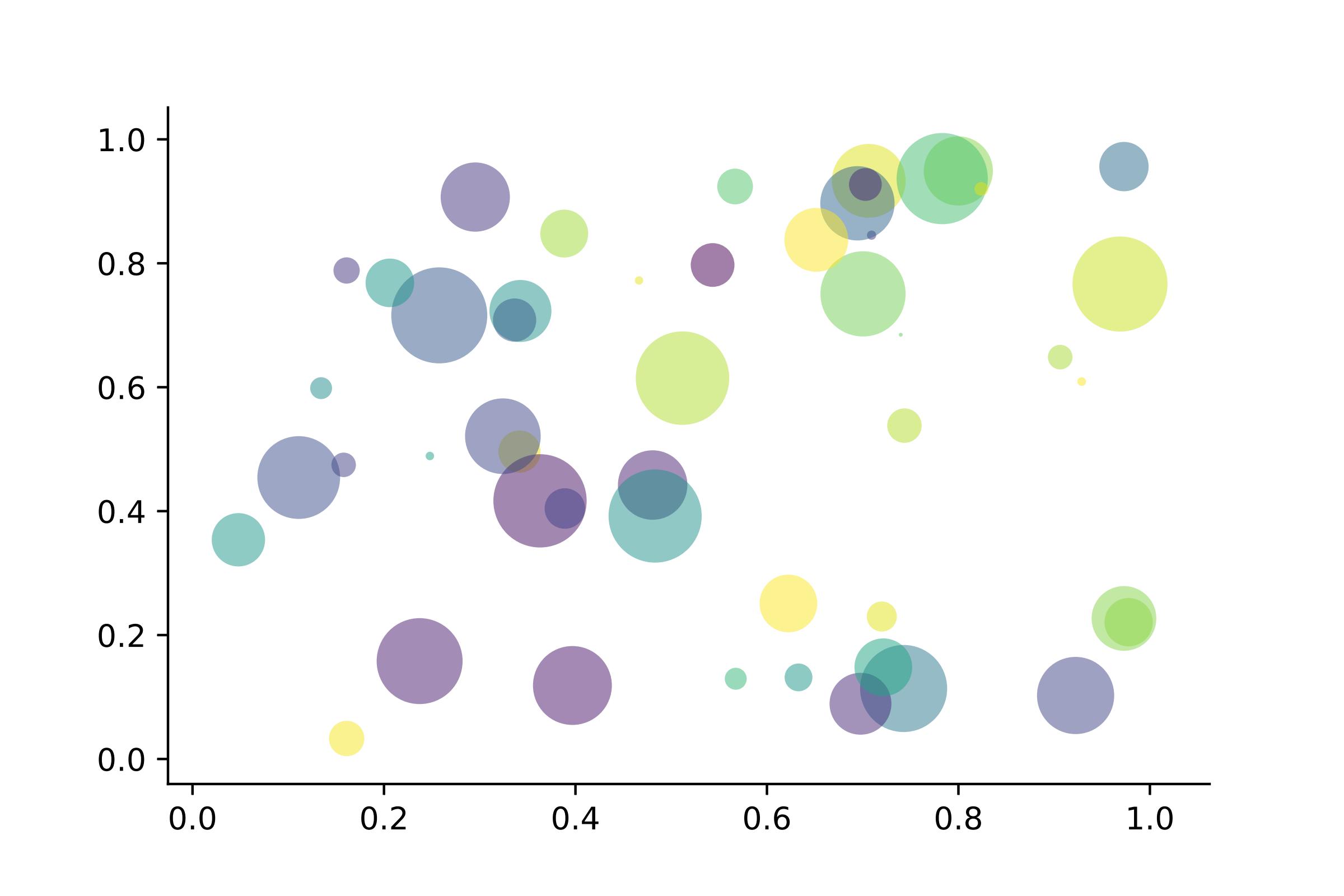
  \includegraphics[width=0.6\textwidth]{scatter.jpg}
  \caption{Matplotlib: Scatter Plot Example\label{fig:scatter}}
\end{figure}

Regression analysis is a powerful statistical method that allows you to examine the relationship between two or more variables of interest. While there are many types of regression analysis, at their core they all examine the influence of one or more independent variables on a dependent variable. The process of performing a regression allows you to confidently determine which factors matter most, which factors can be ignored, and how these factors influence each other.

Let's continue using our application training example. In this case, we'd want to measure the historical levels of satisfaction with the events from the past three years or so, as well as any information possible in regards to the independent variables.

\section{Second section}
This second section\index{S!section} may include some special word,
and expand the ones already used\index{keywords!used}.


\begin{table}[htbp]
  \small
  \centering
  \caption{Auto MPG and Price \label{tab:reg}}
    \begin{tabular}{lcc}
    \toprule
                    &       (1)         &        (2)      \\
    \midrule
    mpg             &    -238.90***     &      -49.51     \\
                    &     (53.08)       &      (86.16)    \\
    weight          &                   &      1.75***    \\
                    &                   &      (0.641)    \\
    constant        &     11,253***     &       1,946     \\
                    &     (1,171)       &      (3,597)   \\
    obs             &        74         &         74     \\
    $R^2$           &      0.220        &       0.293    \\
    \bottomrule
    \multicolumn{3}{l}{\scriptsize Standard errors in parentheses} \\
    \multicolumn{3}{l}{\scriptsize *** $p < 0.01$, ** $p<0.05$, * $p<0.1$} \\
    \end{tabular}%
\end{table}%

\lipsum[1-2]

\begin{itemize}
  \item Routing and resource discovery;
       \begin{itemize}
             \item Language Models
            \item Vector Space Models
         \end{itemize}
  \item Resilient and scalable computer networks;
  \item Distributed storage and search.
\end{itemize}

%\problemset
\begin{problemset}
  \item Solve the equation $5(- 3x - 2) - (x - 3) = -4(4x + 5) + 13$.
  \item Find the distance between the points $(-4 , -5)$ and $(-1 , -1)$.
  \item Find the slope of the line $5x - 5y = 7$.
\end{problemset}


\chapter{FAQ}
We list some FAQs for users to refer to:
\begin{enumerate}
  \item \question{Why option numbers for natbib fail to take effect in v3.07?}
  In v3.07, when \lstinline{gbt7714} is introduced, option \lstinline{authoryear} is incompatible with \lstinline{natbib}. In v3.08 and 3.09, \lstinline{numbers}, \lstinline{numbers}, \lstinline{super} and \lstinline{authoryear} are introduced.
  \item \question{I want to customize font and background color.}
  Please use \lstinline{pagecolor} to change background color, refer to \href{https://tex.stackexchange.com/questions/278544/xcolor-what-is-the-equivalent-of-default-text-color}{this} to customize font.
  \item \question{Which version should I choose?}
  Please use \href{https://github.com/ElegantLaTeX/ElegantBook/releases}{Latest Release} via GitHub or \TeX~Live 2025.
  \item \question{Which editor should I choose?}
  You can use \TeX~Live 2025 built-in \TeX works or \TeX Studio. You may refer to \href{https://github.com/EthanDeng/texworks-autocomplete}{\TeX works autocomplete}. \TeX~Live 2025 + \TeX studio is strongly recommended. Related configurations can be found at \href{https://github.com/EthanDeng/vscode-latex}{vscode-latex} and \href{https://github.com/EthanDeng/sublime-text-latex}{sublime-text-latex}.
  \item \question{Hello, we want to use ElegantBook to write a book about machine learning and would like your authorization.}
  Feel free to use our templates by pointing out our copyright. For other issues, please refer to LPPL-1.3c. If you want to show us your work, you can share the URL with us afterwards.
  \item \question{What is cross reference?}
  This template is aimed at who are not a complete beginner for \LaTeX. Please learn more about \LaTeX\ before using this template.
  \item \question{Is the language for code highlighting optional?}
  Yes, \lstinline{listings} package is used in ElegantBook, hence language is optional(e.g. \lstinline{language=Python}). For global setting, use \lstinline{lstset}. For more information, please refer to package documentations.
  \item \question{When will Beamer template (ElegantSlide or ElegantBeamer) forthcoming?}
  Since there is an excellent theme \href{https://github.com/matze/mtheme}{Metropolis}, no plan for Beamer theme.
\end{enumerate}

\chapter{Version History}
We revised our templates now and then. This section shows the version story of ElegantBook.

\datechange{2026/02/27}{release of v4.6}  \textcolor{blue}{\bfseries Maintenance Resumed}

\begin{change}
  \item Maintenance resumed under new maintainer Osbert Wang.
  \item Template re-released due to large user base.
  \item Updated to support \TeX~Live 2025 and current operating systems (Windows 11, Ubuntu 24.04 LTS, macOS).
\end{change}

\datechange{2022/12/31}{release of v4.5.}  \textcolor{red}{\bfseries Stop Maintenance}

\begin{change}
  \item Add new document option \lstinline|usesamecnt| for same thm counter for all theme environments;
  \item Add 5-th optional parameter for \lstinline|elegantnewtheorem|.
\end{change}


\datechange{2022/08/15}{release of v4.4.}

\begin{change}
  \item Add custome theorem definition command \lstinline{\elegantnewtheorem};
  \item Fix star environment(*) for inner environments (\href{https://github.com/ElegantLaTeX/ElegantBook/issues/167}{issue \#167});
  \item Change English fonts from TeX Gyre Termes to TeX Gyre TermesX;
  \item Re-construct some theorem environments to enchance compatibility;
  \item Remove Gitee repo due the privacy policy;
  \item Re-open Github pull requests.
\end{change}


\datechange{2022/04/09}{release of v4.3.}

\begin{change}
  \item Remove part newtx settings, set TeX Gyre Termes/Heros fonts under \hologo{XeLaTeX}.
  \item Fix Chinese fonts in the theorem environments.
  \item Add theorem counter option, \lstinline{thmcnt=section}.
  \item Add bib option \lstinline{bibend}, which can take value of biber and bibtex.
  \item \textbf{! Warnings}: The multilingual option may cause some unexpected errors, you can report in this \href{https://github.com/ElegantLaTeX/ElegantBook/issues/170}{issue}.
\end{change}


\datechange{2022/03/08}{release of v4.2.}

\begin{change}
  \item Bug fix due to the update of newtx fonts;
  \item Add `Chapter' in TOC, and redefine \lstinline{\chaptername} to unify the logic under different languages;
  \item Add language option for Japanese, \lstinline{lang=jp}.
\end{change}


\datechange{2021/05/02}{release of v4.1.}

\begin{change}
  \item \textbf{! Big Change}: Change the bibliography method from \hologo{BibTeX} to biblatex(with backend  \lstinline{biber});
  \item \textbf{! Big Change}: Add support for the default theorem writing method (with optional name and label);
  \item Add left and right space;
  \item Support hyperlink from the text of TOC;
  \item Remove the \hologo{pdfLaTeX} compatiblity check for Chinese.
  \item Add multilingual support, for french \lstinline{lang=fr}, dutch \lstinline{lang=nl}, Hungarian  \lstinline{lang=hu}, Spanish \lstinline{lang=es}, Mongolian \lstinline{lang=mn} etc.
\end{change}

\datechange{2020/04/12}{release of v3.11, \textcolor{red}{\textbf{LAST} version of 3.x}.}


\begin{change}
  \item \textbf{! Fix}: Fix \lstinline{natbib option clash} problems caused by \lstinline{gbt7714} updates.
  \item Remove \lstinline{base} decorations and its options since \lstinline{pgfornament} package is not included in \TeX~Live 2020.
  \item Fix spacing problem in some environments.
  \item Introduce language option for Italian, \lstinline{lang=it}.
\end{change}


\datechange{2020/02/10}{release of v3.10}

\begin{change}
  \item Introduce \lstinline{math} for math font, optional styles are \lstinline{newtx} and \lstinline{cm}.\\
  \textbf{Notice}: The math font \lstinline{newtxmath} in previous versions is reset to default \LaTeX\ math font, to keep previous math font, please declare \lstinline{math=newtx}.
  \item Introduce \lstinline{chinesefont} option, with \lstinline{founder}, \lstinline{ctexfont} and \lstinline{nofont} available.
  \item Turn author information on the cover optional and add customized command \lstinline{\bioinfo}.
  \item Add version history with command \lstinline{\datechange} and environment \lstinline{change}.
  \item Add Chinese chapter style \lstinline{scheme} with option \lstinline{chinese}.
  \item Since the bug raised by \lstinline{\lvert} is fixed, exchange package positions of \lstinline{ctex} and \lstinline{amsmath}.
  \item Drop \lstinline{\lastpage} from header to avoid page anchor bug and adding \lstinline{\frontmatter}.
  \item Revise bibliography option \lstinline{cite} with optional styles \lstinline{numbers},\lstinline{authoryear} and \lstinline{super}.
  \item Introduce bibliography style option \lstinline{bibstyle}, with default bib style \lstinline{apalike} for English mode and \lstinline{gbt7714} package for Chinese mode.
\end{change}

\datechange{2019/08/18}{release of v3.09}

\begin{change}
  \item Remove \lstinline{\elegantpar} temporary and remind users to use \lstinline{\marginnote} and \lstinline{\marginpar} instead.
  \item Use \lstinline{esint} to display integral operator.
  \item Add new command \lstinline{toc}, with options  \lstinline{onecol} and \lstinline{twocol}.
  \item Add new option \lstinline{cite} \lstinline{super} for superscript-displayed citation.
  \item Revise \lstinline{problemset}.
\end{change}


\nocite{en2,en3}

\printbibliography[heading=bibintoc, title=\ebibname]
\appendix


\chapter{Mathematical Tools}

This appendix covers some of the basic mathematics used in econometrics. We briefly discuss the properties of summation operators, study the properties of linear and some nonlinear equations, and review the ratios and percentages. We also introduce some special functions that are common in econometrics applications, including quadratic functions and natural logarithms. The first four sections require only basic algebraic techniques. The fifth section briefly reviews differential Calculus Although Calculus is not necessary to understand much of this book, it is used in some of the end-of-chapter appendices and in some of the more advanced topics in part 3.

\section{Summation Operator and Description Statistics}

\textbf{Summation Operator} is an abbreviation used to express the summation of numbers, it plays an important role in statistics and econometrics analysis. If $\{x_i: i=1, 2, \ldots, n\}$ is a sequence of $n$ numbers, the summation of the $n$ numbers is:

\begin{equation}
\sum_{i=1}^n x_i \equiv x_1 + x_2 +\cdots + x_n
\end{equation}


\end{document}
reference.bib
@article{en3,
  title={{The Mechanism and Effectiveness of Credit Scoring of P2P Lending Platform: Evidence from Renrendai.com}},
  author={Li, Qiang and Chen, Liwen and Zeng, Yong},
  journal={China Finance Review International},
  volume={8},
  number={3},
  pages={256--274},
  year={2018},
  publisher={Emerald Publishing Limited}
}


@article{en2,
   author = {Carlstrom, Charles T and Fuerst, Timothy S},
   title = {{Agency Costs, Net Worth, and Business Fluctuations: A Computable General Equilibrium Analysis}},
   journal = {The American Economic Review},
   pages = {893-910},
   ISSN = {0002-8282},
   year = {1997},
   type = {Journal Article}
}

@article{en1,
   author = {Quadrini, Vincenzo},
   title = {{Financial Frictions in Macroeconomic Fluctuations}},
   journal = {FRB Richmond Economic Quarterly},
   volume = {97},
   number = {3},
   pages = {209-254},
   year = {2011},
   type = {Journal Article}
}

@article{cn1,
   author = {方军雄},
   key = {fang1 jun1 xiong2},
   title = {{所有制、制度环境与信贷资金配置}},
   journal = {经济研究},
   number = {12},
   pages = {82-92},
   ISSN = {0577-9154},
   year = {2007},
   type = {Journal Article}
}

@article{cn2,
   author = {刘凤良 and 章潇萌 and 于泽},
   key = {liu2 feng4 liang2 zhang1 xiao1 meng2 yu2 ze2},
   title = {{高投资、结构失衡与价格指数二元分化}},
   journal = {金融研究},
   number = {02},
   pages = {54-69},
   ISSN = {1002-7246},
   year = {2017},
   type = {Journal Article}
}

@article{cn3,
   author = {吕捷 and 王高望},
   key = {lv3 jie2 wang2 gao1 wang4},
   title = {{CPI 与 PPI “背离”的结构性解释}},
   journal = {经济研究},
   volume = {50},
   number = {04},
   pages = {136-149},
   ISSN = {0577-9154},
   year = {2015},
   type = {Journal Article}
}
figure/cover.jpg

figure/logo-blue.png

image/scatter.jpg
License
The LaTeX Project Public License
=-=-=-=-=-=-=-=-=-=-=-=-=-=-=-=-

LPPL Version 1.3c  2008-05-04

Copyright 1999 2002-2008 LaTeX3 Project
    Everyone is allowed to distribute verbatim copies of this
    license document, but modification of it is not allowed.


PREAMBLE
========

The LaTeX Project Public License (LPPL) is the primary license under
which the LaTeX kernel and the base LaTeX packages are distributed.

You may use this license for any work of which you hold the copyright
and which you wish to distribute.  This license may be particularly
suitable if your work is TeX-related (such as a LaTeX package), but
it is written in such a way that you can use it even if your work is
unrelated to TeX.

The section `WHETHER AND HOW TO DISTRIBUTE WORKS UNDER THIS LICENSE',
below, gives instructions, examples, and recommendations for authors
who are considering distributing their works under this license.

This license gives conditions under which a work may be distributed
and modified, as well as conditions under which modified versions of
that work may be distributed.

We, the LaTeX3 Project, believe that the conditions below give you
the freedom to make and distribute modified versions of your work
that conform with whatever technical specifications you wish while
maintaining the availability, integrity, and reliability of
that work.  If you do not see how to achieve your goal while
meeting these conditions, then read the document `cfgguide.tex'
and `modguide.tex' in the base LaTeX distribution for suggestions.


DEFINITIONS
===========

In this license document the following terms are used:

   `Work'
    Any work being distributed under this License.

   `Derived Work'
    Any work that under any applicable law is derived from the Work.

   `Modification'
    Any procedure that produces a Derived Work under any applicable
    law -- for example, the production of a file containing an
    original file associated with the Work or a significant portion of
    such a file, either verbatim or with modifications and/or
    translated into another language.

   `Modify'
    To apply any procedure that produces a Derived Work under any
    applicable law.

   `Distribution'
    Making copies of the Work available from one person to another, in
    whole or in part.  Distribution includes (but is not limited to)
    making any electronic components of the Work accessible by
    file transfer protocols such as FTP or HTTP or by shared file
    systems such as Sun's Network File System (NFS).

   `Compiled Work'
    A version of the Work that has been processed into a form where it
    is directly usable on a computer system.  This processing may
    include using installation facilities provided by the Work,
    transformations of the Work, copying of components of the Work, or
    other activities.  Note that modification of any installation
    facilities provided by the Work constitutes modification of the Work.

   `Current Maintainer'
    A person or persons nominated as such within the Work.  If there is
    no such explicit nomination then it is the `Copyright Holder' under
    any applicable law.

   `Base Interpreter'
    A program or process that is normally needed for running or
    interpreting a part or the whole of the Work.

    A Base Interpreter may depend on external components but these
    are not considered part of the Base Interpreter provided that each
    external component clearly identifies itself whenever it is used
    interactively.  Unless explicitly specified when applying the
    license to the Work, the only applicable Base Interpreter is a
    `LaTeX-Format' or in the case of files belonging to the
    `LaTeX-format' a program implementing the `TeX language'.


CONDITIONS ON DISTRIBUTION AND MODIFICATION
===========================================

1.  Activities other than distribution and/or modification of the Work
are not covered by this license; they are outside its scope.  In
particular, the act of running the Work is not restricted and no
requirements are made concerning any offers of support for the Work.

2.  You may distribute a complete, unmodified copy of the Work as you
received it.  Distribution of only part of the Work is considered
modification of the Work, and no right to distribute such a Derived
Work may be assumed under the terms of this clause.

3.  You may distribute a Compiled Work that has been generated from a
complete, unmodified copy of the Work as distributed under Clause 2
above, as long as that Compiled Work is distributed in such a way that
the recipients may install the Compiled Work on their system exactly
as it would have been installed if they generated a Compiled Work
directly from the Work.

4.  If you are the Current Maintainer of the Work, you may, without
restriction, modify the Work, thus creating a Derived Work.  You may
also distribute the Derived Work without restriction, including
Compiled Works generated from the Derived Work.  Derived Works
distributed in this manner by the Current Maintainer are considered to
be updated versions of the Work.

5.  If you are not the Current Maintainer of the Work, you may modify
your copy of the Work, thus creating a Derived Work based on the Work,
and compile this Derived Work, thus creating a Compiled Work based on
the Derived Work.

6.  If you are not the Current Maintainer of the Work, you may
distribute a Derived Work provided the following conditions are met
for every component of the Work unless that component clearly states
in the copyright notice that it is exempt from that condition.  Only
the Current Maintainer is allowed to add such statements of exemption
to a component of the Work.

  a. If a component of this Derived Work can be a direct replacement
     for a component of the Work when that component is used with the
     Base Interpreter, then, wherever this component of the Work
     identifies itself to the user when used interactively with that
     Base Interpreter, the replacement component of this Derived Work
     clearly and unambiguously identifies itself as a modified version
     of this component to the user when used interactively with that
     Base Interpreter.

  b. Every component of the Derived Work contains prominent notices
     detailing the nature of the changes to that component, or a
     prominent reference to another file that is distributed as part
     of the Derived Work and that contains a complete and accurate log
     of the changes.

  c. No information in the Derived Work implies that any persons,
     including (but not limited to) the authors of the original version
     of the Work, provide any support, including (but not limited to)
     the reporting and handling of errors, to recipients of the
     Derived Work unless those persons have stated explicitly that
     they do provide such support for the Derived Work.

  d. You distribute at least one of the following with the Derived Work:

       1. A complete, unmodified copy of the Work;
          if your distribution of a modified component is made by
          offering access to copy the modified component from a
          designated place, then offering equivalent access to copy
          the Work from the same or some similar place meets this
          condition, even though third parties are not compelled to
          copy the Work along with the modified component;

       2. Information that is sufficient to obtain a complete,
          unmodified copy of the Work.

7.  If you are not the Current Maintainer of the Work, you may
distribute a Compiled Work generated from a Derived Work, as long as
the Derived Work is distributed to all recipients of the Compiled
Work, and as long as the conditions of Clause 6, above, are met with
regard to the Derived Work.

8.  The conditions above are not intended to prohibit, and hence do not
apply to, the modification, by any method, of any component so that it
becomes identical to an updated version of that component of the Work as
it is distributed by the Current Maintainer under Clause 4, above.

9.  Distribution of the Work or any Derived Work in an alternative
format, where the Work or that Derived Work (in whole or in part) is
then produced by applying some process to that format, does not relax or
nullify any sections of this license as they pertain to the results of
applying that process.

10. a. A Derived Work may be distributed under a different license
       provided that license itself honors the conditions listed in
       Clause 6 above, in regard to the Work, though it does not have
       to honor the rest of the conditions in this license.

    b. If a Derived Work is distributed under a different license, that
       Derived Work must provide sufficient documentation as part of
       itself to allow each recipient of that Derived Work to honor the
       restrictions in Clause 6 above, concerning changes from the Work.

11. This license places no restrictions on works that are unrelated to
the Work, nor does this license place any restrictions on aggregating
such works with the Work by any means.

12.  Nothing in this license is intended to, or may be used to, prevent
complete compliance by all parties with all applicable laws.


NO WARRANTY
===========

There is no warranty for the Work.  Except when otherwise stated in
writing, the Copyright Holder provides the Work `as is', without
warranty of any kind, either expressed or implied, including, but not
limited to, the implied warranties of merchantability and fitness for a
particular purpose.  The entire risk as to the quality and performance
of the Work is with you.  Should the Work prove defective, you assume
the cost of all necessary servicing, repair, or correction.

In no event unless required by applicable law or agreed to in writing
will The Copyright Holder, or any author named in the components of the
Work, or any other party who may distribute and/or modify the Work as
permitted above, be liable to you for damages, including any general,
special, incidental or consequential damages arising out of any use of
the Work or out of inability to use the Work (including, but not limited
to, loss of data, data being rendered inaccurate, or losses sustained by
anyone as a result of any failure of the Work to operate with any other
programs), even if the Copyright Holder or said author or said other
party has been advised of the possibility of such damages.


MAINTENANCE OF THE WORK
=======================

The Work has the status `author-maintained' if the Copyright Holder
explicitly and prominently states near the primary copyright notice in
the Work that the Work can only be maintained by the Copyright Holder
or simply that it is `author-maintained'.

The Work has the status `maintained' if there is a Current Maintainer
who has indicated in the Work that they are willing to receive error
reports for the Work (for example, by supplying a valid e-mail
address). It is not required for the Current Maintainer to acknowledge
or act upon these error reports.

The Work changes from status `maintained' to `unmaintained' if there
is no Current Maintainer, or the person stated to be Current
Maintainer of the work cannot be reached through the indicated means
of communication for a period of six months, and there are no other
significant signs of active maintenance.

You can become the Current Maintainer of the Work by agreement with
any existing Current Maintainer to take over this role.

If the Work is unmaintained, you can become the Current Maintainer of
the Work through the following steps:

 1.  Make a reasonable attempt to trace the Current Maintainer (and
     the Copyright Holder, if the two differ) through the means of
     an Internet or similar search.

 2.  If this search is successful, then enquire whether the Work
     is still maintained.

  a. If it is being maintained, then ask the Current Maintainer
     to update their communication data within one month.

  b. If the search is unsuccessful or no action to resume active
     maintenance is taken by the Current Maintainer, then announce
     within the pertinent community your intention to take over
     maintenance.  (If the Work is a LaTeX work, this could be
     done, for example, by posting to comp.text.tex.)

 3a. If the Current Maintainer is reachable and agrees to pass
     maintenance of the Work to you, then this takes effect
     immediately upon announcement.

  b. If the Current Maintainer is not reachable and the Copyright
     Holder agrees that maintenance of the Work be passed to you,
     then this takes effect immediately upon announcement.

 4.  If you make an `intention announcement' as described in 2b. above
     and after three months your intention is challenged neither by
     the Current Maintainer nor by the Copyright Holder nor by other
     people, then you may arrange for the Work to be changed so as
     to name you as the (new) Current Maintainer.

 5.  If the previously unreachable Current Maintainer becomes
     reachable once more within three months of a change completed
     under the terms of 3b) or 4), then that Current Maintainer must
     become or remain the Current Maintainer upon request provided
     they then update their communication data within one month.

A change in the Current Maintainer does not, of itself, alter the fact
that the Work is distributed under the LPPL license.

If you become the Current Maintainer of the Work, you should
immediately provide, within the Work, a prominent and unambiguous
statement of your status as Current Maintainer.  You should also
announce your new status to the same pertinent community as
in 2b) above.


WHETHER AND HOW TO DISTRIBUTE WORKS UNDER THIS LICENSE
======================================================

This section contains important instructions, examples, and
recommendations for authors who are considering distributing their
works under this license.  These authors are addressed as `you' in
this section.

Choosing This License or Another License
----------------------------------------

If for any part of your work you want or need to use *distribution*
conditions that differ significantly from those in this license, then
do not refer to this license anywhere in your work but, instead,
distribute your work under a different license.  You may use the text
of this license as a model for your own license, but your license
should not refer to the LPPL or otherwise give the impression that
your work is distributed under the LPPL.

The document `modguide.tex' in the base LaTeX distribution explains
the motivation behind the conditions of this license.  It explains,
for example, why distributing LaTeX under the GNU General Public
License (GPL) was considered inappropriate.  Even if your work is
unrelated to LaTeX, the discussion in `modguide.tex' may still be
relevant, and authors intending to distribute their works under any
license are encouraged to read it.

A Recommendation on Modification Without Distribution
-----------------------------------------------------

It is wise never to modify a component of the Work, even for your own
personal use, without also meeting the above conditions for
distributing the modified component.  While you might intend that such
modifications will never be distributed, often this will happen by
accident -- you may forget that you have modified that component; or
it may not occur to you when allowing others to access the modified
version that you are thus distributing it and violating the conditions
of this license in ways that could have legal implications and, worse,
cause problems for the community.  It is therefore usually in your
best interest to keep your copy of the Work identical with the public
one.  Many works provide ways to control the behavior of that work
without altering any of its licensed components.

How to Use This License
-----------------------

To use this license, place in each of the components of your work both
an explicit copyright notice including your name and the year the work
was authored and/or last substantially modified.  Include also a
statement that the distribution and/or modification of that
component is constrained by the conditions in this license.

Here is an example of such a notice and statement:

  %% pig.dtx
  %% Copyright 2005 M. Y. Name
  %
  % This work may be distributed and/or modified under the
  % conditions of the LaTeX Project Public License, either version 1.3
  % of this license or (at your option) any later version.
  % The latest version of this license is in
  %   http://www.latex-project.org/lppl.txt
  % and version 1.3 or later is part of all distributions of LaTeX
  % version 2005/12/01 or later.
  %
  % This work has the LPPL maintenance status `maintained'.
  %
  % The Current Maintainer of this work is M. Y. Name.
  %
  % This work consists of the files pig.dtx and pig.ins
  % and the derived file pig.sty.

Given such a notice and statement in a file, the conditions
given in this license document would apply, with the `Work' referring
to the three files `pig.dtx', `pig.ins', and `pig.sty' (the last being
generated from `pig.dtx' using `pig.ins'), the `Base Interpreter'
referring to any `LaTeX-Format', and both `Copyright Holder' and
`Current Maintainer' referring to the person `M. Y. Name'.

If you do not want the Maintenance section of LPPL to apply to your
Work, change `maintained' above into `author-maintained'.
However, we recommend that you use `maintained', as the Maintenance
section was added in order to ensure that your Work remains useful to
the community even when you can no longer maintain and support it
yourself.

Derived Works That Are Not Replacements
---------------------------------------

Several clauses of the LPPL specify means to provide reliability and
stability for the user community. They therefore concern themselves
with the case that a Derived Work is intended to be used as a
(compatible or incompatible) replacement of the original Work. If
this is not the case (e.g., if a few lines of code are reused for a
completely different task), then clauses 6b and 6d shall not apply.


Important Recommendations
-------------------------

 Defining What Constitutes the Work

   The LPPL requires that distributions of the Work contain all the
   files of the Work.  It is therefore important that you provide a
   way for the licensee to determine which files constitute the Work.
   This could, for example, be achieved by explicitly listing all the
   files of the Work near the copyright notice of each file or by
   using a line such as:

    % This work consists of all files listed in manifest.txt.

   in that place.  In the absence of an unequivocal list it might be
   impossible for the licensee to determine what is considered by you
   to comprise the Work and, in such a case, the licensee would be
   entitled to make reasonable conjectures as to which files comprise
   the Work.
How to use this template
Everything runs in your browser: nothing to install, no login, no compile timeout.
- Click Open in LaTeX.to. The template opens as a project in the Projects pane, with elegantbook-en.tex in the editor and its finished PDF in the preview.
- Click Preview, or press Ctrl+Enter (Cmd+Enter on a Mac), to compile. The preview shows the new PDF; you do not need to save first.
- If the compile fails, the Console pane opens with the LaTeX log. The first error in it says what went wrong and on which line.
- To add an image, a .bib file or another .tex file, open the project's menu (the three dots next to its name in the Projects pane) and choose Upload file or New file.
- The arrow next to Preview has Download PDF. Ctrl+S saves your edits, and the project stays in your browser on this device.
More templates: kaobook and all templates.