pdfTeX online
Run pdfTeX online in your browser: plain TeX in the Knuth tradition, no document class, straight to a PDF.
Open in LaTeX.to Download the example (zip)
- Recommended Maintained, 1997
- Magic comment:
% !TeX program = pdftexon the first line of main.tex, which is how the example picks it under Auto. - License: Public domain, use freely.
- Files:
main.tex
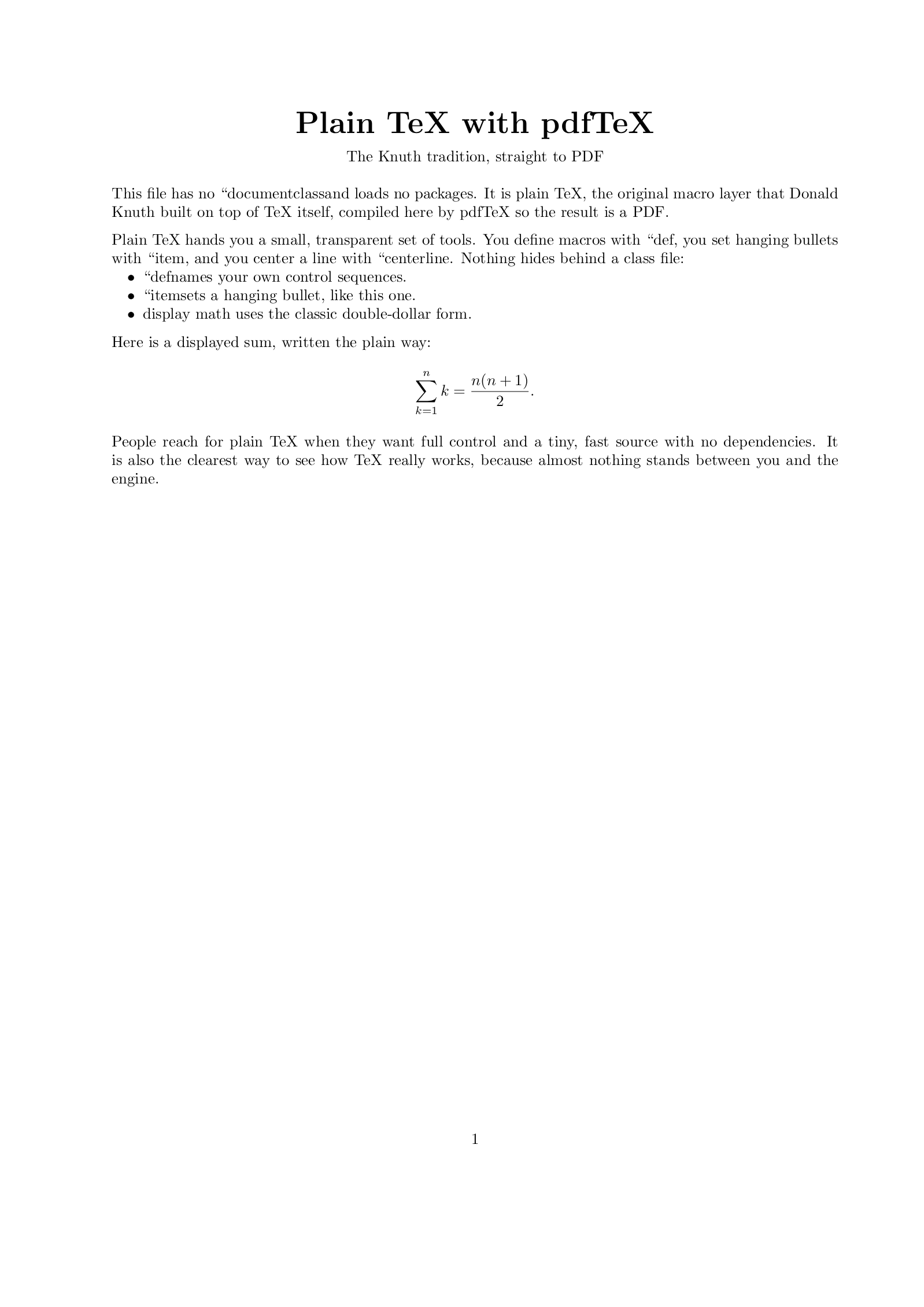
% !TeX program = pdftex
% Plain TeX has no \documentclass and ends with \bye.
\font\titlefont=cmbx12 at 20pt
\centerline{\titlefont Plain TeX with pdfTeX}
\medskip
\centerline{The Knuth tradition, straight to PDF}
\bigskip

\noindent This file has no \string\documentclass and loads no packages. It is
plain TeX, the original macro layer that Donald Knuth built on top of TeX
itself, compiled here by pdfTeX so the result is a PDF.

\medskip
\noindent Plain TeX hands you a small, transparent set of tools. You define
macros with \string\def, you set hanging bullets with \string\item, and you
center a line with \string\centerline. Nothing hides behind a class file:

\item{$\bullet$} \string\def names your own control sequences.
\item{$\bullet$} \string\item sets a hanging bullet, like this one.
\item{$\bullet$} display math uses the classic double-dollar form.

\medskip
\noindent Here is a displayed sum, written the plain way:
$$ \sum_{k=1}^{n} k = {n(n+1)\over 2}. $$

\noindent People reach for plain TeX when they want full control and a tiny,
fast source with no dependencies. It is also the clearest way to see how TeX
really works, because almost nothing stands between you and the engine.

\bye
How to compile with pdfTeX on LaTeX.to
Everything runs in your browser: nothing to install, no login, no compile timeout.
- Click Open in LaTeX.to. The example opens as a project with main.tex in the editor and its finished PDF in the preview.
- Edit, then press Ctrl+Enter (Cmd+Enter on a Mac). The first compile downloads what this engine needs; after that a compile takes seconds.
What pdfTeX is
Every pdfLaTeX run is a pdfTeX run. The difference is the format loaded on top of the engine: pdfLaTeX loads LaTeX, with its document classes and thousands of packages, while plain pdfTeX loads Knuth's original plain format, about nine hundred lines of macros and nothing else. No \documentclass, no \begin{document}, no packages. The file ends with \bye.
That is what the example on this page is: a plain TeX file, compiled by pdfTeX, coming out as a PDF. It picks a font with \font\titlefont=cmbx12 at 20pt, centers a line with \centerline, and writes display math between double dollars, the way the TeXbook does.
When to use it
- Writing a package or class: it has to work in whatever format loads it, so package authors test in a
\byefile with nothing else in the way. - Working through the TeXbook, whose exercises are plain TeX.
- A five-line file for a one-page PDF, with no class and no package to load.
- Output generated by a script, where the smaller macro layer is more predictable than LaTeX.
- Not for a document with
\documentclass: that is pdfLaTeX.
pdfTeX vs XeTeX vs LuaTeX
All three engines run the plain format.
- pdfTeX: the 8-bit original, with TeX fonts and the microtypography features pdfTeX invented.
- XeTeX: reads Unicode and loads a font by its name in quotes.
- LuaTeX: reads Unicode too and carries a Lua interpreter, so a plain file can compute while it typesets.
Auto tells them apart by the file: \bye with no \documentclass means plain TeX, \directlua sends it to LuaTeX, a quoted \font line to XeTeX, anything else here.
More engines: LuaTeX, XeTeX and all engines.