BibTeX online
Run BibTeX online in your browser: cite entries from a .bib file and the reference list is built for you, every pass included.
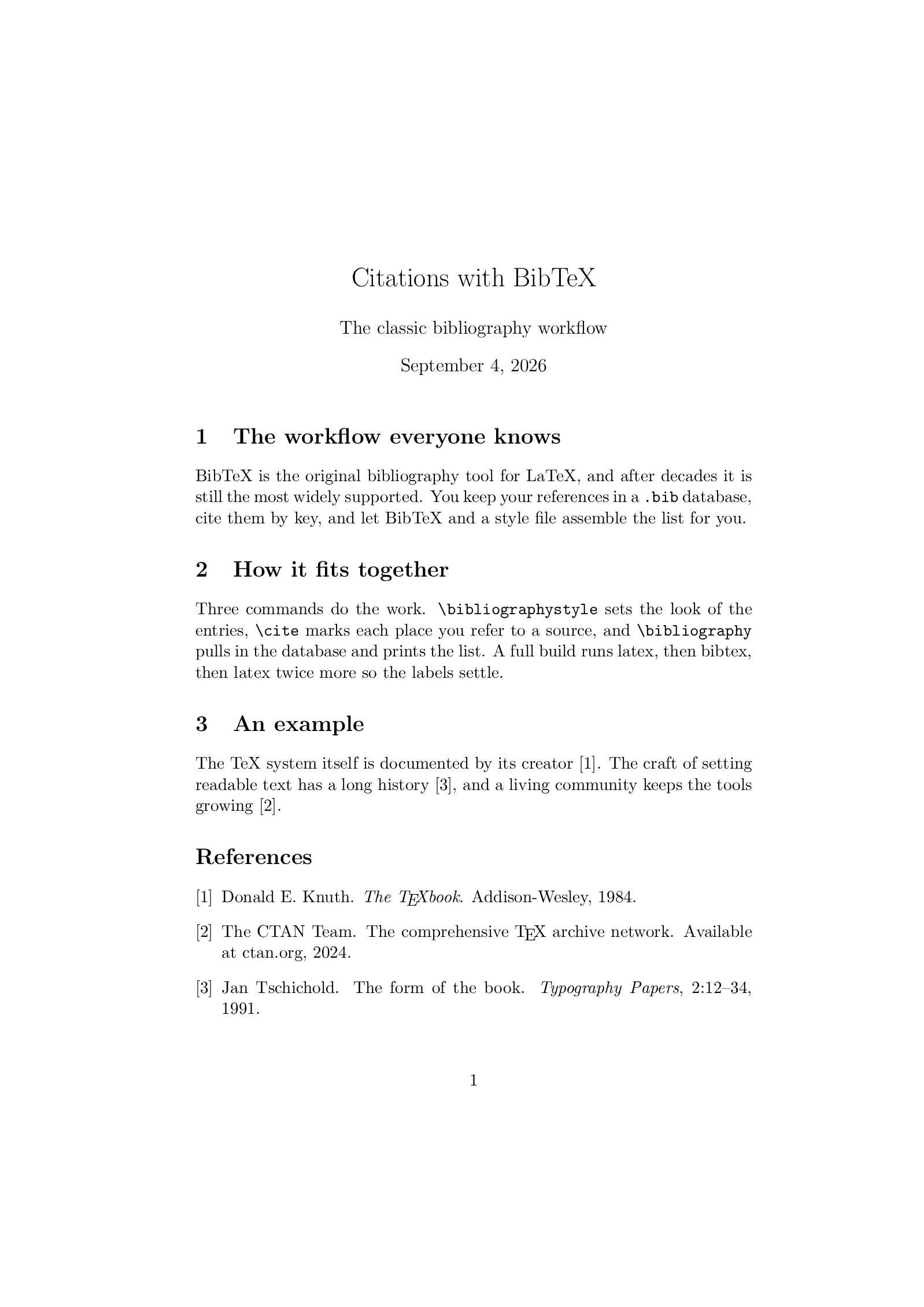
Open in LaTeX.to Download the example (zip)
- Recommended Frozen, 1985
- Magic comment:
% !BIB program = bibtexon the first line of main.tex, which is how the example picks it under Auto. - License: Public domain, use freely.
- Files:
main.tex
% !BIB program = bibtex
\documentclass[11pt]{article}

\title{Citations with BibTeX}
\author{The classic bibliography workflow}
\date{\today}

\begin{document}
\maketitle

\section{The workflow everyone knows}
BibTeX is the original bibliography tool for LaTeX, and after decades it is
still the most widely supported. You keep your references in a \texttt{.bib}
database, cite them by key, and let BibTeX and a style file assemble the list
for you.

\section{How it fits together}
Three commands do the work. \texttt{\string\bibliographystyle} sets the look of
the entries, \texttt{\string\cite} marks each place you refer to a source, and
\texttt{\string\bibliography} pulls in the database and prints the list. A full
build runs latex, then bibtex, then latex twice more so the labels settle.

\section{An example}
The TeX system itself is documented by its creator~\cite{texbook}. The craft of
setting readable text has a long history~\cite{tschichold}, and a living
community keeps the tools growing~\cite{ctan}.

\bibliographystyle{plain}
\bibliography{references}

\end{document}
references.bib
@book{texbook,
  author    = {Donald E. Knuth},
  title     = {The {\TeX}book},
  publisher = {Addison-Wesley},
  year      = {1984}
}

@article{tschichold,
  author  = {Jan Tschichold},
  title   = {The Form of the Book},
  journal = {Typography Papers},
  volume  = {2},
  pages   = {12--34},
  year    = {1991}
}

@misc{ctan,
  author       = {{The CTAN Team}},
  title        = {The Comprehensive {\TeX} Archive Network},
  howpublished = {Available at ctan.org},
  year         = {2024}
}
How to run BibTeX on LaTeX.to
Everything runs in your browser: nothing to install, no login, no compile timeout.
- Click Open in LaTeX.to. The example opens as a project with main.tex in the editor and its finished PDF in the preview.
- Edit, then press Ctrl+Enter (Cmd+Enter on a Mac). The first compile downloads what this engine needs; after that a compile takes seconds.
What BibTeX is
BibTeX is a separate program that runs between LaTeX passes. The first pass writes the keys you cited into the .aux file; BibTeX reads it, finds the entries in your .bib database, formats them according to the style you named, and writes a .bbl file; the next passes print the list and fill in the numbers. That is why a bibliography takes four runs by hand. On LaTeX.to it is one Ctrl+Enter: the pipeline sees the .aux asking for a bibliography, runs bibtex, and reruns LaTeX until the citations settle, skipping BibTeX on later compiles unless the .bib or the citations changed.
The example on this page is a normal article with a references.bib beside it. Three commands do the work:
\bibliographystyle{plain}picks the look of the list.\cite{key}marks a citation.\bibliography{references}names the database.
When to use it
- A journal or conference template. They ship a
.bststyle and expect BibTeX, and every editor and every reference manager can export for it. - A document with plain numbered or author-year citations (
natbibadds the latter) and references in a Latin script. - Not for Unicode names that must sort correctly, for web pages and datasets with proper entry types, or for a style you want to adjust yourself: that is biblatex with Biber.
BibTeX vs biblatex
- BibTeX: a small program from 1985 with its own style language, 8-bit, frozen since 2010 and supported everywhere.
- biblatex: a LaTeX package that formats entries with LaTeX macros instead of a
.bstfile. - Biber: the program biblatex runs instead of BibTeX: Unicode, locale-aware sorting,
@onlinewith aurldate.
The same .bib file works with both. The full comparison, including how to move a document over, is on BibTeX vs biblatex.
Common errors
I found no \bibdata command: the document has no\bibliography{...}line, or the first pass failed before reaching it.Warning: Citation 'key' undefined: the key in\citematches no entry. Keys are case-sensitive.White space in argumentorRepeated entry: a key with a space in it (usually pasted from Google Scholar), or the same key twice in the.bib.
To cite a website, classic BibTeX has no @online type: use @misc with howpublished = {\url{...}} and a note for the access date, with \usepackage{url} loaded.
More engines: biblatex (Biber) and all engines. Compare: BibTeX vs biblatex.